ZW-07 - Tastatur Zoweetek - Kostenlose Bedienungsanleitung
Finden Sie kostenlos die Bedienungsanleitung des Geräts ZW-07 Zoweetek als PDF.


Benutzerfragen zu ZW-07 Zoweetek
0 Frage zu diesem Gerät. Beantworten Sie die, die Sie kennen, oder stellen Sie Ihre eigene.
Eine neue Frage zu diesem Gerät stellen
Laden Sie die Anleitung für Ihr Tastatur kostenlos im PDF-Format! Finden Sie Ihr Handbuch ZW-07 - Zoweetek und nehmen Sie Ihr elektronisches Gerät wieder in die Hand. Auf dieser Seite sind alle Dokumente veröffentlicht, die für die Verwendung Ihres Geräts notwendig sind. ZW-07 von der Marke Zoweetek.
BEDIENUNGSANLEITUNG ZW-07 Zoweetek
折线
■ Connection Instructions:Android
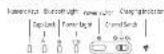
- It was onlin at the power button on the upper right of the keyboard, and then are it for 1s to activate (in to turn off the power).
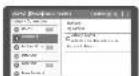
- Pass ☐ + ☐ for case passing. The 8-week light will keep floating blue, after means the day as soon as the passing more.
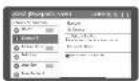
1 Turn on the Ninth month of your down and close the piling
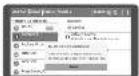
- Searching will be nitiated after Bluetooth turned on OLS on "bluecloth 50" keyboard to train the pairing process.
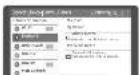
- You may use the keyboard quickly after successfully connected with your desire.
Multi-served Switch Switch between 0 = 0 to any pairwise freely while being connected with two due to anisierously. Onset: Also, the following results are not only extracted from: to the point which is the following described and made for the 'Starkin'
折线
Technical Specifications
- Season Size: 375*104.5*22.3 mm - Touch speed: 75*910.2 m/s - Working Distance: 25 M - Height: 900 g - Ground Length: 96 Kgs - Swap rate: 20 M/min - Work-up the device - Tree sec way - Battery Capacity: 370 kW - Working current of Touchpage: 6.8-10.0 kWh - Working current of Keys: 2.0 kWh
Status Display LED
- Turn on the power switch, the blue light will be on. - The blue light will flash internally; curing code puring - The blue light will be off after pulling successfully. - Low voltage reduction, the low light will leak when the voltage is below \$50.
Troubleshooting
Flaws contact its after-up service
IP Information
If a children to duplicate any information from this we guide without the
ронтажи и Ради
Safety instructions By no. open or report this device. Do not use this device in a dump environment. Does the device with dry cash
Warranty
One-year limited hardware repair service from the date of purchase.
Keyboard Maintenance
Please keep the key and away from liquid or liquid endometers. Don't close to
the clinic, defining past, chain men, etc. 7. He was don't ignore the headboard to engrossing other e-commerce services or law
temperature
- Please check the onboard under sun for a long time.
- Keep the onboard note from open frame, such as cooking holes, candles or finishes.
- Avoid these objects sharing the produce. Because or replace the dry cell linds to ensure the air and water.
FAO
- The tablet PC can't connect with the BT keyboard.
- Push your first that the BT keyboard turns into a wide sliding window, then turn on the Bluetooth of your tablet PC to save for the device.
- Check the power of the BT keyboard before using a plane fully charge the keyboard once the power is low.
- The keyboard indication light keep flashing during use It means the battery power will be BT screen, please change the keyboard immediately.
- The table PC displays BT keyboard is disconnected. In the 2 keyboard, enter into sleeping mode to save power without use for 25 more power by key to make up the BT keyboard.
折线
折线
尺寸:85x130mm 折页

Bluetooth
ZW-07
Multi-channel Universal Desktop Slot Keyboard
User Manual
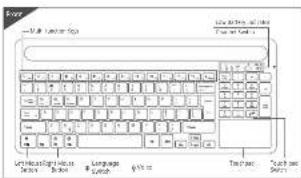
text_image
Word - 5.0 - Lumber Map Lumber Map Language Search Text Text Search- iOS Connection Instructions:
- Please switch on the power button on the upper right of the keyboard, and then press it for us to choose life to turn off the power.
-
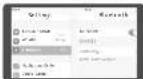
Print: _0 → _100, P_150 for code pairing. The thickness light will be given floating bits, which means the distance goes into the pairing mode.
-
Turn on the Bluetooth of your iOS device and start the party
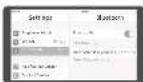
- Scatching will be initiated by Bluetooth turned on Click on "Two-orth 2.0 Keypad" or first the picking process
text_image
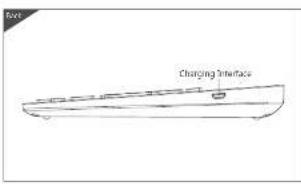
Changing Interface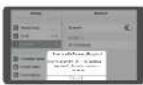
- According to the indication from your 126 devices please follow the instructions and press the corresponding solution in the library and their disk "Time".
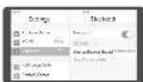
- You may use the referral freely after subsequently connected with your 125 days
Multi-deemed Switch Switch between 0—20 to any paired one ready while being connected with two devices simultaneously.
• Win8 Connection Instructions:
- Please switch on the power button at the upper right of the keyboard, and then press it for 2x to activate file to turn off the power.

-
Box 1 = 0 in side zwing. The thickness and width keep matching the, which necessary be done goes to the paracing mode.
-
Turn on the list of each of your computers and start the pricing
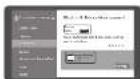
A. Searching will be interested after Bluetooth turned on Click on "Bluetooth 2.0" keyboard to have the pairing process.
According to the indication from your PC, please follow the instructions and press the corresponding format in the keyboard and their choice "Errors"
- You may use the orphaned nearby after completely convergence with your PC
Multi-channel Select Section between 01-02 to any paired one newly while being connected with two denotes measurements.
折线
Warranty Card
User information
Company or personal full name
Contact address
Tel ____ Zip
Purchased product's name and model NO.
Purchase date
Problem at consensus relating to help a consensus are set
Information on the following summary: - Information about working arrangements and work in the environment security. - In person operation or administration of the other, required the time of work to communicate to the next week.

X
Three System Function Key Combinations(fn+)
| Top 10% | Top 10% | Top 10% | |||
| Box | Scales in devices | Box | Scales in device | Box | Scales in device |
| Box | Fv | Box | Scales in process stage | Box | Box |
| Box | Scales | Box | Scales | Box | Box |
| Box | Level 01 | Box | Level 01 | Box | Level 01 |
| Box | Cut | Box | Cut | Box | Cut |
| Box | Favy | Box | Favy | Box | Favy |
| Box | Plastic | Box | Plastic | Box | Plastic |
| Box | Pensils | Box | Pensils | Box | Pensils |
| Box | Polyplastics | Box | Polyplastics | Box | Polyplastics |
| Box | Nick | Box | Nick | Box | Nick |
| Box | Nide | Box | Nide | Box | Nide |
| Box | Vibrine | Box | Vibrine | Box | Vibrine |
| Box | Vibrine | Box | Vibrine | Box | Vibrine |
| Box | Scales lock | Box | Scales lock | Box | Scales lock |
Touchpad Functions

Lift Mouse Ramon Single finger click Cryv Single finger click for twice and pressing to move
2、本次发行的种类及数量
26.45 M resolution
llgn lgnv sirk
12.35.1920 2:25
[Non-Text]
-
Women Smiling Two fingers siding varkally
[Non-Text]
[Non-Text]
-
Two (in millions)
-

Right Mouse Button Two fingers stick
-
[Non-Text]
70786
Law/Imagro Mindering
- 2017年1月1日

Open an email address On, 1845-320-1997 Up to 10
2、公司董事会会议决议公告
-
No 137-1408.
-
-
-
-
-
-
-
-
-
-
-
-
-
-
-
-
-
-
-
-
-
-
-
-
-
-
-
-
-
-
-
-
-
-
-
-
-
-
-
-
-
-
-
-
-
-
-
-
-
-
-
-
-
-
-
-
-
-
-
-
-
-
-
-
-
-
-
-
-
-
-
-
-
-
-
-
-
-
-
-
-
-
-
-
-
-
-
-
-
-
-
-
-
-
-
-
-
- 99.
-
-
-
-
-
-
-
-
-
-
-
-
-
-
-
-
-
-
-
-
-
-
-
-
-
-
-
-
-
-
-
-
-
-
-
-
-
-
-
-
-
-
-
-
-
-
-
-
-
-
-
-
-
-
-
-
-
-
-
-
-
-
-
-
-
-
-
-
-
-
-
-
-
-
-
-
-
-
-
-
-
-
-
-
-
-
-
-
-
-
-
-
-
-
-
-
(7)5 13411 1264
- 2017年1月1日