DA-73300-1 - Computerzubehör Digitus - Kostenlose Bedienungsanleitung
Finden Sie kostenlos die Bedienungsanleitung des Geräts DA-73300-1 Digitus als PDF.


Benutzerfragen zu DA-73300-1 Digitus
0 Frage zu diesem Gerät. Beantworten Sie die, die Sie kennen, oder stellen Sie Ihre eigene.
Eine neue Frage zu diesem Gerät stellen
Laden Sie die Anleitung für Ihr Computerzubehör kostenlos im PDF-Format! Finden Sie Ihr Handbuch DA-73300-1 - Digitus und nehmen Sie Ihr elektronisches Gerät wieder in die Hand. Auf dieser Seite sind alle Dokumente veröffentlicht, die für die Verwendung Ihres Geräts notwendig sind. DA-73300-1 von der Marke Digitus.
BEDIENUNGSANLEITUNG DA-73300-1 Digitus
DIGITUS®
USB 3.0 SHARING SWITCH
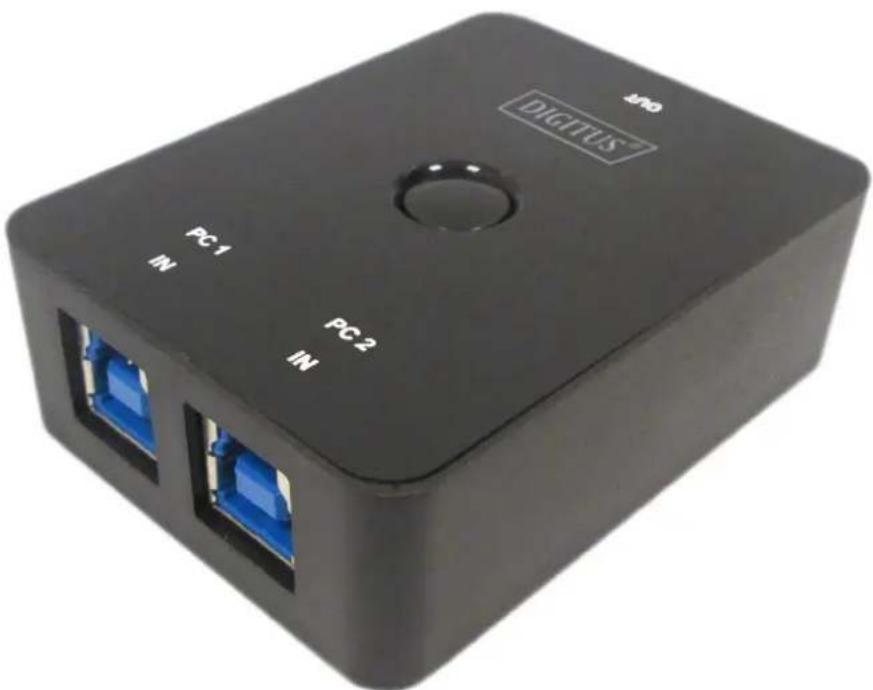
natural_image
Black rectangular device labeled 'DIGITUS' with two blue Ethernet ports, no visible text or symbols beyond branding and labelsUser Manual
DA-73300-1
INTRODUCTION
DA-73300-1 USB 3.0 Sharing Switch allows maximum two PCs to share one port device connected. It provides you a great solution to share USB devices between two PCs to save the limited budgets on USB devices and the effort on doing hot-plug process.
FEATURES
- USB 3.0 Sharing Switch can support data transfer rate up to 5Gbps.
• USB 1.1/2.0 backwards compatible. - USB 3.0 B-Type corresponded to computers and USB3.0 A-Type connected to device.
- No extra power is required
- Selects PCs by using top panel Push buttons
- Two LEDs indicate which PC is selected
SPECIFICATIONS
| Function | |
| Model No. DA-73300-1 | |
| PC Port USB3.0 B-Type x 2 | |
| USB Device Port USB3.0 A-Type x 1 | |
| Port Selection 2 x Push buttons | |
| LED 2 x LEDs | |
| Operating System | Windows XP, Vista, 7, 8, 10, Mac OS 10.3 and higher |
| Compatible USB Device USB 1.1/2.0/3.0 | |
| Power Mode USB Bus Power | |
| Power Adapter No | |
| Weight | 40g |
| Dimension (L x W x H) 69x4 | 2x22 (mm) |
| Operation Temperature 0~40 °C | |
| Storage Temperature | -20~60 °C |
| Power Consumption | 5V/50mA (Maximum) |
PACKAGE CONTENTS
• 1 x USB 3.0 Sharing Switch
• 1 x Quick Installation Guide
- 2 x 1.5m USB 3.0 cable
HARDWARE INSTALLATION
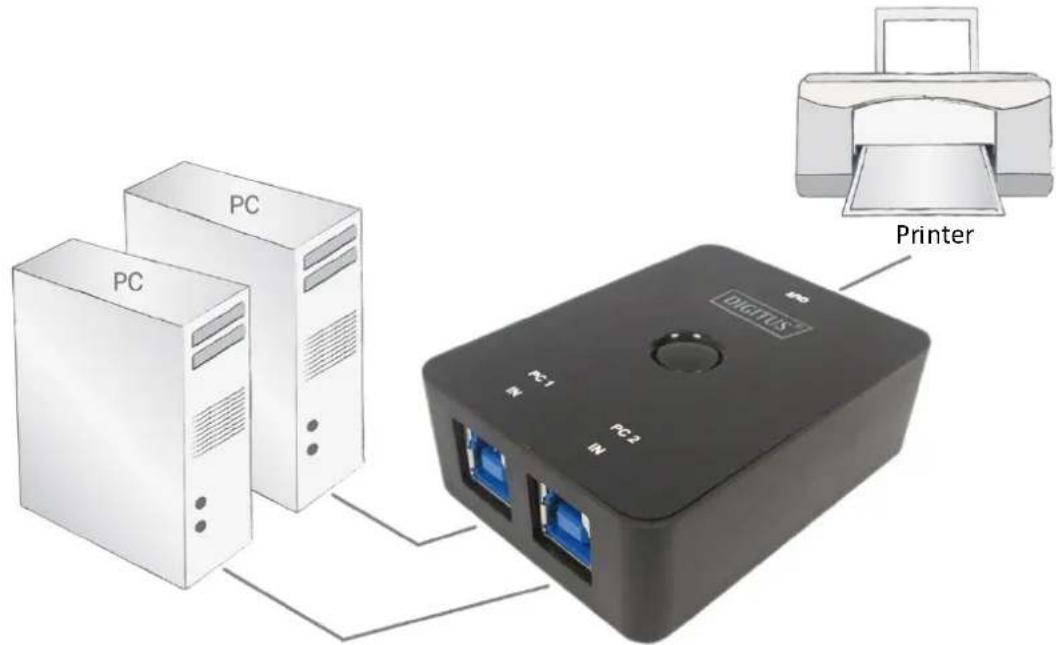
- Connect USB device to the USB port.
- Using USB 3.0 cable to connect PCs and sharing switch.
text_image
PC PC PC1 PC2 DIGITUS PrinterFAQ
Q1: Does the sharing switch support USB 1.1 and 2.0 devices?
A: The sharing switch can work and comply with USB 1.1 and 2.0.
Q2: Does the sharing switch need power supply?
A: No, the sharing switch is designed for non-powered switch.
It shares with computer power when you connect to the computer.
Q3: What operating system will the sharing switch work with?
A: The sharing switch can support Windows 7, 8, 10, Vista, XP, 2000 and Mac OS x (10.3 and higher).
TROUBLESHOOTING
-
The switching function does not detect my computer.
-
make sure that the cable between the sharing switch and the computer is completely connected
-
Try to connect the computer to a different USB port
-
The USB device is not working properly.
- Please unplug and plug-in again to activate the device
Hereby Assmann Electronic GmbH, declares that the Declaration of Conformity is part of the shipping content. If the Declaration of Conformity is missing, you can request it by post under the below mentioned manufacturer address.
www.assmann.com
ASSMANN Electronic GmbH
Auf dem Schüffel 3
58513 Lüdenscheid
Germany