
NN-6207 - Mikrowellen PANASONIC - Kostenlose Bedienungsanleitung
Finden Sie kostenlos die Bedienungsanleitung des Geräts NN-6207 PANASONIC als PDF.


| Produkttyp | Mikrowellenherd |
| Marke | Panasonic |
| Modell | NN-6207 |
| Spannung | 240 V, 50 Hz |
| Leistungsaufnahme | 1400 W |
| Mikrowellenleistung | 700 W |
| Außenmaße (B × T × H) | 530 mm × 366 mm × 356 mm |
| Garraummaße (B × T × H) | 350 mm × 320 mm × 259 mm |
| Gewicht | 16 kg |
| Steuerung | Drehregler (Leistungswahl) und Timer (max. 60 Min.) |
| Funktionen | Auftauen (ca. 240 W), Warmhalten, Niedrig, Mittel, Hoch; Timer mit Dauer bis 99 Min. 99 Sek. (bei Tipptastenmodell); automatisches Aufwärmen (bei Modellen mit Tipptasten) |
| Sicherheitsmerkmale | Türsicherheitsverriegelung, Thermoschutz, automatische Abschaltung, Erdung erforderlich |
| Zubehör | Glasteller (nur für dieses Modell), Rollring |
| Reinigung | Glasteller spülmaschinengeeignet; Garraum und Rollring regelmäßig mit mildem Reinigungsmittel reinigen; Bedienfeld nur trocken wischen |
| Wartung | Nur durch autorisierten Kundendienst; keine eigenmächtigen Reparaturen; Lampe nur vom Fachmann austauschen lassen |
| Besondere Hinweise | Nicht ohne Lebensmittel betreiben; keine Eier in der Schale kochen; flüssige Speisen vor Erhitzen umrühren; keine Metallgegenstände verwenden |
Häufig gestellte Fragen - NN-6207 PANASONIC
Benutzerfragen zu NN-6207 PANASONIC
0 Frage zu diesem Gerät. Beantworten Sie die, die Sie kennen, oder stellen Sie Ihre eigene.
Eine neue Frage zu diesem Gerät stellen
Laden Sie die Anleitung für Ihr Mikrowellen kostenlos im PDF-Format! Finden Sie Ihr Handbuch NN-6207 - PANASONIC und nehmen Sie Ihr elektronisches Gerät wieder in die Hand. Auf dieser Seite sind alle Dokumente veröffentlicht, die für die Verwendung Ihres Geräts notwendig sind. NN-6207 von der Marke PANASONIC.
BEDIENUNGSANLEITUNG NN-6207 PANASONIC
OPERATING INSTRUCTIONS
Microwave Oven
NN-6307/NN-6357/NN-6207
NN-5307/NN-5207/NN-5257
This appliance was produced to BS 800: 1983.
Installation
Examine Your Oven
Unpack oven, remove all packing material, and examine the oven for any damage such as dents, broken door latches or cracks in the door. Notify dealer immediately if unit is damaged. Do NOT install if unit is damaged.
Guarantee Card
Fill out and post the pre-addressed guarantee card.
Earthing Instructions
IMPORTANT FOR PERSONAL SAFETY, THIS APPLIANCE MUST BE PROPERLY EARTHED. When a wall socket is not earthed, it is the personal responsibility and obligation of the customer to have it replaced with a properly earthed wall socket.
Voltage and Power Warning
The voltage used must be the same as specified on this microwave oven. Using a higher voltage than that which is specified is dangerous, and may result in a fire or other type of accident causing damage.
N.B. 13 amp fuse required in plug.
Placement of Oven
- Oven must be placed on a flat, stable surface. For proper operation, the oven must have sufficient air flow.
- Do not block air vents on the rear and bottom of the cabinet. Do not place any articles on the top of the oven. If air vents are blocked during operation, the oven may overheat. If the oven overheats, a thermal safety device will turn the oven off. The oven will remain inoperable with blank display until it has cooled.
- Do not place the microwave oven on a shelf directly above a gas or electric hob. Otherwise the oven may be damaged.
- Do not allow mains cable to touch cabinet surface.
- This oven was manufactured for domestic use only.
Built In
- In case of fitting into an oven housing, please use Panasonic's Trim Kit NN-TK607 (for NN-6307/6207), NN-TK657 (for NN-6357), referring to the Trim Kit's Instruction Manual for details.
- Microwave ovens should not be built into a unit directly above a top front venting conventional cooker. A gaps of at least 15 cm (6 inches) should be left. It is important that the microwave draws in cool air. If this is done a microwave which are built under a work surface must have adequate air circulation and must have a vent in the work surface.
General Information
Food
- Never use your microwave oven for home canning. The oven is not designed for canning. Improperly canned food may spoil and be dangerous to consume.
- Cooking times given in the cookbook are approximate. Factors that may affect cooking times are: preferred degree of cooking, starting temperature, altitude, volume, size and shape of foods and utensils used. As you become familiar with the oven, you will be able to adjust these factors.
- It is better to undercook rather than overcook foods. If food is undercooked, it can always be returned to the oven for further cooking. If food is overcooked, nothing can be done. Always start with minimum cooking times.
- Small quantities of food or foods with low moisture content can burn, dry out or catch on fire if cooked too long. If materials inside the oven should ignite, keep oven door closed, turn oven off, and disconnect the power cord, or shut off power at the fuse or circuit breaker panel.
- Do not boil eggs in their shell. Pressure may build up and the eggs will explode.
- Potatoes, apples, egg yolks, whole vegetables and sausages are examples of food with non porous skins. These must be pierced using a fork before cooking to prevent bursting.
- Do not attempt to deep fat fry in your oven.
- Use a meat thermometer to check the degree of cooking of roasts and poultry only when meat has been removed. If undercooked, return to oven and cook a few more minutes at the recommended power level. Do not use a conventional meat thermometer in the microwave oven. (See your cookbook for further information).
- Heated liquid can erupt if not mixed with air. Do not heat liquid in your microwave oven without first stirring.
- Carefully attend the appliance if paper, plastic or other combustible materials are placed inside the oven to facilitate cooking.
- Remove wire twist-ties from bags before placing bag in oven.
- It is important to correctly set the cooking time for puddings such a Christmas Pudding which has a high fat and sugar content. If the pudding is heated for too long, it can ignite.
Glass Tray
- Do not operate the oven without the Roller Ring and Glass Tray in place.
- Only use the Glass Tray specifically designed for this oven. Do not substitute any other Glass Tray.
- If Glass Tray is hot, allow to cool before cleaning or placing in water.
- Turntable can turn in either direction.
- If food or utensil on Glass Tray touches oven walls, causing the turntable to stop moving, the turntable will automatically rotate in opposite direction. This is normal.
- Do NOT cook directly on Glass Tray. Always place food in a dish, on a rack set in a dish, or on paper towels.
Roller Ring
- The Roller Ring and oven floor should be cleaned frequently to prevent excessive noise.
- The Roller Ring must always be used for cooking together with the Glass Tray.
Caution Points
- Do not operate this appliance if it has a damaged CORD OR PLUG, if it is not working properly, or if it has been damaged or dropped.
- This appliance including the oven lamp should be serviced only by service technician trained by the manufacturer.
- Do not use outdoors.
- Do not immerse cord, plug or oven in water.
- Keep cord away from heated surfaces.
- Do not let cord hang over the edge of table or counter.
- Do not attempt to tamper with or make any adjustments or repairs to door, control panel housing, safety interlocks switches or any other part of the oven. Do not remove outer panel from oven. Repairs should only be done by a qualified service person.
- Do not use re-cycled paper products, as they may contain impurities which may cause sparks and/or fires when used.
Important
- If the recommended cooking times are exceeded the food will be spoiled and in extreme circumstances could catch fire and possibly damage the interior of the oven.
- As microwave cooking times are much shorter than other cooking methods it is essential that recommended cooking times are not exceeded.
-
Cooking times are affected by such factors as starting temperature, weight and type of food and the size and type of dish being used.
-
Use the cooking times given in your microwave cookbook as a guide and if in doubt, set the minimum cooking time and then test for readiness, to prevent overcooking.
- Particular attention should be paid to heating small quantities of food and items such as jacket potatoes and Christmas puddings.
- When it becomes necessary to replace the oven light, please consult a dealer to have it replaced.
WARNING
- The door seals and door seal areas should be cleaned with a damp cloth.
- The appliance should be inspected for damage to the door seals and door seal areas and if these areas are damaged the appliance should not be operated until it has been repaired by service technician trained by the manufacturer.
- It is dangerous for anyone other than a service technician trained by the manufacturer to perform repair service.
- The appliance shall not be operated without food in the oven, operation in this manner being likely to damage the appliance.
WARNING:
THIS APPLIANCE MUST BE EARTHED.
IMPORTANT:
The wires in this mains lead are coloured in accordance with the following code:
Green-and-yellow: Earth
Blue: Neutral
Brown: Live
As the colours of the wires in the mains lead of this appliance may not correspond with the coloured markings identifying the terminals in your plug, proceed as follows: The wire which is coloured GREEN-and-YELLOW must be connected to the terminal in the plug which is marked with the letter E or by the safety earth symbol = or coloured GREEN or GREEN-and-YELLOW. The wire which is coloured BLUE must be connected to the terminal which is marked with the letter N or coloured BLACK. The wire which is coloured BROWN must be connected to the terminal which is marked with the letter L or coloured RED.
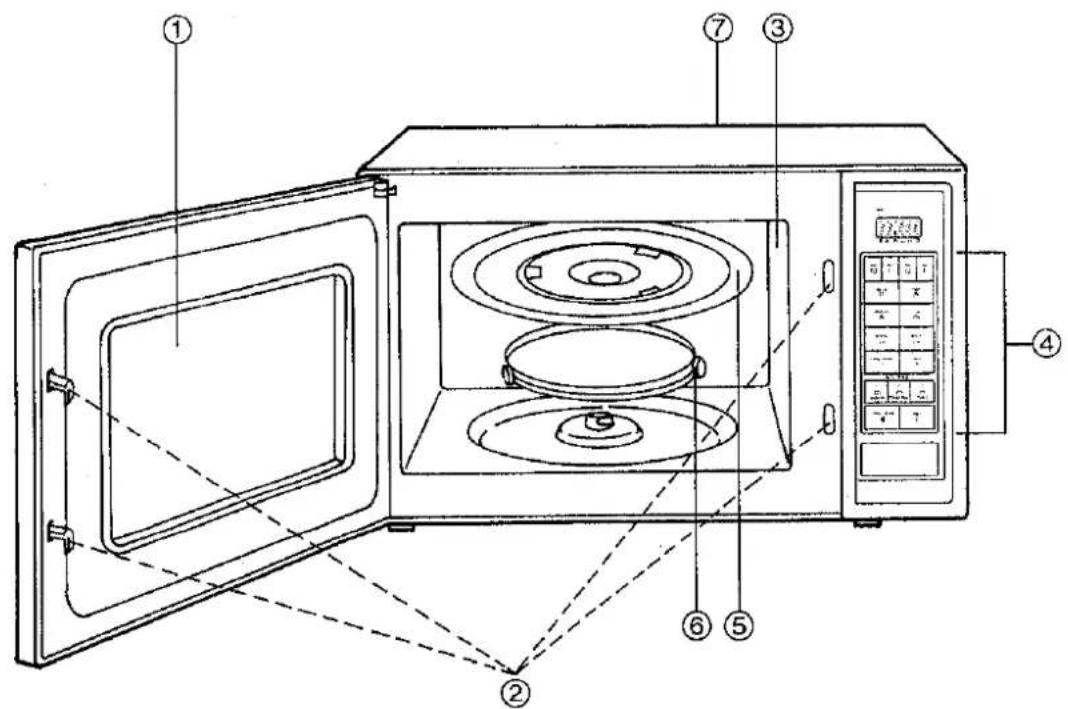
Outline Diagram
text_image
Technical diagram of a microwave oven with numbered components and labeled parts in Chinese① Oven Window
⑤ Glass Tray
② Door Safety Lock System
⑥ Roller Ring
③ Oven Air Vents
⑦ Name Plate
④ Control Panel
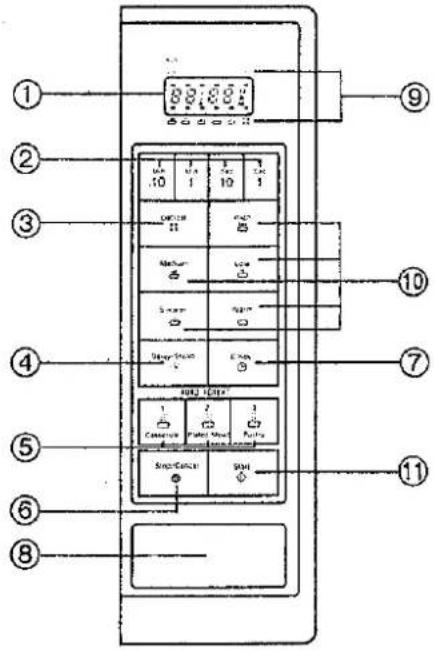
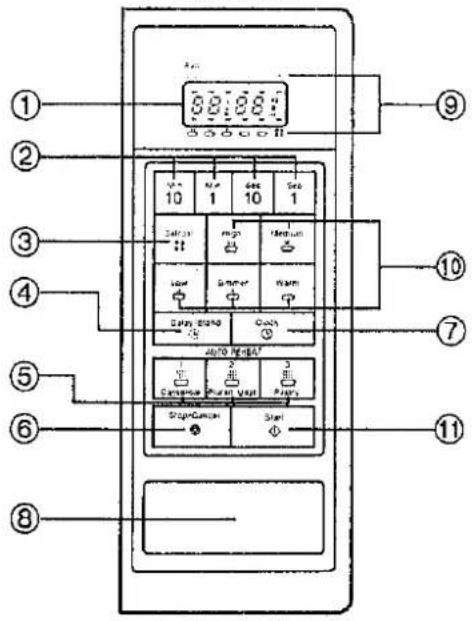
Control Panel
NN-6307/NN-6357
text_image
Diagram of a refrigerator control panel with numbered labels pointing to various function keys and buttons.NN-5307
text_image
① ② ③ ④ ⑤ ⑥ ⑧ 10 1 2 3 4 5 6 7 8 9 10 11 Air Condition Air Condition Air Condition Air Condition Air Condition Air Condition Air Condition Air Condition Air Condition Air Condition Air Condition Air Condition Air Condition Air Condition Air Condition Air Condition Air Condition Air Condition Air Condition Air Condition Air Condition Air Condition Air Condition Air Condition Air Condition Air Condition Air Condition Air Condition Air Condition Air Condition Air Condition Air Condition Air Condition Air ConditionNN-6207
text_image
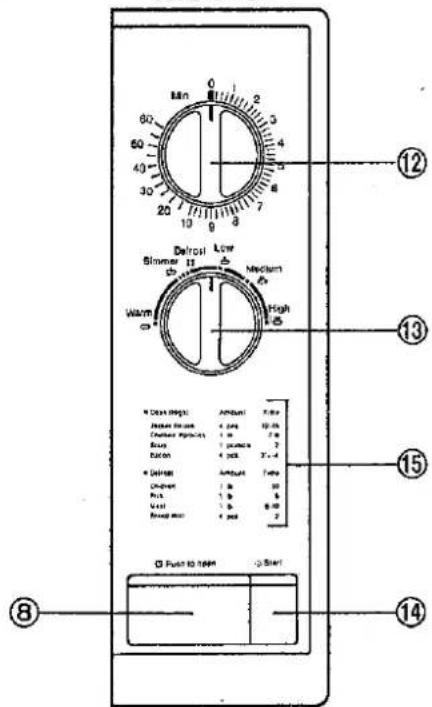
Min 60 50 40 30 20 10 9 8 7 6 5 4 3 2 1 0 9 8 7 6 5 4 3 2 1 0 9 8 7 6 5 4 3 2 1 0 9 8 7 6 5 4 3 2 1 0 9 8 7 6 5 4 3 2 1 0 9 8 7 6 5 4 3 2 1NN-5207/NN-5257
text_image
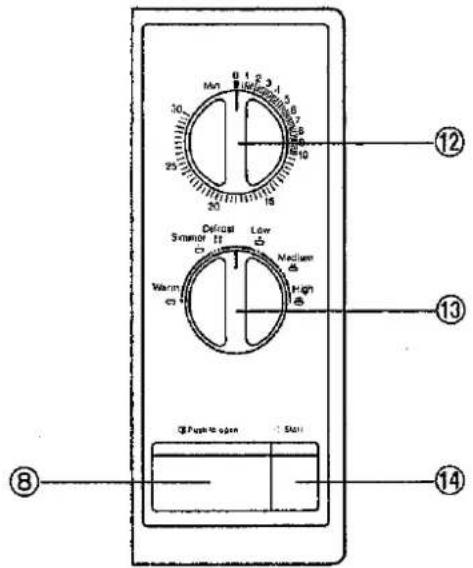
Min 30 25 30 18 16 15 14 13 Defrost Sensor II Warm Low Medium High Q Pulse open Stairs ⑧ ⑫ ⑫Controls with Auto Count-Up Feature\*
① Display Window
② Time Pads*
③ Defrost Pad
④ Delay/Stand Pad
⑤ Auto Reheat Pad*
⑥ Stop/Cancel Pad
⑦ Clock Pad
⑧ Door Opener Button
⑨ Function Indicators
⑩ Power Pad
⑪ Start Pad
⑫ Timer
⑬ Power Select Control
⑭ Start Button
⑮ Cooking Guide
Controls and Operation Procedure (NN-6307/NN-6357/NN-5307)
CLOCK Pad:
When oven is first plugged in, only the colon in the display window will light.
To set clock
Step 1. Press the CLOCK Pad. ▶ The colon will start to blink.
Step 2. Enter time of day by pressing appropriate TIME Pads.
▶ Time appears in display window; colon is blinking.
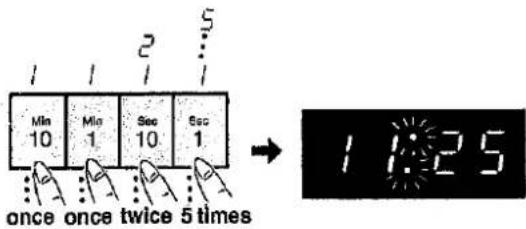
Example: To set 11:25, touch TIME Pads from left to right as follows:
text_image
Mn 10 Mn 1 Sec 10 Sec 1 once once twice 5 times 1 1:25Step 3. Touch CLOCK Pad.
▶ Colon stops blinking; time of day is entered and locked into display.
NOTES ON CLOCK:
- To reset time of day touch CLOCK Pad twice to clear the time. Colon will begin to blink. Enter the correct time of day by following the above procedures.
- The clock will keep the time of day as long as oven is plugged in and electricity is supplied.
- This is a 12 hour clock, not a 24 hour clock.
STOP/CANCEL Pad:
Before cooking: One tap clears your instructions.
During cooking: One tap temporarily stops the cooking process. Another tap cancels all your instructions and time of day appears in display window.
START Pad:
One tap allows oven to begin functioning. If door is
opened or STOP/CANCEL Pad is tapped once during oven operation, START Pad must again be touched to restart oven.
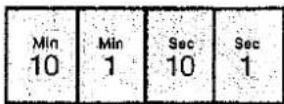
TIME Pad:
The Pads serve as a 10 minute pad, 1 minute pad, 10 second pad and 1 second pad from the left, and can be programmed up to 99 minutes and 99 seconds.
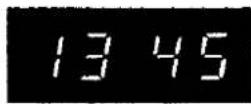
Example 1: To set 13 minutes 45 seconds
Touch;
10 MIN Pad: once
1 MIN Pad: 3 times
10 SEC Pad: 4 times
1 SEC Pad: 5 times
POWER Pad:
To set the power level, touch the desired cooking power pad from HIGH to WARM. The following is the approximate wattage for each power level.
| Category | Power | NN-6307NN-6357NN-6207 | NN-5307NN-5207NN-5257 |
| HIGH power | 700 W | 600 W | |
| MEDIUM power | 480 W | 480 W | |
| LOW power | 360 W | 360 W | |
| SIMMER power | 180 W | 180 W | |
| WARM power | 70 W | 70 W |
Door Opener Button:
Opening Door:
Opening the door during cooking will stop the cooking process without cancelling the programme. Cooking resumes as soon as the door is closed and START Pad is touched. The oven light will stay on or turn on whenever the door is opened.
Beep Sound:
When a pad is touched correctly, a beep will be heard. If a pad is touched and no beep is heard, the unit has not or cannot accept the instruction. The oven will beep twice between programmed stages. At the end of any complete program, the oven will beep 5 times.
Auto Reheat
This feature allows you to reheat 1 to 4 servings of foods without having to select cooking times and powers. The oven does it all automatically.
text_image
1. 1 Cassette- Press AUTO REHEAT Category Pad (1, 2 or 3).
text_image
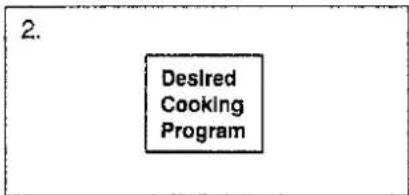
2. Desired Cooking Program- The desired number of servings (1–4) appears in display window.
text_image
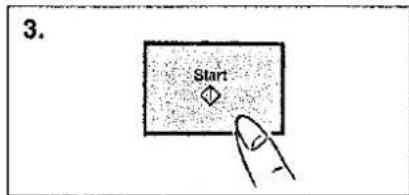
3. Start- Touch START Pad.
NOTES ON AUTO REHEAT:
- There are 3 categories for Auto Reheat. Listed below are the recommended foods and maximum weight category.
- The shape and size of the food will determine the maximum weight the oven can accommodate.
- Two stage cooking can be programmed including Auto Reheat.
- For further information on Auto Reheat, please refer to the Microwave Oven Cookbook.
| Category | Tap(s) | Food | Serving Number | Serving Size | Start Temperature |
| 1 | 1 | Casserole | 1 | 250 g | refrigerated temperature |
| 2 | 2 | 500 g | |||
| 3 | 3 | 750 g | |||
| 4 | 4 | 1000 g | |||
| 2 | 1 | Plated Meal | 1 | 150 g | refrigerated temperature |
| 2 | 2 | 250 g | |||
| 3 | 3 | 350 g | |||
| 4 | 4 | 500 g | |||
| 3 | 1 | Pastry Items | 1 | 15 g | refrigerated temperature |
| 2 | 2 | 25 g | |||
| 3 | 3 | 35 g | |||
| 4 | 4 | 40-50 g |
Cyclic Defrost
When DEFROST is selected, the automatic cycle divides the defrosting time into 8 periods which alternate between defrost and stand. DEFROST power is approximately 240 watts.
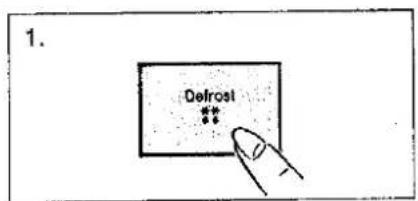
text_image
1. Defrost **- Touch DEFROST Pad.
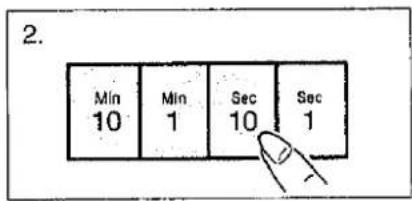
text_image
2. Min 10 Min 1 Sec 10 Sec 1- Set defrost time by pressing TIME Pads.
text_image
3. Start- Touch START Pad.
Stand Time can be programmed after Cyclic Defrost/Time Cooking.
Time Cooking
This feature allows you to program the cooking time.
One Stage Cooking
text_image
1. High- To set the power level, touch the desired cooking power pad from HIGH to WARM.
text_image
2. Min 10 Min 1 Sec 10 Sec 1- Set cooking time by pressing TIME Pads.
text_image
[3.] Start- Touch START Pad.
Two Stage Cooking
text_image
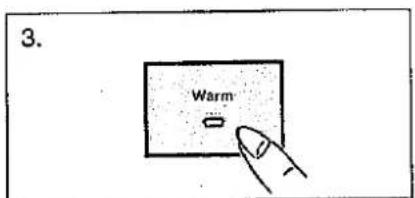
3. Warm- Before touching START Pad, Select second cooking power pad.
text_image
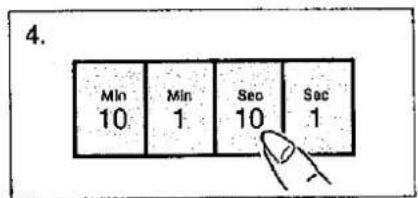
4. Min 10 Min 1 Sec 10 Sec 1- Set second cooking time by pressing TIME Pads.
text_image
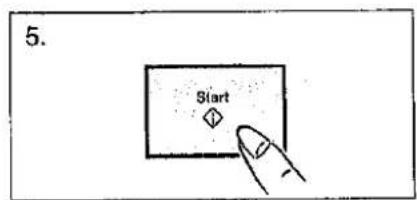
5. Start- Touch START Pad.
eg. High power 10 min.
Simmer power 60 min.
Warm power 15 min.
Press START
Stand Time
This feature allows you to program a Stand Time after cooking is completed and to program the oven as a minute timer or/and delay start.
text_image
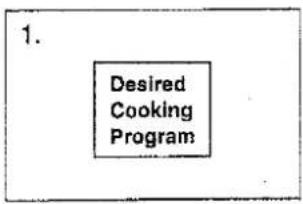
1. Desired Cooking Program- Program desired cooking program according to directions already given in this manual.
text_image
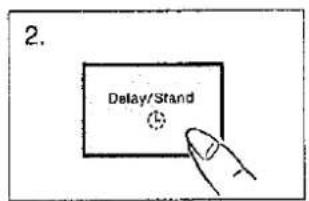
2. Delay/Stand- Touch DELAY/STAND Pad.
text_image
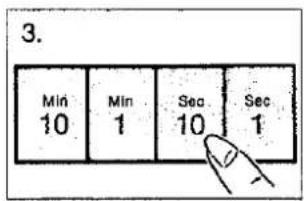
3. Min 10 Min 1 Sec 10 Sec 1- Set desired amount of time by pressing TIME Pads.
text_image
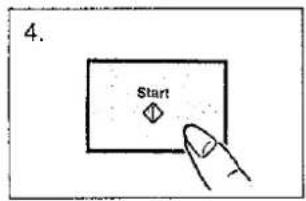
4. Start- Touch START Pad.
NOTE ON STAND TIME:
- With the Stand Time feature, the oven may be programmed to stand for up to 9 hours 99 minutes before or during a cooking sequence.
- Two stage cooking can be programmed. One of these stages can be a Stand Time.
ex. Cooking Christmas Pudding (21 lb) High power 4 min.
Stand power 5 min.
High power 2 min.
- If oven door is opened during the Stand Time, the time in display window will continue to count down.
Delay Start
This feature allows you to program a Delay Start.
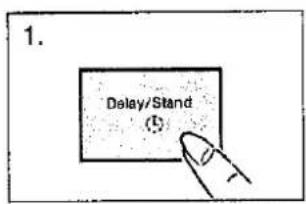
text_image
1. Delay/Stand (5)- Touch DELAY/STAND Pad.
text_image
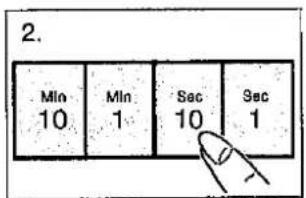
2. Min 10 Min 1 Sec 10 Sec 1- Set the time you want to delay the oven to begin cooking by pressing TIME Pads.
text_image
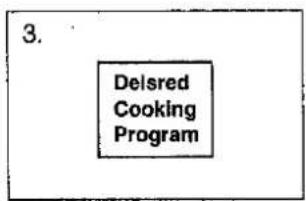
3. DeIsred Cooking Program- Program desired cooking according to directions already given in this manual.
text_image
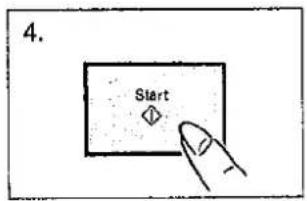
4. Start- Touch START Pad.
NOTES ON DELAY START:
- With the Delay Start feature, the oven may be programmed to delay cooking up to 9 hours 99 minutes before cooking starts.
- Two stage cooking can be programmed including Delay Start.
ex. Delay Start 1 hour
High power 10 min.
Simmer power 20 min.
How to Operate (NN-6207/NN-5207/NN-5257)
- Open the door by pushing the door opener button ☐.

text_image
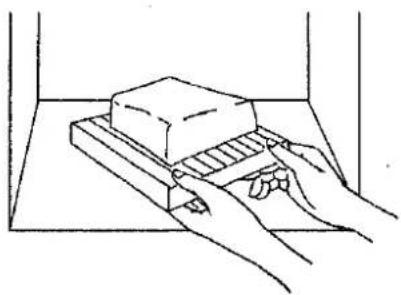
Type to open Start- Place the food in a dish on the glass tray, and close the door.
natural_image
Line drawing of hands using a tool to press a block on a surface (no text or symbols)- Choose the cooking power by Power Select Control to desired setting.
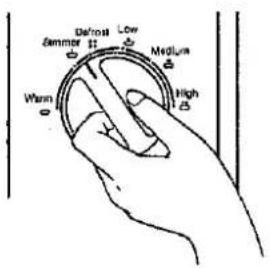
text_image
Defrost Low Summer Medium Warm High- Set the cooking time. (The oven light turns on.)
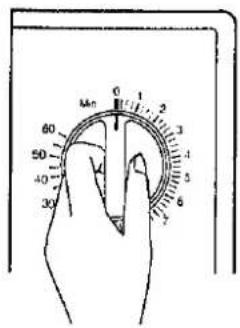
text_image
0 1 2 3 4 5 6 Min 60 50 40 30NOTE: When setting the timer less than 4 minutes, turn the timer past 4 minutes and then return to the correct of time.
- Push the start button.
(The turntable rotates, and cooking starts.)
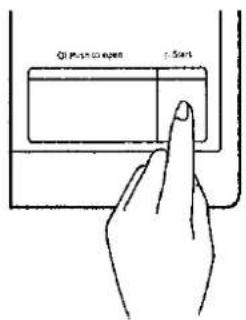
text_image
Q1 Push oxygen ≤Start- When the time has elapsed, the signal bell sounds and the oven turns off automatically. (The oven light goes off, and the turntable stops.) If the cooking time is interrupted by opening the door, the oven light stays on and the turntable stops. Push the start button again to restart the oven.
Care of Your Microwave Oven

- Turn the oven off before cleaning.
- Keep the inside of the oven, door seals and door seal areas clean. When food spatters or spilled liquids adhere to oven walls and door seals and door seal areas wipe off with a damp cloth. Mild detergent may be used if they get very dirty. The use of harsh detergent or abrasives is not recommended.
- The outside oven surface should be cleaned with a damp cloth. To prevent damage to the operating parts inside the oven, water should not be allowed to seep into the ventilation openings.
-
If the Control Panel becomes dirty, clean with a soft, dry cloth. Do not use harsh detergents or abrasives on Control Panel. When cleaning the Control Panel, leave the oven door open to prevent the oven from accidentally turning on. After cleaning touch STOP/CANCEL Pad to clear display window, or make sure oven timer is set off position.
-
If steam accumulates inside or around the outside of the oven door, wipe with a soft cloth. This may occur when the microwave oven is operated under high humidity conditions and in no way indicates a malfunction of the unit.
- It is occasionally necessary to remove the glass tray for cleaning. Wash the tray in warm soapy water or in a dishwasher.
- The roller ring and oven cavity floor should be cleaned regularly to avoid excessive noise. Simply wipe the bottom surface of the oven with mild detergent and hot water then dry with a clean cloth. The roller ring may be washed in mild soapy water. Cooking vapours collect during repeated use but in no way affects the bottom surface or roller ring wheels.
After removing the roller ring from cavity floor for cleaning, be sure to replace it in the proper position.
Questions and Answers

Q: I accidentally ran my microwave oven without any food in it. Is it damaged?
Q: Why won't my oven turn on?
Q: When I turn on my oven, there is noise coming from the glass tray.
Q: My microwave oven causes interference with my TV. Is this normal?
Q: The oven won't accept my program. Why?
Q: Why does my oven light dim?
Q: Sometimes warm air comes from the oven vents. Why?
A: We do not recommend operating the microwave oven without any food. However, running the oven empty for a short time will not damage the oven.
A: When the oven does not turn on, check the following:
- Is the oven plugged in securely? Remove plug from outlet, wait 10 seconds and reinsert.
- Check circuit breaker or fuse. Reset circuit breaker or replace fuse if it is tripped or blown.
- If the circuit breaker or fuse is all right, plug another appliance into the outlet. If the other appliance works, there probably is a problem with the oven. If the other appliance does not work, there probably is a problem with the outlet. If it seems there is a problem with the oven, contact an authorized Servicentre.
A: This noise occurs when the roller ring and oven bottom are dirty: Frequent cleaning of these parts should eliminate or reduce the noise.
A: Some radio and TV interference might occur when you cook with the microwave oven. This interference is similar to the interference caused by small appliances such as mixers, vacuums, blow dryers, etc. It does not indicate a problem with your oven.
A: The oven is designed not to accept an incorrect program. For example, the oven will not accept a fourth stage, and will not accept Weight Defrost after Auto start.
A: When cooking with a power other than HIGH, the oven must cycle to obtain the lower power levels. The oven light dims and clicking noises can be heard when the oven cycles.
A: The heat given off from the cooking food warms the air in the oven cavity. This warmed air is carried out of the oven by the air flow pattern in the oven. There are no microwaves in the air. The oven vents should never be blocked during cooking.
Technical Specifications
| NN-6307/NN-6357/NN-6207 | NN-5307/NN-5207/NN-5257 | |
| Power Source:Required Power:Output Power:Outer Dimensions:Oven Dimensions:Weight: | 240 V, 50 Hz1400 W, 6.0 A700 W530 mm (W)×366 mm (D)×356 mm (H)350 mm (W)×320 mm (D)×259 mm (H)16 kg (35 lb.) | 240 V, 50 Hz1180 W, 5.2 A600 W510 mm (W)×363 mm (D)×293 mm (H)330 mm (W)×320 mm (D)×196 mm (H)15 kg (33 lb.) |
Weight and Dimensions shown are approximate.