
TC-2263 - Fernseher PANASONIC - Kostenlose Bedienungsanleitung
Finden Sie kostenlos die Bedienungsanleitung des Geräts TC-2263 PANASONIC als PDF.


Benutzerfragen zu TC-2263 PANASONIC
0 Frage zu diesem Gerät. Beantworten Sie die, die Sie kennen, oder stellen Sie Ihre eigene.
Eine neue Frage zu diesem Gerät stellen
Laden Sie die Anleitung für Ihr Fernseher kostenlos im PDF-Format! Finden Sie Ihr Handbuch TC-2263 - PANASONIC und nehmen Sie Ihr elektronisches Gerät wieder in die Hand. Auf dieser Seite sind alle Dokumente veröffentlicht, die für die Verwendung Ihres Geräts notwendig sind. TC-2263 von der Marke PANASONIC.
BEDIENUNGSANLEITUNG TC-2263 PANASONIC
text_image
Panasonic Operating Instruction Colour Television 10-22/03 PAK STANDARD The following instruction is completely before operating this setREMOTE CONTROL TRANSMITTER
EUR51203
text_image
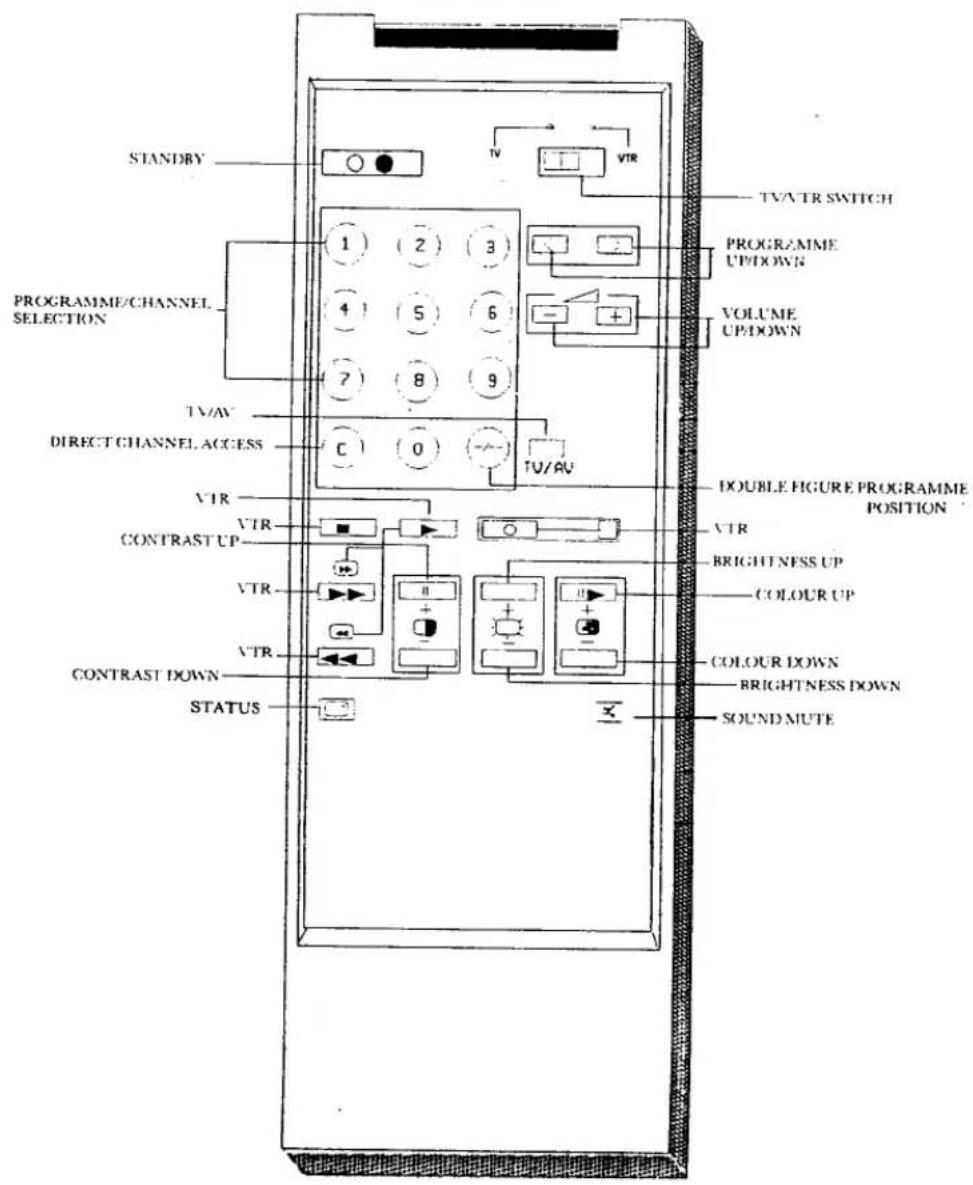
STANDRY PROGRAMME/CHANNEL SELECTION TV/ATV DIRECT CHANNEL ACCESS VTR CONTRAST UP VTR CONTRAST DOWN STATUS TV/ATR SWITCH PROGRAMME UP/DOWN VOLUME UP/DOWN C 0 TU/AV DOUBLE FIGURE PROGRAMME POSITION VTR BRIGHTNESS UP COLOUR UP COLOUR DOWN BRIGHTNESS DOWN SOUND MUTE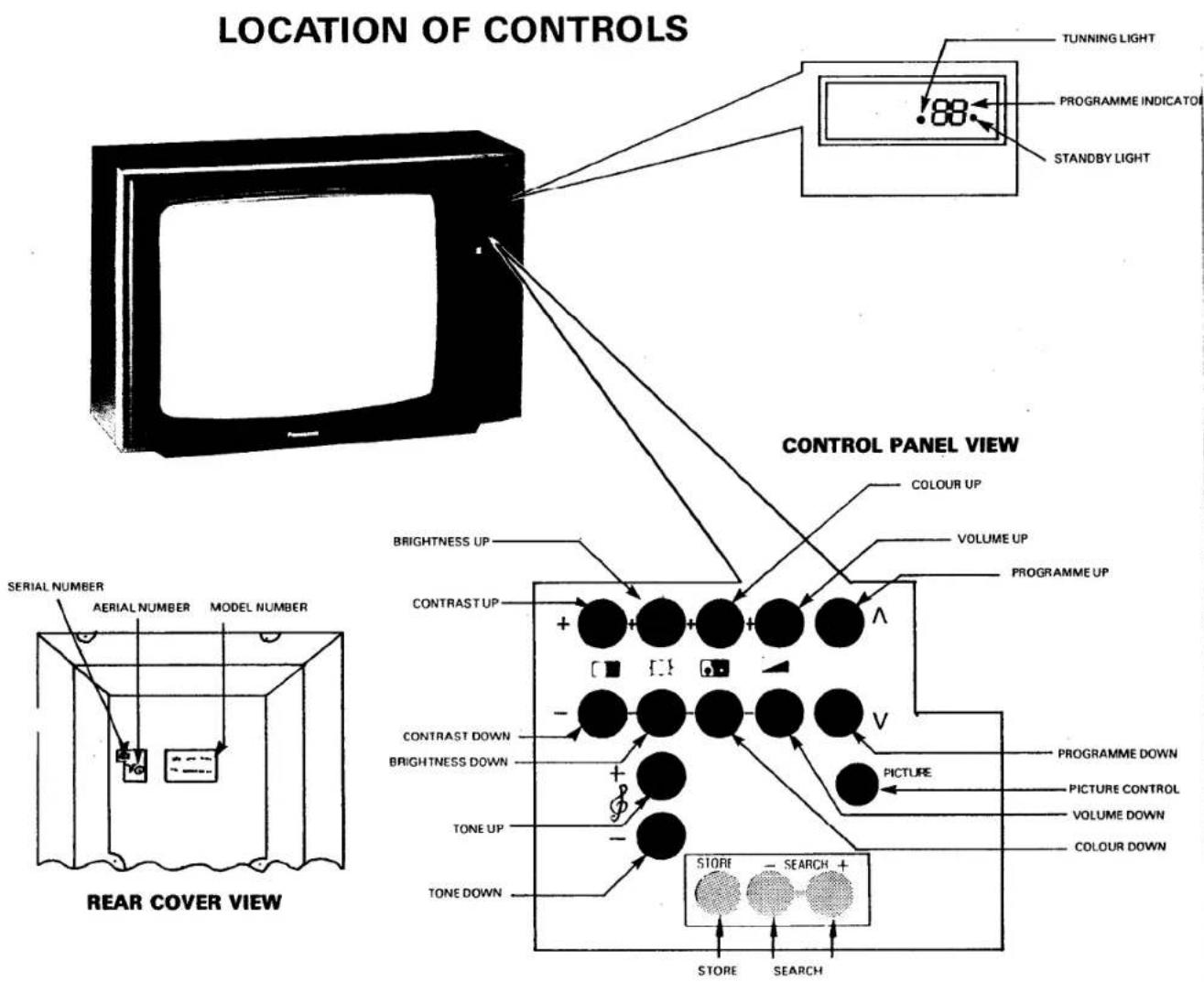
text_image
LOCATION OF CONTROLS TUNNING LIGHT PROGRAMME INDICATOR STANDBY LIGHT CONTROL PANEL VIEW COLOUR UP VOLUME UP PROGRAMME UP BRIGHTNESS UP CONTRAST UP CONTRAST DOWN BRIGHTNESS DOWN TONE UP TONE DOWN PICTURE PROGRAMME DOWN PICTURE CONTROL VOLUME DOWN COLOUR DOWN STORE - SEARCH + STORE - SEARCH REAR COVER VIEWWelcome to the PANASONIC family of customers. It is our desire that you have many years of enjoyment from your new colour television set.
In keeping with the state of the art, we have built into your unit quality, reliability and performance. However, for performance, a television receiver should be properly situated in the home and properly adjusted. Proper installation practices and adjustments are well known, and easy to accomplish.
As more and more switchable automatic circuits are built into the product, It becomes more beneficial for the customer to know how to take advantage of these features.
This instruction book applies, in general, to all PANASONIC colour television receivers. We hope that this booklet will help you get the most out of your unit. You will find that PANASONIC is "just slightly ahead of our time".
This TV receiver is designed exclusively for the broadcast system in the U.K. It will not receive broadcast systems in other countries.
CAUTION:
Please remove the plug from the wall outlet when the receiver is not in use for a prolonged period of time, especially when retiring at night.
WARNING:
To prevent damage which may result in fire or shock hazard, do not expose this TV receiver to rain or excessive moisture.
WARNING HIGH VOLTAGE.
Live parts are accessible when the rear cover is removed, (do not remove screws).
Do not remove the rear cover under any circumstances.
IMPORTANT
The wires in this mains lead are coloured in accordance with the following code:
BLUE: NEUTRAL
BROWN: LIVE
As the colours of the wires in the mains lead of this apparatus may not correspond with the coloured markings identifying the terminals in your plug please check as follows:
* The wire which is coloured blue must be connected to the terminal marked "N" or coloured black.
* The wire which is coloured brown must be connected to the terminal marked "L" or coloured red.
If a 13 amp BS1363 plug is used a 5 amp rating fuse must be fitted.
INSTALLATION AND CARE:
POWER SUPPLY
This television receiver is designed to operate on 240 volts 50 Hz a.c. mains. RECEIVER LOCATION.
Adequate ventilation is essential to prevent failure of the electrical components. Avoid direct sunlight on the cabinet, and on the face of the picture tube. Adjust lamps or the position of the set to avoid undesirable reflections of light and place the set on a completely horizontal surface. Ensure that there are no external magnetic materials e.g. loudspeakers near the T.V. CABINET AND SCREEN FACE (switch off TV set and remove mains plug from wall)
The cabinet can be kept in good condition simply by wiping with a clean, damp and soft cloth. Do not use solutions containing benzol, petroleum or any chemical cleaning cloths. The cabinet should be cared for as you would any fine furniture. The screen face may be cleaned with a damp, soft, lint free cloth and mild soap. Disconnect the TV from the mains before cleaning the cabinet or screen face.
NOTES: FOR USE OF INFRA RED REMOTE CONTROL TRANSMITTER
1) The remote control transmitter should not be placed in direct sunlight or heat.
1) The remote control transmitter should have been taken.
2) Direct sunlight or intense light to the infra red window of the receiver may lead to malfunction of the remote control transmitter.
3) Pressing more than two buttons at a time, can lead to a operating malfunction.
NOTE:
If the power is removed from the set by any means other than switching off using the ON/OFF SWITCH ie. the mains plug is removed while the TV is working, it is recommended that before resuming viewing, the TV is first switched off and then on again using the ON/OFF SWITCH to avoid any malfunction.
PLEASE NOTE:

Items beginning with this symbol refer to TV use.

Items beginning with this symbol refer to TV and remote control use.

Items beginning with this symbol refer to remote control use.
2
The TV memory will store the "last used" position for many of the functions available. Please ensure that these are adjusted to their normal settings if they have been set to an exceptionally high or low level previously.
text_image
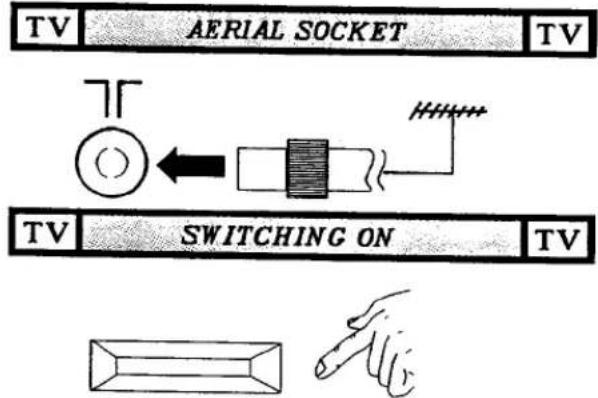
TV AERIAL SOCKET TV TV SWITCHING ON TVPush to turn the receiver on, Push again to turn the receiver off.

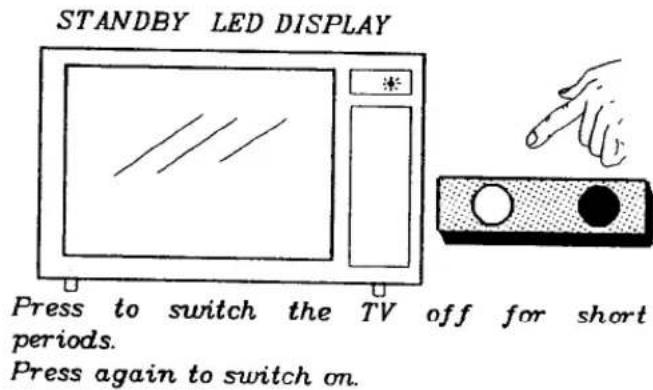
text_image
STANDBY LED DISPLAY Press to switch the TV off for short periods. Press again to switch on.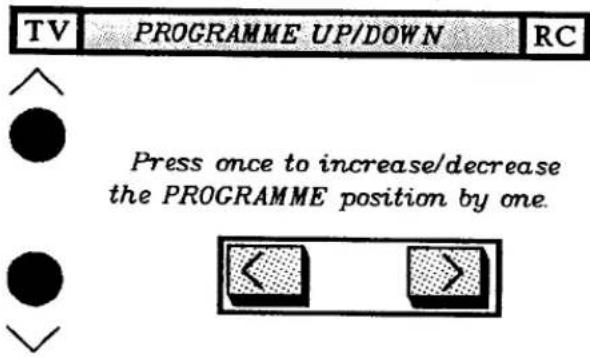
text_image
TV PROGRAMME UP/DOWN RC Press once to increase/decrease the PROGRAMME position by one.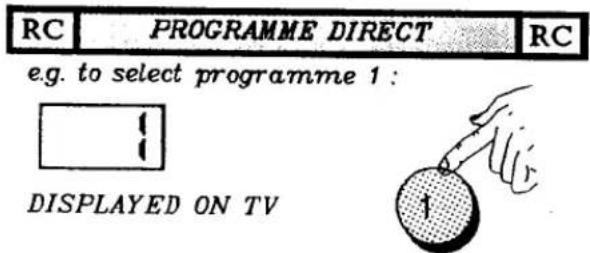
text_image
RC | PROGRAMME DIRECT | RC e.g. to select programme 1 : DISPLAYED ON TV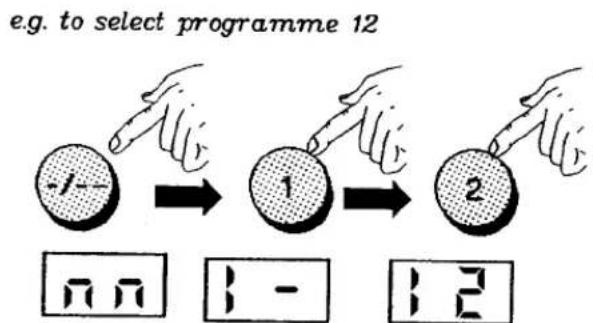
flowchart
graph LR
    A["Start"] --> B["Select the first programme 12"]
    B --> C["Select the second programme 1"]
    C --> D["Select the third programme 2"]
DISPLAYED ON TV PROGRAMME INDICATOR

- Select programme position. (0 to 29)


- Press Search up or down.

SEARCH

- When the desired channel is found (eg BBC1 for channel 1), press the store button.
STORE
- Repeat steps 1 to 3 as required.



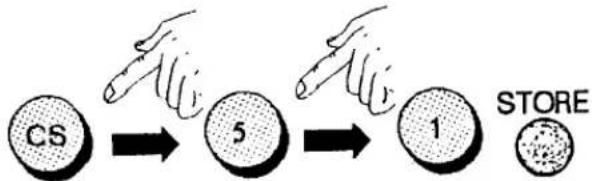
- Select the desired programme number. (0 to 29)

- Press the button marked "CS"

- Select the required channel number and store.
e.g. to select channel 51
flowchart
graph LR
    A["CS"] --> B["5"]
    B --> C["1"]
    C --> D["STORE"]
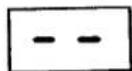
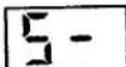
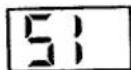
DISPLAYED ON TV PROGRAMME INDICATOR.
IMPORTANT
If during the use of VTR/TV GAMES, OR CABLE TV, the signal is removed, when the signal is restored, it may be necessary to reselect the programme position.
If you still experience difficulties after this, please contact your local PANASONIC dealer.

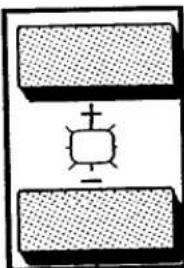
Adjust to suit individual taste.


natural_image
Simple diagram of a square object with cross and plus signs inside a rectangular block (no text or symbols)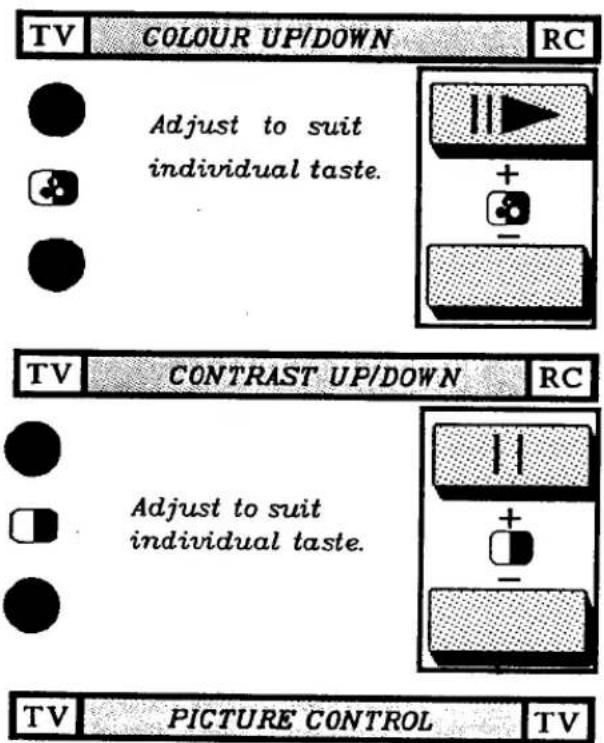
text_image
TV COLOUR UP/DOWN RC Adjust to suit individual taste. TV CONTRAST UP/DOWN RC Adjust to suit individual taste. TV PICTURE CONTROL TVPICTURE
Turn left or right for a soft or sharp picture.

text_image
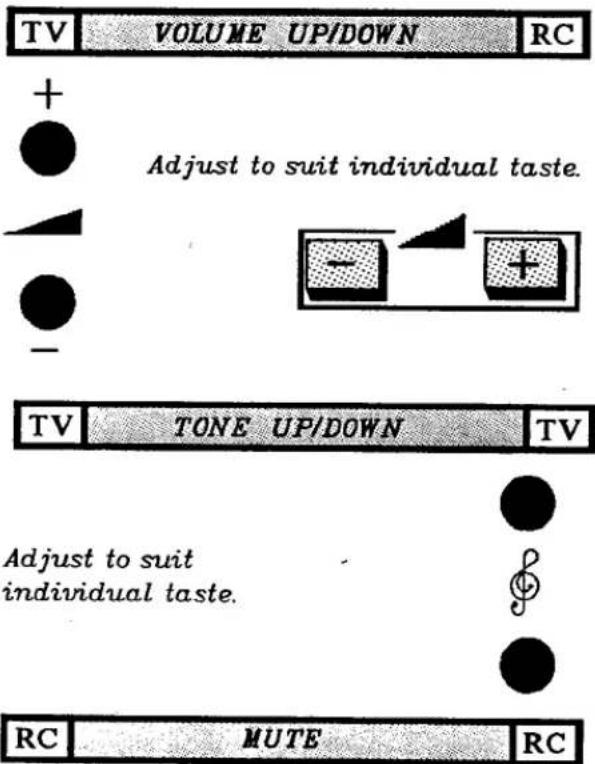
TV VOLUME UP/DOWN RC + ● Adjust to suit individual taste. - + - TV TONE UP/DOWN TV Adjust to suit individual taste. ● ● RC MUTE RCPress once to mute the sound. Press again to restore the sound.

TV HEADPHONE TV

text_image
(optional)A standard 1/4.ins. headphone socket is available for the connection of 8-300 Ohm impedance headphones. NOTE : The TV speakers will be automatically disconnected while the headphones are connected.

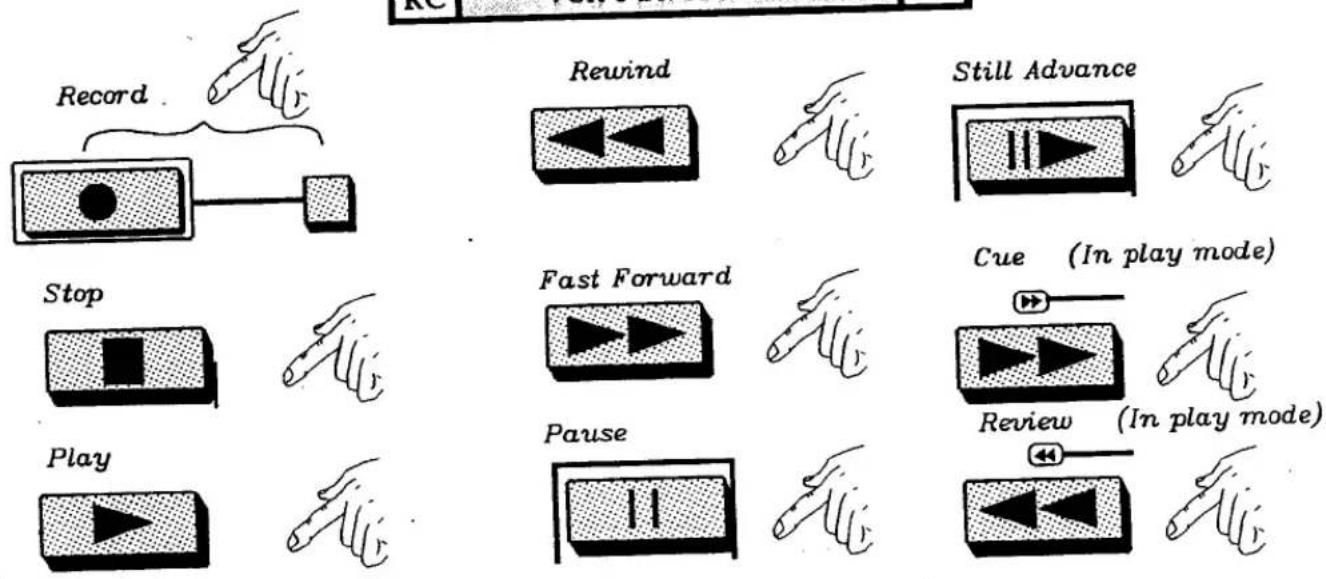
Your infrared remote control will also operate functions on selected Panasonic VCR's. (For model types please contact your local dealer.)
IMPORTANT: First set the TV/VTR switch to the VTR position, then press the button
shoum, below to perform the required operation.
shown below to perform the required operation. NOTE: To view the VCR select "AV" if using a direct connection. If using an RF connection please select programme 0 and ensure that this programme is tuned to the VCR. Refer to the VCR operating instruction book.

flowchart
graph TD
    A["Record"] --> B["Stop"]
    B --> C["Play"]
    D["Rewind"] --> E["Fast Forward"]
    F["Still Advance"] --> G["Cue (In play mode)"]
    H["Pause"] --> I["Review (In play mode)"]
SLEEP FEATURE
When the TV station transmission stops i.e. at the end of the evening, when the broadcast station stops transmitting, if the set is not switched off it will automatically go to "STANDBY" after approximately thirty minutes.
NOTE: This feature only operates if the receiver is in TV mode and will not operate in AV mode.
SERVICE
To obtain service please contact your local PANASONIC dealer, and quote: the model number and serial number (both are located at the rear of the TV).
TV GAMES/MICROCOMPUTERS
The extended use of "TV GAMES/MICROCOMPUTERS" with any television set can cause a permanent "shadow" on the television picture tube. This background image is viewable on normal programmes in the form of stationary TV GAMES/MICROCOMPUTER objects. This type of irreversible picture tube deterioration, that may be caused can be limited by observing the following steps:
a) Reduce the brightness/contrast setting to a minimum viewing level during TV GAMES/MICROCOMPUTER operation.
b) Do not operate the television set with the "TV GAMES/MICROCOMPUTER" for a continuous extended period of time.
c) Be sure to turn the TV off when not in actual use. The marking or retained image on the picture tube resulting from "TV GAMES/MICROCOMPUTER" use, is not an operating defect and as such is not covered by the PANASONIC warranty.
TROUBLE SHOOTING.
In case of difficulty.... before you call for service, determine the symptoms and make a few simple checks as follows:
| SYMPTOMS. | CHECKS. |
| No brightness.No sound. | Power line.Brightness and sound volume buttons. |
| Snow on screen.Noisy sound. | Aerial connection or indoor aerial. |
| No colour.Normal or weak sound. | Colour button.Aerial connection. |
| Normal picture.No sound. | Headphone.Volume button. |
| Multiple image.Normal sound. | Direction and location of indoor aerial. |
| Interference on screen.Distorted noisy sound. | Appliances, lights, cars, electrical equipment etc. |
| Remote control malfunctions or reduction in the operating distance. | Replace batteriesCheck battery terminalsClean indicator window. |
\*\* BATTERY CAUTION \*\*
- Do not use an old battery with a new one
- Do not use batteries other than the type specified.
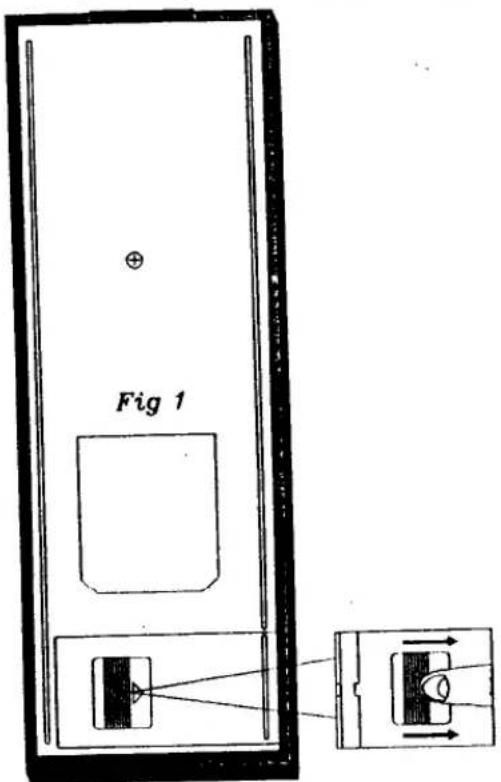
- Be sure that the batteries are inserted correctly.
- Do not attempt to recharge batteries.
- Be sure that the batteries are correctly located and lie level with the case before replacing the cover.
BATTERY INSTALLATION AND ADJUSTMENT.
- Push, daum, the stopper and remove the cover as in fig 1.
- Insert two "R03" size batteries (UM-4 or equivalent) in the correct position as in fig 2.
text_image
Fig 1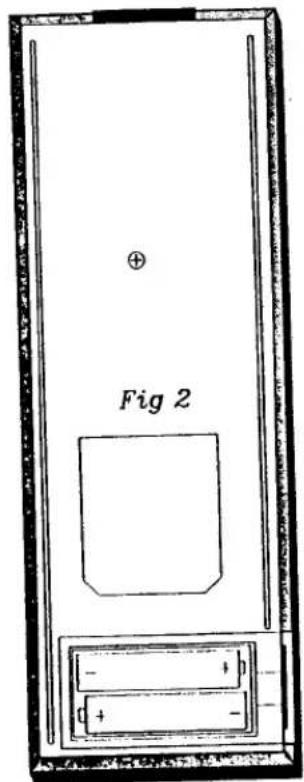
text_image
Fig 2SPECIFICATIONS
| Power source | 240V, 50Hz AC |
| Power consumption | 91W (normal use) |
| Aerial impedance | 75 Ohm unbalanced coaxial |
| Television System | CCIR: 625 Lines PAL I |
| Receiving channels | UHF CH21-CH69 |
| Tuning system | Quartz Frequency Synthesized |
| Channel indication | 7-segment green L.E.D |
| Picture tube | 56cm 90deg |
| Audio Output | 3 Watts Maximum |
| Speaker | 10cm round woofer |
| 3.5cm round tweeter | |
| Terminals | Headphone |
| Dimensions | Height 465mm |
| Width 673mm | |
| Depth 424mm | |
| Net Weight | 27.9 Kg. |
Weights and dimensions shown are approximate. Specifications are subject to change without notice.
Standard accessories
One Remote controller EUR51203
Two RO3 size Batteries.