PL12A - Laminiergerät ABC Office - Kostenlose Bedienungsanleitung
Finden Sie kostenlos die Bedienungsanleitung des Geräts PL12A ABC Office als PDF.


Benutzerfragen zu PL12A ABC Office
0 Frage zu diesem Gerät. Beantworten Sie die, die Sie kennen, oder stellen Sie Ihre eigene.
Eine neue Frage zu diesem Gerät stellen
Laden Sie die Anleitung für Ihr Laminiergerät kostenlos im PDF-Format! Finden Sie Ihr Handbuch PL12A - ABC Office und nehmen Sie Ihr elektronisches Gerät wieder in die Hand. Auf dieser Seite sind alle Dokumente veröffentlicht, die für die Verwendung Ihres Geräts notwendig sind. PL12A von der Marke ABC Office.
BEDIENUNGSANLEITUNG PL12A ABC Office
Pouch Laminator Operating Instructions for 120V models

natural_image
Line drawing of a rectangular electronic device with ventilation slots and two ports (no text or symbols)Model PL4A
natural_image
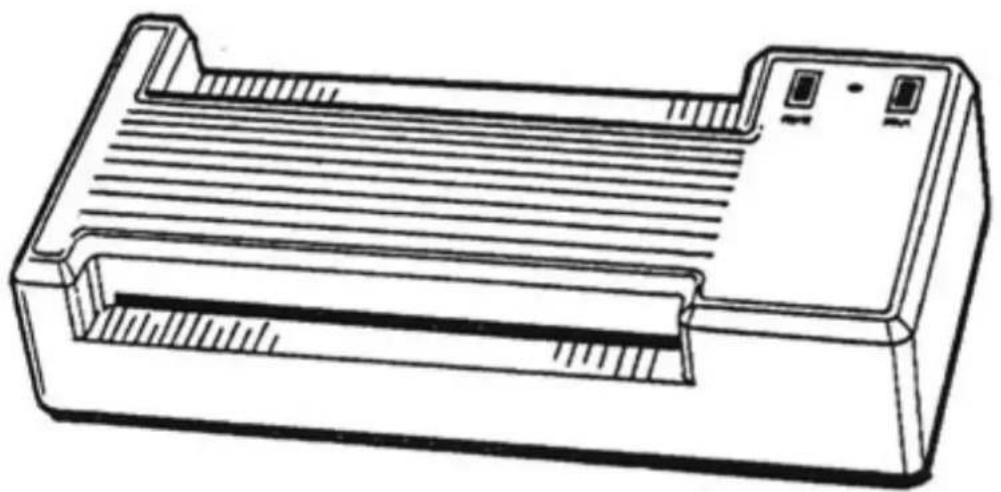
Line drawing of a rectangular electronic device with ventilation slots and ports (no text or symbols)Model PL12A
INTRODUCTION
Congratulations on your purchase of our pouch laminator. This laminator is designed to provide quality lamination of all thicknesses of plastic.
The Model PL4A will easily laminate items up to 3 ^3/4 " wide such as ID cards, badges, membership cards, photographs, and luggage tags. The PL12A is designed for cards as well as larger items up to 12" wide. A thermostat allows you to adjust the temperature for laminating various materials.
OPERATION
Before using your laminator, be sure to observe the following precautions:
• To prevent electric shock, do not operate the unit near a sink or other water source.
- Do not immerse the laminator, its cord, or plug in water.
- Do not use the laminator if the power cord is damaged.
- Do not allow the cord to touch hot surfaces or hang over the edge of a cabinet or shelf.
- In case of a malfunction, return the unit to your dealer for service. The laminator does not contain any customer serviceable parts.
To use your pouch laminator follow these steps:
- Place the unit on a table and plug the power cord into a grounded 120VAC outlet.
- Press the HEAT switch to the ON position (the switch will illuminate). The green indicator light will come on when the laminator is up to temperature and ready to laminate.
- Press the RUN switch to the ON position (the switch will illuminate).
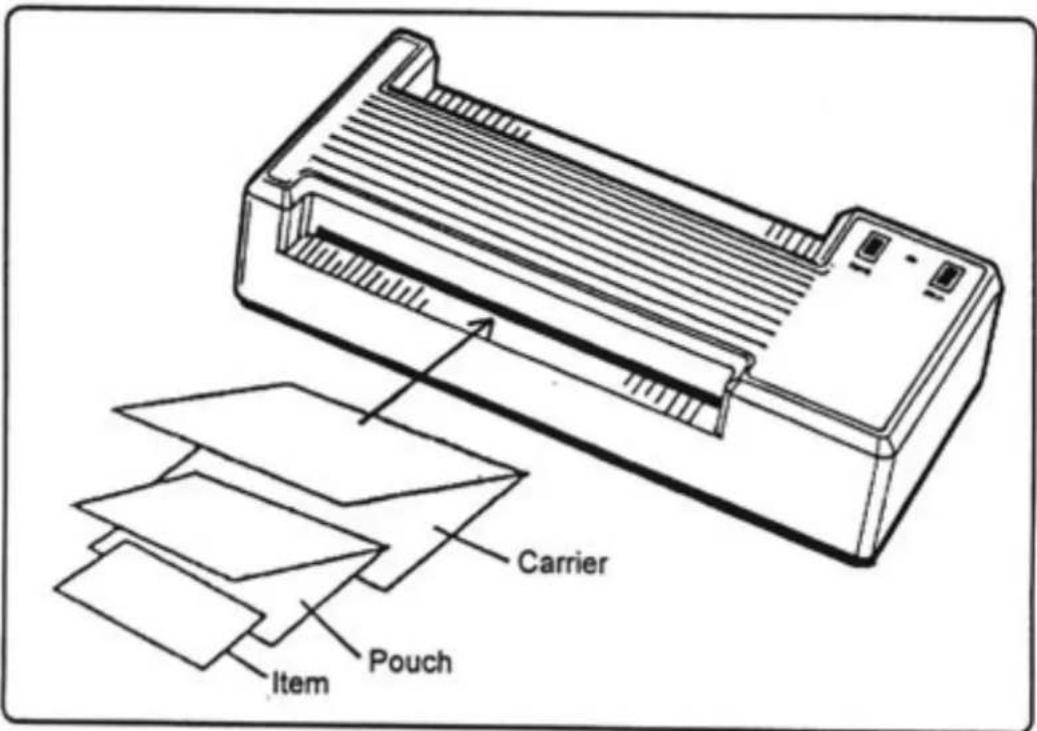
- Insert the item to be laminated into a laminating pouch. Next, place the pouch into the paper laminating carrier.
- Slowly feed the carrier, folded end first, into the laminator until it is picked up by the rollers.
- Remove the carrier from the rear of the laminator after it has stopped moving. Leave the pouch inside the carrier for several seconds to cool before removing it.
- Turn the RUN and HEAT switches OFF at the end of the day.
text_image
Carrier Pouch ItemTEMPERATURE ADJUSTMENT
Your pouch laminator temperature has been factory set to provide high quality lamination under normal conditions. If you use a heavier paper or use a different laminating film, the temperature may be adjusted by turning the temperature control knob on the bottom of the unit.
To increase the temperature:
- Turn the temperature control knob clockwise one division. Wait until the indicator light comes on before laminating.
- Repeat step 1 until the laminator produces the desired results.
To decrease the temperature:
- Turn the temperature control knob counter-clockwise to reduce the temperature. The green indicator light will remain on. Wait several minutes before laminating.
- Repeat step 1 until the laminator produces the desired results.
If the pouch does not seal or the lamination is cloudy, the temperature is too low. If the lamination contains bubbles or wrinkles the temperature is too high.
Specifications
| Dimensions: | PL4A | 8” x 10” x 3 34 ” (20.3 x 25.4 x 9.5cm) |
| PL12A | 8 12 ” x 19” x 4 _1/8 ” (21.6 x 48.3 x 10.5cm) |
| Weight: | PL4A | 7 14 lbs. (3.97 Kg) |
| PL12A | 15 12 " lbs. (7.04 Kg) |
| Power: | 120VAC, 50/60Hz | |
| PL4A | 240 watts | |
| PL12A | 720 watts | |
| Capacity: | PL4A | 3 34 " (9.5cm) |
| PL12A | 12 14 " (31.1cm) | |
| Maximum Material Thickness: | 1/16" (2mm) |
Film Thickness: 1.5 mil up to 10 mil (37 micron - 250 micron) each side
WARRANTY AND RETURN POLICY
Warranty:
Your laminator is warranted to be free of defects in materials and workmanship for a period of one year from the date of purchase. In the event of a defect in material or workmanship, your dealer will (at his/her option) repair or replace the laminator.
No other warranty is implied except as stated above. This warranty does not cover damage as a result of misuse, or any special or consequential damage, whether or not foreseeable.
Return policy:
If your laminator is not operating properly, first review the instructions. If the malfunction cannot be corrected, contact your dealer for instructions. Be sure to have your machine serial number and date of purchase handy.
If the laminator must be returned to the dealer, it is your responsibility to ensure it is packaged properly. Shipping damage as a result of improper packaging is not covered under the terms of this warranty.