
PBS-5002 - Externe Batterie DENVER - Kostenlose Bedienungsanleitung
Finden Sie kostenlos die Bedienungsanleitung des Geräts PBS-5002 DENVER als PDF.


| Produkttyp | Externe Batterie (Powerbank) |
| Marke | DENVER |
| Modell | PBS-5002 |
| Kapazität | 5000 mAh |
| Akku-Typ | Lithium-Polymer (3.7 V) |
| Eingang | DC 5 V, 2 A (Micro-USB) |
| Ausgang (USB-A) | DC 5 V, 2 A |
| Ausgang (integriertes Kabel) | DC 5 V, 2 A (USB-C) |
| Ladezeit | ca. 2,5 Stunden (mit 2A Netzteil); ca. 5 Stunden (mit 1A Netzteil) |
| LED-Anzeige | 4 Stufen (0–25 %, 25–50 %, 50–75 %, 75–100 %) |
| Gewicht | 113,2 g |
| Abmessungen (H × B × T) | 120 mm × 68,8 mm × 9,4 mm |
| Betriebstemperatur (Laden/Entladen) | 0 °C bis 45 °C |
| Lagertemperatur | −10 °C bis 45 °C |
| Luftfeuchtigkeit (Lagerung) | 25 % bis 65 % |
| Wiederaufladbare Zyklen | ≥ 300 |
| Wartung und Reinigung | Nicht zerlegen; mit einem trockenen Tuch reinigen; vor Feuchtigkeit und Hitze schützen |
| Sicherheitshinweise | Nicht in Wasser oder Feuer werfen; nicht selbst reparieren; bei Überhitzung vorsichtig verwenden |
| Ersatzteile und Reparierbarkeit | Keine vom Benutzer austauschbaren Teile; Reparatur nur durch Fachpersonal |
| Allgemeine Informationen | Importiert von DENVER ELECTRONICS A/S, Omega 5A, DK-8382 Hinnerup, Dänemark |
Häufig gestellte Fragen - PBS-5002 DENVER
Benutzerfragen zu PBS-5002 DENVER
0 Frage zu diesem Gerät. Beantworten Sie die, die Sie kennen, oder stellen Sie Ihre eigene.
Eine neue Frage zu diesem Gerät stellen
Laden Sie die Anleitung für Ihr Externe Batterie kostenlos im PDF-Format! Finden Sie Ihr Handbuch PBS-5002 - DENVER und nehmen Sie Ihr elektronisches Gerät wieder in die Hand. Auf dieser Seite sind alle Dokumente veröffentlicht, die für die Verwendung Ihres Geräts notwendig sind. PBS-5002 von der Marke DENVER.
BEDIENUNGSANLEITUNG PBS-5002 DENVER
Instruction Manual
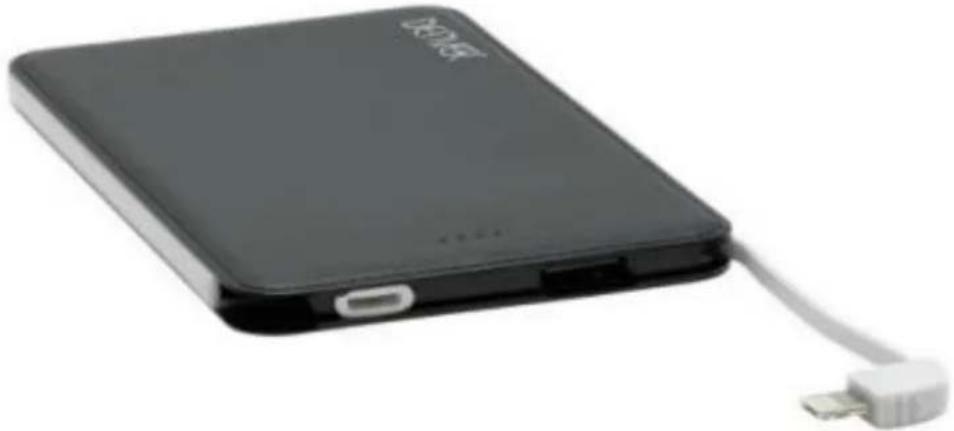
DENVER PBS-5002
natural_image
Black rectangular electronic device with USB cable and USB port, no visible text or symbols on bodywww.denver-electronics.com
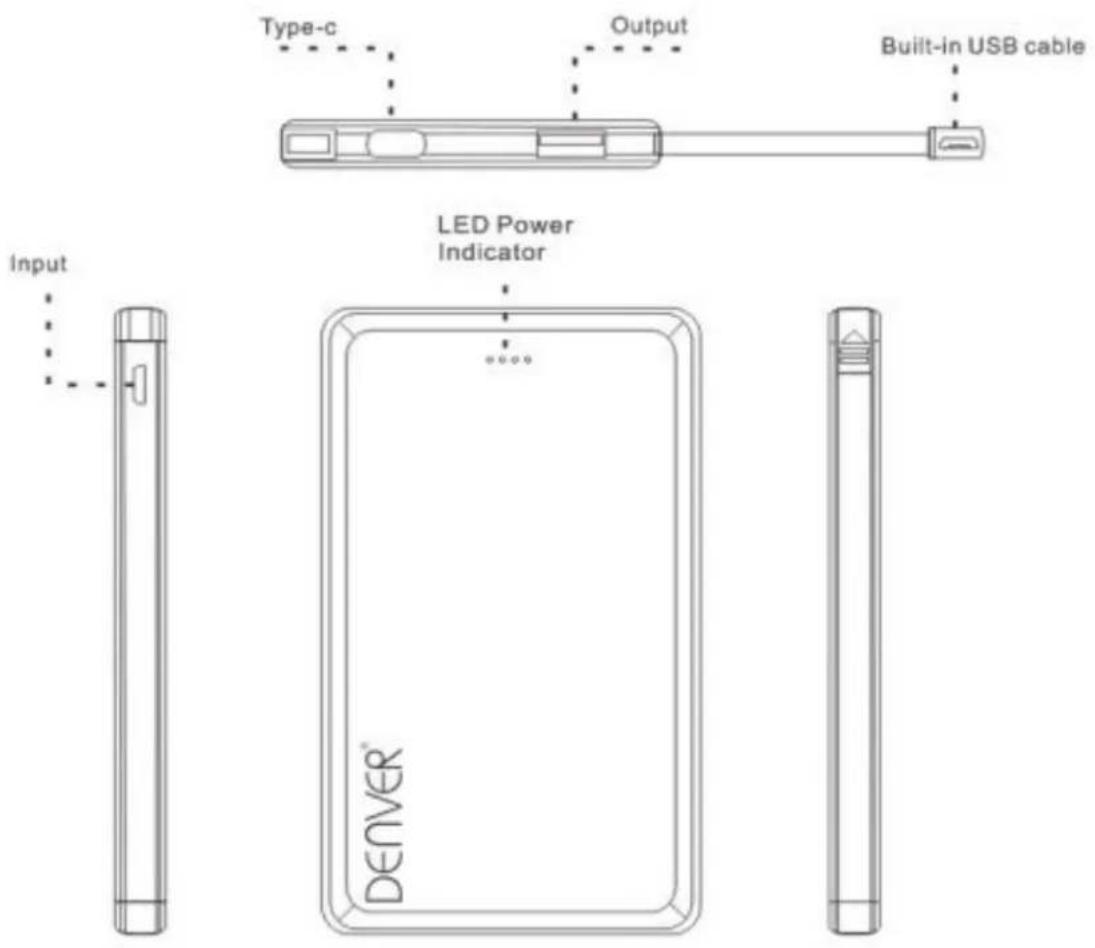
Product appearance
- Charge DENVER PBS-5002 with AC adapter (AC adapter is not included).
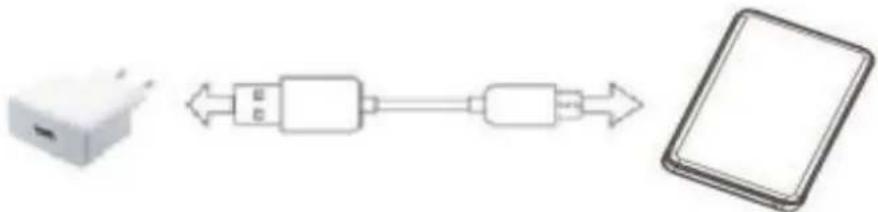
flowchart
graph LR
    A["Device"] <--> B["USB"]
    B --> C["USB"]
    C --> D["Smartphone"]
- Charge DENVER PBS-5002 by connecting it to USB port on computer.
Please note that this charging method is slow.

flowchart
graph LR
    A["Laptop"] <--> B["USB"]
    B --> C["Smartphone"]
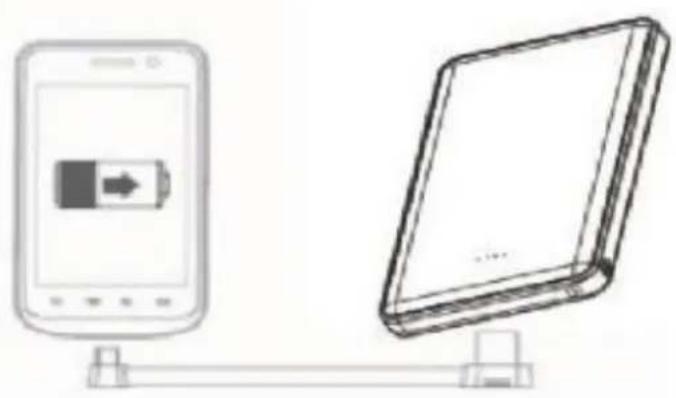
- Charging digital products using DENVER PBS-5002
natural_image
Line drawing of a mobile device connected to a physical tablet (no text or symbols)Charging digital product with DENVER PBS-5002
- Check if the charging voltage of the digital product is compatible with the DC 5V output voltage of DENVER PBS-5002.
- Use the digital product's original cable, and connect one end to the digital product, the other end to DENVER PBS-5002. If battery signal (output signal) lights up, it means the charging process starts. When all signals light up, it means the digital product is fully charged.
LED power indicator:
| LED Signal | Battery Percentage | |
| One signal lights up | 0~25% | |
| Two signals light up | 25~50% | |
| Three signals light up | 50~75% | |
| Four signals light up | 75~100% |
Specificaons
| Name | DENVERPBS-5002 | Input | DC 5V 2A(Micro USB) |
| Lithium-polymer battery inside | 5000mAh/3.7V | Output | DC5V 2A (USB output)DC 5V 2A (Built-in cable) |
| Capacity | 5000mAh | Weight | 113.2g |
| Size | 120mm x 68.8mm x9.4mm | ||
| Charging me | About2.5 hours (using 2A AC adapter)(Not included)About 5hours (using 1A AC adapter) (Not included) | ||
| Environment for Use | indoors | ||
| Ambient Temperature for Use | Charging 0°C~45°C; discharging 0°C ~45°C | ||
| Environment for Storage | Storage temperature: -10°C ~45°CHumidity: 25%~65% | ||
| Recycling times | ≥300 times | ||

Cautions:
- Charge the product before using it to charge other products.
- Do not place or use the product in very hot or humid environment; do not place or use it in direct sunlight.
- Do not throw this product into fire or water, so as to avoid possible fire and explosion.
- Please keep the product out of the reach of children.
- Do not use it when nobody is around.
- Do not dismantle or assembly the product yourself; the product does not have any parts that need users to dismantle, assembly or maintain themselves.
- Do not shake it, tap it or hit it.
- Do not use it if any liquid leaks out of the product. If the liquid goes into your eyes, do not rub your eyes, but quickly flush your eyes with running water, consult your doctor.
- It is normal that the product gets hot under proper operations. Please use with care when using or finishing using the product.
- Original transmission cables and connectors are required for all operations.
- Do not use paper or other objects to cover or shield the product, which may affect heat dissipation and cooling.
- Check the voltage before using the product to avoid unnecessary damage to the product caused by improper use under inaccurate voltage or power.
- Please charge and discharge the product once every three months if it is not used for a long time. This can ensure the life cycle of the product.
- Once discharged, please recharge the product fully so as to prepare for later use, for example, for charging digital products.
- Unplug the power cable when not using the product to avoid injury or property loss.
ALL RIGHTS RESERVED, COPYRIGHT DENVER ELECTRONICS A/S
DENVER®
denver-electronics.com


Electric and electronic equipment and included batteries contains materials, components and substances that can be hazardous to your health and the environment, if the waste material (discarded electric and electronic equipment and batteries) is not handled correctly.
Electric and electronic equipment and batteries is marked with the crossed out trash can symbol, seen below. This symbol signifies that electric and electronic equipment and batteries should not be disposed of with other household waste, but should be disposed of separately.
As the end user it is important that you submit your used batteries to the appropriate and designated facility. In this manner you make sure that the batteries are recycled in accordance with legislature and will not harm the environment.
All cities have established collection points, where electric and electronic equipment and batteries can either be submitted free of charge at recycling stations and other collection sites, or be collected from the households. Additional information is available at the technical department of your city.
Imported by:
DENVER ELECTRONICS A/S
Omega 5A, Soeften
DK-8382 Hinnerup Denmark
www.facebook.com/denverelectronics



Marke : DENVER
Modell : PBS-5002
Kategorie : Externe Batterie