Viper V370 - Kopfhörer Patriot Memory - Kostenlose Bedienungsanleitung
Finden Sie kostenlos die Bedienungsanleitung des Geräts Viper V370 Patriot Memory als PDF.


Benutzerfragen zu Viper V370 Patriot Memory
0 Frage zu diesem Gerät. Beantworten Sie die, die Sie kennen, oder stellen Sie Ihre eigene.
Eine neue Frage zu diesem Gerät stellen
Laden Sie die Anleitung für Ihr Kopfhörer kostenlos im PDF-Format! Finden Sie Ihr Handbuch Viper V370 - Patriot Memory und nehmen Sie Ihr elektronisches Gerät wieder in die Hand. Auf dieser Seite sind alle Dokumente veröffentlicht, die für die Verwendung Ihres Geräts notwendig sind. Viper V370 von der Marke Patriot Memory.
BEDIENUNGSANLEITUNG Viper V370 Patriot Memory
text_image
NIPER™Gaming Headset
V370
natural_image
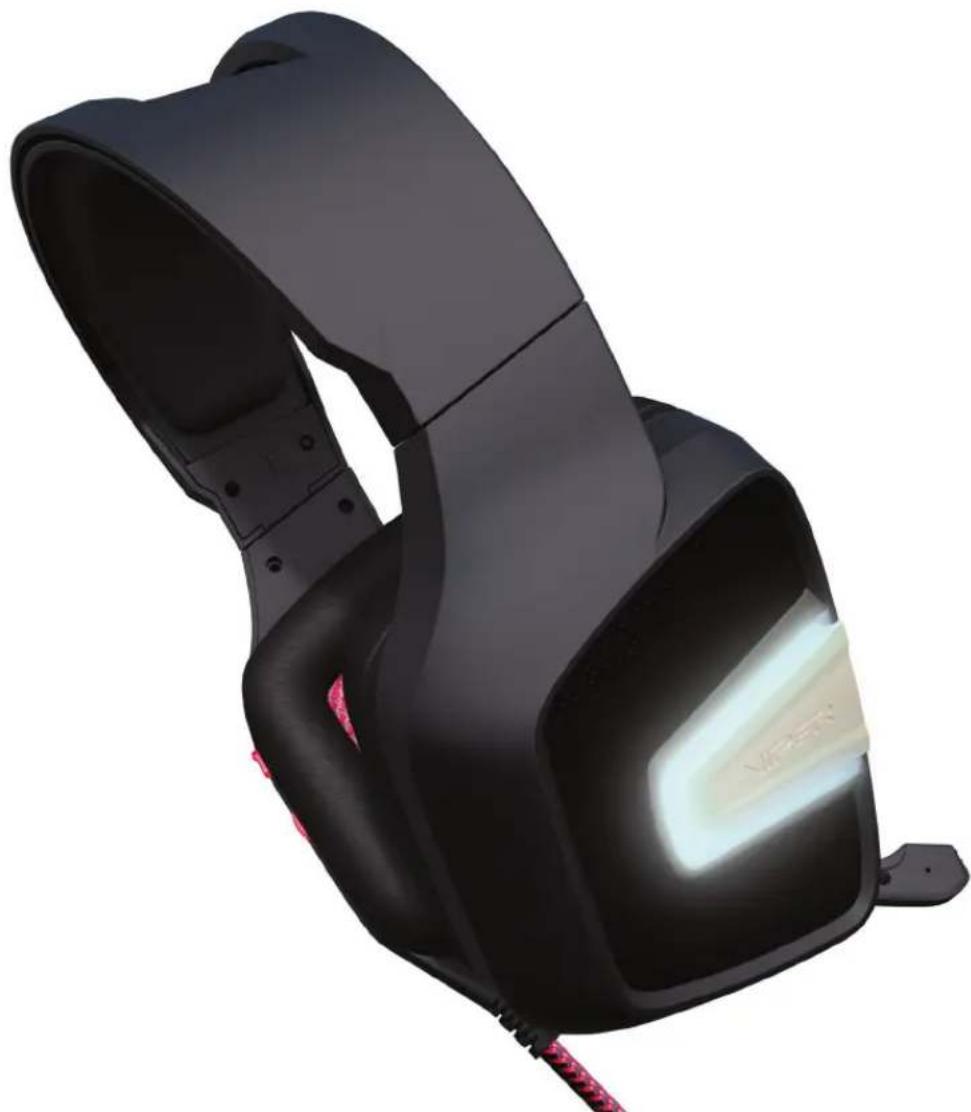
Black and white photo of a black headband device with red buttons, shown in studio setting (no visible text or symbols)User Manual
Introduction
Thank you for purchasing the Viper V370 gaming headset. This headset comes equipped with a 7.1 virtual surround sound engine that brings true-to-life 360^ audio to immerse you deep into in the game. Additionally, each ear cup comes equipped with its own separate 30mm bass driver with UBR (Ultra Bass Response) technology that provides incredible low frequencies for a thunderous bass experience.
An omnidirectional microphone that folds away into the left ear cup when not in use offers exceptional signal-to-noise ratio to transmit a loud and crystal clear signal that is unmatched by traditional microphones.
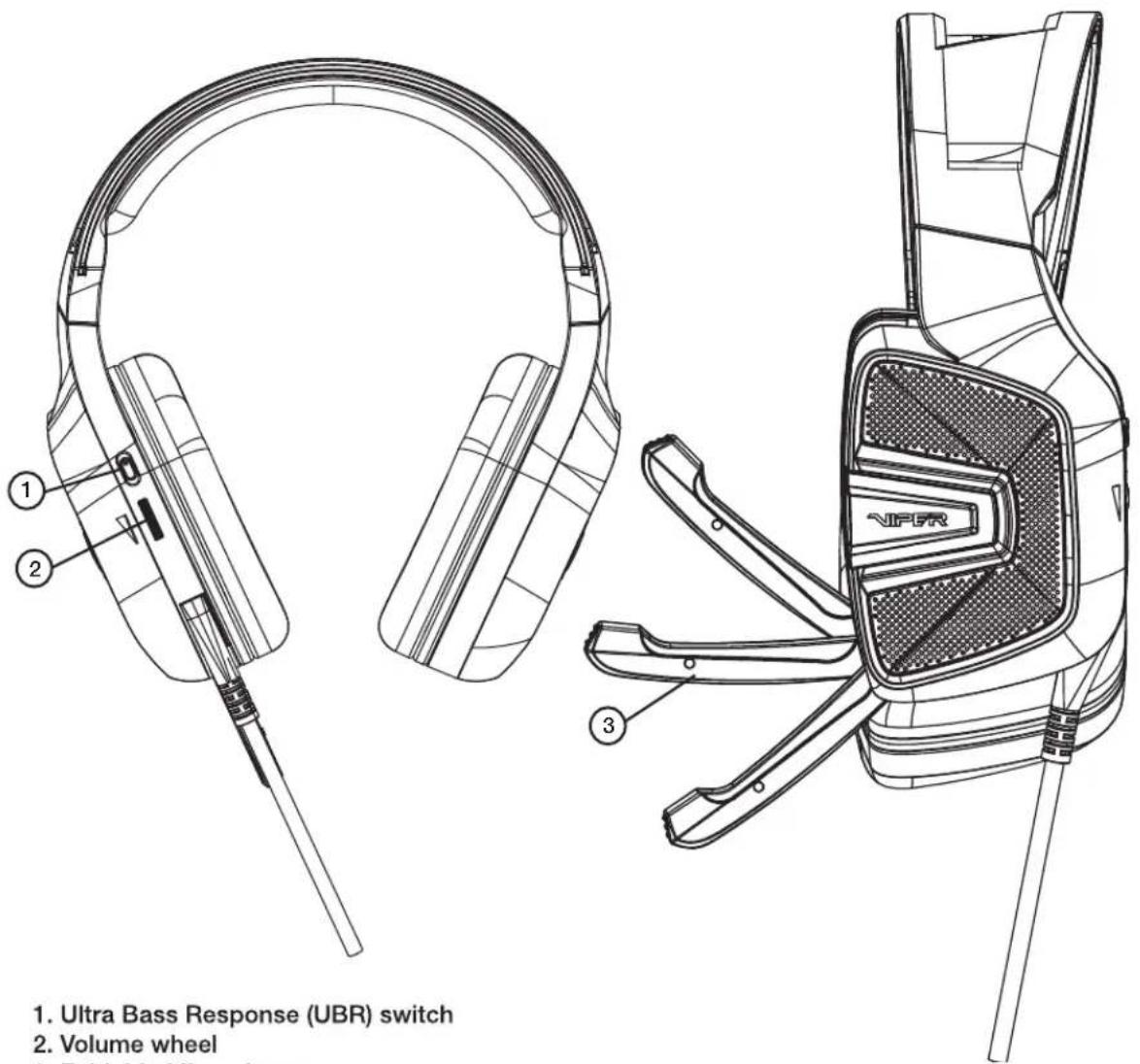
All of the controls for the headset are located directly on the left ear cup for quick access and to eliminate the need for a bulky and heavy control unit on the headset cord.
Finally two sets of interchangeable ear cups have been provided to use, based on your personal preference. The cloth mesh ear cups and the soft leather ear cups are stylish, functional, and comfortable for hours of extended game play. A special tool has been provided to change out the ear cups.
Features / Technical Specifications:
• 7.1 Virtual surround sound
• Built-in foldable microphone
• Ultra Bass Response (UBR) system
- USB interface
- Convenient on-ear sound controls
• RGB LED illumination
Speaker:
• Frequency response: 20Hz - 20KHz
• Impedance: 32 Ω at 1kHz
• Sensitivity: 110dB ± 3dB at 1 kHz max
- Input power: 10mW
• Main drivers: 40mm Neodymium magnet
- Sub-drivers: 30mm
• Cable length: 2.2 meters / 7 feet
• Net weight: 385 g
Microphone:
• Frequency response: 100Hz - 10KHz
• Signal-to-noise ratio: 60dB
• Sensitivity: -46dB ± 3dB
- Pick-up pattern: omnidirectional
Package Contents:
• Viper V370 gaming headset
- Carrying bag
- Extra ear pads
• Ear pad changing tool
- Quick Start Guide
• Viper Sticker
text_image
1. Ultra Bass Response (UBR) switch 2. Volume wheel 3.- Ultra Bass Response (UBR) switch
- Volume wheel
- Foldable Microphone
1. Hardware Installation
Connect the headset to computers USB port.
Wait 5\~10 seconds for the headset to be recognized by the computer.
2. Software Installation
Please download the headset software from the product page at http://www.patriotmemory.com to adjust the headset, surround sound, sound effects, profiles and more.
Software Installation Instructions
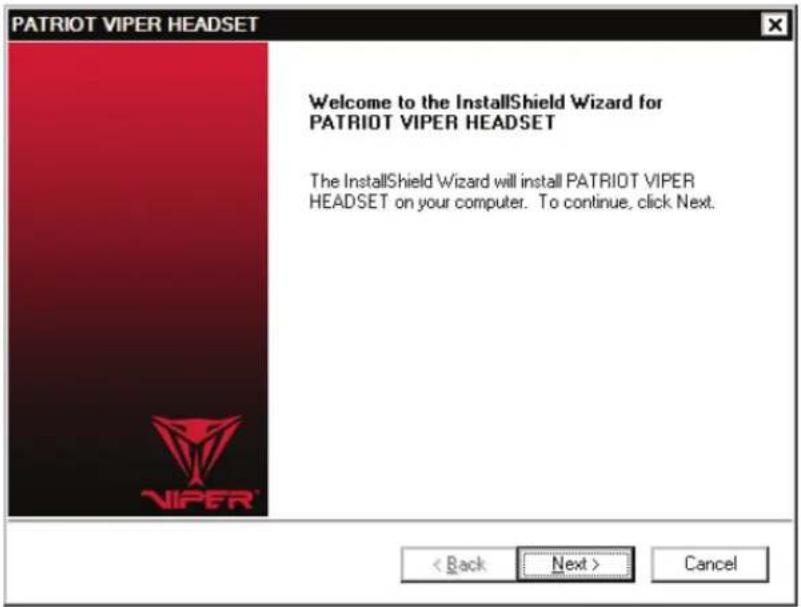
Once downloaded, double click on the software to start the installation. Follow the onscreen instructions to finish the process.
text_image
PATRIOT VIPER HEADSET Welcome to the InstallShield Wizard for PATRIOT VIPER HEADSET The InstallShield Wizard will install PATRIOT VIPER HEADSET on your computer. To continue, click Next. < Back Next > CancelLaunch the Viper Audio Center
Double click the icon system tray to launch the headset software.
Right-click or double click on the Speaker or Microphone icon to access the sub-menus and settings.
Speaker Settings
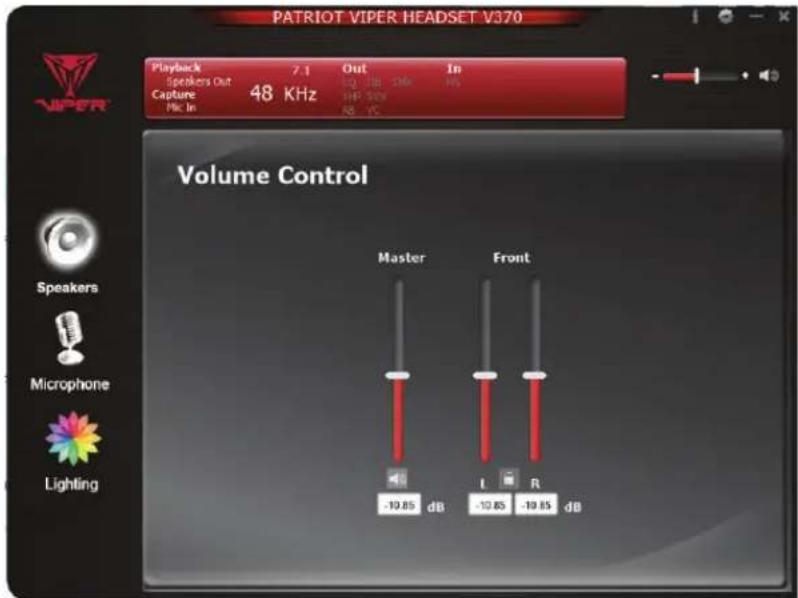
Volume Controls
Adjust master volume, front volume and the sensitivity for left and right channels.
text_image
PATRIOT VIPER HEADSET V370 Playback 7.1 Out In Speakers Out IQ DB SNR PS Capture 48 KHz HF SNR Mic In AB YC Volume Control Master Front Speakers Microphone Lighting -19.85 dB -19.85 dB I RSample Rate
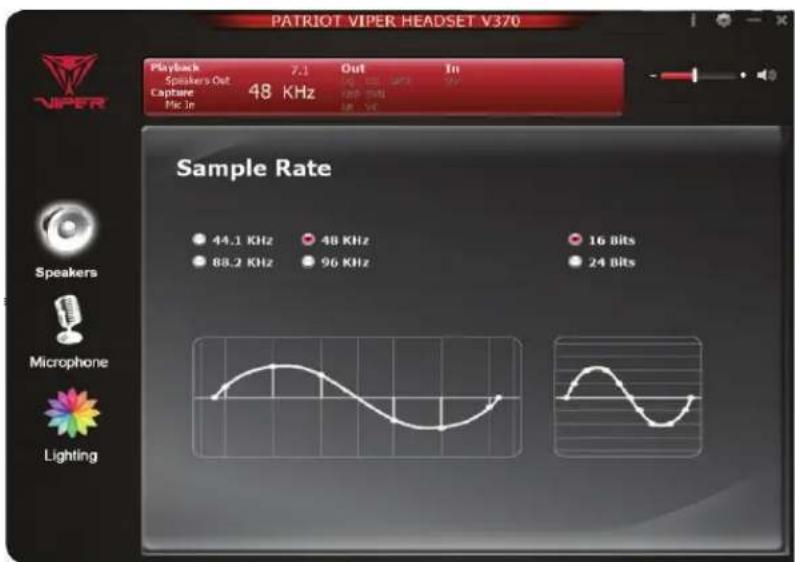
Select frequency sample rate to your preference-
44.1 KHz - CD quality
48 KHz - DVD quality
88.2 KHz - Pro Audio quality
96 KHz - HD DVD quality
Select bit depth to your preference-
16 bit - CD quality
24 bit - DVD quality
text_image
PATRIOT VIPER HEADSET V370 Playback 7.1 Out In Speaker's Out Capture 48 KHz Pick in Sample Rate 44.1 KHz 48 KHz 16 Bits 88.2 KHz 96 KHz 24 Bits Speakers Microphone LightingEqualizer
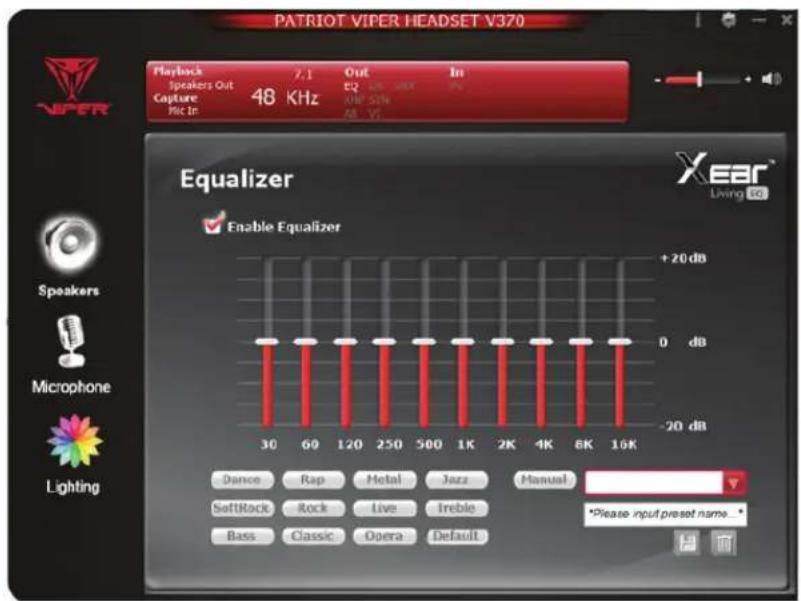
Enable Equalizer, and select from a number of equalizer presets or create your own unique pattern and save it.
text_image
PATRIOT VIPER HEADSET V370 Playback 7.1 Out In Speakers Out EQ Live Next Capture 48 KHz AM Gain Mic In AM Gain Equalizer Enable Equalizer +20 dB 0 dB -20 dB 30 60 120 250 500 1K 2K 4K 6K 16K Dance Rap Metal Jazz Manual SoftRock Rock Live Ireble Bass Classic Opera Default *Please input preset name * Xear Living toXear™ Surround Headphone
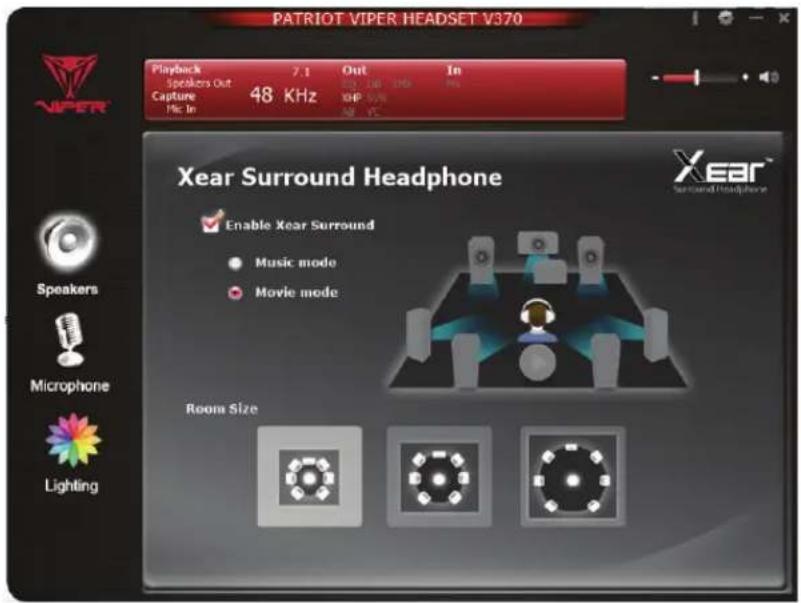
Enable Xear™ Surround to choose between Music Mode and Movie Mode.
text_image
PATRIOT VIPER HEADSET V370 Playback 7.1 Out In Speakers Out 100 MHz Capture 48 KHz XHP Mic In 48 Vc Xear Surround Headphone Enable Xear Surround Music mode Movie mode Room SizeXear™ Audio Brilliant
Enable Xear™ Audio Brilliant to enhance clarity of sound quality
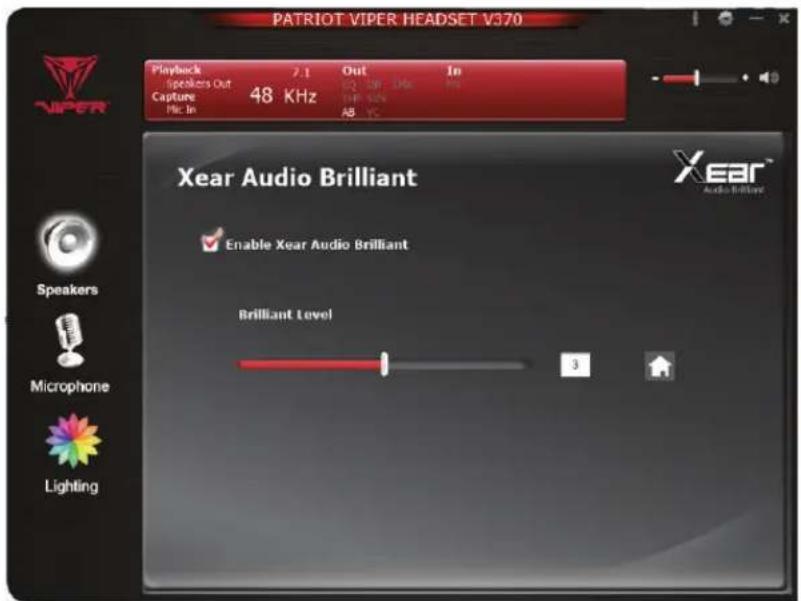
text_image
PATRIOT VIPER HEADSET V370 Playback 2.1 Out In Speakers Out Capture 48 KHz Mic In EQ ON DMC TIF SUN AB TC Xear Audio Brilliant Enable Xear Audio Brilliant Brilliant Level 3 Speaker Microphone LightingXear™ Audio Brilliant
Enable Xear™ Audio Brilliant to enhance clarity of sound quality
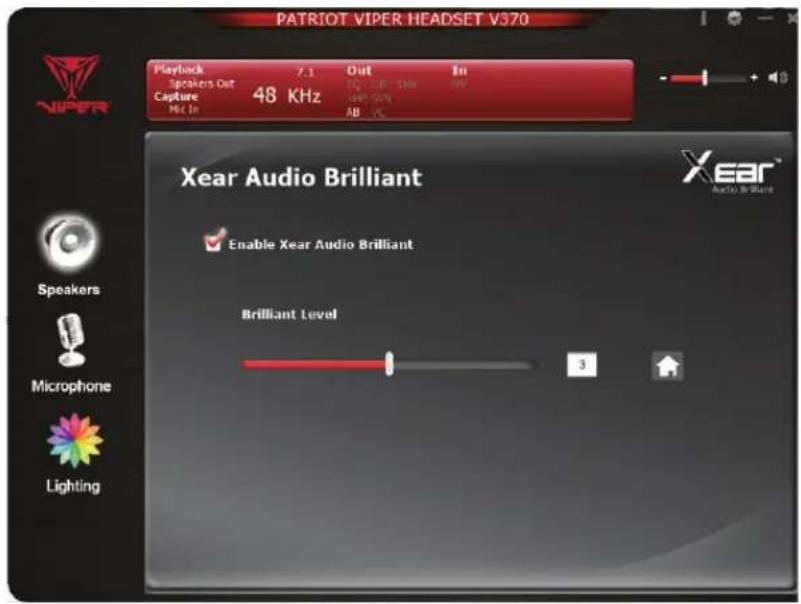
text_image
PATRIOT VIPER HEADSET V370 Playback 7.1 Out In Speakers Out Capture 48 KHz MIC In Xear Audio Brilliant Enable Xear Audio Brilliant Brilliant Level XEAR® Audio Brilliant Speakers Microphone LightingXear™ Dynamic Bass
Enable Xear™ Dynamic Bass to adjust bass level and cut-off frequency
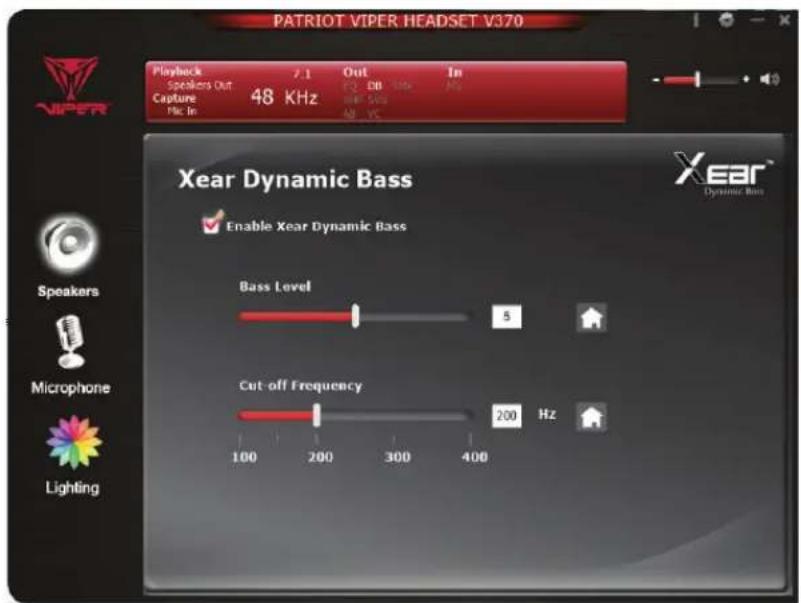
text_image
PATRIOT VIPER HEADSET V370 Playback 2.1 Out In Speakers Out C D DB Capture 48 KHz 500 Hz Mio In AM VC Xear Dynamic Bass Enable Xear Dynamic Bass Bass Level 5 Cut-off Frequency 200 Hz 100 200 300 400 Speakers Microphone LightingXear™ Smart Volume
Enable Xear™ Smart Volume to control the volume level. Select between Music or Speech modes.
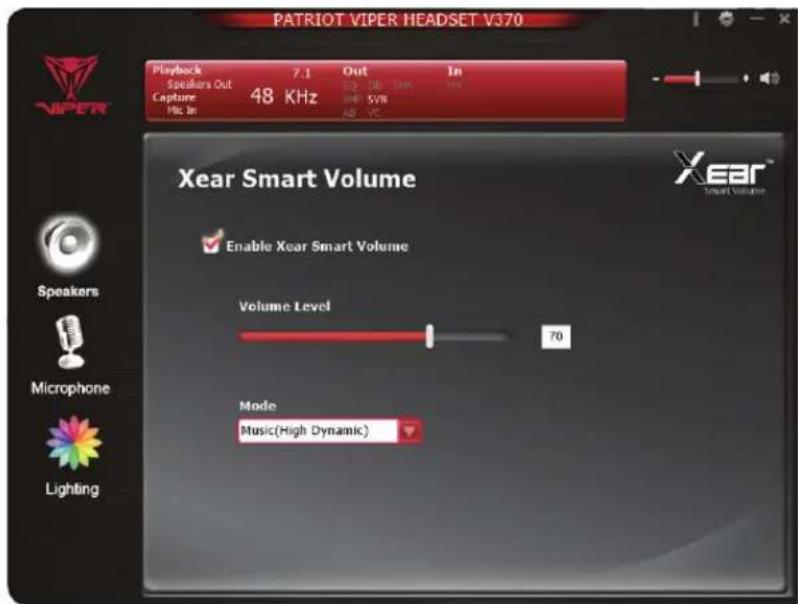
text_image
PATRIOT VIPER HEADSET V370 Playback 7.1 Out In Speakers Out Capture 48 KHz 5V Mio. In AB 元 Xear Smart Volume Enable Xear Smart Volume Volume Level 70 Mode Music(High Dynamic)Xear™ Surround Max
When enabled, this effect will change the pitch of the surround
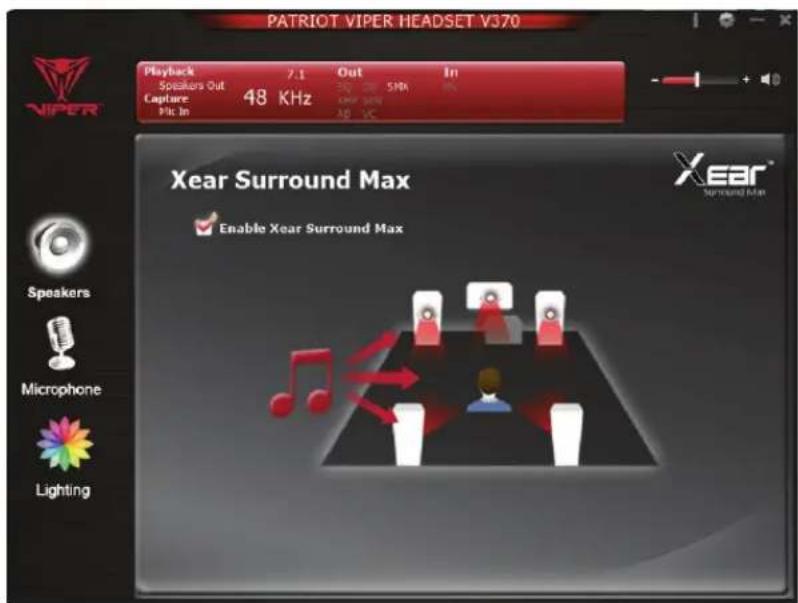
text_image
PATRIOT VIPER HEADSET V370 Playback 7.1 Out In Speakers Out 300 CM SNR Capture 48 KHz AMF SDRAM Mpc In AID VC Xear Surround Max Enable Xear Surround Max Speakers Microphone LightingMicrophone Settings
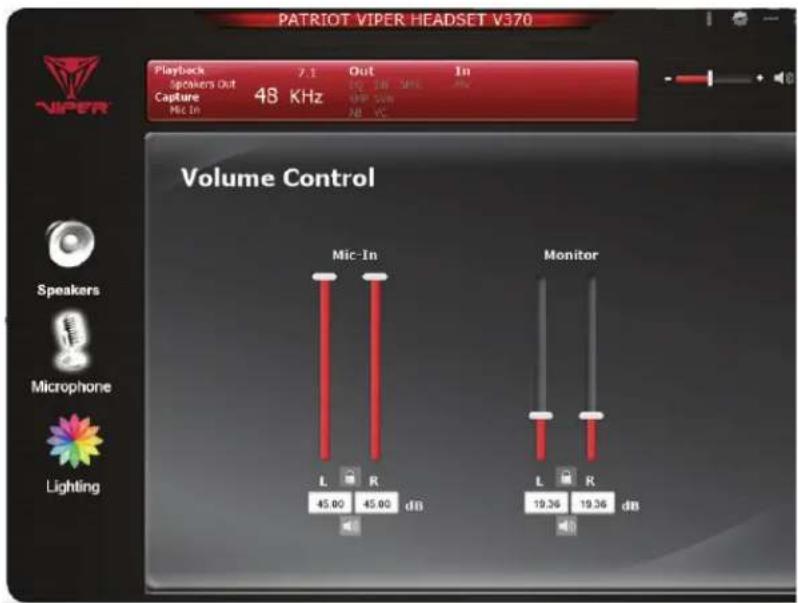
Volume Control
Adjust and monitor the mic-in and sensitivity levels.
text_image
PATRIOT VIPER HEADSET V370 Playback 7.1 Out In Speakers Out Capture 48 KHz Mic-In 28 °C Volume Control Mic-In L R 45.00 45.00 dB Monitor L R 19.36 19.36 dB LightingSample Rate
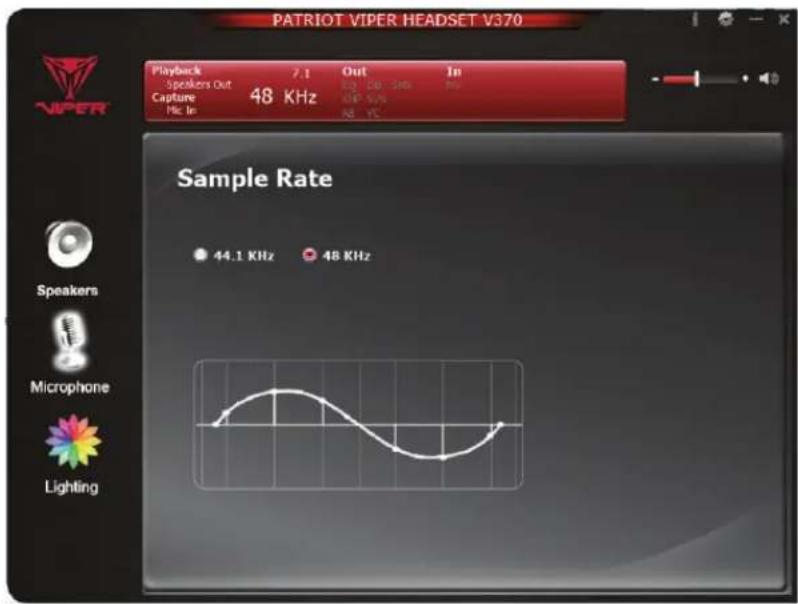
Select preferred sample rate-
44.1 KHz - CD quality
48 KHz - DVD quality
text_image
PATRIOT VIPER HEADSET V370 Playback 7.1 Out In Speakers Out 200 MHz Capture 48 KHz 50% Pfc In NB YC Sample Rate 44.1 KHz 48 KHz Speakers Microphone LightingXear™ Magic Voice
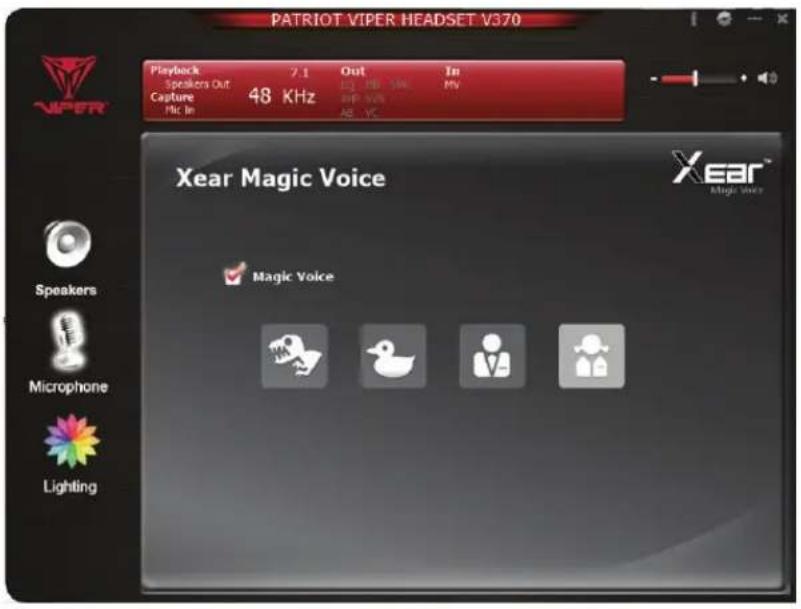
Enable Xear™ Magic Voice to change your voice to resemble favorite animals, male, or female voices.
text_image
PATRIOT VIPER HEADSET V370 Playback 7.1 Out In Speakers Out 48 KHz 25 dB 16K 19V Capture 20P 50Hz Mlc In AB - YC Xear Magic Voice XEAR® Magic Voice Magic Voice Speakers Microphone LightingLED Lighting
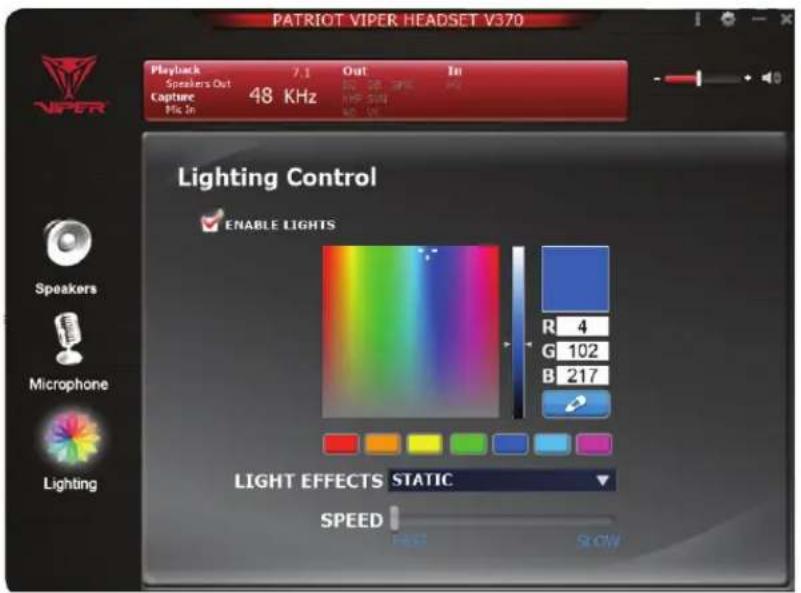
LED & Color
Enable Lights to adjust the LED colors of the headset up to 16.8 million colors. Select lighting patterns and speed of lighting effects.
text_image
PATRIOT VIPER HEADSET V370 Playback 7.1 Out In Speakers Out Capture 48 KHz Mio. In Lighting Control ENABLE LIGHTS R 4 G 102 B 217 LIGHT EFFECTS STATIC SPEED HOT SHOWGeneral Settings
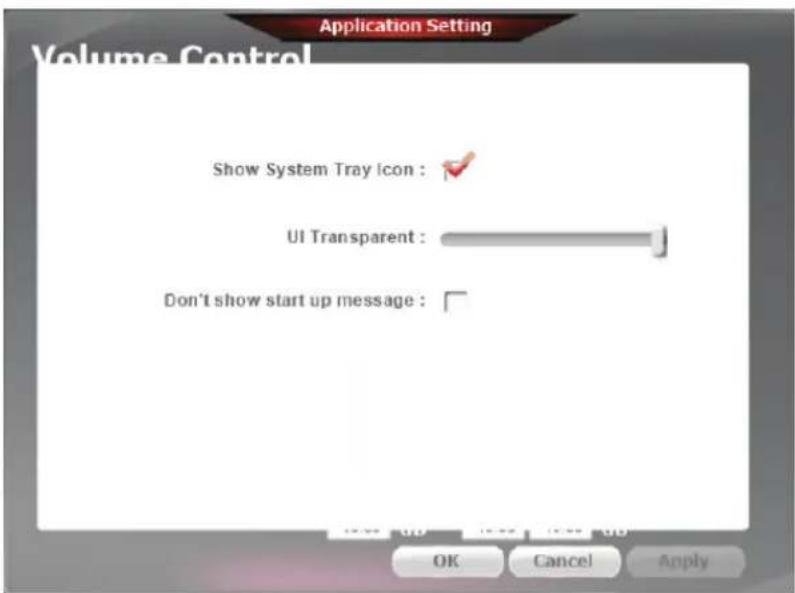
Change various settings such as:
- System tray icon status.
- Software background transparency.
- Enabling/disabling popup messages.
text_image
Application Setting Volume Control Show System Tray icon : ✓ UI Transparent : Don't show start up message : OK Cancel ApplyFCC and Legal:
This equipment has been tested and found to comply with the limits for a Class B digital device, pursuant to Part 15 of the FCC Rules. These limits are designed to provide reasonable protection against harmful interference in a residential installation. This equipment generates uses and can radiate radio frequency energy and, if not installed and used in accordance with the instructions, may cause harmful interference to radio communications.
However, there is no guarantee that interference will not occur in a particular installation. If this equipment does cause harmful interference to radio or television reception, which can be determined by turning the equipment off and on, the user is encouraged to try to correct the interference by one of the following measures:
- Reorient or relocate the receiving antenna.
- Increase the separation between the equipment and receiver.
- Connect the equipment into an outlet on a circuit different from that to which the receiver is connected.
- Consult the dealer or an experienced radio/TV technician for help.
FCC NOTICE:
This device complies with Part 15 of the FCC Rules. Operation is subject to the following two conditions:
1 This device may not cause harmful interference, and 2 This device must accept any interference received, including interference that may cause undesired operation.
FCC CAUTION:
- Any changes or modifications not expressly approved by the party responsible for compliance could void the user's authority to operate this equipment.
- This device and its antenna(s) must not be co-located or operating in conjunction with any other antenna or transmit ter.
Safety Guidelines:
In order to achieve maximum safety while using your Viper V360 headset, we suggest that you adopt the following guidelines:
- Turn the volume to its lowest setting before putting on the headset. Once the headset is on, slowly adjust the volume to a comfortable level.
- Keep the volume at the lowest level possible during use. If increased volume is necessary, adjust the volume slowly.
- Ringing in the ears may indicate that the sound levels are too high. If you experience any ringing or discomfort, discontinue use of the headset immediately.
- Should you have trouble operating the device properly and troubleshooting does not work, unplug the device and go to www.patriotmemory.com for support. Do not attempt to service or fix the device yourself at any time.
- Do not take apart the device (doing so will void your warranty) and do not attempt to operate it under abnormal current loads.
- Keep the device away from liquid, humidity or moisture. Operate the device only within the specific temperature range of 0^ C ( 32^ F) to 40^ C ( 104^ F). Should the temperature exceed this range, unplug and switch off the device in order to let the temperature stabilize to an optimal level.

CE FC


The "P" logo is a registered trademark of Patriot Memory, LLC
All rights reserved. Patriot Memory, and the Patriot Memory logo are registered trademarks of Patriot Memory. All other trademarks are the property of their respective owners. Patriot assumes no responsibility for any errors that may appear in this manual. Manufacturer shall not in any way liable for any damage you or any third party may suffer as a result of use or misuse our product. Information contained herein is subject to change without notice.