RS-CNL3 - Computerkabel Siemon - Kostenlose Bedienungsanleitung
Finden Sie kostenlos die Bedienungsanleitung des Geräts RS-CNL3 Siemon als PDF.


Benutzerfragen zu RS-CNL3 Siemon
0 Frage zu diesem Gerät. Beantworten Sie die, die Sie kennen, oder stellen Sie Ihre eigene.
Eine neue Frage zu diesem Gerät stellen
Laden Sie die Anleitung für Ihr Computerkabel kostenlos im PDF-Format! Finden Sie Ihr Handbuch RS-CNL3 - Siemon und nehmen Sie Ihr elektronisches Gerät wieder in die Hand. Auf dieser Seite sind alle Dokumente veröffentlicht, die für die Verwendung Ihres Geräts notwendig sind. RS-CNL3 von der Marke Siemon.
BEDIENUNGSANLEITUNG RS-CNL3 Siemon
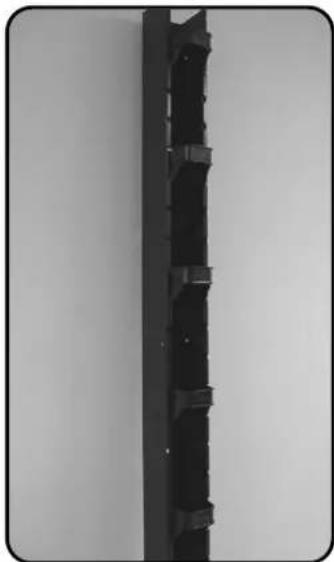
RS-CNL/RS-CNL3 Vertical Cable Management Channel Instructions
natural_image
Close-up of a black plastic mechanical bracket with multiple side slots, mounted on a plain wall (no text or symbols visible)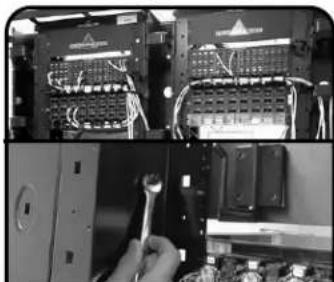
natural_image
Close-up of an electronic device showing internal circuit boards and wiring, with a hand adjusting the switch (no visible text or symbols)1 Position the vertical channel (P/N: RS-CNL or RS-CNL3) on the end of or between the RS-07 series racks. Align mounting holes and insert bolts. Install washers and nuts. Tighten nuts securely.
Note: For new installations, do not secure RS-07 racks to floor until channels are installed. When used between rack, make sure the racks are properly aligned. Poor alignment may distort the channel inward or outward.
natural_image
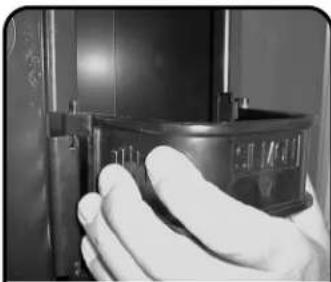
Close-up of a gloved hand holding a small metallic object (no visible text or symbols)2 Install retainers (P/N: RS-CNL-MGR) (6 included). To install retainers in channel, squeeze ribs on sides of retainers inward as shown. Insert retainer hinge pins in desired location on channel, release.
natural_image
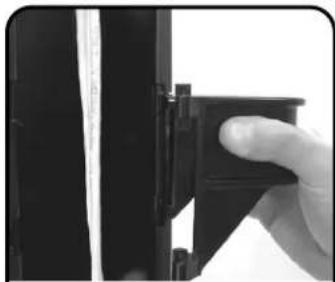
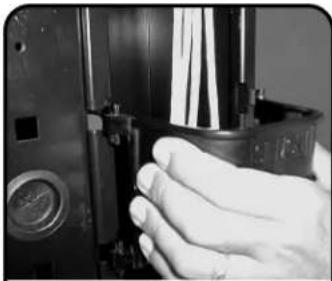
Close-up of a hand holding a black mechanical component, no visible text or symbols3 To route cables into manager, squeeze one side of retainer and hinge outward. Insert cables, replace retainer. Manager will hinge in either direction.
natural_image
Close-up of a hand adjusting a mechanical component with a circular inset showing a magnified view (no visible text or symbols)4 To remove retainer, squeeze retainer sides inward and pull outward away from channel.
natural_image
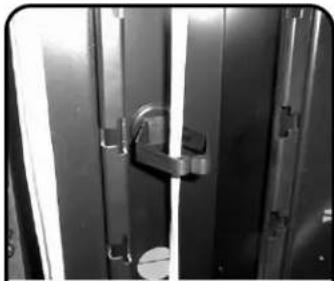
Close-up of a metallic door with a handle and metal frame (no visible text or symbols)5 Another suggested vertical cable/wire management option for the channel is mounting the high capacity cable hangers (P/N: RS-CH) (sold separately) inside the channel.
natural_image
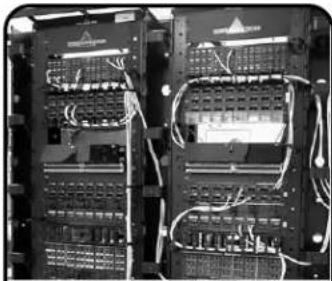
Interior view of an electronic network switchgear rack with visible circuitry and wiring (no text or labels)6 Completed RS-CNL installation showing vertical cable management.
To assist safe installations, comply with the following:
A. Use caution when installing or modifying telecommunications circuits.
B. Never touch uninsulated wire terminals unless the circuit has been disconnected.
C. Never install this device in a wet location.
D. Never install wiring during a lightning storm.