MITMP28 - Mp3-player MiTone - Kostenlose Bedienungsanleitung
Finden Sie kostenlos die Bedienungsanleitung des Geräts MITMP28 MiTone als PDF.


Benutzerfragen zu MITMP28 MiTone
0 Frage zu diesem Gerät. Beantworten Sie die, die Sie kennen, oder stellen Sie Ihre eigene.
Eine neue Frage zu diesem Gerät stellen
Laden Sie die Anleitung für Ihr Mp3-player kostenlos im PDF-Format! Finden Sie Ihr Handbuch MITMP28 - MiTone und nehmen Sie Ihr elektronisches Gerät wieder in die Hand. Auf dieser Seite sind alle Dokumente veröffentlicht, die für die Verwendung Ihres Geräts notwendig sind. MITMP28 von der Marke MiTone.
BEDIENUNGSANLEITUNG MITMP28 MiTone
Mitone
text_image
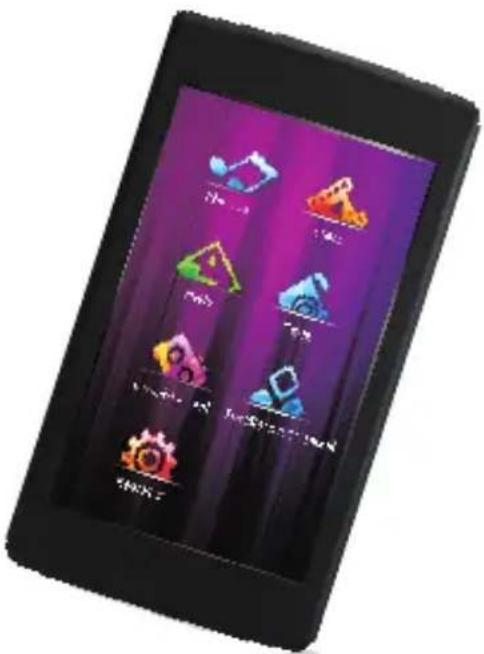
Black tablet displaying a colorful app interface with icons for game, action, and resource management functions.MITMP28 Digital MP4 Player
User Manual
Thank you very much for buying MP3/MP4 player. In order to let you freely operate the player and fully enjoy the happiness it brings you, we have introduced each function of the player in detail in this user manual. Please carefully read this user manual before using.
Contents
Notes
I. Specifications
II. Appearance and Keys
III. Home Screen
IV. Operations
(1) Startup
(2) Charging Step
- Use USB Cable
- Use USB Charger
(3) Files Transfer
(4) Using the Touch screen
(5) Locking
(6) Applications
- Music
- Video
- Photo
- eBook
- Radio
- Record
- Other
- Setting
(7) Shutdown
(8) Abnormity Afresh Open
V. FAQ
Notes
- The new lithium battery can not reach the optimum performance until two or three cycles of full charge and discharge.
- 8-10 hours are required to new lithium battery in the first three times of charge. Only 4 hours are needed to fully charge the battery in the forth time. In this way, the lithium battery can reach the optimum performance.
- The player is high-precise electronic product, so please do not disassemble by yourself.
- Please avoid violently knocking and hitting the player.
- Please do not use the player in the environments of high temperature, low temperature, moisture, dust, strong magnet, or the places which long-term expose under sunshine.
- Please use the wrung-out cotton cloth to slightly wipe the cover of the player. Do not use any chemical solution.
- The player shouldn't be dropped and splashed by water, and be placed near the containers with full liquid like cups.
- In order to avoid traumatizing hearing, please choose the proper volume while you are listening to the player.
- Please do not modify any part of the player.
- Please only use the battery, charger and accessories supplied by the manufacturer. The usage of any other types of products will violate the warranty terms and may be dangerous.
- Please deal with the abandoned player and accessories according to your local environment protection policies.
- In case there are some wrong with the player, please contact your local distributor or the service centre of our company.
- The products are subject to change without prior notice. We apologize for any inconvenience caused.
I. Specifications
● Model: MITMP28 (Touch Panel)
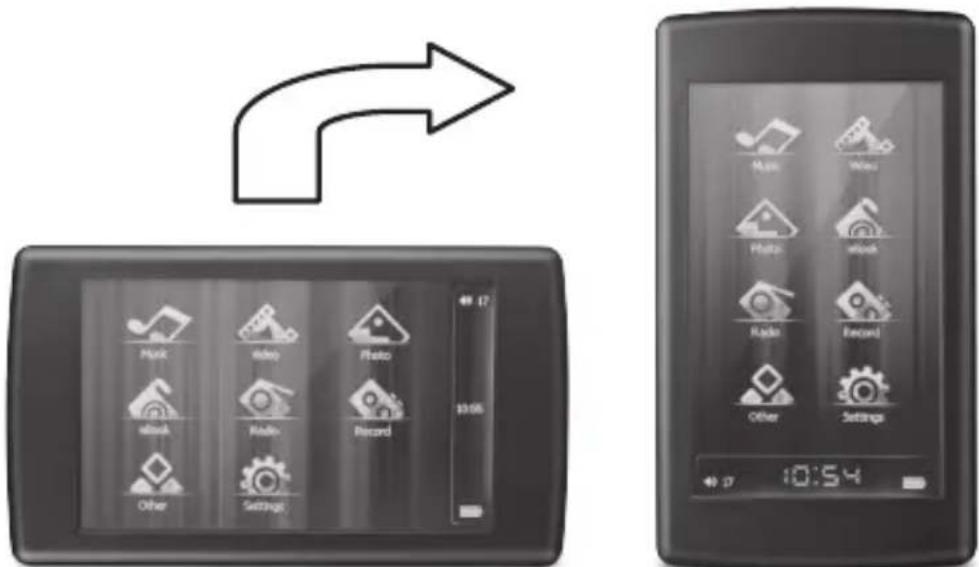
G-Sensor Function
FM Function
- StopWatch & Calendar
● Memory: Build-in 4G high speed flash memory
USB Port: USB 2.0 High Speed
● Support WMA, MP3, WAV, FLAC, APE, ACC, OGG music files format
● Support RM, RMVB, AVI video files format (within 640 x 384 resolution can be directly playback. It may have to be converted to a small or equivalent file size if your source file is larger than the screen resolution.)
● Support JPEG, GIF, BMP photo files format (up to 4048 x 3024 resolution)
● Recording Format: WAV
● Bit Rate: 8Kbps – 384 Kbps (MP3), 5Kbps – 192 Kbps (WMA)
● Recording Time: About 14.5 hours (1G)
Screen: 3.0 inches (Type), 400 × 240 (Pixel)
● Support MicroSD card
● Power Supply: High-energy polymer lithium battery
● FM Frequency: 87.5MHz \~ 108MHz
Product Dimension: 90mm (L) × 51mm (W) × 10mm (H)
Product Weight: 50g
text_image
Diagram showing navigation from a device to a digital tablet with icons for music, video, photo, radio, record, and settings.G-Sensor Function
II. Appearance and Keys
text_image
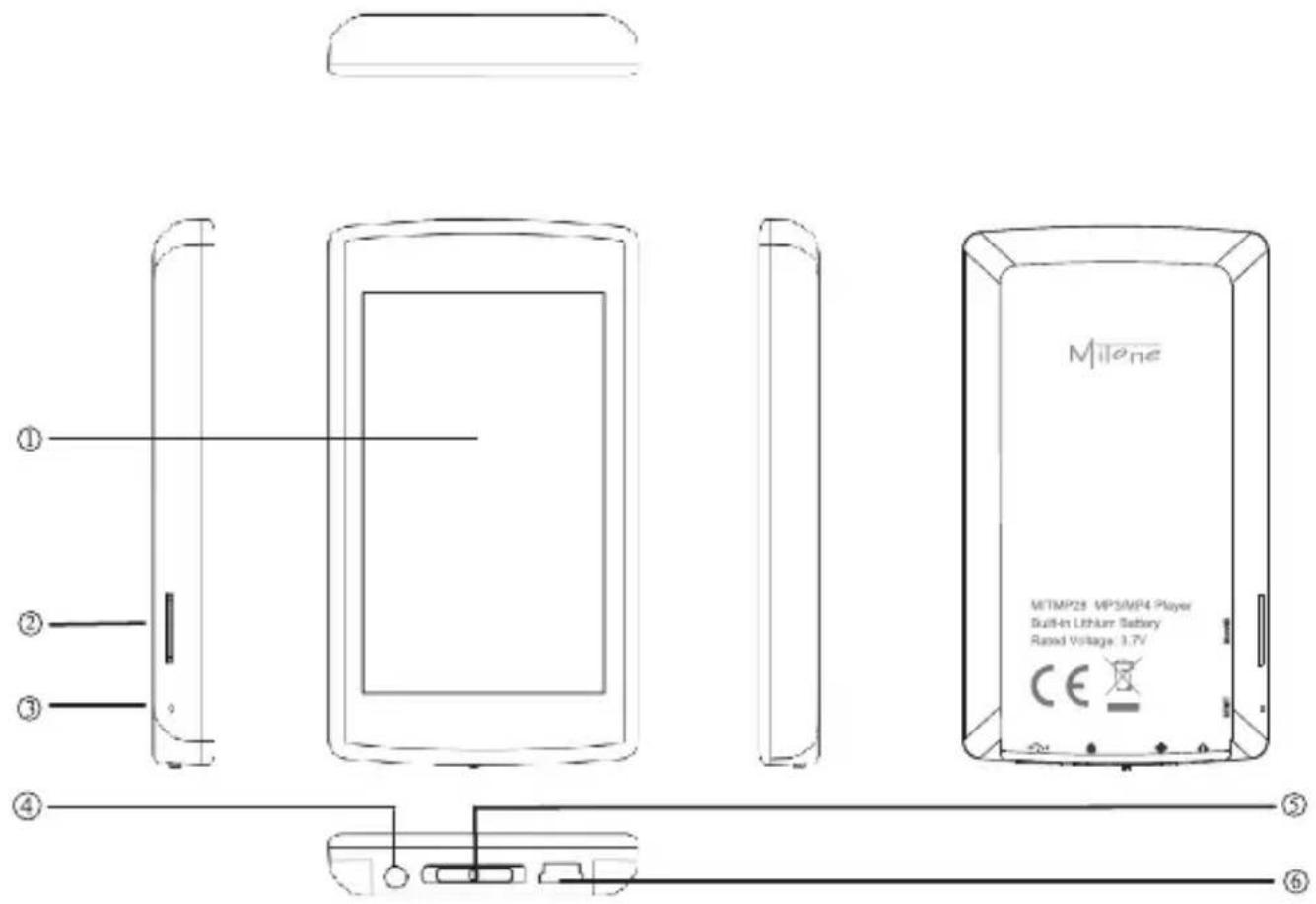
① ② ③ ④ ⑤ ⑥ Mileone MITMP25 MP5MP4 Player Built-in Lithium Battery Rated Voltage: 3.7V CE① Touch screen
④ Earphone jack
② MicroSD card slot
⑤ Power on/off and Hold (Lock)
③ Reset / MIC
⑥ USB port
III. Home Screen
text_image
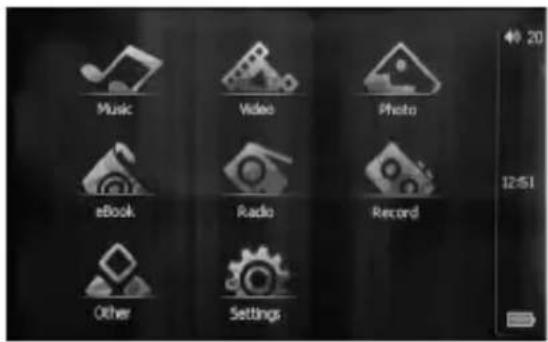
Music Video Photo eBook Radio Record Other SettingsTap any application icon to get started. The following applications are included in the player:
Music
Listen to your songs and audiobooks.
Video
Watch movies and video podcasts.
Photo
View photos transferred from your computer. View them in portrait or landscape mode. Zoom in on any photo for a closer look. Watch a slideshow.
eBook
Read text transferred from your computer.
Radio
Listen to and record FM radio.
Record
Record voices.
Other
View all saved files. Run additional programs.
Setting
Set screen brightness, light time, lock time and shut down time, and interface fonts and fonts color. Set operation system display language. Upgrade or restore firmware. View system information.
IV. Operations
(1) Startup
Press and hold the POWER/LOCK button until welcome logo appears on the screen.

text_image
Milone WELCOME(2) Charging Step

natural_image
Circular metallic button with a white lightning bolt symbol on its surface (no text or numbers visible)1. Use USB Cable
First step: Close the screen backlight; adjust setting / display / backlight display mode as a power-saving mode.
Second step: Long press power key to save settings.
Third step: Connect USB cable to the player and the computer.
Fourth step: When the player is connected to the computer, the screen will appear device connected icon. Double-click on the lower right corner of the computer "security
hardware delete" to remove equipment. However the player remains connected to the computer, then the screen of the player display battery charge status.
2. Use USB Charger
Input: AC220V\~50Hz Max:100mA
Output: DC5.5\~300mA (USB)
(3) Files transfer
Connect the player to your computer with USB cable. Copy audio, video or text files you want to the player.
natural_image
Circular button with a white square icon on a black background (no text or symbols)(4) Using the Touch screen
The controls on the touch screen change dynamically depending on the task you are performing.
1) Tap any icons to confirm.
2) Drag the scroll bar to make adjustment or drag the photo for playback.
(5) Locking
Push the Hold button to lock the player.
(6) Applications
1 Music
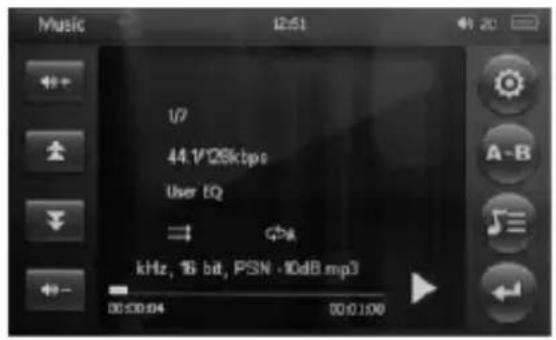
Tap to enter. Music starts automatically. Once the application had been run, it resumes
the last music playback from the stopped point when running it again.
text_image
Music 12:51 44.1/26kbps User EQ kHz, 16 bit, PSN -10dB.mp3 00:00:04 00:01:00| To | Action | ||
| Adjust the volume | Tap |  | or |
| Pause / Resume the playback | Tap |  | or |
| Previous playback | Tap |  | |
| Next playback | Tap |  | |
| Rewind | Tap and hold  | ||
| Fast forward | Tap and hold  | ||
| Setting | Tap  | ||
| Set A-B repeat | Tap  to set the starting point, tap it again to set the end point.Tap again to cancel. to set the starting point, tap it again to set the end point.Tap again to cancel. | ||
| Change display info | Tap |  to switch between Lyric and Frequency display to switch between Lyric and Frequency display | ||
| Browse music files | Tap |  | ||
Tap

text_image
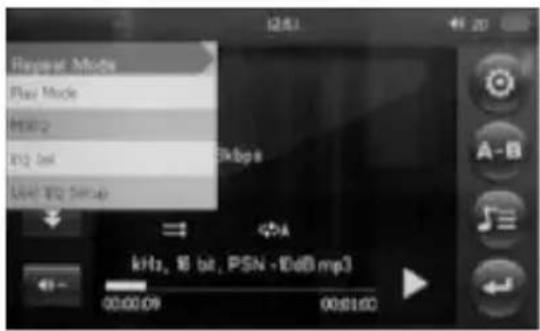
Repeat Mode Play Mode 10Hz 102 bit 104 Hz 5ms kHz, 8 bit, PSN -1dB mp3 00:00:09 00:01:00Repeat Mode: select Once, Repeat One, All, Repeat All, Intro
Play Mode: set the playback in Order or Shuffle
MSEQ: choose 3D, Bass or LEQ
EQ Set: choose Normal, Microsoft EQ, Rock, Pop, Classic, Bass, Jazz or
User EQ
User EQ Setup: adjust own EQ by dragging the scroll bars
Tap

text_image
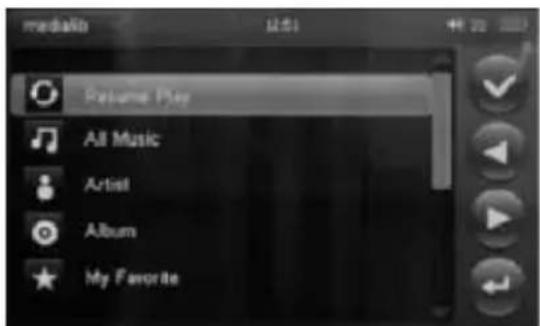
mediaio 12:51 44 22 Returns Play All Music Artist Album My FavoriteTag Resume Play to return to the playback screen. Tag the categories to choose the file - All Music, Artist, Album, My Favorite, Record, Dir List
Tag or to choose the file. Tag to add the selected
file to My Favorite
Tag MediaLib Update to load the files transferred into the player to the play list
Tap ← to return to the main menu
2. Video
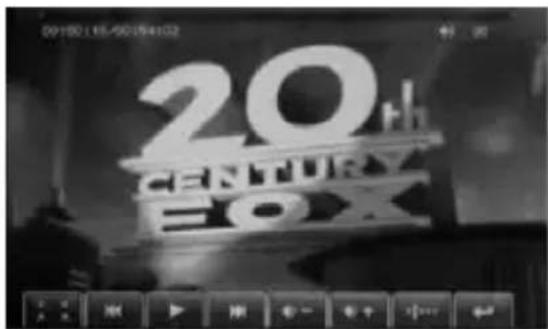
Tap Video to enter. Movie starts automatically. Once the application had been run, it resumes the last movie playback from the beginning when running it again.
Show the control panel by tapping the screen.
Warning: It may have to be converted to a small or equivalent file size if your source file is larger than 640 x384 resolution.
text_image
09:50:16:50:54:02 CENTURY BOX| To | Action | ||
| Adjust the volume | Tap |  or or |  |
| Play / Pause / Resume the playback | Tap |  or or |  |
| Previous playback | Tap |  | |
| Next playback | Tap |  | |
| Rewind | Tap and hold |  | |
Fast forward
Tap and hold
Browse the movie file list
Tap
Change the scale of the display
Tap
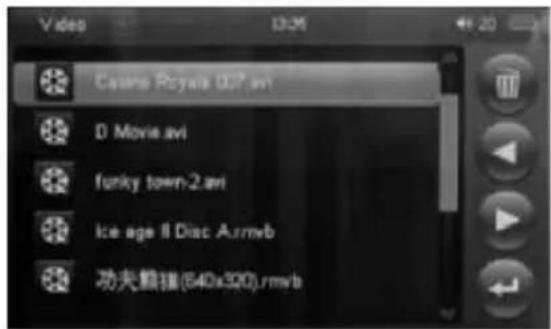
text_image
Casino Poyee 0.07.avi D Movie.avi funky town-2.avi Ice age II Disc Air.mwb 功夫熊猫(640x390).rmwbOn the Video file list, tap

or

to move around the files or directory. Double-tap on
the movie to playback or on the directory to view the movie inside. Tap

to delete the file.
Tap

to return to the main menu.
3. Photo
Tap
to enter. Select the photo and tap to view it. Tap

to delete the file.
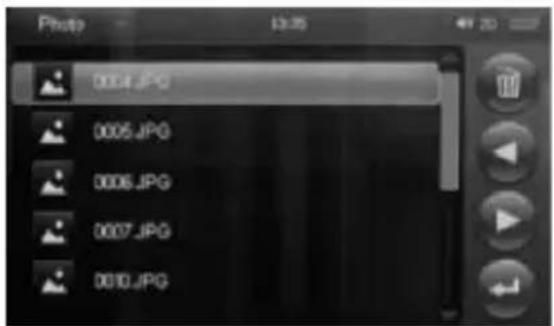
text_image
0004.JPG 0005.JPG 0006.JPG 0007.JPG 0010.JPG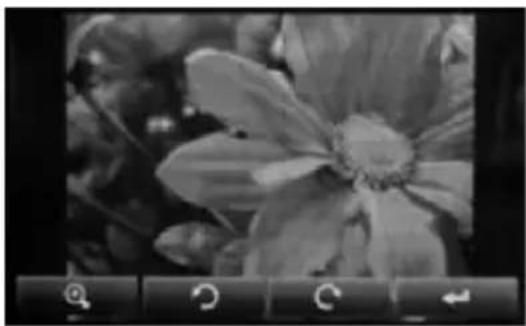
natural_image
Black-and-white close-up of a flower with visible petals and center, displayed in a control panel (no text or symbols)| To | Action | |
| View the previous photo | Drag leftward on the photo | |
| View the next photo | Drag rightward on the photo | |
| Rotate the photo anticlockwisely | Tap |  |
| Rotate the photo clockwiseely | Tap |  |
Zoom the photo in and out
Tap
or
Return
Tap

Go to
to set the slide show.
4. Ebook
Tap
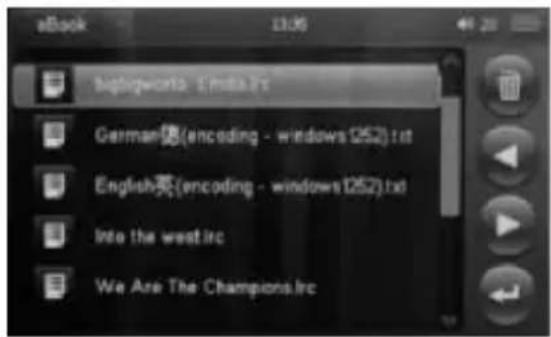
to enter. Select the file and tap to read it. Tap

to delete the file.
text_image
eBook 13:06 Englishworld - E-mail:21c German(encoding - windows 1252).txt English英(encoding - windows1252).txt) Into the west.irc We Are The Champions.irc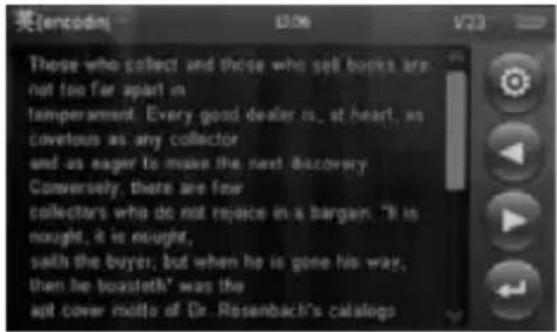
text_image
英(encode) 036 V23 Those who collect and those who sell books are not too far apart in temperament. Every good dealer is., at heart, as covetous as any collector and as eager to make the next discovery Conversely, there are few collectors who do not rejoice in a bargain. "It is nought, it is nought, sath the buyer, but when he is gone his way, then he boxsteth" was the apt cover motto of Dr. Rosenbach's catalogs| To | Action | |
| View the previous page | Tap |  |
| View the next page | Tap |  |
| Setting | Tap |  |
| Return | Tap |  |
Tap

text_image
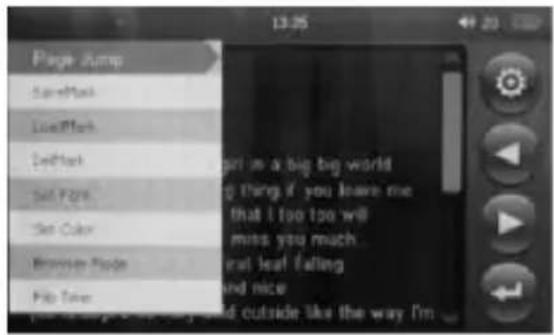
Page Jump SaveMatch LiveMatch EditMatch Set Fats... Set Color Browse Mode... Flip Tree Girl is a big big world thing if you leave me that I too too will miss you much... leaf felling and nice and outside like the way I'mPage jump: move to any page you want to read
| SaveMark: save the bookmark. There are 8 bookmarks available |
| LoadMark: load the saved bookmark |
| DelMark: delete the saved bookmark |
| Set Font: choose Small, Mid or Big Font |
| Set Color: choose Green, Blue or Red |
| Browser Mode: select Auto Mode or Manual Mode |
| Flip Time: set the time of page flip for the Auto Mode |
5. Radio
Tap
to enter.
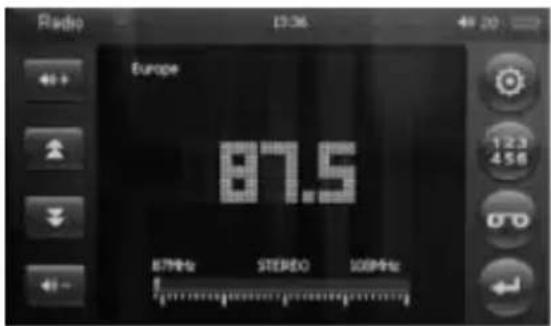
text_image
Radio Europe 87.5 STUDIO 100% mark 123 456| To | Action | |
| Adjust the volume | Tap |  |
| Adjust the frequency in manual search mode or Choose the station in preset mode | Tap |  ; each tap moves ; each tap moves |
| 0.1MHz in manual search mode | ||
| Set radio | Tap |  |
| Manage preset station list | Tap |  |
| Record FM | Tap |  |
| Return | Tap |  |
Tap

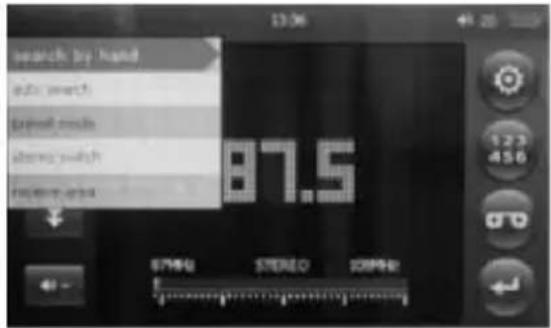
text_image
beatched by hand 87.5 STRAW STUDIO STRAWSearch by Hand: manually search the stations
Auto Search: automatically search the stations and save them to the preset station list
Preset Mode: listen to the preset stations
Stereo Switch: choose On to listen to the stereo FM, otherwise, it plays mono FM only
Receive Area: Set the frequency range of different area-- (Including Korea, Japan, USA, Europe)
Tap

text_image
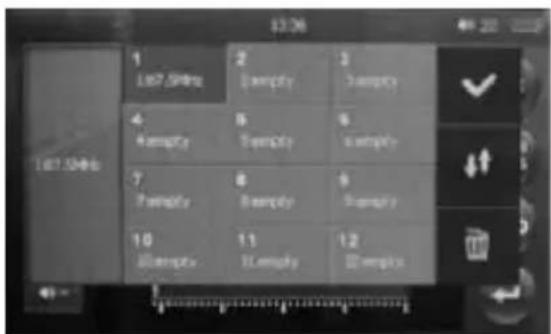
167.5GHz 1 167.5GHz 2 Blankly 3 Blankly 4 Blankly 5 Blankly 6 Blankly 7 Blankly 8 Blankly 9 Blankly 10 Blankly 11 Blankly 12 BlanklyThere are 30 preset space for the stations; tap on the box to select
Tap

to save the current frequency
Tap

to move around the pages.
Tap

to delete and selected saved station.
6. Record
Tap
to enter.
text_image
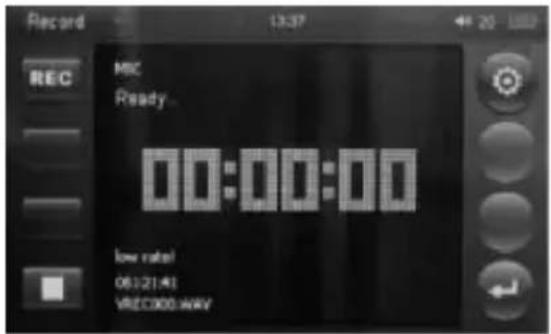
Record REC MIC Ready 00:00:00 low rate! 0612141 VREC000.WAV| To | Action | |
| Start recording |  | |
| Tap | ||
| Pause recording |  | |
| Tap | ||
| End the recording |  | |
| Tap | ||
| Setting |  | |
| Tap | ||
| Save and/or Return |  choose yes to save the recording choose yes to save the recording | |
| Tap | ||
Tap

text_image
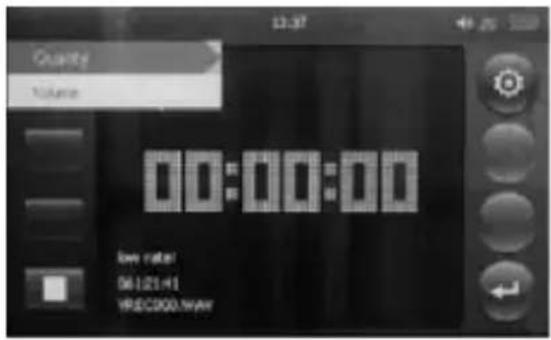
Quality Name 00:00:00 low rate: 06121:H1 W8EC200.WAVQuality: set low rate or high rate
Volume: set 1, 2, 3 or 4
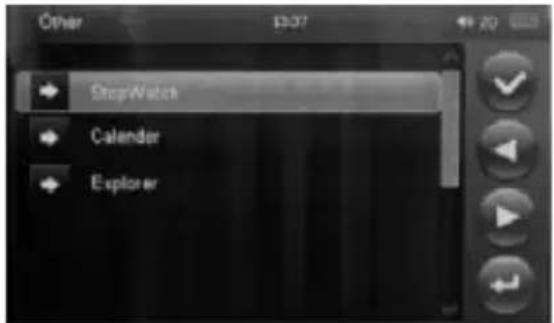
7 Other
Tap
to enter.
text_image
Other StepWatch Calender ExplorerStopWatch
text_image
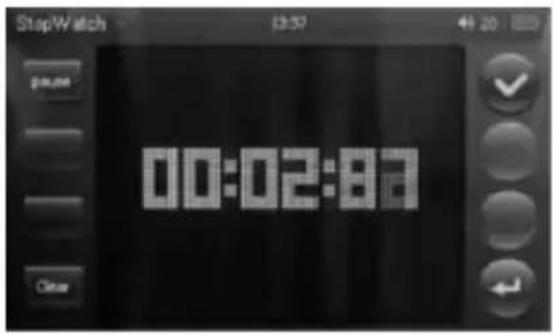
StopWatch 13:57 40:20 00:02:87 ClearTap to start. Tap it again to pause and once more to resume. Tap Clear to
reset the stopwatch. Tap to return.
Calendar
text_image
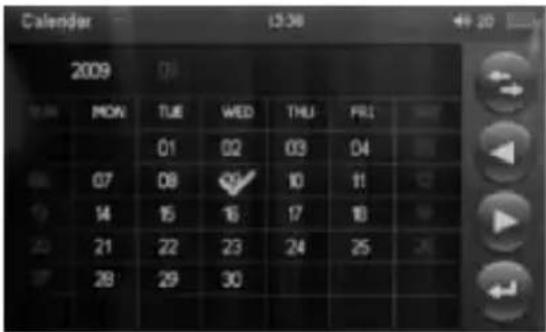
Calendar 2009 MON TUE WED THU FR1 01 02 03 04 07 08 10 11 14 15 16 17 18 21 22 23 24 25 28 29 30Tap

to swap among Year, Month and Day. Tap

or

to adjust the
selected. Tap

to return.
Explorer
text_image
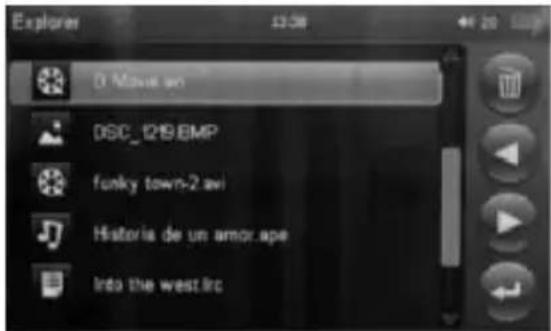
Explorer 0 Move on DSC_1219.BMP funky town-2.avi Historia de un amor.ape Into the west.lrcTap

or

to select the file. Tap

to delete the selected file. Tap the
selected file for playback. Tap

to return.
8. Setting
Tap

to enter.
text_image
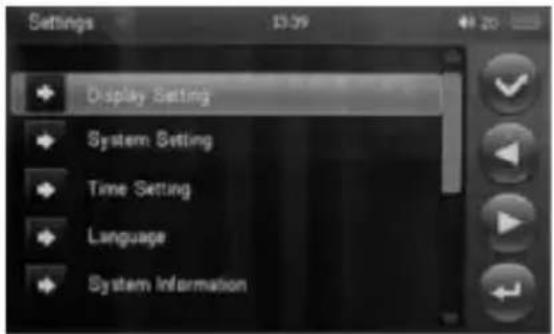
Settings Display Setting System Setting Time Setting Language System InformationDisplay Setting
text_image
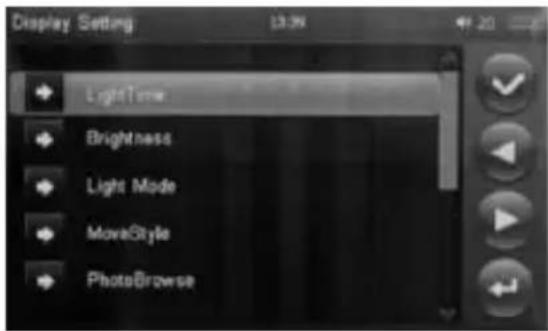
Display Setting LightTime Brightness Light Mode MoveStyle PhotoBrowseLightTime: Always on or turn off automatically in 5/10/15/20/30 seconds
Brightness: set the brightness--one to five
Light Mode: All Dark or Penumbra
System Setting
MoveStyle: set the interface loading way --LeftInRightOut, DoubleMove, UpInDownOut, Transp[anrent]s, Scale
PhotoBrowse: Turn Off slide show or set the flipping in 5/10/15 seconds
text_image
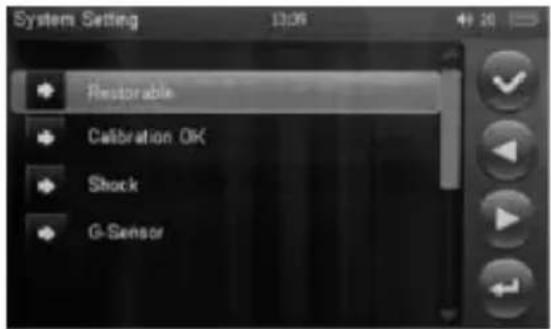
System Setting 13:06 49 20 Restorable Calibration OK Shock G-SensorRestorable: restore the settings of the player; you may backup the files before the reset
Calibration OK: do touch point calibration; it is suggested to do the calibration periodically
Shock: turn On or Off of the shock effect; it is suggested to turn it off if you want to save battery
G-Sensor: turn On or Off the G-sensor function.
Time Setting
text_image
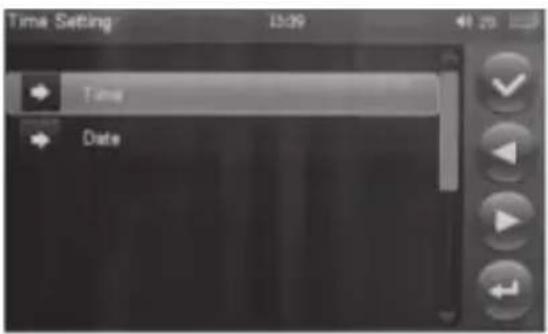
Time Setting Time DateSet the Time and Date
Language
Change the OSD language
System Information
View the version of the player and memory capacity of the player and/or inserted MicroSD card
(7) Shutdown
Push and hold the POWER button until closing logo appears on the screen.
text_image
Milone Have a nice day!(8) Abnormity Afresh Open
If encountered by the illegal operation of the abnormal phenomena, such as the screen, inoperative and so on, through the side of the Reset hole, the player restarts. The player will become normal after reboot.
V. FAQ
① A warning message comes up when playing video.
- Please make sure the format of the video is RM, RMVB, AVI or FLV. (However if it is in supporting format, it means that it is a problem of codec.)
Please check if the resolution of the video is smaller than 640 x 384.
If it is still encountering this problem, please convert your original file to a small or equivalent file size.
② The player cannot power on.
- Check the battery and see if it runs out of power.
- Check again after connecting with power supply adapter.
- If the player still cannot power on after charging, please contact our service centre.
③ No sound comes out from the earphone.
- Please check the volume and see if it is set up to 0.
- Please check and see if there is some wrong with the earphone connection.
④ The keys don't work.
- Please make sure that if the electronic lock is locked. If it is locked, please short-time press Power/Hold button to unlock it and then try it again.
⑤ The player has serious noise.
- Please check and see if the plug of the earphone is clear. Feculence may cause noise.
- Check and see if the music file has been spoiled. Try to play other music files to confirm. The spoiled files may cause serious noise or jump tone.
⑥ Reception effect of the FM radio is not fine.
-Adjust the position of earphone and the player.
- Shut off all the close electronic devices.
- Earphone can also be used as antenna.
⑦ The screen displays messy code.
Please check and see if the player has been correctly set up the display language.
⑧ The player cannot download files.
- Make sure that the player is correctly connected with the computer.
Make sure if the storage space has been full.
Make sure if the USB line has been spoiled.
NOTE: DRM supported songs will be skipped in the play list and cannot be played back.
CAUTION: Listening to the music at a high volume, especially for a long period of time, may cause damage to your hearing.
text_image
DisposalIf at any time in the future you should need to dispose of this product, please note that: Waste electrical products should not be disposed of with household waste. Please recycle where facilities exist. Check with your local Authority or retailer for recycling advice. (Waste Electrical and Electronic Equipment Directive).
Mitone

natural_image
Abstract gradient pattern composed of colored dots (no text or symbols)
CE