XL - Uhr Breo - Kostenlose Bedienungsanleitung
Finden Sie kostenlos die Bedienungsanleitung des Geräts XL Breo als PDF.


| Produkttyp | Digitaluhr |
| Marke | Breo |
| Modell | XL |
| Display-Typ | LCD (Flüssigkristallanzeige) |
| Anzeigefunktionen | Stunden, Minuten, Datum, Monat, AM/PM |
| Tasten | A (Funktionsauswahl), M (Einstellung) |
| Stromversorgung | Knopfzelle (nicht austauschbar) |
| Wasserdichtigkeit | Nicht spezifiziert (vermutlich spritzwassergeschützt) |
| Gehäusematerial | Kunststoff |
| Armbandmaterial | Silikon oder Kunststoff |
| Abmessungen (ca.) | Durchmesser ca. 40 mm, Höhe ca. 10 mm |
| Gewicht (ca.) | 30 g |
| Besondere Merkmale | Wechselanzeige zwischen Uhrzeit und Datum |
| Einstellmöglichkeiten | Monat, Datum, Stunden, Minuten |
| Reinigung | Mit einem weichen, trockenen Tuch abwischen |
| Batterielebensdauer | ca. 1–2 Jahre (abhängig von Nutzung) |
| Ersatzteile | Batterie, Armband |
| Reparierbarkeit | Batteriewechsel durch Fachperson empfohlen |
| Garantie | Standard Herstellergarantie (bei Kauf nachfragen) |
Häufig gestellte Fragen - XL Breo
Benutzerfragen zu XL Breo
0 Frage zu diesem Gerät. Beantworten Sie die, die Sie kennen, oder stellen Sie Ihre eigene.
Eine neue Frage zu diesem Gerät stellen
Laden Sie die Anleitung für Ihr Uhr kostenlos im PDF-Format! Finden Sie Ihr Handbuch XL - Breo und nehmen Sie Ihr elektronisches Gerät wieder in die Hand. Auf dieser Seite sind alle Dokumente veröffentlicht, die für die Verwendung Ihres Geräts notwendig sind. XL von der Marke Breo.
BEDIENUNGSANLEITUNG XL Breo
natural_image
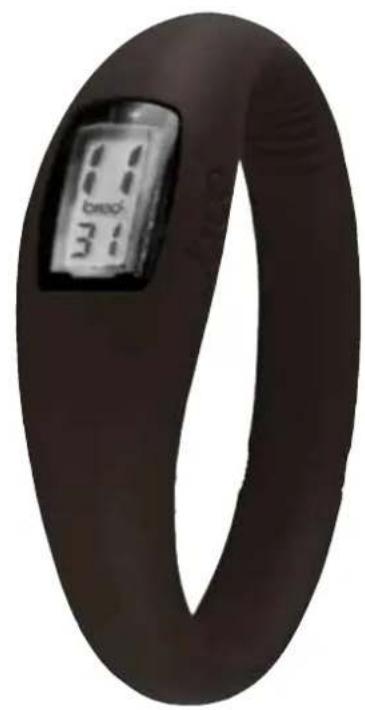
Close-up of a dark, ring-shaped electronic device with a digital display showing '8:30' and '3:15' (no readable text beyond labels)EX.
-
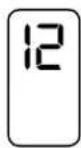
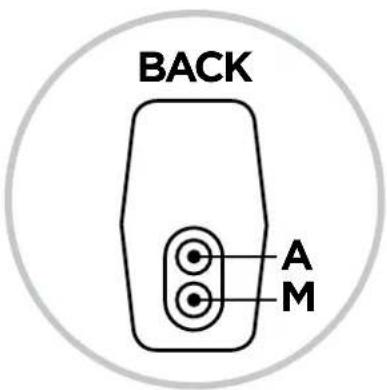
Using a ball point pen press button A twice (button nearest the middle). The month shall appear.
-
To set the month tap button M until the desired month appears.
EX.
-
Press button A once again, the date figure will now appear.
-
To set the date tap button M until the desired date appears.
EX.
-
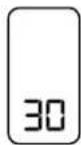
Press button A once again, the hour figure will now appear.
-
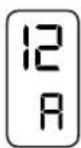
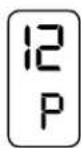
To set the hour tap button M until the desired hour appears. Please take note as to whether it is A for AM or P for PM.
text_image
BACK A MEX.
-
Press button A once again, the minute figure will now appear.
-
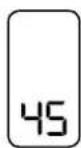
To set the minute tap button M until the desired minute appears.
EX.
-
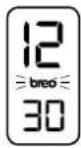
Press button A again and repeat slowly until the time (hour & minute are both displayed) and the breo logo is flashing. Your breo watch is now set!
-
Press button M once if you wish to see the date.
text_image
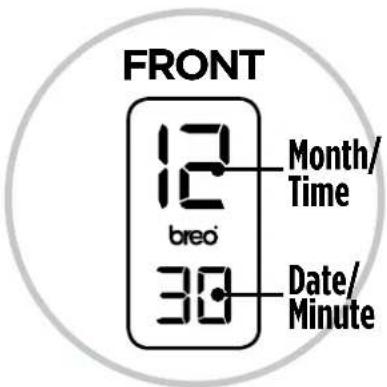
FRONT 12 breo Month/ Time 30 Date/ Minute- If you would prefer both the time and date to appear press button A once and the LCD should alternate between the time and date. Ensure the breo logo is flashing when in the time mode.
- Generally the A button is used to select the function (Month, date, time and minute).
- The M button is used to adjust the function.