
MultiPhone 5450 Duo - Smartphone PRESTIGIO - Kostenlose Bedienungsanleitung
Finden Sie kostenlos die Bedienungsanleitung des Geräts MultiPhone 5450 Duo PRESTIGIO als PDF.


| Produkttyp | Smartphone |
| Marke | Prestigio |
| Modell | MultiPhone 5450 Duo |
| Betriebssystem | Android 4.2 |
| Prozessor | Dual-Core 1,2 GHz Cortex A7 |
| Arbeitsspeicher (RAM) | 512 MB |
| Interner Speicher (ROM) | 4 GB |
| Speichererweiterung | microSD bis 32 GB |
| Bildschirmdiagonale | 4,5 Zoll |
| Bildschirmauflösung | 480 x 854 Pixel |
| Touchscreen | Kapazitiver Multi-Touch |
| Netzwerk | WCDMA 900/2100, GSM 900/1800 |
| WLAN | 802.11 b/g/n |
| Schnittstellen | Micro USB 2.0, Micro SD |
| Akku | 1500 mAh Li-Poly |
| Abmessungen (H x B x T) | 134 x 67 x 10,25 mm |
| Gewicht | 112 g (ohne Akku) |
| Frontkamera | Ja |
| Rückkamera | Ja |
| SAR-Wert (10g) | 0,756 W/kg |
| Lieferumfang | Headset, Akku, USB-Kabel, Ladegerät, farbige Rückabdeckungen, Kurzanleitung |
| Reinigung | Mit weichem, trockenem Tuch reinigen. Nicht in Wasser eintauchen. |
| Sicherheit | Nur original Prestigio-Zubehör verwenden. |
| Ersatzteile | Ersatzteile sind beim Hersteller erhältlich. |
Häufig gestellte Fragen - MultiPhone 5450 Duo PRESTIGIO
Benutzerfragen zu MultiPhone 5450 Duo PRESTIGIO
0 Frage zu diesem Gerät. Beantworten Sie die, die Sie kennen, oder stellen Sie Ihre eigene.
Eine neue Frage zu diesem Gerät stellen
Laden Sie die Anleitung für Ihr Smartphone kostenlos im PDF-Format! Finden Sie Ihr Handbuch MultiPhone 5450 Duo - PRESTIGIO und nehmen Sie Ihr elektronisches Gerät wieder in die Hand. Auf dieser Seite sind alle Dokumente veröffentlicht, die für die Verwendung Ihres Geräts notwendig sind. MultiPhone 5450 Duo von der Marke PRESTIGIO.
BEDIENUNGSANLEITUNG MultiPhone 5450 Duo PRESTIGIO
Prestigio MultiPhone
PAP5450 DUO Quick Start Guide

Prestigio
Open your package
• Prestigio MultiPhone • Headset
- Battery• USB cable
- Travel charger
- Color rear covers
- Quick start guide
Your phone at a glance
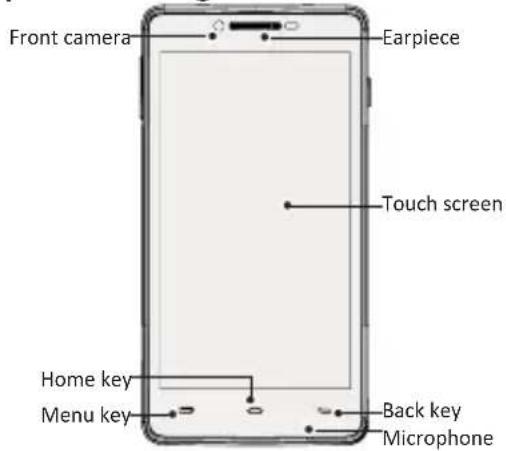
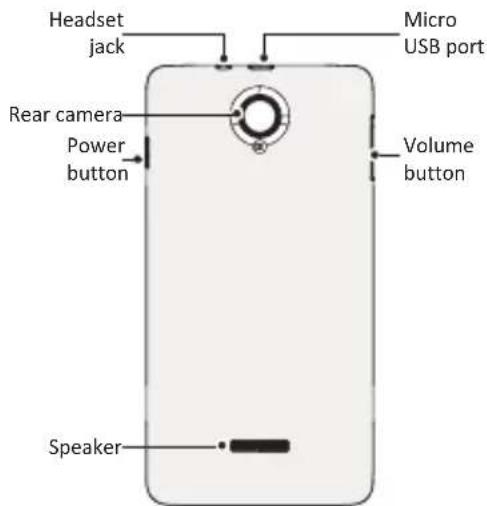
EN-1

Prestigio
Prestigio MultiPhone
PAP5450 DUO Quick Start Guide
Buttons
Button Definition Function
| Power• Press and hold to power on or off your phone.• Press to lock or unlock the screen display. | |
| Volume • Press to adjust the volume. | |
| Menu • Tap to open a list of options available on the current screen. | |
| Home• Tap to return to home screen.• Tap and hold to open the list of recent apps. | |
| Back • Tap to return to the previous screen.• Tap to hide the onscreen keyboard when it is opened. |
Getting started
-
Remove the back cover.
-
Take out the battery.
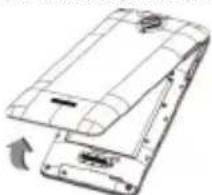
natural_image
Diagram of a smartphone showing front and back views with an arrow indicating the left side (no text or symbols present)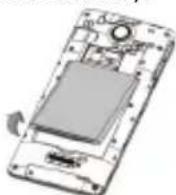
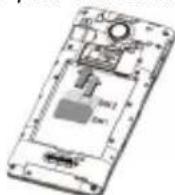
- Insert your SIM card.
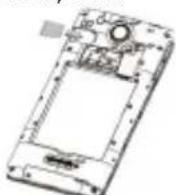
- Insert a memory card.
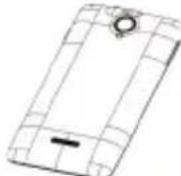
- Replace the back cover.
- Press and hold the power key to power on your phone.
Prestigio MultiPhone
PAP5450 DUO Quick Start Guide

Prestigio
Charge your phone
Connect your phone to a power outlet by using the included USB cable and travel charger.

Finger tips
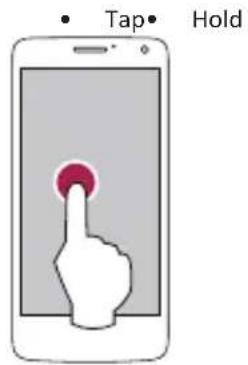
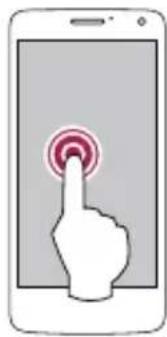
natural_image
Illustration of a hand pressing a button on a smartphone screen (no text or symbols)- Swipe
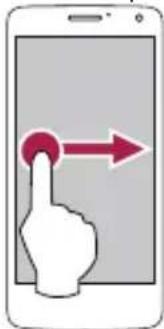
natural_image
Illustration of a hand pointing at a red circular button on a smartphone screen (no text or symbols)Slide
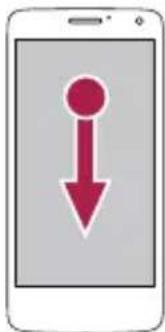
natural_image
Smartphone icon with a red downward arrow symbol (no text or numbers)- Zoom in
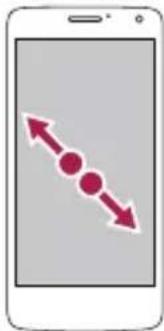
natural_image
Smartphone screen displaying a bidirectional arrow with three dots, no text or symbols present- Zoom out
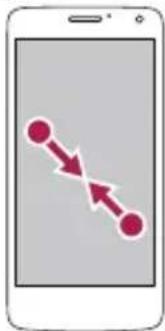
natural_image
Simple line diagram of a smartphone showing two connected nodes with bidirectional arrows (no text or symbols)
Prestigio
Prestigio MultiPhone
PAP5450 DUO Quick Start Guide
E
- Scroll
Flick
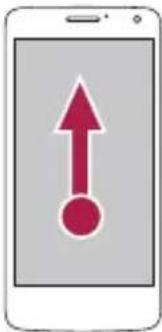
natural_image
Smartphone screen displaying a red upward arrow icon with a circular dot at the bottom (no text or symbols)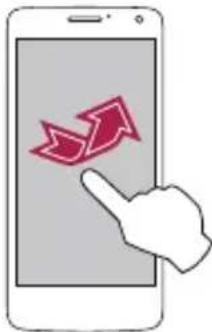
natural_image
Illustration of a hand pointing at a smartphone screen displaying two red upward arrows (no text or symbols)Make a call
- Use one of the following methods:
» Tap to open the dial pad, enter the number directly.
» Tap to open contact list, select a contact.
- Tap Call.
Home screen
Your Home screen is the starting point to access all of the phone's features. The Home screen can have multiple panels. To view other panels, swipe left or right.
Add an app icon to home screen
On the Home screen, tap 📄 to open list menu, tap and hold an application icon, and then drag it into a panel preview. Set wallpaper
- On the Home screen, tap > Wallpaper.
- Select one of the following: Gallery, Live wallpapers, Video wallpaper or Wallpapers.
- Select an image and tap Set wallpaper. Or, select an image, resize it by dragging the frame, and then tap Done.
Use your apps
Open an app
- On the Home screen or the main menu, select an app icon to open it.
Prestigio MultiPhone
PAP5450 DUO Quick Start Guide

Prestigio
Technical Specifications
| Item Specification | |
| Processor | High Performance Dual Core 1.2GHz Cortex A7 |
| Memory | ROM 4GB+RAM Flash 512MB, Micro SD slot supports up to 32GB |
| OSAndroid 4.2 | |
| Display | 4.5-inch TN, Capacitive multi-touch |
| Resolution | 480*854 pixels |
| Band | WCDMA + GSM (WCDMA: 900/2100; GSM: 900/1800) |
| Interfaces | Micro USB 2.0, Micro SD (micro SDHC compatible) |
| Communications | WiFi (802.11 b/g/n), 3G |
| Battery1500 mAh Li-Poly battery | |
Dimension 134*67*10.25mm (H*W*D)
Weight 112g(without battery)
Specific Absorption Rate Information
The highest SAR value for this PAP5450 DUO model when tested for compliance against the standard was 0.756 W/kg (10g) for ICNIRP recommendation.

As the Prestigio products are constantly updated
and improved, your device's software and hardware may have a slightly different appearance or modified functionality than presented in this Quick Start Guide.
Prestigio hereby states that this Smartphone complies to basic requirements and another relevant regulations given by the EU directive 1999/5/EC. Full version of the declaration of conformity is available on:
http://www.prestigio.com/compliance.