
irDock - Computerzubehör ARCAM - Kostenlose Bedienungsanleitung
Finden Sie kostenlos die Bedienungsanleitung des Geräts irDock ARCAM als PDF.


| Produkttyp | iPod-Dockingstation |
| Kompatibilität | iPod (mit passendem Dock-Adapter) |
| Anschlüsse | S-Video, Composite Video, Audio (links/rechts) |
| Stromversorgung | Netzadapter (EU/UK/US), 6V DC |
| Ladeanzeige | LED rot (Laden), blau (Ladevorgang abgeschlossen) |
| Fernbedienung | CR1 (Infrarot) |
| Abmessungen (ca.) | 120 x 80 x 30 mm |
| Gewicht (ca.) | 200 g |
| Unterstützte Arcam-Geräte | Solo Mini, Solo Music, Solo Movie, T32, AVR600, AV888 |
| Steuerung | Fronttasten oder Fernbedienung |
| Videoausgang | Composite und S-Video |
| Audioausgang | Cinch (links/rechts) |
| Besonderheiten | Standalone-Betrieb möglich, Navigation über Bildschirmmenü (OSD) bei einigen Modellen |
| Lieferumfang | Netzadapter, Dock-Adapter, Fernbedienung, Bedienungsanleitung |
| Reinigung | Mit weichem, trockenem Tuch; keine aggressiven Reinigungsmittel |
| Sicherheit | Nur mit mitgeliefertem Netzteil verwenden, nicht in Feuchträumen betreiben |
| Reparierbarkeit | Keine vom Benutzer zu wartenden Teile; bei Defekt Fachpersonal kontaktieren |
Häufig gestellte Fragen - irDock ARCAM
Benutzerfragen zu irDock ARCAM
0 Frage zu diesem Gerät. Beantworten Sie die, die Sie kennen, oder stellen Sie Ihre eigene.
Eine neue Frage zu diesem Gerät stellen
Laden Sie die Anleitung für Ihr Computerzubehör kostenlos im PDF-Format! Finden Sie Ihr Handbuch irDock - ARCAM und nehmen Sie Ihr elektronisches Gerät wieder in die Hand. Auf dieser Seite sind alle Dokumente veröffentlicht, die für die Verwendung Ihres Geräts notwendig sind. irDock von der Marke ARCAM.
BEDIENUNGSANLEITUNG irDock ARCAM
irDock
Connections and Quickstart Guide
Contents
Power Adaptor Setup ....4
Docking your iPod ....5
Charging 6
Standalone operation 8
Connections for any amplifier ....8
Remote control (CR1) 9
Arcam Solo Mini 10
Connections....10
Remote control 11
Arcam Solo Music 12
Connections 12
Setup....13
Remote control 14
Arcam Solo Movie ....16
Connections — SCART version ....16
Connections — Component Video version ....17
Setup....18
Remote control....19
Arcam T32....20
Connections 20
Remote control....21
Arcam AVR600, AV888 22
Connections 22
Setup OSD 23
Remote control....24
Navigation from the Front Panel 26
Song Selection....26
Changing Selection....27
Navigation from the On Screen Display 28
Song Selection....28
Changing Selection 29
Power Adaptor Setup
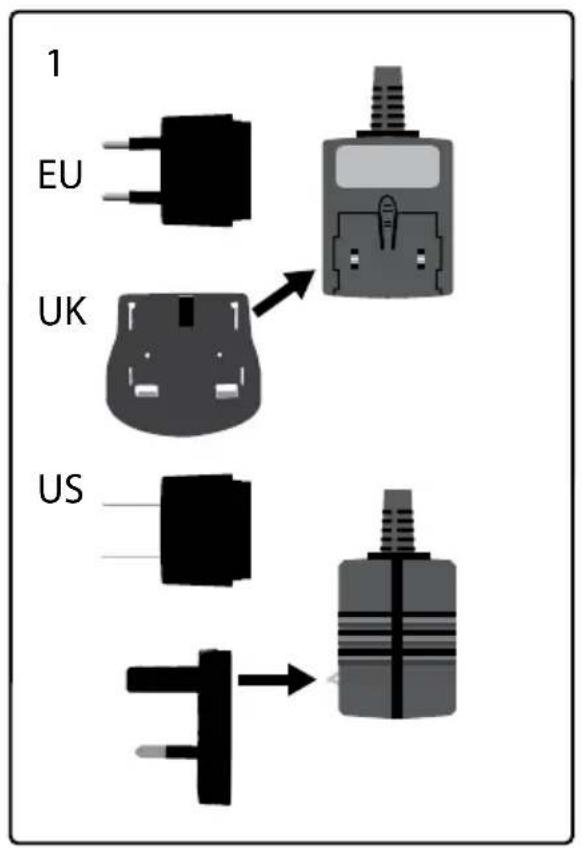
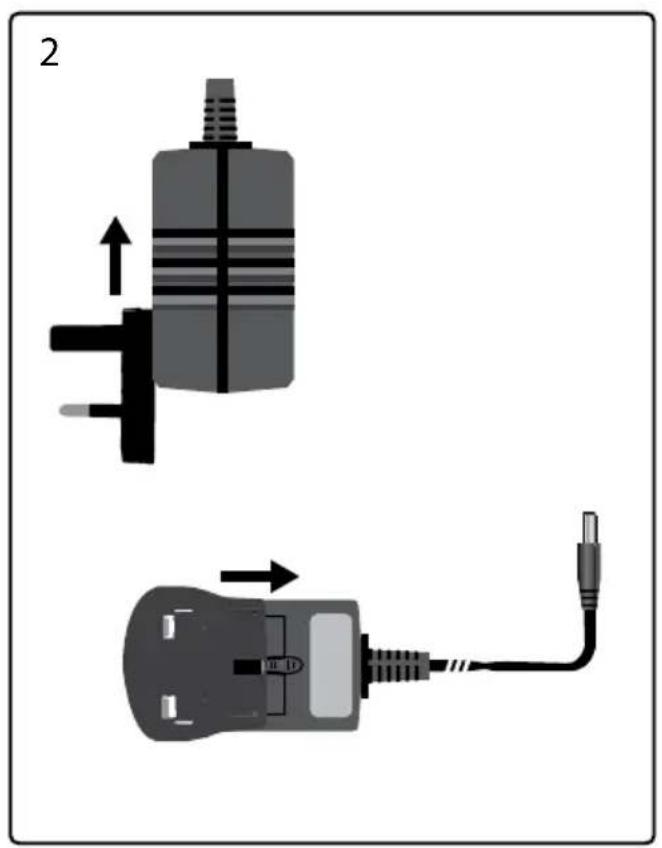
natural_image
Diagram showing two connected electrical components with arrows indicating direction of connection (no text or symbols)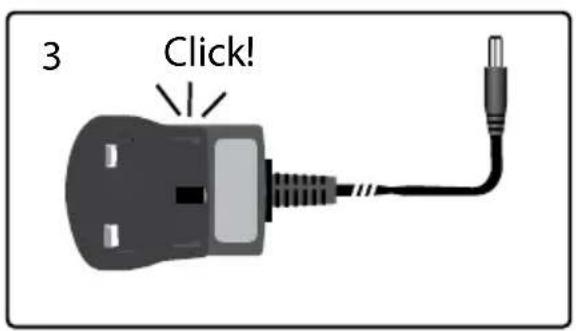
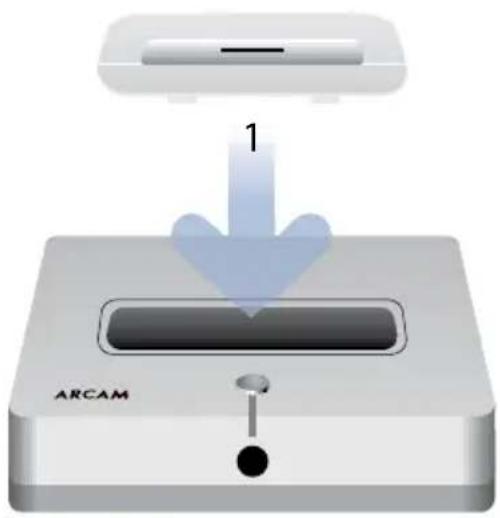
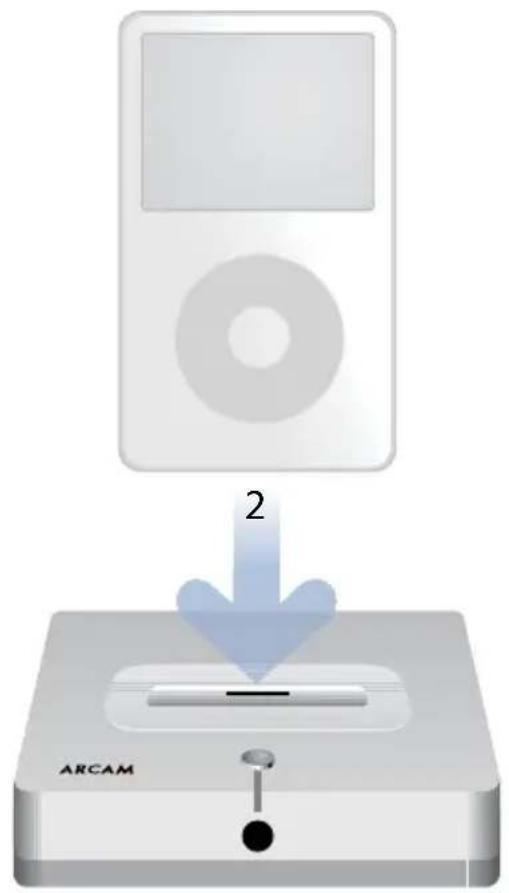
Docking your iPod
The docking adaptor is supplied with your iPod. It is important to fit the correct docking adaptor for your particular model of iPod. Failure to do so may result in damage to the irDock connector.
Spare docking adaptors are available from Apple.
Charging
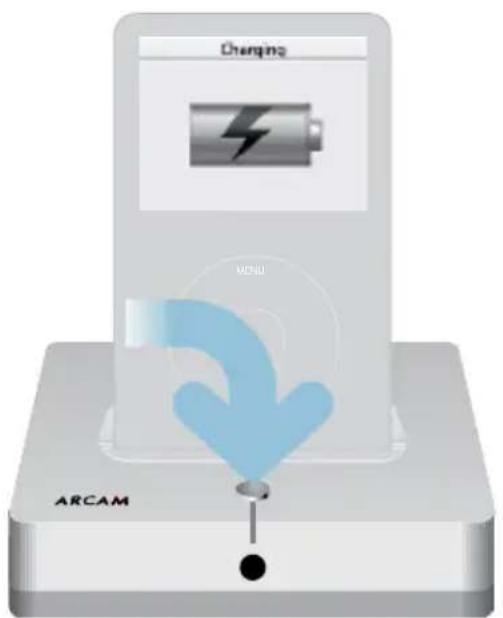
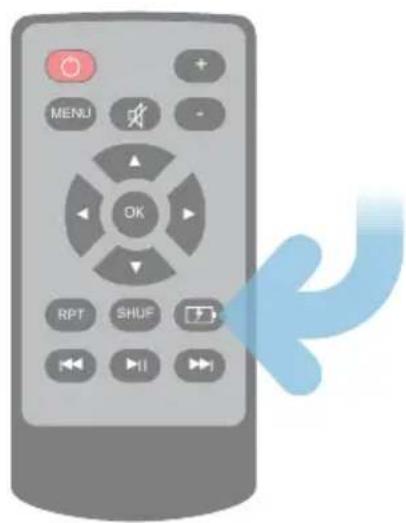
| GB charging on | red charging off blue | |
| F chargement en cours | rouge chargement terminé bleu | |
| D Ladevorgang ein | rot Ladevorgang aus blau | |
| NL laden aan | rood laden uit blauw |
Standalone operation
Connections for any amplifier
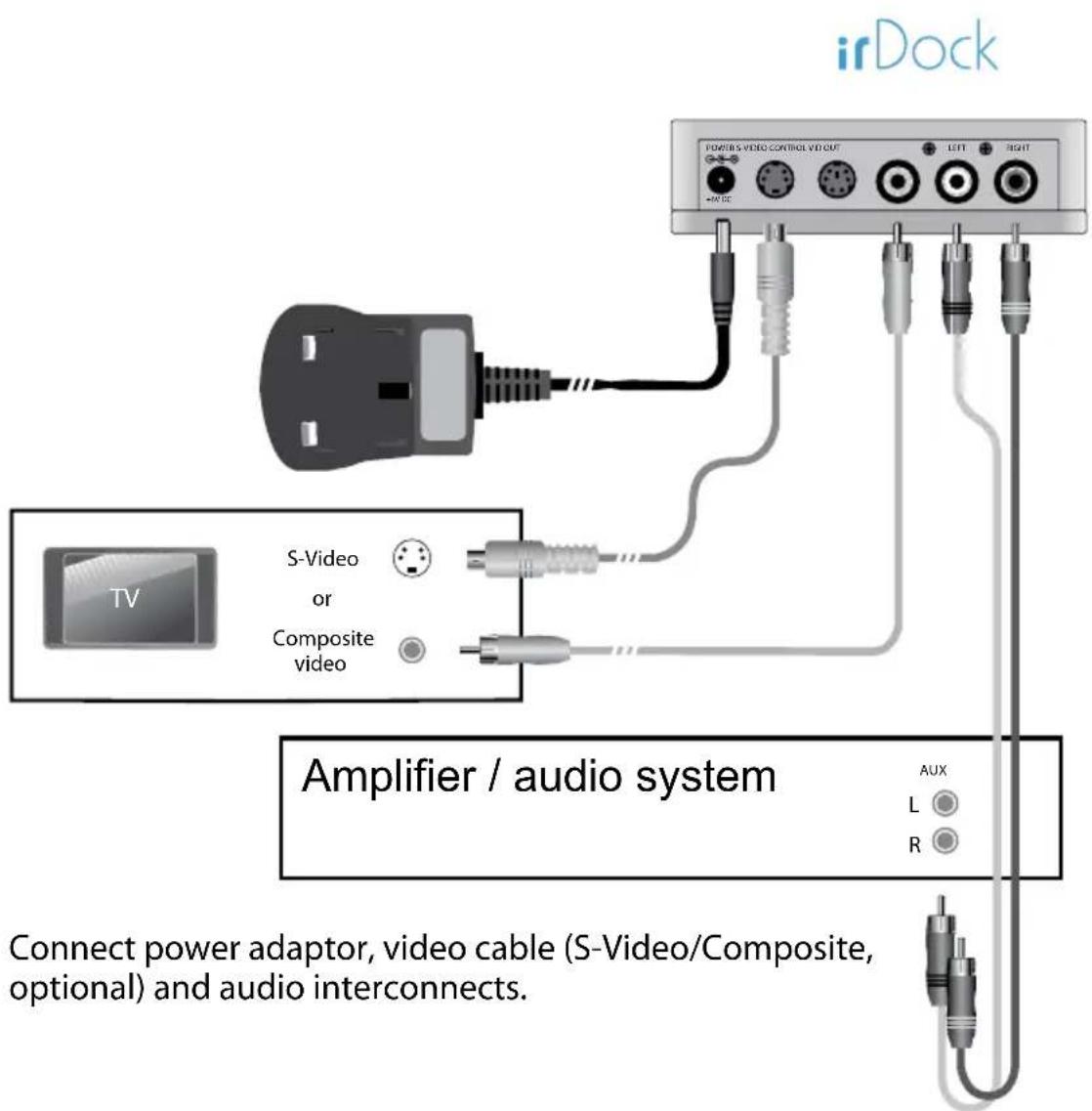
Remote control (CR1)
The supplied remote control can be used to control your iPod when the irDock is not connected to a supported Arcam product. If you are using the irDock with a supported Arcam product, use the Arcam system remote instead.
Please remove the plastic tab to connect the supplied batteries before use.
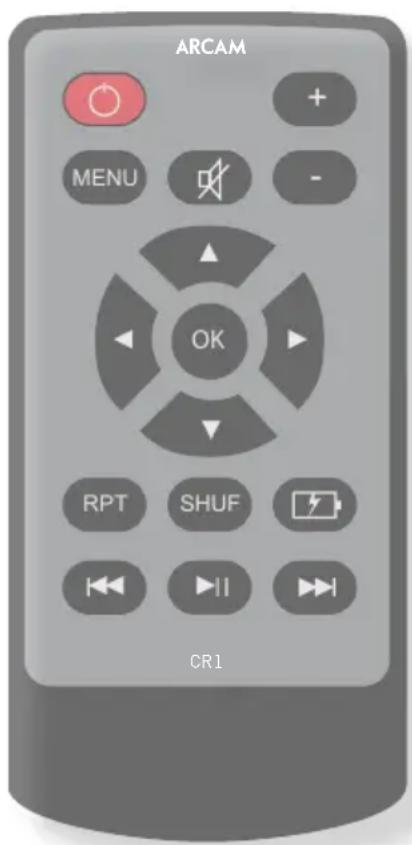

Turn the dock on/off.

Go to previous menu (Albums, Artists, Playlists etc.)

Mute the volume.

Increase or

decrease the volume.

Select music by playlist, artist etc.

Activate repeat and

shuffle playback modes.

Activate/deactivate iPod charging.

Start or pause playback.

Jump to the next track, track start or previous track in the current selection.

Arcam Solo Mini
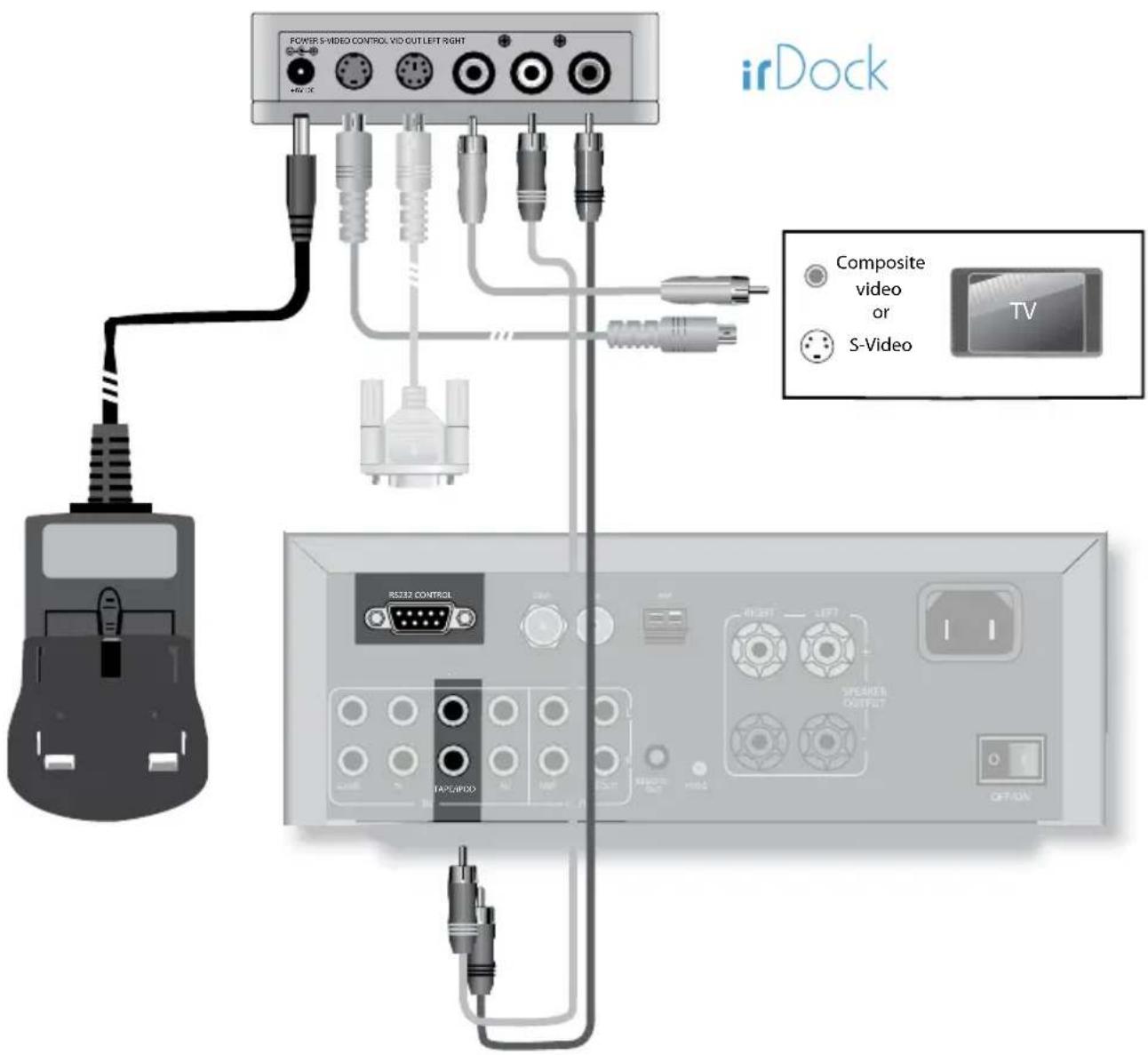
Connections
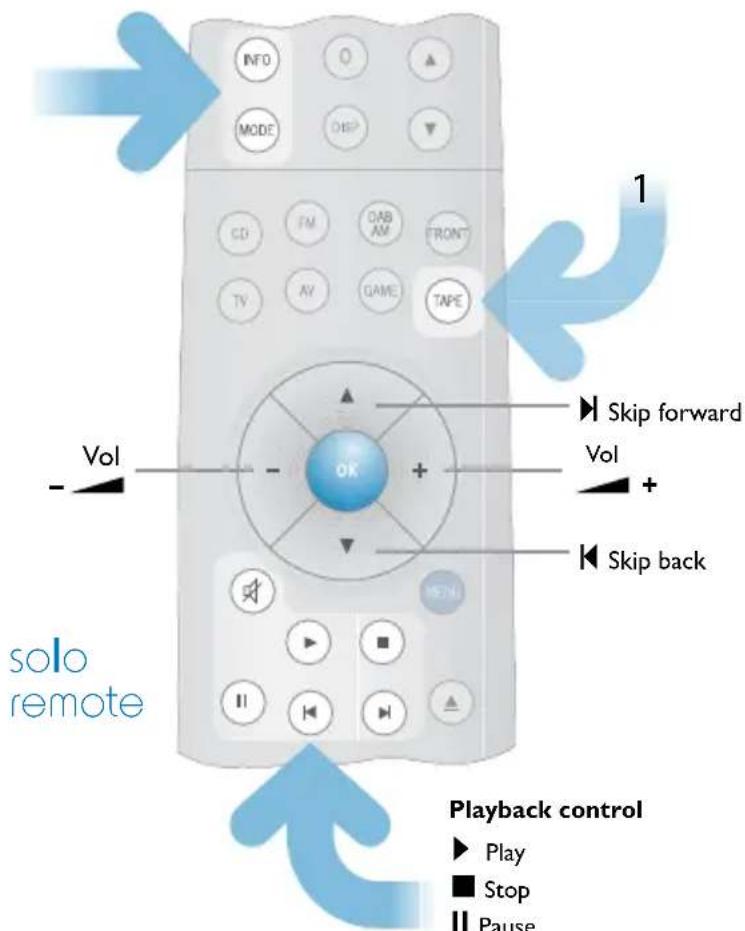
Remote control — Solo Mini
INFO Track name
Artist name
Album name
Track no.
Volume
MODE Repeat track
Repeat all
Shuffle songs
Shuffle albums
Shuffle songs repeat all
Shuffle albums repeat all
Play
Playback control
▶ Play
■ Stop
II Pause
Skip back
Skip forward
Mute
Arcam Solo Music
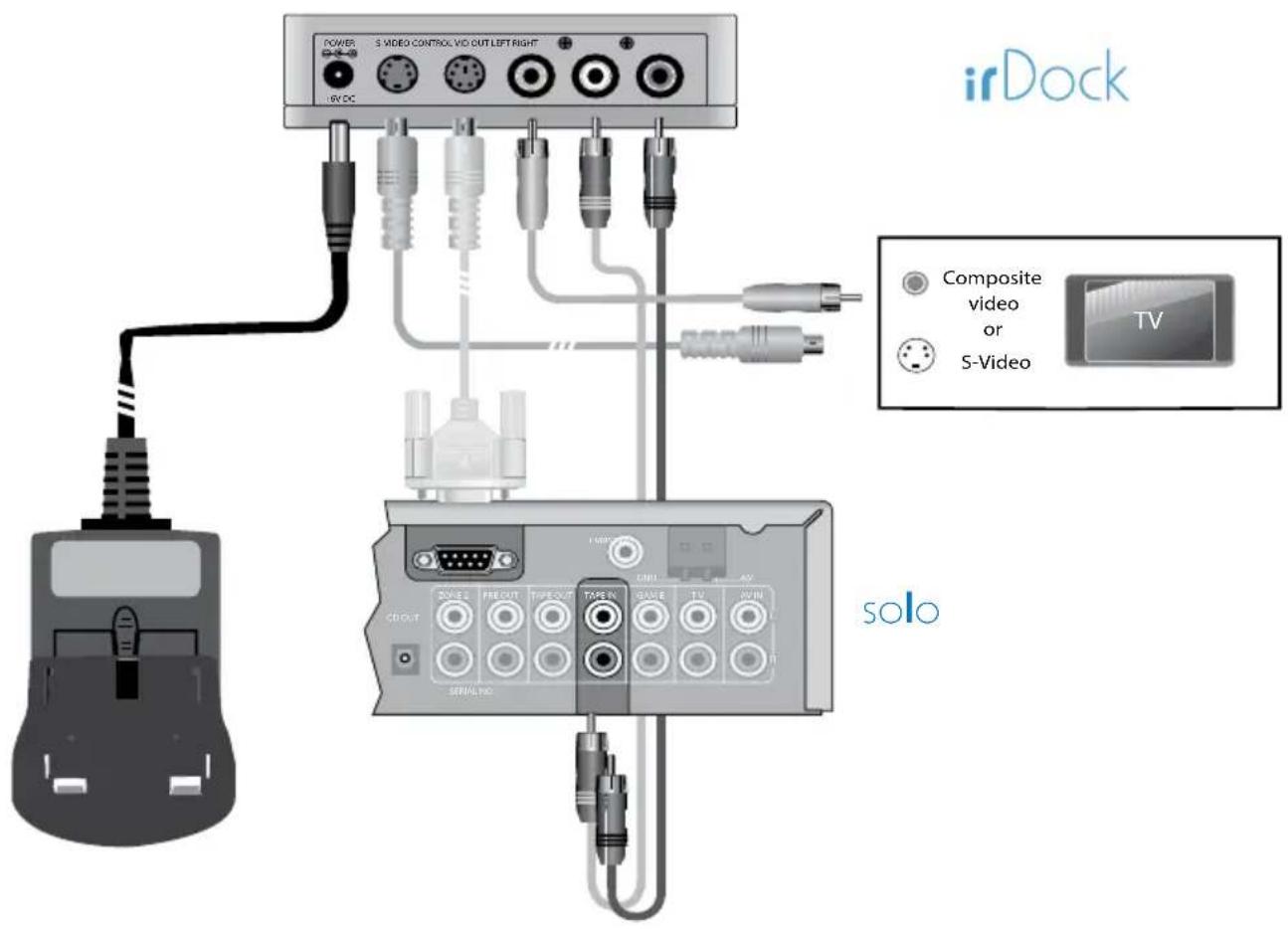
Connections
Setup — Solo Music
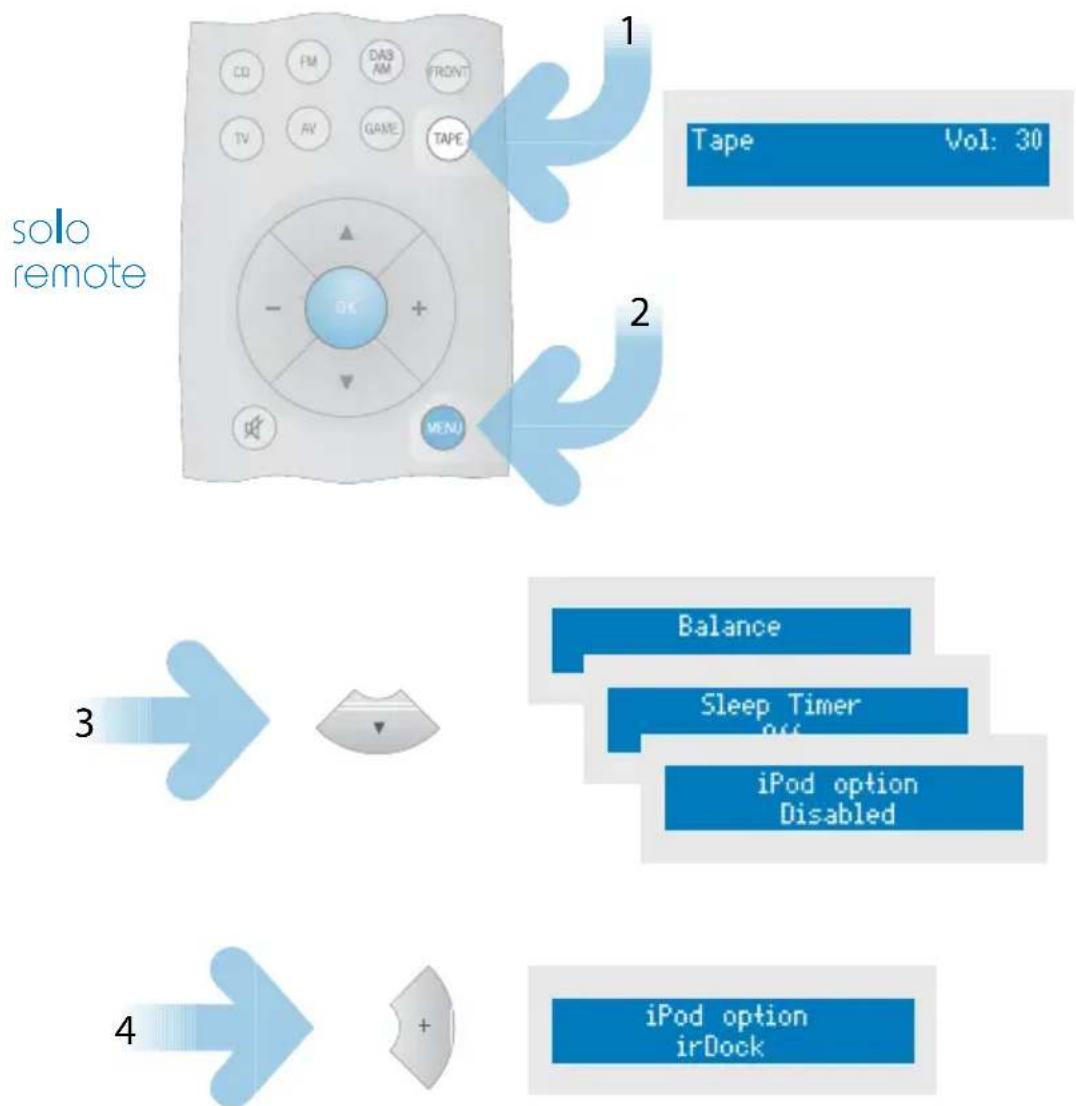
flowchart
graph TD
    A["solo remote"] --> B["1 Tape Vol: 30"]
    A --> C["2"]
    A --> D["3"]
    D --> E["4 iPod option irDock"]
Remote control — Solo Music
INFO Track name
Artist name
Album name
Track no.
Volume
MODE Repeat track
Repeat all
Shuffle songs
Shuffle albums
Shuffle songs repeat all
Shuffle albums repeat all
Play
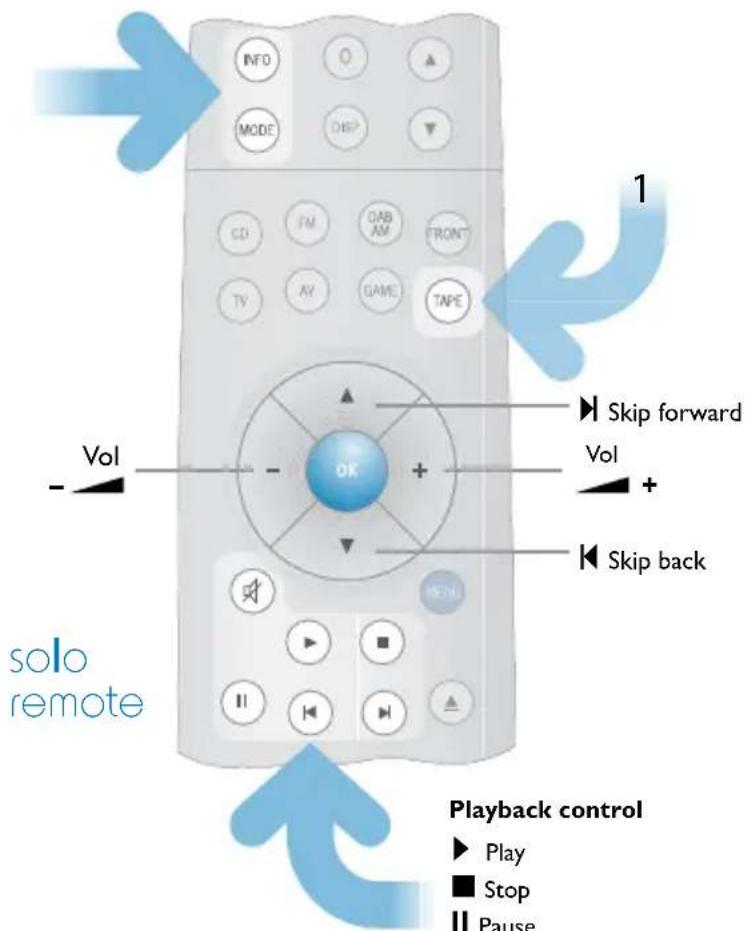
Playback control
▶ Play
■ Stop
II Pause
Skip back
Skip forward
Mute
Arcam Solo Movie
Connections — SCART version
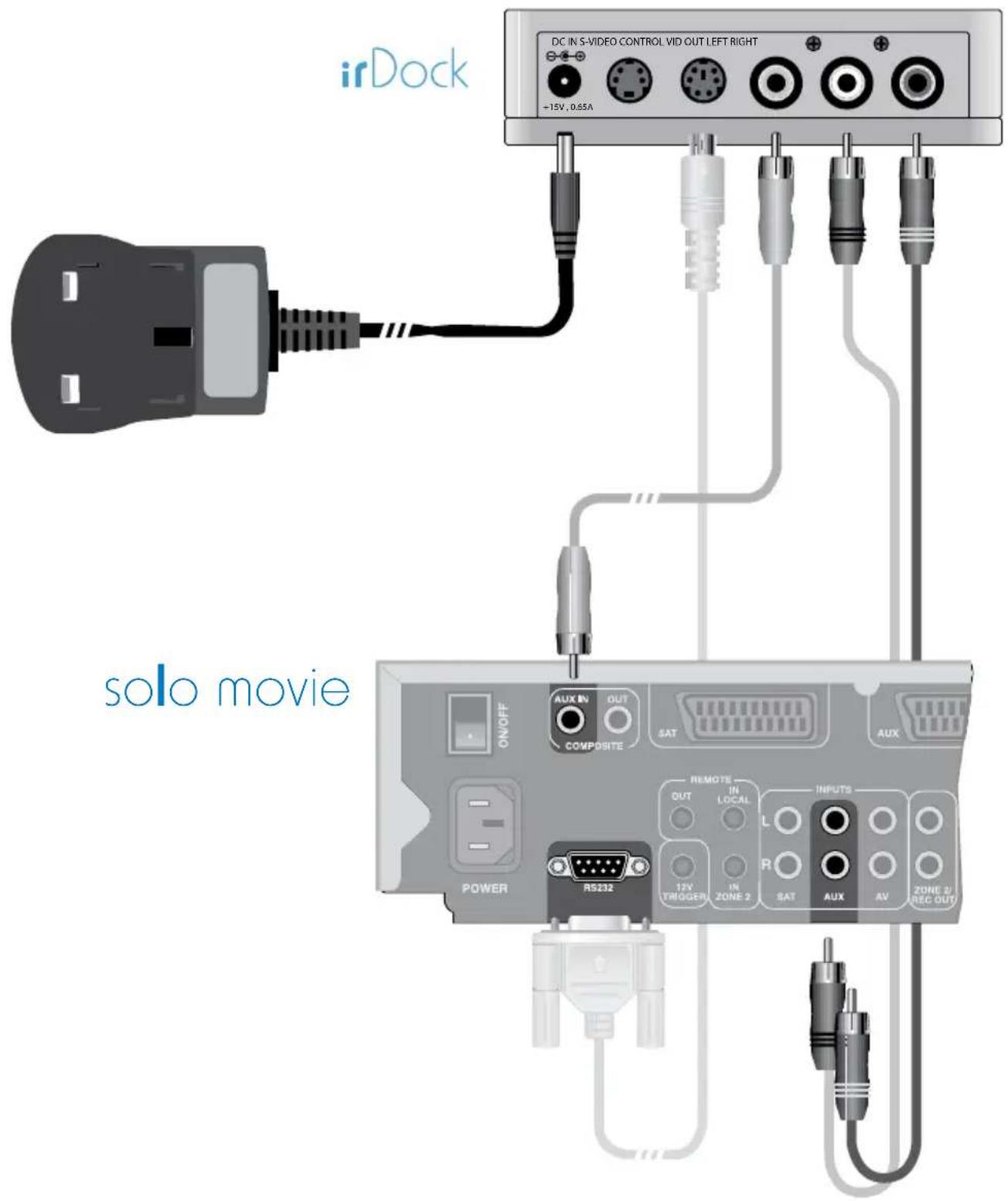
Connections — Component Video version
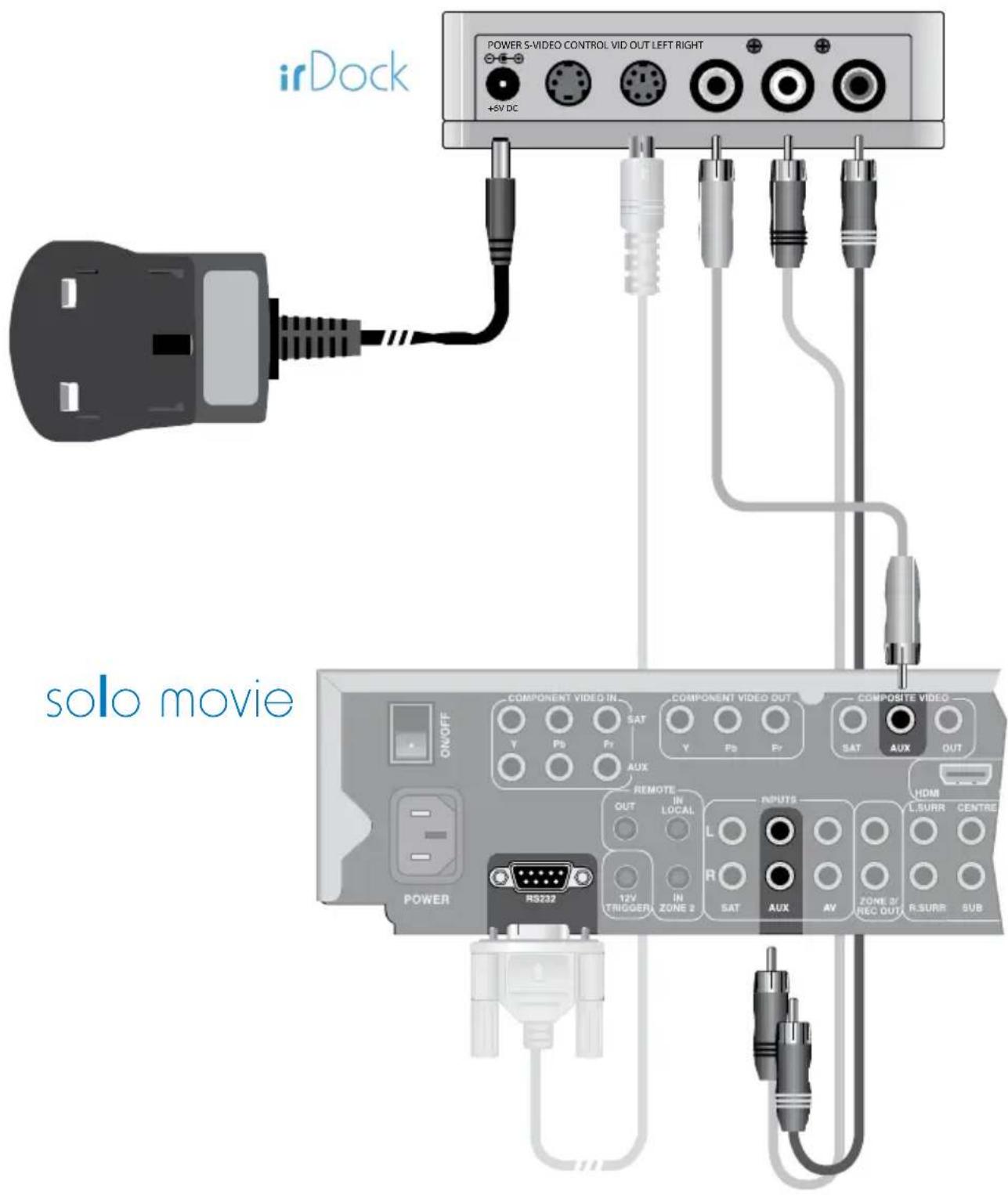
Setup — Solo Movie
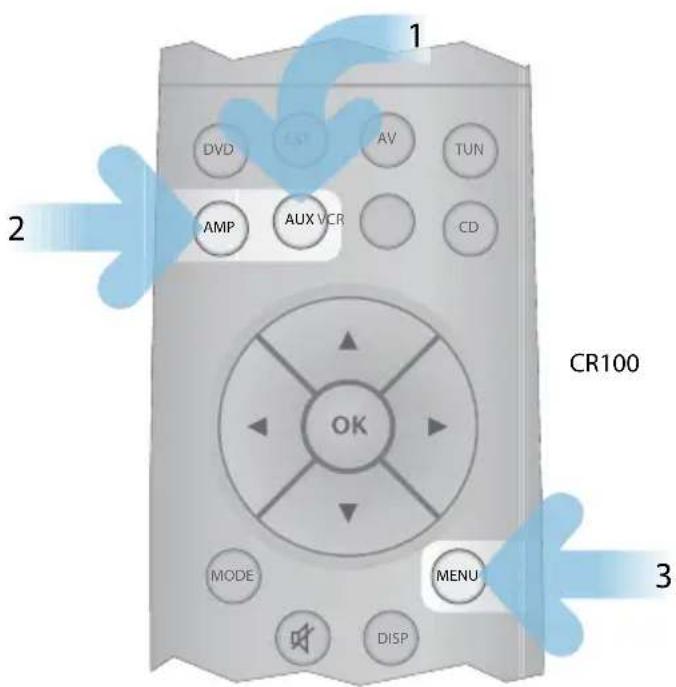
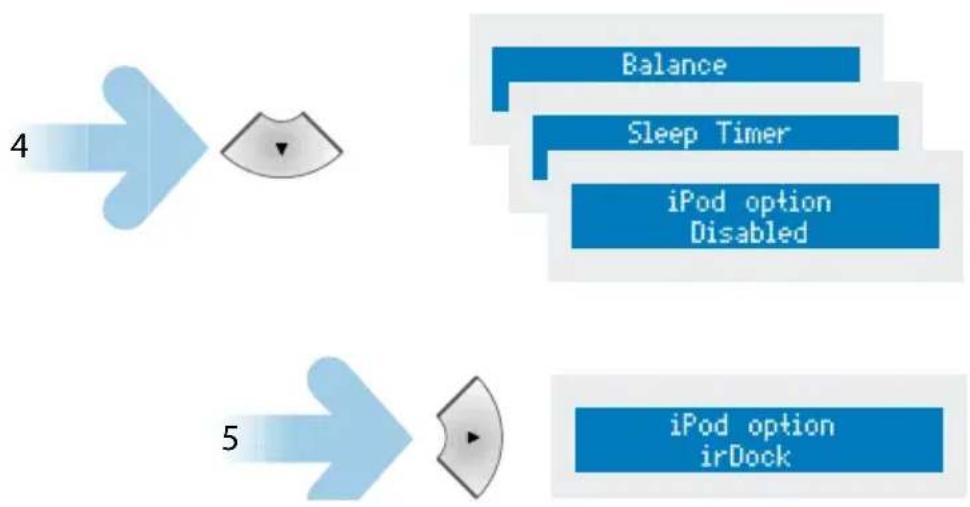
flowchart
graph TD
    A["4"] --> B["5"]
    B --> C["Balance"]
    B --> D["Sleep Timer"]
    B --> E["iPod option Disabled"]
    B --> F["iPod option irDock"]
Remote control — Solo Movie (CR100)
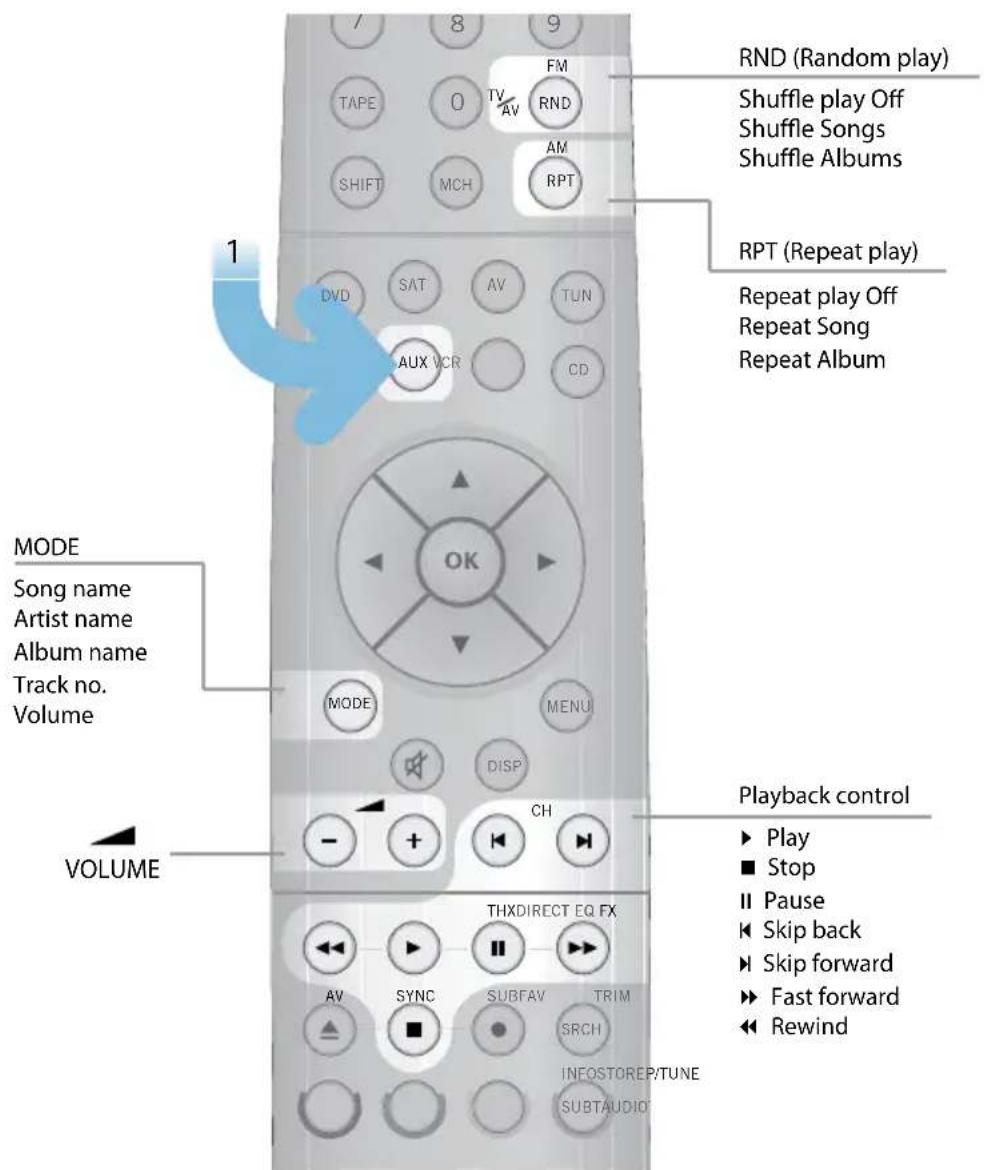
Arcam T32
Connections
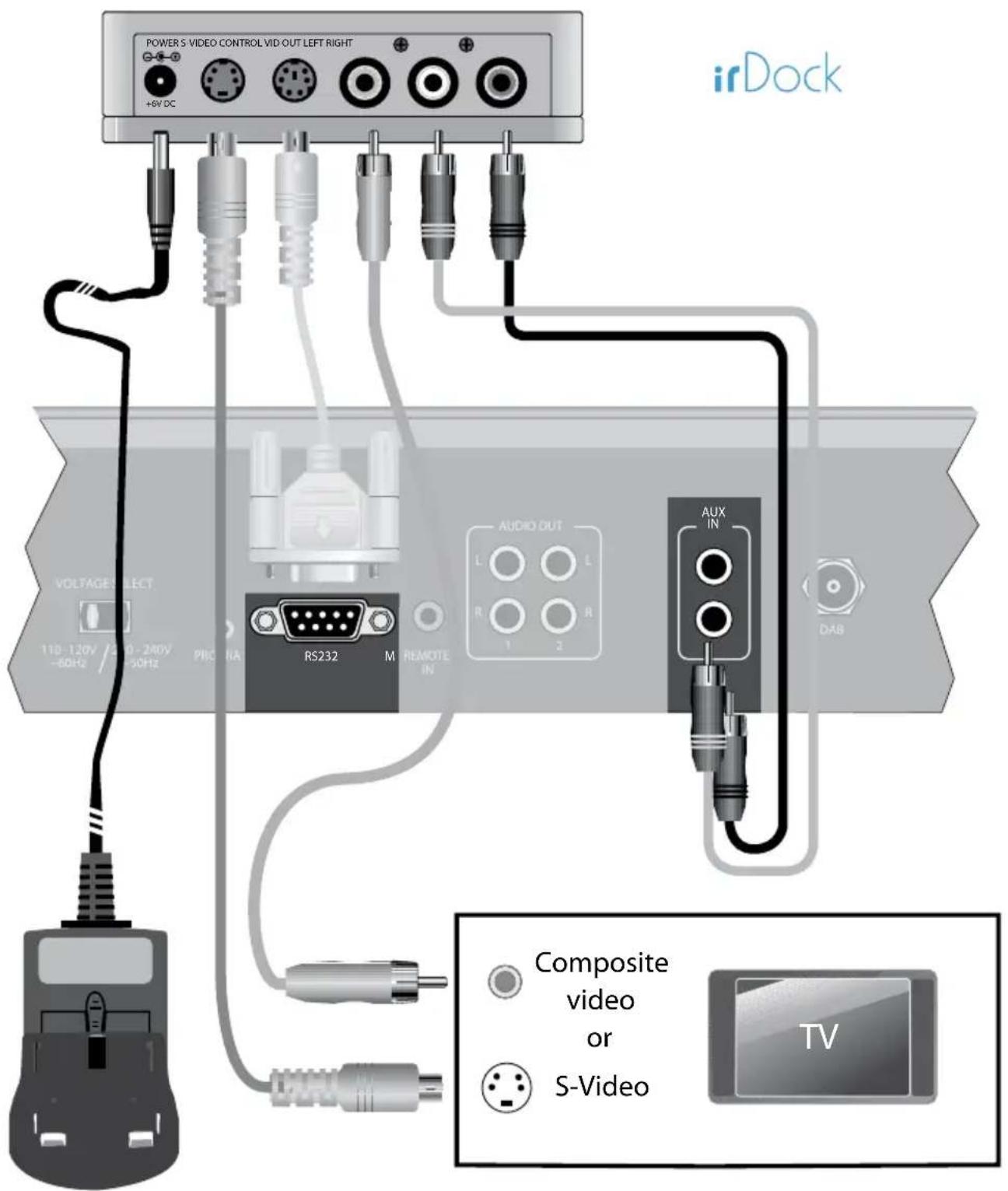
Remote control — T32 (CR90)
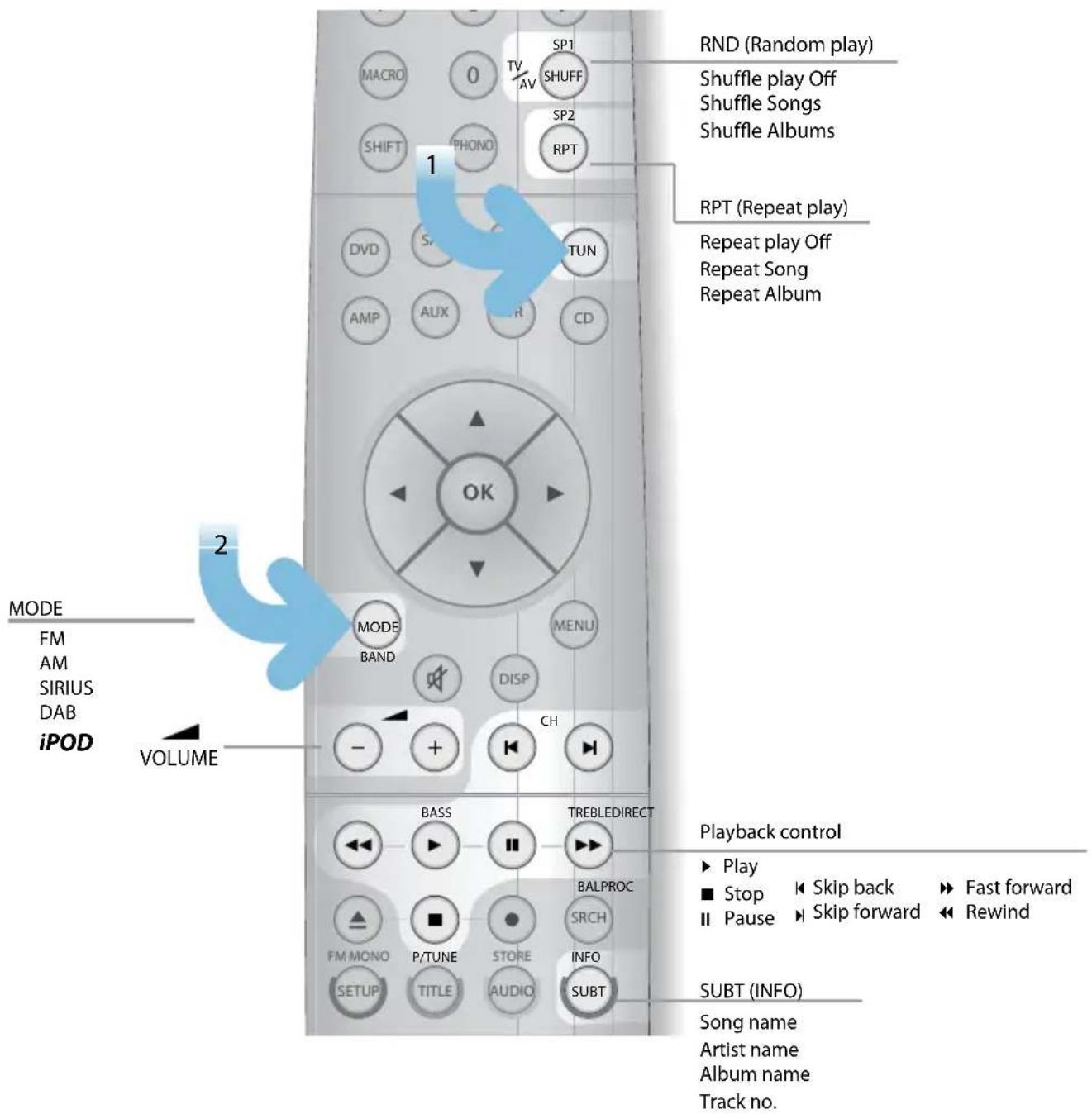
Arcam AVR600, AV888
Connections
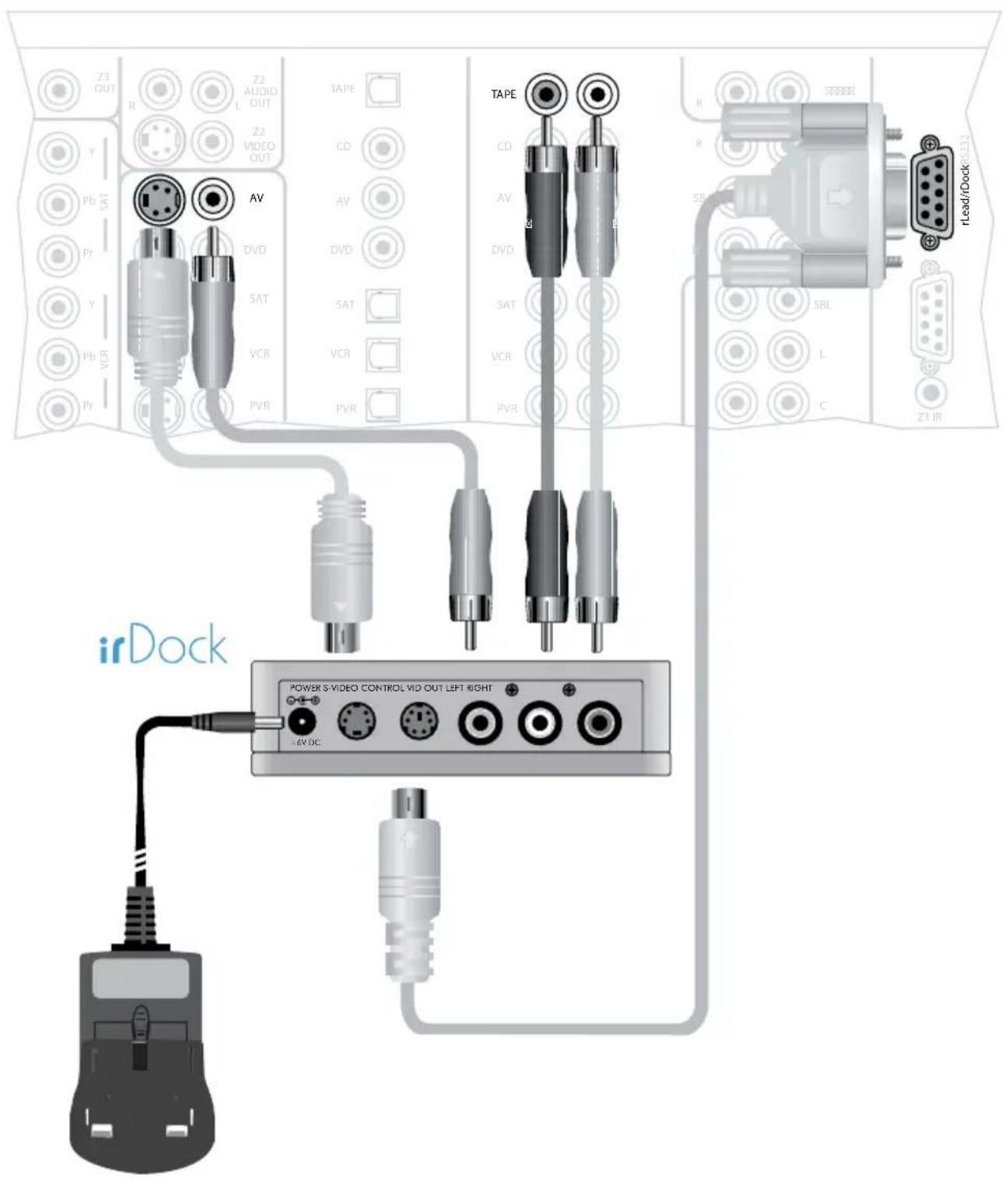
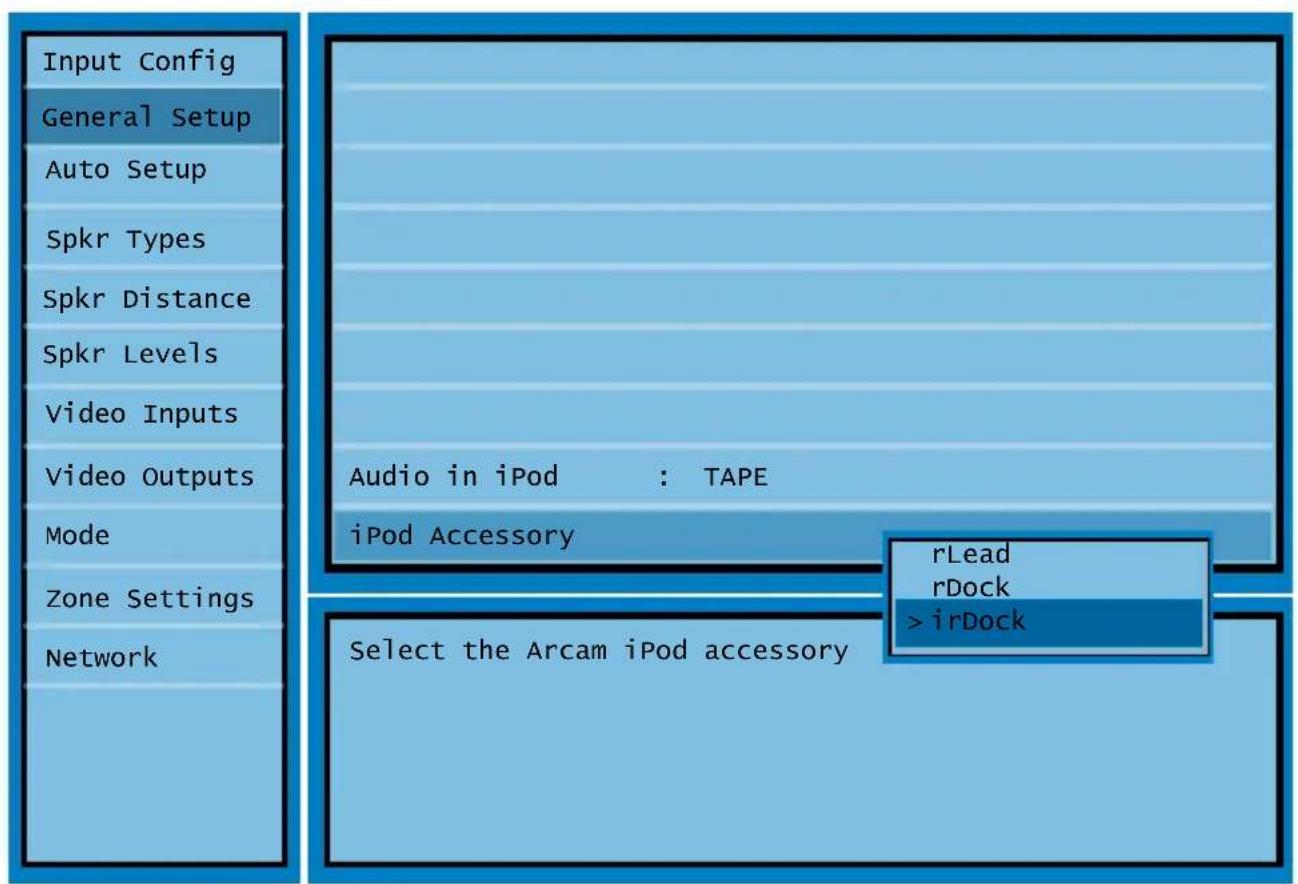
Setup — On Screen Display
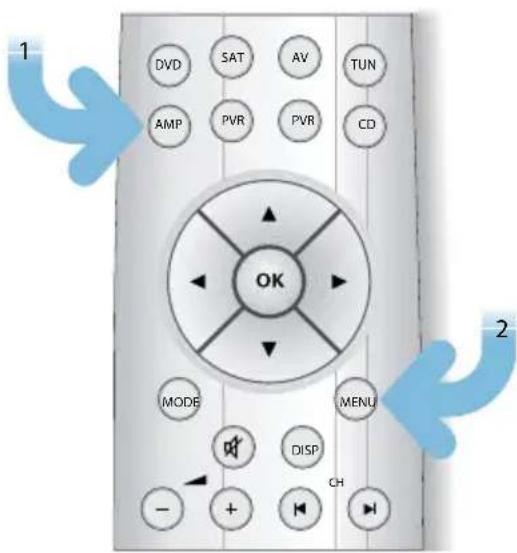
Remote control — AVR600, AV888 (CR102)
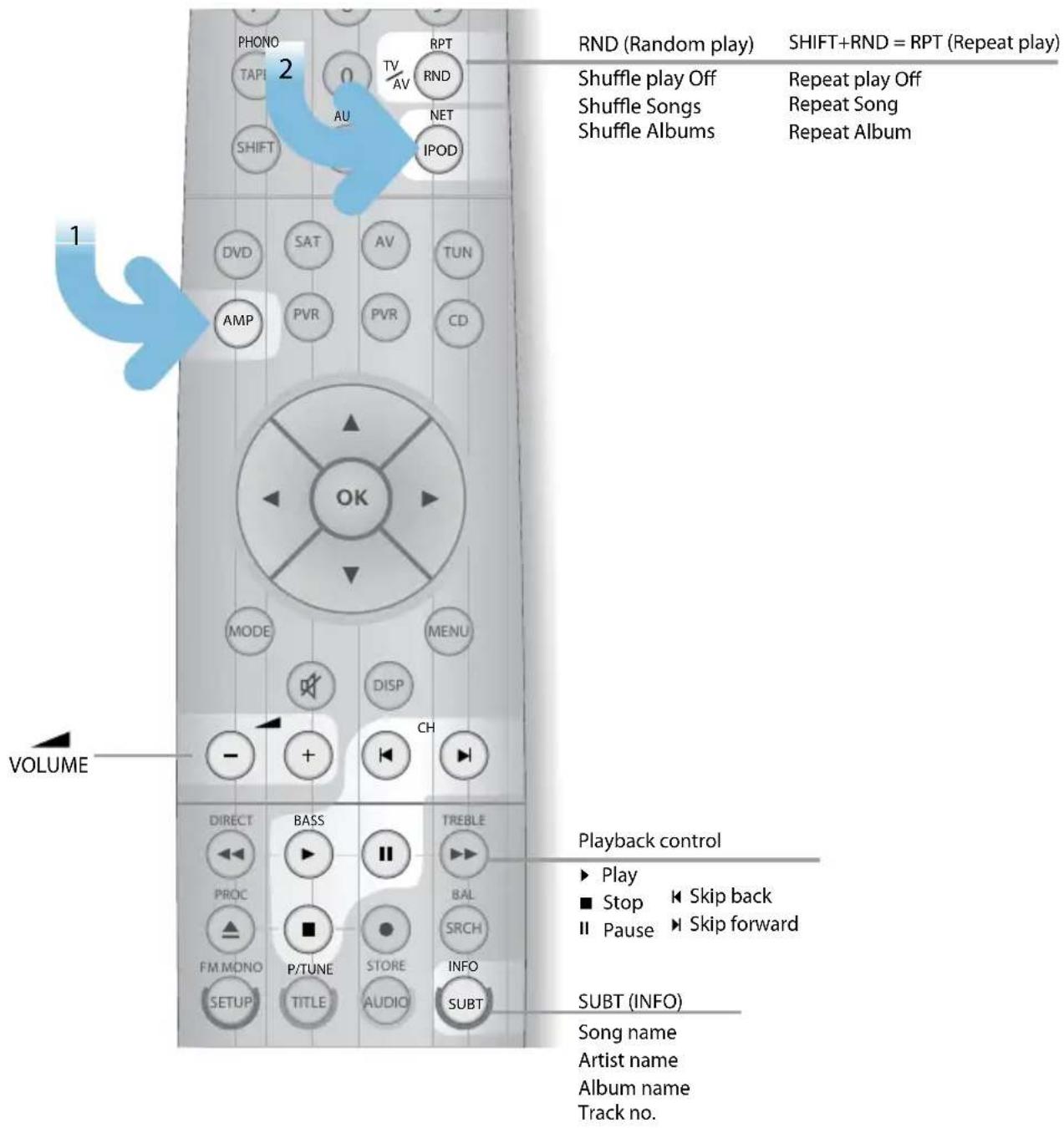
Navigation from the Front Panel
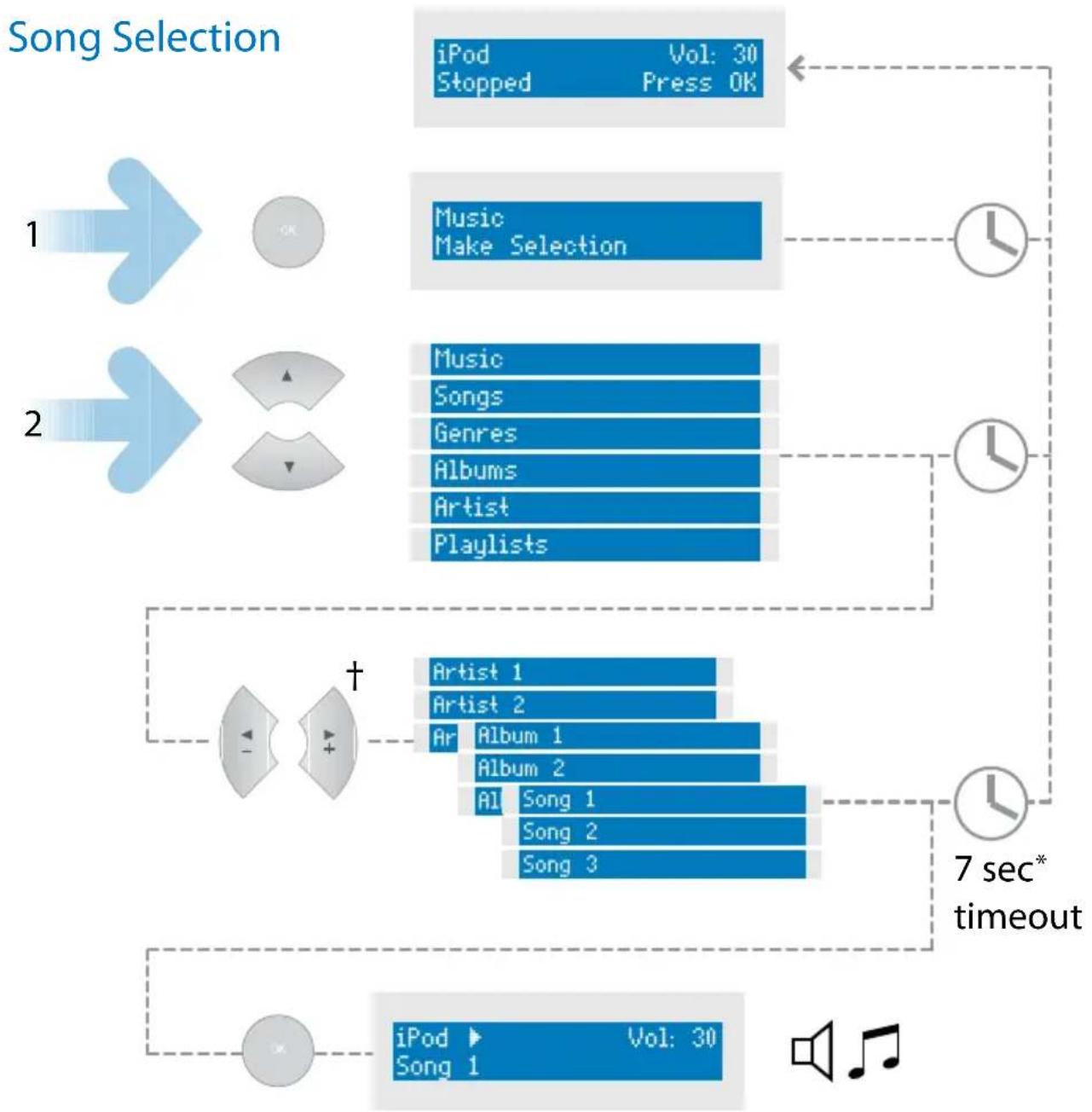
flowchart
graph TD
    A["iPod Vol: 30\nStopped Press OK"] --> B["Music\nMake Selection"]
    B --> C["Music\nSongs\nGenres\nAlbums\nArtist\nPlaylists"]
    C --> D["7 sec* timeout"]
    D --> E["Artist 1\nArtist 2\nArt Album 1\nAlbum 2\nAI Song 1\nSong 2\nSong 3"]
    E --> F["iPod Vol: 30\nSong 1"]
+ -/+ = Solo remote
◀/▶ =CR90/CR100/CR102
* Solo Music, Solo Mini & T32 only
Changing Selection
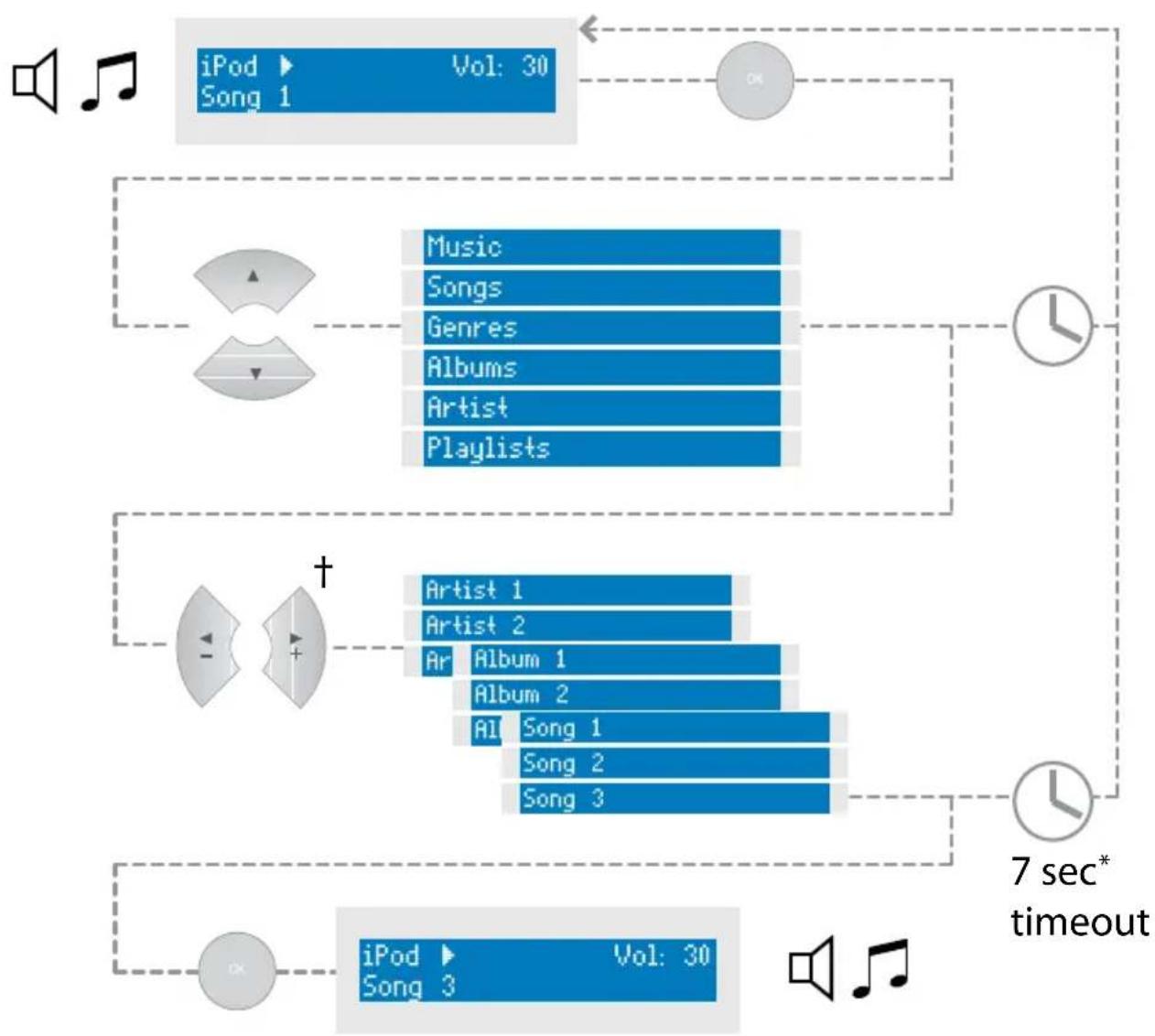
flowchart
graph TD
    A["iPod"] --> B["Pop 1"]
    B --> C["Music"]
    B --> D["Songs"]
    B --> E["Genres"]
    B --> F["Albums"]
    B --> G["Artist"]
    B --> H["Playlists"]
    I["iPod"] --> J["Pop 3"]
    J --> K["Vol: 30"]
    K --> L["Audio Player"]
    M["7 sec* timeout"] --> N["Clock"]
    N --> O["Audio Player"]
    P["Audio Player"] --> Q["Artist 1"]
    P --> R["Artist 2"]
    P --> S["Art Album 1"]
    P --> T["Album 2"]
    P --> U["All Song 1"]
    P --> V["Song 2"]
    P --> W["Song 3"]
+ -/+ = Solo remote
◀/▶ =CR90/CR100/CR102
* Solo Music, Solo Mini & T32 only
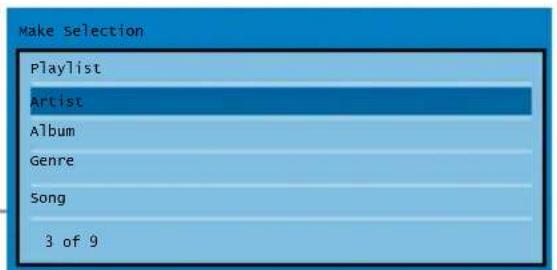
Navigation from the On Screen Display
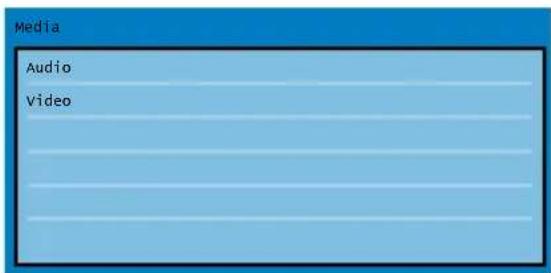
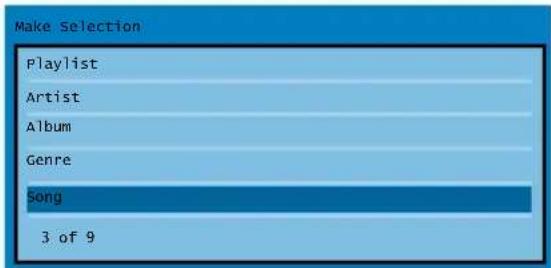
Song Selection
![Track All Eleanor Rigby/Julia [Transition] Blackbird/yesterday Lady Madonna All You Need Is Love](/content/2026/05/773866/images/b7a40191cea27994912c73043183e4ab8a5b87b9f792273abbbb960d8431fd1a.jpg)
![Track : Eleanor Rigby/Julia [Transition] Artist : The Beatles 00:07 Album : Love](/content/2026/05/773866/images/32a5a2d663011c8b95a244ea52ca9768f882560bcca52db2dcd7fe58391f33cc.jpg)
Changing Selection
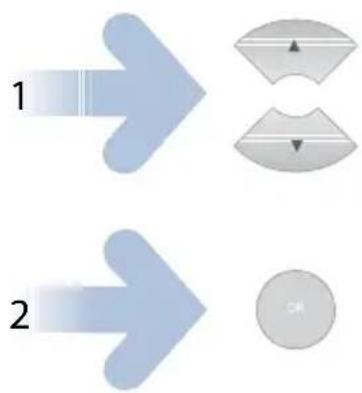
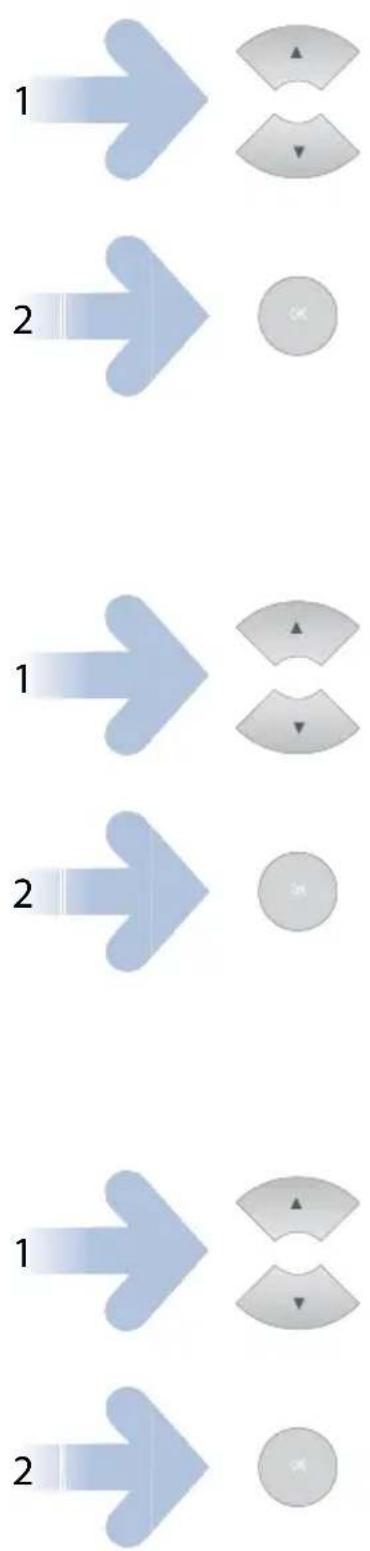
flowchart
graph TD
    A["1"] --> B["2"]
    B --> C["OK"]
![Track All Eleanor Rigby/Julia [Transition] Blackbird/Yesterday Lady Madonna All You Need Is Love](/content/2026/05/773866/images/12d4466d3e8efff9ed944dc135650cbba3c12b9b7de8b9451855009700460c00.jpg)
![Track : Eleanor Rigby/Julia [Transition] Artist : The Beatles 00:07 Album : Love](/content/2026/05/773866/images/dfed8fc4a2fbdb1ea95c69a05458ff005a745d99f588e316fee4d904b1d0b026.jpg)
![Track : Eleanor Rigby/Julia [Transition] Artist : The Beatles 00:07 Album : Love](/content/2026/05/773866/images/5256bc7c0e013acaff4e57af55270613f0d508945800a8e65bbb8d80049cb698.jpg)
ARCAM
http://www.arcam.co.uk
Pembroke Avenue, Waterbeach, CAMBRIDGE, CB25 9QR, England

- irDock
- Connections and Quickstart Guide
- Contents
- Power Adaptor Setup
- Docking your iPod
- Charging
- Standalone operation
- Connections for any amplifier
- Remote control (CR1)
- Arcam Solo Mini
- Connections
- Remote control — Solo Mini
- Arcam Solo Music
- Setup — Solo Music
- Remote control — Solo Music
- Arcam Solo Movie
- Connections — SCART version
- Connections — Component Video version
- Setup — Solo Movie
- Remote control — Solo Movie (CR100)
- Arcam T32
- Arcam AVR600, AV888
- Setup — On Screen Display
- Remote control — AVR600, AV888 (CR102)
- Navigation from the Front Panel
- Changing Selection
- Navigation from the On Screen Display
Marke : ARCAM
Modell : irDock
Kategorie : Computerzubehör