
SC-HDA800 - Hi-Fi TECHNICS - Kostenlose Bedienungsanleitung
Finden Sie kostenlos die Bedienungsanleitung des Geräts SC-HDA800 TECHNICS als PDF.


| Produkttyp | Hi-Fi-System mit 5.1-Kanal-Sound |
| Marke | Technics |
| Modell | SC-HDA800 |
| Komponenten | DVD-Audio/Video-Player (SL-HDA800), Stereo-Tuner (ST-HDA800), Stereo-Kassettendeck (RS-HDA800), Vollverstärker (SE-HDA800) |
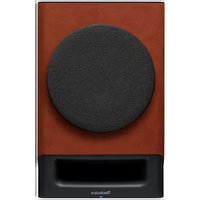
| Lautsprecher | Frontlautsprecher (SB-HDA800), Center-Lautsprecher (SB-PS800), Surround-Lautsprecher (SB-PS800), Subwoofer (optional) |
| Verstärkerleistung | 100 W pro Kanal (4 Ω, 1 kHz, 0,1 % Klirrfaktor) |
| Frequenzgang | 20 Hz – 20 kHz (±0,5 dB) |
| Eingangsempfindlichkeit | 200 mV (Line), 2,5 mV (Phono MM) |
| Lautsprecherimpedanz | 4 – 8 Ω |
| Signal-Rausch-Abstand | ≥ 90 dB (Line) |
| Stromversorgung | 220–240 V AC, 50/60 Hz |
| Leistungsaufnahme | ca. 150 W (Betrieb), < 0,5 W (Standby) |
| Abmessungen (B × H × T) pro Komponente | 430 × 83 × 300 mm |
| Gewicht pro Komponente | ca. 4,5 kg |
| Anschlüsse | Videoausgang (Cinch), Audioeingänge (Cinch), FM/AM-Antennenanschluss, Lautsprecherklemmen |
| Zubehör | Fernbedienung, Lautsprecherkabel, AM-Rahmenantenne, FM-Innenantenne, Netzkabel |
| Besondere Merkmale | DVD-Audio-Wiedergabe, Direktkopplung, Hochstromverstärker |
| Reinigung | Staubtuch trocken; kein Wasser, Reinigungsmittel oder Lösungsmittel verwenden |
| Sicherheitshinweise | Netzstecker ziehen vor Reinigung; Gerät vor Feuchtigkeit schützen; Lüftungsschlitze nicht blockieren |
| Reparatur und Ersatzteile | Nur durch autorisiertes Fachpersonal; originale Technics-Ersatzteile verwenden |
Häufig gestellte Fragen - SC-HDA800 TECHNICS
Benutzerfragen zu SC-HDA800 TECHNICS
0 Frage zu diesem Gerät. Beantworten Sie die, die Sie kennen, oder stellen Sie Ihre eigene.
Eine neue Frage zu diesem Gerät stellen
Laden Sie die Anleitung für Ihr Hi-Fi kostenlos im PDF-Format! Finden Sie Ihr Handbuch SC-HDA800 - TECHNICS und nehmen Sie Ihr elektronisches Gerät wieder in die Hand. Auf dieser Seite sind alle Dokumente veröffentlicht, die für die Verwendung Ihres Geräts notwendig sind. SC-HDA800 von der Marke TECHNICS.
BEDIENUNGSANLEITUNG SC-HDA800 TECHNICS
Technics®
QUICK SET UP GUIDE
SC-HDA800
For operation and other details with regard to each component, please refer to the operating instructions.
STEP 1
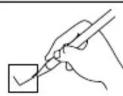
Check and identify the accessories shown at the top of steps 3 to 5 before connection.
Locating the components

To stack the components vertically, refer to page 7 of the operating instructions.
Placement of speakers

Center and Surround speakers are exactly the same.
STEP 2
STEP 3

Front speaker cables
Tagged red, black, blue, and white


Center/Surround speaker cables
Tagged blue, and white

(2 m)

(7 m)
(7 m)

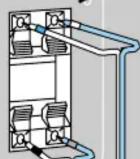
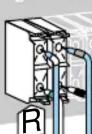
Connect so the color of the cable's tag matches the terminal (connect the cable tagged white to the gray terminal).
Front speaker cables
On the speakers

→

L (Left)
R (Right)
L
On the amplifier

HF : High Frequency
LF : Low Frequency
Note
Incorrect connection can damage unit.
Center/ Surround speaker cables
On the speakers
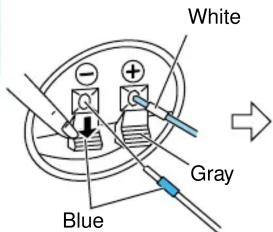
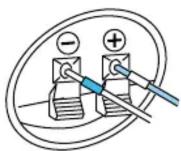
Surround speaker (R)
On the amplifier
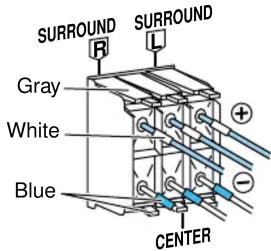
(7 m)

Surround speaker (L)

Center speaker
(7 m)
(2 m)
STEP 4

natural_image
Illustration of four different electronic components: a rectangular device, a button, a cable with a handle, and a coiled cable (no text or symbols)
(→ page 47 in the operating instructions)

flowchart
graph TD
    A["AM loop antenna"] --> B["FM indoor antenna"]
    B --> C["Surround cable"]
    C --> D["White line"]
    D --> E["Disconnecting"]
    E --> F["Press down"]
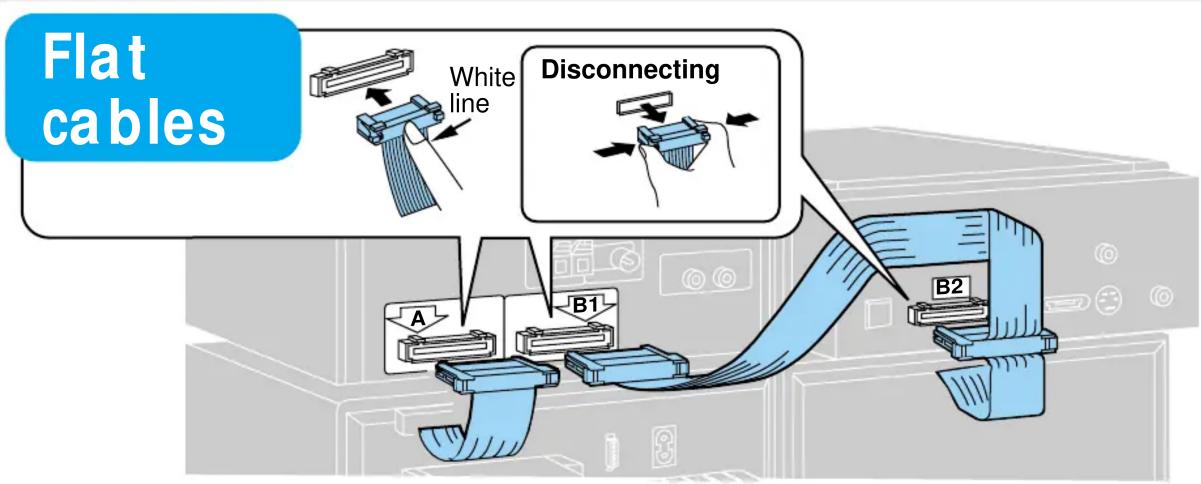
    B --> G["Attach to a wall (using tape) facing in the direction of best reception."]
    G --> H["Push in/pull out connector"]
    H --> I["White line"]
    B --> J["Place on a flat surface"]
STEP 5
(→ page 11 in the operating instructions)
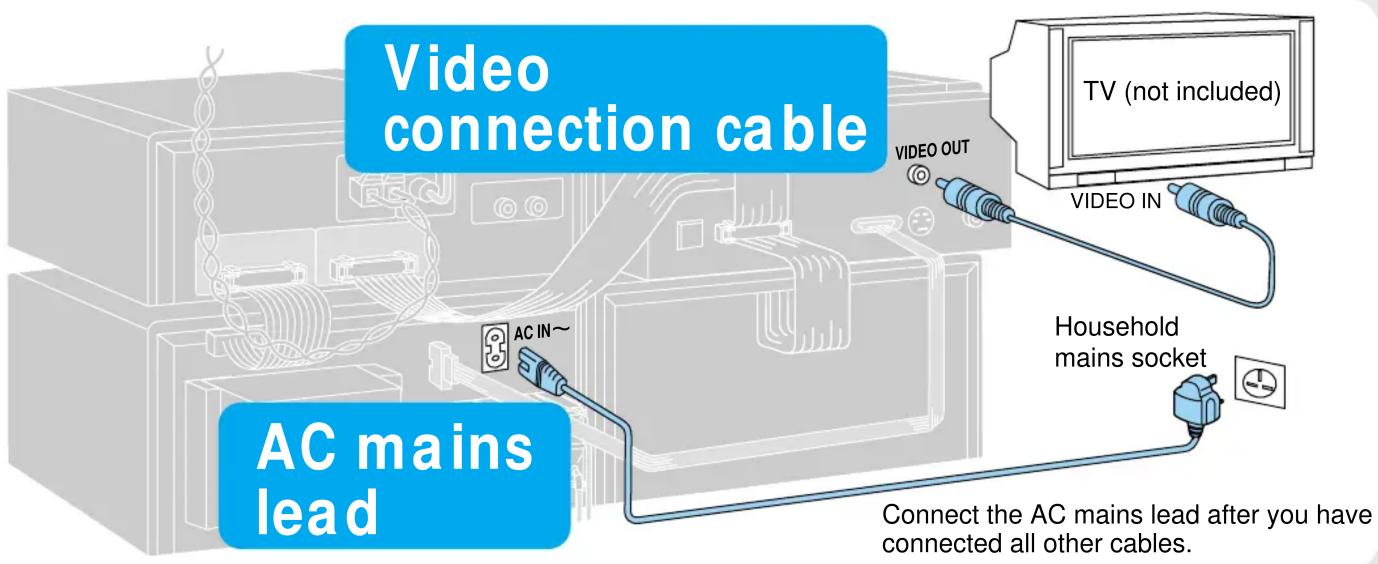
Check installation by playing a DVD
1 Turn on the TV and select the appropriate video input on the TV.

2 Turn on the unit.
3 Press [▲ OPEN/CLOSE] and load a disc.
![Label must face upward To stop play 4 Press [►]. 5 Adjust the volume.](/content/2026/05/770342/images/7da79435a96cf965707a4b7249e1b985d60896928ae0b04f19a4aecee13cd176.jpg)
The disc tray closes automatically.
Remote control operation

natural_image
Illustration of a remote control with two rolled scrolls, no text or symbols presentBattery installation

To adjust the volume


Marke : TECHNICS
Modell : SC-HDA800
Kategorie : Hi-Fi