
25CE6578 - Fernseher PHILIPS - Kostenlose Bedienungsanleitung
Finden Sie kostenlos die Bedienungsanleitung des Geräts 25CE6578 PHILIPS als PDF.


Benutzerfragen zu 25CE6578 PHILIPS
0 Frage zu diesem Gerät. Beantworten Sie die, die Sie kennen, oder stellen Sie Ihre eigene.
Eine neue Frage zu diesem Gerät stellen
Laden Sie die Anleitung für Ihr Fernseher kostenlos im PDF-Format! Finden Sie Ihr Handbuch 25CE6578 - PHILIPS und nehmen Sie Ihr elektronisches Gerät wieder in die Hand. Auf dieser Seite sind alle Dokumente veröffentlicht, die für die Verwendung Ihres Geräts notwendig sind. 25CE6578 von der Marke PHILIPS.
BEDIENUNGSANLEITUNG 25CE6578 PHILIPS
natural_image
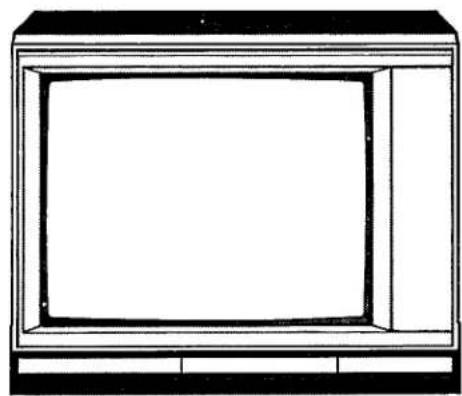
Line drawing of a flat-screen monitor with no text or symbols25CE6271
25CE6571
25CE6578
natural_image
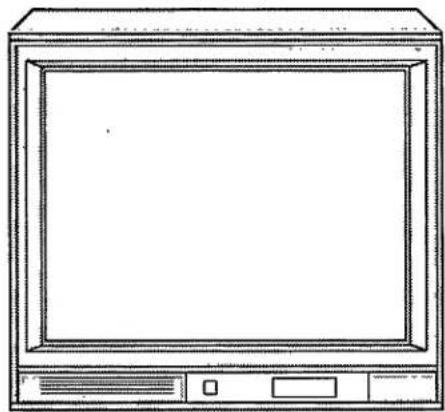
Line drawing of a vintage CRT monitor with front panel and control buttons (no text or symbols)25CE6270
25CE6570
28CE6590
text_image
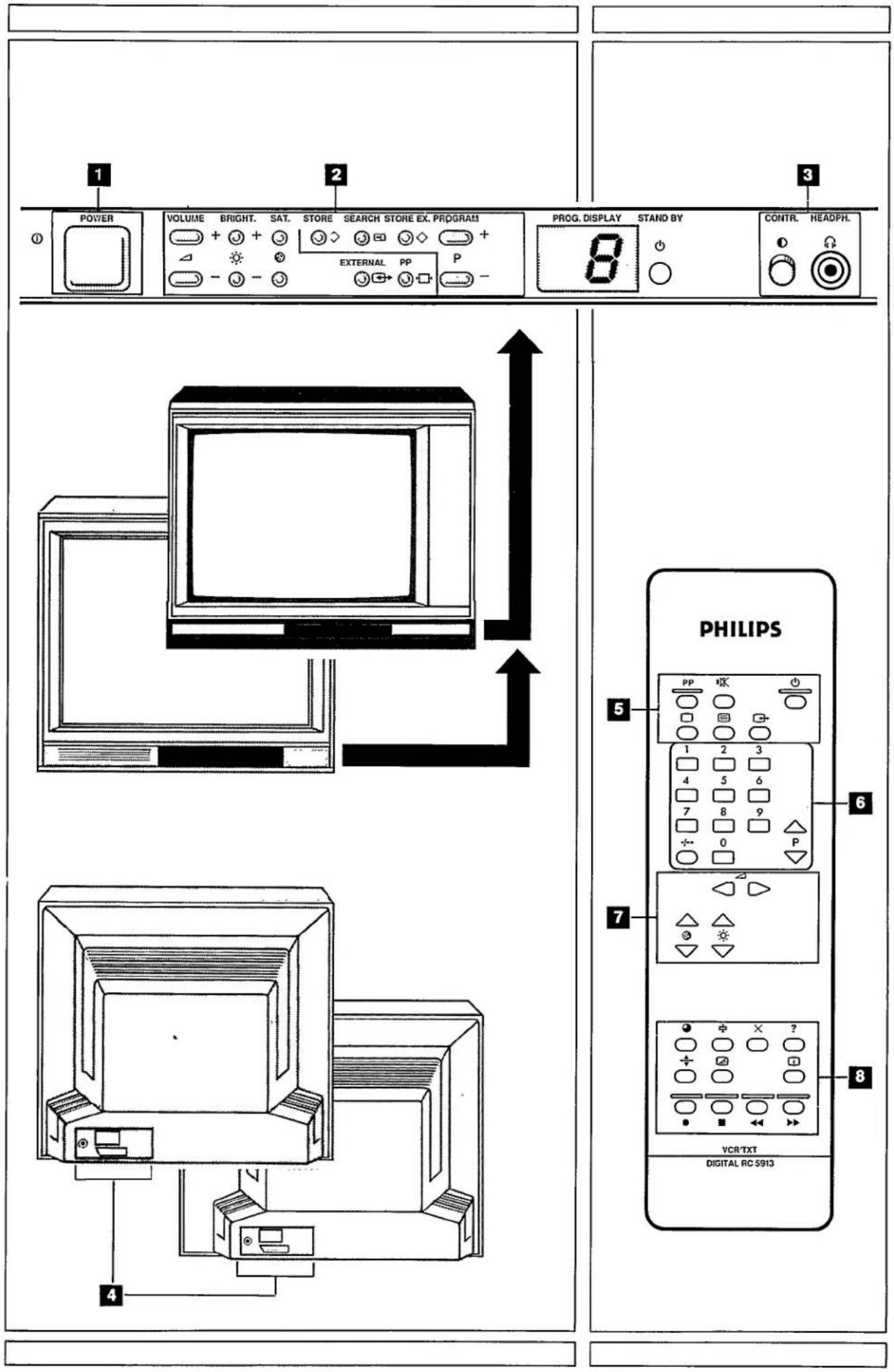
POWER VOLUME BRIGHT. SAT. STORE SEARCH STORE EX. PROGRAM + + 3 - + 3 EXTERNAL PP P PROG. DISPLAY STAND BY 8 CONTR. HEADPH. 5 PHILIPS PP 1 2 3 4 5 6 7 8 9 + - 0 P 7 VCR/TXT DIGITAL RC 5913 8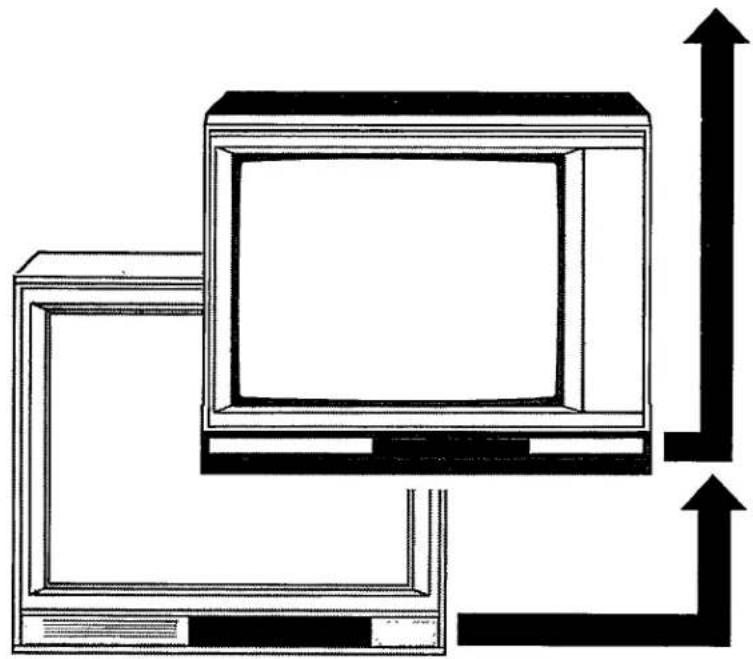
natural_image
Diagram of a computer monitor with two monitors and an upward arrow, no text or symbols present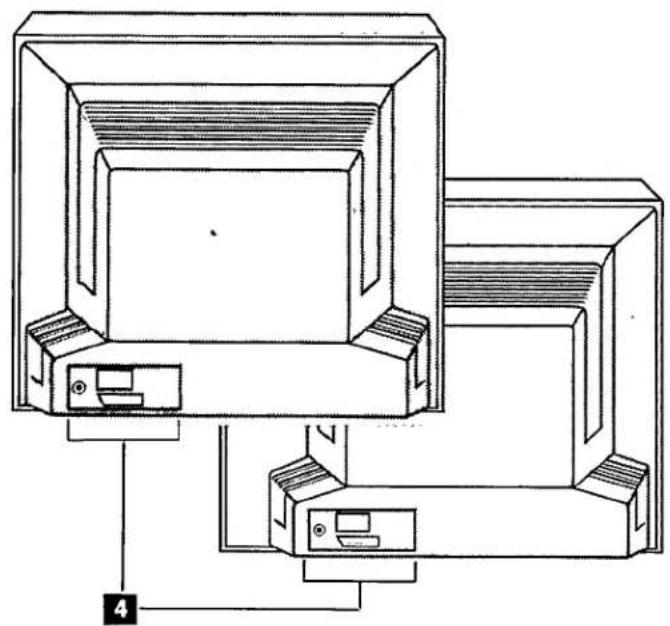
natural_image
Technical line drawing of a mechanical assembly with numbered components (no text or symbols)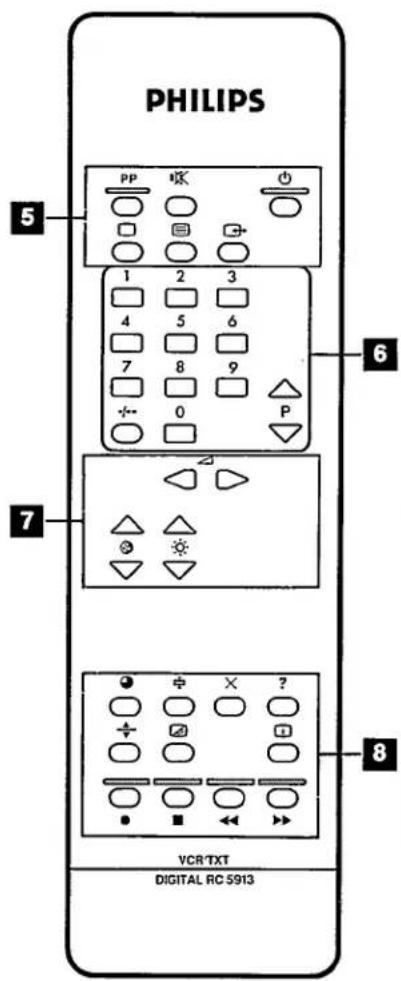
text_image
PHILIPS 5 PP 1 2 3 4 5 6 7 8 9 0 P 6 7 VCR/TXT DIGITAL RC 5913 8English
Operating instructions
Attention!
● Always open this flap page first.
Information for users in the UK
(Not applicable outside the UK)
Service for you
Your colour television has been designed and manufactured to the highest standards, and subject to rigorous testing. Provided it is properly operated and maintained it will perform well for many years. However, we all know that in such complex equipment components can sometimes fail.
The legal responsibility for meeting any in-guarantee service needs for your receiver rests with the dealer from whom you bought it. If your dealer has no service facilities, he can arrange for any work to be carried out by a competent third party organisation.
In any event you may expect speedy attention to restore your set to full working order without delay.
Free service for 2 years:
The dealer from whom the receiver was purchased will arrange for any defect in manufacture or material to be rectified without charge for a period of 2 years from the date of initial consumer sale provided:
● reasonable evidence is supplied that the set was purchased within 2 years prior to the date of claim
- the defect is not due to use of the set on an incorrect voltage or contrary to the Company's Operating Instructions or to accidental damage (whether in transit or otherwise); misuse; neglect; unauthorised or inexpert modification or repair.
The picture tube guarantee is administered by Philips Components Limited.
In addition to the customary 2 years free tube guarantee, Philips Components will consider extending the guarantee period, please see the separate card enclosed for details.
Service after 2 years:
Continuing service after 2 years is available in the same way but the service will be chargeable.
These statements do not affect your statutory rights as a consumer.
If you have any question which your dealer cannot answer, please write to:
C.E. Consumer Relations Department
P.O. Box 298
420 London Road
Croydon CR9 3QR
All enquiries and claims can be handled more efficiently if accompanied by the Identity Card printed on the back cover of this booklet – this is provided for your reference and should be kept in a safe place.
Positioning the TV
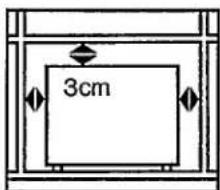
For the best results, choose a position where light does not fall directly on the screen, and at some distance away from radiators or other sources of heat. Leave a space of at least 3 cm all around the TV for ventilation, making sure that curtains, cupboards etc. cannot obstruct the air flow through the ventilation apertures.
The TV is intended for use in a domestic environment only and should never be operated or stored in excessively hot or humid atmospheres.
General Points
Please take note of the section 'General' at the end of the English section in this booklet.
Interference
The Department of Trade and Industry operates a Radio Investigation Service to help TV licence holders improve reception of BBC and IBA programmes where these are being spollt by interference. If your dealer cannot help, ask at a main Post Office for the booklet 'How to Improve Television and Radio Reception'.
Mains connection
Before connecting the TV to the mains, check that the mains supply voltage corresponds to the voltage printed on the type plate on the rear panel of the TV. If the mains voltage is different, consult your dealer.
Important
The wires in the mains lead are coloured in according with the following code.
$$ \text { BLUE } = \text { NEUTRAL } $$
$$ B R O W N = L I V E $$
To fit a mains plug:
Connect the BLUE wire in the mains lead to the NEUTRAL terminal of the plug, marked 'N' or coloured black.
Connect the BROWN wire in the mains lead to the LIVE terminal of the plug, marked 'L' or coloured red.
Do not make any connection to the terminal in the plug which is marked by the letter 'E' or by the safety earth symbol 12 or coloured green or green-and-yellow.
If the mains plug (or adapter) contains a fuse, this should have a value of 3A. If a plug without a fuse is used, the fuse at the distribution board should not be greater than 5A.
Before replacing the plug cover, make certain that the cord grip is clamped over the sheath of the lead – not only over the two wires.
Connecting the aerial
The aerial should be connected to the socket marked at the back of the set. An inferior aerial is likely to result in a poor, perhaps unstable picture with ghost images and lack of contrast. Make-shift loft or set-top aerials are often inadequate. Your dealer will know from experience the most suitable type for your locality.
Should you wish to use the set in conjunction with other equipment, which connects to the aerial socket such as TV games, or a video camera it is recommended that these be connected via a combiner unit to avoid repeated connection and disconnection of the aerial plug.
Loop aerial (if provided)
The loop aerial packed with the set will give satisfactory reception under good signal conditions. Fit the aerial bracket and lead by pushing the peg into the square hole in the backcover until it latches in place. Attach the ends of the loop to the mounting studs on the bracket and fit and tighten the knurled nuts. Then insert the plug on the lead into the aerial socket.
Fitting the stand (if provided)
Use only the stand provided with the set, making sure that the fixings are properly tightened. A diagram showing how to assemble the stand is packed in the castor bag. Never use a make-shift stand, or legs fixed with woodscrews.
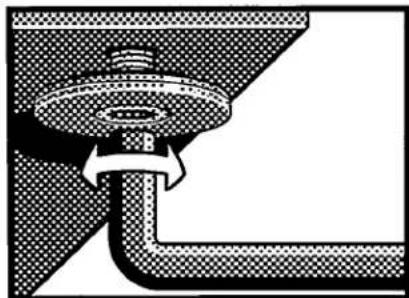
In some models only, in order to fit the stand it may be necessary to remove the feet with the key provided (See Illustration).
natural_image
Pure mechanical diagram showing a pipe connection with arrows indicating direction (no text or symbols)To fit the stand remove the feet on the TV using the key supplied (see illustration).
Installation
In addition to the Operating Instructions, a remote control and 2 batteries are supplied in a separate packaging with this TV.
Introduction
The easiest way to learn how to use this TV is to perform the operations described in the order shown.

Important
The drawings in the text are accompanied by figures, e.g. 1. These correspond to the figures on the fold-out flap. This enables you to easily find the corresponding buttons on the TV and remote control.
Remote control
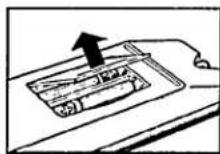
Inserting the batteries
- Remove the cover.
- Insert the 2 batteries as shown.
- Replace the cover.
text_image
3cmWhen positioning (building-in) the TV leave a space of at least 3 cm around the set for ventilation.
The TV is suitable for 220-240 Volts. Consult your dealer if voltage is different.
- Connect the TV to the mains.
Refer to the mains connection on page information for UK.
natural_image
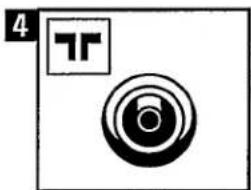
Abstract geometric symbol with concentric circles and a square, no text or symbols present- Connect the aerial to input (rear panel of the TV).
Adjustment
Switching on/off
text_image
1 POWER ①To switch on:
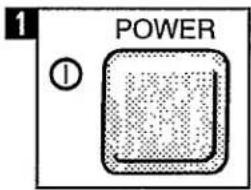
- Press button ① on the TV. A number appears in the window.
text_image
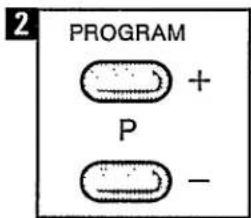
2 PROGRAM + P -Note: If indication LED lights up you can switch the TV by pressing button P + or button P —.
text_image
1 POWER ①To switch off:
- You can switch the TV off by pressing button ① again.
natural_image
Simple line drawing of a curved panel or bracket with an arrow indicating direction (no text or symbols)Control panel
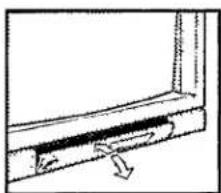
- Open the control panel flap on the front of the TV.
text_image
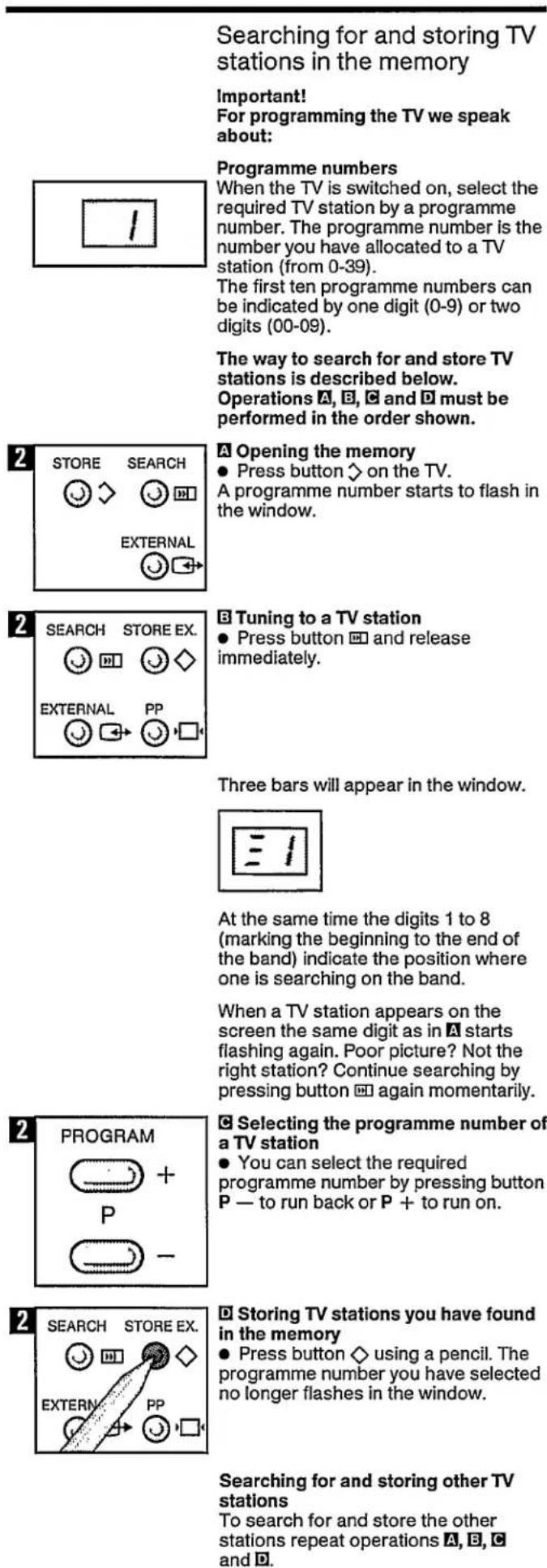
Searching for and storing TV stations in the memory Important! For programming the TV we speak about: Programme numbers When the TV is switched on, select the required TV station by a programme number. The programme number is the number you have allocated to a TV station (from 0-39). The first ten programme numbers can be indicated by one digit (0-9) or two digits (00-09). The way to search for and store TV stations is described below. Operations A, B, C and D must be performed in the order shown. 2 STORE SEARCH ● Press button ◇ on the TV. A programme number starts to flash in the window. 2 SEARCH STORE EX. ● Press button □ and release immediately. Three bars will appear in the window. At the same time the digits 1 to 8 (marking the beginning to the end of the band) indicate the position where one is searching on the band. When a TV station appears on the screen the same digit as in A starts flashing again. Poor picture? Not the right station? Continue searching by pressing button □ again momentarily. 2 PROGRAM ● Selecting the programme number of a TV station ● You can select the required programme number by pressing button P — to run back or P + to run on. 2 SEARCH STORE EX. ● Storing TV stations you have found in the memory ● Press button ◇ using a pencil. The programme number you have selected no longer flashes in the window. Searching for and storing other TV stations To search for and store the other stations repeat operations A, B, C and D.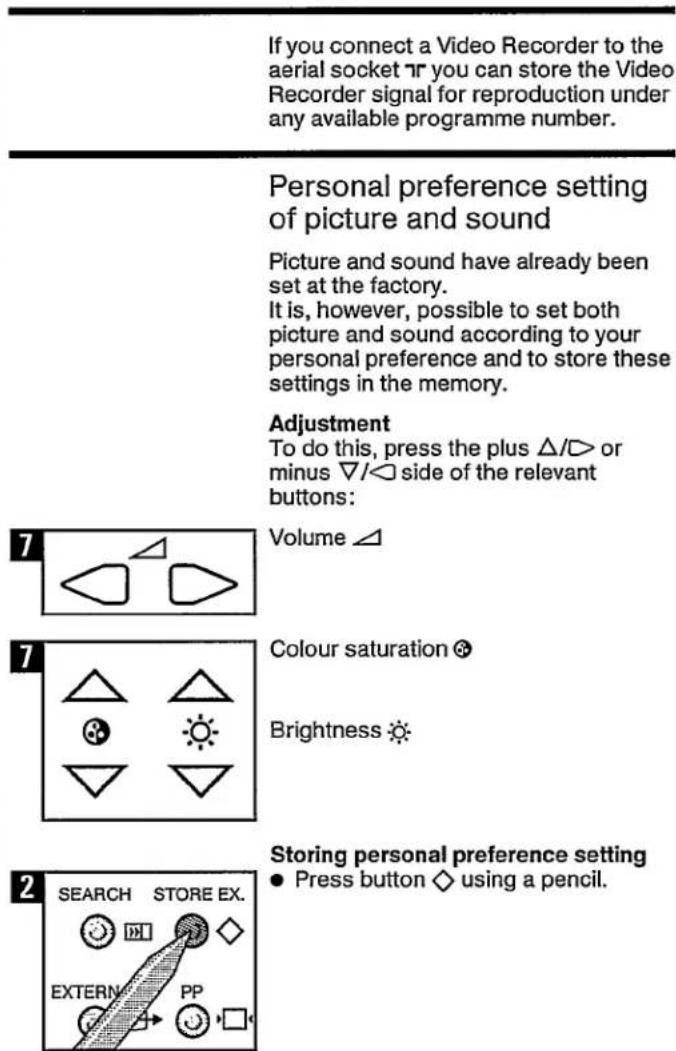
text_image
If you connect a Video Recorder to the aerial socket ▼ you can store the Video Recorder signal for reproduction under any available programme number. Personal preference setting of picture and sound Picture and sound have already been set at the factory. It is, however, possible to set both picture and sound according to your personal preference and to store these settings in the memory. Adjustment To do this, press the plus △/▽ or minus ▽/▽ side of the relevant buttons: Volume △ Colour saturation ◎ Brightness ◎ Storing personal preference setting ● Press button ◇ using a pencil. SEARCH STORE EX. EXTERNAL PPOperating the TV
Switching On/Off
text_image
1 POWER ①To switch on:
- Press button ①. A programme number appears in the window.
To switch off:
- Press button ① again.
Selecting the required programme number
text_image
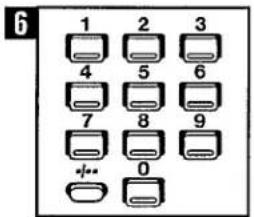
6 1 2 3 4 5 6 7 8 9 0- Select the required programme number with the digit buttons. - Press button -/- for programme numbers containing two digits.
To return to single-digit programme numbers:
- Press button -/--- again.
To select a lower or higher program number
text_image
6 P- Press the P button to select a lower program number. - Press the P button to select a higher program number.
Changing picture and sound settings
You can change the picture and sound settings by pressing the plus / or minus / side of the following buttons:
Volume △
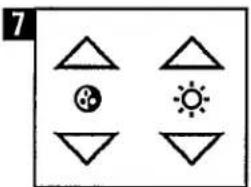
text_image
7Colour saturation
Brightness
Contrast
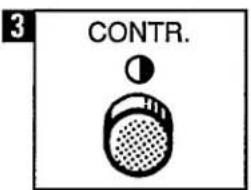
text_image
3 CONTR.- You can set the contrast (black/white distribution) as desired using knob ①.
(Green) button PP
The personal preference setting of picture and sound can be called up by pressing the green button.
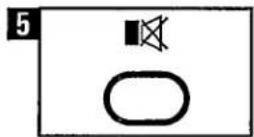
Muting the sound
- Press button 📄 for muting the sound. - For sound, press button 📄 again.
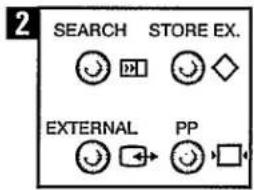
text_image
2 SEARCH STORE EX. EXTERNAL PPTV/External mode
The External mode is for the use of equipment connected to the Euroconnector. For more information see 'Euroconnector' section under 'Other connection facilities'.
When selecting TV stations the TV should be in the TV mode.
Indicator EXTERNAL (E1 or E2) should not light up.
- If necessary press button □+
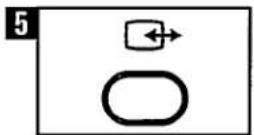
Standby
(Interruption of picture and sound)
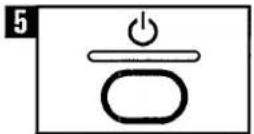
- Press button ⏻. Indication LED (marked ⏻) lights up. - You can switch the TV on again by pressing a digit button on the remote control.
Operating the TV without remote control
To do this, press the plus + or minus — side of the relevant buttons:
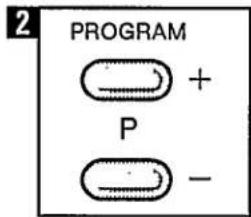
text_image
2 PROGRAM + P -Programme selection P
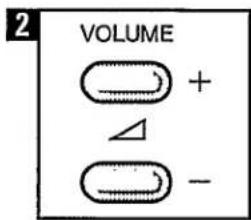
text_image
2 VOLUME + △ -Volume △
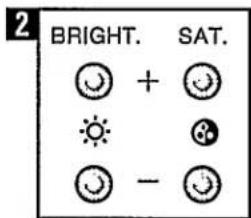
text_image
2 BRIGHT. + SAT. ○ + ● ● ■ - ○ ○Brightness
Colour saturation Ⓤ
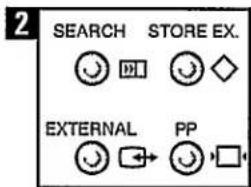
text_image
2 SEARCH STORE EX. EXTERNAL PPButton □
The personal preference setting of picture and sound can be called up by pressing the button.
Teletext
Important! This applies only to TV sets equipped for Teletext.
Teletext - is an information system that displays text on your TV screen. Using the Teletext information system you can select a page of information on a subject that is available in its list of contents (index).
To operate Teletext
- Select a TV station on which Teletext is being transmitted (check with a TV programme guide).
- Press the button. Usually the list of contents (index) is displayed on the screen.
The following procedures apply only after Teletext has been selected:
text_image
6 1 2 3 4 5 6 7 8 9 0To select a page of Teletext
- Press the appropriate digit buttons for the required Teletext page number.
The selected page number is displayed at the top left corner of the screen. The Teletext page counter searches until the selected page number is located, so that the required information is displayed on the screen.
To return to the index page
- Press the ⓘ button to directly select the index page.
● Alternatively select the page number of the index (e.g. page 100).
To select Teletext with a TV programme
- Press the ☑ button. The text is now superimposed over the TV programme on the screen.
- Press the ☑ button again to return to the Teletext page.
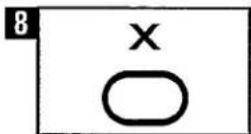
To switch between Teletext and the TV programme
- Press the X button. The TV programme appears, and is displayed in the top left corner of the screen.
- Press the X button again to return to the Teletext page.
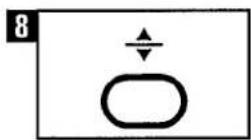
To select double height text
- Press the button for the top half of the information page to be displayed in double height text.
- Press the ÷ button for the bottom half of the information page to be displayed in double height text.
- Press the button again for the full page of normal height text.
To reveal 'concealed' information
(Sometimes a Teletext page contains concealed information, for example in a quiz or puzzle.)
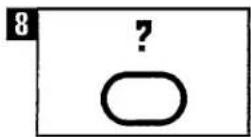
- Press the ? button. The concealed information is then displayed on the screen.
- Press the ? button again so that the concealed information is removed from the display.
To stop an automatic page-change
(More information may follow the page of Teletext you have selected; and it is automatically displayed after a short period of time).
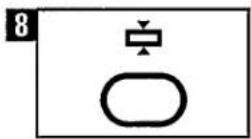
- Press the ✝ button to stop the automatic page-change.
- Press the ⏻ button again so that the next page of text can be displayed.
To select a time-planned page
(You can select a page of Teletext information which can then be displayed on the TV screen at a certain time.)
- Select the required Teletext page.
- Press the ④ button.
- Select the required time by pressing four digit buttons (e.g. 20.10).
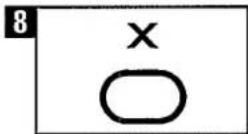
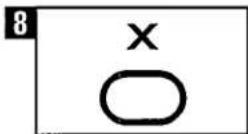
- Press the X button to return to a previously selected TV programme.
When the selected time is reached:
either,
The required Teletext page is superimposed over the TV programme.
- Press the X button to remove the TV programme from the screen.
or,
The time is displayed in the top left corner of the screen.
- Press the X button to display the Teletext page on the screen.
- Press the Ⓐ button to cancel this 'time-planned page' selection.
To select a subcode page
(Subcode pages are sub-sections of long Teletext pages that can only be displayed on the screen one section at a time.)
- Select the required Teletext page.
- Press the Ⓞ button.
- Press a digit button (for the required subcode page).
- If the subcode page is not immediately available then press the X button to return to the TV programme. When the subcode page becomes available the subcode number is displayed in the top left corner of the screen.
- Press the X button to display the subcode page.
Note: Time-planned and subcode pages are only available with certain pages on some Teletext broadcasts.
To select a Teletext subtitled TV programme
(Subtitles can only be displayed on the screen if the TV station adds this facility to the TV programme - check with a TV programme guide.)
- Select the Teletext page indicated in the TV programme guide. The TV programme with subtitles now appears on the TV screen.
To 'fast' select Teletext pages
(Sometimes a page of Teletext information can be selected quickly.)
- The next sequential page of Teletext information can be selected by pressing the RED button (e.g. page 101 can be selected after page 100).
or, The subject-heading for the information may have a particular colour, or can be placed inside a coloured box. ● Press an appropriate RED, GREEN, YELLOW or BLUE button.
To exit Teletext
- Press the □ button. The previously selected TV station appears again on the screen.
To display the time
- Press the ⏻ button. The current time is displayed in the top right corner of the screen. (e.g. 21.00). - Press the ⏻ button again to remove the time display.
Note: The time can only be displayed when Teletext is available on the selected TV station.
Other connection facilities
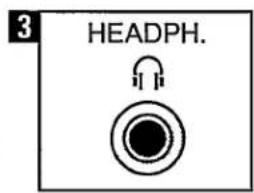
Headphones
(front panel of TV)
text_image
3 HEADPH.A headphone (8-1000 Ohm) with a 6.3 mm jackplug can be connected to socket _ . The built-in loudspeaker is switched off automatically when headphones are used.

Euroconnector
(on rear panel of TV)
The Euroconnector is a multi-functional socket for connecting sources supplying Audio and/or CVBS or RGB signals. See the operating instructions of the source to be connected. Before the source is connected to the Euroconnector it is advisable to switch the TV off momentarily using button ①. When using connected equipment you must switch to the External position.
Switching may be:
● Automatic If the source to be connected supplies the switchover signals for this. Indicator E lights up in window.
- Non-automatic If the source to be connected does not supply an automatic switchover signal, you can switch over using button (External) on the remote control. Indicator E- lights up in the window.
Depending on the equipment connected, CVBS or RGB signals are supplied. Select digit 1 (for CVBS) or digit 2 (for RGB) using the digit buttons. The indicator E1 or E2 lights up in the window.
● To return to the TV-programme, press button → again.
Video Recorder
(Intended for most Video Recorders in our range)
4
natural_image
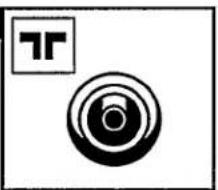
Abstract black-and-white graphic with concentric circles and a small 'T' symbol (no text or symbols present)Installation
Connection via aerial cable
- Connect the TV aerial cable to input TR on the Video Recorder.
- Connect the cable supplied with the Video Recorder to output TV on the Video Recorder and aerial input on the TV.
4
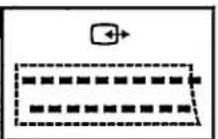
Connection via Euroconnector
If required, you may also connect a Eurocable. Consult your dealer for the correct Eurocable.
Connecting the Video Recorder via a Euroconnector offers the following advantages:
- increased quality of picture and sound reproduction
- easier operation.
Adjustment
Important:
Adjustment is only necessary if the Eurocable is not connected. Indicator E1 or E2 in the window must not light up. Press button ➕ if necessary.
Searching for and storing the Video Recorder channel in the memory
- Press the playback button 'Play' on the Video Recorder. There must not be a cassette in the cassette holder.
To search for and store the Video Recorder channel in the memory (recognisable by a test pattern), you should perform the following operations A, B, C and D on the TV.
2
text_image
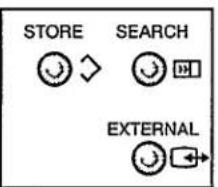
STORE SEARCH EXTERNALA Opening the memory
- Press button ↗. A programme number starts flashing in the window.
2
text_image
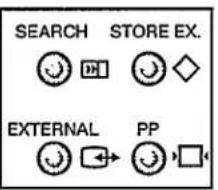
SEARCH STORE EX. EXTERNAL PP☐ Searching for the Video Recorder channel
- Press button ☐ briefly. When a picture appears on the screen the same digit as in A starts flashing again. If this is not the test pattern, you must continue searching by pressing button ☐ briefly again.
2
text_image
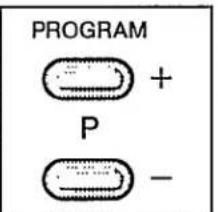
PROGRAM + P -© Selecting a programme number
- You can select the required programme number by pressing button P — to run back or P + to run on.
2
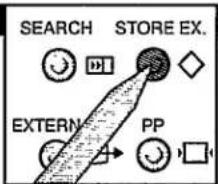
text_image
SEARCH STORE EX. EXTERN PP☐ Storing the Video Recorder channel in the memory
- Press button ◇ using a pencil.
Note: For play back of a video cassette you have to select the programme number on which you have stored the Video Recorder channel.
Operating the Video Recorder
a. If no Eurocable is connected, select the reserved programme number for the Video Recorder channel.
b. If a Eurocable is connected, your TV is automatically switched over to the Video Recorder channel.
Operating the Video Recorder via the TV remote control
(intended for most Video Recorders from our range)
As long as the button (on the side of the remote control) is kept pressed in, instructions can be given to the Video Recorder.
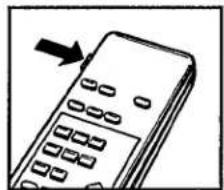
natural_image
Illustration of a handheld mobile phone with keypad and an arrow pointing to the screen (no text or symbols)For the use and functions of the symbols see the Operating Instructions for your Video Recorder.
The functions of these buttons correspond to those of the buttons on the Video Recorder.
Technical information
Euroconnector
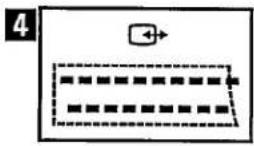
The specification of the Euroconnector is as follows:
Pin
| 1 | audio output | |
| (connected to pin 3) | 0.5 Vrms/ ≤1 kohm | |
| 2 | audio input | |
| (connected to pin 6) | 0.5 Vrms/ ≥10 kohms | |
| 3 | audio output | 0.5 Vrms/ ≤1 kohm |
| 4 | earth connection for audio | |
| 5 | earth connection B input | |
| 6 | audio input | 0.5 Vrms/ ≥10 kohms |
| 7 | B input | 0.7 Vpp/75 ohms |
| 8 | remote control | |
| signals + status input | 0-2/9.5-12 V/ ≥10 kohms | |
| 9 | earth connection G input | |
| 10 | not connected | |
| 11 | G-input | 0.7 Vpp/75 ohms |
| 12 | not connected | |
| 13 | earth connection R input | |
| 14 | not connected | |
| 15 | R Input | 0.7 Vpp/75 ohms |
| 16 | fast blanking input | 0-0.4/1-3 V/75 ohms |
| 17 | earth connection CVBS | |
| 18 | earth connection fast blanking | |
| 19 | CVBS output | 1 Vpp/75 ohms |
| 20 | CVBS input | 1 Vpp/75 ohms |
| 21 | screening plug |
General
- If the TV picture or sound does not give the desired result, check to ensure that the power is on, the aerial is connected and all the controls are set correctly.
- If there is no sound, check whether the loudspeaker has been switched off with button ☒ on the remote control.
- If a bright white line appears on the screen or 'F' appears in the window together with a digit, switch off the TV and consult your dealer.
● The rear cover of the set should only be removed by a service technician. - In order to get the longest possible service from your remote control we advise you to handle it carefully and avoid dropping or banging it.
- If the TV does not react to commands given with the remote control the batteries are probably flat. Replace them. It is advisable to use Philips Alkaline batteries, type LR03.
Cleaning the TV screen
The TV screen can be cleaned if necessary with a damp chamois leather. Do not use aggressive cleaning agents.
Notes
GB IDENTITY CARD
This card together with the terms of guarantee (to be provided by your dealer) forms the full certificate of guarantee for this appliance. Diese Karte ist, zusammen mit den Garantiebestimmungen, die ihr Handler Ihnen aushandigt, ihr Garantieschen für dieses Gerät
① GERÄTE-KENNKARTE
Associée aux conditions de garantie (qui vous sont remises par le revendeur) cette carte constitue le certificat de garantie de cet apparel
F CARTE D'INDENTIFICATION
Deze kaart vormt, samen met de garantievoonwaarden (welke door uw dealer verstrekt worden). het garantiebewis voor dit apparaat
NL INDENTIFI-CATIEKAART
① CARTE D'IDENTIFICAZIONE
Questa cartolina rappresenta insieme alle condizioni di garanzia (da consegnare dal vostro ri-endtore) il documento di garanzia per questo apparecchi.
E TARJETA DE
INDENTIFICACIÓN
La garantía de este aparato se compone de esta tarjeta y de las condiciones de garantía que le entregará su concesonano
© CARTÃO DE INDENTIFICAÇÃO
Este cartão em conjunto com as condições de garantia em vigor (explicadas pelo seu vendedor) constituem o certificado de garantia do seu aparelho
OK LD, KORT
Dette kort, udfyldt af Deres forhandler, er vistrækkelig
garantidokumentation for dette apparat
⑧ IDENTIFIKA-SJOSKORT
Dette kort, sammen med garantbetingelsene (som De får av forhand'eren) utgjor garantbeviset for dette apparat
⑤ IDENTIFIERINGS-KORT
Detta kort tilsammans med garantivilkoren, som Du får av radohand'aren, utgor ett fullstandigt garantbevs for denna produkt
GF TUNNISTUS-KORTTI
Taman laitteen takuutodistus muodostuu tasta kortista ja takuuehdoista (jalleenmyyja antaa mukaan)
GR ΔΕΛΤΙΟ
ΤΑΥΤΟΤΗΤΑΣ
Η κατελία αυτη μαζι νε τους ορους εγγυποσες (που δα προμηθευδενε σπο το καταστημα που αγορασάτε την αυσκευή απατελους το πλησες πιστοποιτικο εγγυποσες της αυσκευή σας
PHILIPS
