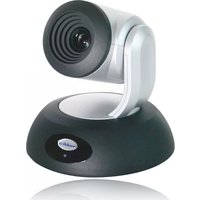
RoboSHOT 12 QDVI - Videokonferenzsystem Vaddio - Kostenlose Bedienungsanleitung
Finden Sie kostenlos die Bedienungsanleitung des Geräts RoboSHOT 12 QDVI Vaddio als PDF.


| Produkttyp | PTZ-Videokonferenzkamera |
| Marke | Vaddio |
| Modell | RoboSHOT 12 QDVI |
| Kategorie | Videokonferenzsystem |
| Optischer Zoom | 12-fach |
| Digitaler Zoom | 12-fach |
| Sensor | 1/2.8-Zoll-CMOS |
| Auflösung | 1080p (1920 x 1080) bei 60 fps |
| Videoausgang | DVI-I, 3G-SDI |
| Steuerprotokoll | RS-232, IP (Telnet/VISCA) |
| Abmessungen (B x H x T) | 168 mm x 175 mm x 168 mm |
| Gewicht | 1,7 kg |
| Stromversorgung | PoE+ (IEEE 802.3at) oder 12 V DC |
| Leistungsaufnahme | max. 18 W |
| Betriebstemperatur | 0 °C bis 40 °C |
| Pan-Bereich | ±170° |
| Tilt-Bereich | -30° bis +90° |
| Befestigung | Wand-, Decken- oder Tischmontage |
| Garantie | 3 Jahre |
| Reinigung | Mikrofasertuch für Linse; Gehäuse mit trockenem Tuch |
| Sicherheitshinweise | Nicht in Feuchträumen verwenden; nur mit empfohlenem Zubehör |
Häufig gestellte Fragen - RoboSHOT 12 QDVI Vaddio
Benutzerfragen zu RoboSHOT 12 QDVI Vaddio
0 Frage zu diesem Gerät. Beantworten Sie die, die Sie kennen, oder stellen Sie Ihre eigene.
Eine neue Frage zu diesem Gerät stellen
Laden Sie die Anleitung für Ihr Videokonferenzsystem kostenlos im PDF-Format! Finden Sie Ihr Handbuch RoboSHOT 12 QDVI - Vaddio und nehmen Sie Ihr elektronisches Gerät wieder in die Hand. Auf dieser Seite sind alle Dokumente veröffentlicht, die für die Verwendung Ihres Geräts notwendig sind. RoboSHOT 12 QDVI von der Marke Vaddio.
BEDIENUNGSANLEITUNG RoboSHOT 12 QDVI Vaddio
RoboSHOT™ DVI/HDMI Systems
PRODUCT INFO:
RoboSHOT 12 QDVI System
999-9906-000 North America
999-9906-001 International
RoboSHOT 30 QDVI System
999-9916-000 North America
999-9916-001 International
What's in the box?
- RoboSHOT Camera
- Quick-Connect DVI/HDMI SR Interface
• IR Remote Commander
• EZ Camera Control Adapter - Power Supply
- Thin Profile Wall Mount
- Mounting Hardware
Vaddio, RoboSHOT and Quick-Connect
are trademarks of Vaddio.
All other trademarks are property of their respective owners. Reproduction in whole or in part without written permission is prohibited. Specifications and pricing are subject to change without notice or obligation. For additional product information, tech specs, warranty, repair, and return policies, please visit us online at support.vaddio.com.
©2014 Vaddio - All Rights Reserved.
Quick-Start No. 342-0801 Rev. B
02.20.15
RoboSHOT 12 RoboSHOT 30
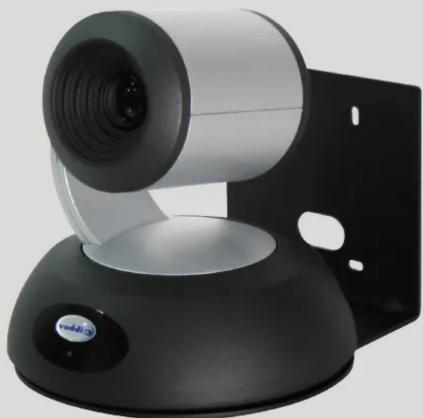
natural_image
Close-up of a white and black VR headset with a circular lens, mounted on a black base (no visible text or symbols)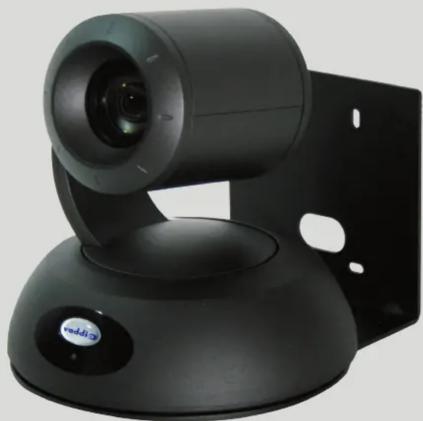
natural_image
Black video camera with a mounted lens and control panel (no visible text or symbols)AND
the Quick-Connect™ DVI/HDMI
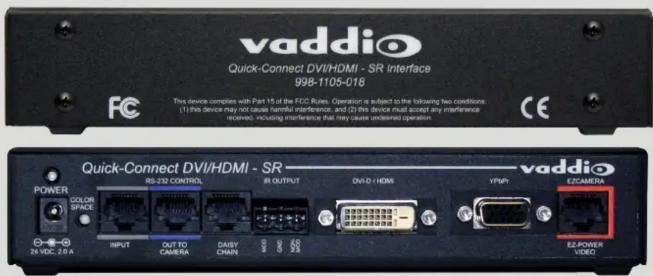
Front
Back
Visit us online at support.vaddio.com
Click on manuals, and select the full RoboSHOT QDVI Manual.
vaddio
THE ART OF EASY
RoboSHOT Quick-Connect DVI/HDMI Systems
Visit us online at support.vaddio.com
Click on manuals, and select the full RoboSHOT QDVI Manual.

flowchart
graph TD
    A["RoboSHOT Camera"] -->|Ethernet| B["Network Switch"]
    A -->|RS-232 Cat-5| C["PC with Browser for camera end control"]
    A -->|EZ-Power Video Cat-5| D["Quick-Connect DVI/HDMI - SR"]
    D -->|RS-232 Cat-5| E["Precision Camera Controller"]
    D -->|EZ-CAMERA| F["vaddio"]
    D -->|HDMI or DVI-D| G["Monitor"]
    D --> H["PC with Browser for camera end control"]
    D --> I["Precision Camera Controller"]
    style A fill:#f9f,stroke:#333
    style B fill:#bbf,stroke:#333
    style C fill:#dfd,stroke:#333
    style D fill:#dfd,stroke:#333
    style E fill:#dfd,stroke:#333
    style F fill:#dfd,stroke:#333
    style G fill:#dfd,stroke:#333
    style H fill:#dfd,stroke:#333
    style I fill:#dfd,stroke:#333

Marke : Vaddio
Modell : RoboSHOT 12 QDVI
Kategorie : Videokonferenzsystem