Electone B-4C - Tastatur YAMAHA - Kostenlose Bedienungsanleitung
Finden Sie kostenlos die Bedienungsanleitung des Geräts Electone B-4C YAMAHA als PDF.


| Produkttyp | Elektronische Orgel / Keyboard |
| Marke | YAMAHA |
| Modell | Electone B-4C |
| Abmessungen (Breite x Tiefe x Höhe) | ca. 1200 x 400 x 200 mm |
| Gewicht | ca. 15 kg |
| Stromversorgung | Netzbetrieb 220-240 V, 50/60 Hz |
| Leistungsaufnahme | 30 W |
| Tastatur | 61 Tasten (5 Oktaven) mit Anschlagdynamik |
| Klänge | 20 verschiedene Klangfarben |
| Rhythmen | 16 Begleitrhythmen |
| Lautsprecher | 2 x 10 cm, 6 W + 6 W |
| Effekte | Hall, Sustain |
| Anschlüsse | Kopfhörerausgang, Sustain-Pedal, Line-Out |
| Bedienelemente | Klangeinsteller, Rhythmusauswahl, Lautstärkeregler |
| Zubehör | Notenständer, Bedienungsanleitung |
| Reinigung | Staub mit weichem, trockenem Tuch entfernen; keine Reinigungsmittel |
| Sicherheitshinweis | Netzstecker bei Nichtgebrauch ziehen; vor Feuchtigkeit schützen |
| Ersatzteile | Über Yamaha-Vertragshändler erhältlich |
Häufig gestellte Fragen - Electone B-4C YAMAHA
Benutzerfragen zu Electone B-4C YAMAHA
0 Frage zu diesem Gerät. Beantworten Sie die, die Sie kennen, oder stellen Sie Ihre eigene.
Eine neue Frage zu diesem Gerät stellen
Laden Sie die Anleitung für Ihr Tastatur kostenlos im PDF-Format! Finden Sie Ihr Handbuch Electone B-4C - YAMAHA und nehmen Sie Ihr elektronisches Gerät wieder in die Hand. Auf dieser Seite sind alle Dokumente veröffentlicht, die für die Verwendung Ihres Geräts notwendig sind. Electone B-4C von der Marke YAMAHA.
BEDIENUNGSANLEITUNG Electone B-4C YAMAHA
natural_image
Black-and-white illustration of a group of children and adults gathered around a piano, engaged in music and music activity (no text or symbols visible)GUIDE TO YOUR
YAMAHA
ELECTONE
B-4C & B-4CR
CONTENTS
Page
Introduction 1
This is Your Yamaha Electone B-4C & B-4CR 2
Keyboards 4
The Compass of the Electone B-4C & B-4CR 5
Tone Levers 6
Effect Levers 9
Effect Controls 9
Spacious Sound 10
Auto Rhythm Section 11
Various Rhythms and Their Use 13
PLAYING THE YAMAHA ELECTONE 19
Let's Learn to Read Music 20
Let's Play Accompaniment 21
To Fully Enjoy Your Electone 23
Care of Your Electone 24
Do not Be Alarmed If 25
Specifications 27
Introduction
Congratulations upon your selection of this Yamaha Electone. It is one of the world's most advanced musical instruments, carefully designed and built to provide a lifetime of musical enjoyment.
To make sure you derive the most from its generous features and durable IC & FET circuitry, please read this manual thoroughly before attempting to play. Then keep it handy for reference. Use it to develop your own techniques and to teach others. With a little care your Electone will become a creative center of family enjoyment for decades.
natural_image
Black-and-white illustration of a group of people gathered around a table, engaged in conversation or presentation (no text or symbols visible)This is Your Yamaha Electone
B-4C & B-4CR
* Not included on model B-4C
Keyboards
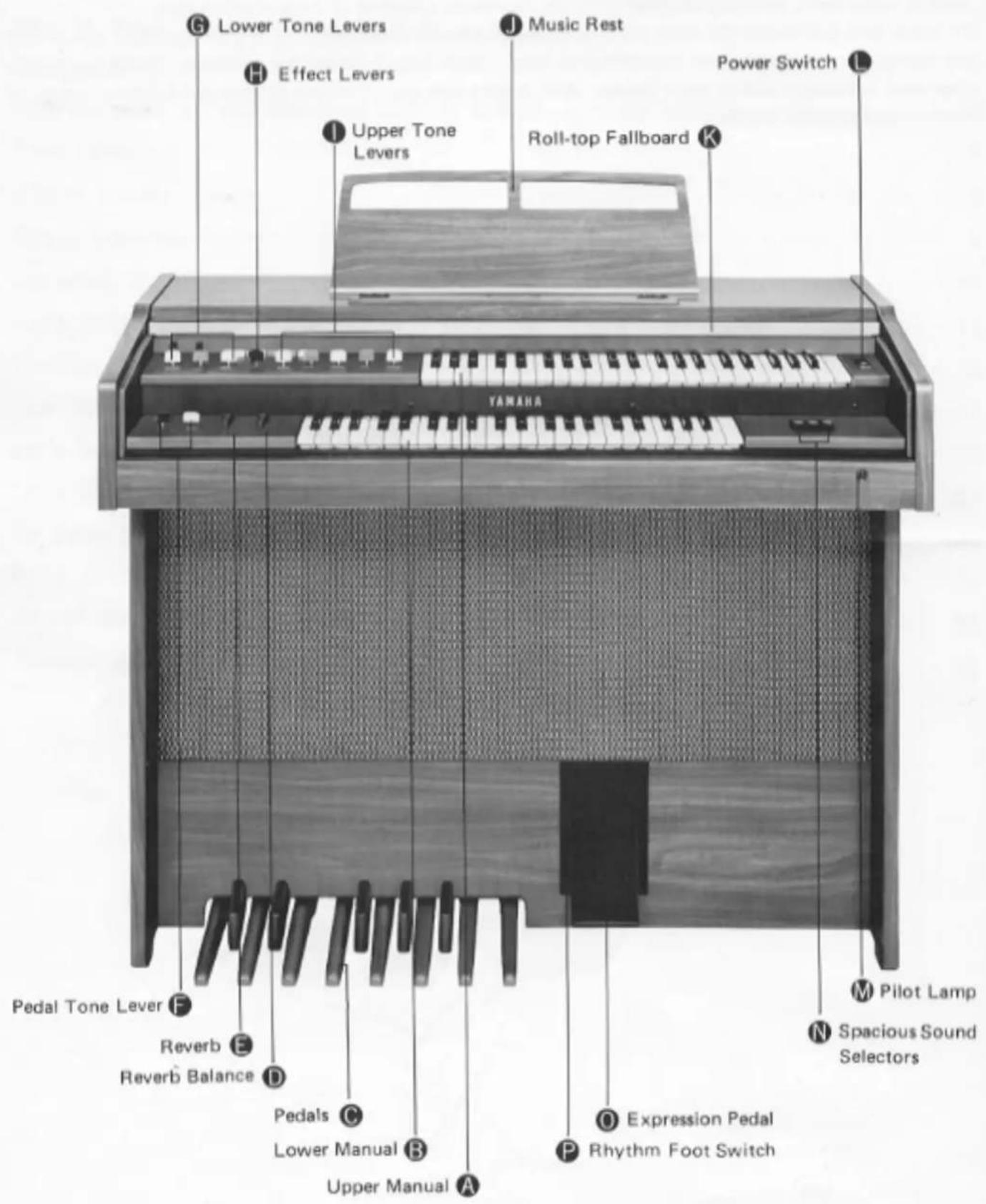
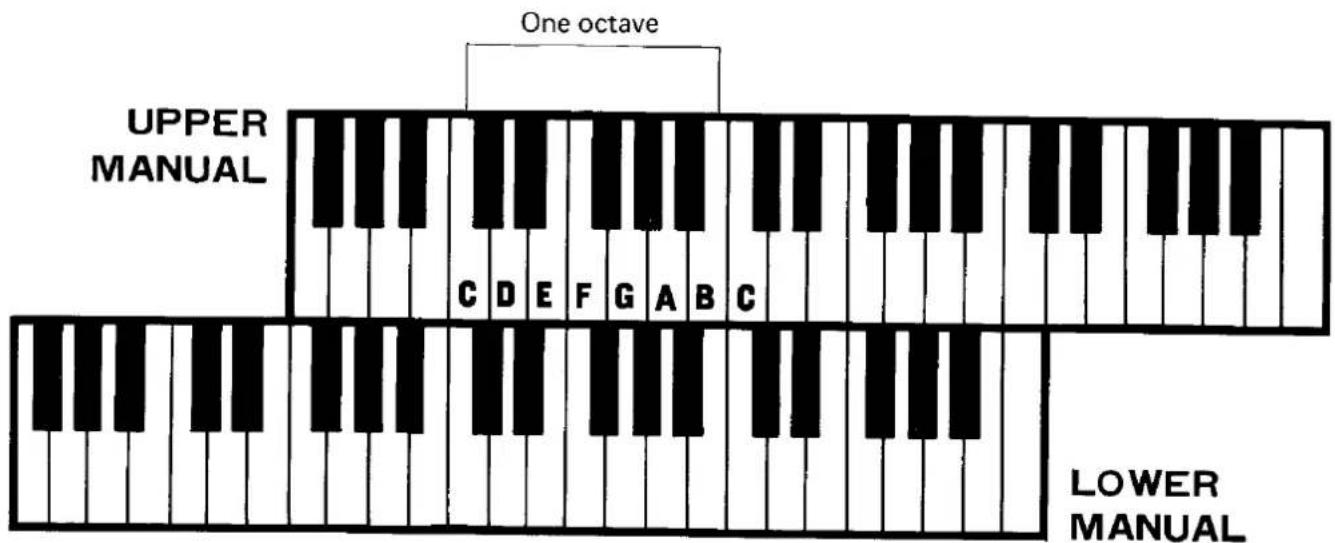
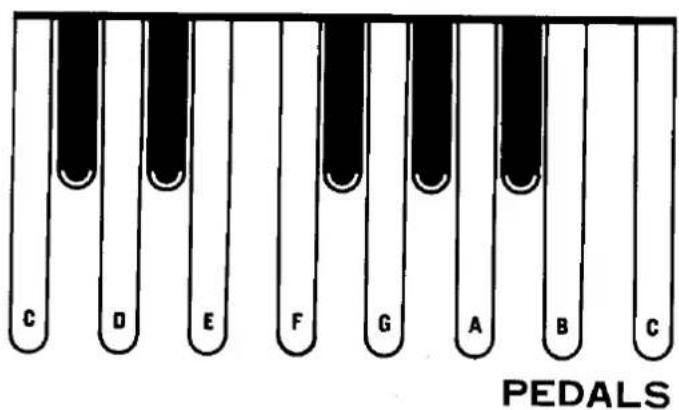
The B-4C series has three keyboards. The upper two are called "manuals" and the other, for the feet, composed of "pedals."
| Upper Manual | 44 keys |
| Lower Manual | 44 keys |
| Pedals | 13 pedals |
The Electone is designed to permit playing the melody on the upper manual with the right hand, the chords on the lower manual with the other, and bass notes on the pedals with either foot.
All keys and pedals are arranged in the traditional keyboard method: two black keys, three black keys. Each white key has a name (from A to G), and the blacks are sharps or flats. "C" is always the white key just below the left black key in the two-black-key group. Any complete set of seven white keys and five black keys is called an "octave."
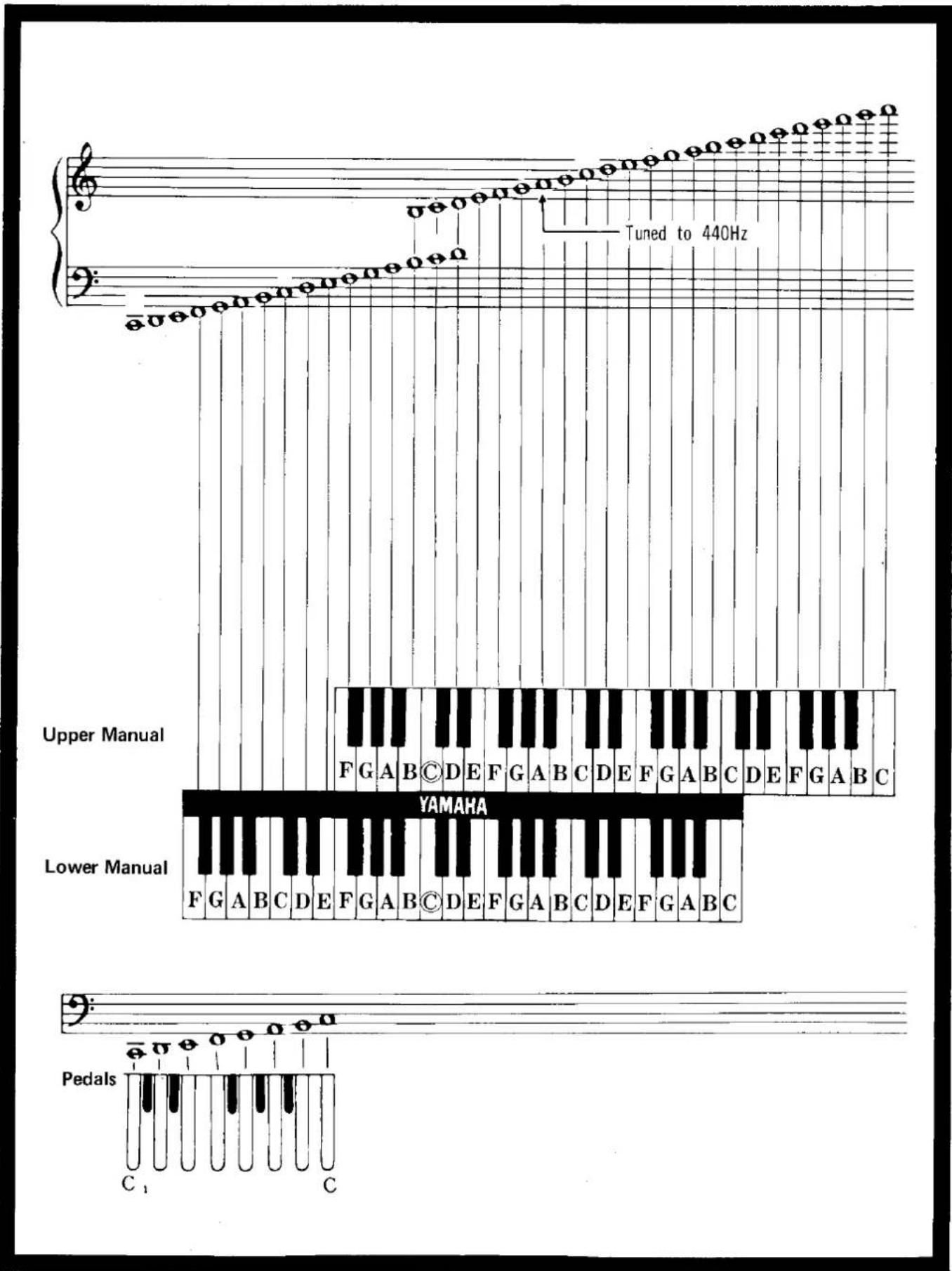
The Compass of the Electone B-4C & B-4CR
Tone Levers
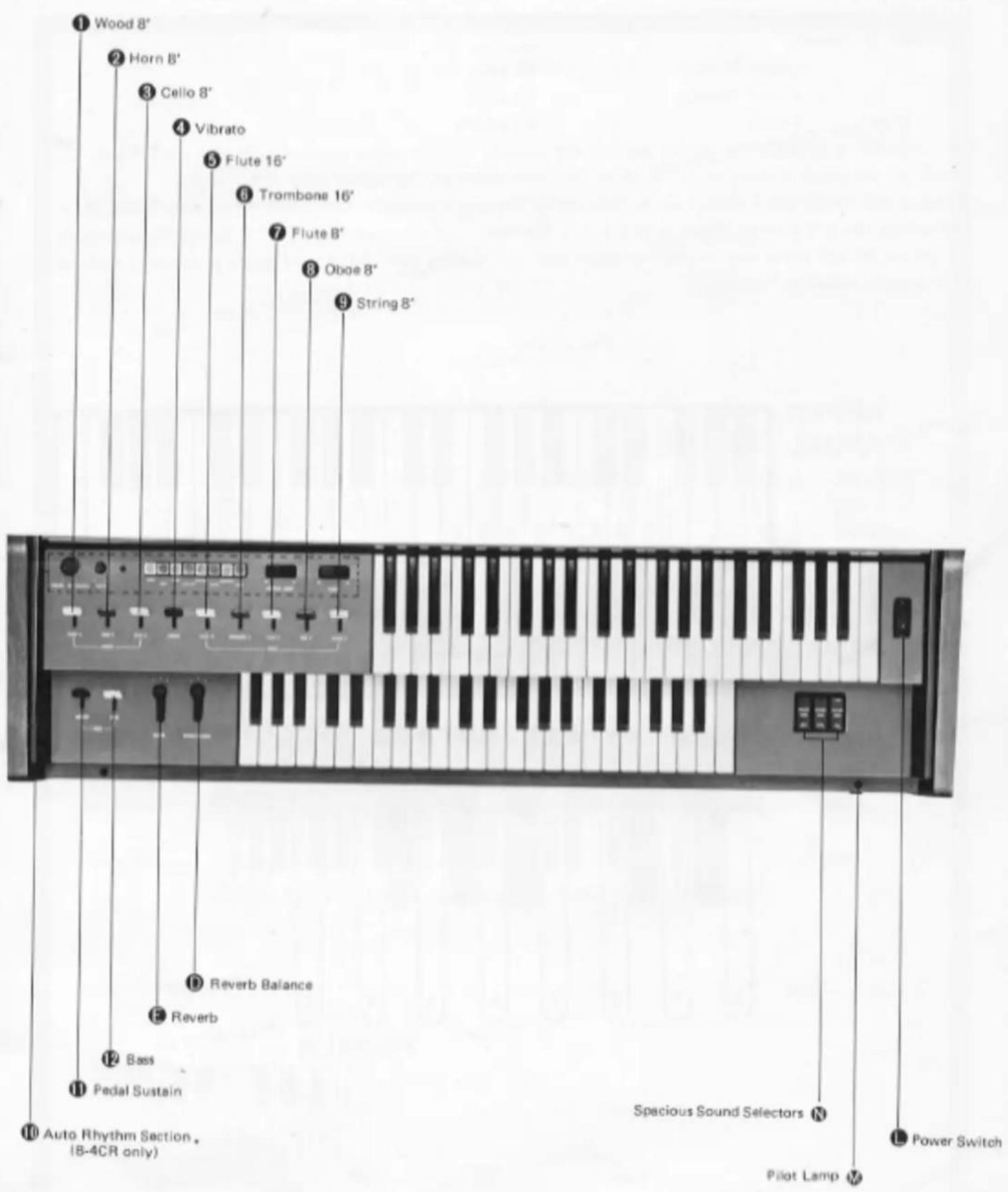
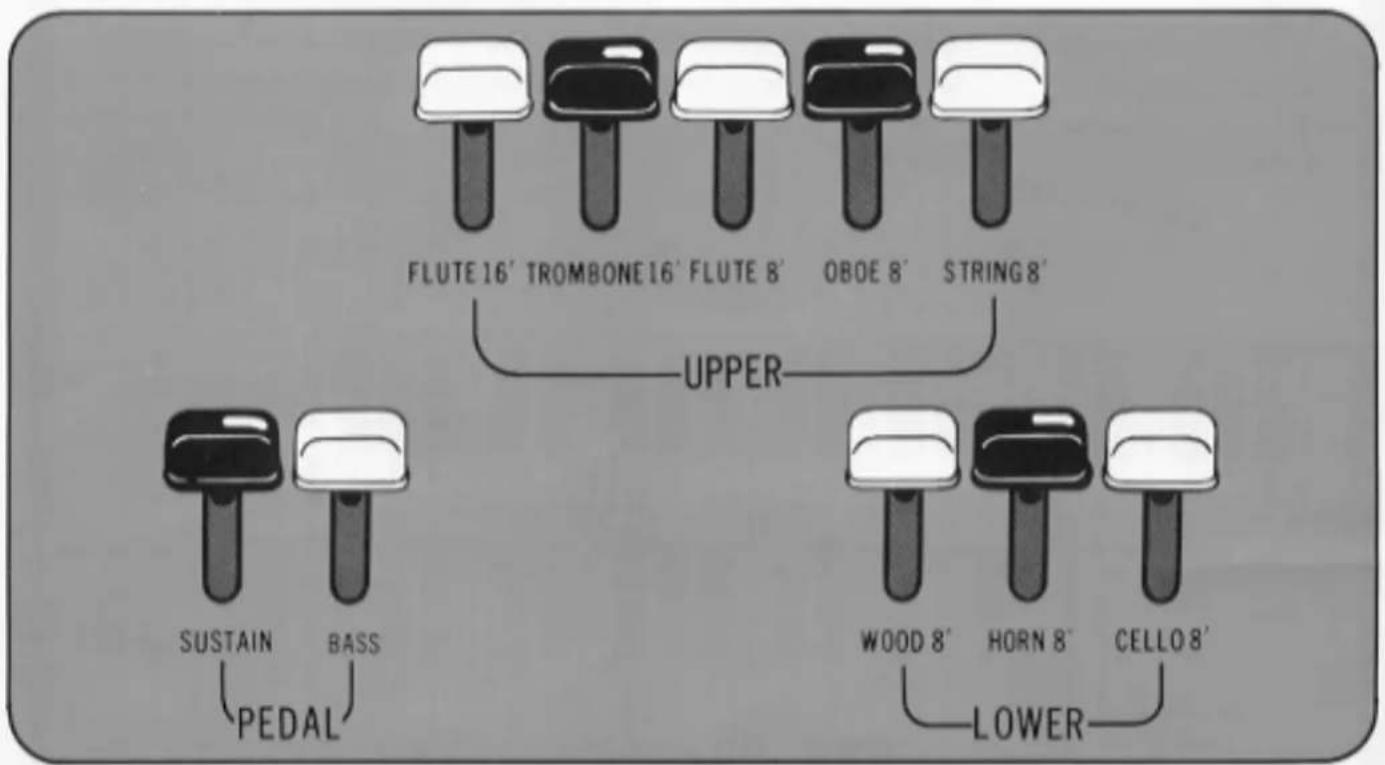
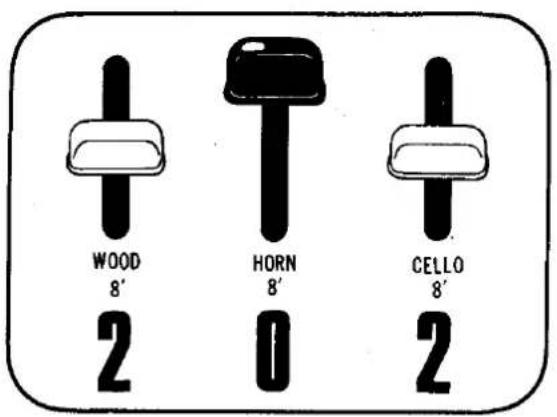
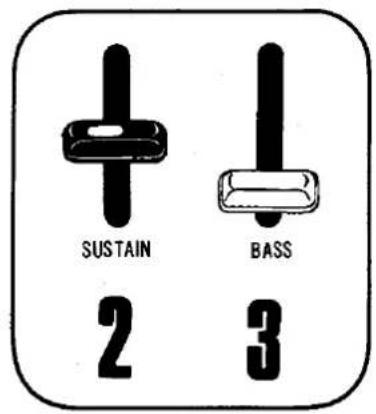
To the left of both upper and lower manuals are a series of tone levers which control the voices (instrument sounds) which will sound when the keys are depressed. They are divided into groups for upper, lower and pedals, so that different registrations can be set for each.
| Upper Manual Levers | 5 voices |
| Lower Manual Levers | 3 voices |
| Pedal Lever | 1 voice |
Tone Lever System
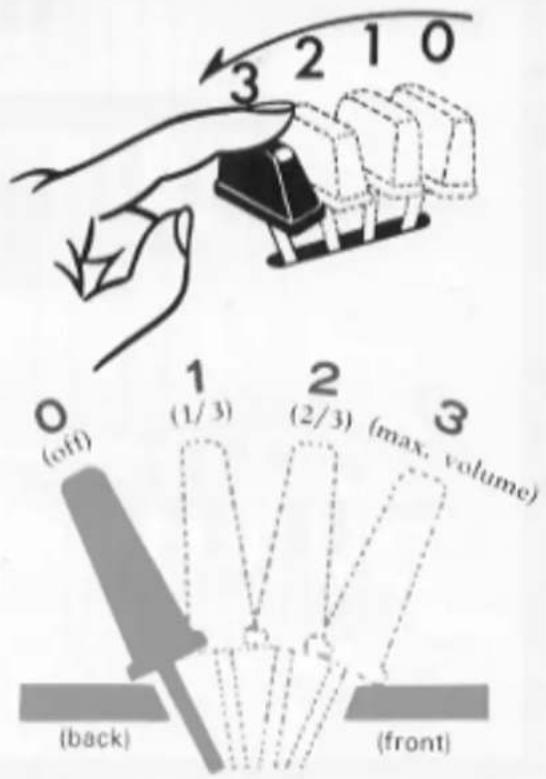
Each lever provides two methods of control. One is by continuously moving the lever from off to full, to achieve the exact setting for that tone, and thus balancing the overall tone setting with perfect precision. Each lever also has two easy-to-feel click stops, at 1/3 and 2/3 positions. This lets you refind any setting with mathematical precision and no guesswork in a matter of seconds.
Pitches or Footages
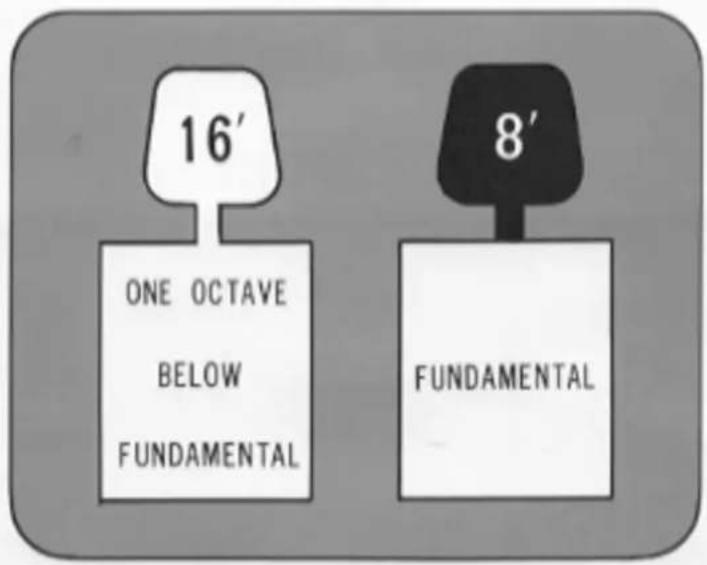
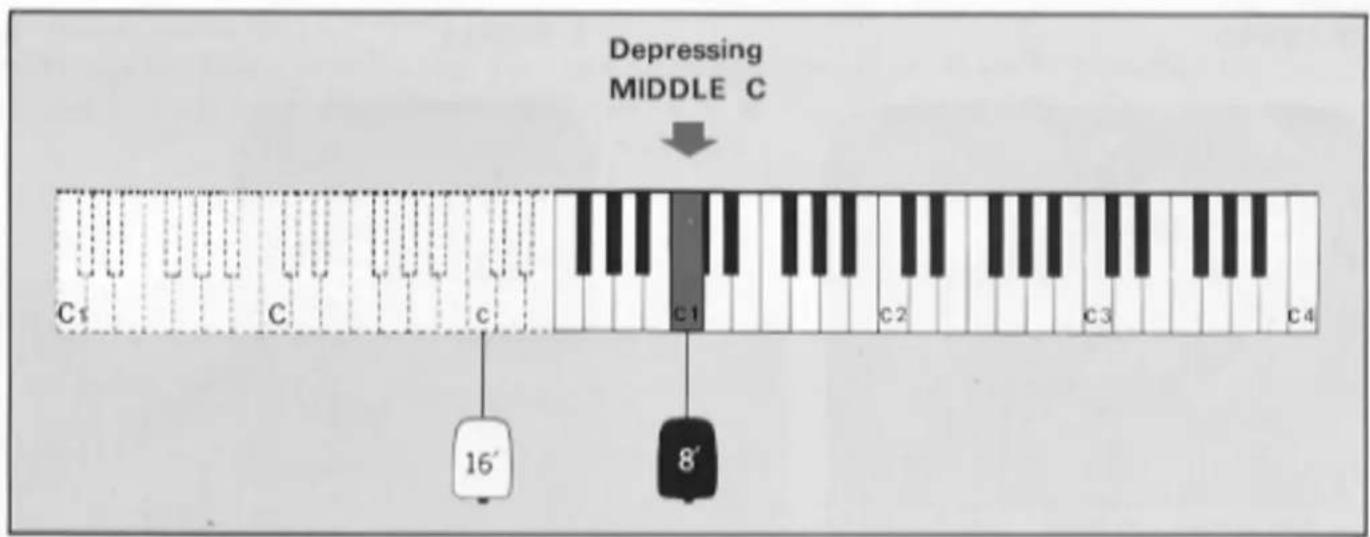
The B-4C series has two different pitch levels, indicated by the numbers 16' and 8'. These are standard organ abbreviations showing the tone's pitch in relation to the fundamental (written note). An 8' tone will sound just as it has been written. A 16' tone (meaning that the wave length of the vibrations are twice as long as 8', or half as fast) will provide a tone exactly one octave lower than the written note.
For example, if you press middle C, sound will be produced corresponding to the keys in the chart below.
Tone Lever Registration
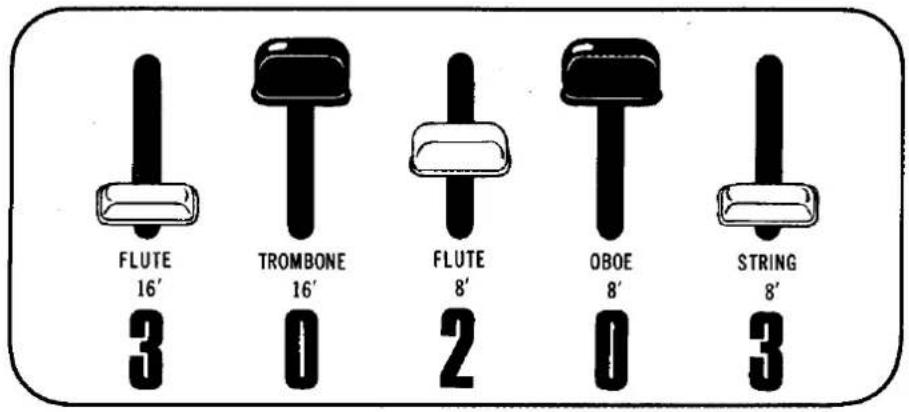
For best performance, you should always take into consideration the relative tone volume balance among the three keyboards i.e., upper manual, lower manual and pedals.
When you wish to emphasize the melody played on the upper manual, for example, the volume of the lower manual and pedals should be kept under that of the upper manual. On the contrary, if you want to stress the accompaniment part on the lower manual or pedals the volume of that particular keyboard should be adjusted relatively larger than the others.
Yamaha's unique variable tone levers you control this relative tone volume among three keyboards. Judge by your own ears and adjust the position of the levers in advance.
UPPER
(EXAMPLE)
LOWER
PEDALS
Effect Levers
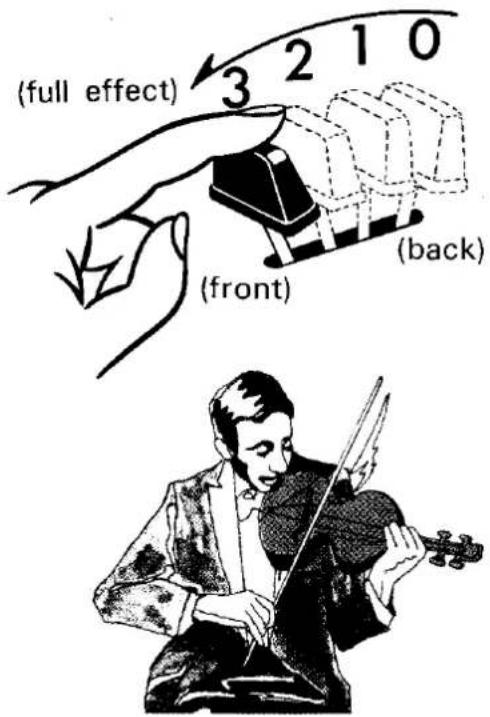
These levers control a variety of effects which add a host of tonal variations to the Electone's voices. The lever works in the same way as the tone levers, with both infinitely-variable continuous control and click-stop settings.
● Vibrato 4
Vibrato is an emotional wavering applied to a tone, most noticeable in the trembling left hand of violinists and cellists. It can add a great deal to the emotional depth of a passage, especially string voices. The Vibrato lever provides continuous adjustment of this effect's depth.
● Pedal Sustain ⑪
This control provides continuous adjustment of the sustain effect on the pedals. For the pedals, this is the only sustain control.
Effect Controls
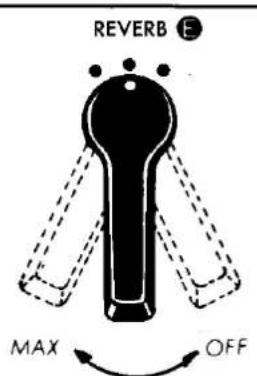
- Reverb E
The reverberation effect, which makes your playing sound full and rich as if you were playing in a large hall, can be adjusted continuously and smoothly to suit your interpretation.
● Reverb Balance Ⓓ
To balance the Reverb effect between the Upper and Lower Manuals when used to strengthen the Upper Manual, it brings an effect similar to SUSTAIN on more expensive models.
Continuously increases the strength of reverb effect
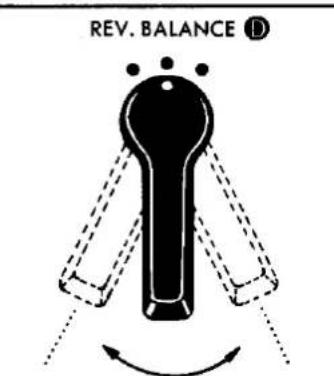
Strengthen the upper manual Strengthen the lower manual
natural_image
Black-and-white illustration of a large arched structure with a central object, surrounded by rows of circular objects (no text or symbols)Spacious Sound
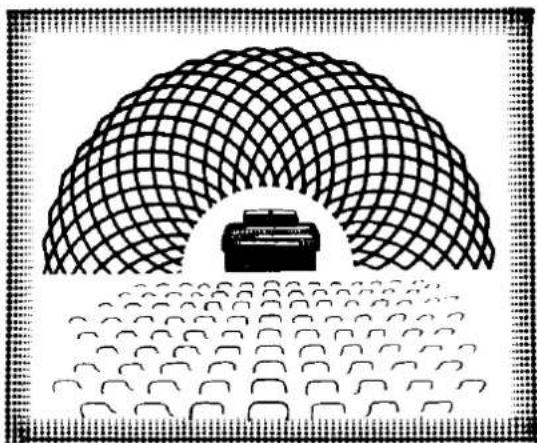
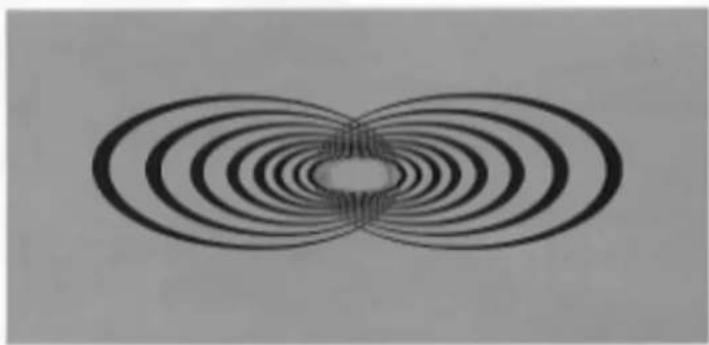
A brilliant sound source that surrounds you with lively tones, with the same feeling as a revolving speaker. That's the Yamaha exclusive Spacious Sound. A world's first, this new system is an exclusive development of the outstanding Yamaha electro-acoustic technology, incorporated in the Electone B-4C series. Successfully incorporating the essential sound quality of the famous Yamaha rotary speaker tremolo effect, this new effect is achieved solely through special electronic circuitry, assuring the same full, rich musical expression and liveliness that have made the Electone famous.
natural_image
Symmetrical pattern of concentric oval rings radiating from a central hole, resembling magnetic field lines (no text or symbols)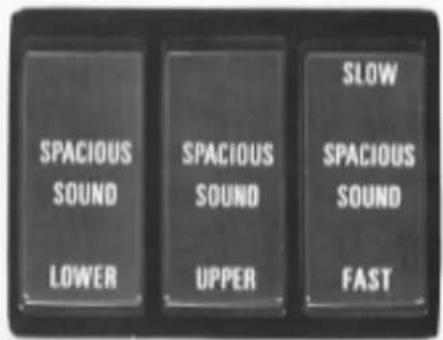
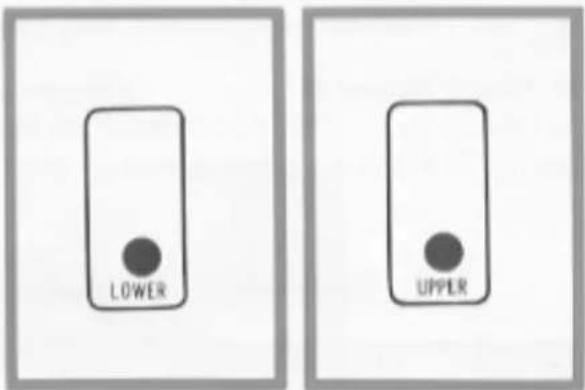
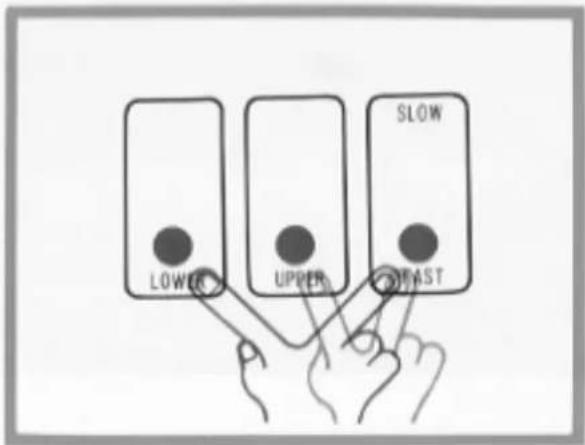
Spacious Sound is available in two speeds. Use SLOW for stately, liturgical selections, FAST for popular numbers. Works on Upper, Lower or both manuals, according to which of the three selectors you choose.
● Lower Selector
Use this selector to apply the Spacious Sound to the lower manual tones.
● Upper Selector
Use this selector to apply the Spacious Sound to the upper manual tones. The use of upper and lower selectors together will apply the Spacious Sound to the whole organ.
● Speed Selector
Combined with either or both selectors, this selector determines the speed of the Spacious Sound. Set on FAST for (tremolo effect), SLOW for a stately, liturgical mood (chorus effect).
Auto Rhythm Section
This section provides eight catchy rhythms, each one called forth by a simple button.
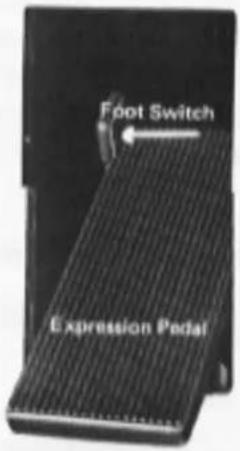
In addition to a combined volume and balance knob, tempo control and tempo indicator light, there are two other switches: ordinary Start and the Yamaha Synchro-Start which begins the rhythm accompaniment on the first beat of a measure when the first lower manual or pedal note is struck. A foot switch fitted on the expression pedal lets you cut and restart the rhythm at any point during play.
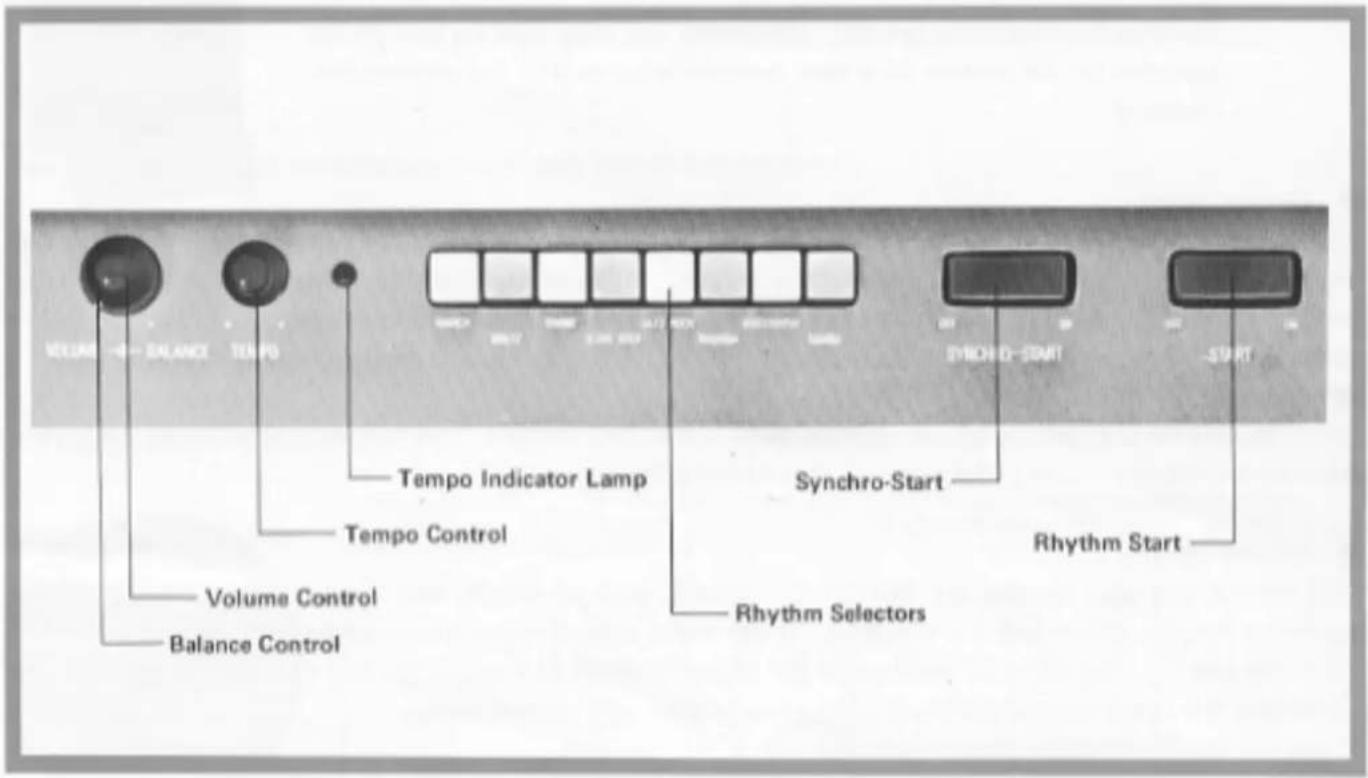
● Rhythm Start
For instant rhythm at the beginning of a selection. Push the rhythm selector desired, get the beat set in your mind by watching the indicator lamp, (when the Synchro-Start switch is on) and then turn the Start switch on.
Synchro-Start
Select the rhythm, switch on the Synchro-Start and begin to play once you have the beat established. The rhythm will begin as soon as you strike a lower manual or pedal note. This switch permits you to lead in with a rhythm-free melody at first if so desired.
● Rhythm Stop (Foot Switch)
This switch is located in the expression pedal housing to the left of the pedal. Once the rhythm is on, push this switch once to instantly stop it, once again to restart. It lets you stop and restart the rhythm in the middle of a selection without using your hand.
Note: After the foot switch has been used, be sure it is reset to normal after you finish playing your selection, and then make sure both Start and Synchro-Start switches are off. Otherwise you may turn on one of the switches in the middle of a new number only to find the rhythm still canceled.
Tempo Control
The tempo of the Auto Rhythm section can be adjusted by a continuous control knob. This is best accomplished by turning on the Synchro-Start switch. Although no sound will be produced, the indicator lamp will flash each quarter note, letting you visually check the tempo while you adjust.
Volume Control
Use it to balance the volume of the rhythm section and the manuals. This volume is then varied during the selection by the expression pedal, just like that of the other tones.
Balance Control
This control lets you balance the low rhythm sounds, such as drums, and the high sounds (i.e. cymbals) according to your mood and the selection. It can make a big difference even when using the same rhythm. Turn the knob to the right to accentuate the higher (treble) sounds, to the left for lower (bass). If you accentuate the treble sounds the rhythm becomes brighter and more cheerful.
Check the playing hints for specific settings.
natural_image
Black-and-white illustration of a person playing with drums and singing into a microphone, no text or symbols present.Various Rhythms & Their Use
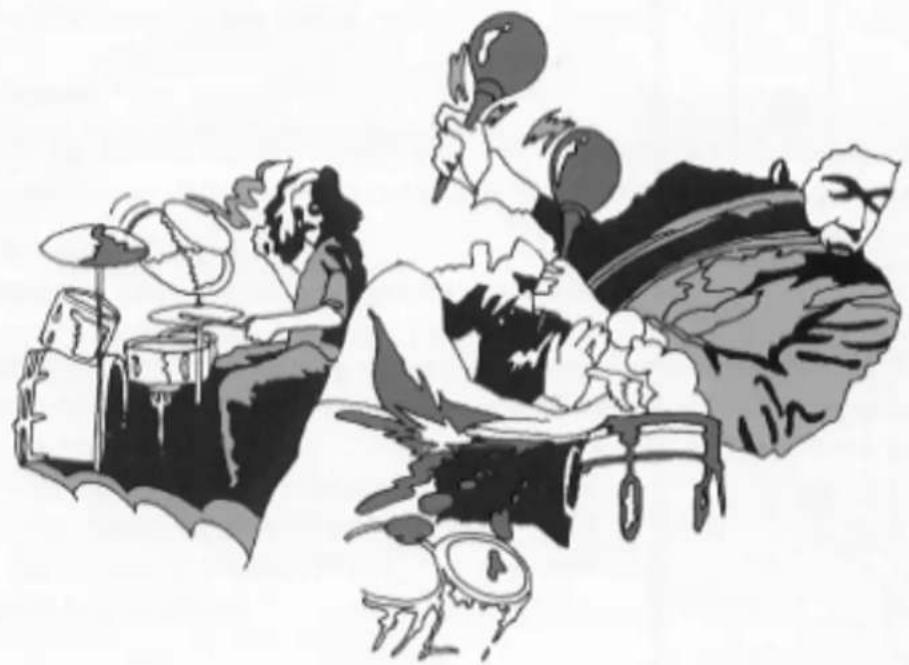
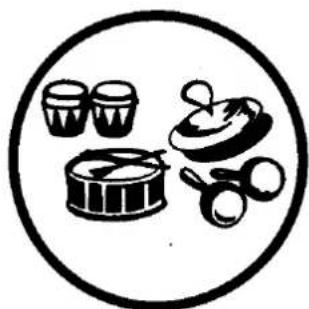
Each auto rhythm beat includes some or all of the following sounds: long and short cymbals, bass drum, snare drum, rim shot, high and low conga, high bongo.
Successful timing of the rhythm and use of the proper beat for each selection will add to your musical pleasure. The creative variations employing auto rhythms are virtually endless, so wide experimentation is recommended. The examples given below are only to help you get started. They are divided according to the eight different beats.
1. March
Basically a 2/2 beat, it nevertheless blends well with 4/4 selections.
Examples :
• March Theme from Bridge on the River Kwai
- Clarinet Polka
• I Could Have Danced All Night
• American Patrol
- You Are My Sunshine
Balance Adjustment
If the snare drum sound on the second and fourth beat bothers you, set the balance higher (to the right) to brighten the overall rhythm sounds.

natural_image
Black and white icon depicting food items including a bowl, cups, and baby (no text or symbols)| Rhythm | Instruments | Rhythm Pattern | |||||||
| MARCH | Cymbal 1 | ♪ | ♠ | ♣ | ♠ | ♣ | ♣ | ♣ | ♠ |
| Snare Drum (H) | ♠ | ♠ | ♠ | ♠ | ♠ | ♠ | ♠ | ♠ | |
| Bass Drum | ♠ | ♠ | ♠ | ♠ | ♠ | ♠ | ♠ | ♠ | |
| Tempo Lamp | ○ | ○ | ○ | ○ | |||||
■ Starting Rhythm with the Foot Switch
Although the foot switch is mainly for stopping and then restarting the rhythm, you can turn on the rhythm with either start switch, then shut it off with the foot switch before beginning to play. This way, when you are ready for the rhythm you can switch it on with your foot.
natural_image
Illustration of an open book resting on a piano keyboard (no text or symbols visible)WHEN THE SAINTS GO MARCHIN' IN




natural_image
Cartoon illustration of a group of people walking on a striped building with a dog nearby (no text or symbols)2. Waltz
Ideal for any 3/4 selection.
Examples :
• 13 Jours en France
• I Really Don't Want to Know
• L'Eau Vive
- Moon River
• Theme from The Godfather

natural_image
Black-and-white icon depicting food items including a cup, barrel, and baby pacifier inside a circle (no text or symbols)| Rhythm | Instruments | Rhythm Pattern | ||||||
| WALTZ | Cymbal 1 | ↓ | ↓ | ↓ | ↓ | ↓ | ↓ | ↓ |
| Cymbal 2 | ↓ | ↓ | ↓ | ↓ | ↓ | ↓ | ↓ | |
| Bass Drum | ↓ | ↓ | ↓ | ↓ | ↓ | ↓ | ↓ | |
| Tempo Lamp | ○ | ○ | ||||||
natural_image
Silhouette of a person standing beside a cluster of flowers, holding a camera (no text or symbols)
natural_image
Black-and-white illustration of a couple dancing, one in a dress and the other in a suit, with no visible text or symbols.3. Swing
This beat is ideal for 4/4 tunes: light and bouncy melodies or slow ballads.
Mixed with the March rhythm the addition of the bass drum accent will help build dramatic feeling from the middle of the song (i.e., in refrains).
Examples :
- Satin Doll
- Petite Fleur
- Memories of You
- Twilight Time
- Michele
• Raindrops Keep Fallin' On My Head
natural_image
Black-and-white icon depicting food items including a cup, bowl, and saucer inside a circle (no text or symbols)| Rhythm | Instruments | Rhythm Pattern | |||||||
| SWING | Cymbal 1 | ↓ | ↓ | ↓ | ↓ | ↓ | ↓ | ↓ | ↓ |
| Cymbal 2 | ↓ | ↓ | ↓ | ↓ | ↓ | ↓ | ↓ | ↓ | |
| Snare Drum (H) | ↓ | ↓ | ↓ | ↓ | ↓ | ↓ | ↓ | ↓ | |
| Bass Drum | ↓ | ↓ | ↓ | ↓ | ↓ | ↓ | ↓ | ↓ | |
| Tempo Lamp | ○ | ○ | |||||||
4. Slow Rock
Best for 4/4 or 12/8 songs with triplet rhythms (i.e., rock ballads).
Mix this beat with Waltz for a fuller, rhythm.
Examples :
- La Novia
- Only You
• The House of the Rising Sun - You Don't Have to Say You Love Me

natural_image
Black-and-white icon showing a cup, barrel, and baby pacifier inside a circle (no text or symbols)| Rhythm | Instruments | Rhythm Pattern |
| SLOW ROCK | Cymbal 2Snare Drum (H)Bass Drum |
natural_image
Illustration of a man in a top hat playing saxophone (no text or symbols)
natural_image
Illustration of three musicians in formal attire, one singing into a microphone, another writing with a pen (no text or symbols present)5. Jazz Rock
Suited to any 4/4 rock number.
Mixed with Swing, this beat produces an interesting Jazz Rock variation. Combined with Samba it becomes a Latin Rock. Use it together with Rhumba or Bossanova for a cha-cha mambo type rhythm.
Examples :
- Hey Jude
- Love Story

natural_image
Black-and-white icon depicting food items including a bowl, cups, and snacks inside a circle (no text or symbols)| Rhythm | Instruments | Rhythm Pattern | |||||||
| JAZZ ROCK | Cymbal 2 | ||||||||
| Cymbal 1 | |||||||||
| Snare Drum (H) | |||||||||
| Bass Drum | |||||||||
6. Rhumba
Use this beat with any 4/4 latin selection.
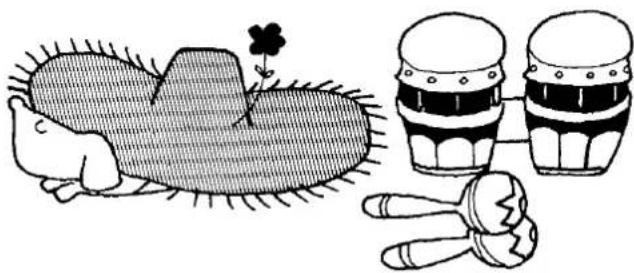
The balance control is particularly important here. If it is turned completely to the right the beat is very much like a beguine. Turn all the way to the left and the bongos are accentuated for a stronger rhumba flavor. Experiment by combining this rhythm with Samba, Bossanova and Jazz Rock.
Examples :
• Tea for Two (cha cha cha)
• Cerezo Rosa
- Patricia
- Solamente Una Vez
- Begin the Beguine
- Estrellita

natural_image
Black-and-white icon depicting food items including a cup, bowl, and baby (no text or symbols)| Rhythm | Instruments | Rhythm Pattern | |||||||
| RHUMBA | Cymbal 2 | ||||||||
| Cymbal 1 | |||||||||
| High Bongo | |||||||||
| High Claves | |||||||||
| Low Claves | |||||||||
| Bass Drum | |||||||||
natural_image
Illustration of a hedgehog, three cupcake cups, and two small objects (no text or symbols)7. Bossanova
For any bossanova number in 4/4 time.
The balance control lets you adjust for a bossarock, or cool beat by reducing the drums.
Combines well with rock and latin rhythms, such as Samba and Jazz Rock.
Examples :
• The Girl from Ipanema
- Summer Samba
• Fly Me to the Moon
• And I Love Her
- More

natural_image
Black-and-white icon depicting food items including a drum, cups, and baby (no text or symbols)| Rhythm | Instruments | Rhythm Pattern | |||||||
| BOSSANOVA | Cymbal 2 | ♪ | ♪ | ♪ | ♪ | ♪ | ♪ | ♪ | ♪ |
| Cymbal 1 | ♪ | ♪ | ♪ | ♪ | ♪ | ♪ | ♪ | ♪ | |
| High Bongo | ♪ | ♪ | ♪ | ♪ | ♪ | ♪ | ♪ | ♪ | |
| Bass Drum | ♪ | ♪ | ♪ | ♪ | ♪ | ♪ | ♪ | ♪ | |
8. Samba
Good with 4/4 or 2/2 time latin numbers. This is the original rhythm from which the bossanova was born, so any bossanova type song can be played with a slow Samba beat for a lightly different feeling.
Examples :
- Cumana
- Brazil
- Tico Tico
- Love Me Tonight
• Girl I'm Gonna Get You

natural_image
Black-and-white icon depicting food items including a bowl, cups, and baby pacifier inside a circle (no text or symbols)| Rhythm | Instruments | Rhythm Pattern | ||||||||
| SAMBA | Cymbal 2 | |||||||||
| Cymbal 1 | ||||||||||
| High Bongo | ||||||||||
| High Claves | ||||||||||
| Low Claves | ||||||||||
| Bass Drum | ||||||||||
■ Auto Rhythm Solo
This is especially effective with a samba, but can be enjoyed as a break in any number. Make your own mixture of the first six beats on the left side for an interesting or unusual rhythm pattern. The trick here is to always use the rhythm in two-bar units.
Examples :
Samba
Rhumba
Bossanova


natural_image
Illustration of a person blowing a megaphone with stars in the background (no text or symbols)PLAYING
THE
YAMAHA
ELECTONE

natural_image
Black-and-white illustration of a group portrait with multiple women, no text or symbols presentLet's Learn to Read Music
1
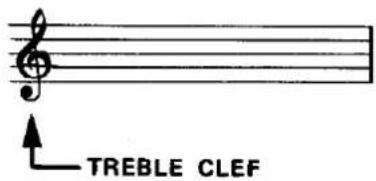
All music is expressed in the form of notes written on the lines and spaces of a staff. The treble clef sign shows the notes to be played by your right hand on the upper manual.
MUSICAL STAFF
2
In your first songs, you'll be playing five melody notes: C, D, E, F, and G.
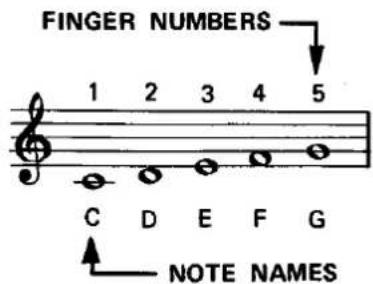
3
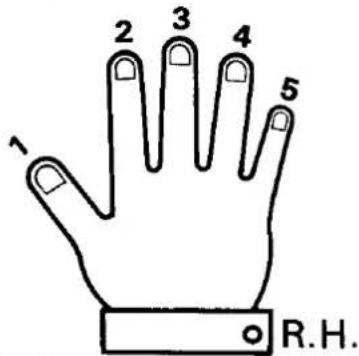
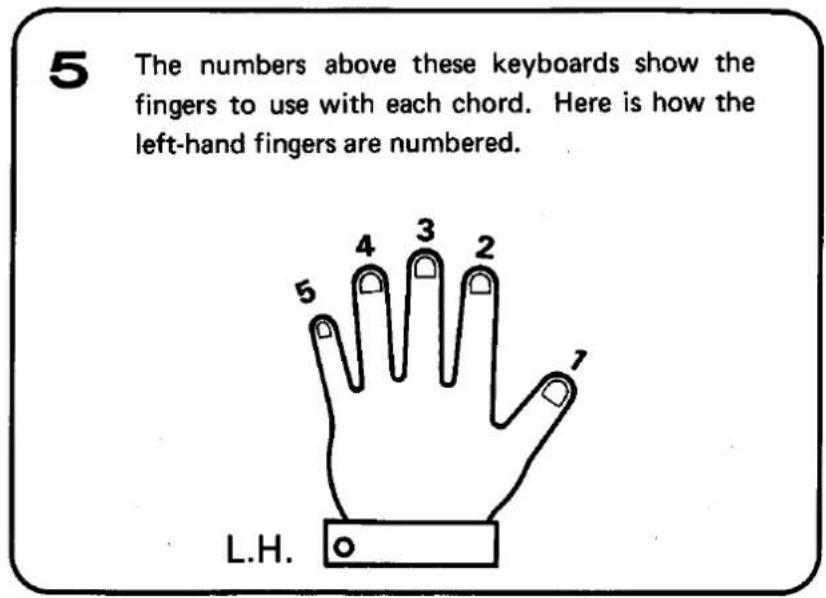
To help you move smoothly from note to note, right-hand finger numbers are placed above the music. This is how the fingers of your right hand are numbered.
Easy Steps to Playing the Right-Hand Melody
The notes written on a musical score correspond to the keys as shown in this diagram:
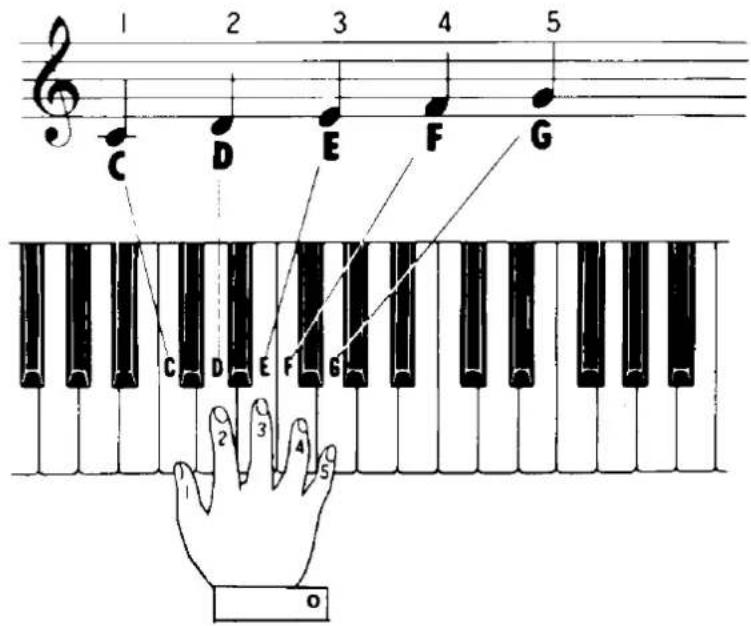
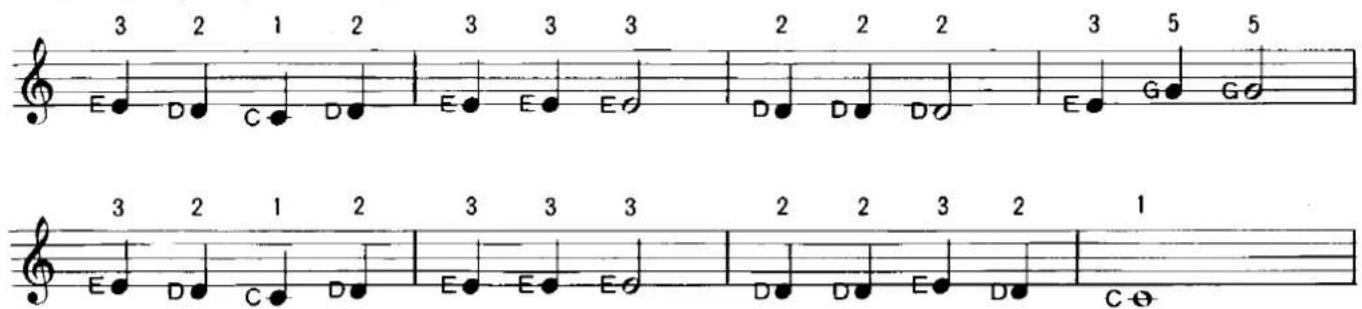
Follow the fingering above the notes.
Let's Play Accompaniment
To add an interesting background to the melody, play left-hand chords on the lower manual as an accompaniment. A chord is a group of three or more notes played at the same time. The first four chords you'll learn are the C, G, F and G7 Chord.
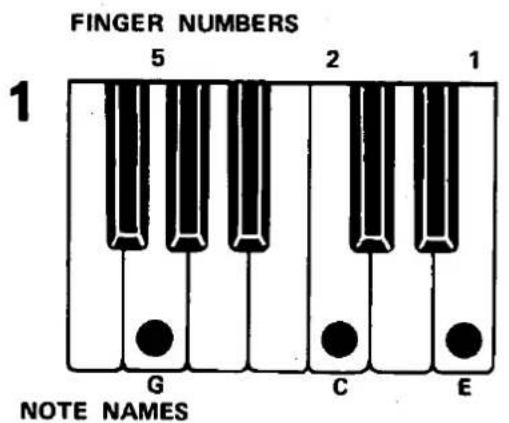
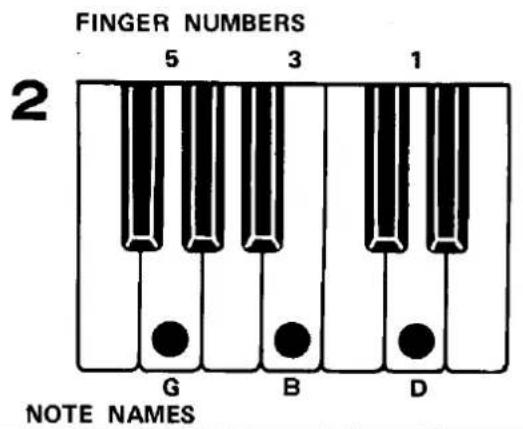
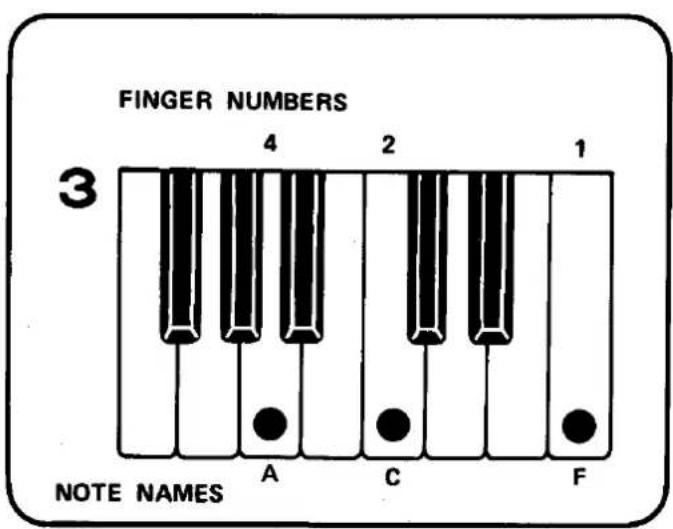
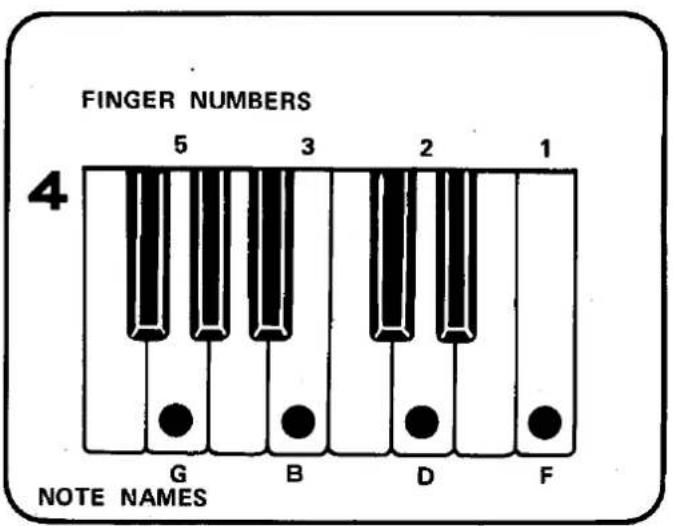
6
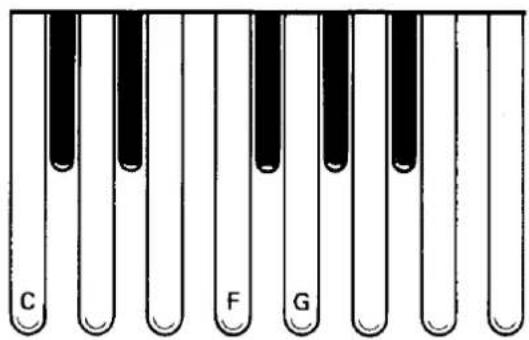
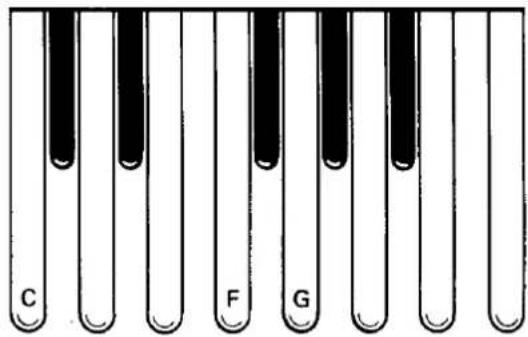
The pedal notes add fullness to your songs. You should accompany each chord with a matching pedal. Play the C pedal with the C chord, and the G pedal with the G chord. Play these two chords and pedals several times, and your chord changing skill will improve rapidly.
HERE'S HOW TO LOCATE THE PEDALS
To locate C pedal, swing your leg to the left past all pedals and return to the first pedal which is C.
End here on C
Start here
To locate G pedal, swing your leg toward center of pedals and lightly touch the first black pedal in the group of three. Then pass in front of the black pedal to G.
Start here
End here on G
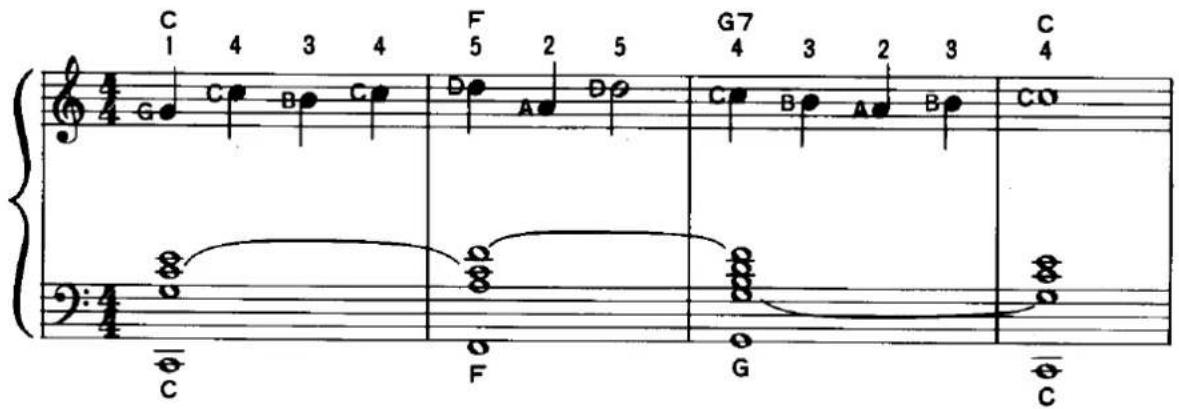
Let's Play Practice Numbers
To Fully Enjoy Your Electone
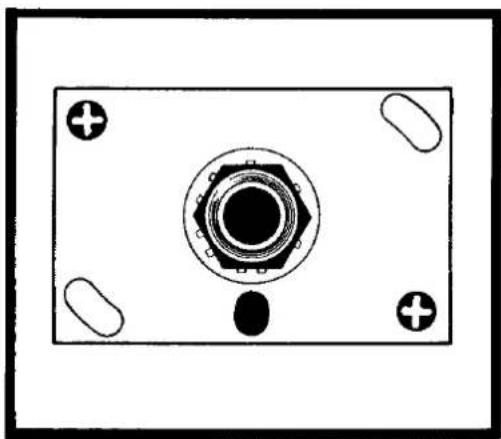
Headphone Jack
Plug a headphone set (optional accessory) into the jack under the keyboard and you can play with the volume as high as you like without disturbing anyone, even in the middle of the night.
natural_image
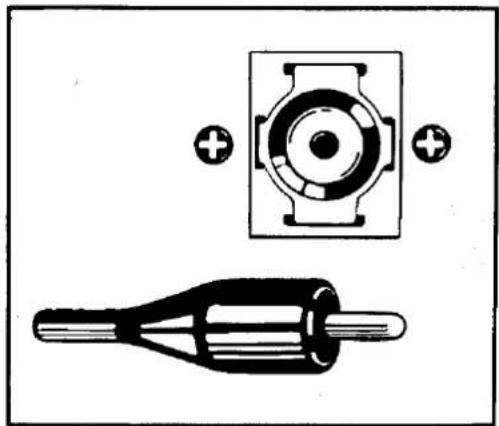
Top-down schematic of a mechanical component with central hub and four corner holes (no text or symbols)External Input Jack (EXT. IN)
Can be used to feed any sound source through the Electone speaker: radio, record player or tape recorder. Since the volume of these sound sources is not affected by the expression pedal, you can play along on the Electone with any other performance.
natural_image
Technical diagram showing a mechanical component with a circular housing and a threaded rod, both without any text or symbols.
natural_image
Black-and-white illustration of a group of children and adults in various activities, including reading, using a laptop, and interacting with others (no text or symbols visible)Care of Your Electone
In general you should treat your Electone with the same care you would give any fine musical instrument. However, the following points are suggested to assure optimum enjoyment.
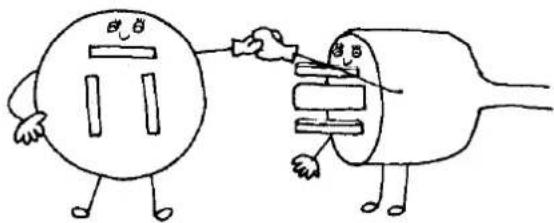
- Be sure to use your Electone only on the correct voltage.
If any changes are required, please consult your Yamaha Electone service agent.
natural_image
Cartoon illustration of a smiling round character with arms and legs (no text or symbols)240 V
natural_image
Cartoon illustration of two connected electrical plugs, one with a 'T' symbol and the other with a plug (no text or labels)117 V
117 V
- If any trouble develops, contact your service agent.
Never touch the circuits or the internal elements of the Electone yourself.
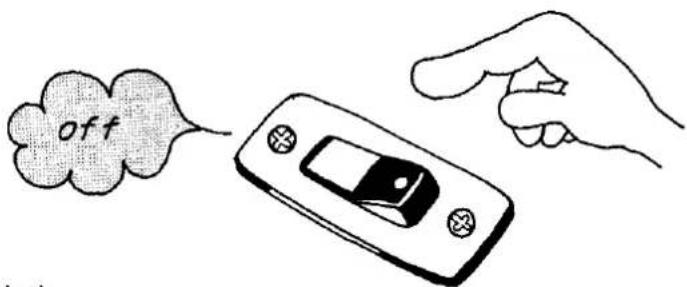
- When you have finished playing, be sure to turn off the power switch.
- In order to clean the keys, tabs, etc., use a damp cloth.
Never apply organic solvents such as alcohol, for they will damage the materials.
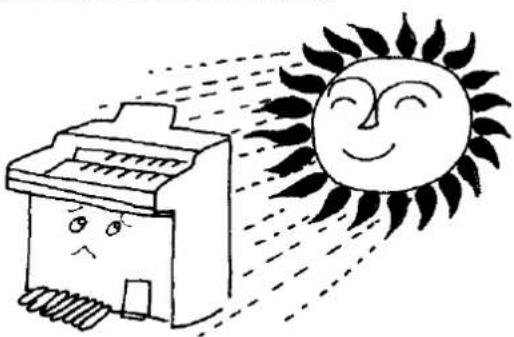
- Do not expose the Electone cabinet to the direct rays of the sun. This can bleach the finish and lead to separation along the joints. It is also best to choose a location free of humidity and currents of heated air.
natural_image
Cartoon illustration of a printer emitting a smiling sun (no text or symbols)-
Be careful not to strike or scratch the cabinet with a hard object.
-
In opening and closing the fallboard, grasp the front lip with both hands and slide it gently in its groove. Never attempt to raise the fallboard directly upwards. Do not place heavy objects on it.
Do not Be Alarmed If
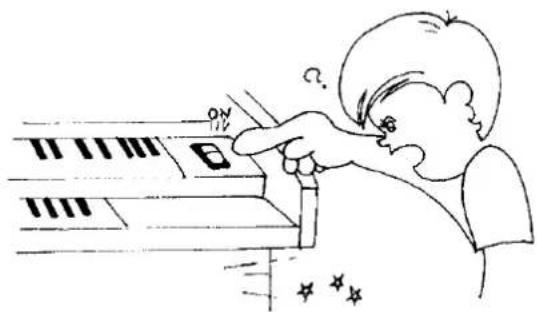
- A note should sound the instant you turn on the switch.
This merely indicates normal operation consequent to a surge of electricity in the main amplifier.
natural_image
Illustration of a person using a piano keyboard to press or interact (no text or symbols present)- Only one note is produced even when two pedals are depressed simultaneously.
In order to achieve tonal clarity, the Electone is designed so that a note is electronically suppressed the instant the next note is struck. If two pedals are struck simultaneously, only the higher one sounds.
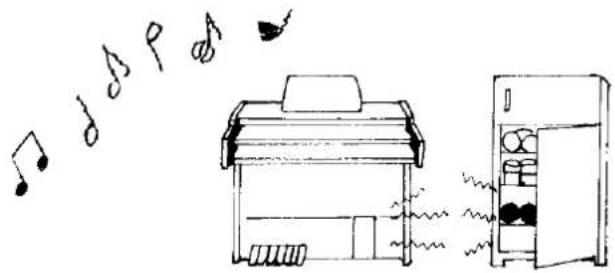
- Occasional unpleasant static occurs.
In the majority of such cases, the cause can be traced to the turning on or off of refrigerators, washing machines, electric pumps or other household appliances. Electrical fault in a neighboring outdoor neon sign may also be to blame.
When the cause is a home appliance, connect the Electone to an outlet as far as possible away from the offending appliance. This phenomenon, although annoying, poses no danger to the Electone circuitry.
If the cause is a fault in a neon or fluorescent lighting fixture, it should be repaired. When the cause is unknown, or in case of doubt, contact your Yamaha dealer.
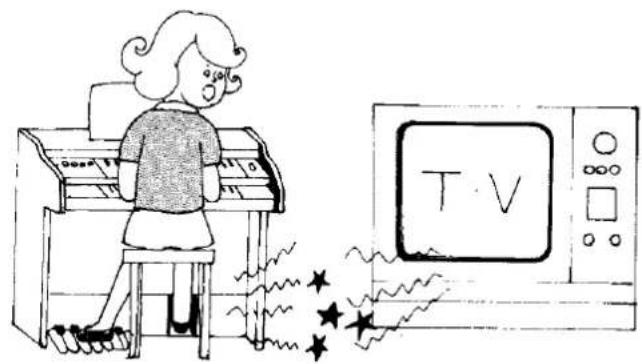
- The Electone can at times reproduces radio or TV sound signals.
This can occur when there is a powerful radio or TV transmitter, or an amateur radio operator located in the vicinity. If the situation is distracting, contact your Yamaha dealer.
natural_image
Illustration of a girl playing piano next to a TV set with stars (no text or symbols)- Sound rattling (sympathetic vibration) occurs.
All materials have critical resonance frequencies at which they vibrate. Since the Electone produces continuous tones, it is only normal that some will cause windows, shelves, etc. to rattle.
- Pedal notes sound too high, and upper manual notes too low.
This feeling may be especially strong for players who switch from the piano, because of the difference in tonal construction. Each piano note is a combination of complicated harmonics, and can be heard only in its interaction with the surroundings. But Electone harmonics are only multiples of the integral (base) tone, and so the instrument cannot be tuned in the same way as a piano.
Specifications
KEYBOARDS
| Upper Manual | 44 keys f~c4(3 23 octaves) |
| Lower Manual | 44 keys F~c3(3 23 octaves) |
| Pedals | 13 keys C1~C(1 octave) |
TONE LEVERS
| Upper Manual | Flute | 16' |
| Trombone | 16' | |
| Flute | 8' | |
| Oboe | 8' | |
| String | 8' | |
| Lower Manual | Wood | 8' |
| Horn | 8' | |
| Cello | 8' | |
| Pedals | Bass |
■ EFFECT LEVERS
| Vibrato |
| Pedal Sustain |
■ EFFECT CONTROLS
| Reverb |
| Reverb Balance (Upper/Lower) |
■ EFFECT SELECTORS
| Spacious Sound Upper |
| Spacious Sound Lower |
| Spacious Sound Slow/Fast |
■ AUTO RHYTHM SECTION (B-4CR only)
| Rhythm Selectors | |
| March | Jazz Rock |
| Waltz | Rhumba |
| Swing | Bossanova |
| Slow Rock | Samba |
| Rhythm Controls | |
| Rhythm Start | |
| Synchro-Start | |
| Rhythm Stop (Foot Control) | |
| Tempo | |
| Volume | |
| Tone Balance | |
| Tempo Indicator Lamp | |
OTHER CONTROLS
| Expression Pedal |
| Foot Rhythm Switch |
| Power Switch |
| Pilot Lamp |
OTHER FITTINGS
| Headphone Jack |
| External Input Jack |
| Roll-top Fallboard |
| Music Rest |
| Matching Bench |
SPEAKER
| Yamaha JA-3055 | 30 cm (12") |
CIRCUITRY
| Solid State (Incl. ICs and FETs) | |
| Output Power: | 15 Watts |
| Power Consumption: | 40 Watts |
| 100/110/117/125/220/240V AC, 50/60Hz | |
DIMENSIONS
| Width: | 111cm (43 12 ") |
| Depth: | 56cm (22") |
| Height: | 90cm (35 12 ") |
WEIGHT
| 55kg (121 lbs.) |
FINISH
| American Walnut Grain |
Specifications subject to change without notice.
SINCE 1887

YAMAHA
NIPPON GAKKI CO., LTD. HAMAMATSU, JAPAN