Electone B-2R - Tastatur YAMAHA - Kostenlose Bedienungsanleitung
Finden Sie kostenlos die Bedienungsanleitung des Geräts Electone B-2R YAMAHA als PDF.


| Marke | Yamaha |
| Modell | Electone B-2R |
| Produkttyp | Elektronische Orgel (Tastatur) |
| Obere Tastatur | 37 Tasten (3 Oktaven) |
| Untere Tastatur | 37 Tasten (3 Oktaven) |
| Pedal | 13 Tasten (1 Oktave) |
| Tonhebel (Obermanual) | 3 Stimmen: Flöte, Oboe, Streicher |
| Tonhebel (Untermanual) | 2 Stimmen: Wood, Cello |
| Tonhebel (Pedal) | 1 Stimme: Bass |
| Vibrato | Ja, regelbarer Vibratohebel |
| Auto-Rhythmus-Abteilung | 5 Rhythmen: Marsch, Walzer, Swing, Jazz Rock, Bossanova; mit Start, Tempo, Lautstärke und Tempoanzeige |
| Expression-Pedal | Ja, Lautstärkeregelung |
| Kopfhöreranschluss | Ja, schaltet Lautsprecher stumm |
| Externer Eingang | Ja, für externe Audioquellen |
| Lautsprecher | Yamaha 30 cm (12 Zoll) |
| Ausgangsleistung | 15 Watt (RMS) |
| Stromverbrauch | 40 Watt |
| Stromversorgung | Wechselstrom 50/60 Hz |
| Abmessungen (B x T x H) | 100 cm x 55 cm x 88 cm |
| Gewicht | 43 kg |
| Gehäuseoberfläche | Americano-Walnuss-Maserung |
| Reinigung | Nur mit feuchtem Tuch; keine Lösungsmittel (z.B. Benzol) verwenden |
| Sicherheit | Gerät nicht öffnen; nur angegebene Spannung verwenden; vor Feuchtigkeit und direkter Sonneneinstrahlung schützen |
| Ersatzteile und Reparatur | Keine vom Benutzer zu wartenden Teile; bei Störungen Yamaha-Händler kontaktieren |
Häufig gestellte Fragen - Electone B-2R YAMAHA
Benutzerfragen zu Electone B-2R YAMAHA
0 Frage zu diesem Gerät. Beantworten Sie die, die Sie kennen, oder stellen Sie Ihre eigene.
Eine neue Frage zu diesem Gerät stellen
Laden Sie die Anleitung für Ihr Tastatur kostenlos im PDF-Format! Finden Sie Ihr Handbuch Electone B-2R - YAMAHA und nehmen Sie Ihr elektronisches Gerät wieder in die Hand. Auf dieser Seite sind alle Dokumente veröffentlicht, die für die Verwendung Ihres Geräts notwendig sind. Electone B-2R von der Marke YAMAHA.
BEDIENUNGSANLEITUNG Electone B-2R YAMAHA
GUIDE TO YOUR YAMAHA Electone B-2R

natural_image
Abstract geometric pattern with concentric arcs and a central 'D' shape, no text or symbols present.Welcome to the musical world of Yamaha. We at Yamaha appreciate your confidence in Yamaha products, and we will do everything we can to make sure your new purchase, the Yamaha Electone B-2R, provides a lifetime of enjoyment.
Please read this manual thoroughly to be sure you are familiar with every feature, and with all the many ways you can use each one. With proper care and a little time together, you and your Electone can become lifelong partners in musical creativity.
Contents
Page
Read the following before playing 1
This is Your Yamaha Electone B-2R 2
Keyboards 3
The Tone Levers 4
Vibrato 4
Auto Rhythm Section 5
Expression Pedal 6
Headphone Jack 6
Ext. In Jack 6
Electone is not out of order If 7
Playing the Electone 8
Specifications 9
Read the following before playing
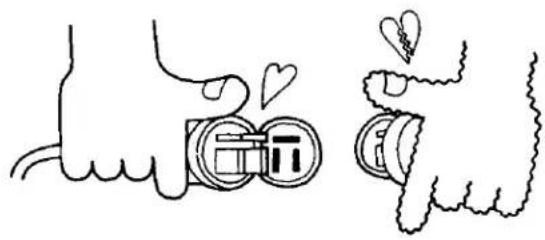
In general, treat your Electone with the same care you would any fine musical instrument. The following points are suggested for optimum enjoyment.
- Use only proper line voltage. Consult your Yamaha serviceman for changes.
As to British-Standard Model, its information is in 'Specifications' on the last page.
natural_image
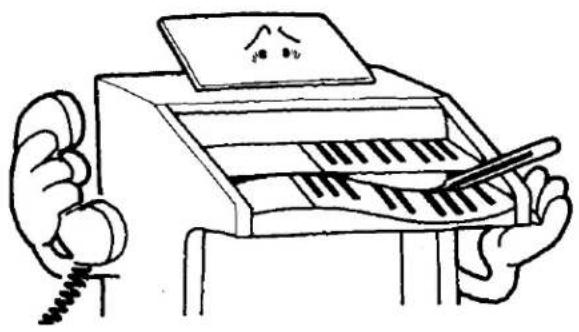
Illustration of two hands interacting with a camera module, one holding hearts and the other holding a bag (no text or symbols)- Never touch the inside parts yourself.
natural_image
Cartoon illustration of a person using a piano with a staff, no text or symbols present-
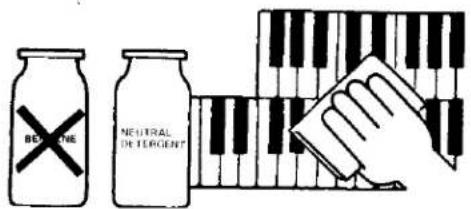
Clean keys, etc., with a damp cloth only. Never use solvents such as benzene; they will damage the finish.
-
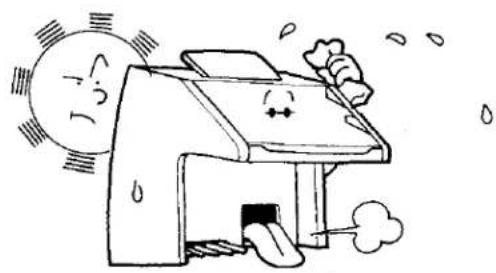
Shield the cabinet from direct sunlight, humidity and heat to protect the finish and joints.
natural_image
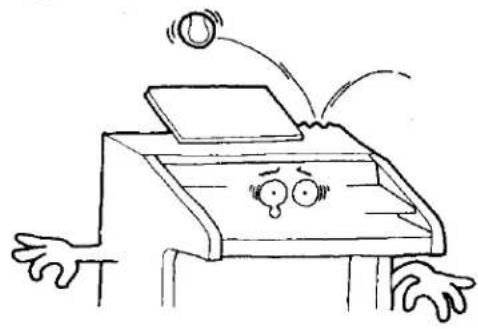
Cartoon illustration of a house with a smiling face and sun, emitting exhaust smoke (no text or symbols)- Do not hit or scratch the cabinet with a hard object.
natural_image
Cartoon illustration of a person with arms and legs waving, showing expressive faces (no text or symbols)- Always shut off the power after playing.
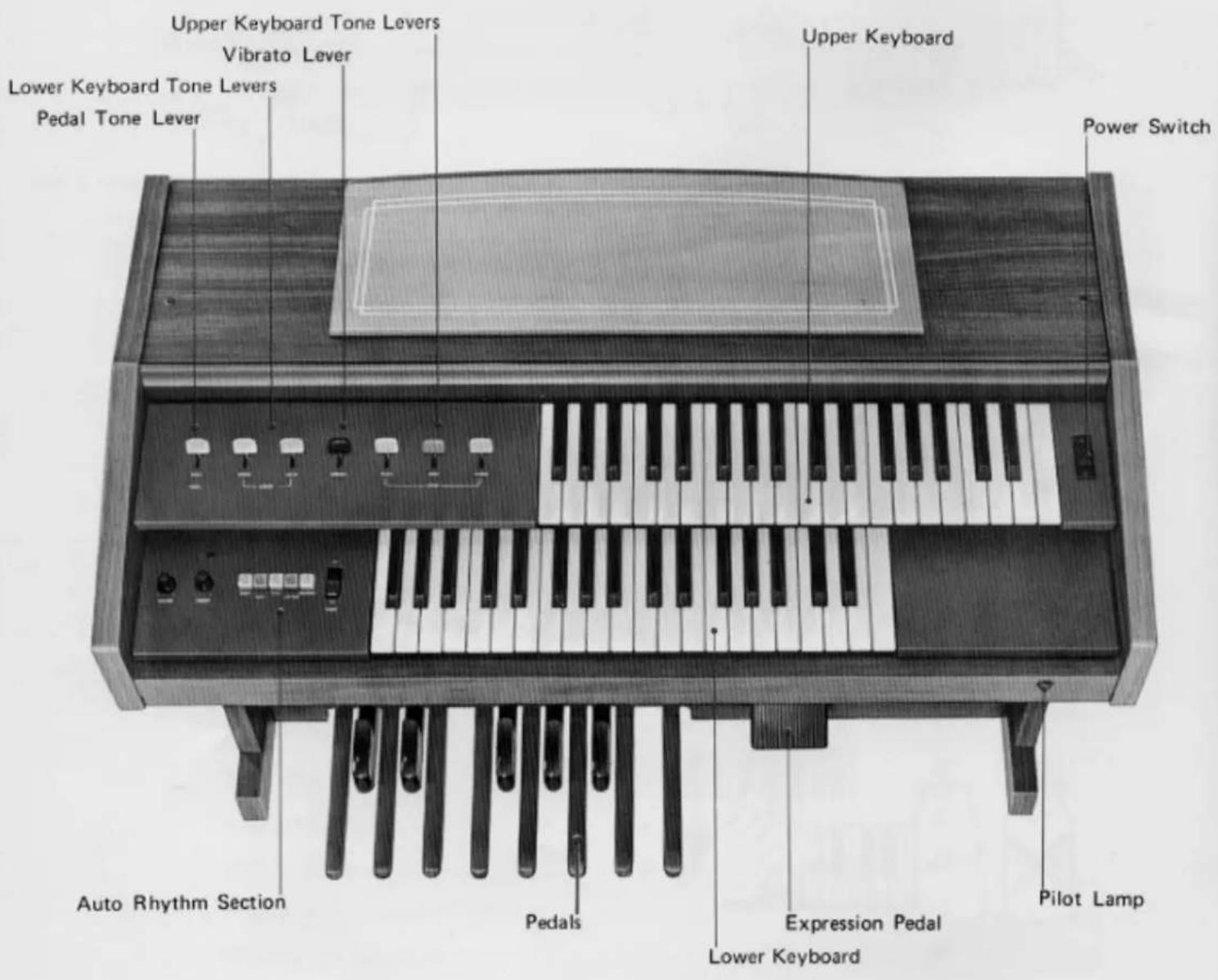
This is Your Yamaha
Electone B-2R
Keyboards
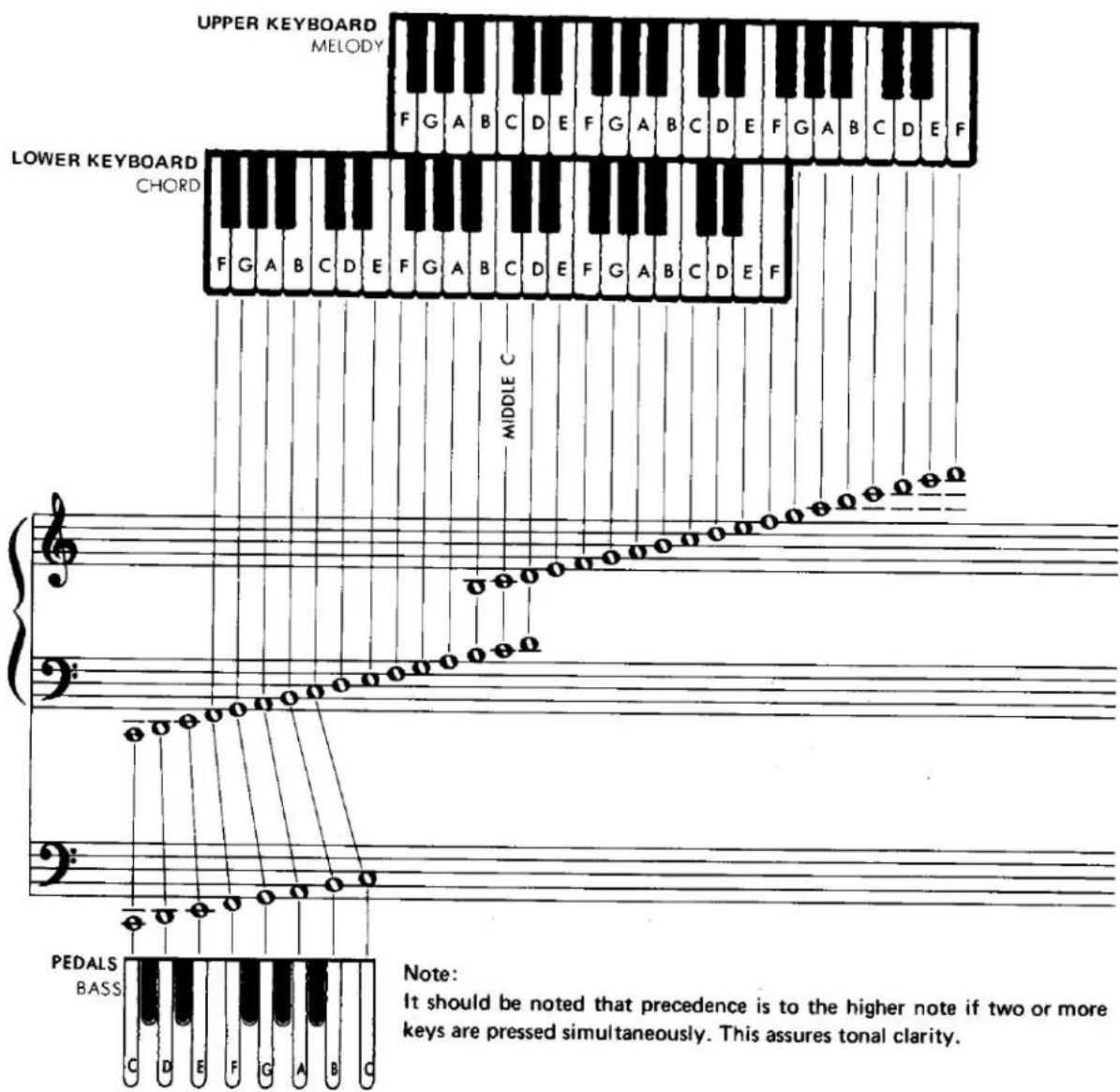
The B-2R has three keyboards. The upper two are called "Keyboards" and the lower one, played with the feet, "pedals." They have keys and octaves as follows:
| Upper Keyboard | 37 keys (3 octaves) |
| Lower Keyboard | 37 keys (3 octaves) |
| Pedals | 13 keys (1 octave) |
The B-2R is designed to permit playing the melody on the upper keyboard with the right hand, the chords on the lower keyboard with the left hand, and bass note on the pedals with the left foot.
All keys are arranged in the traditional keyboard method: two black keys, three black keys. Each white key has a name (from C to B), and the blacks are sharps of flats. "C" is always the white key just below the left black key in the two-black-key group. Any complete set of seven white keys and five black keys is called an "octave".
The Tone Levers
To the left of the upper keyboard is a series of tone levers to control the Electone voices which sound when the keys are depressed. They are divided into groups for upper, lower and pedals, so that different registrations can be set for each.
Upper Keyboard Levers 3 voices
Lower Keyboard Levers 2 voices
Pedal Lever 1 voice
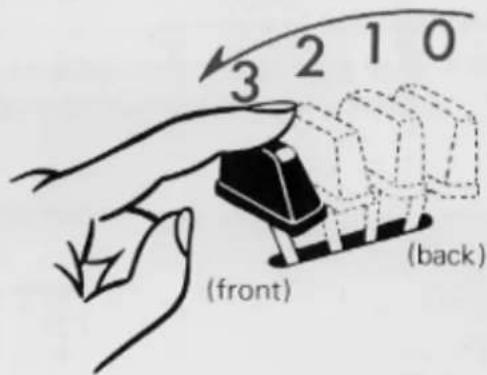
Each lever provides two methods of control. One is by continuously moving the lever from off to full, to achieve the exact setting for that tone, and thus balancing the overall tone setting with perfect precision. Each lever also has two easy-to-feel click stops, at 1/3 and 2/3 positions. This lets you refind any setting with mathematical precision and no guesswork in a matter of seconds.
Vibrato
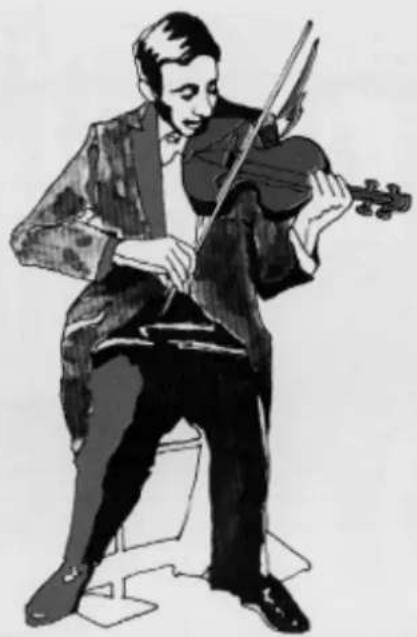
Vibrato is a waving of the tone. You will see violin and cello players use it freely by an oscillating motion of the left hand. It increases the emotional quality of the violin tone. This vibrato lever produces the same vibrato effect.
natural_image
Black-and-white illustration of a violinist playing violin (no text or symbols)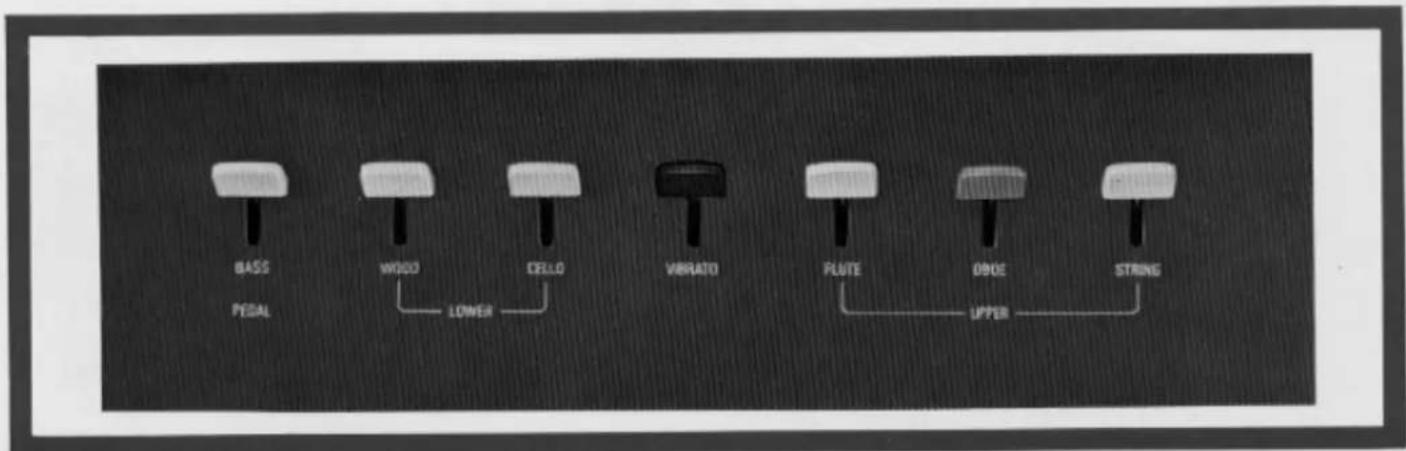
Auto Rhythm Section
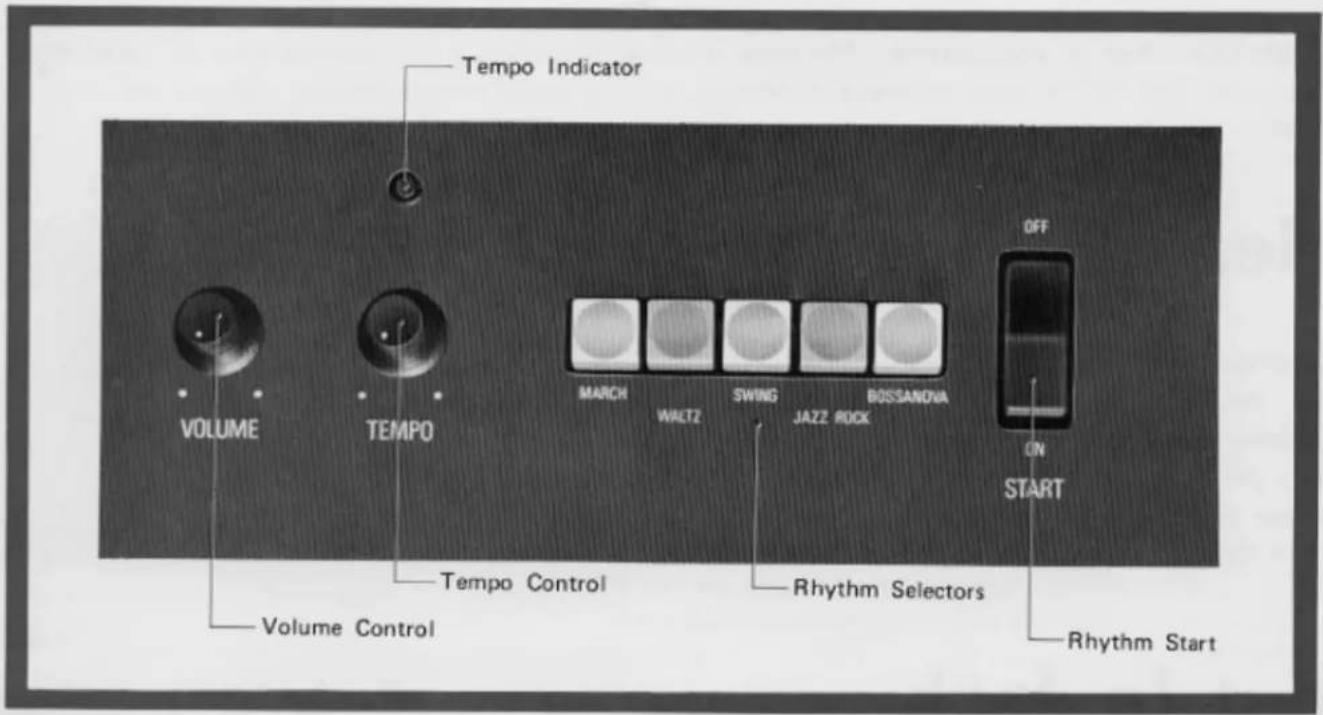
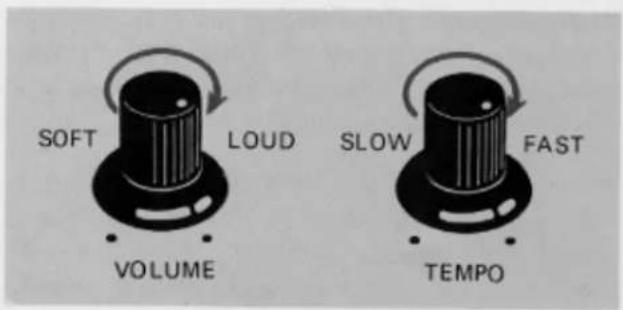
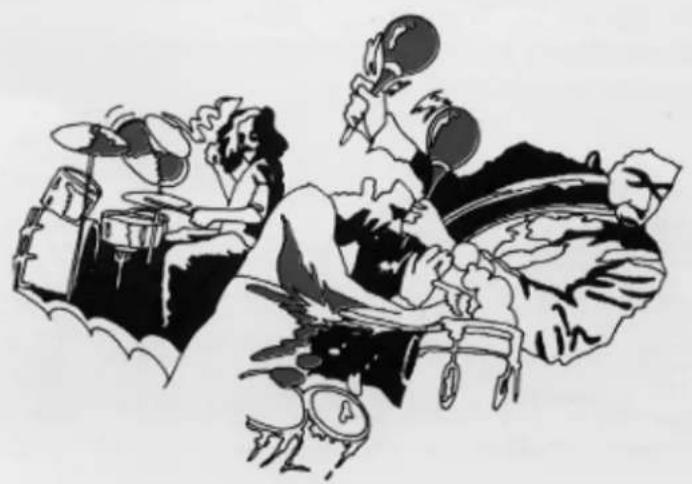
This section has 5 different rhythm accompaniments, each with its own selector button. There are also rhythm Volume and Tempo controls, a tempo indicator lamp and a start switch.
To use the rhythm section, first push the desired selector button (or buttons — you can combine rhythms). Then turn the Start button on. The rhythm will begin and you can adjust the tempo and volume.
natural_image
Black-and-white illustration of a band playing with drums and fans, no text or symbols presentExpression Pedal
Push down the pedal to control the volume of each note or phrase. This pedal is extremely important for adding emotion to your playing. The pedal is balanced to stay in any position once set. Rest the entire right foot on the pedal and relax it, pressing with the toe to increase volume, with the heel to decrease it.
Headphone Jack
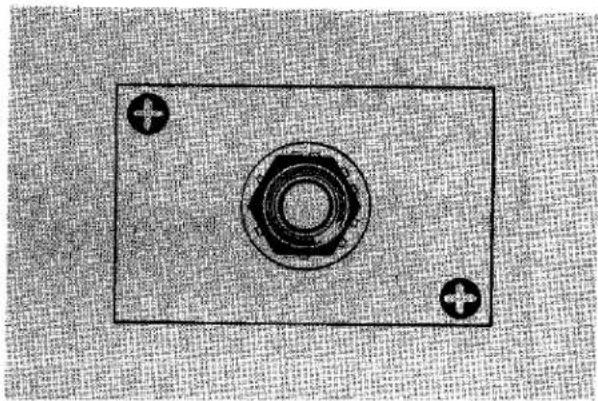
A Yamaha headphone set (optional) can be plugged into the jack under the keyboard. With the headphones connected, the speaker is automatically shut off, allowing you to play or practice at any volume level without disturbing anyone.
Ext. In Jack
This is used to feed any sound source (i.e., Tape recorder) through the Electone speaker. Since the volume of the sound sources is not affected by the expression pedal, you can play along on the Electone with any other performance.
natural_image
Simple diagram of a battery with two terminals and a central screw (no text or symbols)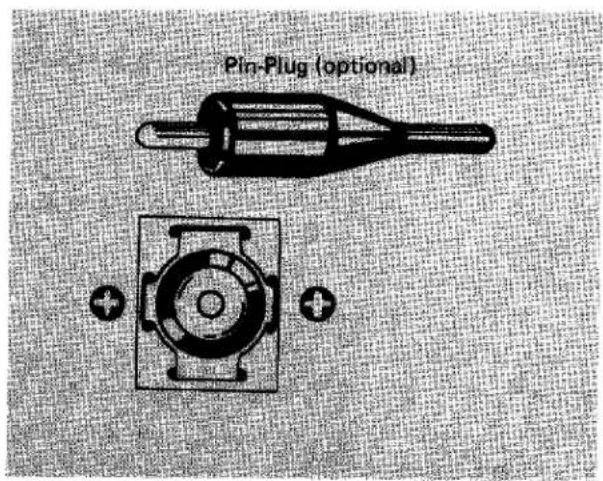
Electone is not out of order If ...
- ..... the set does not go on when the power switch is turned on. Check the following.
Is the AC plug fully inserted into the electric wall outlet? Reinsert it to be sure. Is there power coming from that outlet?
If there is power in the outlet but the Electone does not play, unplug the cord and contact your Yamaha dealer. There are NO USER SERVICEABLE PARTS inside.
- ..... a sound should occur the instant you turn on the switch.
This merely indicates normal operation consequent on a surge of electricity in the main amplifier.
- ..... occasional unpleasant static occurs.
In the majority of such cases, the cause can be traced to the turning on or off of refrigerators, washing machines, electric pumps or other household appliances. Electrical faults in a neighboring outdoor neon sign may also be to blame.
If the cause is a fault in a neon or fluorescent lighting fixture, it should be repaired. When the cause is unknown, or in case of doubt, contact your Yamaha dealer.
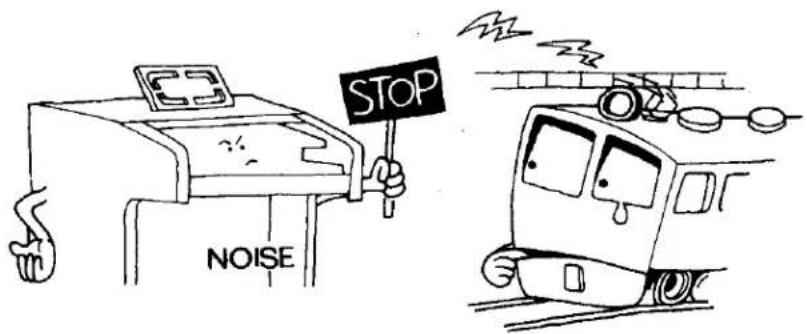
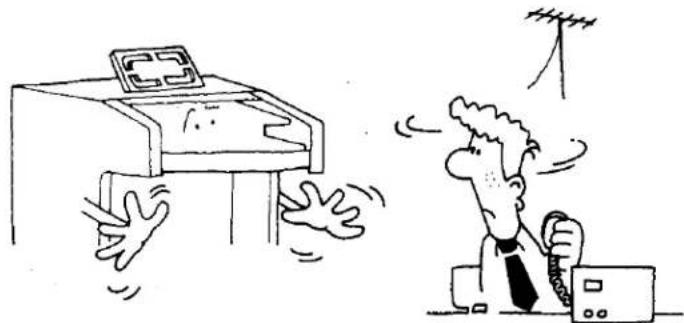
- ..... the Electone reproduces radio or TV signals.
If there is a powerful transmitter such as a radio station in the vicinity this can occur. Contact your Yamaha dealer.
natural_image
Cartoon illustration of a person reacting to a computer screen with a clock, while another person is clapping and gesturing (no text or symbols present)-
.....pedal notes sound too high, upper keyboard notes too low. This is especially noticeable when comparing the Electone with piano. Piano tones are combinations of harmonics and must interact with their surroundings, while Electone harmonics are simpler (multiples of the fundamental tone), requiring the Electone to be adjusted differently at the assembly stages.
-
..... rattling (sympathetic vibration) occurs.
All materials have critical resonance frequencies at which they vibrate. The Electone's continuous tones will naturally cause other objects (windows, shelves, etc.) to vibrate.
Playing the Electone
First turn on the power switch. No warm-up period is required. You can tell that the power is on because the pilot lamp will light; the Electone is so quiet that this lamp will be the only way you can check whether the Electone is on when you are not playing.
Next, set up a registration (set all the levers and controls you wish to use for the upper and lower manuals and the pedals). Select tone combinations according to suggestions in the music you are going to play, or experiment with your own combinations. Remember that the registration noted on any sheet of music is no more than a suggestion, and your idea may well be even more suitable.
By the same token, do not be alarmed if you have a piece of music with no registration for your organ. With a bit of imagination you can approximate the registration for a different organ, going on to improvise on your own. This will be an ever-new source of creative enjoyment as you become more and more familiar with the various Electone controls and effects.
Specifications
KEYBOARDS
| Upper Keyboard | 37 keys f ~ f3(3 octaves) |
| Lower Keyboard | 37 keys F ~ f2(3 octaves)13 keys C1 ~ C(1 octave) |
TONE LEVERS
| Upper Keyboard | Flute |
| Oboe | |
| String | |
| Lower Keyboard | Wood |
| Cello | |
| Pedals | Bass |
EFFECT LEVER
Vibrato
AUTO RHYTHM SECTION
| Rhythm Selectors |
| March |
| Waltz |
| Swing |
| Jazz Rock |
| Bossanova |
| Rhythm Controls |
| Rhythm Start |
| Tempo |
| Volume |
| Tempo Indicator |
OTHER CONTROLS
| Expression Pedal |
| Power Switch |
| OTHER FITTINGS |
| Pilot Lamp |
| Headphone Jack |
| External Input Jack |
| Music Rest |
SPEAKER
| Yamaha 30cm (12") |
CIRCUITRY
| Solid State (Incl. ICs) |
| Output Power: 15 Watts (RMS) |
| Power Consumption: 40 Watts |
| Power Source: AC, 50/60Hz |
DIMENSIONS
| Width: | 100cm (39 12 ") |
| Depth: | 55cm (21 12 ") |
| Height: | 88cm (34 34 ") |
WEIGHT
| 43kg (95 lbs.) |
FINISH
| American Walnut grain |
Specifications subject to change without notice.
Special Instructions for British-Standard Model
As the colours of the wires in the mains lead of the apparatus may not correspond with the coloured markings identifying the terminals in your plug proceed as follows.
The wire which is coloured GREEN-and-YELLOW must be connected to the terminal in the plug which is marked by the letter E or by the safety earth symbol or coloured GREEN or GREEN-and-YELLOW.
The wire which is coloured BLUE must be connected to the terminal which is marked with the letter N or coloured BLACK.
The wire which is coloured BROWN must be connected to the terminal which is marked with the letter L or coloured RED.
IMPORTANT
THE WIRES IN THE MAINS LEAD ARE COLOURED IN ACCORDANCE WITH THE FOLLOWING CODE.
GREEN-AND-YELLOW: EARTH
BLUE: NEUTRAL
BROWN: LIVE
WARNING:
THIS APPARATUS MUST BE EARTHED.
SINCE 1887

YAMAHA
NIPPON GAKKI CO., LTD HAMAMATSU, JAPAN