UGT-CR935 - Speicherleser Vantec - Kostenlose Bedienungsanleitung
Finden Sie kostenlos die Bedienungsanleitung des Geräts UGT-CR935 Vantec als PDF.


| Produkttyp | Speicherkartenleser |
| Marke | Vantec |
| Modell | UGT-CR935 |
| Unterstützte Karten | SD, SDHC, SDXC, microSD, microSDHC, microSDXC, CompactFlash (CF), Memory Stick |
| Schnittstelle | USB 3.0 (abwärtskompatibel zu USB 2.0) |
| Abmessungen (B x T x H) | ca. 10,5 x 7,0 x 1,5 cm |
| Gewicht | ca. 35 g |
| Stromversorgung | über USB (kein externes Netzteil erforderlich) |
| Gehäusematerial | Kunststoff |
| LED-Anzeige | ja (Betriebsanzeige / Zugriff) |
| Kompatible Betriebssysteme | Windows, macOS, Linux |
| Plug & Play | ja (keine Treiberinstallation erforderlich) |
| Übertragungsgeschwindigkeit | bis zu 5 Gbit/s (USB 3.0) |
| Anzahl der Steckplätze | 3 (SD/microSD/CF) |
| Gleichzeitige Nutzung | ja, mehrere Karten lesbar |
| Reinigung | Kontakte bei Bedarf mit trockenem Tuch reinigen |
| Sicherheitshinweise | Nicht nass reinigen; vor Feuchtigkeit und Hitze schützen |
| Reparatur | keine reparierbaren Teile; bei Defekt Gerät ersetzen |
| Lieferumfang | Kartenleser, Kurzanleitung |
Häufig gestellte Fragen - UGT-CR935 Vantec
Benutzerfragen zu UGT-CR935 Vantec
0 Frage zu diesem Gerät. Beantworten Sie die, die Sie kennen, oder stellen Sie Ihre eigene.
Eine neue Frage zu diesem Gerät stellen
Laden Sie die Anleitung für Ihr Speicherleser kostenlos im PDF-Format! Finden Sie Ihr Handbuch UGT-CR935 - Vantec und nehmen Sie Ihr elektronisches Gerät wieder in die Hand. Auf dieser Seite sind alle Dokumente veröffentlicht, die für die Verwendung Ihres Geräts notwendig sind. UGT-CR935 von der Marke Vantec.
BEDIENUNGSANLEITUNG UGT-CR935 Vantec
Installation Guide
Guía de instalación | Guide d'installation | Installationsanleitung
Guida all'installazione|取り付けガイド|安装指南|安装指南

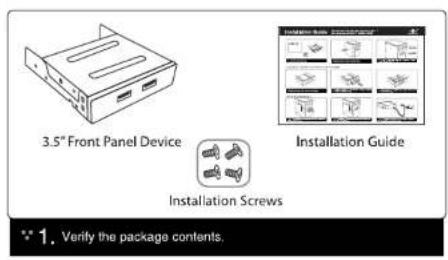
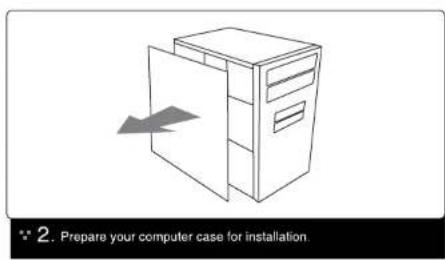
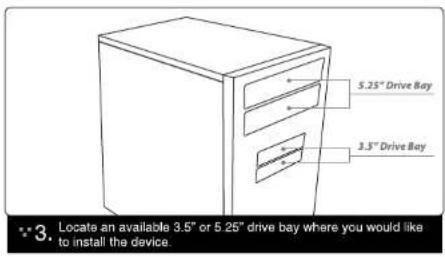
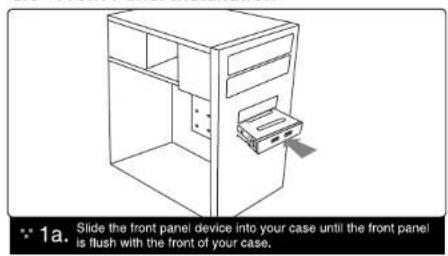
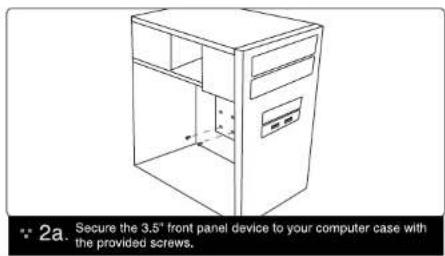
3.5" Front Panel Installation

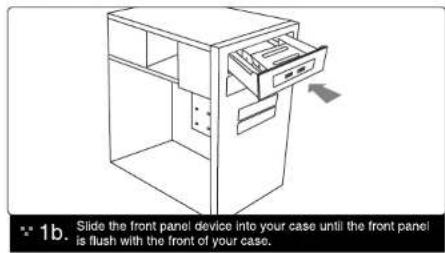
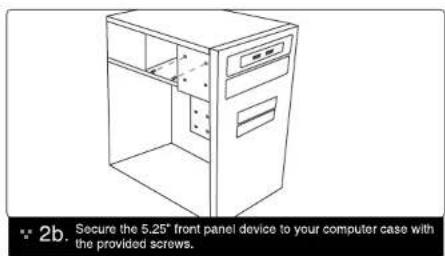
5.25" Front Panel Installation
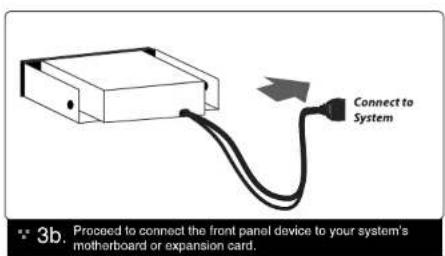
Connecting Your Front Panel Device
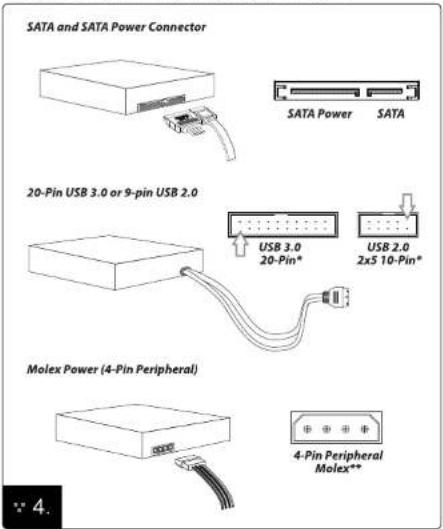
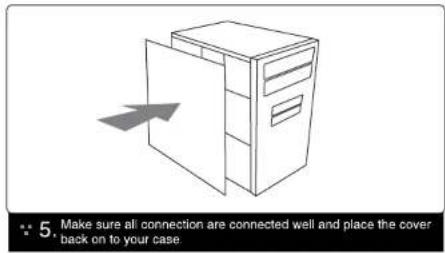
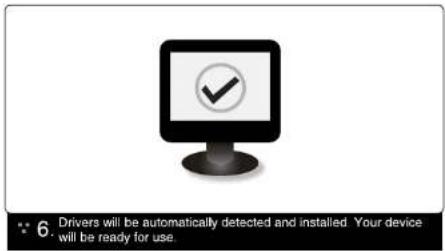
* Diagram shown is the USB 3.0 20-Pin or USB 2.0 10-Pin found on supported motherboards or expansion cards. Please refer to your motherboard manufacturer's documentation for the location of these ports.
** Please make sure that the connectors are oriented properly before connecting. Incorrect orientation may cause severe damage to your device or electrical shock.
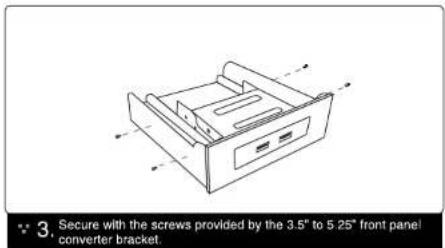
Converting Your 3.5" Front Panel Device to 5.25" Form Factor
If you would like to mount your 3.5" device into your 5.25" drive bay, you may do so by using Vantec's HDA-525P 3.5" to 5.25" bay converters. Follow the steps below to convert your device form factor to 5.25".
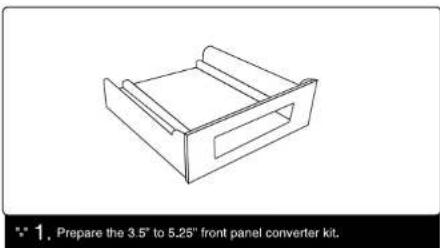
natural_image
Line drawing of a rectangular electronic component with a slot, shown without any text or symbols.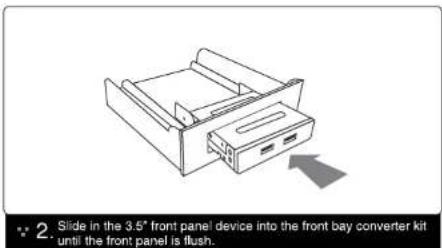

Information in this document is subject to change without notice.
Reproduction of these materials in any manner whatsoever without written permission is strictly forbidden.
Printed in China
Printed on Recycled Paper.
v1.01
www.vantecusa.com
Copyright © 2012 Vantec Thermal Technologies. All Right Reserved | All Registered Trademarks Belong To Their Respective Companies.