
41214 - Aktenvernichter Dahle - Kostenlose Bedienungsanleitung
Finden Sie kostenlos die Bedienungsanleitung des Geräts 41214 Dahle als PDF.


| Produkttyp | Aktenvernichter |
| Modell | 41214 |
| Marke | Dahle |
| Abmessungen (B x T x H) | ca. 350 x 250 x 500 mm |
| Gewicht | ca. 7,5 kg |
| Stromversorgung | 230 V / 50 Hz |
| Leistungsaufnahme | ca. 300 W |
| Schnittart | Partikelschnitt (Sicherheitsstufe P-4) |
| Schnittgröße | 4 x 40 mm |
| Blattanzahl (A4 70g) | bis zu 10 Blatt pro Durchgang |
| Arbeitsbreite | 230 mm |
| Auffangvolumen | 20 Liter |
| Betriebsart | Automatischer Start/Stopp, Rückwärtslauf |
| Geräuschpegel | ca. 58 dB(A) |
| Sicherheitsmerkmale | Überhitzungsschutz, Sicherheitsschalter |
| Wartung | Regelmäßige Ölung der Schneidwerke |
| Reinigung | Gehäuse mit feuchtem Tuch abwischen |
| Ersatzteile | Schneidwerk, Öl, Ersatzbeutel |
| Reparierbarkeit | Ersatzteile verfügbar, Reparatur durch Fachbetrieb |
| Besonderheiten | Leiser Betrieb, energiesparend |
Häufig gestellte Fragen - 41214 Dahle
Benutzerfragen zu 41214 Dahle
0 Frage zu diesem Gerät. Beantworten Sie die, die Sie kennen, oder stellen Sie Ihre eigene.
Eine neue Frage zu diesem Gerät stellen
Laden Sie die Anleitung für Ihr Aktenvernichter kostenlos im PDF-Format! Finden Sie Ihr Handbuch 41214 - Dahle und nehmen Sie Ihr elektronisches Gerät wieder in die Hand. Auf dieser Seite sind alle Dokumente veröffentlicht, die für die Verwendung Ihres Geräts notwendig sind. 41214 von der Marke Dahle.
BEDIENUNGSANLEITUNG 41214 Dahle
CLEANTEC®
SHREDDERS

natural_image
Woman in business attire standing beside a DAHLE air purifier on a lakeside dock with snow-capped mountains in the background (no text or symbols visible on the device or environment)USER MANUAL
For More Info
Click Here --->
http://www.monomachines.com/

General information
Prior to placing in operation the document shredder, read the operating instructions and safety instructions carefully! Keep the instructions for later use.
- Only store or transport the document shredder upright!
- Only use liquids and gases that comply with DAHLE guidelines on the document shredder!
- The document shredder must be used indoors in heated rooms!
- Do not place the document shredder near a source of heat!
- Ensure the document shredder is standing securely on the floor, actuate brakes and fasten using the mounting kit if supplied!
- The mains socket must be easily accessible at all times!
- Only use the mains cable supplied by DAHLE!
- It is to be ensured the installation in the building is protected against short circuits (max. 20 A)!
- Do not use near inflammable liquids or gases!
- Do not use near caustic substances!
- Do not subject to moisture!
- Remove paper clips and staples prior to shredding!
- Starts automatically!
- Do not operate the document shredder without documents to shred!




1 - Follow safety regulations!
2 - This document shredder is not intended to be used by children (the product is not a toy)!
3 - Do not touch the paper feed with your hands!
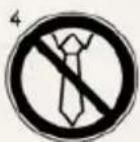
4 - Do not allow items of clothing to touch the paper feed!
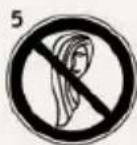
5 - Do not allow your hair to touch the paper feed!
6 - Prior to maintenance work, disconnect the document shredder from the electrical power supply!
Pay attention to warnings!
1





1 - Noise in operation without shredding documents (in accordance with DIN)
2 - Do not shred CDs/DVDs or bank cards/credit cards!
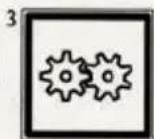
3 - Document shredder in standby
4 - Document shredder in operation
5 - Starts automatically
6 - Subject to technical change
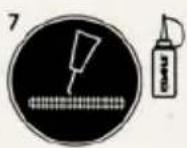
7 - Oiling (only use DAHLE oil!)
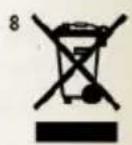
- Dispose of the document shredder with due care for the environment
Do not dispose of any parts of the document shredder or packing in domestic waste.

General information
Intended use, warranty
The document shredder is intended to be used for shredding paper.
Depending on the model variant, a small amount of the following materials can also be shredded:
CDs/DVDs, bank cards and credit cards (see technical data)
Wear, damage due to improper use or unauthorised modifications and repairs is not covered by the warranty or the guarantee.
The fine dust filter fan keeps running for approximately 2 minutes after shredding.
Subject to technical change!
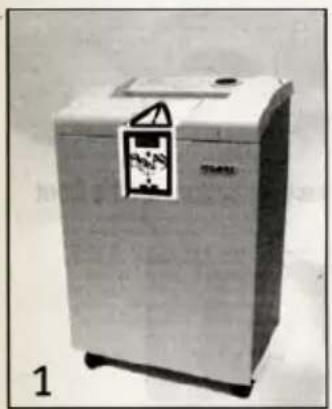
Remove transport lock!
natural_image
Exterior view of a stainless steel washing machine (no visible text or symbols)
natural_image
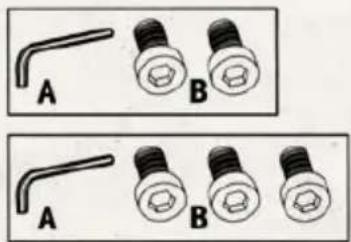
Two identical diagrams showing a bent tool labeled A and two screw-like objects labeled B, with no text or symbols present.- Actuate brakes! Prior to placing in operation for the first time, open the door, remove paper collection bin.
- Remove the screws for the transport lock (paper collection bin compartment) from the base plate underneath the shredding mechanism, re-fit paper collection bin and close door.
- Each time the appliance is moved, the transport lock is to be re-fitted.
For More Info
Click Here --->
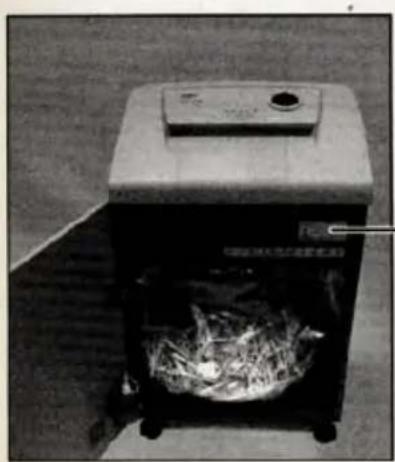
Depending on the model variant, your document shredder may not have all the possible components and functions.
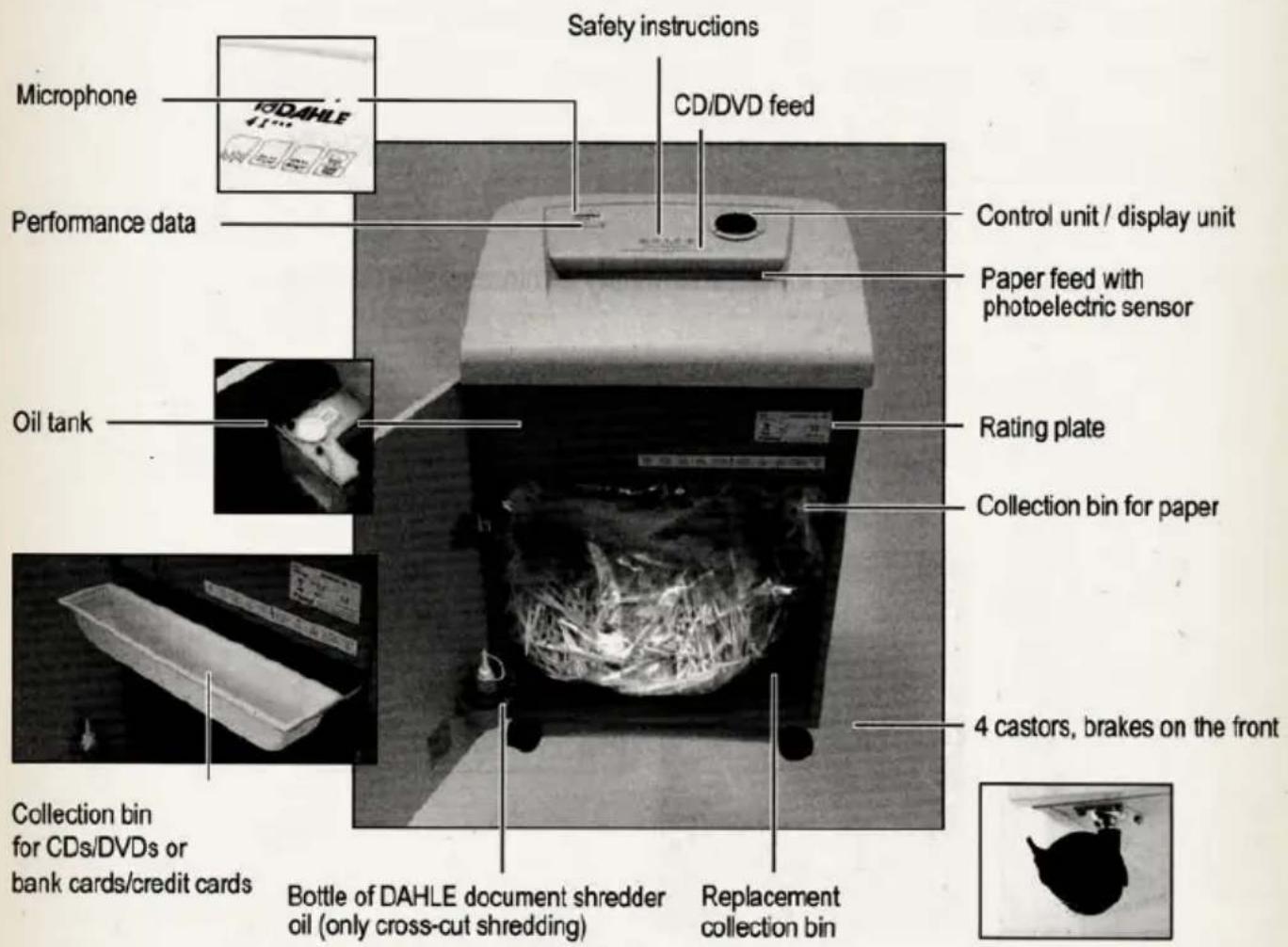

Depending on the model variant, your document shredder may not have all the possible components and functions.
natural_image
Black-and-white photo of a portable industrial machine with a circular vent filled with dried herbs (no visible text or symbols)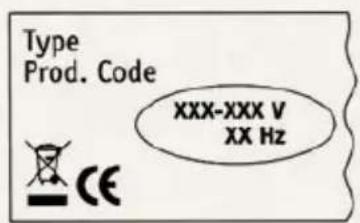
- Check the voltage and mains frequency of your electricity supply match the information on the rating plate.
| DIN A4 - 70 g/m2 | DIN A4 - 80 g/m2 |  | 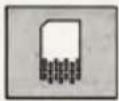 | 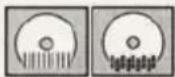 |  | Security level | |
| 41204 | 17 | 14 | 3,9 mm | ∅ | ☐ | S2 | |
| 41206 | 19 | 16 | 5,8 mm | ☐ | ☐ | S2 | |
| 41214 | 10 | 8 | 3,9 mm x 40,0 mm | ∅ | ☐ | S3 | |
| 41222 | 6 | 5 | 2,0 mm x 15,0 mm | ∅ | ☐ | S4 | |
| 41230 | 3 | 2 | 0,8 mm x 12,0 mm | ∅ | ∅ | S5 | |
| 41304 | 23 | 18 | 3,9 mm | ☐ | ☐ | S2 | |
| 41306 | 27 | 22 | 5,8 mm | ☐ | ☐ | S2 | |
| 41314 | 16 | 13 | 3,9 mm x 40,0 mm | ☐ | ☐ | S3 | |
| 41322 | 11 | 9 | 2,0 mm x 15,0 mm | ∅ | ☐ | S4 | |
| 41330 | 6 | 5 | 0,8 mm x 12,0 mm | ∅ | ☐ | S5 | |
| 41334 | 6 | 5 | 1,0 mm x 4,7 mm | ∅ | ☐ | S6 | |
| 41404 | 24 | 19 | 3,9 mm | ☐ | ☐ | S2 | |
| 41406 | 29 | 23 | 5,8 mm | ☐ | ☐ | S2 | |
| 41414 | 16 | 13 | 3,9 mm x 40,0 mm | ∅ | ☐ | S3 | |
| 41422 | 13 | 10 | 2,0 mm x 15,0 mm | ∅ | ☐ | S4 | |
| 41430 | 7 | 6 | 0,8 mm x 12,0 mm | ∅ | ☐ | S5 | |
| 41434 | 6 | 5 | 1,0 mm x 4,7 mm | ∅ | ☐ | S6 |

Technical data
Click Here --->
 |  |  | Dimensions H x W x D mm |  | Capacity |
| ≤46 dB/A | 220 - 240 V100 - 120 V | 706 x 430 x 347 mm | 25,5 kg | 40 l | |
| ≤47 dB/A | 220 - 240 V100 - 120 V | 706 x 430 x 347 mm | 25,5 kg | 40 l | |
| ≤46 dB/A | 220 - 240 V100 - 120 V | 706 x 430 x 347 mm | 25,5 kg | 40 l | |
| ≤47 dB/A | 220 - 240 V100 - 120 V | 706 x 430 x 347 mm | 25.5 kg | 40 l | |
| ≤50 dB/A | 220 - 240 V100 - 120 V | 706 x 430 x 347 mm | 25,5 kg | 40 l | |
| ≤46 dB/A | 220 - 240 V100 - 120 V | 869 x 546 x 435 mm | 40,0 kg | 60 l | |
| ≤47 dB/A | 220 - 240 V100 - 120 V | 869 x 546 x 435 mm | 40,0 kg | 60 l | |
| ≤46 dB/A | 220 - 240 V100 - 120 V | 869 x 546 x 435 mm | 40,0 kg | 60 l | |
| ≤46 dB/A | 220 - 240 V100 - 120 V | 869 x 546 x 435 mm | 40,0 kg | 60l | |
| ≤47 dB/A | 220 - 240 V100 - 120 V | 869 x 546 x 435 mm | 40,0 kg | 60 l | |
| ≤50 dB/A | 220 - 240 V100 - 120 V | 869 x 546 x 435 mm | 40,0 kg | 60 l | |
| ≤51 dB/A | 220 - 240 V100 - 120 V | 944 x 546 x 435 mm | 43,0 kg | 100 l | |
| ≤51 dB/A | 220 - 240 V100 - 120 V | 944 x 546 x 435 mm | 43,0 kg | 100 l | |
| ≤52 dB/A | 220 - 240 V100 - 120 V | 944 x 546 x 435 mm | 43,0 kg | 100 l | |
| ≤53 dB/A | 220 - 240 V100 - 120 V | 944 x 546 x 435 mm | 43,0 kg | 100 l | |
| ≤52 dB/A | 220 - 240 V100 - 120 V | 944 x 546 x 435 mm | 43,0 kg | 1 |

Technical data
| DIN A4 - 70 g/m | DIN A4 - 80 g/m | 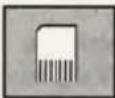 | 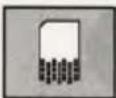 | 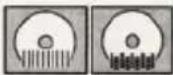 | 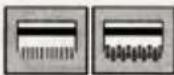 | Security level | |
| 41504 | 33 | 26 | 3,9 mm | S2 | |||
| 41506 | 43 | 35 | 5,8 mm | S2 | |||
| 41514 | 26 | 21 | 3,9 mm x 40,0 mm | S3 | |||
| 41522 | 19 | 15 | 2,0 mm x 15,0 mm | S4 | |||
| 41530 | 11 | 9 | 0,8 mm x 12,0 mm | S5 | |||
| 41534 | 9 | 7 | 1.0 mm x 4,7 mm | S6 | |||
| 41604 | 35 | 28 | 3,9 mm | S2 | |||
| 41606 | 45 | 36 | 5,8 mm | S2 | |||
| 41614 | 30 | 24 | 3,9 mm x 40,0 mm | S3 | |||
| 41622 | 20 | 16 | 2,0 mm x 15,0 mm | S4 | |||
| 41630 | 14 | 11 | 0,8 mm x 12,0 mm | S5 | |||
| 41634 | 12 | 10 | 1,0 mm x 4,7 mm | S6 |
For More Info
Click Here --->

Technical data
 |  |  | DimensionsH x W x D mm | [czzw] | Capacity |
| ≤ 47 dB/A | 220 - 240 V100 - 120 V | 890 x 734 x 510 mm | 25,5 kg | 140 l | |
| ≤ 46 dB/A | 220 - 240 V100 - 120 V | 890 x 734 x 510 mm | 25,5 kg | 140 l | |
| ≤ 52 dB/A | 220 - 240 V100 - 120 V | 890 x 734 x 510 mm | 25,5 kg | 140 l | |
| ≤ 53 dB/A | 220 - 240 V100 - 120 V | 890 x 734 x 510 mm | 25,5 kg | 140 l | |
| ≤ 50 dB/A | 220 - 240 V100 - 120 V | 890 x 734 x 510 mm | 25,5 kg | 140 l | |
| ≤ 52 dB/A | 220 - 240 V100 - 120 V | 890 x 734 x 510 mm | 40,0 kg | 140 l | |
| ≤ 58,5 dB/A | 220 - 240 V100 - 120 V | 960 x 734 x 510 mm | 40,0 kg | 160 l | |
| ≤ 56 dB/A | 220 - 240 V100 - 120 V | 960 x 734 x 510 mm | 40,0 kg | 160 l | |
| ≤ 57 dB/A | 220 - 240 V100 - 120 V | 960 x 734 x 510 mm | 40,0 kg | 160 l | |
| ≤ 55,5 dB/A | 220 - 240 V100 - 120 V | 960 x 734 x 510 mm | 40,0 kg | 160 l | |
| ≤ 60 dB/A | 220 - 240 V100 - 120 V | 960 x 734 x 510 mm | 40,0 kg | 160 l | |
| ≤ 62 dB/A | 220 - 240 V100 - 120 V | 960 x 734 x 510 mm | 40,0 kg | 160 l |
For More Info
Click Here --->

Operation - shredding paper
Depending on the model variant, your document shredder may not have all the possible components and functions.

natural_image
Close-up of a wooden plank with a white arrow pointing to a surface (no text or symbols visible)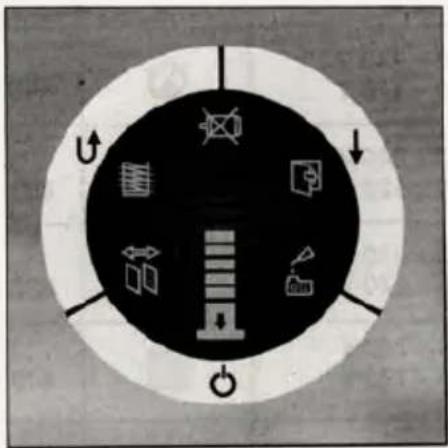
Please follow the safety instructions.
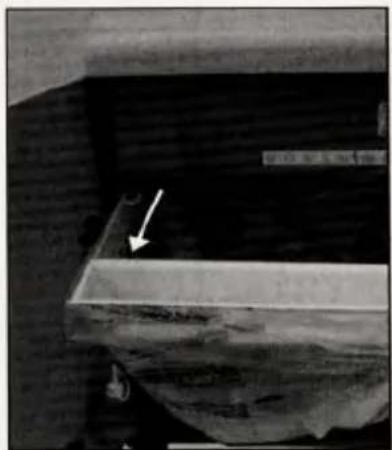
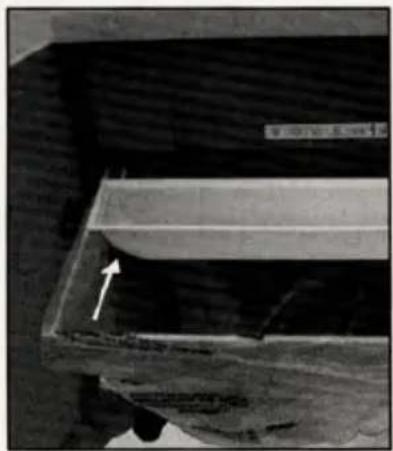
- Prior to using the document shredder, please check the position of the collection bin for CDs/DVDs and bank cards/credit cards. On shredding paper this bin must be at the front of the collection bin for paper.
- Close the door of the document shredder.
- Connect the mains cable supplied to the document shredder and plug into a mains socket. Switch on the main switch.
- Switch on the document shredder with the On, Off, Stop button.


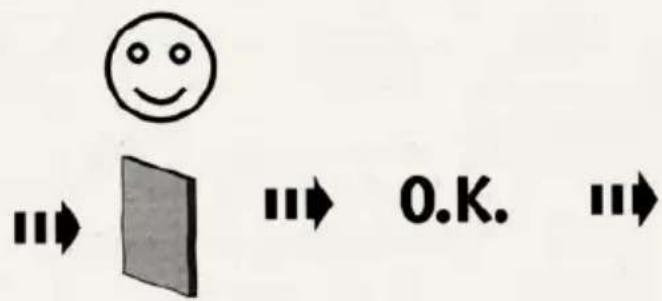

natural_image
Exterior view of a modern stainless steel refrigerator with a hanging paper label and downward arrow (no visible text or symbols)- Pay attention to maximum number of sheets of paper in the technical data!
- Place the paper in the middle of the paper feed, the built-in photoelectric sensor starts the document shredder automatically.
- Once the paper feed is clear again, the document shredder switches off automatically and goes into stand-by.
- Continuous operation - after extended operation (approx. 5 sec.) of the forward button, the document shredder changes to continuous operation.
- If the supply of paper is interrupted for 15 seconds, continuous operation is interrupted.

Operation - shredding CDs/DVDs & bank cards
Depending on the model variant, your document shredder may not have all the possible components and functions.
natural_image
Close-up of a wooden beam with visible grain and a white arrow pointing to a feature (no text or symbols)
Please follow the safety instructions.
- Prior to using the document shredder, please check the position of the collection bin for CDs/DVDs and bank cards/credit cards. On shredding CDs/DVDs and bank cards/credit cards this bin must be at the rear of the collection bin for paper.
- Pull out collection bin and position the collection bin for CDs/DVDs and credit cards/bank cards at the rear.
- Close the door of the document shredder.

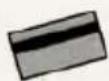

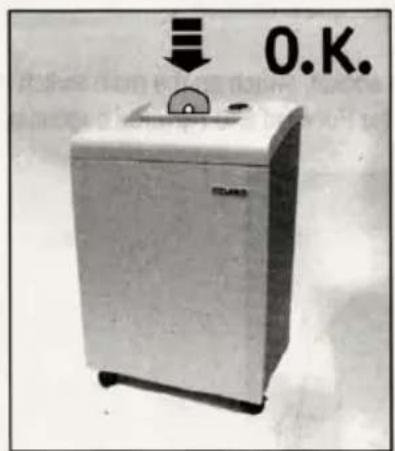

- Insert the CDs, DVDs or bank cards/credit cards in the middle of the feeder while keeping the Forward button pressed.
- Once the CD/DVD feed is clear again, the document shredder switches off automatically and goes into stand-by.
For More Info
Click Here --->

Significance of the signals
Depending on the model variant, your document shredder may not have all the possible components and functions.
DAHLE CleanTEC®
Changing DAHLE fine dust filter

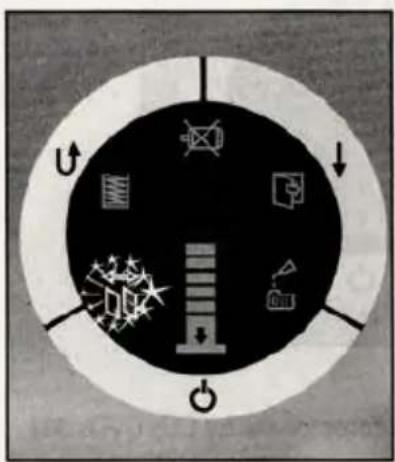
flowchart
graph TD
    A["Power Supply"] --> B["Battery"]
    B --> C["Switch"]
    C --> D["Power Output"]
    style A fill:#f9f,stroke:#333
    style B fill:#ccf,stroke:#333
    style C fill:#cfc,stroke:#333
    style D fill:#fcc,stroke:#333
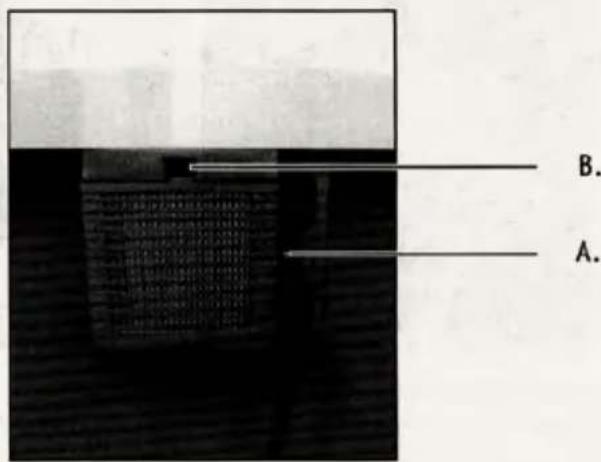
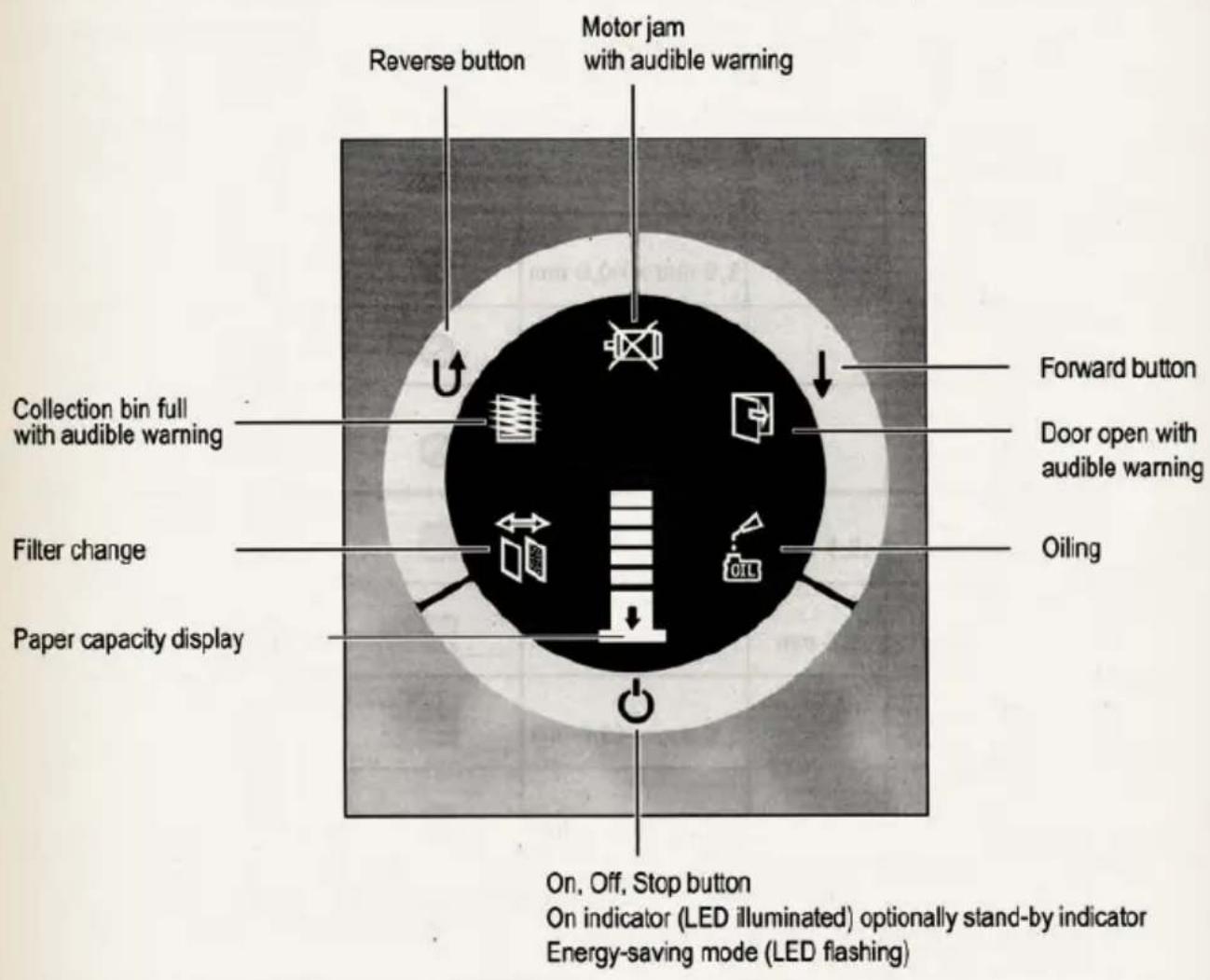
- The filter change indicator (change DAHLE fine dust filter!) is illuminated on the control panel.
- Unplug the mains cable from the mains socket.
- Change the fine dust filter on the rear of the appliance.
A. Undo screw
B. Press catch and remove cover
C. Remove filter and dispose of it.
D. It is imperative you fit a new DAHLE fine dust filter!
E. Close cover F. Tighten screw
- Plug the mains cable into the mains socket, switch on the main switch and the On, Off, Stop button.
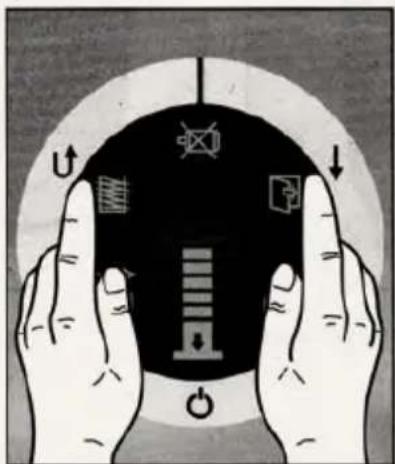
- Reset filter change indicator: Keep the Forward and Reverse buttons pressed simultaneously for approx. 5 seconds.
For More Info
Click Here --->
We do not accept any liability for improper use of the DAHLE fine dust filter or for not changing the DAHLE fine dust filter.
The waste DAHLE fine dust filter can be disposed in the domestic waste.
The fine dust particles are bound into the DAHLE fine dust filter.
Please dispose of the DAHLE fine dust filter in a manner so that it is inaccessible for children.

Significance of the signals
Depending on the model variant, your document shredder may not have all the possible components and functions.
DAHLE Safe Technology
Paper capacity display - Continuous paper volume measurement for smooth operation.


flowchart
graph TD
    A["Start"] --> B{Decision}
    B -->|Yes| C["Process Step"]
    B -->|No| D["End"]
Safe Technology - checks the material density prior to the start.
If the density is too high, the shredding process is inhibited.
Reduce the number of sheets of paper.
DAHLE Safe Technology
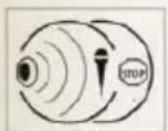
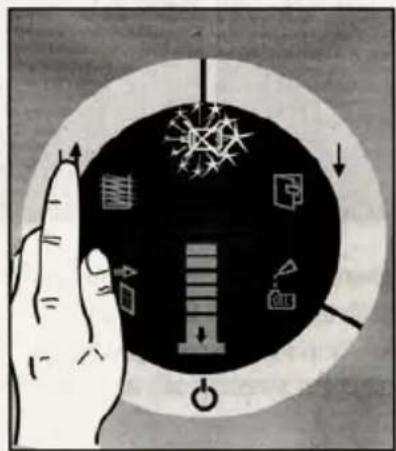
Automatic acoustic shut down - for immediate motor stop by voice control or by tapping the appliance.


natural_image
Illustration of a hand interacting with a circular diagram showing mechanical symbols and arrows (no text or labels)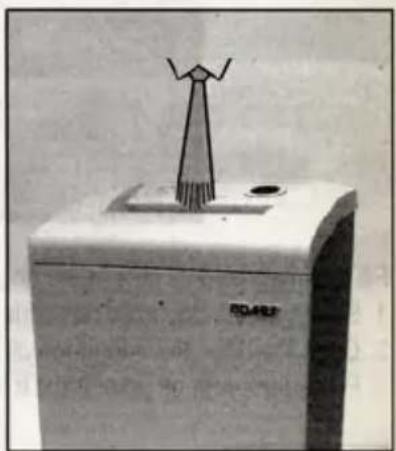
natural_image
Black-and-white photo of a white electronic device with a simple antenna or antenna mounted on top, no visible text or symbols.- The shredding process is stopped by voice control or by tapping the appliance.
- Operate the Reverse button to retrieve the foreign body out of the shredding mechanism.
- Reset the motor inhibit indicator by switching on and off.
For More Info
Click Here --->

Significance of the signals
Depending on the model variant, your document shredder may not have all the possible components and functions.
DAHLE Safe Technology
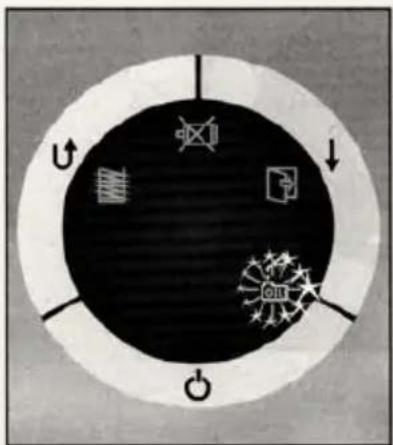
Automatic oiling - only for cross-cut shredding
Fill oil tank with DAHLE document shredder oil.
Integrated oil tank for regulated, automatic oiling of the rollers.

For More Info
Click Here --->

natural_image
Close-up of a mechanical component with a circular feature and a small protrusion, no visible text or symbols
natural_image
Close-up of a hand using a tool to apply material to a mechanical component (no visible text or symbols)Fill the integrated oil tank in the document shredder in case of indication on the display.
- Switch off the document shredder with the On, Off, Stop button.
- Open the door, the integrated oil tank is in the cabinet, open the cap.
- Fill oil tank with oil (use DAHLE document shredder oil!) and close again.

Attention - 115 V
It is only possible to shred paper after filling (use DAHLE document shredder oil!) the oil tank.

Significance of the signals
Depending on the model variant, your document shredder may not have all the possible components and functions.
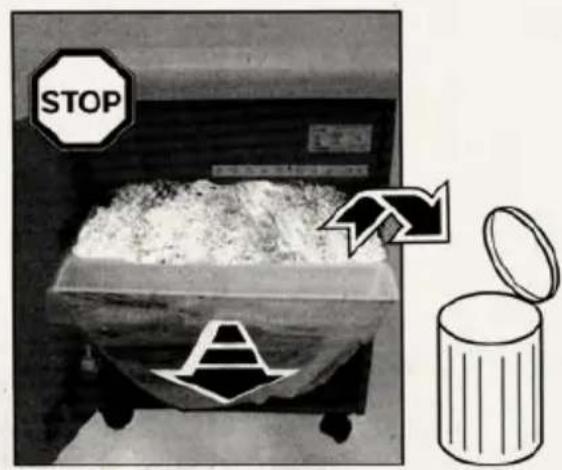
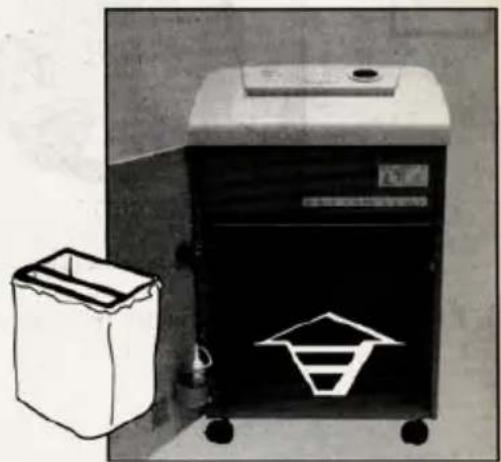
Collection bin full - the LED flashes and an audible warning sounds.

flowchart
graph TD
    A["Start"] --> B{Step 1}
    B --> C["Explosion"]
    B --> D["Explosion"]
    B --> E["Power Output"]
    C --> F["Arrow Up"]
    D --> G["Arrow Down"]
    E --> H["Arrow Left"]
For More Info
Click Here --->

natural_image
Black and white photo of a trash bin with a recycling symbol on its side, next to a white paper box with a downward arrow (no text or labels visible)
natural_image
Black-and-white photo of a trash bin next to a portable recycling bin with a triangular symbol (no visible text or labels)- If the collection bin is full, the shredding process is stopped, this situation is indicated acoustically and optically.
- Switch off the main switch and unplug the mains cable from the mains socket.
- Remove collection bin, empty and re-fit.
- Plug the mains cable into the mains socket and switch on the main switch.

Significance of the signals
Depending on the model variant, your document shredder may not have all the possible components and functions.
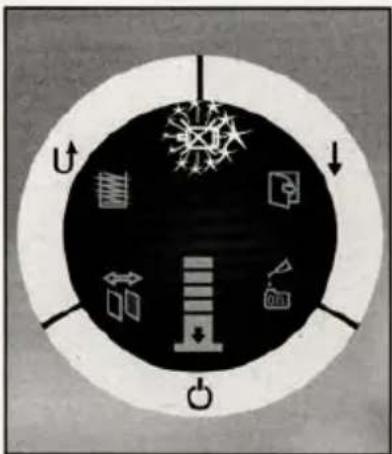
Automatic motor shut down - the LED flashes and an audible warning sounds.

-
Automatic motor shut down with audible warning in case of:
-
Overheating of the motor
- Paper jam
- Microphone triggered
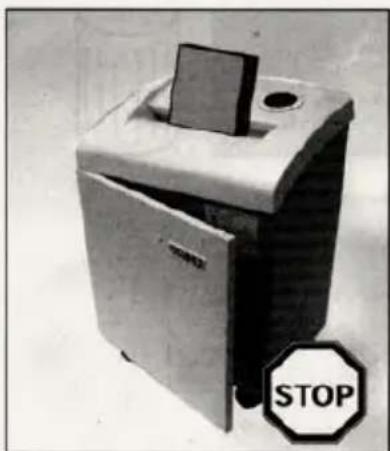
Door open - the LED flashes and an audible warning sounds.


natural_image
Black-and-white photo of a portable trash bin with a stop sign (no readable text or symbols on the device itself)
natural_image
Exterior view of a small industrial waste sorting machine with a downward arrow indicator (no text or symbols visible)- If the door is open, the shredding process is stopped and a signal sounds, close the door.
For More Info
Click Here --->
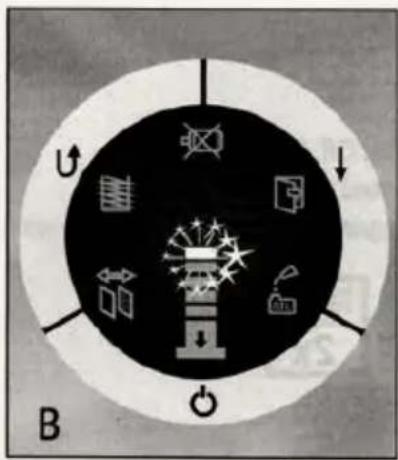
Changing the microphone sensitivity


- Switch on the document shredder with the On, Off, Stop button.
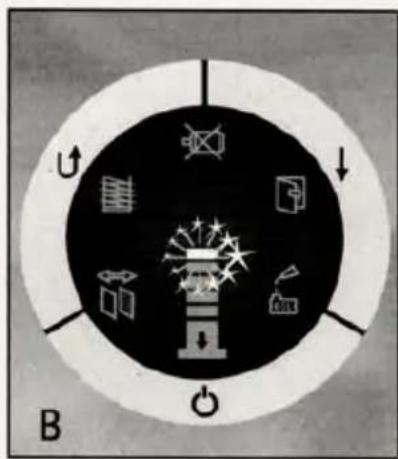
- Press the On, Off, Stop button for approx. 5 seconds, the current microphone setting is indicated on the paper capacity display.
- Use the Reverse button to increase the microphone sensitivity (B).
- Use the Forward button to reduce the microphone sensitivity (A).
- Confirm your setting by pressing the On, Off, Stop button.
Changing the factory setting to: - Different paper (see technical data)
- Correct the performance in terms of sheets

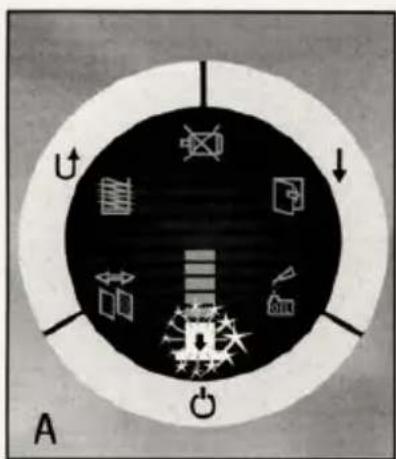
- The paper feed must be clear.
- Switch off the appliance with the On, Off, Stop button.
- Within 5 seconds press the Reverse button for approx. 6 seconds until the paper capacity display (A) 1x illuminates.
- Place the required amount of paper/different paper (pay attention to technical data) in the paper feed with photoelectric switch and hold.
- Keep Forward button pressed for approx. 6 seconds until the paper capacity display (A) illuminates 1x.
- Fig. A - small amount of paper. Fig. B - too much paper. Please start at 1.
- The factory setting has been changed. Switch on the document shredder again with the On, Off, Stop button.

Changing the settings
Restoring the factory setting
- Switch off the appliance with the On, Off, Stop button.
- Keep the On, Off, Stop button pressed for 4 seconds.
- Release the On, Off, Stop button again after the second audible warning.


- The factory setting has been restored.
For More Info
Click Here --->

Possible malfunctions
Depending on the model variant, your document shredder may not have all the possible components and functions.
natural_image
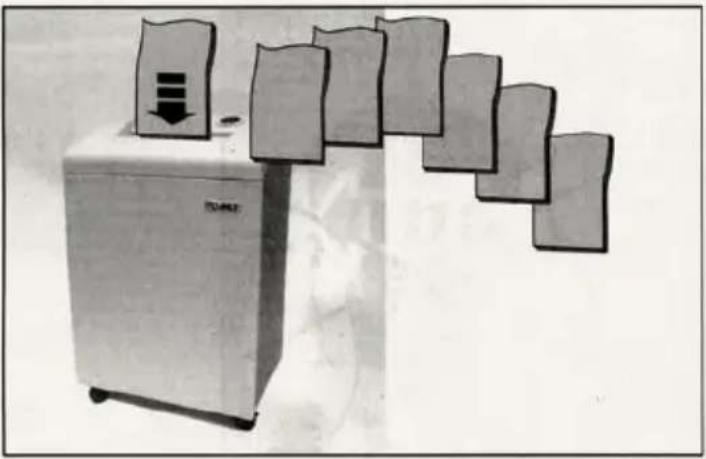
Illustration of a refrigerator with multiple hanging paper sheets and a downward arrow, no text or symbols present.The document shredder switches off automatically after extended operation and/or overheating to cool down.
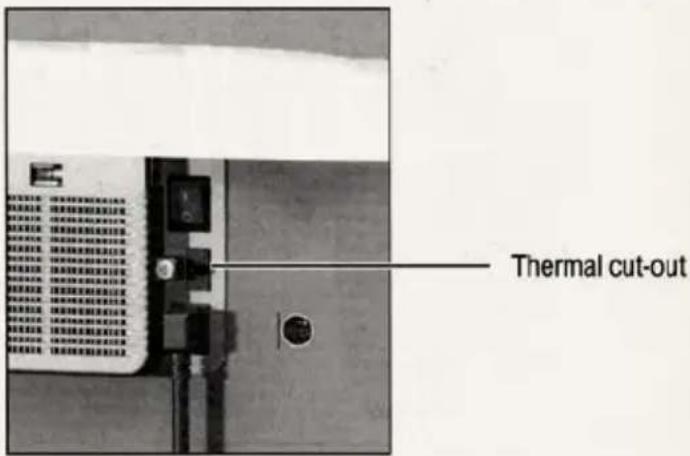
1. The shredding process is not started:
1.1 No indication on the control panel - LED not illuminated
- Mains cable not plugged into the mains socket?
- Main switch not on?
-On,Off,Stop button not switched on? - Thermal cut-out OFF?
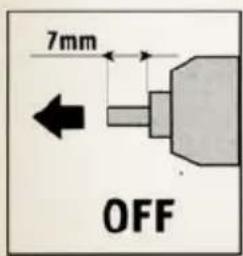
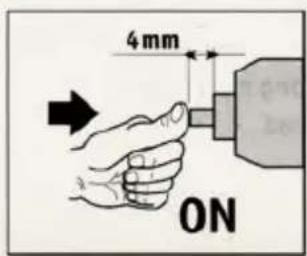

1.2 Indication on the control panel
LED illuminated
- Door open?
- Collection bin full?
- Overload?
- Oil tank empty (115 V)?
- Too many sheets of paper
Place the thermal cut-out in the correct position - ON.
For More Info

Possible malfunctions
Depending on the model variant, your document shredder may not have all the possible components and functions.


natural_image
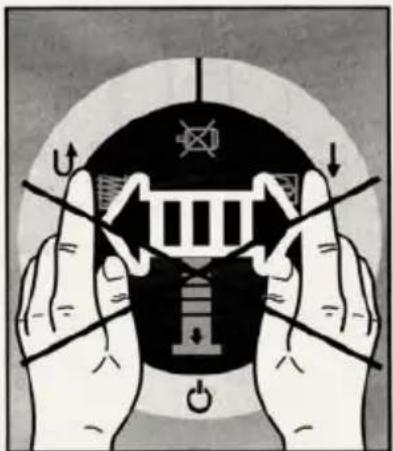
Illustration of two hands holding a large emblem with directional arrows and symbols (no readable text or labels)- If there are too many sheets of paper, the shredding process is stopped.
- The shredding mechanism automatically runs in reverse for a short time and the paper is ejected.
- ATTENTION! To avoid damaging the shredding mechanism, do not operate the forward-reverse switch alternately!

- If paper continues to be jammed, operate the Reverse button briefly.
- Reduce the number of sheets of paper by removing or tearing off.
- The shredding process starts automatically after the paper is inserted again, otherwise operate the Forward button.
41334, 41434, 41534, 41634
- In the event of a paper jam, the shredding mechanism runs in reverse for 0.5 seconds.
- Remove the paper. Then operate the Forward switch to clear the shredding mechanism. The Reverse switch is inhibited until the Forward switch has been actuated.
- Reduce the number of sheets of paper.
For More Info
Click Here --->

Possible malfunctions
Depending on the model variant, your document shredder may not have all the possible components and functions.
Energy-saving mode

If not used, the document shredder switches to the energy saving mode (flashing LED) after approx. 10 minutes. On renewed use, the document shredder requires approx. 3 seconds to start.
In the energy-saving mode the document shredder switches off if it is not used after approx. 10 minutes (LED off). To use the document shredder, switch it back on with the On, Off, Stop button.

Maintenance and care
Use only DAHLE spare parts!

natural_image
Hand cleaning a small kitchen appliance (no text or symbols visible)- Switch off the document shredder and unplug the mains cable from the mains socket.
- Only clean the appliance with a dry cloth.
- Plug the mains cable into the mains socket, switch on the document shredder.
For More Info
Click Here --->
GERMAN ENGINEERED USING THE FINEST CRAFTSMANSHIP
natural_image
Exterior view of a white industrial water heater device with a black label (no visible text or symbols on the device body)
natural_image
Completely black image with no visible content or text.
natural_image
Close-up of a hand holding a circular object with a color gradient bar (no text or symbols visible)
natural_image
Completely black image with no visible content or text.
natural_image
Close-up of a CD or DVD disc with visible internal components, no text or symbols present
natural_image
Completely black image with no visible content or text.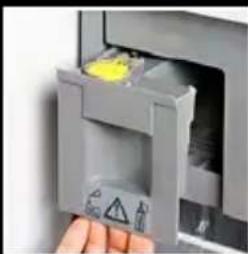
natural_image
Close-up of a hand inserting a plastic bag into a machine (no visible text or symbols)
DAHLE®
NORTH AMERICA
49 Vose Farm Road
Peterborough, NH 03458
t: 800.995.1379
f:603.924.1616
e: info@dahle.com
w: www.dahle.com
For More Info
Click Here --->



- CLEANTEC®
- SHREDDERS
- General information
- Prior to placing in operation the document shredder, read the operating instructions and safety instructions carefully! Keep the instructions for later use.
- Pay attention to warnings!
- Intended use, warranty
- Subject to technical change!
- Technical data
- Click Here --->
- Operation - shredding paper
- Operation - shredding CDs/DVDs & bank cards
- Significance of the signals
- DAHLE CleanTEC®
- DAHLE Safe Technology
- Changing the microphone sensitivity
- Changing the settings
- Restoring the factory setting
- Possible malfunctions
- The shredding process is not started:
- 41334, 41434, 41534, 41634
- Energy-saving mode
- Maintenance and care
- GERMAN ENGINEERED USING THE FINEST CRAFTSMANSHIP
- DAHLE®
- NORTH AMERICA
Marke : Dahle
Modell : 41214
Kategorie : Aktenvernichter