
Profile JB988TKWW - Komfur GE - Gratis brugsanvisning og manual
Find enhedens vejledning gratis Profile JB988TKWW GE i PDF-format.


Brugerspørgsmål om Profile JB988TKWW GE
0 spørgsmål om dette apparat. Besvar dem du kender, eller stil dit eget.
Stil et nyt spørgsmål om dette apparat
Download vejledningen til din Komfur i PDF-format gratis! Find din vejledning Profile JB988TKWW - GE og tag din elektroniske enhed tilbage i hånden. På denne side er alle dokumenter nødvendige for brugen af din enhed offentliggjort. Profile JB988TKWW af mærket GE.
BRUGSANVISNING Profile JB988TKWW GE
Free-Standing, Slide-In, and Drop-In Electric Ranges
Safety Instructions....2-5
Operating Instructions
Kitchen Timer 21
Oven 14-35
Adjust Oven Thermostat 22
Baking or Roasting 17
Broiling, Broiling Guide 18
Controls 14, 15
Convection Oven 23-26
Lower Oven Drawer 35
Preheating 17
Probe 20
Sabbath Feature 33
Self-Cleaning 29,30
Slow Cook, Warming and Proofing Features 27, 28
Special Features 31, 32
Timed Baking and Roasting 19
Warming Drawer 34
Surface Units 6-13
Cookware....7
Griddle 12, 13
Knob-Controlled Models....10, 11
Touch Pad-Controlled Models 8,9
Care and Cleaning
Control Knobs 36
Control Panel 36
Glass Cooktop 42,43
Lift-Off Oven Door 37,38
Light 40,41
Oven Floor 39
Oven Heating Elements 41
Racks 38
Removable Warming Drawer/Lower Oven Drawer Pan .... 39
Storage Drawer 39
Surfaces 36
Vent 37,39
Troubleshooting Tips 44-48
Accessories 50
Consumer Support
Consumer Support 52
Warranty 51
In Canada: www.GEAppliances.ca
Printed in the United States
Write the model and serial numbers here:
Model # ____
Serial # ____
You can find them on a label behind the drawer or behind the lower oven door on the front of the range frame.
Owner's Manual
Quick Set V, Quick Set VI and Next Step Control

Printed on Recycled Paper
49-80602-1 08-11 GE

WARNING
Read all safety instructions before using the product. Failure to follow these instructions may result in fire, electric shock, serious injury or death.
ANTI-TIP DEVICE
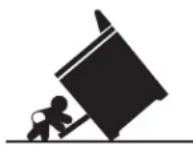
WARNING
Tip-Over Hazard
A child or adult can tip the range and be killed.
Verify the anti-tip bracket has been properly installed and engaged.
Ensure the anti-tip bracket is re-engaged when the range is moved.
Do not operate the range without the anti-tip bracket in place and engaged.
Failure to follow these instructions can result in death or serious burns to children or adults.
To reduce the risk of tipping the range, the range must be secured by a properly installed anti-tip bracket. See installation instructions shipped with the bracket for complete details before attempting to install.
For Freestanding and Slide-In Ranges
To check if the bracket is installed and engaged properly, look underneath the range to see that
Leveling Leg
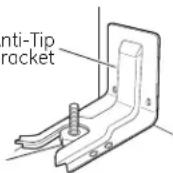
Freestanding and Slide-In Ranges
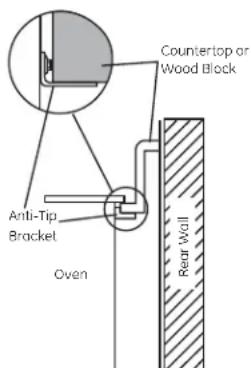
text_image
Countertop or Wood Block Anti-Tip Bracket Oven Rear WallDrop-In Ranges
the rear leveling leg is engaged in the bracket. On some models, the storage drawer or kick panel can be removed for easy inspection. If visual inspection is not possible, slide the range forward, confirm the anti-tip bracket is securely attached to the floor or wall, and slide the range back so the rear leveling leg is under the anti-tip bracket.
If the range is pulled from the wall for any reason, always repeat this procedure to verify the range is properly secured by the anti-tip bracket.
Never completely remove the leveling legs or the range will not be secured to the anti-tip device properly.
For Drop-In Ranges
To check if the bracket is installed and engaged properly, slide the range forward, confirm the anti-tip bracket is securely attached to the rear of the range, and slide the range back so that the anti-tip bracket slides just under the countertop or wood block attached to the rear wall.
If you did not receive an anti-tip bracket with your purchase, call 1.800.561.3344. For installation instructions of the bracket, visit www.GEAppliances.ca.

WARNING
IMPORTANT SAFETY NOTICE
The California Safe Drinking Water and Toxic Enforcement Act requires the Governor of California to publish a list of substances known to the state to cause cancer, birth defects or other reproductive harm, and requires businesses to warn customers of potential exposure to such substances.
The fiberglass insulation in self-clean ovens gives off a very small amount of carbon monoxide during the cleaning cycle. Exposure can be minimized by venting with an open window or using a ventilation fan or hood.
WARNING
GENERAL SAFETY INSTRUCTIONS
- Use this appliance for its intended purpose as described in this Owner's Manual.
- Be sure your appliance is properly installed and grounded by a qualified installer in accordance with the provided installation instructions.
Do not attempt to repair or replace any part of your range unless it is specifically recommended in this manual. All other servicing should be transferred to a qualified technician.
Before performing any service, unplug the range or disconnect the power supply at the household distribution panel by removing the fuse or switching off the circuit breaker.
Do not leave children alone—children should not be left alone or unattended in an area where an appliance is in use. They should never be allowed to climb, sit or stand on any part of the appliance.
■ CAUTION Do not store items of interest to children above a range or on the backguard of a range—children climbing on the range to reach items could be seriously injured.
Use only dry pot holders—moist or damp pot holders on hot surfaces may result in burns from steam. Do not let pot holders touch hot surface units or heating elements. Do not use a towel or other bulky cloth in place of pot holders.
■ Never use your appliance for warming or heating the room.
Do not touch the surface units, the heating elements or the interior surface of the oven. These surfaces may be hot enough to burn even though they are dark in color. During and after use, do not touch, or let clothing or other flammable materials contact the surface units, areas nearby the surface units or any interior area of the oven; allow sufficient time for cooling first. Other surfaces of the appliance may become hot enough to cause burns. Potentially hot surfaces include the cooktop, areas facing the cooktop, oven vent opening, surfaces near the opening and crevices around the oven door.
- Do not heat unopened food containers. Pressure could build up and the container could burst, causing an injury.
Avoid scratching or impacting glass doors, cooktops or control panels. Doing so may lead to glass breakage. Do not cook on a product with broken glass. Shock, fire or cuts may occur.
Cook meat and poultry thoroughly—meat to at least an internal temperature of 160^ F and poultry to at least an internal temperature of 180^ F. Cooking to these temperatures usually protects against foodborne illness.
WARNING
KEEP FLAMMABLE MATERIALS AWAY FROM THE RANGE.
Do not store or use flammable materials in an oven or near the cooktop, including paper, plastic, pot holders, linens, wall coverings, curtains, drapes and gasoline or other flammable vapors and liquids.
■ Never wear loose-fitting or hanging garments while using the appliance. These garments may ignite if they contact hot surfaces, causing severe burns.
Do not let cooking grease or other flammable materials accumulate in or near the range. Grease in the oven or on the cooktop may ignite.
- Clean ventilating hoods frequently. Grease should not be allowed to accumulate on the hood or filter.
WARNING
IN THE EVENT OF A FIRE, TAKE THE FOLLOWING STEPS TO PREVENT THE FIRE FROM SPREADING:
Do not use water on grease fires. Never pick up a flaming pan. Turn the controls off. Smother a flaming pan on a surface unit by covering the pan completely with a well-fitting lid, cookie sheet or flat tray. Use a multi-purpose dry chemical or foam-type fire extinguisher.
If there is a fire in the oven during baking, smother the fire by closing the oven door and turning the oven off or by using a multi-purpose dry chemical or foam-type fire extinguisher.
If there is a fire in the oven during self-clean, turn the oven off and wait for the fire to go out. Do not force the door open. Introduction of fresh air at self-clean temperatures may lead to a burst of flame from the oven. Failure to follow this instruction may result in severe burns.

WARNING
COOKTOP SAFETY INSTRUCTIONS
Never leave the surface units unattended at medium or high heat settings. Boilovers cause smoking and greasy spillovers that may catch on fire.
Never leave oil unattended while frying. If allowed to heat beyond its smoking point, oil may ignite, resulting in fire that may spread to surrounding cabinets. Use a deep fat thermometer whenever possible to monitor oil temperature.
To avoid oil spillover and fire, use a minimum amount of oil when shallow pan-frying and avoid cooking frozen foods with excessive amounts of ice.
Use proper pan size—select cookware having flat bottoms large enough to cover the surface heating element. The use of undersized cookware will expose a portion of the surface unit to direct contact and may
result in ignition of clothing. Proper relationship of cookware to surface unit will also improve efficiency.
Only certain types of glass, glass/ceramic, earthenware or other glazed containers are suitable for cooktop service; others may break because of the sudden change in temperature.
To minimize the possibility of burns, ignition of flammable materials and spillage, the handle of a container should be turned toward the center of the range without extending over nearby surface units.
- When preparing flaming foods under a hood, turn the fan on.

WARNING
RADIANT COOKTOP SAFETY INSTRUCTIONS
(some models)
Use care when touching the cooktop. The glass surface of the cooktop will retain heat after the controls have been turned off.
Do not cook on a broken cooktop. If glass cooktop should break, cleaning solutions and spillovers may penetrate the broken cooktop and create a risk of electric shock. Contact a qualified technician immediately.
Avoid scratching the glass cooktop. The cooktop can be scratched with items such as knives, sharp instruments, rings or other jewelry and rivets on clothing.
Do not place or store items that can melt or catch fire on the glass cooktop, even when it is not being used. If the cooktop is inadvertently turned on, they may ignite. Heat from the cooktop or oven vent after it is turned off
may cause them to ignite also.
Use CERAMA BRYTE ^E ceramic Cooktop Cleaner and CERAMA BRYTE ^A Cleaning Pad to clean the cooktop. Wait until the cooktop cools and the indicator light goes out before cleaning. A wet sponge or cloth on a hot surface can cause steam burns. Some cleaners can produce noxious fumes if applied to a hot surface.
NOTE: Sugar spills are an exception. They should be scraped off while still hot using an oven mitt and a scraper. See the Cleaning the glass cooktop section for detailed instructions.
Read and follow all instructions and warnings on the cleaning cream label.

WARNING
COIL COOKTOP SAFETY INSTRUCTIONS (some models)
Do not immerse or soak the removable surface units. Do not put them in a dishwasher. Do not self-clean the surface units in an oven. Doing so may cause them to fail, presenting a burn or fire hazard.
To avoid the possibility of a burn or electric shock, always be certain that the controls for all surface units are at the OFF position and all coils are cool before attempting to lift or remove a coil surface unit.
- Be sure the drip pans are not covered and are in place. Their absence during cooking could damage range parts and wiring.
Do not use aluminum foil to line drip pans. Foil can trap heat or melt, resulting in damage to the product and a shock or fire hazard.
WARNING
OVEN SAFETY INSTRUCTIONS
Stand away from the range when opening the oven door. Hot air or steam which escapes can cause burns to hands, face and/or eyes.
- Keep the oven vent unobstructed.
- Keep the oven free from grease buildup. Grease in the oven may ignite.
Place oven racks in desired location while oven is cool. If rack must be moved while oven is hot, do not let pot holder contact hot heating element in oven.
- When using cooking or roasting bags in the oven, follow the manufacturer's directions.
Pull the oven rack to the stop-lock position when loading and unloading food from the oven. This helps prevent burns from touching hot surfaces of the door and oven walls.
Do not leave items such as paper, cooking utensils or food in the oven when not in use. Items stored in an oven can ignite.
Do not use aluminum foil to line the oven bottom. Foil can trap heat or melt, resulting in damage to the product and a shock or fire hazard
WARNING
SELF-CLEANING OVEN SAFETY INSTRUCTIONS
(Some models)
The self-cleaning feature operates the oven at temperatures high enough to burn away food soils in the oven. Follow these instructions for safe operation.
Before operating the self-clean cycle, remove pans, shiny metal oven racks and other utensils from the oven. Only gray porcelain-coated oven racks may be left in the oven. Do not use self-clean to clean other parts, such as drip pans or bowls.
Before operating the self-clean cycle, wipe grease and food soils from the oven. Excessive amount of grease may ignite, leading to smoke damage to your home.
If the self-cleaning mode malfunctions, turn the oven off and disconnect the power supply. Have it serviced by a qualified technician.
Do not clean the door gasket. The door gasket is essential for a good seal. Care should be taken not to rub, damage or move the gasket.
Do not use oven cleaners. No commercial oven cleaner or oven liner protective coating of any kind should be used in or around any part of the oven.
WARNING
WARMING DRAWER/LOWER OVEN DRAWER SAFETY
INSTRUCTIONS (some models)
The purpose of the warming drawer is to hold hot cooked foods at serving temperature. Bacteria will grow in food while it is below 140°F. Do not put cold food in warming drawer. Do not heat food for more than 2 hours. Failure to follow these instructions may result in foodborne illness.
- Do not leave paper products, plastics, canned food or combustible materials in the drawer. They may ignite.
Do not touch the heating element or the interior surface of the drawer. These surfaces may be hot enough to cause burns.
Use care when opening the drawer. Open the drawer a crack and let hot air or steam escape before removing or replacing food. Hot air or steam that escapes can cause burns to hands, face and/or eyes.
Do not use aluminum foil to line the lower drawer. The foil will trap heat below, and upset the performance of the oven. Foil can melt and permanently damage the drawer bottom. Damage from improper use of aluminum foil is not covered by the product warranty.
WARNING
FIRE HAZARD: Never leave the range unattended with the cooktop on medium or high settings. Keep flammable items away from the cooktop. Turn off all controls when done cooking. Failure to follow these instructions can result in fire, serious injury or death.
NOTE: Throughout this manual, features and appearance may vary from your model.
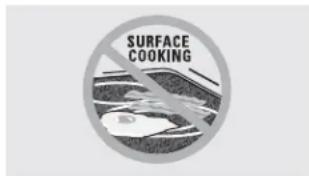
text_image
SURFACE COOKINGNever cook directly on the glass. Always use cookware.
text_image
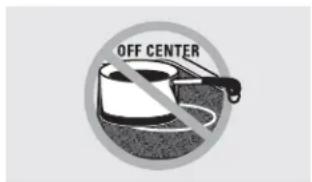
OFF CENTERAlways place the pan in the center of the surface unit you are cooking on.
text_image
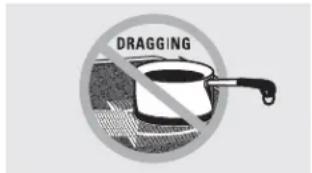
DRAGGINGDo not slide cookware across the control or cooktop surface because it can scratch the glass. The glass is scratch-resistant, not scratchproof.
About the radiant surface units
The radiant cooktop features heating units beneath a smooth glass surface.
Cooktop temperatures increase with the number of surface units that are on. With 3 or 4 units turned on, surface temperatures are high. Always use caution when touching the cooktop.
An indicator light will come on when the surface unit is turned on.
The appropriate HOT SURFACE indicator light will glow when its corresponding radiant element is turned on and will remain on until the surface has cooled below 150^ F.
NOTE:
Hot surface indicator light will:
■ Stay on even after the unit is turned off.
■ Glow brightly until the unit has cooled below 150^ F.
NOTE: A slight odor is normal when a new cooktop is used for the first time. It is caused by the heating of new parts and insulating materials and will disappear in a short time.
NOTE: On models with light-colored glass cooktops, it is normal for the cooking zones to change color when hot or cooling down. This is temporary and will disappear as the glass cools to room temperature.
It is safe to place hot cookware from the oven or surface on the glass cooktop when the surface is cool.
Even after the surface units are turned off, the glass cooktop retains enough heat to continue cooking. To avoid overcooking, remove pans from the surface units when the food is cooked. Avoid placing anything on the surface unit until it has cooled completely.
Water stains (mineral deposits) are removable using the cleaning cream or full strength white vinegar.
■ Use of window cleaner may leave an iridescent film on the cooktop. The cleaning cream will remove this discoloration.
- Don't store heavy items above the cooktop. If they drop onto the cooktop, they can cause damage.
- Do not use the surface as a cutting board.
Selecting types of cookware
for glass cooktop models. (on non-induction models)
GEAppliances.com
The following information will help you choose cookware which will give good performance on glass cooktops. See insert for cookware to use with induction cooktops.
natural_image
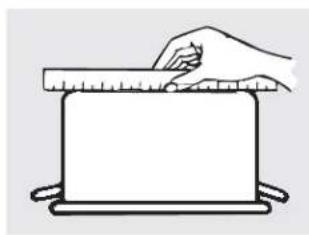
Simple line drawing of a hand pressing down on a rectangular object with a ruler above (no text or symbols)Check pans for flat bottoms by using a straight edge.
Stainless Steel:
recommended
Porcelain Enamel on Cast Iron:
recommended if bottom of pan is coated
Aluminum:
heavy weight recommended
Good conductivity. Aluminum residues sometimes appear as scratches on the cooktop but can be removed if cleaned immediately. Because of its low melting point, thin weight aluminum should not be used.
Porcelain Enamel on Steel:
not recommended
Heating empty pans can cause permanent damage to cooktop glass. The enamel can melt and bond to the ceramic cooktop.
text_image
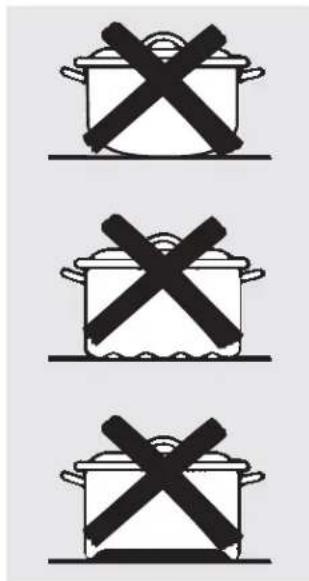
Three identical pictograms showing a cooking pot with crossed X marks, likely indicating prohibition or resistance.Pans with rounded, curved, ridged or warped bottoms are not recommended.
Copper Bottom:
recommended
Copper may leave residues which can appear as scratches. The residues can be removed, as long as the cooktop is cleaned immediately. However, do not let these pots boil dry. Overheated metal can bond to glass cooktops. An overheated copper bottom pot will leave a residue that will permanently stain the cooktop if not removed immediately.
Glass-ceramic:
not recommended
Poor performance. Will scratch the surface.
Stoneware:
not recommended
Poor performance. May scratch the surface.
Cast Iron:
not recommended—unless designed specifically for glass cooktops
Poor conductivity and slow to absorb heat. Will scratch the cooktop surface.
NOTE: Follow all cookware manufacturer's recommendations when using any type of cookware on the ceramic cooktop.
text_image
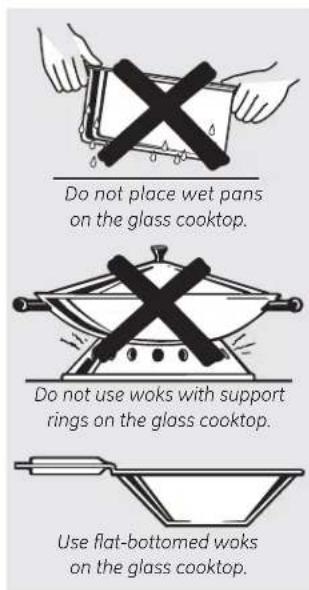
Do not place wet pans on the glass cooktop. Do not use woks with support rings on the glass cooktop. Use flat-bottomed woks on the glass cooktop.For Best Results
Place only dry pans on the surface elements. Do not place lids on the surface elements, particularly wet lids.
Do not use woks that have support rings. This type of wok will not heat on glass surface elements.
We recommend that you use only a flat-bottomed wok. They are available at your local retail store. The bottom of the wok should have the same diameter as the surface element to ensure proper contact.
Some special cooking procedures require specific cookware such as pressure cookers, deep-fat fryers, etc. All cookware must have flat bottoms and be the correct size.
Avoid allowing foods to boil dry as some cookware may stick to the cooking surface, causing permanent damage to the cooktop.
Using the surface units—Touch pad-controlled models.
text_image
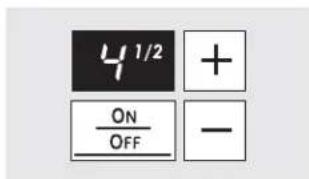
4^{1/2} + ON OFF -The power level with a fraction indicates the additional half-step setting. You may hear clicking sounds indicating the control is maintaining your desired setting.
Surface Unit Cook Settings
The cooktop offers 19 power levels. Power levels range from "L" to HI in precise half-step increments. For example: 1, 1-1/2, 2, 2-1/2 and up to HI.
Power Level "L", the lowest setting, is recommended for "Keep Warm."
The power level increases one-half level with each touch.
NOTE: When changing from a high heat setting to a lower heat setting, the surface unit may stop glowing. This is normal. The unit is still on and hot.
NOTE: This cooktop has a rapid heat-up feature. If the cooktop is cool when turned on, it will glow red for a short period of time until the desired power setting is reached.
text_image
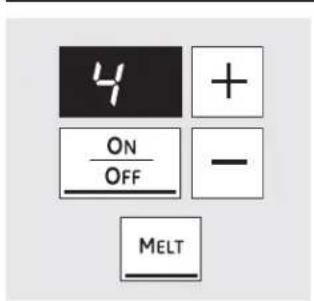
4 + ON OFF - MELT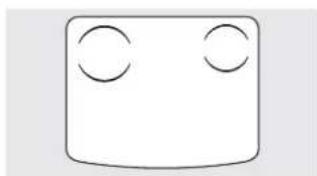
natural_image
Simple geometric diagram with two circles inside a rounded rectangle (no text or symbols)Single Surface Unit—Cook Settings
To turn on a single surface unit:
1 Touch the ON/OFF pad; then touch the (+)/(-) pad.
2 Use the (+)/(−) pad to choose the desired power setting.
To use the Melt feature:
Touch the ON/OFF pad; then touch MELT. The element will automatically set to a predetermined setting and "L" will be displayed.
To turn off a single surface unit, touch the ON/OFF pad again.
To use the Simmer feature:
Touch the ON/OFF pad; then touch SIMMER. The element will automatically set to a predetermined setting and "3" will be displayed. Adjust using the (+)/(−) pad to increase or decrease the simmer rate.
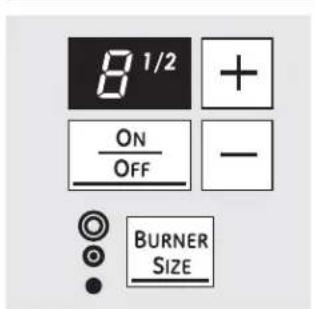
text_image
8 1/2 + ON OFF - BURNER SIZE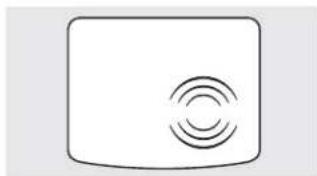
natural_image
Simple icon of a rectangular device with concentric circular wave patterns on its surface (no text or symbols)Multi-Ring Burner (can be dual or triple, depending on model)
1 Touch the ON/OFF pad for the right-front surface unit.
2 Use the (+)/(−) pad to set the desired power setting.
3 Touch the BURNER SIZE pad as needed to select the desired burner size.
The light next to the BURNER SIZE pad indicates which size the surface unit is on.
To turn the surface unit off, touch the ON/OFF pad.
See page 10 for additional information.

WARNING
FOOD POISON HAZARD: Bacteria may grow in food at temperatures below 140°F.
• Always start with hot food. Do not use warm settings to heat cold food.
- Do not warm food for more than 2 hours.
Failure to follow these instructions may result in foodborne illness.
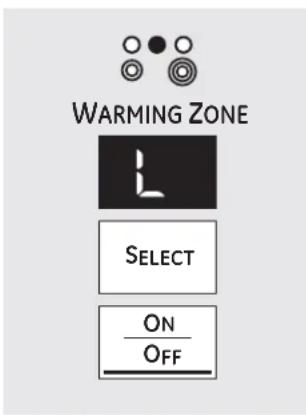
text_image
WARMING ZONE SELECT ON OFFUsing the Warming Zone (on some models)
The WARMING ZONE is located in the back center of the glass surface.
To use the WARMING ZONE:
1 Touch the WARMING ZONE ON/OFF pad.
2 To select the desired control setting, touch the SELECT pad once for LO, twice for MED or three times for HI.
To turn off the WARMING ZONE:
Touch the WARMING ZONE ON/OFF pad.
For best results, all foods on the WARMING
ZONE should be covered with a lid or aluminum foil.
Always use pot holders or oven mitts when removing food from the WARMING ZONE, as cookware will be hot.
Do not use plastic wrap to cover food. Plastic may melt onto the surface and be very difficult to clean.
- Use only cookware recommended for top-of-range cooking.
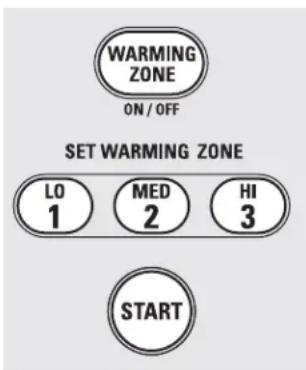
text_image
WARMING ZONE ON / OFF SET WARMING ZONE LO 1 MED 2 HI 3 STARTUsing the Warming Zone (on some models)
The WARMING ZONE is located in the back center of the glass surface.
To use the WARMING ZONE:
1 Touch the WARMING ZONE ON/OFF pad.
2 Touch the 1 (LO), 2 (MED) or 3 (HI) pad to select the desired control setting.
3 Touch the START pad. "WARMER HOT ON" will be in the control display.
To turn off the WARMING ZONE:
Touch the WARMING ZONE ON/OFF pad.
NOTE: The CLEAR/OFF pad will not turn off the WARMING ZONE.
For best results, all foods on the WARMING
ZONE should be covered with a lid or aluminum foil.
Always use pot holders or oven mitts when removing food from the WARMING ZONE, as cookware will be hot.
Do not use plastic wrap to cover food. Plastic may melt onto the surface and be very difficult to clean.
- Use only cookware recommended for top-of-range cooking.
Using the surface units—Knob-controlled models.
Throughout this manual, features and appearance may vary from your model.
text_image
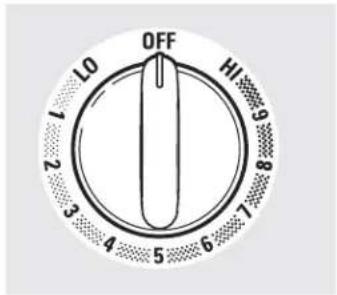
OFF 10 HI 9 8 7 6 5 4 3 2 1At both OFF and HI the control clicks into position. You may hear slight clicking sounds during cooking, indicating the control is maintaining your desired setting.
Be sure you turn the control knob to OFF when you finish cooking.
How to Set
Push the knob in and turn in either direction to the setting you want.
For glass cooktop surfaces:
A HOT COOKTOP indicator light, on the cooktop, will glow when any radiant element is turned on. It will remain on until the surface is cooled to approximately 150°F.
Indicator light will:
■ Come on when the unit is turned on or hot to the touch.
- Stay on even after the unit is turned off.
■ Glow until the unit is cooled to approximately 150^ F.
text_image
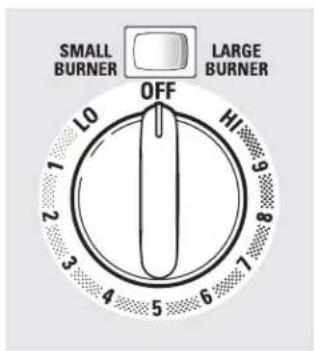
SMALL BURNER LARGE BURNER OFF 10 2 3 4 5 6 7 8 9 10On some models,
Dual and Triple Surface Units and Control Knobs (on some models)
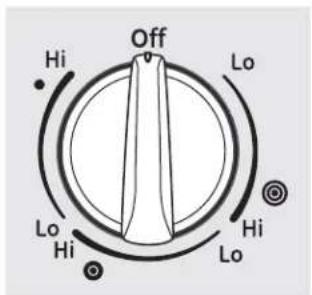
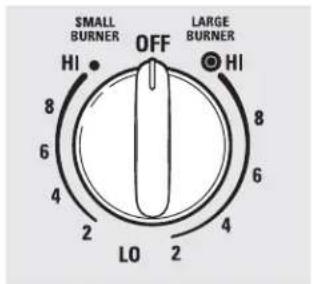
The surface unit has 2 or 3 cooking sizes to select from so you can match the size of the unit to the size of the cookware you are using.
text_image
Off Hi Lo Hi Lo Hi HiModels with a Triple Surface Unit only.
text_image
SMALL BURNER OFF LARGE BURNER HI HI 8 8 6 6 4 4 2 2 LO 2On some models.
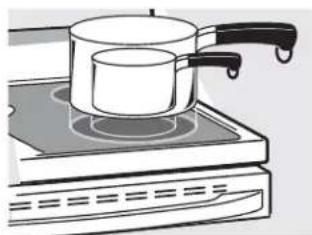
natural_image
Illustration of a cooking pot on an induction cooktop (no text or symbols)Models with a Triple Surface Unit only.
Temperature Limiter
Every radiant surface unit has a temperature limiter.
The temperature limiter protects the glass cooktop from getting too hot. It is normal for it to cycle when the cooktop is in use.
The temperature limiter may cycle the units off more frequently for a time if:
■ The pan boils dry.
■ The pan bottom is not flat.
The pan is off-center.
■ There is no pan on the unit.
Throughout this manual, features and appearance may vary from your model.
Models with a Bridge Burner only:
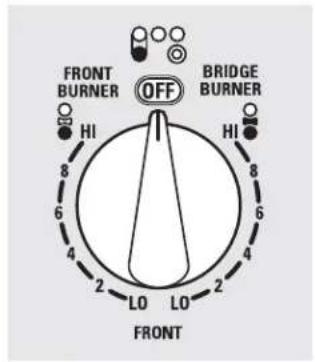
text_image
FRONT BURNER OFF BRIDGE BURNER HI HI 6 4 2 LO LO 2 4 FRONTUsing the Bridge Burner (on some models)
To use the bridge burner, turn the left-front control knob to the BRIDGE BURNER settings.
For full bridge surface unit operation, also turn on the left-rear surface unit.
To use only the front surface unit, turn the control knob to the FRONT BURNER settings.
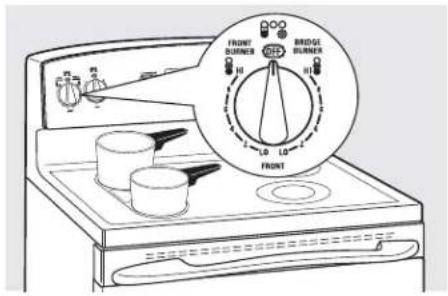
text_image
FRONT RUNNER H1 BRIDGE RUNNER H1 LO LO FRONT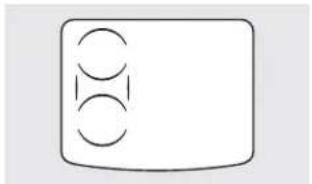
natural_image
Simple diagram with three circles inside a rounded rectangle, no text or symbols presentHome Canning Tips
Be sure the canner is centered over the surface unit.
Make sure the canner is flat on the bottom.
To prevent burns from steam or heat, use caution when canning.
Use recipes and procedures from reputable sources. These are available from manufacturers such as Ball ^1 and Kerr ^1 and the Department of Agriculture Extension Service.
Flat-bottomed canners are recommended. Use of water bath canners with rippled bottoms may extend the time required to bring the water to a boil.
natural_image
Illustration of a cooking pan with crossed black lines and a side view of a bowl (no text or symbols)Wok Cooking
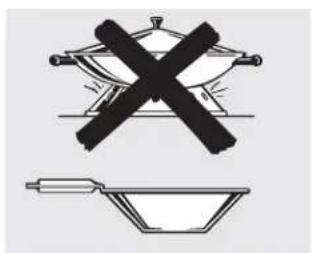
We recommend that you use only a flat-bottomed wok. They are available at your local retail store.
Do not use woks that have support rings.
Do not use round-bottom woks. You could be seriously burned if the wok tipped over.
Use only flat-bottomed woks.
Using the griddle.
CAUTION
BURN HAZARD: Griddle surfaces may be hot enough to cause burns during and after use. Place and remove the griddle when it is cool and all surface units are off. Use oven mitts if you will touch the griddle while hot. Failure to do so can result in burns.
Before using this cookware for the first time, wash it to make sure it is clean. Then season it lightly, rubbing cooking oil onto the nonstick surface.
text_image
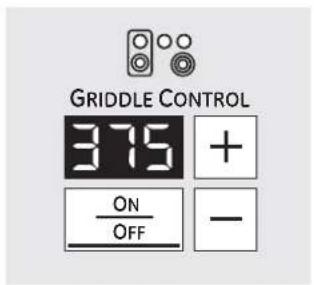
GRIDDLE CONTROL 375 + ON OFF -Griddle Control (on some models)
To use the griddle control:
1 Touch the ON/OFF pad to activate the griddle. "..." will appear in the display.
2 Use the (+)/(−) pad to choose the desired power setting. The default is 375. The griddle offers nine power levels. Power levels range from 200 to 400 in 25 increments.
3 Once the desired setting has been chosen, "PrE" will be displayed until the desired temperature has been reached.
4 To turn the griddle unit off, touch the ON/OFF pad.
NOTE: Use only with the griddle control to avoid degrading the nonstick coating.
Most griddled foods require cooking on a preheated surface. Preheat griddle according to the guide below; then switch to the desired cook setting.
| PreheatType of Food | Setting | Cook Setting |
| Pancakes 375 375 | ||
| Hamburgers 400 375 | ||
| Fried Eggs 325 325 | ||
| Bacon None 400 | ||
| Hot Sandwiches 350 350(such asGrilled Cheese) |
NOTE: Griddle settings may need to be adjusted if griddle is used for an extended time. Setting is an approximate cooking temperature and will vary with quantity of food.
natural_image
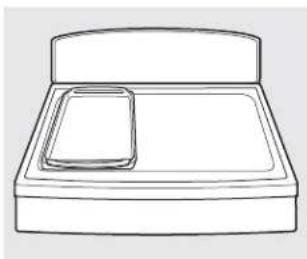
Simple line drawing of a bed with a tray and lid (no text or symbols)How to place the griddle:
IMPORTANT: Always place and use your griddle at the designated location on the cooktop.
IMPORTANT NOTES:
■ Clean the griddle with a sponge and mild detergent in warm water. DO NOT use blue or green scrubbing pads or steel wool.
- Avoid cooking extremely greasy foods and be careful of grease spillover while cooking.
Never place or store any items on the griddle, even when it is not in use. The griddle can become heated when using the surrounding surface units.
- Avoid using metal utensils with sharp points or rough edges, which might damage the griddle. Do not cut foods on the griddle.
Do not use cookware as a storage container for food or oil. Permanent staining and/or craze lines could result.
NOTE: The nonstick coating will degrade when exposed to temperatures over 500°F. Use only with the griddle control and only at the designated location on the cooktop. Do not use the griddle to broil food in the oven. Do not clean the griddle using the self-clean mode in the oven. The griddle control prevents overheating the nonstick coating. At temperatures over 660°F, the nonstick properties permanently degrade and may produce fumes harmful to birds.
NOTE: Your griddle will discolor over time with use.
NOTE: Do not clean the griddle in the self-cleaning oven.
NOTE: Always allow the cookware to cool before immersing in water.
Preparing Quality Steak, Easy as 1, 2, 3:
1.
Prep
- Bring steak to room temperature.
NOTE: Always use safe food practices when handling meat.
-
Season both sides to taste and coat with olive oil or similar.
-
Preheat the oven to BAKE at 425°, with the oven rack in center position "C."
-
Place your griddle on the designated area of the cooktop and then preheat the griddle to 400^ .
CAUTION: The griddle will be VERY HOT! Use oven mitts.
2.
Cook
- Sear steak on each side for 2 minutes or until the desired browning is achieved.
NOTE: There will be "smoke"; ensure there is proper ventilation.
-
Insert the meat probe that came with your range into the center of the steak, making sure that the tip of the probe is in the center of the steak.
-
Plug the probe into the outlet (located on the upper front side of the oven), slide the rack back into the oven and close the door.
-
Press PROBE on your control, enter the desired internal temp, and press START.
3.
Enjoy
- Allow steak to finish cooking in the oven. The range control will beep and turn off when the steak reaches the desired internal temperature.
NOTES:
■ After searing, your steak could possibly already be at the desired temperature, depending on size, cut and desired doneness.
For thinner steaks it may not be possible to achieve a Rare or Medium Rare doneness.
By first searing your meat with a very high heat, you are creating a browning reaction known as the Maillard Reaction. This reaction unlocks the fuller, more intense flavor from the meat, which occurs when cooking meat at a high heat.
Using the oven controls.
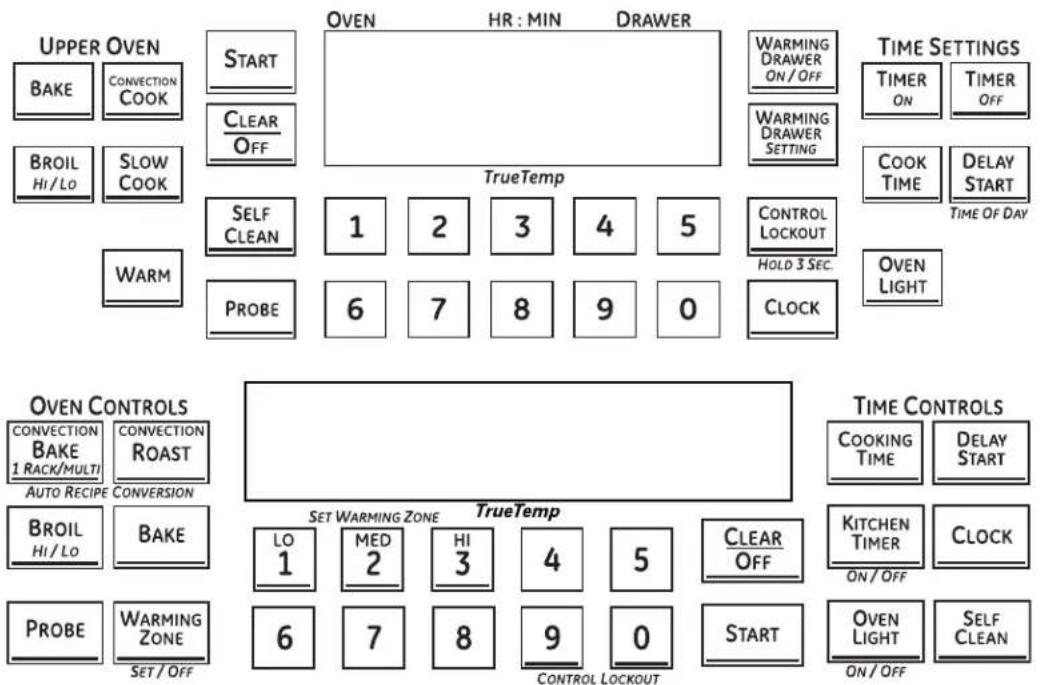
Throughout this manual, features and appearance may vary from your model. See the control panel below that matches your model.
flowchart
graph TD
    A["UPPER OVEN"] --> B["START"]
    B --> C["Clear Off"]
    C --> D["OVEN"]
    D --> E["HR : MIN"]
    E --> F["DRAWER"]
    F --> G["Warming Drawer ON/OFF"]
    G --> H["TIME SETTINGS"]
    H --> I["TIMER ON"]
    I --> J["TIMER OFF"]
    K["BROIL HI/LO"] --> L["SLOW COOK"]
    M["WARM"] --> N["SELF CLEAN"]
    N --> O["1"]
    O --> P["2"]
    P --> Q["3"]
    Q --> R["4"]
    R --> S["5"]
    S --> T["CONTROL LOCKOUT"]
    T --> U["HOLD 3 SEC."]
    U --> V["CLOCK"]
    W["PROBE"] --> X["6"]
    X --> Y["7"]
    Y --> Z["8"]
    Z --> AA["9"]
    AA --> AB["0"]
    AB --> AC["OVEN LIGHT"]

    AD["OVEN CONTROLS"] --> AE["CONVECTION BAKE 1 RACK/MULTI"]
    AD --> AF["CONVECTION ROAST"]
    AD --> AG["AUTO RECIPE CONVERSION"]

    AH["SET WARMING ZONE"] --> AI["LO 1"]
    AH --> AJ["MED 2"]
    AH --> AK["HI 3"]
    AH --> AL["4"]
    AH --> AM["5"]
    AH --> AN["CLEAR OFF"]
    AN --> AO["KITCHEN TIMER ON/OFF"]
    AO --> AP["CLOCK"]

    AQ["PROBE"] --> AR["WARMING ZONE"]
    AQ --> AS["SET/OFF"]

    AT["CONTROL LOCKOUT"] --> AU["6"]
    AT --> AV["7"]
    AT --> AW["8"]
    AT --> AX["9"]
    AT --> AY["0"]
    AT --> AZ["START"]

    BA["TIME CONTROLS"] --> BB["COOKING TIME"]
    BA --> BC["DELAY START"]

    BD["TIME Settings"] --> BE["TIMER ON"]
    BD --> BF["TIMER OFF"]
    BG["COOK TIME"] --> BH["DELAY START"]
    BI["TIME OF DAY"] --> BJ["TIME OF DAY"]
BROIL HI/LO Pad
Touch the BROIL HI/LO pad once for HI Broil.
To change to LO Broil, touch the BROIL HI/LO pad again.
Touch the START pad.
When broiling is finished, touch the CLEAR/OFF pad.
BAKE Pad
Touch the BAKE pad.
Touch the number pads to set the desired oven temperature.
Touch the START pad.
When baking is finished, touch the CLEAR/OFF pad.
CONVECTION COOK Pad
Touch the CONVECTION COOK, CONVECTION BAKE, or CONVECTION ROAST pad.
Touch the number pads to set the desired oven temperature.
Touch the START pad.
When cooking is finished, touch the CLEAR/OFF pad.
PIZZA Pad
Touch the PIZZA pad.
Touch the number pads to select 1 for frozen or 2 for fresh pizza.
Touch the number pads to set the baking temperature.
Touch the START pad.
Baking time is determined by package directions.
Place pizza on top rack position of upper oven. When using a metal tray, use the lower rack position.
PROOF Pad
Touch to raise yeast-leavened products.
See the How to Set the Oven for Proofing section.
WARM Pad
Touch to keep cooked foods warm.
See the How to Set the Upper Oven for Warming section.
SLOW COOK Pad
Touch for long hours of unattended cooking.
See the How to Set the Lower Oven for Slow Cook section.
PROBE Pad
Touch when using the probe to cook food.
See the Using the Probe section.
SELF CLEAN Pad
Touch to self-clean the oven.
See the Using the Self-Cleaning Upper and Lower Ovens section.
CLEAR/OFF Pad
Touch to cancel ALL oven operations except the clock and timer.
START Pad
Must be touched to start any cooking or cleaning function.
OVEN LIGHT Pad
Touch to turn the oven lights on or off.
TIMER ON/OFF Pad(s)/KITCHEN TIMER Pad
Touch to set the kitchen timer.
See the Using the Kitchen Timer section.
COOK TIME/COOKING TIME Pad
Touch this pad and then touch the number pads to set the amount of time you want your food to cook. The oven will shut off when the cooking time has run out.
DELAY START Pad
Use along with the COOK TIME or SELF CLEAN pads to set the oven to start and stop automatically at a time you set.
CLOCK Pad
NOTE: When setting times, you are setting hours and minutes only. The lowest time you can set is one minute.
Touch the CLOCK pad.
Touch the number pads.
Touch the START pad.
The clock must be set to the correct time of day for the automatic oven timing functions to work properly. The time of day cannot be changed during a timed baking or self-cleaning cycle.
If your oven was set for a timed oven operation and a power outage occurred, the clock and all programmed functions must be reset. The time of day will flash in the display when there has been a power outage.
CONTROL LOCKOUT Pad
Your control will allow you to lock out the touch pads and the cooktop so they cannot be activated when touched.
To lock the controls and cooktop:
Touch and hold the CONTROL LOCKOUT pad for 3 seconds. The oven display will show "on Loc on."
To unlock the controls:
Touch and hold the CONTROL LOCKOUT pad for 3 seconds.
The CONTROL LOCKOUT mode affects all touch pads. No touch pads will work when this feature is activated.
WARMING DRAWER
The warming drawer will keep hot, cooked foods at serving temperature. Always start with hot food.
Touch the WARMING DRAWER pad. "WARMER ON" and "1" are lit on the display and "Set" begins to blink. On the number pads, touch 1 for Low, 2 for Medium or 3 for High. The display "1" changes corresponding to the number pad selected. The warming drawer starts automatically after you touch 1, 2 or 3. "WARMER ON" and the number remain lit. "Set" stops blinking. On some models, press START.
On some models – toggle between settings by touching the WARMING DRAWER pad.
To cancel, touch the WARMING DRAWER pad.
NOTE: Touching the CLEAR/OFF pad does not turn off the warming drawer.
WARMING ZONE
Touch to keep hot, cooked food warm. See the Using the Warming Zone section.
Using the oven.
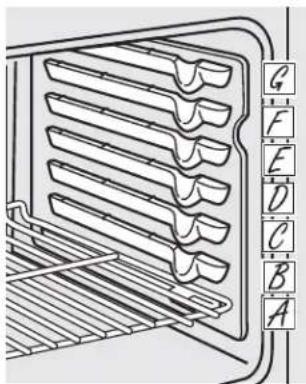
To avoid possible burns, place the racks in the desired position before you turn on the oven.
text_image
Diagram of a refrigerator with labeled compartments and a vertical scale on the rightThe number of rack positions may vary by model.
Before you begin...
The racks have stops, so that when placed correctly on the supports, they will stop before coming completely out and will not tilt.
When placing and removing cookware, pull the rack out until it stops.
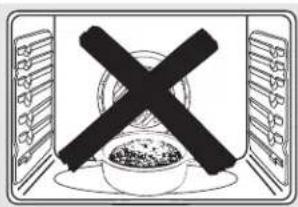
On some models, the bake heating element is under the oven floor. Do not place foods on the oven bottom for cooking.
To remove a rack, pull it toward you, tilt the front end up and pull it out.
To replace, place the end of the rack (stop-locks) on the support, tilt up the front and push the rack in.
CAUTION
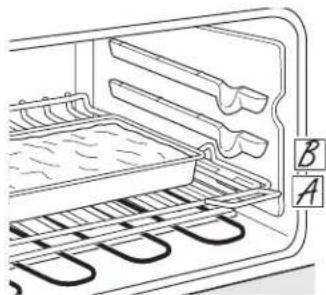
When you are using a rack in the lowest position (A), you will need to use caution when pulling the rack out. We recommend that you pull the rack out several inches and then, using two pot holders, pull the rack out by holding the sides of it. The rack is low and you could be burned if you place your hand in the middle of the rack and pull all the way out. Be very careful not to burn your hand on the door when using the rack in the lowest position (A).
Aluminum Foil
Do not use aluminum foil to line oven bottoms. The foil will trap heat below and upset the performance of the oven. Foil can melt and permanently damage the oven bottom. Damage from improper use of aluminum foil is not covered by the product warranty.
Foil may be used to catch spills by placing a sheet on a lower rack, several inches below the food. Do not use more foil than necessary and never entirely cover an oven rack with aluminum foil. Keep foil at least 1-1/2" from oven walls to prevent poor heat circulation.
To avoid possible burns, place the racks in the desired position before you turn on the oven.
text_image
Symbolic image showing a crossed-out black cross over a bowl of food, enclosed in a rectangular frame with food items on both sides.Do not place foods directly on the oven floor.
Preheating and Pan Placement
To avoid possible burns, place the racks in the desired position before you turn on the oven.
Preheat the oven if the recipe calls for it. Preheating is necessary for good results when baking cakes, cookies, pastries and breads.
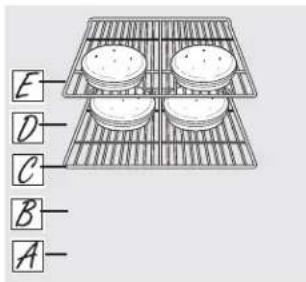
If baking four cake layers at the same time, place two layers on rack C and two layers on rack E. Stagger pans on the rack so one is not directly above the other.
Baking results will be better if food is centered in the oven as much as possible. Angel food cake is the exception and should be placed on the bottom oven rack (position A). Follow package directions on prepackaged and frozen foods for pan placement. Pans should not touch each other or the walls of the oven. If you need to use two racks, stagger the pans so one is not directly above the other. Leave approximately 1½" between pans and from the front, back and sides of oven wall.
text_image
E D C B A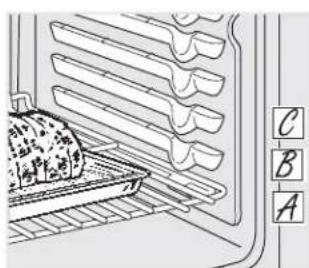
text_image
Diagram of a microwave oven with labeled parts A, B, and C showing internal layers and a dish on the tray.How to Set the Oven for Baking or Roasting
1 Touch the BAKE pad.
2 Touch the number pads until the desired temperature is displayed.
3 Touch the START pad.
The oven will start automatically. The display will show PrE while preheating. When the oven reaches the selected temperature, the oven control will beep several times and the display will show the oven temperature.
NOTE: You will hear the convection fan (on some models) while the oven is preheating. The fan will stop after the oven is preheated and the display shows your set temperature. This is normal.
To change the oven temperature during the BAKE cycle, touch the BAKE pad and then the number pads to get the new temperature.
4 Check food for doneness at the minimum time on the recipe. Cook longer if necessary.
5 Touch the CLEAR/OFF pad when baking is finished, and then remove the food from the oven.
natural_image
Line drawing of an oven with cooling rack and tray, no text or symbols presentUsing the oven.
natural_image
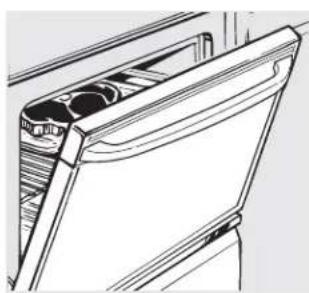
Line drawing of a door handle with two circular cutouts (no text or symbols)Leave the door open to the broil stop position. The door stays open by itself, yet the proper temperature is maintained in the oven.
How to Set the Oven for Broiling
If your range is connected to 208 volts, rare steaks may be broiled by preheating the broiler and positioning the oven rack one position higher.
Use LO Broil to cook foods such as poultry or thick cuts of meat thoroughly without overbrowning them.
1 Place the meat or fish on a broiler grid in a broiler pan designed for broiling.
2 Follow suggested rack positions in the Broiling Guide.
3 Touch the BROIL HI/LO pad once for HI Broil.
To change to LO Broil, touch the BROIL HI/LO pad again.
4 Touch the START pad.
5 When broiling is finished, touch the CLEAR/OFF pad.
The size, weight, thickness, starting temperature and your preference of doneness will affect broiling times. This guide is based on meats at refrigerator temperature.
† The U.S. Department of Agriculture says "Rare beef is popular, but you should know that cooking it to only 140°F means some food poisoning organisms may survive." (Source: Safe Food Book, Your Kitchen Guide, USDA Rev. June 1985.)
Broiling Guide
Preheat the broiler for 2 minutes to improve performance.
| Type or Food Doneness Thickness | Rack Position* Comments | |||
| Beef | Rare (140°F) | Steaks - 1" thick | E or F (food should be 1" to 3" from broil element) | Steaks less than 1" thick are difficult to cook rare. They cook through before browning.To prevent curling of meat, slash fat at 1" intervals. |
| Medium (160°F) | Steaks - 3/4" to 1" thick | E (food should be 3" to 4" from broil element) | ||
| Well Done (170°F) | Steaks - 3/4" to 1" thick or Ground Beef Patties | D or E (food should be 3" to 5" from broil element) | ||
| Chicken | Breast, boneless | C (food should be 8" to 9" from broil element) | Broil skin-side-down first. | |
| Breast, bone-in | C (food should be 7" to 8" from broil element) | |||
| Fish Fillets | 1/2" to 1" thick | D or E (food should be 3" to 6" from broil element) | Handle and turn very carefully. | |
| Pork Chops | Well Done (170°F) | 3/4" thick | D (food should be 6" to 7" from broil element) | To prevent curling of meat, slash fat at 1" intervals. |
*Use rack position A for the smaller, 2-rack-position oven.
NOTE: Foods that spoil easily—such as milk, eggs, fish, stuffings, poultry and pork—should not be allowed to sit for more than 1 hour before or after cooking. Room temperature promotes the growth of harmful bacteria. Be sure that the oven light is off because heat from the bulb will speed harmful bacteria growth.
flowchart
graph TD
    A["BAKE"] --> B["1 2 3 4 5"]
    B --> C["6 7 8 9 0"]
    D["COOK TIME"] --> E["1 2 3 4 5"]
    E --> F["6 7 8 9 0"]
    G["START"] --> H["CLEAR/OFF"]
How to Set an Immediate Start and Automatic Stop
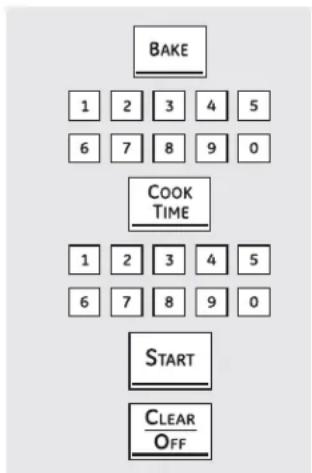
The oven will turn on immediately and cook for a selected length of time. At the end of the cooking time the oven will turn off automatically.
1 Touch the BAKE pad.
2 Touch the number pads to set the desired oven temperature.
3 Touch the COOK TIME pad.
NOTE: If your recipe requires preheating, you may need to add additional time to the length of the cooking time.
4 Touch the number pads to set the desired length of cooking time. The minimum cooking time you can set is 1 minute.
The oven temperature that you set and the cooking time that you entered will be in the display.
5 Touch the START pad.
NOTE: An attention tone will sound if you are using timed baking and do not touch the START pad.
The oven will turn ON, and the display will show the cooking time countdown and the changing temperature starting at 100^ F. (The temperature display will start to change once the oven temperature reaches 100^ F.) When the oven reaches the temperature you set, 3 beeps will sound.
The oven will continue to cook for the set amount of time, then turn off automatically, unless the WARM feature was set. See the How to Set the Upper Oven for Warming section.
6 Touch the CLEAR/OFF pad to clear the display if necessary. Remove the food from the oven. Remember, even though the oven turns off automatically, food left in the oven will continue cooking after the oven turns off.
flowchart
graph TD
    A["BAKE"] --> B["1 2 3 4 5"]
    B --> C["6 7 8 9 0"]
    D["COOK TIME"] --> E["1 2 3 4 5"]
    E --> F["6 7 8 9 0"]
    G["DELAY START"] --> H["1 2 3 4 5"]
    H --> I["6 7 8 9 0"]
    J["START"] --> K["CLEAR/OFF"]
How to Set a Delayed Start and Automatic Stop
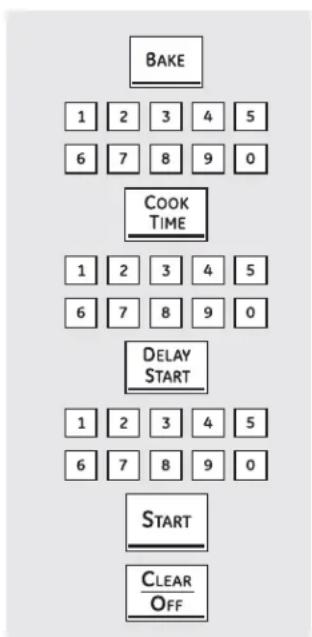
The oven will turn on at the time of day you set, cook for a specific length of time and then turn off automatically.
Make sure the clock shows the correct time of day.
1 Touch the BAKE pad.
2 Touch the number pads to set the desired oven temperature.
3 Touch the COOK TIME pad.
NOTE: If your recipe requires preheating, you may need to add additional time to the length of the cooking time.
4 Touch the number pads to set the desired length of cooking time. The minimum cooking time you can set is 1 minute. The oven temperature that you set and the cooking time that you entered will be in the display.
5 Touch the DELAY START pad.
6 Touch the number pads to set the time of day you want the oven to turn on and start cooking.
7 Touch the START pad.
NOTE: An attention tone will sound if you are using timed baking and do not touch the START pad.
NOTE: If you would like to check the times you have set, touch the DELAY START pad to check the start time you have set or touch the COOK TIME pad to check the length of cooking time you have set.
When the oven turns ON at the time of day you set, the display will show the cooking time countdown and the changing temperature starting at 100^ F. (The temperature display will start to change once the oven temperature reaches 100^ F.) When the oven reaches the temperature you set, beeps will sound.
The oven will continue to cook for the set amount of time, then turn off automatically.
8 Touch the CLEAR/OFF pad to clear the display if necessary. Remove the food from the oven. Remember, even though the oven turns off automatically, food left in the oven will continue cooking after the oven turns off.
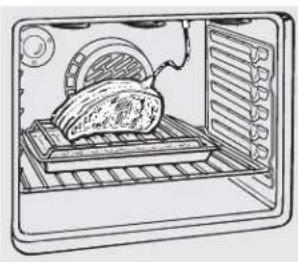
For many foods, especially roasts and poultry, internal food temperature is the best test for doneness. The temperature probe takes the guesswork out of roasting by cooking foods to the exact doneness you want.
natural_image
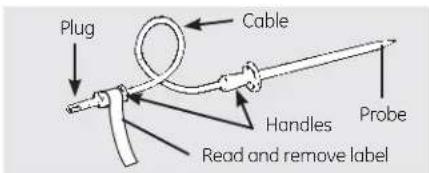
Line drawing of a microwave oven with a tray holding an oven and a lid showing contents (no text or symbols)The temperature probe has a skewer-like probe at one end and a plug at the other end that goes into the outlet in the oven.
natural_image
Illustration of a cooking setup with a pot and a roasted chicken (no text or symbols)CAUTION
To prevent burns, do not unplug the probe from the oven outlet until the oven has cooled.
Use of probes other than the one provided with this product may result in damage to the probe or oven control.
Use the handles of the probe and plug when inserting and removing them from the food and outlet.
To avoid damaging your probe, do not use tongs to pull on the cable when removing it.
To avoid breaking the probe, make sure food is completely defrosted before inserting.
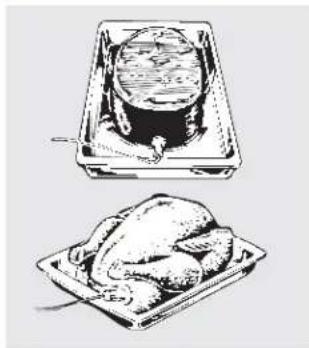
After preparing the meat and placing it on a trivet or a broiler pan grid, follow these directions for proper probe placement.
Insert the probe completely into the meat. It should not touch bone, fat or gristle.
NOTE: Failure to fully insert the probe into the meat may result in poor cooking performance because the probe will sense the oven air vs. the food temperature.
text_image
Plug Cable Handles Read and remove label Probe■ Never leave your probe inside the oven during a self-cleaning or broil cycle.
- Do not store the probe in the oven.
For roasts with no bone, insert the probe into the meatiest part of the roast. For bone-in ham or lamb, insert the probe into the center of the lowest large muscle.
Insert the probe into the center of dishes such as meat loaf or casseroles.
Insert the probe into the meatiest part of the inner thigh from below and parallel to the leg of a whole turkey.
NOTE: Self-clean and Broil settings will not work if the temperature probe is plugged in.
flowchart
graph TD
    A["PROBE"] --> B["1 2 3 4 5"]
    A --> C["6 7 8 9 0"]
    D["BAKE"] --> E["1 2 3 4 5"]
    D --> F["6 7 8 9 0"]
    G["START"] --> H["CLEAR OFF"]
How to Set the Oven For Baking/Roasting When Using the Probe
(on some models)
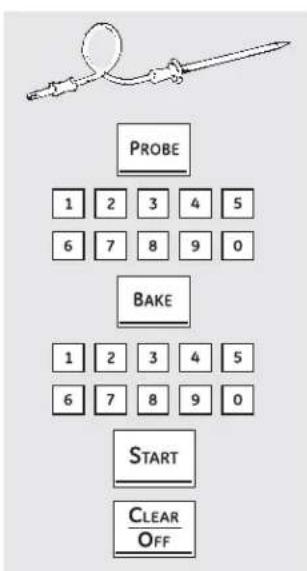
1 Insert the probe fully into the food.
2 Plug the probe into the outlet in the oven. Make sure it's pushed all the way in. Close the oven door. Make sure the probe cable is not touching the broil element.
3 Touch the PROBE pad. Display will show "Set Probe."
4 Touch the number pads to set the desired internal food or meat temperature. The maximum internal temperature for the food that you can set is 200^ F.
5 Touch the BAKE pad.
6 Touch the number pads to set the desired oven temperature.
7 Touch the START pad.
The display will flash if the probe is inserted into the outlet and you have not set a probe temperature and touched the START pad.
After the internal temperature of the food reaches 100^ F, the changing internal temperature will be shown in the display.
8 When the internal temperature of the food reaches the number you have set, the probe and the oven turn off and the oven control signals. To stop the signal, touch the CLEAR/OFF pad. Use hot pads to remove the probe from the food. Do not use tongs to pull on it—they might damage it.
If the probe is removed from the oven while probe cooking, the oven will not automatically turn off.
To change the oven temperature during the Bake/Roast cycle, touch the BAKE pad and then the number pads to set the new temperature.
- You can use the Kitchen Timer even though you cannot use timed oven operations while using the probe.
text_image
KITCHEN TIMER ON / OFF (on some models) TIMER ON TIMER OFF(on some models)
The Kitchen Timer is in hours and minutes.
The Kitchen Timer does not control oven operations. The maximum setting on the Kitchen Timer is 9 hours and 59 minutes.
To Set the Kitchen Timer
1 Touch the KITCHEN TIMER ON/OFF or TIMER ON pad (depending on model).
2 Touch the number pads until the amount of time you want shows in the display. For example, to set 2 hours and 45 minutes, touch 2, 4 and 5 in that order. If you make a mistake, touch the KITCHEN TIMER ON/OFF or TIMER OFF pad (depending on model) and begin again.
3 Touch the START pad.
After touching the START pad, SET disappears; this tells you the time is counting down, although the display does not change until one minute has passed. Seconds will not be shown in the display until the last minute is counting down.
4 When the kitchen timer reaches :00, the control will beep 3 times followed by one beep every 6 seconds until the KITCHEN TIMER ON/OFF or TIMER OFF pad (depending on model) is touched.
The 6-second tone can be cancelled by following the steps in the Special features of your oven control section under Tones at the End of a Timed Cycle.
To Reset the Kitchen Timer
If the display is still showing the time remaining, you may change it by touching the KITCHEN TIMER ON/OFF or TIMER ON pad (depending on model), then touch the number pads until the time you want appears in the display.
If the remaining time is not in the display (clock, delay start or cooking time are in the display), recall the remaining time by touching the KITCHEN TIMER ON/OFF or TIMER ON pad (depending on model) and then touching the number pads to enter the new time you want.
text_image
KITCHEN TIMER ON / OFF (on some models) TIMER ON TIMER OFF(on some models)
To Cancel the Kitchen Timer
Touch the KITCHEN TIMER ON/OFF or TIMER ON pad (depending on model) twice or touch TIMER OFF.
Adjust the oven thermostat—Do it yourself!
You may find that your new oven cooks differently than the one it replaced. Use your new oven for a few weeks to become more familiar with it. If you still think your new oven is too hot or too cold, you can adjust the thermostat yourself.
Do not use thermometers, such as those found in grocery stores, to check the temperature setting of your oven. These thermometers may vary 20–40 degrees.
NOTE: This adjustment will only affect baking and roasting temperatures; it will not affect broiling or self-cleaning temperatures. The adjustment will be retained in memory after a power failure.
flowchart
graph TD
    A["BROIL Hi/Lo"] + B["BAKE"] --> C["BAKE"]
    C --> D["1 2 3 4 5"]
    D --> E["6 7 8 9 0"]
    E --> F["START"]
(on some models)
text_image
BAKE + BROIL HVLO BAKE 1 2 3 4 5 6 7 8 9 0 START(on some models)
To Adjust the Thermostat
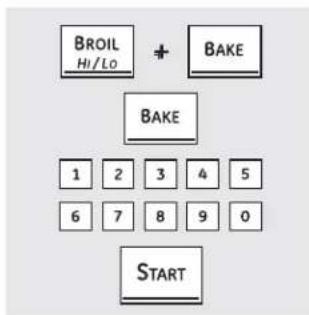
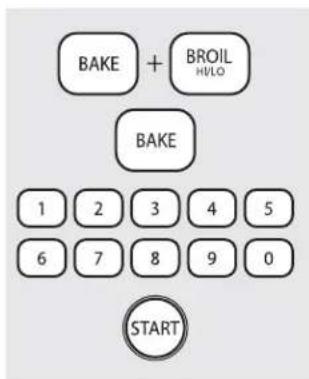
1 Touch the BROIL HI/LO and BAKE pads at the same time until the display shows SF.
2 Touch the BAKE pad. A two-digit number shows in the display.
Touch BAKE again to alternate between increasing and decreasing the oven temperature.
To adjust the upper oven thermostat, touch the upper oven BAKE pad. To adjust the lower oven thermostat, touch the lower oven BAKE pad.
3 The oven temperature can be adjusted up to (+) 35^ F hotter or (-) 35^ F cooler. Touch the number pads the same way you read them. For example, to change the oven temperature 15^ F, touch 1 and 5.
4 When you have made the adjustment, touch the START pad to go back to the time of day display. Use your oven as you would normally.
The type of margarine will affect baking performance!
Most recipes for baking have been developed using high-fat products such as butter or margarine (80% fat). If you decrease the fat, the recipe may not give the same results as with a higher-fat product.
Recipe failure can result if cakes, pies, pastries, cookies or candies are made with low-fat spreads. The lower the fat content of a spread product, the more noticeable these differences become.
Federal standards require products labeled "margarine" to contain at least 80% fat by weight. Low-fat spreads, on the other hand, contain less fat and more water. The high moisture content of these spreads affects the texture and flavor of baked goods. For best results with your old favorite recipes, use margarine, butter or stick spreads containing at least 70% vegetable oil.
Convection Cook (on some models)
The convection oven comes with one convection cook mode and can be used for 1-Rack Convection Baking or Multi-Rack Convection Baking.
natural_image
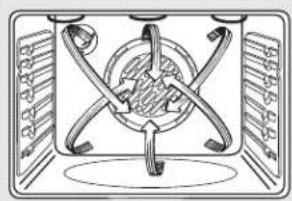
Diagram of a mechanical or electrical component with intersecting rods and a central circular element (no text or symbols)Convection Fan Operation
In a convection oven, a fan circulates hot air over, under and around the food.
This circulating hot air is evenly distributed throughout the oven cavity. As a result, foods are evenly cooked and browned—often in less time with convection heat.
NOTE: To maximize cooking evenness, the fan is designed to rotate in both directions, with a pause in between. This is normal.
The convection fan shuts off when the oven door is opened. DO NOT leave the door open for long periods of time while using convection cooking or you may shorten the life of the convection heating element.
text_image
Technical diagram of a multi-layered battery pack with labeled components F, D, and BMulti-Rack Convection Baking
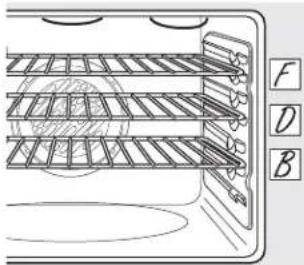
Because heated air is circulated evenly throughout the oven, foods can be baked with excellent results using multiple racks.
Multi-rack baking may increase cook times slightly for some foods but the overall result is time saved. Cookies, muffins, biscuits and other quickbreads give very good results with multi-rack baking.
When baking on 3 racks, place one rack in the second (B) position, another rack in the fourth (D) position and the third rack in the sixth (F) position.
For two-rack baking, place one rack in the second (B) rack position. Place the other rack in the fifth (E) rack position.
Multi-rack position.
1-Rack Convection Baking
When convection baking with only 1 rack, place the food so that it is centered in the oven.
Adapting Recipes...
You can use your favorite recipes in the convection oven.
■ Use pan size recommended.
Some package instructions for frozen casseroles or main dishes have been developed using commercial convection ovens. For best results in this oven, preheat the oven and use the temperature on the package.
Using the convection oven. (on some models)
text_image
Grid Broiler panConvection Roast (on some models)
Good for large tender cuts of meat, uncovered.
The convection fan circulates the heated air evenly over and around the food. Meat and poultry are browned on all sides as if they were cooked on a rotisserie. The heated air seals in juices quickly for a moist and tender product while, at the same time, creating a rich golden brown exterior.
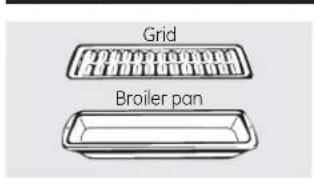
When you are convection roasting, it is important that you use a broiler pan and grid for best convection roasting results. The pan is used to catch grease spills and the grid is used to prevent grease spatters.
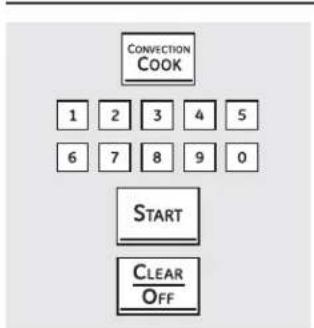
flowchart
graph TD
    A["CONVECTION COOK"] --> B["1"]
    B --> C["2"]
    C --> D["3"]
    D --> E["4"]
    E --> F["5"]
    F --> G["6"]
    G --> H["7"]
    H --> I["8"]
    I --> J["9"]
    J --> K["0"]
    L["START"] --> M["CLEAR OFF"]
(on some models)
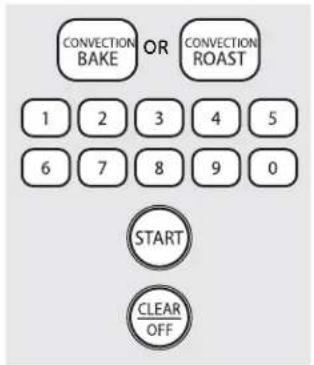
text_image
CONVECTION OR CONVECTION BAKE ROAST 1 2 3 4 5 6 7 8 9 0 START CLEAR OFF(on some models)
How to Set the Oven for Convection Baking or Roasting
1 Touch the CONVECTION COOK or CONVECTION BAKE pad once for multi-rack convection baking. This mode is used for cooking food items on more than one rack (i.e., 2, 3 or more racks) at the same time in convection bake. See the Multi-Rack Convection Baking section for more information.
Touch the CONVECTION COOK or CONVECTION BAKE pad twice for one-rack convection baking. This mode is used for cooking food items on only one rack in convection bake.
Touch the CONVECTION ROAST pad for convection roasting (on some models).
2 Touch the number pads to set the oven temperature.
3 Touch the START pad.
NOTE: If the Auto Recipe ^™ Conversion Feature is on, it will automatically reduce the set regular baking temperature by 25°F to the appropriate convection temperature in convection bake mode. See Auto Recipe ^™ Conversion in the
Special Features section.
To change the oven temperature, touch the CONVECTION COOK, CONVECTION BAKE or CONVECTION ROAST pad and then the number pads to set the new temperature.
When the oven starts to heat, the changing temperature, starting at 100^ F, will be displayed. When oven reaches the temperature you set, 3 beeps will sound.
4 Touch CLEAR/OFF pad when finished.
You will hear a fan while cooking with convection. The fan will stop when the door is opened, but the heat will not turn off.
■ You may hear the oven clicking during baking. This is normal.
In convection bake modes, for maximum cooking evenness, the fan is designed to rotate in both directions, with a pause in between. This is normal.
When baking cookies, you will get the best results if you use a flat cookie sheet instead of a pan with low sides.
Cookware for Convection Cooking
Before using your convection oven, check to see if your cookware leaves room for air circulation in the oven. If you are baking with several pans, leave space between them. Also, be sure the pans do not touch each other or the walls of the oven.
Paper and Plastic
Heat-resistant paper and plastic containers that are recommended for use in regular baking can also be used for convection baking but should not be used at temperatures higher than the temperature recommended by the cookware manufacturer. Plastic cookware that is heat-resistant to temperatures of 400°F can also be used.
Any type of cookware will work in your convection oven; however, metal pans heat the fastest and are recommended for convection baking.
Darkened or matte-finished pans will bake faster than shiny pans.
■ Glass or ceramic pans cook more slowly.
For recipes like oven-baked chicken, use a pan with low sides. Hot air cannot circulate well around food in a pan with high sides.
Metal and Glass
You will hear a fan while cooking with these features. The fan will stop when the door is opened, but the heat will not turn off.
NOTE: Foods that spoil easily—such as milk, eggs, fish, stuffings, poultry and pork—should not be allowed to sit for more than 1 hour before or after cooking. Room temperature promotes the growth of harmful bacteria. Be sure that the oven light is off because heat from the bulb will speed harmful bacteria growth.
How to Set an Immediate Start and Automatic Stop
Press desired convection function. Proceed to step 2 of How to Set an Immediate Start and Automatic Stop in Using the timed baking and roasting features section.
How to Set a Delayed Start and Automatic Stop
Press desired convection function. Proceed to step 2 of How to Set a Delay Start and Automatic Stop in Using the timed baking and roasting features section.
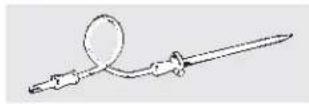
For best results when roasting large turkeys and roasts, we recommend using the probe included in the convection oven.
flowchart
graph TD
    A["CONVECTION COOK"] --> B["1"]
    A --> C["2"]
    A --> D["3"]
    A --> E["4"]
    A --> F["5"]
    A --> G["6"]
    A --> H["7"]
    A --> I["8"]
    A --> J["9"]
    A --> K["0"]
    L["PROBE"] --> M["1"]
    L --> N["2"]
    L --> O["3"]
    L --> P["4"]
    L --> Q["5"]
    L --> R["6"]
    L --> S["7"]
    L --> T["8"]
    L --> U["9"]
    L --> V["0"]
    W["START"] --> X["Clear/Off"]
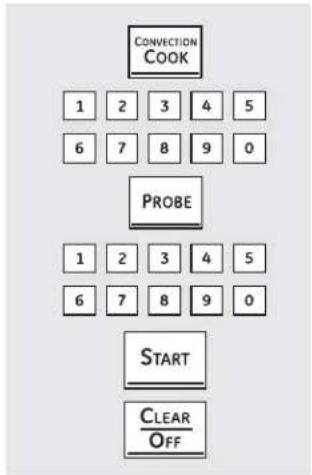
To change the oven temperature during the Convection Roast cycle, touch the CONVECTION COOK pad and then touch the number pads to set the new desired temperature.
How to Set the Oven for Convection Roasting when Using the Probe
To prevent
burns, do not unplug the probe from the oven outlet until the oven has cooled.
Place the oven rack in the position that centers the food between the top and bottom of the oven. Insert the probe into the meat. Make sure it is pushed all the way in.
2 P lug the probe into the outlet in the oven. Make sure it is pushed all the way in. Close the oven door.
3 Touch the PROBE pad.
4 Touch the number pads to set the desired internal meat temperature.
NOTE: The maximum internal temperature for the food that you can set is 200^ F.
5 Touch the CONVECTION COOK pad.
6 Touch the number pads to set the desired oven temperature.
The display will flash PROBE and the oven control will signal if the probe is inserted into the outlet, and you have not set a probe temperature and pressed the START pad.
7 Touch the START pad.
When the oven starts to heat, the word LO will be in the display.
After the internal temperature of the meat reaches 100^ F, the changing internal temperature will be shown in the display.
8 When the internal temperature of the meat reaches the number you have set, the probe and the oven turn off and the oven control signals. To stop the signal, touch the CLEAR/OFF pad. Use hot pads to remove the probe from the food. Do not use tongs to pull on it—they might damage it.
NOTE: If the probe is removed from the oven while probe cooking, the oven will not automatically turn off.
NOTES:
You will hear a fan while cooking with this feature. The fan will stop when the door is opened, but the heat will not turn off.
- You can use the Kitchen Timer even though you cannot use timed oven operations.
Never leave your probe inside the oven during a self-cleaning cycle.
Do not store the probe in the oven.
Probe is not for use in Broil or Self-Clean functions.
Fan only rotates in one direction.
Convection Roasting Guide
| Meat | Oven Temp. | Internal Temp. | |||
| Beef Ribone- Beef T Beef T | b Roast (4 to 8 lbs.)n and Boneless | RareMedium | 325°F | 145°F325°F 160°F | |
| Tenderloin (4 to 6 lbs.) | Rare | 425°F | 145°F | ||
| Tenderloin (2 to 3 lbs.) | Rare | 425°F | 145°F | ||
| Pork | Bone-In, Boneless (3 to 5 lbs.) | 325°F | 160°F | ||
| LambBoneless | Bone-In (5 to 9 lbs.) | Medium | 325°F | 165°F | |
| Less (4 to 7 lbs.) | Medium | 375°F 165°F | |||
| PoultryTurkey | Whole Chicken (5 to 7 lbs.) | 350°F | 170°F | ||
| Turkey, Whole*Unstuffed (10 to 16 lbs.) | 325°F | 170°-180°F | |||
| Unstuffed (18 to 24 lbs.) | 325°F | 170°-180°F | |||
| Breast (4 to 6 lbs.) | 325°F 170°F | ||||
* Stuffed birds generally require 30–45 minutes additional roasting time. Shield legs and breast with foil to prevent overbrowning and drying of skin.
Using the slow cook, pizza, warming and proofing features.

WARNING
Food Poison Hazard: Bacteria may grow in food at temperatures below 140°F.
• Always start with hot food. Do not use warm settings to heat cold food.
- Do not warm food for more than 2 hours.
Failure to follow these instructions may result in foodborne illness.
text_image
SLOW COOK 1 2 3 4 1 2 3 4 5 6 7 8 9 0 STARTHow to Set the Lower Oven For Slow Cook
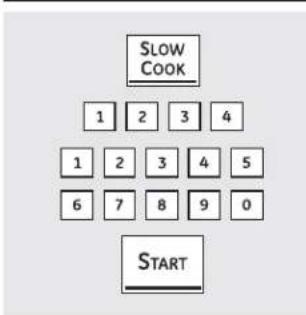
Slow Cook is designed for long hours of unattended cooking.
1 Touch the SLOW COOK pad.
2 Touch the number pads to select the desired setting - 1 for Poultry or 2 for Meats. Use 2-Meats if you are unsure which setting to use.
3 Touch the number pads to set the desired length of cooking time. The cooking time must be at least 3 hours, up to 11 hours 59 minutes.
4 Touch the START pad.
NOTE: If a power outage occurs while the oven is in Slow Cook, the range will shut off.
Slow Cook Guide
| Rack Food | Food Time Quantity | Position | Setting | (Hours) | Comments |
| BeefChuck Roast | 3-3 12 lbs. | CLO 8-10 | 2-Meats hrs. | HI 5-6 hrs. | Add 1/2 cup liquid. |
| Beef Ribs | 13 -4 lbs. | CLO 6-8 | 2-Meats hrs. | HI 3-4 hrs. | Place ribs in a single layer. |
| PoultryWhole ChickenChicken Pieces sauce | 4 lbs. | CLO 7-9 | 1-Poultry hrs. | HI 4-5 hrs. | Add 1/2 cup liquid. |
| 8 pieces(approx. 3 lbs.) | C | 1-Poultry | HI 3-4 hrs.LO 5-6 hrs. | Best submerged under a to prevent surface drying. | |
| PorkBoneless Blade RoastCountry Style Pork RibsPork Chops layer. | 3-4 lbs. | C | 2-Meats | HI 5-6 hrs.LO 8-10 hrs. | Add 1/2-1 cup liquid. |
| 13 -4 lbs. | C | 2-Meats | HI 3-4 hrs.LO 6-8 hrs. | Place ribs in a single layer. | |
| 4-8 lbs. | CLO 6-8 | 2-Meats hrs. | HI 3-4 hrs. | Place chops in a single | |
| SoupVegetable Beef SoupChili | 4 quarts | C | 2-Meats | HI 4-5 hrs.LO 8-10 hrs | Make sure beef chunks are submerged. |
| 4 quarts | C | 2-Meats | HI 3-4 hrs.LO 6-8 hrs. | Submerge beans to prevent surface drying. |
Guideline Tips
The slow cook program uses a complex series of temperature cycling to obtain the best results. For this reason, it is recommended that the slow cook program be allowed to run without cancelling or restarting. Restarting the slow cook feature while it is in progress may result in overcooked meat.
For juicy and tender meat, choose cuts of meat such as chuck roast or a boneless blade roast. Leaner cuts of meat, such as top round, are drier and may need additional liquid.
Use only glass and ceramic dishes. Metal pots and pans tend to transfer the heat into the foods too quickly.
■ Match the quantity of food to the size pan. Fill the pan about 3/4 full for best results. Too large a pot allows the steam to escape, causing foods to dry out.
■ Always cover the pot with a lid or aluminum foil.
A wide range of recipes may be used in the slow cook feature. For best results some adjustments may need to be made. For smaller sized recipes, begin checking at minimum time. For large recipes or when doubling recipes, foods may be cooked for longer periods of time.
When the slow cook feature completes, the oven will automatically switch to "warm" mode. If additional slow cook time is desired, this warm mode may be used to obtain the extra time.
text_image
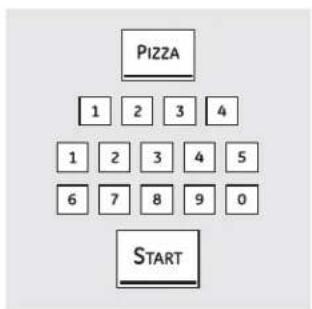
PIZZA 1 2 3 4 1 2 3 4 5 6 7 8 9 0 STARTHow to Set the Upper Oven For Pizza
Adjust rack position for type of pizza tray being used (see chart).
1 Touch the PIZZA pad.
2 Touch the number pads to select 1 for fresh or 2 for frozen pizza.
3 Touch the number pads to set the baking temperature.
4 Touch the START pad.
Baking time is determined by package directions.
Type of Pizza Tray Rack Position
| Tray supplied with fresh pizza | B |
| Pizza placed directly on rack | B |
| Metal tray A |
Using the slow cook, pizza, warming and proofing features.
How to Set the Upper Oven For Warming
The WARM feature keeps cooked foods hot.
This feature is not designed to reheat cold food.
To use the WARM feature, touch the WARM pad and then the START pad.
To use the WARM feature after Timed Baking, follow these steps:
1 Touch the bake mode of cooking.
2 Touch the number pads to set the oven temperature.
3 Touch the COOK TIME pad.
4 Touch the number pads to set the desired length of cooking time.
5 Touch the WARM pad.
6 Touch the START pad.
NOTE: Plastic containers, lids or plastic wrap will melt if placed in the oven. Melted plastic may not be removable and is not covered under your warranty.
text_image
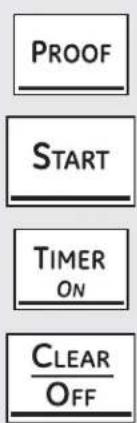
PROOF START TIMER ON CLEAR OFF(on some models)
How to Set the Oven For Proofing (on some models)
The proofing feature maintains a warm environment useful for rising yeast-leavened products.
Place the covered dough in a dish in the oven on rack B or C.
NOTE: For best results, cover the dough with a cloth or with greased plastic wrap (the plastic may need to be anchored underneath the container so the oven fan will not blow it off).
2 Touch the PROOF pad and then the START pad.
The display will read PrF (proof).
The oven interior light turns on and remains on during proofing.
The proofing feature automatically provides the optimum temperature for the proofing process, and therefore does not have a temperature adjustment.
3 Set the Timer for the minimum proof time.
4 When proofing is finished, touch the CLEAR/OFF pad.
To avoid lowering the oven temperature and lengthening proofing time, do not open the oven door unnecessarily.
- Check bread products early to avoid overproofing.
NOTES:
Do not use the proofing mode for warming food or keeping food hot. The proofing oven temperature is not hot enough to hold foods at safe temperatures. Use the WARM feature to keep food warm.
Proofing will not operate when oven is above 125°F. "HOT" will show in the display.
(on some models)
natural_image
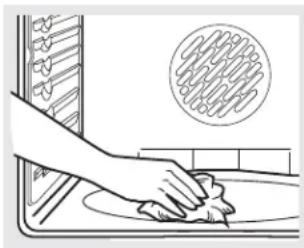
Illustration of a hand cleaning a kitchen sink with a circular inset showing a textured surface (no text or symbols)Wipe up heavy soil on the oven bottom.
Before a Clean Cycle
WARNING
FIRE HAZARD: Wipe grease and heavy soil from the oven bottom before self-cleaning. Failure to do so may result in an oven fire.
We recommend venting your kitchen with an open window or using a ventilation fan or hood during the first self-clean cycle.
Remove any broiler pan, broiler grid, probe, all cookware and any aluminum foil from the oven.
NOTE:
If your oven is equipped with shiny, silver-colored oven racks, remove them before you begin the self-clean cycle.
The shiny, silver-colored oven racks (on some models) can be self-cleaned, but they will darken, lose their luster and become hard to slide.
If your oven is equipped with gray porcelain-coated oven racks, they may be left in the oven during the self-clean cycle.
Soil on the front frame of the range and outside the gasket on the door will need to be cleaned by hand. Clean these areas with hot water, soap-filled steel-wool pads or cleansers such as Soft Scrub® Rinse well with clean water and dry.
Do not clean the gasket. The fiberglass material of the oven door gasket cannot withstand abrasion. It is essential for the gasket to remain intact. If you notice it becoming worn or frayed, replace it.
Make sure the oven light bulb cover is in place and the oven light is off.
IMPORTANT: The health of some birds is extremely sensitive to the fumes given off during the self-cleaning cycle of any range. Move birds to another well-ventilated room.
Double Oven and Canadian Models Only:
The surface units are automatically disabled during the self-clean cycle. Make sure that all surface unit controls are turned off at all times during the self-clean cycle. Any surface unit that is set to an "on" position while the self-clean cycle is operating will automatically come on after the self-clean cycle is finished, and could result in an "on" unattended surface unit. Wait until the self-clean cycle is finished to set and use the surface units.
flowchart
graph TD
    A["SELF CLEAN"] --> B["1"]
    A --> C["2"]
    A --> D["3"]
    A --> E["4"]
    A --> F["5"]
    A --> G["6"]
    A --> H["7"]
    A --> I["8"]
    A --> J["9"]
    A --> K["0"]
    A --> L["START"]
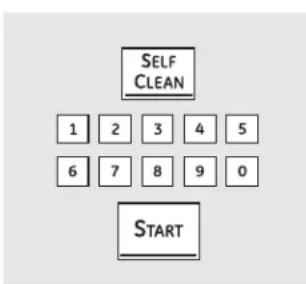
How to Set the Oven for Cleaning
The oven doors must be closed and all controls set correctly for the cycle to work properly.
1 Touch the SELF CLEAN pad.
A 3-hour self-clean time is recommended for use when cleaning small, contained spills. A self-clean time of 5 hours is recommended for a dirtier oven.
2 If a time other than 5 hours or 3 hours is needed, use the number pads and enter the desired clean time.
You can change the clean time to any time between 3 hours and 5 hours, depending on how dirty your oven is.
3 Touch the START pad.
The upper and lower oven doors lock automatically. The cooktop elements are also locked out during self-clean. The display will show the clean time remaining. It will not be possible to open the oven doors or use the cooktop until the temperature drops below the lock temperature and LOCKED/DOOR goes off in the control display.
When LOCKED/DOOR 🔒 goes off, you will be able to open the doors.
The word LOCKED/DOOR ⏱ will flash and the word door will display if you set the clean cycle and forget to close the oven doors.
To stop a clean cycle, touch the CLEAR/OFF pad. When LOCKED/DOOR goes off, indicating the ovens have cooled below the locking temperature, you will be able to open the doors.
Double Ovens:
- You can set a clean cycle in both ovens at the same time; however, they will not self-clean at the same time. The last oven set will automatically delay its start until the end of the first oven's clean cycle.
When an oven is set to self-clean, both oven doors will lock and the cooktop controls will lock out. The ovens and cooktop cannot be used when an oven is set to self-clean.
Using the self-cleaning upper and lower ovens.
The oven doors must be closed and all controls set correctly for the cycle to work properly.
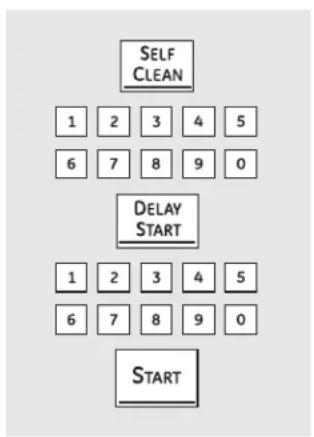
flowchart
graph TD
    A["SELF CLEAN"] --> B["1"]
    A --> C["2"]
    A --> D["3"]
    A --> E["4"]
    A --> F["5"]
    A --> G["6"]
    A --> H["7"]
    A --> I["8"]
    A --> J["9"]
    A --> K["0"]
    L["DELAY START"] --> M["1"]
    L --> N["2"]
    L --> O["3"]
    L --> P["4"]
    L --> Q["5"]
    L --> R["6"]
    L --> S["7"]
    L --> T["8"]
    L --> U["9"]
    L --> V["0"]
    W["START"] --> X["End"]
How to Delay the Start of Cleaning
1 Touch the SELF CLEAN pad.
A 3-hour self-clean time is recommended for use when cleaning small, contained spills. A self-clean time of 5 hours is recommended for a dirtier oven.
2 If a time other than 5 hours or 3 hours is needed, use the number pads and enter the desired clean time.
You can change the clean time to any time between 3 hours and 5 hours, depending on how dirty your oven is.
3 Touch the DELAY START pad.
4 Using the number pads, enter the time of day you want the clean cycle to start.
5 Touch the START pad.
The upper and lower oven doors lock automatically. The cooktop elements are also locked out during self-clean. The display will show the start time. It will not be possible to open the oven doors or use the cooktop until the temperature drops below the lock temperature and LOCKED/DOOR goes off in the control display.
When LOCKED/DOOR 🔒 goes off, you will be able to open the doors.
After a Clean Cycle
You may notice some white ash in the oven. Wipe it up with a damp cloth after the oven cools.
If white spots remain, remove them with a soap-filled steel wool pad and rinse thoroughly with a vinegar and water mixture.
These deposits are usually a salt residue that cannot be removed by the clean cycle.
If the oven is not clean after one clean cycle, repeat the cycle.
- You cannot set the oven for cooking or another self-clean cycle until the oven is cool enough for the door to unlock.
While the oven is self-cleaning, you can touch the CLOCK pad to display the time of day. To return to the clean countdown, touch the SELF CLEAN pad.
If the racks become hard to slide, apply a small amount of cooking oil to a paper towel and wipe the edges of the oven racks with the paper towel.
Your new touch pad control has additional features that you may choose to use. The following are the features and how you may activate them.
The special feature modes can only be activated while the display is showing the time of day. They remain in the control's memory until the steps are repeated.
To enter a special feature for either oven, you must first touch the upper oven BROIL HI/LO and BAKE pads at the same time. The lower oven BROIL HI/LO and BAKE pads will not activate special features.
When the display shows your choice, touch the START pad. The special features will remain in memory after a power failure, except for the Sabbath feature, which will have to be reset.
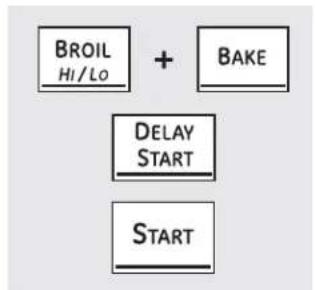
flowchart
graph TD
    A["BROI\nHi/Lo"] --> B["+"]
    C["BAKE"] --> B
    D["DELAY\nSTART"] --> B
    E["START"] --> B
12-Hour Shutdown
With this feature, should you forget and leave the oven on, the control will automatically turn off the oven after 12 hours during baking functions or after 3 hours during a broil function.
If you wish to turn OFF this feature, follow the steps below.
1 Touch the upper oven BROIL HI/LO and BAKE pads at the same time until the display shows SF.
2 Touch the DELAY START pad until no shdn (no shut-off) appears in the display.
3 Touch the START pad to activate the no shut-off and leave the control set in this special features mode.
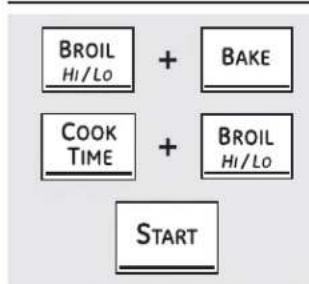
flowchart
graph TD
    A["BROI Hi/Lo"] --> B["+"]
    C["COOK TIME"] --> D["+"]
    E["BAKE"] --> B
    F["BROI Hi/Lo"] --> D
    G["START"] --> D
Fahrenheit or Celsius Temperature Selection
Your oven control is set to use the Fahrenheit temperature selections, but you may change this to use the Celsius selections.
1 Touch the upper oven BROIL HI/LO and BAKE pads at the same time until the display shows SF.
2 Touch the COOK TIME and BROIL HI/LO pads at the same time. The display will show F (Fahrenheit).
3 Touch the COOK TIME and BROIL HI/LO pads again at the same time. The display will show C (Celsius).
4 Touch the START pad.
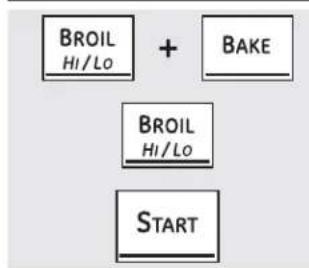
flowchart
graph TD
    A["BROIL\nHI/Lo"] --> C["START"]
    B["BAKE"] --> C["START"]
Tones at the End of a Timed Cycle
At the end of a timed cycle, 3 short beeps will sound followed by one beep every 6 seconds until the CLEAR/OFF pad is touched. This continual 6-second beep may be cancelled.
To cancel the 6-second beep:
1 Touch the upper oven BROIL HI/LO and BAKE pads at the same time until the display shows SF.
OR
Touch the KITCHEN TIMER ON/OFF pad. The display shows CON BEEP (continual beep). Touch the KITCHEN TIMER ON/OFF pad again. The display shows BEEP. (This cancels the one beep every 6 seconds.)
3 Touch the START pad.
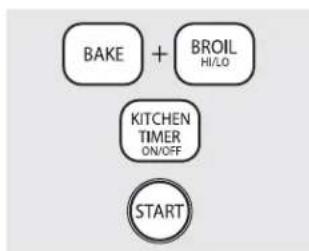
flowchart
graph TD
    A["BAKE"] + B["BROIL HI/LO"]
    C["KITCHEN TIMER ON/OFF"]
    D["START"]
(on some models)
2 Touch the BROIL pad. The display shows CONTI BEEP (continuous beep). Touch the BROIL pad again. The display shows SINGLE BEEP. (This cancels the one beep every 6 seconds.)
Special features of your oven control.
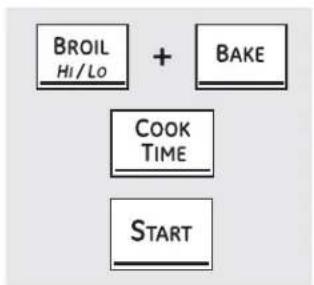
flowchart
graph TD
    A["BROIL Hi/Lo"] --> B["+"]
    C["BAKE"] --> B
    D["COOK TIME"] --> B
    E["START"] --> B
Tone Volume (on some models)
This feature allows you to adjust the tone volumes to a more acceptable volume. There are three possible volume levels.
1 Touch the upper oven BROIL HI/LO and BAKE pads at the same time until the display shows SF.
2 Touch the COOK TIME pad. The display will show 2 BEEP. This is the middle volume level.
Touch the COOK TIME pad again. The display will show 3 BEEP. This is the loudest volume level.
Touch the COOK TIME pad again. The display will show 1 BEEP. This is the quietest volume level.
For each time the level is changed, a tone will sound to provide an indication of the volume level.
3 Choose the desired sound level (1 BEEP, 2 BEEP, 3 BEEP).
4 Touch the START pad to activate the level shown.
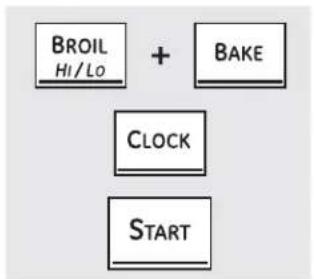
flowchart
graph TD
    A["BROIL\nHI/LO"] --> C["CLOCK"]
    B["BAKE"] --> C["CLOCK"]
    C["CLOCK"] --> D["START"]
12-Hour, 24-Hour or Clock Blackout
Your control is set to use a 12-hour clock.
If you would prefer to have a 24-hour military time clock or black out the clock display, follow the steps below.
1 Touch the upper oven BROIL HI/LO and BAKE pads at the same time until the display shows SF.
2 Touch the CLOCK pad once. The display will show 12 hr. If this is the choice you want, touch the START pad.
Touch the CLOCK pad again to change to the 24-hour military time clock. The display will show 24 hr. If this is the choice you want, touch the START pad.
Touch the CLOCK pad again to black out the clock display. The display will show OFF. If this is the choice you want, touch the START pad.
NOTE: If the clock is in the black-out mode, you will not be able to use the Delay Start function.
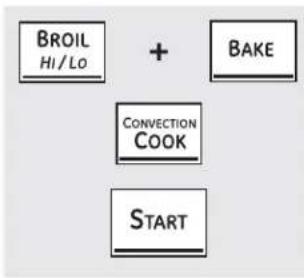
flowchart
graph TD
    A["BROIL Hi/Lo"] --> C["CONVECTION COOK"]
    B["BAKE"] --> C
    C --> D["START"]
Auto Recipe™ Conversion (on some models)
When using convection bake, the Auto Recipe Conversion feature will automatically convert entered regular baking temperatures to convection baking temperatures.
This feature is activated so that the display will show the actual converted (reduced) temperature. For example, if you enter a regular recipe temperature of 350^ F and touch the START pad, the display will show CON and the converted temperature of 325^ F.
To deactivate the feature:
1 Touch the upper oven BAKE and BROIL HI/LO pads at the same time until the display shows SF.
2 Touch the CONVECTION COOK pad. The display will show CON ON. Touch the CONVECTION COOK pad again. The display will show CON OFF.
3 Touch the START pad.
To reactivate the feature, repeat steps 1–3 above but touch the START pad when CON ON is in the display.
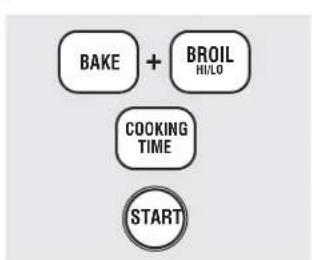
flowchart
graph TD
    A["BAKE"] + B["BROIL HI/LO"]
    C["COOKING TIME"]
    D["START"]
Cook and Hold (on some models)
Your new control has a cook-and-hold feature that keeps cooked foods warm for up to 3 hours after the cooking function is finished.
To activate this feature, follow the steps below.
1 Touch the BAKE and BROIL HI/LO pads at the same time until the display shows SF.
2 Touch the COOKING TIME pad. The display will show Hld OFF.
Touch the COOKING TIME pad again to activate the feature. The display will show Hld ON.
3 Touch the START pad to activate the cook-and-hold feature and leave the control set in this special features mode.
Using the Sabbath feature. (upper and lower ovens)
(Designed for use on the Jewish Sabbath and Holidays) (on some models) GEAppliances.com
The Sabbath feature can be used for baking/roasting only. It cannot be used for convection, broiling, self-cleaning or Delay Start cooking.
NOTE: The oven light comes on automatically (on some models) when the door is opened and goes off when the door is closed. The bulb may be removed. See the Oven Light Replacement section. On models with a light switch on the control panel, the oven light may be turned on and left on.
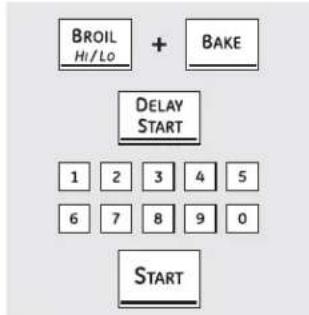
text_image
BROIL Hi/Lo + BAKE DELAY START 1 2 3 4 5 6 7 8 9 0 STARTWhen the display shows ⊃, the oven is set in Sabbath. When the display shows ⊃⊂, the oven is baking/roasting.
How to Set for Regular Baking/Roasting
Make sure the clock shows the correct time of day and the oven is off.
1 Touch and hold both the upper oven BROIL HI/LO and BAKE pads, at the same time, until the display shows SF.
NOTE: If bake or broil appears in the display, the BROIL HI/LO and BAKE pads were not touched at the same time. Touch the CLEAR/OFF pad and begin again.
2 Tap the DELAY START pad until SAb bAtH appears in the display.
3 Touch the START pad and will appear in the display. Both ovens are now in Sabbath mode.
4 Touch the BAKE pad on the upper or lower oven. No signal will be given.
5 Using the number pads, enter the desired temperature between 170°F and 550°F. No signal or temperature will be given. There is no default temperature.
6 Touch the START pad on the corresponding oven.
7 After a random delay period of approximately 30 seconds to 1 minute, will appear in the display indicating that the oven is baking/ roasting. If doesn't appear in the display, start again at Step 4.
8 To bake in the other oven, start at Step 4 (on some models).
To adjust the oven temperature, touch the BAKE pad, enter the new temperature using the number pads and touch the START pad.
NOTE: The CLEAR/OFF and COOK TIME pads are active during the Sabbath feature.
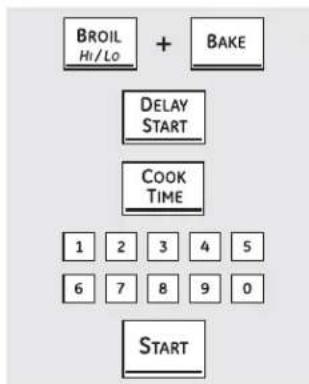
flowchart
graph TD
    A["BROIL Hi/Lo"] --> B["+ BAKE"]
    B --> C["DELAY START"]
    C --> D["COOK TIME"]
    D --> E["1 2 3 4 5"]
    D --> F["6 7 8 9 0"]
    D --> G["START"]
When the display shows , the oven is set in Sabbath. When the display shows , the oven is baking/roasting.
How to Set for Timed Baking/Roasting—Immediate Start and Automatic Stop
Make sure the clock shows the correct time of day and the oven is off.
1 Touch and hold both the upper oven BROIL HI/LO and BAKE pads, at the same time, until the display shows SF.
NOTE: If bake or broil appears in the display, the BROIL HI/LO and BAKE pads were not touched at the same time. Touch the CLEAR/OFF pad and begin again.
2 Tap the DELAY START pad until SAb bAtH appears in the display.
3 Touch the START pad and will appear in the display. Both ovens are now in Sabbath mode.
4 Touch the COOK TIME pad on the upper or lower oven. No signal will be given.
5 Touch the number pads to set the desired length of cooking time between 1 minute and 9 hours and 99 minutes.
6 Touch the START pad.
7 Touch the BAKE pad. No signal will be given.
8 Using the number pads, enter the desired temperature. No signal or temperature will be given. There is no default temperature.
9 Touch the START pad on the corresponding oven.
After a random delay period of approximately 30 seconds to 1 minute, will appear in the display indicating that the oven is baking/ roasting. If doesn't appear in the display, start again at Step 7.
To adjust the oven temperature, touch the BAKE pad, enter the new temperature using the number pads and touch the bi pad.
When cooking is finished, the display will change from to and 0:00 will appear, indicating that the oven has turned OFF but is still set in Sabbath. Remove the cooked food.
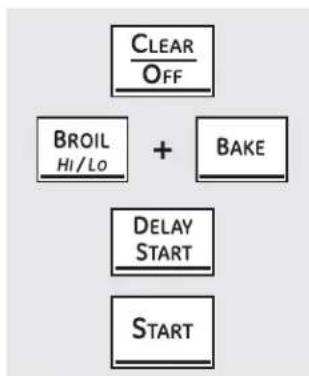
flowchart
graph TD
    A["CLEAR/OFF"] --> B["BROIL/Hi/Lo"]
    B --> C["+"]
    C --> D["BAKE"]
    D --> E["DELAY START"]
    E --> F["START"]
How to Exit the Sabbath Feature
1 Touch the CLEAR/OFF pad.
2 If the oven is cooking, wait for a random delay period of approximately 30 seconds to 1 minute, until only ⊃ is in the display.
3 Touch and hold both the BROIL HI/LO and BAKE pads, at the same time, until the display shows SF.
4 Tap the DELAY START pad until 12 shdn or no shdn appears in the display.
5 Choose 12 shdn, indicating that the oven will automatically turn off after 12 hours or no shdn, indicating that the oven will not automatically turn off after 12 hours.
6 Press START when the option that you want is in the display (12 shdn or no shdn).
NOTE: If a power outage occurred while the oven was in Sabbath, the oven will automatically turn off and stay off even when the power returns. The oven control must be reset. Some models will resume Sabbath mode; however, opening the door will activate the oven light.

WARNING
FOOD POISON HAZARD: Bacteria may grow in food at temperatures below 140°F.
• Always start with hot food. Do not use warm settings to heat cold food.
- Do not warm food for more than 2 hours.
Failure to follow these instructions may result in foodborne illness.
The warming drawer will keep hot, cooked foods at serving temperature. Always start with hot food. Do not use to heat cold food other than crisping crackers, chips or dry cereal.
WARMING DRAWER
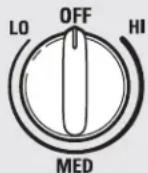
To Use the Warming Drawer
Push and turn the control knob to any desired setting.
The warming drawer will keep hot, cooked foods at serving temperature. Always start with hot food.
Touch the WARMING DRAWER pad. "WARMER ON" and "1" are lit on the display and "Set" begins to blink. On the number pads, touch 1 for Low, 2 for Medium or 3 for High. The display "1" changes corresponding to the
number pad selected. The warming drawer starts automatically after you touch 1, 2 or 3. "WARMER ON" and the number remain lit. "Set" stops blinking. On some models press START.
On some models – toggle between settings by touching the WARMING DRAWER pad.
To cancel, touch the WARMING DRAWER pad.
NOTE: Touching the CLEAR/OFF pad does not turn off the warming drawer.
When Using the Warming Drawer
The warming drawer will keep hot, cooked foods warm. Always start with hot food. Do not use to heat cold food other than crisping crackers, chips or dry cereal.
Do not line the warming drawer or pan with aluminum foil. Foil is an excellent heat insulator and will trap heat beneath it. This will upset the performance of the drawer and could damage the interior finish.
Allow approximately 25 minutes for the warming drawer to preheat.
- Do not put liquid or water in the warming drawer.
All foods placed in the warming drawer should be covered with a lid or aluminum foil. When warming pastries or breads, the cover should be vented to allow moisture to escape.
- Food should be kept hot in its cooking container or transferred to a heat-safe serving dish.
NOTE: Plastic containers or plastic wrap will melt if in direct contact with the drawer, pan or a hot utensil. Melted plastic may not be removable and is not covered under your warranty.
■ Remove serving spoons, etc., before placing containers in warming drawer.
Temperature Selection Chart
To keep several different foods hot, set the control to the food needing the highest setting.
The temperature, type and amount of food, and the time held will affect the quality of the food.
■ Repeated opening of the drawer allows the hot air to escape and the food to cool.
- With large loads it may be necessary to use a higher warming drawer setting and cover some of the cooked food items.
- Do not use plastic containers or plastic wrap.
| Food Type Control Setting | |
| Casserole MED/2 | |
| Chili HI/3 | |
| Pizza MED/2 | |
| Potatoes, baked HI/3 | |
| Tortilla Chips LO/1 | |
| Waffles LO/1 | |
To Crisp Stale Items
- Place food in low-sided dishes or pans.
■ Preheat on LO/1 setting.
- Check crispness after 45 minutes. Add time as needed.
To Warm Serving Bowls and Plates

CAUTION
Dishes will be hot. Use pot holders or mitts when removing hot dishes.
To warm serving bowls and plates, set the control on LO/1.
■ Use only heat-safe dishes.
If you want to heat fine china, please check with the manufacturer of the dishes for their maximum heat tolerance.
- You may warm empty serving dishes while preheating the drawer.
The lower oven drawer may be used to bake foods using the same times and temperatures as a standard oven. Foods ideal for baking in the lower oven drawer include pizza, frozen foods, casseroles, biscuits, rolls and many desserts.
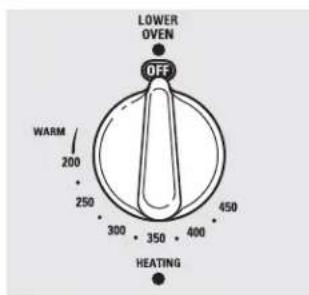
text_image
LOWER OVEN OFF WARM 200 250 300 350 400 450 HEATINGTo Use the Lower Oven Drawer
1 Push in and turn the lower oven drawer knob to any desired setting.
2 Allow the lower oven drawer to preheat.
The ON signal light is located above the knob and glows when the knob is in the ON position. It remains ON until the knob is moved to the OFF position.
The "Heating" signal light is located below the knob and glows when the heating elements are active. Preheat is complete after the "Heating" signal has turned off for the first time after the knob is turned on.
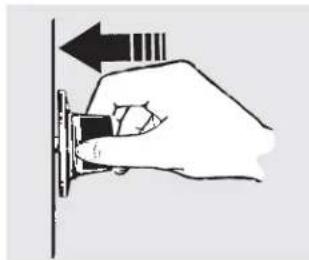
natural_image
Hand holding a small electronic component with an arrow indicating direction (no text or symbols)Push in and turn the lower oven drawer knob to any desired setting.
NOTES:
■ Always use the included drawer rack when using the lower oven drawer.
The lower oven drawer cannot be used during a self-clean cycle of the upper oven.
Do not put food, foil or cookware directly on the bottom of the lower oven drawer. Always use the included drawer rack.
If foods require a cover, use only foil or lids able to withstand baking temperatures. Do not use plastic.
Maximum height of foods that can be baked in the lower oven drawer is 12 .
- Do not put liquid or water in the lower oven drawer.
■ Never place plastics, paper, canned foods or combustible material in the lower oven drawer.
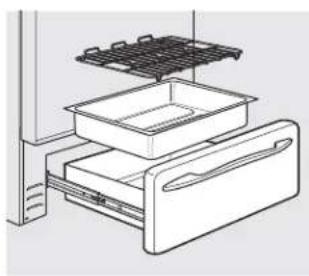
natural_image
Line drawing of an appliance drawer with a grid top and internal compartments (no text or symbols)| The lower oven drawer uses less energy than the upper oven.Allow the following approximate times for preheating:Desired Lower PreheatOven Temperature Time | |
| WARM | 10 minutes |
| 350°F | 15 minutes |
| 425°F | 25 minutes |
When Using the Lower Oven Drawer Warm Setting
The WARM SETTING of the lower oven drawer can be used to keep hot, cooked foods at serving temperatures. Always start with hot food. Do not use the WARM SETTING to heat cold food other than crisping crackers, chips or dry cereal.
Push in and turn the control knob to the warm setting.
NOTE: The beginning temperature of the food, the amount of food, the type of food, the container and the amount of time the food is in the drawer will affect the quality and ending temperature of the food.
Care and cleaning of the range.
Be sure all controls are off and all surfaces are cool before cleaning any part of the range.
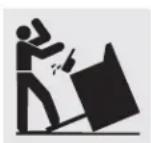
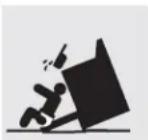
If your range is removed for cleaning, servicing or any reason, be sure the anti-tip device is reengaged properly when the range is replaced. Failure to take this precaution could result in tipping of the range and cause injury.
How to Remove Protective Shipping Film and Packaging Tape
Carefully grasp a corner of the protective shipping film with your fingers and slowly peel it from the appliance surface. Do not use any sharp items to remove the film. Remove all of the film before using the appliance for the first time.
To ensure no damage is done to the finish of the product, the safest way to remove the adhesive from packaging tape on new appliances is an application of a household liquid dishwashing detergent. Apply with a soft cloth and allow to soak.
NOTE: The adhesive must be removed from all parts. It cannot be removed if it is baked on.
Control Knobs
The control knobs may be removed for easier cleaning.
Make sure the knobs are in the OFF positions and pull them straight off the stems for cleaning.
The knobs can be cleaned in a dishwasher or they may also be washed with soap and water. Make sure the inside of the knobs are dry before replacing.
Replace the knobs, in the OFF position to ensure proper placement.
Control Panel
If desired, the touch pads may be deactivated before cleaning.
Clean up splatters with a damp cloth.
See the Control Lockout information in the Using the clock, kitchen timer and control lockout section in this manual.
You may also use a glass cleaner.
Remove heavier soil with warm, soapy water. Do not use abrasives of any kind.
Reactivate the touch pads after cleaning.
Painted Surfaces
Painted surfaces include the sides of the range and the door, top of control panel and the drawer front. Clean these with soap and water or a vinegar and water solution.
Do not use commercial oven cleaners, cleaning powders, steel wool or harsh abrasives on any painted surface.
Stainless Steel Surfaces (on some models)
Do not use a steel wool pad; it will scratch the surface.
To clean the stainless steel surface, use warm, sudsy water or a stainless steel cleaner or polish. Always wipe the surface in the direction of the grain. Follow the cleaner instructions for cleaning the stainless steel surface.
To inquire about purchasing stainless steel appliance cleaner or polish or to find the location of a dealer nearest you, please call our toll-free number:
National Parts Center 1.800.626.2002
GEAppliances.com
Porcelain Enamel Cooktop (on some models)
The porcelain enamel finish is sturdy but breakable if misused. This finish is acid-resistant. However, any acidic foods spilled (such as fruit juices, tomato or vinegar) should not be permitted to remain on the finish.
away. When the surface has cooled, wash with soap and water. Rinse well.
If acids spill on the cooktop while it is hot, use a dry paper towel or cloth to wipe it up right
For other spills such as fat spatterings, wash with soap and water or cleansing powders after the surface has cooled. Rinse well. Polish with a dry cloth.
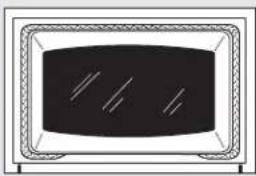
natural_image
Simple line drawing of a rectangular device with internal lines and a central screen (no text or symbols)The gasket is designed with a gap at the bottom to allow for proper air circulation.
Do not rub or clean the door gasket—it has an extremely low resistance to abrasion.
If you notice the gasket becoming worn, frayed or damaged in any way or if it has become displaced on the door, you should have it replaced.
Cleaning the Oven Door
To clean the inside of the door:
Because the area inside the gasket is cleaned during the self-clean cycle, you do not need to clean this by hand.
The area outside the gasket and the door liner can be cleaned with a soap-filled or plastic scouring pad, hot water and detergent. Rinse well with a vinegar and water solution.
To clean the outside of the door:
Use soap and water to thoroughly clean the top, sides and front of the oven door. Rinse well. You may also use a glass cleaner to clean the glass on the outside of the door. Do not let water drip into the vent openings.
If any stain on the door vent trim is persistent, use a soft abrasive cleaner and a sponge-scrubber for best results.
Spillage of marinades, fruit juices, tomato sauces and basting materials containing acids may cause discoloration and should be wiped up immediately. When surface is cool, clean and rinse.
Do not use oven cleaners, cleaning powders or harsh abrasives on the outside of the door.
Lift-Off Oven Door (on some models)
The door is very heavy. Be careful when removing and lifting the door.
Do not lift the door by the handle.
To remove the door:
1 Fully open the door.
2 Pull the hinge locks down toward the door frame, to the unlocked position. A tool, such as a small flat-blade screwdriver, may be required.
3 Firmly grasp both sides of the door at the top.
4 Close door to the door removal position, which is halfway between the broil stop position and fully closed.
5 Lift door up and out until the hinge arm is clear of the slot.
To replace the door:
1 Firmly grasp both sides of the door at the top.
2 With the door at the same angle as the removal position, seat the indentation of the hinge arm into the bottom edge of the hinge slot. The
notch in the hinge arm must be fully seated into the bottom of the slot.
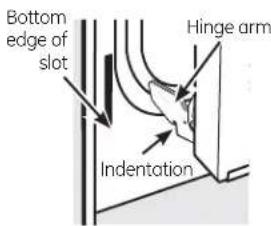
text_image
Bottom edge of slot Hinge arm Indentation3 Fully open the door. If the door will not fully open, the indentation is not seated correctly in the bottom edge of the slot.
4 Push the hinge locks up against the front frame of the oven cavity to the locked position.
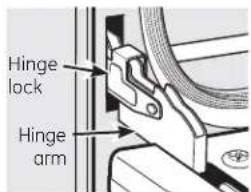
text_image
Hinge lock Hinge armPush hinge locks up to lock.
5 Close the oven door.
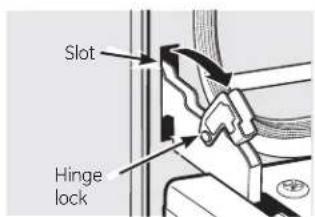
text_image
Slot Hinge lockPull hinge locks down to unlock.
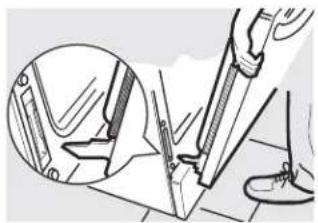
natural_image
Illustration of a hand using a tool to cut or mark a mechanical part, with an inset showing the same component (no text or symbols present)Removal position
Care and cleaning of the range.
Lift-Off Upper Oven Door (on some models)
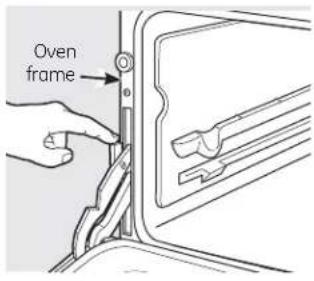
text_image
Oven frame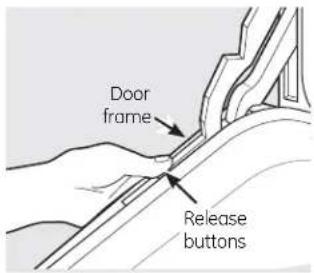
text_image
Door frame Release buttons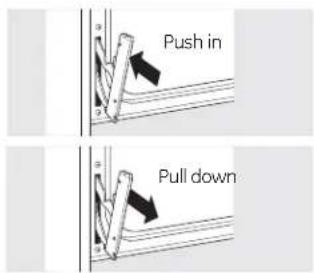
text_image
Push in Pull downTo remove the door:
1 Fully open the door.
2 Lift up on the hinge lock toward the oven frame until they stop.
3 Close the door to 45 degrees (you will feel the door stop). The hinge lock will contact the oven frame.
4 On both sides of the door, press down on the release buttons on each hinge.
5 Lift door up until it is clear of the hinge.
6 Pull on hinge arms slightly to relieve pressure on the locking tabs.
7 Push the hinge locks down onto the hinge.
8 Push the hinges in toward the unit so they are closed.
To replace the door:
1 Pull the hinges down away from the oven frame to the fully open position.
2 Lift up on the hinge locks toward the oven frame until they stop.
3 The hinges will release to the 45-degree position. The hinge locks will contact the oven frame.
4 Slide the door back onto the hinges. Make sure the buttons pop back out.
5 Fully open the door.
6 Push the hinge locks down onto the hinge.
7 Close the oven door.
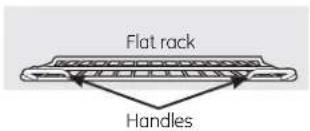
text_image
Flat rack HandlesUse the rack with the two front handles in the upper oven.
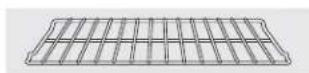
Use the rack without the two front handles in the lower oven.
Oven Racks
All oven racks may be cleaned by hand with an abrasive cleaner or steel wool. After cleaning, rinse the racks with clean water and dry with a clean cloth. Gray porcelain-coated oven racks may remain in the oven during the self-cleaning cycle without being damaged. The nickel-plated oven racks may remain in the oven during the self-cleaning cycle, but they will lose their luster
and become hard to slide. It will be necessary to grease all oven rack side edges with a light coating of vegetable oil after cleaning them by hand or in the oven. This will help maintain the ease of sliding the racks in and out of the oven.
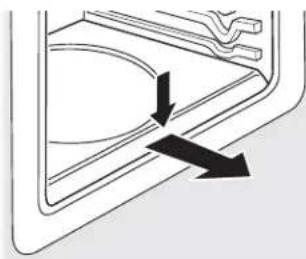
natural_image
Pure diagram of a door handle with arrows indicating direction (no text or symbols)Press down and pull out.
Removable Oven Floor (on some models)
To remove the oven floor:
Remove the oven door using the instructions in the Lift-Off Oven Door section.
2 Press down and pull out the removable oven floor.
3 Clean the oven floor with warm soapy water.
4 When reinstalling the oven floor, be sure to slide it all the way to the back of the oven.
IMPORTANT: Always replace the removable floor before the next use.
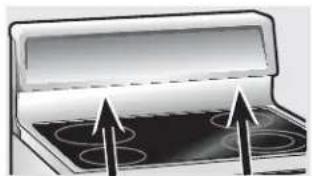
natural_image
Illustration of a stove interior with four circular lamps and an open lid (no text or symbols)Oven Vent on Radiant Glass Cooktops
The oven vent is located behind the right rear surface unit. On double ovens, the upper oven vent is behind the left rear surface unit.
On double ovens, the upper oven vent is behind the left rear surface unit.
This area could become hot during oven use.
It is normal for steam to come out of the vent, and moisture may collect underneath it when the oven is in use.
The vent is important for proper air circulation. Never block this vent.
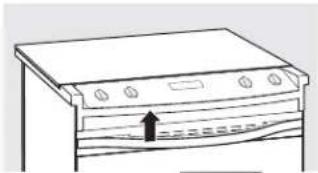
natural_image
Line drawing of a kitchen appliance with a handle and ventilation slots (no text or symbols)Oven Vent (on some models)
The oven vent is above the left side of the door.
This area could become hot during oven use.
It is normal for steam to come out of the vent.
The vent is important for proper air circulation. Never block this vent.
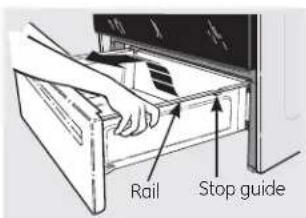
text_image
Rail Stop guideStorage Drawer Removal (on some models)
To remove the drawer:
1 Pull the drawer out until it stops.
2 Lift the front of the drawer until the stops clear the guides.
3 Remove the drawer.
To replace the drawer:
1 Place the drawer rails on the guides.
2 Push the drawer back until it stops.
3 Lift the front of the drawer and push back until the stops clear the guides.
4 Lower the front of the drawer and push back until it closes.
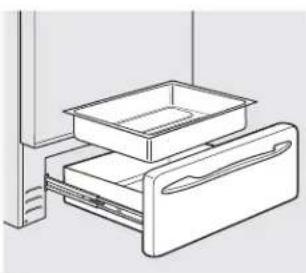
natural_image
Line drawing of a refrigerator drawer with two compartments (no text or symbols)Removable Warming Drawer/Lower Oven Drawer Pan (on some models)
NOTE: For models with an electric warming drawer or lower oven drawer, before performing any adjustments, cleaning or service, disconnect the range electrical power supply at the household distribution panel by removing the fuse or switching off the circuit breaker. Make sure the drawer heating element is cool.
■ Never place, use or self-clean the drawer pan in the upper oven.
Warming drawer or lower oven drawer has a removable pan for easy cleaning. Clean with hot, soapy water and a sponge or dish towel. Dry with a clean cloth. Replace the pan in the warming drawer or lower oven drawer.
NOTE: Allow warming drawer or lower oven drawer to cool before removing pan.
NOTE: Wipe spills promptly after each use.
Care and cleaning of the range.

WARNING
SHOCK OR BURN HAZARD: Before replacing oven light bulb, disconnect the electrical power to the range at the main fuse or circuit breaker panel. Failure to do so may result in electric shock or burn.

CAUTION
BURN HAZARD: The glass cover and bulb should be removed when cool. Touching hot glass with bare hands or a damp cloth can cause burns.
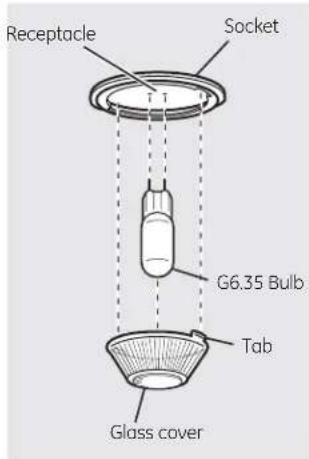
text_image
Receptacle Socket G6.35 Bulb Tab Glass cover(on some models)
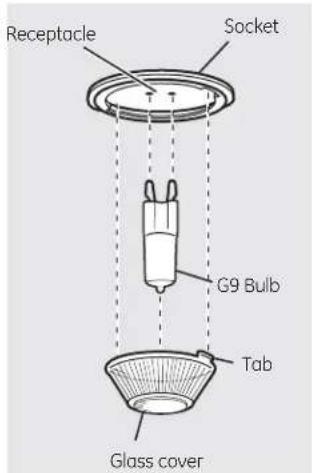
text_image
Receptacle Socket G9 Bulb Tab Glass cover(on some models)
Oven Light Replacement (on some models)
To remove:
7 Turn the glass cover counterclockwise 1/4 turn until the tabs of the glass cover clear the grooves of the socket. Wearing latex gloves may offer a better grip.
2 Using gloves or a dry cloth, remove the bulb by pulling it straight out.
To replace:
Use a new 120/130-volt halogen bulb, not to exceed 50 watts. Replace the bulb with the same type of bulb that was removed. Your model will have one of the two types shown on the left. To determine the correct replacement bulb, check the bulb terminals. Bulbs with 2 straight pin terminals are G6.35 bulbs. Bulbs with 2 looped terminals are G9 bulbs. (Do not interchange.) Be sure the replacement bulb is rated 120 volts or 130 volts (NOT 12 volts).
2 Using gloves or a dry cloth, remove the bulb from its packaging. Do not touch the bulb with bare fingers. Oil from skin will damage the bulb and shorten its life.
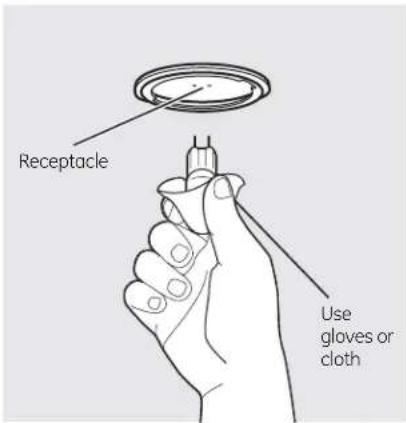
text_image
Receptacle Use gloves or cloth3 Push the bulb straight into the receptacle all the way.
4 Place the tabs of the glass cover into the grooves of the socket. Turn the glass cover clockwise 1/4 turn.
For improved lighting inside the oven, clean the glass cover frequently using a wet cloth. This should be done when the oven is completely cool.
5 Reconnect electrical power to the oven.
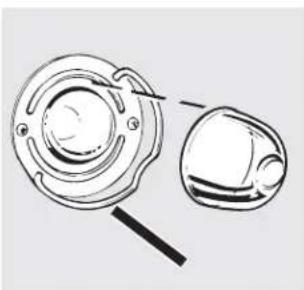
natural_image
Technical line drawing of a mechanical component with two views (top and side), no text or symbols present.Wire cover holder
Oven Light Replacement (on some models)
Be sure to let the light cover and bulb cool completely.
To remove the cover:
Hold a hand under the cover so it doesn't fall when released. With fingers of the same hand, firmly push back the wire cover holder. Lift off the cover.
Do not remove any screws to remove the cover.
2 Replace bulb with a 40-watt appliance bulb.
To replace the cover:
1 Place it into groove of the light receptacle. Pull wire forward to the center of the cover until it snaps into place.
2 Connect electrical power to the range.

WARNING
SHOCK OR BURN HAZARD: Before replacing oven light bulb, disconnect the electrical power to the range at the main fuse or circuit breaker panel. Failure to do so may result in electric shock or burn.
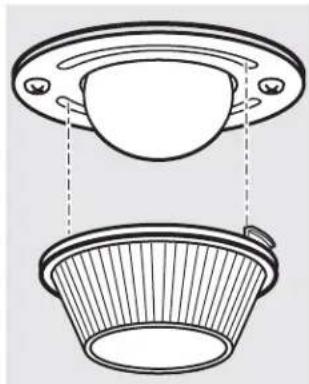
natural_image
Technical line drawing of a mechanical component with two views: top shows a circular opening, bottom shows a flanged basket (no text or symbols)Oven Light Replacement (on some models)
Be sure to let the light cover and bulb cool completely.
To remove the cover:
1 Twist lens counterclockwise about a quarter turn to remove.
Do not remove any screws to remove the cover.
2 Replace bulb with a 40-watt appliance bulb or two-prong halogen bulb, as appropriate.
To replace the cover:
1 Line up tabs of lens in front of tabs on housing and rotate clockwise to engage.
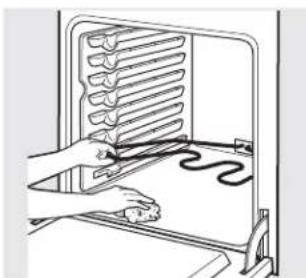
natural_image
Illustration of a hand using a tool to install a rack-mounted heating element (no text or symbols visible)Oven Heating Elements (on some models)
Do not clean the bake element or the broil element. Any soil will burn off when the elements are heated.
To clean the oven floor, gently lift the bake element. Clean with warm, soapy water.
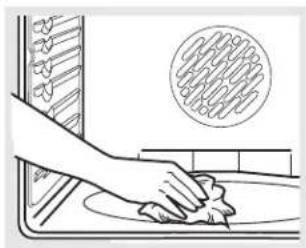
natural_image
Illustration of a hand cleaning a kitchen sink with a circular pattern on the wall (no text or symbols)Oven Heating Elements (on some models)
Do not clean the broil element. Any soil will burn off when the element is heated. Clean the oven floor with warm, soapy water.
On some models, the bake element is not exposed and is under the oven floor. If spillovers, residue or ash accumulate on the oven floor, wipe up before self-cleaning.
If the element is above the oven floor, gently lift the bake element and clean with warm, soapy water.
Wipe up heavy soil on the oven bottom.
text_image
CERAMA BRYTEClean your cooktop after each spill. Use CERAMA BRYTE ^® Ceramic Cooktop Cleaner.
Normal Daily Use Cleaning
ONLY use CERAMA BRYTE® Ceramic Cooktop Cleaner on the glass cooktop. Other creams may not be as effective.
To maintain and protect the surface of your glass cooktop, follow these steps:
Before using the cooktop for the first time, clean it with CERAMA BRYTE® Ceramic Cooktop Cleaner. This helps protect the top and makes cleanup easier.
2 Daily use of CERAMA BRYTE® Ceramic Cooktop Cleaner will help keep the cooktop looking new.
3 Shake the cleaning cream well. Apply a
few drops of CERAMA BRYTE® Ceramic Cooktop Cleaner directly to the cooktop.
4 Use a paper towel or CERAMA BRYTE® Cleaning Pad for Ceramic Cooktops to clean the entire cooktop surface.
5 Use a dry cloth or paper towel to remove all cleaning residue. No need to rinse.
NOTE: It is very important that you DO NOT heat the cooktop until it has been cleaned thoroughly.
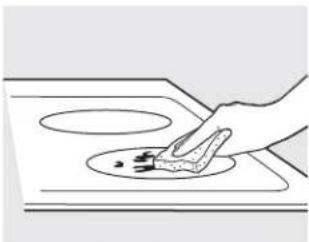
natural_image
Simple line drawing of a hand cleaning a circular object on a surface (no text or symbols)Use a CERAMA BRYTE® Cleaning Pad for Ceramic Cooktops.
Burned-On Residue
NOTE: DAMAGE to your glass surface may occur if you use scrub pads other than those recommended.
1 Allow the cooktop to cool.
2 Spread a few drops of CERAMA BRYTE® Ceramic Cooktop Cleaner on the entire burned residue area.
3 Using the included CERAMA BRYTE ^® Cleaning Pad for Ceramic Cooktops, rub the residue area, applying pressure as needed.
4 If any residue remains, repeat the steps listed above as needed.
For additional protection, after all residue has been removed, polish the entire surface with CERAMA BRYTE® Ceramic Cooktop Cleaner and a paper towel.
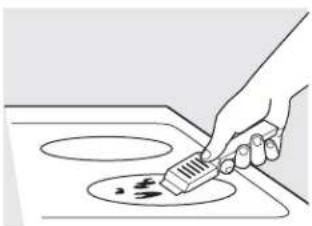
natural_image
Line drawing of a hand using a spatula to clean or restore a pot on an induction cooktop (no text or symbols)The CERAMA BRYTE® Ceramic Cooktop Scraper and all recommended supplies are available through our Parts Center. See instructions under "To Order Parts" section on next page.
NOTE: Do not use a dull or nicked blade.
Heavy, Burned-On Residue
1 Allow the cooktop to cool.
2 Use a single-edge razor blade scraper at approximately a 45^ angle against the glass surface and scrape the soil. It will be necessary to apply pressure to the razor scraper in order to remove the residue.
3 After scraping with the razor scraper, spread a few drops of CERAMA BRYTE® Ceramic Cooktop Cleaner on the entire burned residue area. Use the CERAMA BRYTE® Cleaning Pad to remove any remaining residue.
4 For additional protection, after all residue has been removed, polish the entire surface with CERAMA BRYTE® Ceramic Cooktop Cleaner and a paper towel.
Metal Marks and Scratches

Be careful not to slide pots and pans across your cooktop. It will leave metal markings on the cooktop surface.
These marks are removable using the CERAMA BRYTE® Ceramic Cooktop Cleaner with the CERAMA BRYTE® Cleaning Pad for Ceramic Cooktops.

If pots with a thin overlay of aluminum or copper are allowed to boil dry, the overlay may leave black discoloration on the cooktop.
This should be removed immediately before heating again or the discoloration may be permanent.
NOTE: Carefully check the bottom of pans for roughness that would scratch the cooktop.
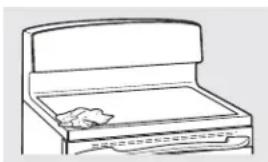
natural_image
Line drawing of a folding cabinet with a cloth placed on the side (no text or symbols)Cooktop Seal
To clean the cooktop seal around the edges of the glass, lay a wet cloth on it for a few
minutes, then wipe clean with nonabrasive cleaners.
Glass surface—potential for permanent damage.
Sugary spillovers (such as jellies, fudge, candy, syrups) or melted plastics can cause pitting of the surface of your cooktop (not covered by the warranty) unless the spill is removed while still hot. Special care should be taken when removing hot substances.
Be sure to use a new, sharp razor scraper.
Do not use a dull or nicked blade.
Damage from Sugary Spills and Melted Plastic

Turn off all surface units. Remove hot pans.

Wearing an oven mitt: a. Use a single-edge razor blade scraper (CERAMA BRYTE® Ceramic Cooktop Scraper) to move the spill to a cool area on the cooktop.
b. Remove the spill with paper towels.

Any remaining spillover should be left until the surface of the cooktop has cooled.

Don't use the surface units again until all of the residue has been completely removed.
NOTE: If pitting or indentation in the glass surface has already occurred, the cooktop glass will have to be replaced. In this case, service will be necessary.
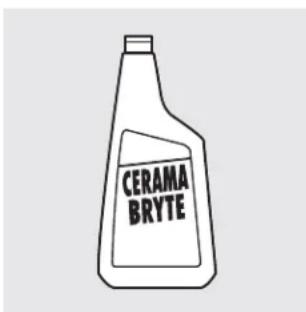
text_image
CERAMA BRYTETo Order Parts
To order CERAMA BRYTE ^A Ceramic Cooktop Cleaner and the cooktop scraper, please call our toll-free number:
National Parts Center 800.626.2002
CERAMA BRYTE® Ceramic
Cooktop Cleaner ....#WX10X300
CERAMA BRYTE ^€ Ceramic
Cooktop Scraper ......#WX10X0302
Kit #WB64X5027
(Kit includes cream and cooktop scraper)
CERAMA BRYTE® Cleaning Pads for
Ceramic Cooktops .... #WX10X350
Before You Call For Service...

Troubleshooting Tips Save time and money! Review the charts on the following pages first and you may not need to call for service.
| Problem Possible Causes What To Do | ||
| Surface units will not maintain a rolling boil or cooking is not fast enough (voltage) | Improper cookware being used. the surface unit selected. | Use pans which are flat and match the diameter of selected. |
| In some areas, the power may be low. | Cover pan with a lid until desired heat is obtained. | |
| Surface units do not work properly | A fuse in your home may be blown or the circuit breaker tripped. | Replace the fuse or reset the circuit breaker. |
| Cooktop controls improperly set. | Check to see the correct control is set for the surface unit you are using. | |
| Surface unit stops glowing when turned to a lower setting | This is normal. The unit is still on and hot. | |
| Scratches (may appear as cracks) on cooktop glass surface | Incorrect cleaning methods being used. | Scratches are not removable. Tiny scratches will become less visible in time as a result of cleaning. |
| Cookware with rough bottoms being used or coarse particles (salt or sand) were between the cookware and the surface of the cooktop. | To avoid scratches, use the recommended cleaning procedures. Make sure bottoms of cookware are clean before use, and use cookware with smooth bottoms. | |
| Cookware has been slid across the cooktop surface. | ||
| Areas of discoloration on the cooktop | Food spillovers not cleaned before next use. | See the Cleaning the glass cooktop section. |
| Hot surface on a model with a light-colored cooktop. | This is normal. The surface may appear discolored when it is hot. This is temporary and will disappear as the glass cools. | |
| Plastic melted to the surface | Hot cooktop came into contact with plastic placed on the hot cooktop. | See the Glass surface—potential for permanent damage section in the Cleaning the glass cooktop section. |
| Pitting (or indentation) of the cooktop on the cooktop. | Hot sugar mixture spilled. | Call a qualified technician for replacement. |
| Frequent cycling off and on of surface units | Improper cookware being used. | Use only flat cookware to minimize cycling. |
| Oven light does not work | Light bulb is loose. | Tighten or replace the bulb. |
| Oven will not work | Plug on range is not completely inserted in the electrical outlet. | Make sure electrical plug is plugged into a live, properly grounded outlet. |
| A fuse in your home may be blown or the circuit breaker tripped. | Replace the fuse or reset the circuit breaker. | |
| Oven controls improperly set. | See the Using the oven section. | |
| Oven too hot. | Allow the oven to cool to below locking temperature. | |
| Food does not bake or roast properly or the rack is not level. cookware of improper size being used. adjustment. section. | Oven controls improperly set. | • See the Using the oven section. |
| Rack position is incorrect | • See the Using the oven section. | |
| Incorrect cookware or | • See the Using the oven section. | |
| Oven thermostat needs section. | • See the Adjust the oven thermostat—Do it yourself! | |
| Food does not broil properly being used. for broiling. into the outlet in the oven. (on some models) | Oven controls improperly set. | • Make sure you touch the BROIL HI/LO pad. |
| Improper rack position | • See the Broiling Guide. | |
| Cookware not suited | • For best results, use a pan designed for broiling. | |
| The probe is plugged | • Unplug and remove the probe from the oven. | |
| In some areas the power (voltage) may be low. in the Broiling Guide. | • Preheat the broil element for 10 minutes. • Broil for the longest period of time recommended | |
| Oven temperature too hot or too cold | Oven thermostat needs adjustment. | • See the Adjust the oven thermostat—Do it yourself! section. |
| Storage drawer is crooked | Rear drawer support is on top of the guide rail. | • Reposition the drawer. See the Storage Drawer Removal instructions in the Care and cleaning of the range section. |
| • Check to make sure drawer is properly seated if removed. | ||
| Storage drawer won't close of the range. | Power cord may be obstructing drawer in the lower back | • Reposition the drawer and power cord. See the Storage Drawer Removal instructions in the Care and cleaning of the range section. |
| Rear drawer support is on top of the guide rail. | • Reposition the drawer. See the Storage Drawer Removal instructions in the Care and cleaning of the range section. | |
| Oven door is crooked | The door is out of position. of position during installation. To straighten the door, push down on the high corner. | • Because the oven door is removable, it sometimes gets out |
Before You Call For Service...

Troubleshooting Tips
| Problem Possible Causes What To Do | ||
| Clock and timer do not work inserted in the electrical outlet. | Plug on range is not completely• Make sure electrical plug is plugged into a live, properly grounded outlet. | |
| may be blown or the circuit breaker tripped. | A fuse in your home• Replace the fuse or reset the circuit breaker. | |
| Oven controls improperly set.• See the Using the kitchen timer section. | ||
| Oven will not self-clean too high to set a self-clean operation.the outlet in the oven.(on some models) | The oven temperature is• Allow the range to cool and reset the controls. | |
| Oven controls improperly set.section.• See the Using the self-cleaning upper and lower ovens | ||
| The probe is plugged into• Remove the probe from the oven. | ||
| "Crackling" or "popping" sound during both the cooking and cleaning functions. | This is the sound of the metal heating and cooling• This is normal. | |
| Excessive smoking during a clean cycle | Excessive soil.• Touch the CLEAR/OFF pad. Open the windows to rid the room of smoke. Wait until LOCKED/DOOR goes off. After the oven cools, wipe up the excess soil and reset the clean cycle. | |
| Oven door will not open after a clean cycle | Oven too hot.• Allow the oven to cool below locking temperature. | |
| Oven not clean after a clean cycle | Oven controls not properly set.• See the Using the self-cleaning upper and lower ovens section. | |
| Oven was heavily soiled.• Clean up heavy spillovers before starting the clean cycle. Heavily soiled ovens may need to self-clean again or for a longer period of time. | ||
| "LOCKED" flashes in the display closed. | The self-clean cycle has been selected but the door is not• Close the oven door. | |
| "LOCKED" is on when you want to cook dropped below the locking temperature. | The oven door is locked because the temperature inside the oven has not• Touch the CLEAR/OFF pad. Allow the oven to cool. | |
| "F—" and a number or letter flash in the display | You have a function error code.• Disconnect all power to the range for at least 30 seconds and then reconnect power. If the function error code repeats, call for service. | |
| Range Locked or LOC On appears in the oven display or LC appears in the surface display | The controls have been locked. | • See the Control Lockout section to unlock. |
| Control signals after entering cooking time or start time cleaning | You forgot to enter a bake temperature or time. | • Touch the BAKE pad and desired temperature or the SELF CLEAN pad and desired clean time. |
| Display goes blank | A fuse in your home may be blown or the circuit breaker tripped. | • Replace the fuse or reset the circuit breaker. |
| The clock is in the black-out mode. | • See the Special features of your oven control section. | |
| Display flashes | Power failure. | • Reset the clock. |
| Unable to get the display to show "SF" | Oven control pads were not touched properly. | • The BROIL HI/LO and BAKE pads must be touched at the same time and held for 3 seconds. |
| "Probe" appears in the display (on some models) | This is reminding you to enter a probe temperature after plugging in the probe. | • Enter a probe temperature. |
| Power outage, clock flashes | Power outage or surge. | • Reset the clock. If the oven was in use, you must reset it by touching the CLEAR/OFF pad, setting the clock and resetting any cooking function. |
| Steam from the vent | When using the ovens, it is normal to see steam coming out of the oven vents. As the number of racks or amount of food being cooked increases, the amount of visible steam will increase. | • This is normal. |
| "Burning" or "oily" odor emitting from the vent | This is normal in a new oven and will disappear in time. | • To speed the process, set a self-clean cycle for a minimum of 3 hours. See the Using the self-cleaning upper and lower ovens section. |
| Strong odor | An odor from the insulation around the inside of the oven is normal for the first few times the oven is used. | • This is temporary. |
| Fan noise | A convection fan may automatically turn on and off. | • This is normal. To maximize cooking evenness, the fan is designed to operate in both directions, with a pause in between.• The convection fan will operate during preheat of the bake cycle. The fan will turn off after the oven is heated to the set temperature. This is normal. |
| A cooling fan may automatically turn on and off. | • This is normal. The cooling fan will turn off and on to cool internal parts. It may run after the oven is turned off. | |

Troubleshooting Tips
| Problem Possible Causes What To Do | ||
| Oven racks are difficult to slide self-clean cycle. lubricant sprays. | The shiny, silver-colored racks were cleaned in a the paper towel. Do not spray with Pam | Apply a small amount of vegetable oil to a paper towel and wipe the edges of the oven racks with® or other |
| Drawer does not slide smoothly or drags load is unbalanced. | The drawer is out of alignment. | Fully extend the drawer and push it all the way in.See the Care and cleaning of the range section. |
| Drawer is over-loaded or | Reduce weight. Redistribute drawer contents. | |
| Warming drawer or lower oven drawer will not work | A fuse in your home may be blown or the circuit breaker tripped. | Replace the fuse or reset the circuit breaker. |
| Controls improperly set. | See the Using the warming drawer section. | |
| Excessive condensation in the drawer | Liquid in drawer. | Remove liquid. |
| Uncovered foods. | Cover food with lid or aluminum foil. | |
| Temperature setting too high. | Reduce temperature setting. | |
| Food dries out in the warming drawer | Moisture escaping. | Cover food with lid or aluminum foil. |
| Drawer not fully closed. | Push drawer in until latch engages. | |
| Griddle is not hot enough | Griddle overloaded.Griddle removed from burners during operation. | Turn griddle off.Touch + and - together for 3 seconds.After the beep, restart the griddle. |
Looking For Something More?
You can find these accessories and many more at GEAppliances.com (U.S.)
or www.GEAppliances.ca (Canada), or call 800.626.2002 (U.S.) or 800.661.1616 (Canada) (during normal business hours). Have your model number ready.
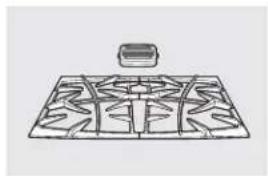
natural_image
Line drawing of a grid-patterned object with a small rectangular object above it (no text or symbols)Grates Surface Burner Heads and Caps
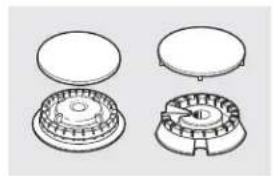
natural_image
Technical line drawings of four mechanical components with no visible text or symbols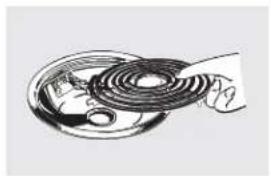
natural_image
Illustration of a hand holding a coiled cable or wire component (no text or symbols visible)Surface Elements and Drip Pans
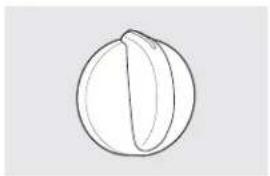
natural_image
Simple line drawing of a round, segmented object resembling a fruit or seed (no text or symbols)Knobs
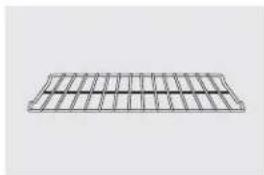
natural_image
Simple 3D wireframe diagram of a rectangular grid structure (no text or symbols)Oven Racks
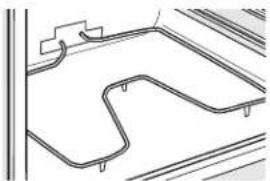
natural_image
Pure architectural line drawing of a curved road or track system without any text, numbers, or symbolsOven Elements Light Bulbs
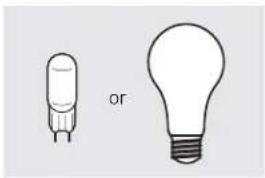
natural_image
Two simple light bulb illustrations, one with a bulb and the other with a bulb, labeled 'or' (no text or symbols on the bulbs themselves)Experience these other great products to keep your kitchen looking great!
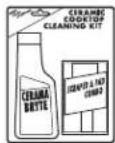
Ceramic Cooktop Cleaning Kit: Includes cleaner, scraper and pad
WX10X117GCS
Ceramic Cooktop Cleaning Wipes
WX10X305
Stainless Steel Appliance Polish Wipes
WX10X10001
Stainless Steel Appliance Cleaner
PM10X311
Get the most out of your Broiler Pan! (Not for use with Broiler Drawer models.)
Use your pan and grid cover to broil hamburgers, seafood, steaks, vegetables, bacon, chops and so much more! The pan below catches the excess fats and oils.
• Genuine GE Part
- Easy To Clean
• One-Year Warranty
Limited Time Offer! Free Shipping!
When you order your broiler pan within 30 days of purchasing your GE cooking product.
Small Large* XL**
U.S. Part # WB48X10055 WB48X10056 WB48X10057
Dimensions 8-3/4"W x 1-1/4"H x 13-1/2"D 12-3/4"W x 1-1/4"H x 15-1/4"D 15-1/2"W x 1-1/4"H x 19" D
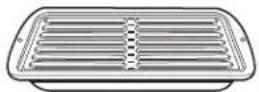
* The large (standard) broil pan does not fit in 20"/24" ranges.
** The XL pan does not fit in 24" wall ovens, 27" drop-ins or 20"/24" ranges.
To place your order, call 800.626.2002 (U.S.), 800.661.1616 (Canada) or mail this form to:
In the U.S.: GE Parts, P.O. Box 221027, Memphis, TN 38122-1027. In Canada: GE Parts, 1 Factory Lane, Moncton, N.B. E1C 9M3

Broiler Pan Order Form
Quantity ____
Part Number ____
Model Number
____ Brand ____ Date of Purchase ____
First Name
Last Name ____
Address
City
State ____ Zip Code ____
Phone
Check ____ Money Order ____
Call 800.626.2002 in the U.S. or 800.661.6161 in Canada for current pricing. All credit card orders must be called in.
All warranty service provided by our Factory Service Centers, or an authorized Customer Care® technician. To schedule service, visit us on-line at GEAppliances.com, or call 800.GE.CARES (800.432.2737). Please have serial number and model number available when calling for service.
Staple your receipt here. Proof of the original purchase date is needed to obtain service under the warranty.
For The Period Of: GE Will Provide:
One Year
From the date of the
original purchase
Any part of the range which fails due to a defect in materials or workmanship.
During this limited one-year warranty, GE will also provide, free of charge, all labor
and in-home service to replace the defective part.
What GE Will Not Cover:
■ Service trips to your home to teach you how to use the product.
- Improper installation, delivery or maintenance.
■ Product damage or failure of the product if it is abused, misused, modified, used for other than the intended purpose, or used commercially.
■ Damage to the glass cooktop caused by use of cleaners other than the recommended cleaning creams and pads.
Damage to the glass cooktop caused by hardened spills of sugary materials or melted plastic that are not cleaned according to the directions in the Owner's Manual.
■ Replacement of house fuses or resetting of circuit breakers.
■ Damage to the product caused by accident, fire, floods or acts of God.
■ Incidental or consequential damage caused by possible defects with this appliance.
■ Damage caused after delivery.
■ Product not accessible to provide required service.
EXCLUSION OF IMPLIED WARRANTIES—Your sole and exclusive remedy is product repair as provided in this Limited Warranty. Any implied warranties, including the implied warranties of merchantability or fitness for a particular purpose, are limited to one year or the shortest period allowed by law.
This warranty is extended to the original purchaser and any succeeding owner for products purchased for home use within the USA. If the product is located in an area where service by a GE Authorized Servicer is not available, you may be responsible for a trip charge or you may be required to bring the product to an Authorized GE Service location for service. In Alaska, the warranty excludes the cost of shipping or service calls to your home.
Some states do not allow the exclusion or limitation of incidental or consequential damages. This warranty gives you specific legal rights, and you may also have other rights which vary from state to state. To know what your legal rights are, consult your local or state consumer affairs office or your state's Attorney General.
Warrantor: General Electric Company. Louisville, KY 40225
Consumer Support.

GE Appliances Website
GEAppliances.com
Have a question or need assistance with your appliance? Try the GE Appliances Website 24 hours a day, any day of the year! For greater convenience and faster service, you can now download Owner's Manuals, order parts or even schedule service on-line.
Schedule Service GEAppliances.com
Expert GE repair service is only one step away from your door. Get on-line and schedule your service at your convenience any day of the year! Or call 800.GE.CARES (800.432.2737) during normal business hours.
Real Life Design Studio GEAppliances.com
GE supports the Universal Design concept—products, services and environments that can be used by people of all ages, sizes and capabilities. We recognize the need to design for a wide range of physical and mental abilities and impairments. For details of GE's Universal Design applications, including kitchen design ideas for people with disabilities, check out our Website today. For the hearing impaired, please call 800.TDD. GEAC (800.833.4322).
Extended Warranties GEAppliances.com
Purchase a GE extended warranty and learn about special discounts that are available while your warranty is still in effect. You can purchase it on-line anytime, or call 800.626.2224 during normal business hours. GE Consumer Home Services will still be there after your warranty expires.
Parts and Accessories GEAppliances.com
Individuals qualified to service their own appliances can have parts or accessories sent directly to their homes (VISA, MasterCard and Discover cards are accepted). Order on-line today, 24 hours every day or by phone at 800.626.2002 during normal business hours.
Instructions contained in this manual cover procedures to be performed by any user. Other servicing generally should be referred to qualified service personnel. Caution must be exercised, since improper servicing may cause unsafe operation.
Contact Us GEAppliances.com
If you are not satisfied with the service you receive from GE, contact us on our Website with all the details including your phone number, or write to: General Manager, Customer Relations GE Appliances, Appliance Park Louisville, KY 40225
Register Your Appliance GEAppliances.com
Register your new appliance on-line—at your convenience! Timely product registration will allow for enhanced communication and prompt service under the terms of your warranty, should the need arise. You may also mail in the pre-printed registration card included in the packing material.
Cocinas
En Canadá: www.GEAppliances.ca
eléctricas independientes, empotrables y encastrables
Instrucciones de Seguridad....2-5
Instrucciones de Operación
Horno 14-35
Ajuste del termostato del horno 22
Asado, Guía de asado 18
Auto-limpieza 29,30
Cajón calentador 34
Cajón del horno inferior 35
Características de cocción lenta, calentamiento
y leudado 27, 28
Características especiales 31, 32
Controles 14, 15
Función Sabbath 33
Horneado o rostizado 17
Horneado y rostizado con temporizador .....19
Horno de convección 23-26
Precalentamiento....17
Sonda 20
Temporizador de cocina 21
Unidades de superficie 6-13
Modelos controlados por botones de toque....8, 9 Modelos controlados por perilla....10, 11
Plancha 12,13
Recipientes de cocción 7
Cuidado y limpieza
Bandejas 38
Cajón calentador desmontable/Recipiente
del cajón del horno inferior 39
Cajón de almacenamiento 39
Elementos calentadores del horno 41
Estufa de vidrio 42, 43
Luz 40,41
Panel de control 36
Perillas de control 36
Piso del horno 39
Puerta del horno desmontable 37,38
Superficies 36
Ventilación 37, 39
Consejos para la identificación
y solución de problemas 44-48
Accesorios 50
Apoyo al cliente
Apoyo al cliente 52
Garantía 51
Escriba los números de modelo y de serie aquí:
Modelo #
Serie #
Puede encontrarlos en una etiqueta ubicada detrás del cajón o detrás de la puerta del horno inferior en el frente del marco de la cocina.
Manual del Propietario
Control Quick Set V,
Quick Set VI y
Next Step

Impreso en papel reciclado
49-80602-1 08-11 GE
INFORMACIÓN IMPORTANTE DE SEGURIDAD. LEA TODAS LAS INSTRUCCIONES ANTES DE SU USO.

ADVERTENCIA
Lea todas las instrucciones de seguridad antes de utilizar este producto. No seguir estas instrucciones puede generar un incendio, una descarga eléctrica, lesiones corporales o la muerte.
DISPOSITIVO ANTI-VOLCADURAS
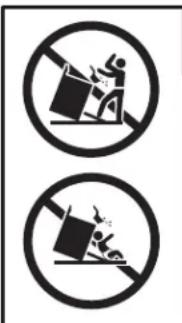
text_image
Two circular icons with pictograms showing a person falling into a block, indicating no obstruction or waste.ADVERTENCIA
- Todas las cocinas pueden volcarse.
- Pueden provocarse QUEMADURAS u otras LESIONES GRAVES.
- INSTALE y CONTROLE el soporte ANTI-VOLCADURAS siguiendo las instrucciones suministradas con el soporte.
Para reducir el riesgo de volcar la cocina, ésta debe sujetarse mediante un soporte anti-volcaduras con una adecuada instalación. Ver las instrucciones de instalación enviadas con el soporte para obtener detalles completos antes de iniciar la instalación.
Para cocinas independientes:
Para verificar que el soporte se haya instalado y sujetado correctamente, quite el cajón de almacenamiento o panel de protección y mire debajo de la cocina para controlar que la pata de nivelación se encuentre enganchada al soporte. En los modelos sin cajón de almacenamiento o panel de protección, incline la cocina hacia adelante con mucho cuidado. El soporte debe detener la cocina dentro de las 4 pulgadas. Si no lo hace, el soporte debe reinstalarse. Si la cocina se separa de la pared por cualquier motivo, siempre repita este procedimiento para verificar que la cocina esté bien sujeta mediante el soporte anti-volcaduras.
Nunca quite las patas de nivelación por completo ya que la cocina no quedará bien sujeta al dispositivo anti-volcaduras.
Cocinas empotrables:
Para verificar que el soporte se haya instalado y sujetado correctamente, quite el cajón de almacenamiento o el panel de protección y mire debajo de la cocina para controlar que la pata de nivelación se encuentre enganchada al soporte.
Cocinas encastrables:
Para verificar si el soporte se ha instalado y sujetado correctamente, baje la puerta del horno y con cuidado aplique una presión media sobre el extremo de la manija hasta que se detecte movimiento de la cocina. Siga presionando hasta que el soporte anti-volcaduras se accione y el movimiento se detenga. Un pequeño movimiento resulta aceptable en la parte trasera de la parte superior de la cocina, pero debe ser estable y no inclinarse una vez que se enganche el soporte anti-volcaduras. Si no lo hace, el soporte debe reinstalarse.
Si usted no recibió un soporte anti-volcaduras con su compra, llame al 1.800.626.8774 para recibir uno sin costo alguno (en Canadá, llame al 1.800.561.3344). Para consultar instrucciones de instalación del soporte, visite GEAppliances.com (en Canadá, GEAppliances.ca).

ADVERTENCIA
NOTIFICACIÓN IMPORTANTE DE SEGURIDAD
La ley de California sobre aguas potables y tóxicos exige que el Gobernador de California publique una lista de sustancias que según el estado provoquen cáncer, defectos congénitos u otros daños reproductivos, y exige a las empresas que adviertan a los clientes sobre la exposición potencial a dichas sustancias.
La aislación de fibra de vidrio de los hornos auto-limpiantes emite una pequeña cantidad de monóxido de carbono durante el ciclo de limpieza. La exposición puede minimizarse ventilando con una ventana abierta o usando una campana o ventilador.
ADVERTENCIA
INSTRUCCIONES GENERALES DE SEGURIDAD
Use este aparato sólo con el objetivo para el que fue creado, como se describe en este Manual del Propietario.
Asegúrese de que un técnico calificado realice una correcta instalación y puesta a tierra del artefacto de acuerdo con las instrucciones de instalación provistas.
No intente reparar o cambiar ninguna pieza de su cocina a menos que esté específicamente recomendado en este manual. Cualquier otro servicio debe realizarlo un técnico calificado.
Antes de realizar cualquier clase de reparación, desenchufe la cocina o desconecte el suministro eléctrico desde el panel de distribución doméstico quitando el fusible o desconectando el interruptor de circuitos.
No deje a los niños solos; éstos no deben quedar solos o sin atención en un área donde un aparato esté en uso. Nunca debe permitirse que se suban, sienten o paren en cualquier parte de este aparato.
PRECAUCION: No almacene elementos de interés para niños sobre una cocina o en la protección trasera de una cocina: los niños que se trepan a la cocina para alcanzar elementos pueden resultar gravemente heridos.
Sólo use agarraderas secas: las agarraderas húmedas o mojadas colocadas en superficies calientes pueden provocar quemaduras de vapor. No permita que las agarraderas entren en contacto con unidades de superficie o los elementos calentadores calientes. No utilice toallas u otras telas gruesas en lugar de una agarradera.
Nunca use su electrodoméstico para calentar la habitación.
No toque las unidades de superficie, los elementos calentadores o la superficie interior del horno. Estas superficies pueden estar lo suficientemente calientes para quemar aún cuando tengan un color oscuro. Durante y después del uso, no toque o deje que su vestimenta u otros materiales inflamables entren en contacto con unidades de superficie, áreas cercanas a las unidades de superficie
o cualquier área interior del horno; deje pasar un tiempo prudencial para que se enfríen. Otras superficies del aparato pueden calentarse lo suficiente como para provocar quemaduras. Las superficies potencialmente calientes incluyen la estufa, las áreas orientadas hacia la estufa, la abertura de ventilación del horno, las superficies cercanas a la abertura y las hendiduras ubicadas alrededor de la puerta del horno.
No caliente recipientes cerrados de alimentos. Podría haber una acumulación de presión en el recipiente y éste podría explotar, provocando lesiones.
No utilice papel de aluminio para revestir las bandejas colectoras o ninguna parte del horno, con excepción de lo descripto en este manual. Un uso inadecuado puede provocar daños a la cocina y una descarga eléctrica o un riesgo de incendio.
Trate de no rayar o golpear las puertas, estufas o paneles de control de vidrio. Si lo hace podría romperse el vidrio. No cocine si un producto tiene un vidrio roto. Puede provocarse una descarga, un incendio o heridas.
Cocine carnes de res y de ave por completo: Las carnes de res hasta alcanzar una temperatura interna de por lo menos 160°F (71°C) y las carnes de ave a una temperatura interna de por lo menos 180°F (82°C). La cocción a estas temperaturas generalmente protege de enfermedades transmitidas por los alimentos.
ADVERTENCIA
MANTENGA LOS MATERIALES INFLAMABLES ALEJADOS DE LA COCINA.
No almacene o utilice materiales inflamables dentro de un horno o cerca de la estufa, tales como papel, plástico, agarraderas, telas, recubrimientos de pared, cortinas y gasolina u otros vapores y líquidos inflamables.
Nunca use vestimentas holgadas o amplias mientras utilice el aparato. Estas vestimentas pueden prenderse fuego si entran en contacto con superficies calientes, provocando quemaduras graves.
No permita que la grasa de la cocción u otros materiales inflamables se acumulen dentro de la cocina o en su cercanía. La grasa dentro del horno o sobre la estufa puede encenderse.
Limpie las campanas de ventilación con frecuencia. No debe permitirse la acumulación de grasa en la campana o en el filtro.
ADVERTENCIA
EN CASO DE INCENDIO, SIGA LOS SIGUIENTES PAÑOS PARA EVITAR LA PROPAGACIÓN DEL FUEGO:
No utilice agua en incendios de grasa. Nunca levante una sartén en llamas. Apague los controles. Apague una sartén en llamas sobre una unidad de superficie cubriendo la sartén por completo con una tapa que ajuste bien, una plancha para galletas o una bandeja plana. Utilice un químico seco multiuso o un extintor de incendios de espuma.
Si hay un incendio en el horno durante el horneado, apáguelo cerrando la puerta del horno y apagando el control o usando un químico seco multiuso o un extintor de incendios de espuma.
Si hay un incendio en el horno durante la auto-limpieza, apague el horno y espere a que el incendio se consuma. No abra la puerta del horno a la fuerza. El ingreso de aire fresco a temperaturas de auto-limpieza puede provocar una explosión de llamas desde el horno. No seguir esta instrucción puede provocar quemaduras graves.
INFORMACIÓN IMPORTANTE DE SEGURIDAD. LEA TODAS LAS INSTRUCCIONES ANTES DE SU USO.

ADVERTENCIA
INSTRUCCIONES DE SEGURIDAD DE LA ESTUFA
Nunca deje las unidades de superficie sin atención en configuraciones de calor media o alta. Los alimentos que hierven y se derraman pueden provocar humo y derrames grasosos que pueden prenderse fuego.
Nunca deje aceite sin atención mientras fríe. Si se deja calentar más allá del punto de humeo, el aceite puede encenderse, provocando un incendio que podría propagarse a los gabinetes cercanos. Utilice un termómetro para grasa cuando sea posible para controlar la temperatura del aceite.
Para evitar el derrame de aceite y un incendio, utilice una cantidad mínima de aceite cuando fría en sartenes poco profundas y evite la cocción de alimentos congelados con una cantidad excesiva de hielo.
Utilice el tamaño de recipiente adecuado: Elija recipientes con bases planas lo suficientemente grandes para cubrir el elemento calentador de superficie. La utilización de recipientes más pequeños dejará expuesta una porción de
la unidad de superficie al contacto directo, lo que puede provocar el encendido de sus vestimentas. Una relación adecuada del recipiente con la unidad de superficie también mejorará la eficiencia.
Sólo ciertos tipos de recipientes de vidrio, vidrio/cerámico, cerámica, u otros recipientes vidriados pueden utilizarse sobre la estufa; otros pueden romperse debido al cambio repentino de temperatura.
Para minimizar la posibilidad de quemaduras, el encendido de materiales inflamables y los derrames, la manija de los recipientes deben girarse hacia el centro de la cocina sin extenderse sobre ninguna unidad de superficie cercana.
Si flambea alimentos bajo la campana, encienda el ventilador.

ADVERTENCIA
INSTRUCCIONES DE SEGURIDAD DE LA ESTUFA RADIANTE (algunos modelos)
Tenga cuidado al tocar la estufa. La superficie de vidrio de la estufa retendrá calor después de que los controles se hayan apagado.
No cocine sobre una estufa rota. Si la estufa se rompe, las soluciones de limpieza y los derrames pueden penetrar en la estufa rota y crear un riesgo de descarga eléctrica. Comuníquese con un técnico calificado de inmediato.
Evite rayar la estufa de vidrio. La estufa puede rayarse con elementos tales como cuchillos, instrumentos filosos, anillos u otras joyas, y remaches de la ropa.
No coloque o almacene elementos que pueden derretirse o prenderse fuego sobre la estufa de vidrio, aún cuando no la esté usando. Si la estufa se enciende en forma accidental, pueden prenderse fuego. El calor proveniente de la estufa o de la ventilación del horno también puede prenderlos fuego, aún si el aparato está apagado.
Use el limpiador de estufas cerámicas CERAMA BRYTE® y la esponjilla de limpieza CERAMA BRYTE® para limpiar la estufa. Espere hasta que la estufa se enfríe y la luz indicadora se apague antes de limpiar. Una esponja o un paño húmedos sobre una superficie caliente pueden provocar quemaduras de vapor. Algunos limpiadores pueden producir humos tóxicos si se los aplica a una superficie caliente. NOTA: Los derrames de azúcar son la excepción. Éstos deben quitarse mientras están calientes utilizando una agarradera y un raspador. Para instrucciones detalladas, ver la sección Cómo limpiar la estufa de vidrio.
Lea y cumpla con todas las instrucciones y advertencias de la etiqueta de la crema de limpieza.

ADVERTENCIA
INSTRUCCIONES DE SEGURIDAD DE LA ESTUFA DE BOBINAS (algunos modelos)
No sumerja o remoje las unidades de superficie desmontables. No las coloque en el lavavajillas. No coloque las unidades de superficie dentro del horno cuando realice la auto-limpieza. Si lo hace pueden llegar a fallar, provocando un peligro de quemaduras o de incendio.
Para evitar la posibilidad de una quemadura o descarga eléctrica, siempre verifique que los controles de todas las unidades de superficie se encuentren en la posición OFF (apagado) y que todas las bobinas estén frías antes de levantar o quitar una unidad de superficie de bobinas.
Asegúrese de que las bandejas colectoras no estén cubiertas y se encuentren en su lugar. Su ausencia durante la cocción podría dañar las piezas y el cableado de la cocina.
ADVERTENCIA
INSTRUCCIONES DE SEGURIDAD DEL HORNO
Manténgase alejado de la cocina cuando abra la puerta del horno. El aire y el vapor calientes que salen de la cocina pueden provocar quemaduras en manos, rostro y/o ojos.
■ Mantenga sin obstrucciones la ventilación del horno.
Mantenga el horno libre de acumulaciones de grasa. La grasa dentro del horno puede prenderse fuego.
Siempre coloque las bandejas del horno en la posición deseada mientras el horno esté frío. Si la bandeja debe quitarse cuando el horno todavía está caliente, no permita que la agarradera toque el elemento calentador del horno.
- Cuando utilice bolsas de cocción o de asado en el horno, siga las instrucciones del fabricante.
Tire de la bandeja del horno hasta la posición de tope de detención cuando cargue o descargue alimentos del horno. Esto ayuda a evitar quemaduras por tocar superficies calientes de la puerta y las paredes del horno.
No deje productos como papel, utensilios de cocina o alimentos en el horno cuando no lo esté usando. Los elementos guardados en el horno pueden prenderse fuego.
No utilice papel de aluminio para revestir el piso del horno. El papel de aluminio puede atrapar o reflejar el calor, provocando una descarga eléctrica o un peligro de incendio.
ADVERTENCIA
INSTRUCCIONES DE SEGURIDAD DEL HORNO AUTO-LIMPIANTE (algunos modelos)
La característica de auto-limpieza funciona en el horno a temperaturas lo suficientemente elevadas como para quemar los restos de alimentos que quedaron dentro del horno. Siga estas instrucciones para una operación segura.
Antes de iniciar el ciclo de auto-limpieza, quite las ollas, bandejas del horno de metal brillante y otros utensilios del horno. Sólo pueden dejarse en el horno las bandejas revestidas de porcelana gris. No utilice la auto-limpieza para limpiar otras piezas, como bandejas colectoras o tazones.
Antes de utilizar el ciclo de auto-limpieza, limpie la grasa y los derrames de alimentos del horno. Una cantidad excesiva de grasa puede encenderse, generando daños por el humo en su hogar.
Si el modo de auto-limpieza no funciona, apague el horno y desconecte el suministro de energía. Llame a un técnico calificado para solicitar el arreglo.
No limpie la empacadura de la puerta. La empacadura de la puerta es esencial para un buen sellado. Debe tenerse cuidado de no refregar, dañar o mover la empacadura.
No utilice limpiadores de horno. No debe utilizarse ningún limpiador comercial o revestimiento protector de ninguna clase dentro o alrededor de ninguna pieza del horno.
ADVERTENCIA
CAJÓN CALENTADOR/CAJÓN DEL HORNO INFERIOR INSTRUCCIONES DE SEGURIDAD
(algunos modelos)
El objetivo del cajón calentador es mantener alimentos cocidos calientes a la temperatura de servicio. Por debajo de los 140°F (60°C) puede producirse crecimiento de bacterias en los alimentos. No coloque alimentos fríos en el cajón calentador. No caliente alimentos por más de 2 horas. No seguir estas instrucciones puede provocar enfermedades transmitidas por los alimentos.
No deje productos de papel, plásticos, comida enlatada o materiales combustibles en el cajón. Pueden prenderse fuego.
No toque el elemento calentador o la superficie interna del cajón. Estas superficies pueden estar lo suficientemente calientes como para provocar quemaduras.
Tenga cuidado al abrir el cajón. Abra un poco el cajón y deje salir el aire caliente y el vapor antes de quitar o volver a colocar los alimentos. El aire y el vapor calientes que salen pueden provocar quemaduras en manos, rostro y/o ojos.
No utilice papel de aluminio para revestir el cajón calentador. El papel metálico es un excelente aislante de calor y atrapará el calor debajo de él. Esto alterará el desempeño del cajón y potencialmente podría provocar un riesgo de incendio.
Elección de los tipos de recipientes de cocción para modelos de estufa de vidrio. (modelos sin inducción)
GEAppliances.com
La siguiente información lo ayudará a elegir los recipientes de cocción que brindan un buen desempeño en estufas de vidrio. Ver el folleto sobre recipientes para usar con estufas de inducción.
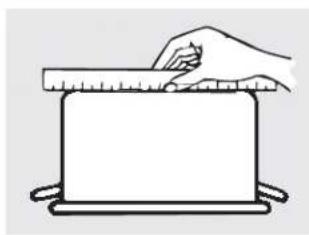
natural_image
Simple line drawing of a hand holding a ruler above a blank rectangular object (no text or symbols)Verifique que los recipientes tengan bases planas utilizando una regla.
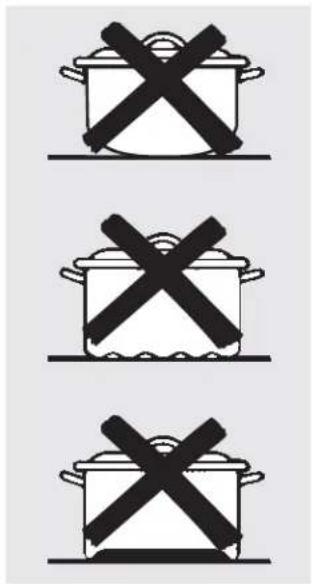
text_image
Three identical cooking pots with crossed X marks, likely indicating prohibition or resistance.No se recomiendan recipientes con bases redondeadas, curvadas, con rebordes o torceduras.
Acero inoxidable:
Recomendado
Aluminio:
Se recomienda de capa gruesa
Buena conductividad. Los residuos de aluminio a veces parecen rayones sobre la estufa pero pueden quitarse si se los limpia de inmediato. Debido a su bajo punto de fusión, no debe utilizarse aluminio de capa fina.
Base de cobre:
Recomendado
El cobre puede dejar residuos que pueden parecer rayones. Los residuos pueden eliminarse, siempre y cuando la estufa se limpie de inmediato. Sin embargo, no permita que estas ollas hiervan en seco. El metal sobrecalentado puede adherirse a las estufas de vidrio. Si no se elimina de inmediato, una olla con la base de cobre sobrecalentado dejará un residuo que manchará la estufa en forma permanente.
Esmalte de porcelana sobre hierro fundido:
Se recomienda si la base de la olla se encuentra revestida
Esmalte de porcelana sobre acero:
No se recomienda
Calentar recipientes vacíos puede provocar daños permanentes al vidrio de las estufas. El esmalte puede derretirse y adherirse a la estufa cerámica.
Vidrio-cerámico:
No se recomienda
Desempeño pobre. Raya la superficie.
Cerámica:
No se recomienda
Desempeño pobre. Puede rayar la superficie.
Hierro fundido:
No se recomienda, a menos que se encuentre específicamente diseñado para estufas de vidrio Pobre conductividad y lentitud para absorber el calor. Raya la superficie de la estufa.
NOTA: Siga todas las recomendaciones del fabricante de recipientes cuando utilice cualquier clase de recipiente de cocción sobre la estufa cerámica.
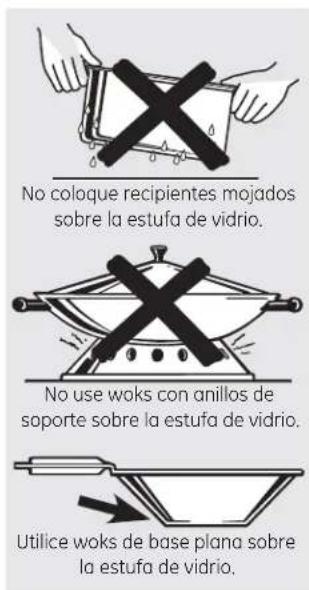
text_image
No coloque recipientes mojados sobre la estufa de vidrio. No use woks con anillos de soporte sobre la estufa de vidrio. Utilice woks de base plana sobre la estufa de vidrio.Para mejores resultados
Coloque sólo recipientes secos sobre los elementos de superficie. No coloque tapas sobre los elementos de superficie, en especial tapas mojadas.
No use woks con anillos de soporte. Esta clase de wok no se calienta sobre elementos de superficie de vidrio.
■ Recomendamos el uso de woks de base plana solamente. Se encuentran disponibles en su negocio minorista local. La base del wok debe tener el mismo diámetro que el elemento de superficie para asegurar un contacto adecuado.
Algunos procedimientos de cocción especiales requieren recipientes de cocción específicos, como ollas a presión, freidoras, etc. Todos los recipientes de cocción deben tener bases planas y ser del tamaño correcto.
No permita que los alimentos hiervan en seco ya que los recipientes de cocción pueden adherirse a la superficie de cocción, provocando daños permanentes a la estufa.
Cómo usar las unidades de superficie—Modelos controlados por botones de toque.
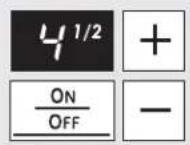
El nivel de energía con una fracción indica la configuración adicional de medio paso. Usted puede oír chasquidos que indican que el control está manteniendo su configuración deseada.
Configuraciones de cocción de las unidades de superficie
La estufa ofrece 19 niveles de energía. Los niveles de energía van desde "L" (baja) hasta "HI" (alta) en precisos aumentos de medio paso. Por ejemplo: 1, 1-1/2, 2, 2-1/2 y hasta HI.
Se recomienda el nivel de energía de "L", la configuración más baja, para "mantener caliente".
El nivel de energía aumenta de a medio nivel con cada toque.
NOTA: Cuando se cambia de una configuración de calor alta a una baja, la unidad de superficie puede dejar de resplandecer. Esto es normal. La unidad sigue encendida y caliente.
NOTA: Esta estufa cuenta con una característica de calentamiento rápido. Si la estufa está fría cuando se la enciende, resplandecerá durante un período corto hasta que se alcance la configuración de energía deseada.
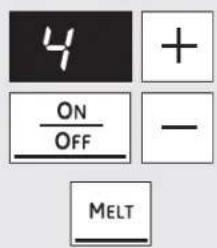
text_image
4 + ON OFF - MELT
Unidad de superficie única—Configuraciones de cocción
Para encender una unidad de superficie única:
1 Presione el botón ON/OFF (encendido/apagado); luego presione el botón (+)/(-).
2 Utilice el botón (+)/(−) para elegir la configuración de energía deseada.
Para utilizar la característica "Melt" (derretir):
Presione el botón ON/OFF (encendido/apagado); luego presione MELT (derretir). El elemento automáticamente quedará en una configuración predeterminada y podrá verse "L".
Para apagar una unidad de superficie única, presione el botón ON/OFF (encendido/apagado) de nuevo.
Para utilizar la característica "Simmer" (fuego lento):
Presione el botón ON/OFF (encendido/apagado); luego presione SIMMER (fuego lento). El elemento automáticamente quedará en una configuración predeterminada y podrá verse "3". Ajuste utilizando el botón (+)/(−) para subir o bajar el nivel de fuego lento.
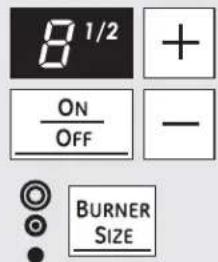
text_image
8 1/2 + ON OFF - BURNER SIZE
Quemador de anillos múltiples (puede ser doble o triple, dependiendo del modelo)
1 Presione el botón ON/OFF (encendido/apagado) para la unidad de superficie frontal derecha.
2 Utilice el botón (+)/(−) para elegir la configuración de energía deseada.
3 Presione el botón BURNER SIZE (tamaño de quemador) para seleccionar el tamaño de quemador deseado.
La luz ubicada al lado del botón BURNER SIZE (tamaño de quemador) indica el tamaño de la unidad de superficie.
Para apagar (OFF) la unidad de superficie, presione el botón ON/OFF (encendido/apagado).
Ver la página 10 para información adicional.
ADVERTENCIA
RIESGO DE INTOXICACIÓN ALIMENTARIA: Por debajo de los 140°F (60°C) puede producirse crecimiento de bacterias en los alimentos.
- Siempre empiece con alimentos calientes. No utilice configuraciones de mantener caliente para calentar alimentos fríos.
- No caliente alimentos por más de 2 horas.
No seguir estas instrucciones puede provocar enfermedades transmitidas por los alimentos.
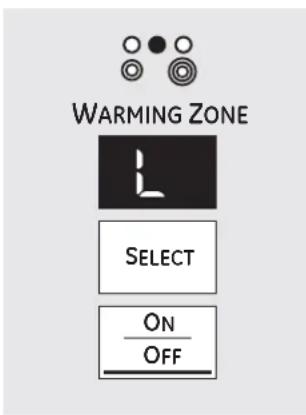
text_image
WARMING ZONE SELECT ON OFFCómo usar la zona de calentamiento (en algunos modelos)
La ZONA DE CALENTAMIENTO
se encuentra en la parte trasera central de la superficie de vidrio.
Para utilizar la ZONA DE CALENTAMIENTO:
1 Presione la tecla WARMING ZONE ON/OFF (zona de calentamiento encendido/apagado).
Para seleccionar la configuración de control deseada, presione el botón SELECT (seleccionar) una vez para LO (baja), dos veces para MED (media) o tres veces para HI (alta).
Para apagar la ZONA DE CALENTAMIENTO:
Presione la tecla WARMING ZONE ON/OFF (zona de calentamiento encendido/apagado).
Para mejores resultados, todos los alimentos de la ZONA DE CALENTAMIENTO deben cubrirse con una tapa o con papel de aluminio.
Siempre utilice agarraderas o guantes de cocina cuando quite alimentos de la ZONA DE CALENTAMIENTO, ya que los recipientes estarán calientes.
No utilice envoltorios plásticos para cubrir alimentos. El plástico puede derretirse en la superficie y será muy difícil limpiarlo.
- Utilice sólo recipientes de cocina recomendados para cocción sobre estufas.
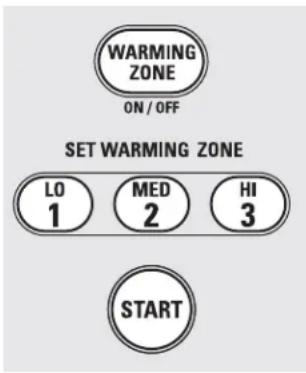
text_image
WARMING ZONE ON / OFF SET WARMING ZONE LO 1 MED 2 HI 3 STARTCómo usar la zona de calentamiento (en algunos modelos)
La ZONA DE CALENTAMIENTO
se encuentra en la parte trasera central de la superficie de vidrio.
Para utilizar la ZONA DE CALENTAMIENTO:
1 Presione la tecla WARMING ZONE ON/OFF (zona de calentamiento encendido/apagado).
2 Presione los botones 1 (LO) (baja), 2 (MED) (media) o 3 (HI) (alta) para seleccionar la configuración de control deseada.
3 Presione el botón START (iniciar). En la pantalla de control aparecerá "WARMER HOT ON" (calentador encendido).
Para apagar la ZONA DE CALENTAMIENTO:
Presione la tecla WARMING ZONE ON/OFF (zona de calentamiento encendido/apagado).
NOTA: El botón CLEAR/OFF (borrar/apagado) no apaga la ZONA DE CALENTAMIENTO.
Para mejores resultados, todos los alimentos de la ZONA DE CALENTAMIENTO deben cubrirse con una tapa o con papel de aluminio.
Siempre utilice agarraderas o guantes de cocina cuando quite alimentos de la ZONA DE CALENTAMIENTO, ya que los recipientes estarán calientes.
No utilice envoltorios plásticos para cubrir alimentos. El plástico puede derretirse en la superficie y será muy difícil limpiarlo.
- Utilice sólo recipientes de cocina recomendados para cocción sobre estufas.
Cómo usar las unidades de superficie—Modelos controlados por perillas.
A lo largo de este manual, las características y apariencia pueden ser diferentes a las de su modelo.
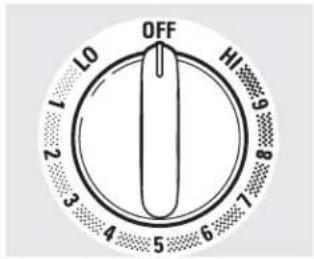
text_image
OFF L0 HI 1 2 3 4 5 6 7 8 9En OFF (apagado) y HI (alta) el control se traban en su posición con un "clic". Usted puede oír ligeros chasquidos durante la cocción, que indican que el control está manteniendo su configuración deseada.
Asegúrese de girar la perilla de control a OFF (apagado) cuando termine de cocinar.
Cómo utilizarlo
Presione la perilla hacia adentro y gírela en la dirección de la configuración que desee.
Para superficies de estufa de vidrio:
La luz indicadora HOT COOKTOP (estufa caliente), sobre la estufa, resplandecerá cuando se encienda cualquier elemento radiante. Permanecerá encendida hasta que la superficie baja la temperatura hasta aproximadamente 150°F (66°C).
La luz indicadora:
Se accionará cuando la unidad se encienda o esté caliente al tacto.
- Quedará encendida aunque se haya apagado la unidad.
■ Resplandecerá hasta que la unidad baje la temperatura hasta aproximadamente 150°F (66°C).
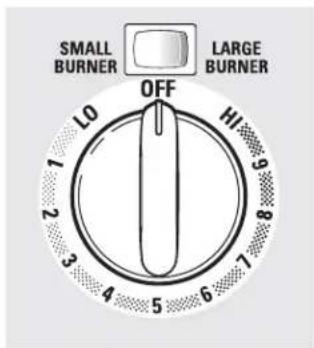
text_image
SMALL BURNER LARGE BURNER OFF 10 2 3 4 5 6 7 8 9 10En algunos modelos.
Unidades de superficie dobles y triples y perillas de control (en algunos modelos)
La unidad de superficie cuenta con 2 o 3 tamaños de cocción diferentes para poder adecuar el tamaño de la unidad al tamaño del recipiente de cocción.

text_image
Off Hi Lo Hi Hi Hi HiModelos con sólo una unidad de superficie triple.
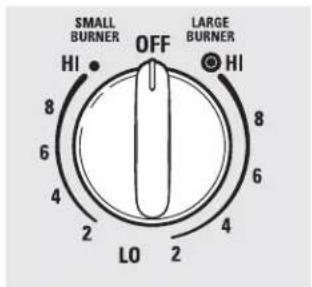
text_image
SMALL BURNER OFF LARGE BURNER HI HI 8 8 6 6 4 4 2 2 LO 2En algunos modelos.
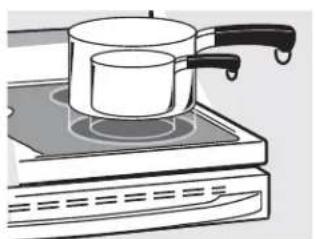
natural_image
Illustration of a cooking pot on an induction cooktop (no text or symbols)Modelos con sólo una unidad de superficie triple.
Limitador de temperatura
Todas las unidades de superficie radiantes cuentan con un limitador de temperatura.
El limitador de temperatura evita que la estufa de vidrio se caliente demasiado. Es normal que se encienda y apague cuando la estufa está en uso.
El limitador de temperatura puede apagar las unidades más frecuentemente durante un tiempo si:
El recipiente hierve en seco.
La base del recipiente no es plana.
El recipiente no está centrado.
No hay un recipiente en la unidad.
A lo largo de este manual, las características y apariencia pueden ser diferentes a las de su modelo.
Modelos con un solo quemador puente:
Cómo usar el quemador puente (en algunos modelos)
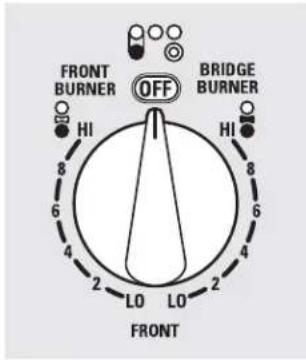
text_image
FRONT BURNER OFF BRIDGE BURNER HI HI LO LO 2 2 2 4 6 8 6 8 FRONTPara utilizar el quemador puente, gire la perilla de control frontal izquierda a las configuraciones BRIDGE BURNER (quemador puente).
Para un funcionamiento total de la unidad de superficie puente, también encienda la unidad de superficie trasera izquierda.
Para utilizar sólo la unidad de superficie frontal, gire la perilla de control a las configuraciones FRONT BURNER (quemador frontal).
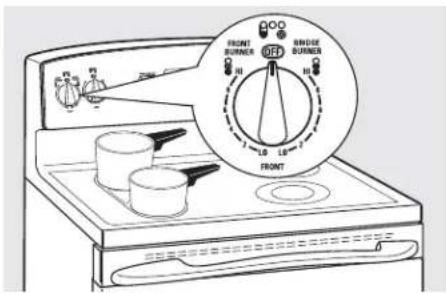
text_image
FRONT BURNER OFF BRIDGE BURNER 100% 100% L0 L8 FRONT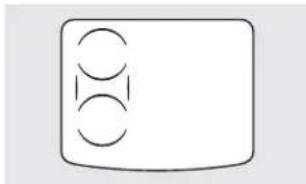
natural_image
Simple diagram with three circles inside a rounded rectangle (no text or symbols)Consejos para realizar conservas en casa
Asegúrese de que la olla se encuentre centrada sobre la unidad de superficie.
Verifique que la olla tenga una base plana.
Para evitar quemaduras de vapor o calor, tenga cuidado al realizar conservas.
Utilice recetas y procedimientos provenientes de fuentes confiables. Fabricantes como Ball® and Kerr® y el Servicio de Extensión del Departamento de Agricultura los ponen a su alcance.
Se recomiendan ollas para conservas con bases planas. El uso de ollas para conservas con baño de maría con bases ondeadas puede prolongar el tiempo requerido para hervir el agua.
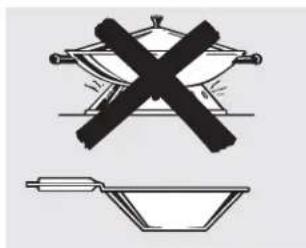
natural_image
Illustration of a cooking setup with a crossed pan and a bowl, no text or symbols present.Cocción en wok
Recomendamos el uso de woks de base plana solamente. Se encuentran disponibles en su negocio minorista local.
No use woks con anillos de soporte.
No utilice woks con bases redondas. Usted podría sufrir graves quemaduras si el wok se vuelca.
Utilice sólo woks de base plana.
PRECAUCIÓN
PELIGRO DE QUEMADURAS: Las superficies de la plancha pueden estar lo suficientemente calientes como para provocar quemaduras durante y después del uso. Coloque y quite la plancha cuando esté fría y todas las unidades de superficie estén apagadas. Utilice agarraderas si toca la plancha cuando está caliente. No hacerlo puede provocar quemaduras.
Antes de utilizar este recipiente de cocción por primera vez, lávelo para asegurarse de que esté limpio. Luego cúrelo ligeramente, frotando aceite de cocción sobre la superficie antiadherente.
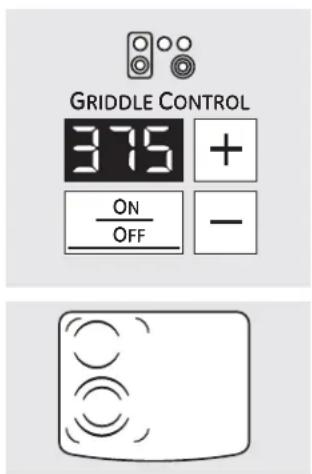
text_image
GRIDDLE CONTROL 375 + ON OFF - -Control de la plancha (en algunos modelos)
Para utilizar el control de la plancha:
1 Presione el botón ON/OFF (encendido/apagado) para activar la plancha. “...” aparecerá en la pantalla.
2 Utilice el botón (+)/(−) para elegir la configuración de energía deseada. La predeterminada es de 375.
La plancha cuenta con nueve niveles de energía. Los niveles de energía van desde 200 a 400 en aumentos de 25.
3 Una vez que se ha seleccionado la configuración deseada, aparecerá "PrE" hasta que la temperatura deseada se haya alcanzado.
Para apagar (OFF) la plancha, presione el botón ON/OFF (encendido/apagado).
NOTA: Utilice sólo con el control de la plancha para no arruinar el revestimiento antiadherente. La mayoría de los alimentos para plancha requieren una cocción sobre una superficie precalentada. Precaliente la plancha de acuerdo con la siguiente guía; luego cambie a la configuración de cocción deseada.
| Configuración deTipo de precalentamiento de cocciónalimento °F/°C | ||
| Panqueques | 375/191 | 375/191 |
| Hamburguesas | 400/204 | 375/191 |
| Huevos fritos | 325/163 | 325/163 |
| Tocino | Ninguna | 400/204 |
| Sándwiches calientes (como queso asado) | 350/177 | 350/177 |
NOTA: Quizás deban ajustarse las configuraciones de la plancha si ésta se utiliza durante un período prolongado. La configuración es una temperatura de cocción aproximada y varía con la cantidad de alimentos.
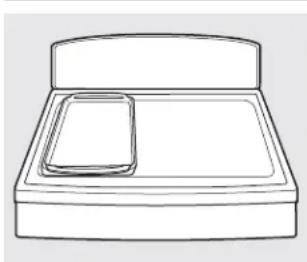
natural_image
Simple line drawing of a bed tray with a smartphone on top (no text or symbols)Cómo colocar la plancha:
IMPORTANTE: Siempre coloque y utilice la plancha en la ubicación designada sobre la estufa.
NOTAS IMPORTANTES:
Limpie la plancha con una esponja y detergente suave en agua tibia. NO utilice esponjillas de fregar azules o verdes o lana de acero.
No cocine alimentos extremadamente grasosos y tenga cuidado con los derrames de grasa mientras cocina.
Nunca coloque o almacene elementos sobre la plancha, aún cuando no esté en uso. La plancha puede calentarse cuando se utilizan las unidades de superficie cercanas.
No use utensilios metálicos con puntas afiladas o bordes ásperos porque pueden dañar la plancha. No corte alimentos sobre la plancha.
No use recipientes de cocción para el almacenamiento de alimentos o aceite. Pueden provocarse manchas y/o grietas permanentes.
NOTA: El revestimiento antiadherente se degradará si lo expone a temperaturas superiores a 500°F (260°C). Utilícelo sólo con el control de la plancha y sólo en la ubicación designada sobre la estuía. No utilice la plancha para asar alimentos en el horno. No limpie la plancha utilizando el modo auto-limpiante en el horno. El control de la plancha evita el sobrecalentamiento del revestimiento antiadherente. A temperaturas superiores a 660°F (349°C), las propiedades antiadherentes se degradan en forma permanente y pueden producir humos dañinos para las aves.
NOTA: La plancha irá perdiendo el color con el tiempo debido al uso.
NOTA: No limpie la plancha en el horno auto-limpiante.
NOTA: Siempre espere a que el recipiente de cocción se enfrie antes de sumergirlo en agua.
Cómo preparar un filete de calidad, tan fácil como 1, 2, 3:
1.
Prepare
- Lleve el filete a temperatura ambiente.
NOTA: Siempre utilice prácticas seguras en el manejo de la carne.
-
Condimente ambos lados a su gusto y recubra con aceite de oliva o similar.
-
Precaliente el horno en BAKE (hornear) a 425° (218°F), con la bandeja del horno en la posición central "C."
-
Coloque la plancha en el área designada de la estufa y luego precaliente la plancha a 400°F (204°C).
PRECAUCIÓN: La plancha estará MUY CALIENTE. Utilice agarraderas.
2.
Cocine
- Selle el filete de cada lado durante 2 minutos o hasta alcanzar el dorado deseado.
NOTA: Se producirá "humo"; asegúrese de que haya una ventilación adecuada.
-
Introduzca la sonda de carne provista con su cocina dentro del centro del filete, verificando que la punta de la sonda se encuentre en el centro del filete.
-
Introduzca la sonda en la boca de salida (ubicada en el lado frontal superior del horno), deslice la bandeja dentro del horno y cierra la puerta.
-
Presione PROBE (sonda) en su control, ingrese la temperatura interna deseada y presione START (iniciar).
3.
Disfrute
- Deje que el filete termine de cocinarse en el horno. El control de la cocina emitirá un pitido y se apagará cuando el filete alcance la temperatura interna deseada.
NOTAS:
■ Después del sellado, su filete puede hallarse en la temperatura deseada, dependiendo del tamaño, corte y grado de cocción deseado.
Para filetes más finos, puede no ser posible alcanzar los grados de cocción jugoso o poco cocido.
Al realizar el sellado de su carne con un calor muy alto, se está creando una reacción conocida como la Reacción Maillard. Esta reacción bloquea el sabor más pronunciado e intenso de la carne, que ocurre cuando se cocina carne a una temperatura elevada.
Cómo usar los controles del horno.
A lo largo de este manual, las características y apariencia pueden ser diferentes a las de su modelo. Busque el panel de control que corresponde a su modelo.
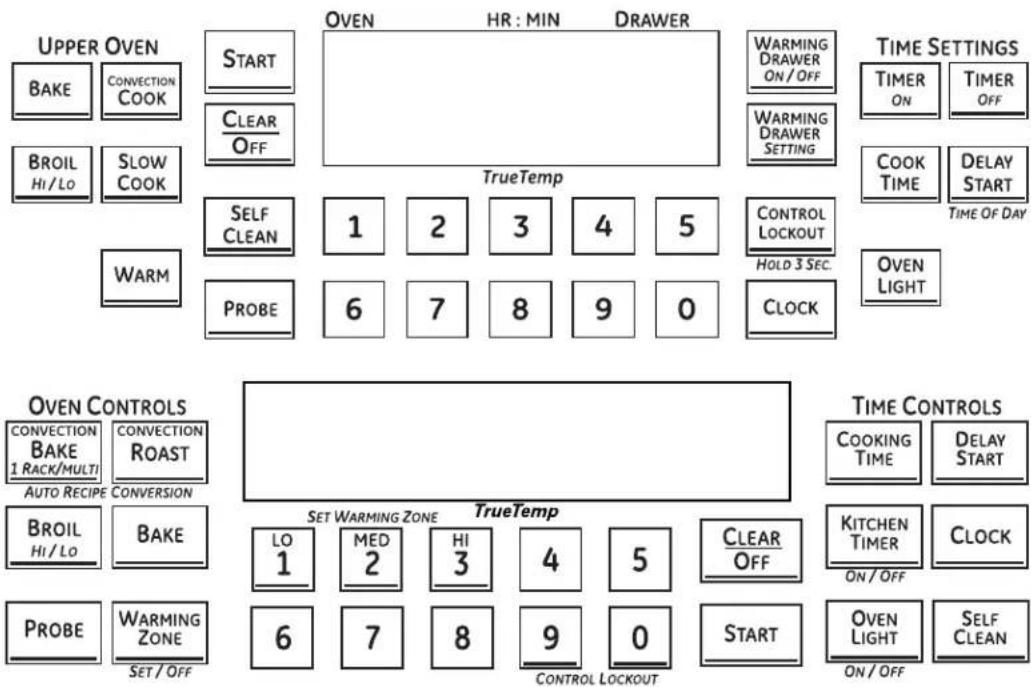
flowchart
graph TD
    A["UPPER OVEN"] --> B["START"]
    B --> C["Clear Off"]
    C --> D["OVEN"]
    D --> E["HR: MIN"]
    E --> F["DRAWER"]
    F --> G["Warming Drawer ON/OFF"]
    G --> H["TIME SETTINGS"]
    H --> I["TIMER ON"]
    H --> J["TIMER OFF"]
    K["BROIL HI/LO"] --> L["SLOW COOK"]
    M["WARM"] --> N["SELF CLEAN"]
    N --> O["1"]
    O --> P["2"]
    P --> Q["3"]
    Q --> R["4"]
    R --> S["5"]
    S --> T["CONTROL LOCKOUT"]
    T --> U["HOLD 3 SEC."]
    U --> V["OVEN LIGHT"]
    W["PROBE"] --> X["6"]
    X --> Y["7"]
    Y --> Z["8"]
    Z --> AA["9"]
    AA --> AB["0"]
    AB --> AC["CLOCK"]

    AD["OVEN CONTROLS"] --> AE["CONVECTION BAKE 1 RACK/MULTI"]
    AD --> AF["CONVECTION ROAST"]
    AD --> AG["AUTO RECIPE CONVERSION"]

    AH["BROIL HI/LO"] --> AI["BAKE"]

    AJ["PROBE"] --> AK["WARMING ZONE"]
    AJ --> AL["SET/OFF"]

    AM["SET WARMING ZONE"] --> AN["LO 1"]
    AM --> AO["MED 2"]
    AM --> AP["HI 3"]
    AM --> AQ["4"]
    AM --> AR["5"]
    AM --> AS["CLEAR OFF"]

    AT["CONTROL LOCKOUT"] --> AU["LO 1"]
    AT --> AV["MED 2"]
    AT --> AW["HI 3"]
    AT --> AX["4"]
    AT --> AY["5"]
    AT --> AZ["CLEAR OFF"]

    BA["OVEN"] --> BB["COOKING TIME"]
    BA --> BC["KITCHEN TIMER ON/OFF"]
    BA --> BD["OVEN LIGHT ON/OFF"]
    BA --> BE["SELF CLEAN ON/OFF"]
Botón BROIL HI/LO (asar alto/bajo)
Presione el botón BROIL HI/LO (asar alto/bajo) una vez para HI Broil (asar alto).
Para cambiar a LO Broil (asar bajo), presione el botón BROIL HI/LO (asar alto/bajo) de nuevo.
Presione el botón START (iniciar).
Cuando haya finalizado de asar, presione el botón CLEAR/OFF (borrar/apagado).
Botón BAKE (hornear)
Presione el botón BAKE (hornear).
Presione las almohadillas numéricas para configurar la temperatura deseada del horno.
Presione el botón START (iniciar).
Cuando haya finalizado de hornear, presione el botón CLEAR/OFF (borrar/apagado).
Botón CONVECTION COOK (cocción por convección)
Presione el botón CONVECTION COOK (cocción por convección), CONVECTION BAKE (horneado por convección),
o CONVECTION ROAST (rostizado por convección).
Presione las almohadillas numéricas para configurar la temperatura deseada del horno.
Presione el botón START (iniciar).
Cuando haya finalizado la cocción, presione el botón CLEAR/OFF (borrar/apagado).
Botón PIZZA
Presione la almohadilla PIZZA.
Presione las almohadillas numéricas para seleccionar 1 para pizza congelada y 2 para pizza fresca.
Presione las almohadillas numéricas para configurar la temperatura de horneado.
Presione el botón START (iniciar).
El tiempo de horneado está determinado por las instrucciones del paquete.
Coloque la pizza en la posición de bandeja superior del homo superior. Cuando utilice un recipiente de metal, utilice la posición de bandeja inferior.
Botón PROOF (leudar)
Presione para levar productos con levadura.
Ver la sección Cómo configurar el horno para leudar.
Botón WARM (calentar)
Presione para mantener calientes los alimentos cocinados.
Ver la sección Cómo configurar el horno superior para mantener caliente.
Botón SLOW COOK (cocción lenta)
Presione para obtener varias horas de cocción sin atención.
Ver la sección Cómo configurar el horno inferior para cocción lenta.
Botón PROBE (sonda)
Presione cuando utilice la sonda para cocinar.
Ver la sección Cómo usar la sonda.
Botón SELF CLEAN (auto-limpieza)
Presione para la auto-limpieza del horno.
Ver la sección Cómo usar los hornos auto-limpiantes superior e inferior.
Botón CLEAR/OFF (borrar/apagar)
Presione para cancelar TODAS las operaciones del horno, con excepción del reloj y el temporizador.
Botón START (iniciar)
Debe presionarse para iniciar cualquier función de cocción o de limpieza.
Botón OVEN LIGHT (luz del horno)
Toque este botón para apagar o encender las luces del horno.
Botones TIMER ON/OFF (temporizador encendido/apagado)/Botón KITCHEN TIMER (temporizador de la cocina)
Presione para configurar el temporizador de la cocina.
Ver la sección Cómo usar el temporizador de la cocina.
Botón COOK TIME/COOKING TIME (tiempo de cocción)
Presione este botón y luego presione las almohadillas numéricas para configurar el tiempo de cocción que desea para sus alimentos. El horno se apagará cuando se haya terminado el tiempo de cocción.
Botón DELAY START (inicio retardado)
Utilícelo junto a los botones COOK TIME (tiempo de cocción) o SELF CLEAN (auto-limpieza) para configurar el inicio y apagado automático del horno en el tiempo establecido.
Botón CLOCK (reloj)
NOTA: Cuando configure los tiempos, se configuran sólo las horas y los minutos. La menor cantidad de tiempo que se puede configurar es un minuto.
Presione el botón CLOCK (reloj).
Presione las almohadillas numéricas.
Presione el botón START (iniciar).
El reloj debe estar configurado en la hora correcta para que las funciones con temporizador del horno funcionen adecuadamente. La hora no puede modificarse durante los ciclos de horneado con temporizador o de auto-limpieza.
Si su horno fue configurado para una operación de horno temporizada y ocurrió un corte de energía eléctrica, el reloj y todas las funciones programadas deberán reconfigurarse.
La hora destellará en la pantalla cuando haya ocurrido un corte de energía.
Botón CONTROL LOCKOUT (bloqueo de control)
Su control le permitirá bloquear los botones de toque y la estufa para que no puedan activarse al presionarlas.
Para bloquear los controles y la estufa:
Presione y sostenga el botón CONTROL LOCKOUT (bloqueo de control) durante 3 segundos.
En la pantalla del horno podrá verse "on Loc on" (bloqueo activado).
Para desbloquear los controles:
Presione y sostenga el botón CONTROL LOCKOUT (bloqueo de control) durante 3 segundos.
El modo CONTROL LOCKOUT (bloqueo de control) afecta todos los botones de toque. Cuando esta característica está activada, no funcionará ningún botón de toque.
WARMING DRAWER (cajón de calentamiento)
El cajón calentador mantendrá alimentos calientes y cocidos a una temperatura de servicio. Siempre empiece con alimentos calientes.
Presione el botón WARMING DRAWER (cajón calentador). "WARMER ON" (caliente encendido) y "1" se encienden en la pantalla y "Set" (configuración) comienza a destellar. En las almohadillas numéricas, presione 1 para Bajo, 2 para Medio o 3 para Alto. La pantalla "1" cambia de acuerdo con la almohadilla numérica seleccionada. El cajón calentador se inicia automáticamente después de presionar 1, 2 o 3. "WARMER ON" (caliente encendido) y el número permanecen encendidos. "Set" (configuración) deja de destellar. En algunos modelos, presione START (iniciar).
En algunos modelos – alterne entre configuraciones presionando el botón WARMING DRAWER (cajón calentador).
Para cancelar, presione el botón WARMING DRAWER (cajón calentador).
NOTA: Presionar el botón CLEAR/OFF (borrar/apagado) no apaga el cajón calentador.
ZONA DE CALENTAMIENTO
Presione para mantener calientes los alimentos cocinados. Ver la sección Cómo usar la zona de calentamiento.
Cómo usar el horno.
Para evitar posibles quemaduras, coloque las bandejas en la posición deseada antes de encender el horno.
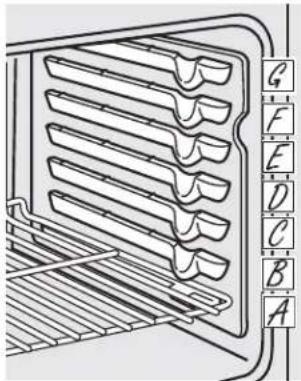
text_image
Technical diagram of a multi-tiered rack with labeled letter indicators from A to G along the vertical axis.La cantidad de posiciones de la bandeja puede variar en relación al modelo.
Antes de comenzar...
Las bandejas tienen topes, de modo que cuando se las coloca correctamente en los soportes se detendrán antes de salirse del todo, y no se volcarán.
Cuando coloque o quite recipientes de cocción, tire de la bandeja hasta que se detenga.
En algunos modelos, el elemento calentador para horneado se encuentra debajo del piso del horno. No coloque alimentos en el piso del horno.
Para quitar una bandeja, tire de ella, incline el extremo frontal hacia arriba y sáquela.
Para volver a colocarla, deposite el extremo de la bandeja (topes de detención) sobre el soporte, incline el frente hacia arriba y presione la bandeja hacia adentro.
PRECAUCIÓN
Cuando utilice la bandeja en la posición más baja (A), necesitará tener cuidado cuando la quite. Recomendamos que deslice la bandeja varias pulgadas y luego, utilizando dos agarraderas, la quite sosteniendo de ambos lados. La bandeja se encuentra muy abajo y usted puede quemarse si coloca la mano en la mitad de la bandeja y tira hacia afuera. Tenga mucho cuidado de no quemarse la mano con la puerta cuando utilice la bandeja en la posición más baja (A).
Papel de aluminio
No use papel de aluminio para cubrir el fondo del horno. El aluminio atrapará el calor en la parte inferior y alterará el funcionamiento del horno. El aluminio se puede derretir y dañar de forma permanente el fondo del horno. Cualquier daño por uso inadecuado del aluminio no estará cubierto por la garantía del producto.
El aluminio se puede usar para retener derrames, colocando una hoja en el estante inferior, varias pulgadas por debajo de la comida. No use más aluminio que el necesario y nunca cubra totalmente un estante del horno con papel de aluminio. Mantenga el aluminio por lo menos a una pulgada y media de las paredes del horno para evitar una mala circulación del calor.
Para evitar posibles quemaduras, coloque las bandejas en la posición deseada antes de encender el horno.
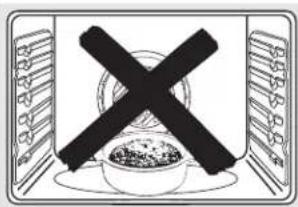
text_image
Symbolic image showing a crossed-out black cross over a bowl of food, enclosed in a rectangular frame with menu-like icons on both sides.No coloque alimentos directamente sobre el piso del horno.
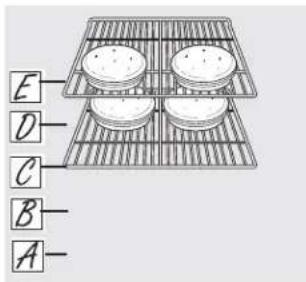
text_image
E D C B- A-Precalentamiento y colocación de recipiente
Para evitar posibles quemaduras, coloque las bandejas en la posición deseada antes de encender el horno.
Precaliente del horno si así lo indica la receta. El precalentamiento es necesario para obtener buenos resultados cuando hornee pasteles, galletas, pastelitos y panes.
Si va a hornear cuatro capas de pastel al mismo tiempo, coloque dos capas en la bandeja C y dos capas en la bandeja E. Distribuya los recipientes de modo que no queden directamente uno encima del otro.
Los resultados de horneado serán mejores si los alimentos se centran bien dentro del horno. El pastel "Angel food" es la excepción y debe colocarse en la bandeja inferior del horno (posición A). Siga las instrucciones del paquete de alimentos preempaquetados o congelados para la ubicación de los recipientes. Los recipientes no deben tocarse entre sí o tocar las paredes del horno. Si necesita utilizar dos bandejas, distribuya los recipientes de modo que no queden directamente uno encima del otro. Deje aproximadamente 1½" (3,8 cm) entre recipientes y desde el frente, parte trasera y lados de las paredes del horno.
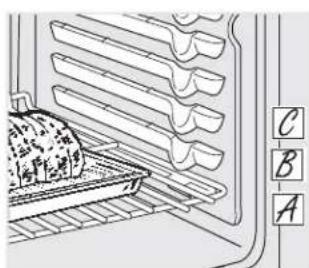
text_image
Diagram of a kitchen appliance with labeled parts A, B, and C, showing a tray, rack, and storage unit.Cómo configurar el horno para horneado o rostizado
1 Presione el botón BAKE (hornear).
2 Presione las almohadillas numéricas hasta que aparezca la temperatura deseada.
3 Presione el botón START (iniciar).
El horno se iniciará automáticamente. La pantalla mostrará PrE mientras realiza el precalentamiento.
Cuando el horno alcanza la temperatura seleccionada, el control del horno emitirá varios pitidos y la pantalla mostrará la temperatura del horno.
NOTA: Usted escuchará el ventilador de convección (en algunos modelos) mientras el horno realiza el precalentamiento.
El ventilador se detendrá cuando el horno se haya precalentado y la pantalla mostrará la temperatura configurada. Esto es normal.
Para cambiar la temperatura del horno durante el ciclo BAKE (hornear), presione el botón BAKE
y luego las almohadillas numéricas para configurar la nueva temperatura.
4 Verifique el nivel de cocción de los alimentos cuando haya alcanzado el tiempo mínimo indicado en la receta. Cocínelos más si fuese necesario.
5 Presione el botón CLEAR/OFF (borrar/apagado) cuando se haya finalizado el horneado y luego quite los alimentos del horno.
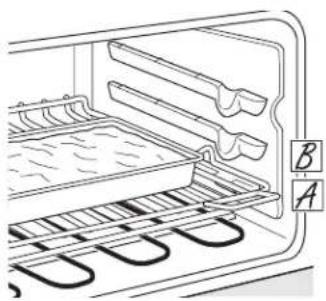
natural_image
Diagram of an oven with heat exchanger and labeled parts (A, B), showing internal structure without any text or symbols beyond labels.Cómo usar el horno.
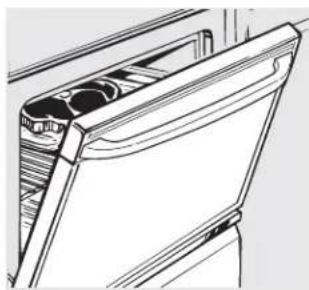
natural_image
Line drawing of a mechanical component with internal cavities (no text or symbols)Deje la puerta abierta en la posición de detención de asado. La puerta queda abierta, y aún así se mantiene la temperatura adecuada en el horno.
Cómo configurar el horno para asar
Si su cocina está conectada a 208 voltios, pueden asarse filetes jugosos precalentando el asador y colocando la bandeja del horno en una posición más elevada.
Utilice LO Broil (asar bajo) para cocinar por completo alimentos como aves o cortes gruesos de carne sin dorarlos de más.
Coloque la carne o pescado sobre una asadera dentro de una rejilla diseñada para asar.
2 Siga las posiciones de las bandejas sugeridas en la Guía de asado.
3 Presione el botón BROIL HI/LO (asar alto/bajo) una vez para configurar HI Broil (asar alto).
Para cambiar a LO Broil (asar bajo), presione el botón BROIL HI/LO (asar alto/bajo) de nuevo.
4 Presione el botón START (iniciar).
5 Cuando haya finalizado de asar, presione el botón CLEAR/OFF (borrar/apagado).
Guía de asado
El tamaño, peso, grosor, temperatura inicial y el punto de cocción preferido afectarán los tiempos de asado. Esta guía está basada en carnes a temperatura de refrigerador.
† El Ministerio de Agricultura de los EE.UU, afirma: "la carne de res jugosa es popular, pero debe saberse que al cocinarla a sólo 140°F (60°C) algunos organismos que provocan intoxicación alimentaria pueden sobrevivir". (Fuente: Safe Food Book, Your Kitchen Guide, USDA Rev. Junio 1985.)
| Alimento | Nivel de cocción | Tipo o grosor | Posición de la bandeja* | Comentarios |
| Carne de res | Jugosa140°F (60°C) | Filetes - Grosor de 1" (2,5 cm) | E o F (los alimentos deben estar 1" a 3" [2,5 cm a 7,6 cm] del elemento de asado) | Es difícil cocinar filetes de menos de la 1" (2,5 cm) de grosor y que queden jugosos. Se cocinan por completo antes de dorarse.Para evitar que la carna se enrosque, corte la grasa a intervalos de 1" (2,5 cm). |
| A punto160°F (71°C) | Filetes 3/4" a 1" (1,9 cm a 2,5 cm) de grosor elemento de asado) | E (los alimentos deben estar de 3" a 4" [7,6 cm a 10,2 cm] del | ||
| Bien cocida170°F (77°C) | Filetes - 3/4" a 1" (1,9 cm a 2,5 cm) de grosor o patties de carne picada | D o E (los alimentos deben estar de 3" a 5" [7,6 cm a 12,7 cm] del elemento de asado) | ||
| Pollo Pechuga | sin hueso C | los alimentos | debe estar de 8" a 9" [20,3 cm a 22,9 cm] del elemento de asado) | Asar sobre el lado de la piel primero. |
| Pechuga, con hueso | C (los alimentos deben estar de 7" a 8" [17,8 cm a 20,3 cm] del elemento de asado) | |||
| Filetes de pescado | 1/2" a 1" (1,3 cm a 2,5 cm) de grosor | D o E (los alimentos deben estar 3" a 6" [7,6 cm a 15,2 cm] delelemento de asado) | Manipule y gire con mucho cuidado. | |
| Chuletas de cerdo | Bien cocida170°F (77°C) | 3/4" (1,9 cm) de grosor | D (los alimentos deben estar de 6" a 7" [15,2 cm a 17,8 cm] del elemento de asado) | Para evitar que la carnase enrosque, corte la grasa a intervalos de 1" (2,5 cm). |
*Utilice la posición de bandeja A para el horno más pequeño con posición de 2 bandejas.
Cómo utilizar las características de horneado
y rostizado con temporizador. (en algunos modelos)
GEAppliances.com
NOTA: Los alimentos que se echan a perder con facilidad—como leche, huevos, pescado, rellenos, carne de ave y cerdo—no deben dejarse reposar por más de 1 hora antes y después de la cocción. La temperatura ambiente promueve el crecimiento de bacterias dañinas. Verifique que la luz del horno esté apagada porque el calor proveniente de la bombilla puede acelerar el crecimiento de bacterias.
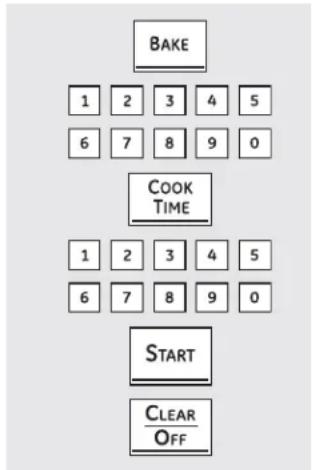
flowchart
graph TD
    A["BAKE"] --> B["1 2 3 4 5"]
    A --> C["6 7 8 9 0"]
    D["COOK TIME"] --> E["1 2 3 4 5"]
    D --> F["6 7 8 9 0"]
    G["START"] --> H["CLEAR OFF"]
Cómo configurar un inicio inmediato y un apagado automático
El horno se enciende inmediatamente y cocina los alimentos durante un período de tiempo seleccionado. Al finalizar el tiempo de cocción, el horno se apaga automáticamente.
1 Presione el botón BAKE (hornear).
2 Presione las almohadillas numéricas para configurar la temperatura deseada del horno.
3 Presione el botón COOK TIME (tiempo de cocción).
NOTA: Si su receta requiere precalentamiento, puede necesitar agregar tiempo adicional al tiempo de cocción.
4 Presione las almohadillas numéricas para configurar el tiempo de cocción deseado. El tiempo de cocción mínimo que usted puede configurar es 1 minuto. La temperatura del horno que ha configurado y el tiempo de cocción ingresado aparecerán en la pantalla.
5 Presione el botón START (iniciar).
NOTA: Sonará un tono de atención si usted está utilizando horneado con temporizador y no presiona el botón START (iniciar).
El horno se encenderá (ON), y la pantalla mostrará la cuenta regresiva del tiempo de cocción y el cambio de temperatura que comienza en 100°F (38°C). (La pantalla de temperatura comenzará a cambiar cuando la temperatura del horno llegue a los 100°F [38°C]). Cuando el horno alcanza la temperatura configurada, sonarán 3 pitidos.
El horno continuará cocinando por el tiempo programado, luego se apagará de manera automática, a menos que se configure la característica WARM (calentar). Ver la sección Cómo configurar el horno superior para mantener caliente.
6 Si fuera necesario, presione el botón CLEAR/OFF (borrar/apagado) para borrar la pantalla. Quite los alimentos del horno. Recuerde, aunque el horno se apaga automáticamente, los alimentos que se dejen en el horno seguirán cocinándose después de apagado el mismo.
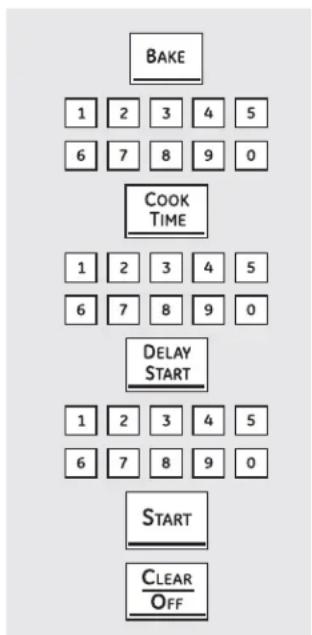
flowchart
graph TD
    A["BAKE"] --> B["1 2 3 4 5"]
    B --> C["6 7 8 9 0"]
    D["COOK TIME"] --> E["1 2 3 4 5"]
    E --> F["6 7 8 9 0"]
    G["DELAY START"] --> H["1 2 3 4 5"]
    H --> I["6 7 8 9 0"]
    J["START"] --> K["CLEAR/OFF"]
Cómo configurar un inicio retardado y un apagado automático
El horno se encenderá en el horario que usted haya configurado, cocinará alimentos durante un período de tiempo específico y luego se apagará automáticamente.
Asegúrese de que el reloj muestre la hora correcta.
1 Presione el botón BAKE (hornear).
2 Presione las almohadillas numéricas para configurar la temperatura deseada del horno.
3 Presione el botón COOK TIME (tiempo de cocción).
NOTA: Si su receta requiere precalentamiento, puede necesitar agregar tiempo adicional al tiempo de cocción.
4 Presione las almohadillas numéricas para configurar el tiempo de cocción deseado. El tiempo de cocción mínimo que usted puede configurar es 1 minuto.
La temperatura del horno que ha configurado y el tiempo de cocción ingresado aparecerán en la pantalla..
5 Presione el botón DELAY START (inicio retardado).
6 Presione las almohadillas numéricas para configurar la hora en que desea que el horno se encienda y comience la cocción.
7 Presione el botón START (iniciar).
NOTA: Sonará un tono de atención si usted está utilizando horneado con temporizador y no presiona el botón START (iniciar).
NOTA: Si desea verificar los horarios que ha configurado, presione el botón DELAY START (inicio retardado) para controlar la hora de inicio configurada o presione el botón COOK TIME (tiempo de cocción) para verificar la extensión de cocción que ha configurado.
Cuando el horno se enciende (ON) en el horario que ha configurado, la pantalla mostrará la cuenta regresiva del tiempo de cocción y la nueva temperatura comenzando en 100°F (38°C). (La pantalla de temperatura comenzará a cambiar cuando la temperatura del horno llegue a los 100°F [38°C].) Cuando el horno alcanza la temperatura configurada, sonarán pitidos.
El horno seguirá cocinando durante un período de tiempo determinado y luego se apagará automáticamente.
8 Si fuera necesario, presione el botón CLEAR/OFF (borrar/apagado) para borrar la pantalla. Quite los alimentos del horno. Recuerde, aunque el horno se apaga automáticamente, los alimentos que se dejen en el horno seguirán cocinándose después de apagado el mismo.
En muchos alimentos, especialmente asados y carnes de ave, la temperatura interna de los alimentos es la mejor prueba para verificar el grado de cocción. Mediante la sonda de temperatura se evita tener que adivinar el grado de cocción y se logra el punto de cocción exacto.
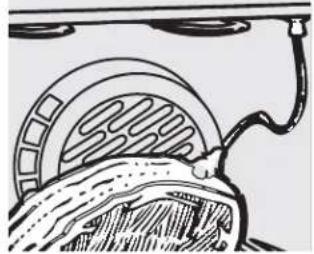
natural_image
Diagram of a mechanical or electrical component with concentric rings and a cable, no visible text or symbolsLa sonda de temperatura cuenta con una sonda similar a un pincho en un extremo y un enchufe en el otro extremo que se introduce en la boca de salida del horno.
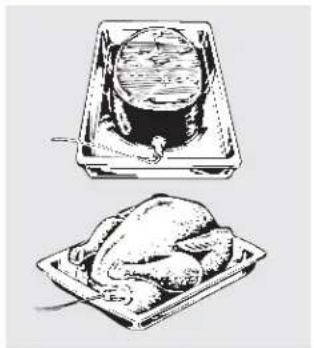
natural_image
Illustration of a roasted chicken and its cooking pot (no text or symbols)PRECAUCIÓN
Para evitar quemaduras, no desenchufe la sonda de la boca de salida del horno hasta que éste se haya enfriado.
El uso de sondas distintas a las provistas con este producto puede provocarles daños a las mismas o al control del horno.
Utilice las manijas de la sonda y el enchufe cuando las introduzca y quite de los alimentos y de la boca de salida.
Para evitar daños a la sonda, no utilice pinzas para tirar del cable cuando lo quite.
Para no romper la sonda, verifique que los alimentos estén totalmente descongelados antes de introducirla.
Después de preparar la carne y colocarla en un posafuentes o sobre la rejilla de la asadera, siga estas instrucciones para una colocación adecuada de la sonda.
Introduzca la sonda completamente en la carne. No debe tocar hueso, grasa o cartilago.
NOTA: No insertar por completo la sonda dentro de la carne puede provocar un pobre desempeño de cocción porque la sonda detectará el aire del horno y no la temperatura de los alimentos.
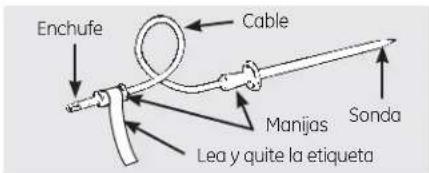
text_image
Enchufe Cable Manijas Sonda Lea y quite la etiquetaNunca deje la sonda dentro del horno durante un ciclo de auto-limpieza o de asado.
No guarde la sonda dentro del horno.
Para asados sin hueso, introduzca la sonda dentro de la parte más carnosa. Para jamón o cordero con hueso, introduzca la sonda en el centro del músculo grande más bajo.
Introduzca la sonda en el centro de platos tales como pan de carne o estofados.
Introduzca la sonda dentro de la parte más carnosa del muslo interno desde abajo y en forma paralela a la pata de un pavo entero.
NOTA: No se podrán utilizar las configuraciones de auto-limpieza ni de asado si la sonda de temperatura se encuentra enchufada.
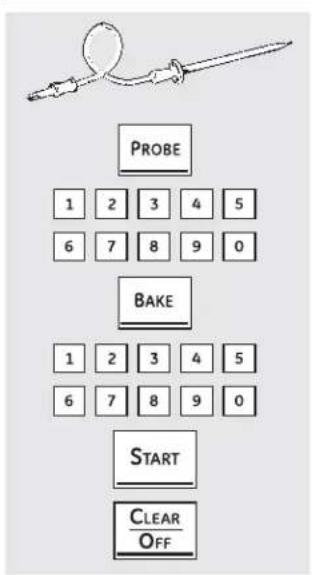
flowchart
graph TD
    A["PROBE"] --> B["1 2 3 4 5"]
    A --> C["6 7 8 9 0"]
    D["BAKE"] --> E["1 2 3 4 5"]
    D --> F["6 7 8 9 0"]
    G["START"] --> H["CLEAR/OFF"]
Cómo configurar el horno para horneado/rostizado cuando usa la sonda
(en algunos modelos)
1 Introduzca la sonda por completo en los alimentos.
2 Enchufe la sonda dentro de la boca de salida del horno. Verifique que esté introducida hasta el fondo. Cierre la puerta del horno. Verifique que el cable de la sonda no toque el elemento asador.
3 Presione el botón PROBE (sonda). La pantalla mostrará "Set Probe" (sonda configurada).
4 Presione las almohadillas numéricas para configurar la temperatura interna deseada de los alimentos o de la carne. La temperatura interna máxima a la que pueden configurarse los alimentos es 200°F (93°C).
5 Presione el botón BAKE (hornear).
6 Presione las almohadillas numéricas para configurar la temperatura deseada del horno.
7 Presione el botón START (iniciar).
La pantalla destellará si la sonda se encuentra enchufada dentro de la boca de salida y usted no ha configurado una temperatura de sonda y presionado el botón START (iniciar).
Después de que la temperatura interna de los alimentos alcance los 100°F (38°C), la temperatura interna cambiante podrá verse en la pantalla.
8 Cuando la temperatura interna de los alimentos alcanza la cifra que usted ha configurado, la sonda y el horno se apagan y los controles del horno comienzan a destellar. Para detener el destello, presione el botón CLEAR/OFF (borrar/csazapagado). Utilice guantes de cocina para quitar la sonda de los alimentos. No utilice pinzas para quitarla, porque podrían dañarla.
Si la sonda se quita del horno mientras se estaba cocinando, el horno no se apagará automáticamente.
Para cambiar la temperatura del horno durante el ciclo de horneado/rostizado, presione el botón BAKE (hornear) y luego las almohadillas numéricas para configurar la nueva temperatura.
Puede utilizar el temporizador de cocina aunque no pueden usarse operaciones del horno con temporizador mientras se utilice la sonda.

(en algunos modelos)
(en algunos modelos)
El temporizador de cocina utiliza horas y minutos.
El temporizador de cocina no controla las operaciones del horno. La configuración más alta del temporizador de cocina es de 9 horas y 59 minutos.
Cómo configurar el temporizador de cocina
1 Presione los botones KITCHEN TIMER ON/OFF (temporizador de cocina encendido/apagado) o TIMER ON (temporizador encendido) (dependiendo del modelo).
2 Toque las almohadillas numéricas hasta que aparezca en la pantalla el tiempo que desea. Por ejemplo, para configurar 2 horas y 45 minutos, presione 2, 4 y 5 en ese orden. Si comete un error, presione el botón KITCHEN TIMER ON/OFF (temporizador de cocina encendido/apagado) o TIMER OFF (temporizador apagado) (dependiendo del modelo) y comience de nuevo.
3 Presione el botón START (iniciar).
Después de presionar el botón START (iniciar), SET desaparece; esto le indica que hay una cuenta regresiva, aunque la pantalla no cambia hasta que haya pasado un minuto. Los segundos no podrán verse en la pantalla hasta alcanzar la cuenta regresiva del último minuto.
4 Cuando el temporizador alcanza:00, el control sonará 3 veces seguido de un pitido cada 6 segundos hasta que se presione el botón KITCHEN TIMER ON/OFF (temporizador cocina encendido/apagado) o TIMER OFF (temporizador apagado) (dependiendo del modelo).
El tono de 6 segundos puede cancelarse siguiendo los pasos incluidos en la sección Características especiales de los controles del horno bajo "Señales sonoras al finalizar un ciclo con temporizador".
Cómo reconfigurar el temporizador de cocina
Si la pantalla todavía muestra el tiempo restante, usted puede cambiarlo presionando el botón KITCHEN TIMER ON/OFF (temporizador cocina encendido/apagado) o TIMER ON (temporizador encendido) (dependiendo del modelo), luego presione las almohadillas numéricas hasta que aparezca en la pantalla el tiempo que desee.
Si el tiempo restante no aparece en la pantalla (en la pantalla aparecen el reloj, el inicio retardado y el tiempo de cocción), éste aparecerá presionando el botón KITCHEN TIMER ON/OFF (temporizador cocina encendido/apagado) o TIMER ON (temporizador encendido) (dependiendo del modelo) y luego presionando las almohadillas numéricas para ingresar el nuevo tiempo que desee.

(en algunos modelos)
(en algunos modelos)
Cómo cancelar el temporizador de cocina
Presione los botones KITCHEN TIMER ON/OFF (temporizador de cocina encendido/apagado) o TIMER ON (temporizador encendido) (dependiendo del modelo) dos veces o presione TIMER OFF (temporizador apagado).
¡Ajuste el termostato del horno usted mismo!
Es posible que su nuevo horno cocine de manera diferente a la que usted se encuentra acostumbrado. Utilícelo durante algunas semanas para familiarizarse con sus funciones. Si luego de este período considera que la temperatura del horno es demasiado baja o demasiado alta, usted puede regular el termostato.
No utilice termómetros, como los que se venden en las tiendas, para verificar la configuración de temperatura del horno. Esos termómetros pueden variar entre 20–40 grados.
NOTA: Este ajuste sólo afecta las temperaturas de horneado y rostizado; no afecta las temperaturas de asado o de auto-limpieza. El ajuste se conservará en la memoria aún después de un corte de energía.
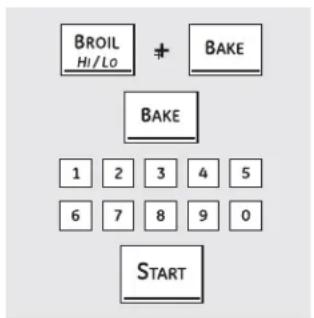
flowchart
graph TD
    A["BROIL HI/LO"] + B["BAKE"] --> C["BAKE"]
    C --> D["1 2 3 4 5"]
    D --> E["6 7 8 9 0"]
    E --> F["START"]
(en algunos modelos)
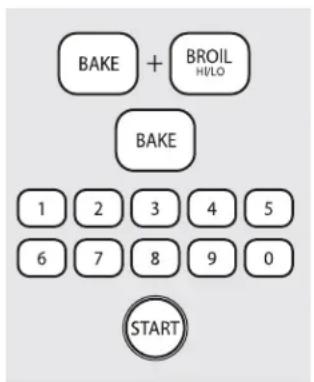
text_image
BAKE + BROIL HI/LO BAKE 1 2 3 4 5 6 7 8 9 0 START(en algunos modelos)
Cómo ajustar el termostato
1 Presione los botones BROIL HI/LO (asar alto/bajo) y BAKE (hornear) al mismo tiempo hasta que en la pantalla pueda verse SF.
2 Presione el botón BAKE (hornear). En la pantalla se verá un número de dos dígitos.
Presione BAKE (hornear) de nuevo para alternar entre subir y bajar la temperatura del horno.
Para ajustar el termostato del horno superior, presione el botón BAKE (hornear) del horno superior. Para ajustar el termostato del horno inferior, presione el botón BAKE (hornear) del horno inferior.
3 La temperatura del horno puede subirse en (+) 35°F (19°C) o bajarse en (-) 35°F (19°C). Presione las almohadillas numéricas de la misma manera en que las lee. Por ejemplo, para cambiar la temperatura del horno 15°F (8°C), presione 1 y 5.
4 Cuando haya finalizado el ajuste, presione el botón START (iniciar) para volver a la pantalla de la hora. Utilice el horno de la manera normal.
¡El tipo de margarina utilizado modifica el horneado!
La mayoría de las recetas de horneado incluyen productos de alto contenido graso tales como la manteca o la margarina (80% de grasa). Si se reduce el contenido de grasa, el resultado final puede ser diferente al esperado.
Si se utilizan productos de bajo contenido graso en tortas, pasteles, masas, galletas o dulces, la receta puede fracasar. A menor contenido graso, mayores diferencias en el resultado final.
Las normas federales exigen que los productos con denominación de "margarina" tengan un contenido graso de al menos 80% en relación al peso. Los productos de bajo contenido graso contienen menos grasa y más agua. El elevado contenido de humedad de estos productos afecta la textura y el sabor de los alimentos horneados. Para obtener los mejores resultados con sus recetas tradicionales favoritas, utilice margarina u otros productos con un contenido de por lo menos 70% de aceite vegetal.
Cocción por convección (en algunos modelos)
El horno de convección viene con un modo de cocción por convección y puede utilizarse para horneado por convección de 1 bandeja u horneado por convección con bandejas múltiples.
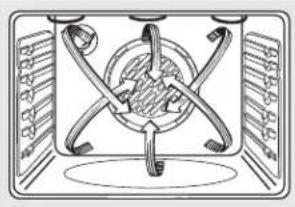
natural_image
Diagram of a mechanical or electrical component with symmetrical arms and central hub (no text or symbols)Funcionamiento del ventilador de convección
En un horno de convección, un ventilador hace circular aire caliente sobre, por debajo y alrededor de los alimentos.
Esta circulación de aire caliente se distribuye de manera pareja a través de la cavidad del horno. Como resultado, los alimentos se cocinan y doran en forma pareja, a menudo en menos tiempo.
NOTA: Para potenciar al máximo una cocción pareja, el ventilador está diseñado para girar en ambas direcciones, con una pausa entre ellas. Esto es normal.
El ventilador de convección se apaga cuando se abre la puerta de horno. NO DEJE la puerta abierta durante períodos prolongados mientras utiliza la cocción por convección ya que puede acortar la vida útil del elemento calentador de convección.
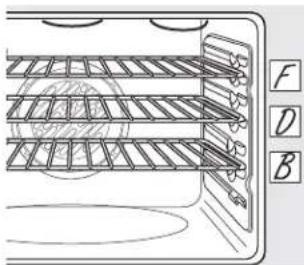
text_image
Technical diagram of a multi-layered rack or conveyor system with labeled components F, D, and BHorneado por convección con bandejas múltiples
Debido a que el aire caliente circula en forma pareja en todo el horno, los alimentos pueden hornearse con excelentes resultados usando bandejas múltiples.
El horneado con bandejas múltiples puede incrementar un poco los tiempos de cocción de algunos alimentos, pero el resultado total es el ahorro de tiempo. Las galletas, muffins, bizcochos y otros panes rápidos logran resultados muy buenos con el horneado con bandejas múltiples.
Cuando hornee con 3 bandejas, coloque una en la segunda (B) posición, otra en la cuarta (D) posición y la tercera en la sexta (F) posición.
Para horneado con dos bandejas, coloque una en la segunda (B) posición. Coloque la otra bandeja en la quita (E) posición.
Posición de bandejas múltiples.
Horneado por convección con 1 bandeja
Cuando realice un horneado por convección con sólo 1 bandeja, coloque los alimentos en el centro del horno.
Cómo adaptar recetas...
Usted puede utilizar sus recetas favoritas en el horno de convección.
Utilice el tamaño de recipiente recomendado.
Algunas instrucciones en paquetes de estofados congelados o platos principales han sido desarrollados utilizando hornos de convección comerciales. Para mejores resultados, precaliente el horno y utilice la temperatura para horneado común indicada en el paquete.
Cómo usar el horno de convección. (en algunos modelos)
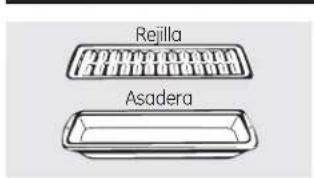
text_image
Rejilla AsaderaRostizado por convección (en algunos modelos)
- Bueno para grandes cortes de carne tierna, sin cubrir.
El ventilador de convección hace circular el aire caliente en forma pareja sobre y alrededor de los alimentos. Las carnes de res y de ave se doran por completo como si se hubiesen cocinado con un rostizador giratorio. El aire caliente sella los jugos rápidamente para lograr un producto jugoso y tierno mientras, al mismo tiempo, se crea una rica capa externa marrón dorada.
Cuando esté rostizando por convección, resulta importante que utilice la asadera y la parrilla para mejores resultados de rostizado por convección. La asadera se utiliza para retener los derrames de grasa y la parrilla se usa para prevenir salpicaduras de grasa.
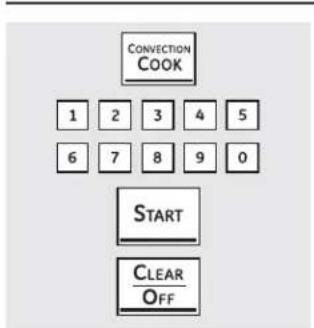
flowchart
graph TD
    A["CONVECTION COOK"] --> B["1"]
    A --> C["2"]
    A --> D["3"]
    A --> E["4"]
    A --> F["5"]
    B --> G["6"]
    C --> H["7"]
    D --> I["8"]
    E --> J["9"]
    F --> K["0"]
    L["START"] --> M["CLEAR OFF"]
(en algunos modelos)
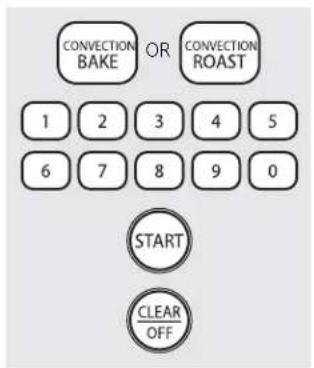
text_image
CONVECTION BAKE OR CONVECTION ROAST 1 2 3 4 5 6 7 8 9 0 START CLEAR OFF(en algunos modelos)
Cómo configurar el horno para horneado o rostizado por convección
1 Presione el botón CONVECTION COOK (cocción por convección) o CONVECTION BAKE (horneado por convección) una vez para horneado por convección de bandejas múltiples. Este modo se utiliza para cocinar alimentos en más de una bandeja (es decir, 2, 3 o más bandejas) al mismo tiempo en horneado por convección. Para más información, ver la sección Horneado por convección con bandejas múltiples.
Presione el botón CONVECTION COOK (cocción por convección) o CONVECTION BAKE (horneado por convección) dos veces para horneado por convección en una bandeja. Este modo se utiliza para cocinar alimentos en sólo una bandeja en horneado por convección.
Presione el botón CONVECTION ROAST (rostizado por convección) para rostizado por convección (en algunos modelos).
2 Presione las almohadillas numéricas para configurar la temperatura del horno.
3 Presione el botón START (iniciar).
NOTA: Si la característica de Conversión Automática de Recetas™ se encuentra activada, reducirá en forma automática la temperatura de horneado regular configurada en 25°F (13,5°C) hasta la temperatura de convección apropiada en el modo de horneado por convección. Ver la Conversión Automática de Recetas™ en la sección de Características especiales.
Para cambiar la temperatura del horno, presione el botón CONVECTION COOK (cocción por convección), CONVECTION BAKE (horneado por convección) o CONVECTION ROAST (asado por convección) y luego las almohadillas numéricas para configurar la nueva temperatura.
Cuando el horno comienza a calentar, podrá verse la temperatura cambiante, comenzando a 100°F (38°C). Cuando el horno alcanza la temperatura configurada, sonarán 3 pitidos.
4 Presione el botón CLEAR/OFF (borrar/apagado) cuando haya finalizado.
■ Mientras cocine por convección se oirá un ventilador. El ventilador se detendrá cuando se abra la puerta pero el calor no se apagará.
Durante el horneado, pueden escucharse chasquidos provenientes del horno. Esto es normal.
En los modos de horneado por convección, y para potenciar al máximo una cocción pareja, el ventilador está diseñado para girar en ambas direcciones, con una pausa entre ellas. Esto es normal.
Cuando hornee galletas, obtendrá mejores resultados si usa una plancha plana para galletas en lugar de un recipiente de lados bajos.
Recipientes para cocción por convección
Antes de utilizar el horno de convección, verifique que sus elementos de cocción dejen espacio suficiente para la circulación de aire en el horno. Si va a hornear con varios recipientes, deje un espacio entre ellos. Además, asegúrese de que los recipientes no se toquen entre sí o toquen las paredes del horno.
Papel y plástico
Los recipientes de papel y plástico resistentes al calor recomendados para utilizar en horneado normal también pueden utilizarse para horneado por convección, pero no deben utilizarse a temperaturas más elevadas que la temperatura recomendada por el fabricante de los elementos de cocción. También pueden utilizarse elementos de cocción plásticos resistentes a temperaturas de 400°F (204,4°C).
Metal y vidrio
Cualquier tipo de recipiente de cocción funciona en su horno de convección; sin embargo, los recipientes de metal se calientan más rápidamente y se recomiendan para horneado por convección.
Las bandejas oscuras o con acabado mate hornean alimentos más rápido que las brillantes.
Los recipientes de vidrio o cerámica cocinan más despacio.
Para recetas como pollo horneado, utilice un recipiente con lados bajos. El aire caliente no puede circular bien alrededor de los alimentos en un recipiente de lados altos.
Cómo usar las características con temporizador para cocción por convección. (en algunos modelos)
Mientras cocine con estas características se escuchará un ventilador. El ventilador se detendrá cuando se abra la puerta pero el calor no se apagará.
NOTA: Los alimentos que se echan a perder con facilidad—como leche, huevos, pescado, rellenos, carne de ave y cerdo—no deben dejarse reposar por más de 1 hora antes y después de la cocción. La temperatura ambiente promueve el crecimiento de bacterias dañinas. Verifique que la luz del horno esté apagada porque el calor proveniente de la bombilla puede acelerar el crecimiento de bacterias.
Cómo configurar un inicio inmediato y un apagado automático
Presione la función de convección deseada. Continúe con el paso 2 de Cómo configurar un inicio inmediato y un apagado automático de la sección Cómo utilizar las características de horneado y rostizado con temporizador.
Cómo configurar un inicio retardado y un apagado automático
Presione la función de convección deseada. Continúe con el paso 2 de Cómo configurar un inicio retardado y un apagado automático de la sección Cómo utilizar las características de horneado y rostizado con temporizador.
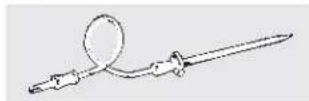
Para mejores resultados, cuando rostice pavos y asados grandes, recomendamos el uso de la sonda incluida en el horno de convección.
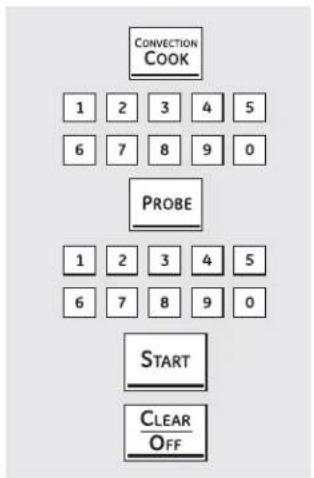
flowchart
graph TD
    A["CONVECTION COOK"] --> B["1 2 3 4 5"]
    B --> C["6 7 8 9 0"]
    D["PROBE"] --> E["1 2 3 4 5"]
    E --> F["6 7 8 9 0"]
    G["START"] --> H["CLEAR OFF"]
Para cambiar la temperatura del horno durante el ciclo de rostizado por convección, presione el botón CONVECTION COOK (cocción por convección) y luego presione las almohadillas numéricas para configurar la nueva temperatura deseada.
Cómo configurar el horno para rostizado por convección cuando se usa la sonda
PRECAUCIÓN
Para evitar quemaduras, no desenchufe la sonda de la boca de salida del horno hasta que éste se haya enfriado.
Coloque la bandeja del horno en la posición que centra los alimentos entre la parte superior e inferior del horno. Introduzca la sonda en la carne. Asegúrese de que haya entrado por completo.
2 Enchufe la sonda dentro de la boca de salida del horno. Verifique que esté introducida hasta el fondo. Cierre la puerta del horno.
3 Presione el botón PROBE (sonda).
4 Presione las almohadillas numéricas para configurar la temperatura interna deseada de la carne.
NOTA: La temperatura interna máxima a la que pueden configurarse los alimentos es 200°F (93°C).
5 Presione el botón CONVECTION COOK (cocción por convección).
6 Presione las almohadillas numéricas para configurar la temperatura deseada del horno.
La pantalla destellará PROBE (sonda) y el control del horno indicará si la sonda se encuentra enchufada dentro de la boca de salida, y si usted no ha configurado una temperatura de sonda y presionado el botón START (iniciar).
7 Presione el botón START (iniciar).
Cuando el horno comienza a calentar, la palabra LO (baja) aparecerá en la pantalla.
Después de que la temperatura interna de la carne alcance los 100°F (38°C), la temperatura interna cambiante podrá verse en la pantalla.
8 C uando la temperatura interna de la carne alcanza la cifra que usted ha configurado, la sonda y el horno se apagan y los controles del horno destellan. Para detener el destello, presione el botón CLEAR/OFF (borrar/apagado). Utilice guantes de cocina para quitar la sonda de los alimentos. No utilice pinzas para quitarla, porque podrían dañarla.
NOTA: Si la sonda se quita del horno mientras se estaba cocinando, el horno no se apagará automáticamente.
NOTAS:
■ Mientras cocine con esta característica se escuchará un ventilador. El ventilador se detendrá cuando se abra la puerta pero el calor no se apagará.
Puede usarse el temporizador de la cocina aunque no pueden utilizarse las operaciones de horno con temporizador.
Nunca deje la sonda dentro del horno durante un ciclo de auto-limpieza.
No guarde la sonda dentro del horno.
La sonda no debe utilizarse en las funciones de asado y de auto-limpieza.
El ventilador sólo gira en una dirección.
Guía de rostizado por convección
| Carne Temp. horno Temp. internal | ||||
| Carne de res | Asado de costilla (4 a 8 lbs. [1,8 a 3,6 kg])Con y sin hueso | JugosaA punto | 325°F (163°C)325°F (163°C) | 145°F (63°C)160°F (71°C) |
| Solomillo de carne de res(4 a 6 lbs. [1,8 a 2,7 kg])Solomillo de carne de res(2 a 3 lbs. [0,9 a 1,4 kg]) | JugosaJugosa | 425°F (218°C)425°F (218°C) | 145°F (63°C)145°F (63°C) | |
| Cerdo | Con hueso, sin hueso(3 a 5 lbs. [1,4 a 2,3 kg]) | 325°F (163°C) | 160°F (71°C) | |
| Cordero | Con hueso [5 a 9 lbs. [2,3 a 4,1 kg]]Sin hueso [4 a 7 lbs. [1,8 a 3,2 kg]) | A puntoA punto | 325°F (163°C)375°F (191°C) | 165°F (74°C)165°F (74°C) |
| Carne de ave | Pollo entero [5 a 7 lbs. [2,3 a 3,2 kg]) | 350°F (177°C) | 170°F (77°C) | |
| Pavo, entero*Sin relleno (10 a 16 lbs. [4,5 a 7,3 kg])Sin relleno (18 a 24 lbs. [8,2 a 10,9 kg]) | 325°F (163°C)325°F (163°C) | 170°-180°F (77°-82°C)170°-180°F (77°-82°C) | ||
| Pechuga de pavo (4 a 6 lbs. [1,8 a 2,7 kg]) | 325°F (163°C) | 170°F (77°C) | ||
*Las aves rellenas generalmente requieren 30-45 minutos de tiempo adicionales de rostizado. Cubra las patos y la pechuga con papel metálico para evitar que la carne se oscurezca demo-siado o se seque.
Cómo usar las características de cocción lenta, pizza, calentamiento y leudado.

ADVERTENCIA
RIESGO DE INTOXICACIÓN ALIMENTARIA: Por debajo de los 140°F (60°C) puede producirse crecimiento de bacterias en los alimentos.
- Siempre empiece con alimentos calientes. No utilice configuraciones de mantener caliente para calentar alimentos fríos.
- No caliente alimentos por más de 2 horas.
No seguir estas instrucciones puede provocar enfermedades transmitidas por los alimentos.
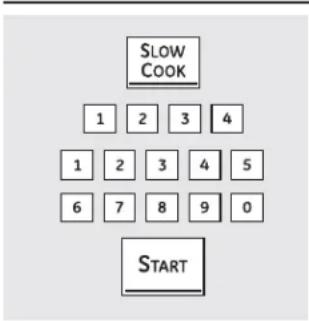
text_image
SLOW COOK 1 2 3 4 1 2 3 4 5 6 7 8 9 0 STARTCómo configurar el horno inferior para cocción lenta
La cocción lenta está diseñada para períodos prolongados de cocción sin atención.

Presione el botón SLOW COOK (cocción lenta).

Presione las almohadillas numéricas para seleccionar la configuración deseada: 1 para carne de ave y 2 para carnes. Utilice 2-Carnes si no sabe bien qué configuración utilizar.

Presione las almohadillas numéricas para configurar el tiempo de cocción deseado. El tiempo de cocción debe ser de por lo menos 3 horas, hasta un máximo 11 horas 59 minutos.

Presione el botón START (iniciar).
NOTA: Si ocurre un corte de energía durante la cocción lenta, la cocina se apagará.
Guía de cocción lenta
| Alimento Cantidad | dad Posicion | de la bandeja | Config. de los alimentos | Tiempo (Horas) | Comentarios |
| Carne de resAsado de cuarto delanteroCostillas 3 | 3-3 12 lbs(1,4-1,6 kg) 12 -4 lbs.(1,6-1,8 kg) | CC | 2-CarnesHI (alta) 3-4 hrs.LO (baja) 6-8 hrs. | HI (alta) 5-6 hrsLO (baja) 8-10 hrs. | Agregue 1/2 taza de líquido.Coloque las costillas en una sola capa. |
| Carne de avePollo enteroTrozos de pollo | 4 lbs.(1,8 kg)3 trozos (aprox. 3 lbs.[1,4 kg]) | CC | 1-Carne de ave1-Carne de ave | HI (alta) 3-4 hrs.LO (baja) 7-9 hrs.HI (alta) 3-4 hrsLO (baja) 5-6 hrs. | Agregue 1/2 taza de líquido.Mejor coloque bajo una salsa para que no se seque. |
| CerdoAsado de paleta sin huesoChuletas de cerdo estilo de campoChuletas de cerdo | 3-4 lbs.(1,4-1,8 kg)3 12 -4 lbs(1,6-1,8 kg)4 -8 lbs.(1,8-3,6 kg) | CC | 2-Carnes HI (alta) 5-6 hrs.LO (baja) 8-10 hrs.2-Carnes HI (alta) 3-4 hrs.LO (baja) 6-8 hrs.2-Carnes HI (alta) 3-4 hrs.LO (baja) 6-8 hrs. | HI (alta) 4-5 hrs.LO (baja) 8-10 hrs.3-4 hrs.LO (baja) 6-8 hrs. | Agregue 1/2-1 taza de líquido.Coloque las costillas en una sola capaColoque las costillas en una sola capa |
| SopaSopa de carne vegetalChile | 4 cuartos de galón(3,8 liters)4 cuartos de galón(3,8 liters) | CC | 2-CarnesHI (alta) 3-4 hrs.LO (baja) 6-8 hrs. | HI (alta) 4-5 hrs.LO (baja) 8-10 hrs. | Asegúrese de que los trozos de carne estén sumergidos.Sumerja los frijoles para que no se sequen. |
Consejos sobre la guía
El programa de cocción lenta utiliza una serie compleja de ciclos de temperatura para obtener los mejores resultados. Por esta razón, se recomienda que el programa de cocción lenta funcione sin cancelaciones ni reiniciaciones. Si se reinicia la característica de cocción lenta mientras se encuentra en progreso, la carne puede cocinarse de más.
Para carne jugosa y tierna, elija cortes de carne como asado de cuarto delantero o un asado de paleta sin hueso. Los cortes de carne más magros, como el cuarto trasero superior, son más secos y pueden necesitar líquido adicional.
Utilice sólo platos de vidrio o cerámica. Las ollas y sartenes de metal tienden a transferir el calor a los alimentos demasiado rápido.
Ajuste la cantidad de alimentos al tamaño del recipiente. Llene el recipiente hasta 34 para mejores resultados. Una olla muy grande deja escapar el vapor, lo que seca los alimentos.
Siempre cubra la olla con una tapa o con papel de aluminio.
Puede usarse una gama más amplia de recetas con la característica de cocción lenta. Para mejores resultados, deben realizarse algunos ajustes. Para recetas de tamaños más pequeños, comience a controlar en el tiempo mínimo. Para recetas más grandes o cuando doble las cantidades de las recetas, los alimentos pueden cocinarse por períodos más prolongados.
Cuando la característica de cocción lenta finaliza, el horno cambia automáticamente el modo "warm" (mantener caliente). Si se desea tiempo adicional para cocción lenta, este modo de mantener caliente puede utilizarse para obtener tiempo extra.
Cómo usar las características de cocción lenta, pizza, calentamiento y leudado. (cont.)
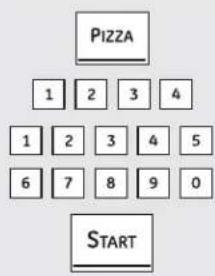
text_image
PIZZA 1 2 3 4 1 2 3 4 5 6 7 8 9 0 STARTCómo configurar el horno superior para pizza
Ajuste la posición de la bandeja para el tipo de recipiente para pizza que se esta usando (ver tabla).
1 Presione el botón PIZZA.
2 Presione las almohadillas numéricas para seleccionar 1 para pizza fresca y 2 para pizza congelada.
3 Presione las almohadillas numéricas para configurar la temperatura de horneado.
4 Presione el botón START (iniciar).
El tiempo de horneado está determinado por las instrucciones del paquete.
Tipo de recipiente Posición de de pizza la bandeja
| Recipiente con pizza fresca | B |
| Pizza colocada directamente sobre la bandeja | B |
| Recipiente de metal | A |
Cómo configurar el horno superior para mantener caliente
La característica WARM (caliente) mantiene calientes los alimentos cocidos.
Esta característica no está diseñada para recalentar alimentos fríos.
Para utilizar la característica WARM (caliente), presione el botón WARM y luego el botón START (iniciar).
Para utilizar la característica WARM (caliente) después de horneado por temporizador, siga estos pasos:
1 Presione el modo hornear.
2 Presione las almohadillas numéricas para configurar la temperatura del horno.
3 Presione el botón COOK TIME (tiempo de cocción).
4 Presione las almohadillas numéricas para configurar el tiempo de cocción deseado.
5 Presione el botón WARM (caliente).
6 Presione el botón START (iniciar).
NOTA: Los recipientes, tapas o envoltorios plásticos se derretirán si se los coloca en el horno. El plástico derretido no puede removerse y esto no se encuentra cubierto por la garantía.
text_image
PROOF START TIMER ON CLEAR OFF(En algunos modelos)
Cómo configurar el horno para leudar (en algunos modelos)
La característica de leudado mantiene un medio caliente útil para leudar productos con levadura.
Coloque la masa cubierta en un recipiente dentro del horno en las bandejas B o C.
NOTA: Para mejores resultados, cubra la masa con un paño o un envoltorio plástico enmantecado (el plástico puede colocarse debajo del recipiente para que el ventilador del horno no lo desplace).
2 Presione el botón PROOF (leudar) y luego el botón START (iniciar).
En la pantalla podrá verse PrF (leudar).
La luz interna del horno se enciende y continúa encendida durante el leudado.
La característica de leudado automáticamente brinda la temperatura óptima para el proceso de leudado, y por lo tanto no existe un ajuste de temperatura.
3 Configure el temporizador para el tiempo de leudado mínimo.
4 Cuando haya finalizado de leudar, presione el botón CLEAR/OFF (borrar/apagado).
Para evitar bajar la temperatura del horno y prolongar el tiempo de leudado, no abra la puerta del horno innecesariamente.
Verifique antes de tiempo los productos panificados para que no leuden de más.
NOTAS:
No utilice el modo leudar para calentar alimentos o para mantener los calientes. La temperatura de leudado del horno no es lo suficientemente caliente para conservar alimentos a temperaturas seguras. Use la característica WARM (caliente) para mantener los alimentos calientes.
El leudado no funciona cuando el horno tiene una temperatura mayor a 125°F (51,7°C). En la pantalla podrá verse "HOT" (caliente).
(En algunos modelos)
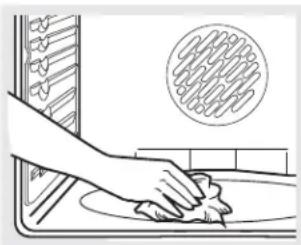
natural_image
Illustration of a hand cleaning a kitchen sink with a circular inset showing a textured surface (no text or symbols)Limpie con un paño los desechos rebeldes acumulados en el piso del horno.
Antes de un ciclo de limpieza
ADVERTENCIA
PELIGRO DE INCENDIO: Limpie la grasa y la suciedad rebelde del piso del horno antes de la auto-limpieza. No hacerlo puede provocar un incendio en el horno.
Recomendamos ventilar su cocina con una ventana abierta o utilizando un ventilador o campana durante el primer ciclo de auto-limpieza.
Quite la asadera, rejilla, sonda, todos los recipientes de cocción y cualquier trozo de papel de aluminio del horno.
NOTAS:
Si su horno está equipado con bandejas para horno plateadas brillantes, quite las antes de comenzar el ciclo de autolimpieza.
Las bandejas para horno plateadas brillantes (en algunos modelos) pueden dejarse durante la auto-limpieza, pero se oscurecerán, perderán el brillo y será difícil deslizarlas.
Si su horno está equipado con bandejas revestidas de porcelana gris pueden dejarse dentro del horno durante el ciclo de autolimpieza.
La suciedad ubicada en el marco frontal de la cocina y fuera de la junta de la puerta deberá limpiarse a mano. Limpie estas áreas con agua caliente, esponjillas de lana de acero embebidas en jabón o limpiadores tales como Soft Scrub®. Enjuague bien con agua limpia y seque.
No limpie la junta. El material de fibra de vidrio de la junta de la puerta del horno no resiste productos abrasivos. Es esencial que la junta se mantenga intacta. Si usted nota que está desgastada, reemplácela.
Verifique que la tapa de la bombilla de luz del horno esté en su lugar y que la luz del horno esté apagada.
IMPORTANTE: Las emanaciones producidas por el ciclo de autolimpieza de cualquier horno afectan la salud de algunas aves de manera notoria. Procure llevar sus aves a otra habitación bien ventilada.
Horno doble y modelos canadienses solamente:
Las unidades de superficie se desactivan automáticamente durante el ciclo de auto-limpieza. Verifique que todos los controles de unidades de superficie estén apagados en todo momento durante el ciclo de auto-limpieza. Cualquier unidad de superficie configurada en una posición "on" (encendido) mientras funciona el ciclo de auto-limpieza se accionará automáticamente después de terminado el ciclo, y puede provocar el encendido de una unidad de superficie y quedar sin atención. Espere hasta que termine el ciclo de auto-limpieza para configurar y usar las unidades de superficie.
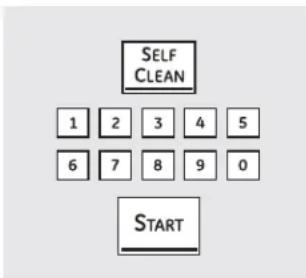
text_image
SELF CLEAN 1 2 3 4 5 6 7 8 9 0 STARTCómo configurar el horno para una auto-limpieza
Las puertas del horno debe estar cerradas y todos los controles deben estar correctamente configurados para que el ciclo funcione en forma adecuada.
1 Presione el botón SELF CLEAN (auto-limpieza).
Se recomienda un ciclo de 3 horas para limpiar derrames pequeños y contenidos. Se recomienda un ciclo de auto-limpieza de 5 horas para un horno más sucio.
2 Si necesita un ciclo diferente de 5 o 3 horas, utilice las almohadillas numéricas e ingrese el tiempo de limpieza deseado.
El tiempo de limpieza puede configurarse entre 3 horas y 5 horas, de acuerdo con el grado de suciedad del horno.
3 Presione el botón START (iniciar).
Las puertas del horno superior e inferior se bloquean automáticamente. Los elementos de la estufa también se bloquean durante la limpieza. La pantalla mostrará el tiempo de limpieza restante. No podrán abrirse las puertas del horno o utilizar la estufa hasta que la temperatura descienda por debajo de la temperatura de bloqueo y se apague LOCKED/DOOR 🔒 (puerta bloqueada) de la pantalla de control.
Cuando se apague LOCKED/DOOR 🔒 (puerta bloqueada), usted podrá abrir las puertas.
Si usted configura el ciclo de limpieza y se olvida de cerrar las puertas del horno, destellara LOCKED/DOOR 🔒 (puerta bloqueada) y la palabra door (puerta) aparecerá en la pantalla.
Para detener el ciclo de limpieza, presione el botón CLEAR/OFF (borrar/apagado). Cuando se apaga LOCKED/DOOR 🔒 (puerta bloqueada), indicando que la temperatura de los hornos ha descendido por debajo de la temperatura de bloqueo, usted podrá abrir las puertas.
Hornos dobles:
Usted puede configurar un ciclo de limpieza en ambos hornos al mismo tiempo; sin embargo, no efectuarán la auto-limpieza al mismo tiempo. El último horno en configurarse retardará su inicio automáticamente hasta la finalización del ciclo de limpieza del primer horno.
Cuando se configure un horno para la auto-limpieza, las dos puertas del horno y los controles de la estufa se bloquearán. Los hornos y la estufa no pueden usarse cuando un horno está configurado para la auto-limpieza.
Cómo usar los hornos auto-limpiantes superior e inferior.
Las puertas del horno debe estar cerradas y todos los controles deben estar correctamente configurados para que el ciclo funcione en forma adecuada.
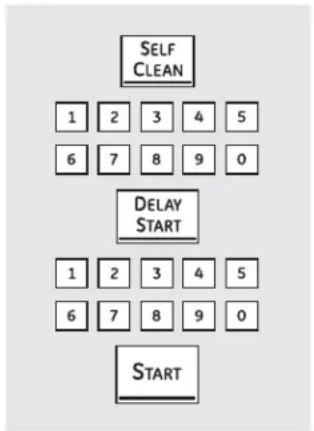
flowchart
graph TD
    A["START"] --> B["6"]
    B --> C["7"]
    C --> D["8"]
    D --> E["9"]
    E --> F["0"]
    F --> G["5"]
    G --> H["4"]
    H --> I["3"]
    I --> J["2"]
    J --> K["1"]
    K --> L["Self CLEAN"]
Cómo configurar un inicio retardado de limpieza
1 Presione el botón SELF CLEAN (auto-limpieza).
Se recomienda un ciclo de 3 horas para limpiar derrames pequeños y contenidos. Se recomienda un ciclo de auto-limpieza de 5 horas para un horno más sucio.
2 Si necesita un ciclo diferente de 5 o 3 horas, utilice las almohadillas numéricas e ingrese el tiempo de limpieza deseado.
El tiempo de limpieza puede configurarse entre 3 horas y 5 horas, de acuerdo con el grado de suciedad del horno.
3 Presione el botón DELAY START (inicio retardado).
4 Mediante las almohadillas numéricas, ingrese la hora en que desea iniciar el ciclo de limpieza.
Después de un ciclo de limpieza
Pueden quedar cenizas blancas en el horno. Límpielas con un paño húmedo después de que se enfríe el horno.
Si quedan manchas blancas, quíte las con una esponjilla de lana de acero embebida en jabón y enjuague bien con una mezcla de vinagre y agua.
En general, estos depósitos son restos de sal que no pueden eliminarse durante el ciclo de limpieza.
Si el horno no queda limpio después de un ciclo de limpieza, repítalo.
5 Presione el botón START (iniciar).
Las puertas del horno superior e inferior se bloquean automáticamente. Los elementos de la estufa también se bloquean durante la auto-limpieza. La pantalla mostrará la hora de inicio. No podrán abrirse las puertas del horno o utilizarse la estufa hasta que la temperatura descienda por debajo de la temperatura de bloqueo y se apague LOCKED/DOOR 🔒(puerta bloqueada) de la pantalla de control.
Cuando se apague LOCKED/DOOR 🔒 (puerta bloqueada), usted podrá abrir las puertas.
No puede configurarse el horno para cocinar o para otro ciclo de auto-limpieza hasta que éste se encuentre lo suficientemente frío para que se destrabe la puerta.
■ Mientras el horno se encuentra en el proceso de auto-limpieza, usted puede presionar el botón CLOCK (reloj) para que se vea la hora. Para volver a la cuenta regresiva de limpieza, presione el botón SELF CLEAN (auto-limpieza).
Si resulta difícil deslizar las bandejas, coloque una pequeña cantidad de aceite de cocina en una toalla de papel y frote los extremos de las bandejas.
Los nuevos controles con botones de toque cuentan con características adicionales. Las siguientes son las características y la manera en que usted puede activarlas.
Los modos de características especiales sólo pueden activarse mientras la pantalla muestra la hora. Se conservan en la memoria de los controles hasta que se repitan los pasos.
Para ingresar una característica especial en uno de los dos hornos, usted debe primero presionar los botones BROIL HI/LO (asar alto/bajo) y BAKE (hornear) del horno superior al mismo tiempo. Los botones BROIL HI/LO (asar alto/bajo) y BAKE (hornear) del horno inferior no activan características especiales.
Cuando la pantalla muestra su opción, presione el botón START (iniciar). Las características especiales se conservarán en la memoria después de un corte de energía, con excepción del Sabbath, que debe reconfigurarse.
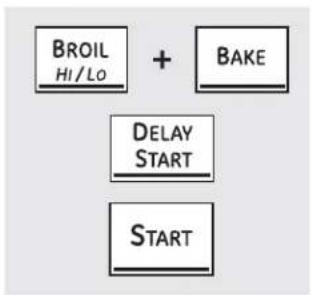
flowchart
graph TD
    A["BROIL HI/LO"] --> B["+"]
    C["BAKE"] --> B
    D["DELAY START"] --> B
    E["START"] --> B
Apagado luego de 12 horas
Con esta opción, en caso de dejarse el horno encendido accidentalmente, el control lo apaga en forma automática luego de 12 horas durante funciones de horneado o después de 3 horas durante la función de asado.
Si desea apagar (OFF) esta función, siga los pasos siguientes.
1 Presione los botones BROIL HI/LO (asar alto/bajo) y BAKE (hornear) del horno superior al mismo tiempo hasta que en la pantalla pueda verse SF.
2 Presione el botón DELAY START (inicio retardado) hasta que aparezca no shdn (no apagado) en la pantalla.
3 Presione el botón START (iniciar) para activar la característica de no apagado y dejar el control configurado en este modo de características especiales.
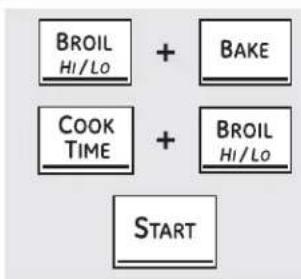
flowchart
graph TD
    A["BROI Hi/Lo"] --> B["+"]
    C["COOK TIME"] --> D["+"]
    E["BAKE"] --> B
    F["BROI Hi/Lo"] --> D
    G["START"] --> D
Selección de temperatura en Fahrenheit o Celsius
Su control de horno está configurado para utilizar las selecciones de temperatura Fahrenheit, pero puede modificarse para usar selecciones en Celsius.
1 Presione los botones BROIL HI/LO (asar alto/bajo) y BAKE (hornear) del horno superior al mismo tiempo hasta que en la pantalla pueda verse SF.
2 Presione los botones COOK TIME (tiempo de cocción) y BROIL HI/LO (asar alto/bajo) al mismo tiempo. En la pantalla podrá verse F (Fahrenheit).
3 Presione los botones COOK TIME (tiempo de cocción) y BROIL HI/LO (asar alto/bajo) de nuevo al mismo tiempo. En la pantalla podrá verse C (Celsius).
4 Presione el botón START (iniciar).
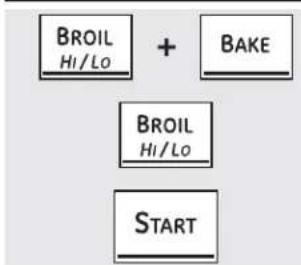
flowchart
graph TD
    A["BROIL Hi/Lo"] --> C["BAKE"]
    B["BROIL Hi/Lo"] --> C["BAKE"]
    D["START"] --> C["BAKE"]
(En algunos modelos)
Señales sonoras al finalizar un ciclo con temporizador
Al finalizar un ciclo con temporizador se escuchan 3 pitidos cortos seguidos por un pitido cada 6 segundos hasta que se presione el botón CLEAR/OFF (borrar/apagado). Este pitido continuo de 6 segundos puede cancelarse.
Para cancelar el pitido continuo de 6 segundos:
0
Presione el botón KITCHEN TIMER ON/OFF (temporizador de la cocina encendido/apagado). La pantalla muestra CON BEEP (pitido continuo). Presione el botón KITCHEN TIMER ON/OFF (temporizador de la cocina encendido/apagado) de nuevo. La pantalla muestra BEEP (pitido). (Esto cancela el pitido cada 6 segundos.)
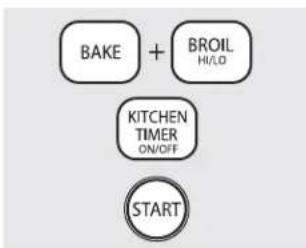
flowchart
graph TD
    A["BAKE"] + B["BROIL HI/LO"]
    C["KITCHEN TIMER ON/OFF"]
    D["START"]
(En algunos modelos)
1 Presione los botones BROIL HI/LO (asar alto/bajo) y BAKE (hornear) del horno superior al mismo tiempo hasta que en la pantalla pueda verse SF.
2 Presione el botón BROIL (asar). La pantalla muestra CONTI BEEP (pitido continuo). Presione el botón BROIL (asar) de nuevo. La pantalla muestra SINGLE BEEP (pitido único). (Esto cancela el pitido cada 6 segundos.)
3 Presione el botón START (iniciar).
Características especiales de los controles del horno.
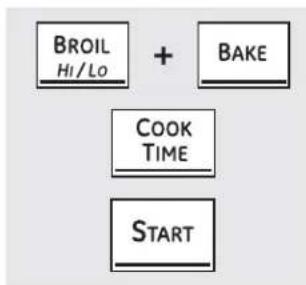
flowchart
graph TD
    A["BROIL Hi/Lo"] --> B["+"]
    C["BAKE"] --> B
    D["COOK TIME"] --> B
    E["START"] --> B
Volumen del tono (en algunos modelos)
Esta característica permite regular el volumen de los tonos para lograr un volumen más aceptable. Existen tres niveles de volumen diferentes.
Presione los botones BROIL HI/LO (asar alto/bajo) y BAKE (hornear) del horno superior al mismo tiempo hasta que en la pantalla pueda verse SF.
2 Presione el botón COOK TIME (tiempo de cocción). En la pantalla podrá verse 2 BEEP (2 pitido). Este es el nivel de volumen medio. Presione el botón COOK TIME (tiempo de cocción) de nuevo. En la pantalla podrá verse 3 BEEP (3 pitido). Este es el nivel de volumen más alto.
Presione el botón COOK TIME (tiempo de cocción) de nuevo. En la pantalla podrá verse 1 BEEP (1 pitido). Este es el nivel de volumen más bajo.
Cada vez que se modifica el nivel de volumen, se escucha un ejemplo del volumen de la señal sonora.
3 Seleccione el nivel de volumen deseado (1 BEEP, 2 BEEP, 3 BEEP).
4 Presione el botón START (iniciar) para activar el nivel elegido.
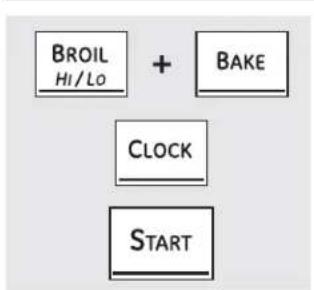
flowchart
graph TD
    A["BROIL\nHi/Lo"] --> B["+"]
    C["BAKE"] --> B
    D["CLOCK"] --> B
    E["START"] --> B
12 horas, 24 horas o bloqueo del reloj
Sus controles están configurados para usar un reloj de 12 horas.
Si prefiere tener un reloj de estilo militar de 24 horas o anular la visualización del reloj, siga los siguientes pasos.
1 Presione los botones BROIL HI/LO (asar alto/bajo) y BAKE (hornear) del horno superior al mismo tiempo hasta que en la pantalla pueda verse SF.
2 Presione el botón CLOCK (reloj) una vez. En la pantalla podrá verse 12 hr. Si esta es la opción que desea, presione el botón START (iniciar).
Presione el botón CLOCK (reloj) de nuevo para cambiar al reloj estilo militar de 24 horas. En la pantalla podrá verse 24 hr. Si esta es la opción que desea, presione el botón START (iniciar).
Presione el botón CLOCK (reloj) de nuevo para anular la visualización del reloj. En la pantalla podrá verse OFF (apagado). Si esta es la opción que desea, presione el botón START (iniciar).
NOTA: Si el reloj se encuentra en el modo sin visualización, usted no podrá utilizar la función de inicio retardado.
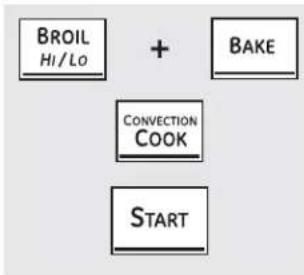
flowchart
graph TD
    A["BROIL Hi/Lo"] --> C["CONVECTION COOK"]
    B["BAKE"] --> C
    C --> D["START"]
Conversión Automática de Recetas™ (en algunos modelos)
Cuando se utiliza el horneado por convección, la función de Auto Recipe™ Conversion (Conversión automática de recetas) reemplaza automáticamente las temperaturas de horneado tradicionales ingresadas por las temperaturas de horneado por convección. Esta característica se activa para que la pantalla muestre la temperatura convertida real (reducida). Por ejemplo, si se ingresa una temperatura de receta tradicional de 350°F (177°C) y se presiona el botón START (iniciar), la pantalla mostrará la leyenda CON (conversión) y luego la temperatura convertida a 325°F (163°C).
Para desactivar la función:
1 Presione los botones BAKE (hornear) y BROIL HI/LO (asar alto/bajo) del horno superior al mismo tiempo hasta que en la pantalla pueda verse SF.
2 Presione el botón CONVECTION COOK (cocción por convección). En la pantalla podrá verse CON ON (conversión activada). Presione el botón CONVECTION COOK (cocción por convección) de nuevo. En la pantalla podrá verse CON OFF (conversión desactivada).
3 Presione el botón START (iniciar).
Para reactivar esta característica, repita los pasos de 1–3 pero presione el botón START (iniciar) cuando en la pantalla aparezca CON ON (conversión activada).
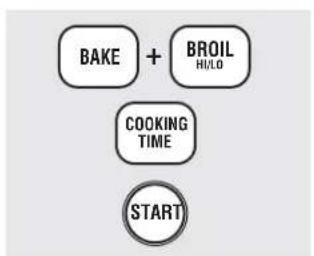
flowchart
graph TD
    A["BAKE"] + B["BROIL HI/LO"]
    C["COOKING TIME"]
    D["START"]
Cocinar y mantener caliente (en algunos modelos)
Su nuevo control posee una característica de cocinar y esperar que mantiene calientes los alimentos cocidos hasta 3 horas después de finalizada la función de cocción.
Para activar esta característica, siga los siguientes pasos.
1 Presione los botones BAKE (hornear) y BROIL HI/LO (asar alto/bajo) al mismo tiempo hasta que en la pantalla pueda verse SF.
2 Presione el botón COOKING TIME (tiempo de cocción). En la pantalla podrá verse Hld OFF (mantener apagado).
Presione el botón COOKING TIME (tiempo de cocción) de nuevo para activar esta característica. En la pantalla podrá verse Hld ON (mantener encendido).
3 Presione el botón START (iniciar) para activar la característica cocinar y mantener y dejar el control configurado en este modo de características especiales.
Cómo usar la función Sabbath. (hornos superior e inferior)
(Diseñada para utilizarse durante el Sabbath u otras Fiestas Judías) (en algunos modelos)
GEAppliances.com
La función Sabbath solamente puede utilizarse para hornear/rostizar. No es posible utilizarla para convección, asado, auto-limpieza o cocción con inicio retardado.
NOTA: La luz interior del horno se enciende automáticamente (en algunos modelos) cuando se abre la puerta y se apaga cuando se la cierra. Puede quitarse la bombilla de luz. Ver la sección de Reemplazo de bombilla de luz. En los modelos con interruptor de luz en el panel de control, la luz del horno puede encenderse y dejarse así.
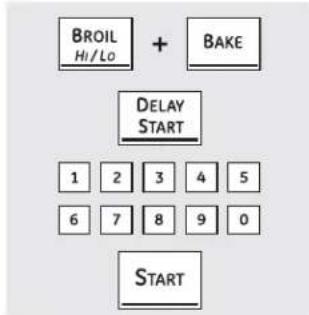
flowchart
graph TD
    A["BROIL Hi/Lo"] + B["BAKE"] --> C["DELAY START"]
    C --> D["1 2 3 4 5"]
    C --> E["6 7 8 9 0"]
    C --> F["START"]
Cuando la pantalla muestra >, el horno está configurado para Sabbath. Cuando la pantalla muestra ><, el horno está horneando/rostizando.
Cómo configurar horneado/rostizado comunes
Asegúrese de que el reloj muestre la hora correcta y que el horno esté apagado.
1 Presione y sostenga los botones BROIL HI/LO (asar alto/bajo) y BAKE (hornear) al mismo tiempo hasta que en la pantalla pueda verse SF.
NOTA: Si en la pantalla aparecen Bake (hornear) a Broil (asar), los botones BROIL HI/LO (asar alto/bajo) y BAKE (hornear) no se presionaron al mismo tiempo. Presione el botón CLEAR/OFF (borrar/apagado) y comience de nuevo.
2 Presione el botón DELAY START (inicio retardado) hasta que aparezca SAb bAtH en la pantalla.
3 Presione el botón START (iniciar) y ⊃ aparecerá en la pantalla. Ambos homos se encuentran ahora en el modo Sabbath.
4 Presione el botón BAKE (homear) en el homo superior o inferior. No se dará una señal.
5 Mediante las almohadillas numéricas, ingrese la temperatura deseada entre 170°F (77°C) y 550°F (288°C). No se dará ninguna señal o temperatura. No hay una temperatura predeterminada.
6 Presione el botón START (iniciar) en el horno correspondiente.
7 Después de un período aleatorio de aproximadamente 30 segundos a 1 minuto, ⊃ c aparecerá en la pantalla indicando que el horno está horneando/rostizando. Si ⊃ c no aparece en la pantalla, comience de nuevo en el paso 4.
Para hornear en el otro horno, comience en el paso 4 (en algunos modelos).
Para ajustar la temperatura del horno, presione el botón BAKE (hornear), ingrese la nueva temperatura usando las almohadillas numéricas y presione el botón START (iniciar).
NOTA: Los botones CLEAR/OFF (borrar/apagado) y COOK TIME (tiempo de cocción) se encuentran activos durante la función Sabbath.
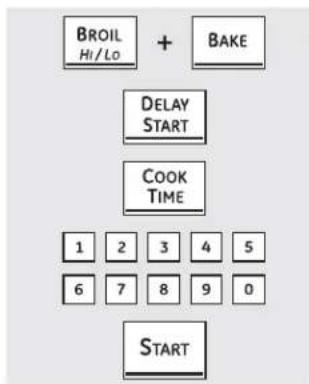
flowchart
graph TD
    A["BROIL Hi/Lo"] --> B["+ BAKE"]
    B --> C["DELAY START"]
    C --> D["COOK TIME"]
    D --> E["1 2 3 4 5"]
    E --> F["6 7 8 9 0"]
    F --> G["START"]
Cuando la pantalla muestra, el horno está configurado para Sabbath. Cuando la pantalla muestra, el horno está horneando/rostizando.
Cómo configurar horneado/rostizado con temporizador: Inicio inmediato y apagado automático
Asegúrese de que el reloj muestre la hora correcta y que el horno esté apagado.
7 Presione y sostenga los botones BROIL HI/LO (asar alto/bajo) y BAKE (hornear) al mismo tiempo hasta que en la pantalla pueda verse SF.
NOTA: Si en la pantalla aparecen Bake (hornear) o Broil (asar), los botones BROIL HI/LO (asar alto/bajo) y BAKE (hornear) no se presionaron al mismo tiempo. Presione el botón CLEAR/OFF (borrar/apagado) y comience de nuevo.
2 Presione el botón DELAY START (inicio retardado) hasta que aparezca SAb bAtH en la pantalla.
3 Presione el botón START (iniciar) y ⊃ aparecerá en la pantalla. Ambos homos se encuentran ahora en el modo Sabbath.
Presione el botón COOK TIME (tiempo de cocción) en el horno superior o inferior. No se dará una señal.
5 Presione las almohadillas numéricas para configurar el tiempo deseado de cocción entre 1 minuto y 9 horas y 99 minutos.
6 Presione el botón START (iniciar).
7 Presione el botón BAKE (hornear). No se dará una señal.
8 Presione las almohadillas numéricas para configurar la temperatura deseada. No se dará ninguna señal o temperatura. No hay una temperatura predeterminada.
9 Presione el botón START (iniciar) en el horno correspondiente.
70 Después de un período aleatorio de aproximadamente 30 segundos a 1 minuto, ⊃ c aparecerá en la pantalla indicando que el horno está horneando/rostizando. Si ⊃ c no aparece en la pantalla, comience de nuevo en el paso 7.
Para ajustar la temperatura del horno, presione el botón BAKE (hornear), ingrese la nueva temperatura usando las almohadillas numéricas y presione el botón START (iniciar).
Cuando se haya terminado la cocción, la pantalla cambiará de ⊃ ⊂ a ⊃ y aparecerá 0:00, indicando que el horno se ha apagado (OFF) pero sigue configurado en Sabbath. Retire los alimentos del horno.
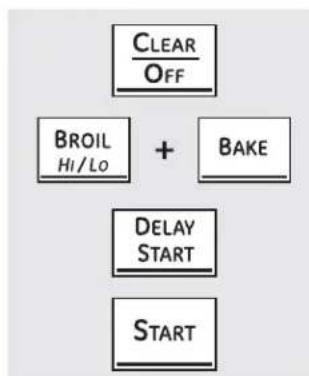
flowchart
graph TD
    A["CLEAR/OFF"] --> B["BROIL/Hi/Lo"]
    B --> C["+"]
    C --> D["BAKE"]
    D --> E["DELAY START"]
    E --> F["START"]
Cómo desactivar la función Sabbath
1 Presione el botón CLEAR/OFF (borrar/apagado).
2 Si el horno está cocinando, espere un período aleatorio de aproximadamente 30 segundos a 1 minuto, hasta que sólo ⊃ aparezca en la pantalla.
3 Presione y sostenga los botones BROIL HI/LO (asar alto/bajo) y BAKE (hornear) al mismo tiempo hasta que en la pantalla pueda verse SF.
Presione el botón DELAY START (inicio retardado) hasta que 12 shdn o no shdn aparezcan en la pantalla.
5 Elija 12 shdn, indicando que el horno se apagará automáticamente después de 12 horas o no shdn, indicando que el horno no se apagará automáticamente después de 12 horas.
6 Presione START (iniciar) cuando la opción deseada aparece en la pantalla (12 shdn o no shdn).
NOTA: En caso de corte de energía con la función de Sabbath activada, dicha función se apagará automáticamente aún cuando vuelva la energía. El control del horno debe volver a configurarse. Algunos modelos continuarán el modo Sabbath; sin embargo, si se abre la puerta, se activará la luz del horno.
Cómo usar el cajón calentador. (en algunos modelos)
ADVERTENCIA
RIESGO DE INTOXICACIÓN ALIMENTARIA: Por debajo de los 140°F (60°C) puede producirse crecimiento de bacterias en los alimentos.
- Siempre empiece con alimentos calientes. No utilice configuraciones de mantener caliente para calentar alimentos fríos.
- No caliente alimentos por más de 2 horas.
No seguir estas instrucciones puede provocar enfermedades transmitidas por los alimentos.
El cajón calentador mantendrá alimentos calientes y cocidos a una temperatura de servicio. Siempre empiece con alimentos calientes. No lo use para calendar alimentos fríos, con excepción de secar galletas, papitas y cereal.
WARMING DRAWER
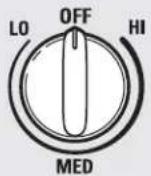
Cómo usar el cajón calentador
Presione y gire la perilla de control a la configuración deseada.
El cajón calentador mantendrá alimentos calientes y cocidos a una temperatura de servicio. Siempre empiece con alimentos calientes.
Presione el botón WARMING DRAWER (cajón calentador). "WARMER ON" (caliente encendidol y "1" se encienden en la pantalla y "Set" (configuración) comienza a destellar. En las almohadillas numéricas, presione 1 para Bajo, 2 para Medio o 3 para Alto. La pantalla "1" cambia de acuerdo con la almohadilla numérica seleccionada. El cajón calentador se inicia automáticamente después de presionar 1, 2 o 3.
"WARMER ON" (caliente encendido) y el número permanecen encendidos. "Set" (configuración) deja de destellar. En algunos modelos, presione START (iniciar).
En algunos modelos - alteme entre configuraciones presionando el botón WARMING DRAWER (cajón calentador). Para cancelar, presione el botón WARMING DRAWER (cajón calentador).
NOTA: Presionar el botón CLEAR/OFF (borrar/apagado) no apaga el cajón calentador.
Cuando use el cajón calentador
El cajón calentador mantendrá alimentos calientes y cocidos a una temperatura de servicio. Siempre empiece con alimentos calientes. No lo use para calentar alimentos fríos, con excepción de secar galletas, papitas y cereal.
No recubra el cajón calentador o recipiente de cocción con papel metálico. El papel metálico es un excelente aislante de calor y atrapará el calor debajo de él. Esto alterará el desempeño del cajón y podría dañar el acabado interior.
Permita que el cajón calentador se precaliente durante aproximadamente 25 minutos.
No coloque líquido o agua en el cajón calentador.
- Todos los alimentos que se coloquen en el cajón calentador deben cubrirse con una tapa o papel metólico. Cuando caliente pastelitos y panes, la tapa debe contar con una ventilación para permitir la salida de humedad. - Los alimentos deben mantenerse en su recipiente caliente o traspasarse a un plato de servicio resistente al calor.
NOTA: Los recipientes plásticos o los envoltorios plásticos se derriten si entran en contacto directo con el cajón, recipiente de cocción o utensilio caliente. El plástico derretido no puede removerse y esto no se encuentra cubierto por la garantía.
■ Quite las cucharas de servicio, etc. antes de colocar recipientes en el cajón calentador.
Tabla de selección de temperatura
Para mantener calientes diferentes tipos de alimentos, establezca el control con la configuración más elevada.
La temperatura, tipo, cantidad de alimentos y el tiempo en que se mantengan dentro del horno ofectan la calidad de los alimentos.
Al abrir el cajón en forma reiterada, el aire caliente se escapará y los alimentos se enfriarán.
- Con grandes cargas, puede ser necesario utilizar una configuración del cajón calentador más elevada y cubrir algunos de los alimentos cocidos.
No utilice recipientes o envoltorios plásticos.
| Configuración Tipo de alimento de control | |
| Chile HI/3 | |
| Estofado MED/2 | |
| Papas al horno HI/3 | |
| Pizza MED/2 | |
| Totopos LO/1 | |
| Wafles LO/1 | |
Para volver crujientes productos no frescos
Coloque los alimentos en platos o bandejas de lados bajos.
■ Precaliente en la configuración L0/1.
■ Después de 45 minutos, verifique si están crujientes. Agregue tiempo si fuese necesario.
Para calentar tazones y platos de servicio
PRECAUCIÓN
Los platos estarán calientes. Utilice agarraderas o guantes cuando quite platos calientes.
Para calentar tazones y platos de servicio, configure el control en LO/1.
■ Utilice sólo recipientes resistentes al calor.
Si desea calentar porcelana fina, consulte al fabricante de la vajilla sobre su tolerancia máxima al calor.
Usted puede calentar platos de servicio vacíos mientras precalienta el cajón.
El cajón del horno inferior puede usarse para hornear alimentos utilizando los mismos tiempos y temperaturas de un horno común. Los alimentos ideales para hornear en el cajón del horno inferior son pizza, alimentos congelados, estofados, galletas, bollitos dulces y una variedad de postres.
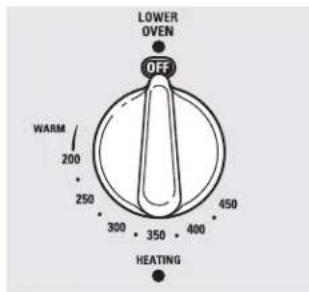
text_image
LOWER OVEN OFF WARM 200 250 300 350 400 450 HEATINGPara usar el cajón del horno inferior
1 Presione y gire la perilla del cajón del horno inferior a la configuración deseada.
2 Deje que el cajón del horno inferior se precaliente.
La luz de señalización de encendido (ON) se encuentra sobre la perilla y resplandece cuando la perilla está en la posición ON. Permanece encendida hasta que la perilla se mueve a la posición OFF (apagado).
La luz de señalización de "Heating" (calentamiento) se encuentra debajo de la perilla y resplandece cuando los elementos de calentamiento están activos. El precalentamiento se ha completado después de que la señal "Heating" se apaga por primera vez después de haber encendido la perilla.
NOTAS:
Siempre utilice la bandeja del cajón cuando haga uso del cajón del horno inferior.
El cajón del horno inferior no puede utilizarse durante un ciclo de auto-limpieza del horno superior.
No coloque alimentos, papel de aluminio o utensilios de cocina en el piso del cajón del horno inferior. Siempre utilice la bandeja del cajón incluida.
Si los alimentos requieren una tapa, sólo utilice papel de aluminio o tapas que soporten las temperaturas de horneado. No utilice plástico.
La altura máxima de los alimentos que pueden hornearse en el cajón del horno inferior es 3½" (8,9 cm).
No coloque líquido o agua en el cajón del horno inferior.
Nunca coloque plásticos, papel, alimentos enlatados o material combustible en el cajón del horno inferior.
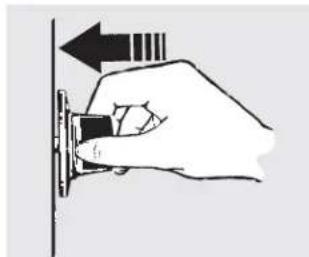
natural_image
Hand holding a small object with an arrow pointing upward (no text or symbols)Presione y gire la perilla del cajón del horno inferior a la configuración deseada.
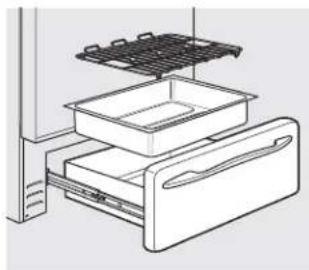
natural_image
Line drawing of a refrigerator interior showing drawer, drawer, and top shelf (no text or symbols)| El cajón del horno inferior utiliza menos energía que el horno superior. Deje pasar los siguientes tiempos aproximados para el precalentamiento: | |
| Temperatura deseada Tiempo de del horno inferior precalentamiento | |
| Tibia 10 minutos | |
| 350°F (177°C) 15 minutos | |
| 425°F (218°C) 25 minutos |
Cuando utilice la configuración de mantener caliente del cajón del horno inferior
La configuración WARM (mantener caliente) del cajón del horno inferior puede utilizarse para mantener calientes alimentos a temperaturas de servicio. Siempre empiece con alimentos calientes. No la use para calentar alimentos fríos, con excepción de secar galletas, papitas y cereal.
NOTA: La temperatura inicial de los alimentos, la cantidad y el tipo de alimentos, el recipiente y el tiempo en que los alimentos están en el cajón afectarán la calidad y la temperatura final de la comida.
Presione y gire la perilla de control a la configuración WARM (mantener caliente).
Cuidado y limpieza de la cocina.
Asegúrese de que todos los controles estén apagados y que las superficies estén frías antes de limpiar cualquier parte de la cocina.
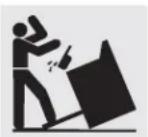
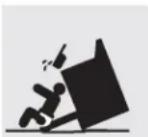

ADVERTENCIA
Si se quita la cocina para efectuar una limpieza, reparaciones o cualquier otra razón, verifique que el dispositivo anti-volcaduras se coloque de manera adecuada cuando vuelva a instalarse la cocina.
Si no toma esta precaución, la cocina puede volcarse y provocar lesiones.
Cómo quitar el envoltorio de protección y la cinta de embalaje
Con cuidado, tome una punta del envoltorio de protección con sus dedos y lentamente quítelo de la superficie del aparato. No use elementos filosos para quitar el envoltorio. Quite todo el envoltorio antes de usar el aparato por primera vez.
Para asegurarse de no dañar el acabado del producto, la mejor forma de quitar el pegamento de la cinta de empaque de los aparatos nuevos consiste en aplicar detergente para vajillas líquido. Aplique con un paño suave y deje remojar.
NOTA: Debe retirarse el adhesivo de todas las partes. Si se calienta, será imposible de quitar.
Perillas de control
Para una limpieza más sencilla, las perillas de control pueden quitarse.
Las perillas pueden limpiarse en el lavavajillas o también pueden lavarse con jabón y agua. Asegúrese de que la parte interna de las perillas esté seca antes de volver a colocarse.
Verifique que las perillas estén en la posición OFF (apagado) y sáquelas de los vástagos para la limpieza.
Vuelva a colocar las perillas en la posición OFF (apagado) para asegurar una colocación correcta.
Panel de control
Si así lo desea, puede desactivar los botones de toque antes de la limpieza.
También puede utilizar un limpiador de vidrios.
Ver la información sobre Bloqueo de controles en la sección Cómo usar el reloj, el temporizador y el bloqueo de controles de este manual.
Quite suciedades más rebeldes con agua tibia jabonosa. No utilice abrasivos de ninguna clase.
Limpie los derrames con un paño húmedo.
Vuelva a activar los botones de toque después de la limpieza.
Superficies pintadas
Las superficies pintadas incluyen los lados de la cocina y la puerta, la parte superior del panel de control y el frente del cajón. Límpielas con jabón y agua o con una solución de agua y vinagre.
No utilice limpiadores de horno comerciales, polvos limpiadores, esponjillas de acero o abrasivos potentes sobre cualquier superficie pintada.
Superficies de acero inoxidable (en algunos modelos)
No utilice almohadillas de acero porque rayan la superficie.
Para consultar sobre la compra de limpiadores o lustradores de aparatos de acero inoxidable, o para encontrar la ubicación del distribuidor más cercano a su domicilio, llame a nuestro número gratuito:
Para limpiar la superficie de acero inoxidable, utilice agua tibia jabonosa o un limpiador o lustrador de acero inoxidable. Siempre limpie la superficie en dirección de la veta. Siga las instrucciones del producto para limpiar la superficie de acero inoxidable.
Centro nacional de repuestos 1.800.626.2002 GEAppliances.com
Estufa de esmalte de porcelana (en algunos modelos)
El acabado de esmalte de porcelana es resistente pero puede romperse si se utiliza incorrectamente. Este acabado es resistente al ácido. Sin embargo, no debe permitirse que algunos alimentos ácidos que se derraman (como jugos de fruta, tomate o vinagre) permanezcan en el acabado.
secos para limpiarlo en el momento. Cuando la superficie se haya enfriado, limpie con agua jabonosa. Enjuague bien.
Si se derraman ácidos en la estufa mientras está caliente, utilice una toalla de papel o un paño
En el caso de otros derrames, como salpicaduras de grasa, etc., limpie con agua jabonosa o polvos limpiadores cuando la superficie se haya enfriado. Enjuague bien. Pula con un paño seco.
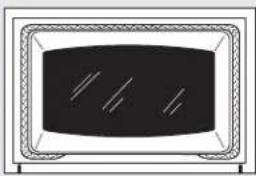
natural_image
Simple line drawing of a rectangular device with internal lines and a central screen (no text or symbols)La junta está diseñada con un espacio en la parte inferior para permitir una adecuada circulación de aire.
No frote o limpie la junta de la puerta porque tiene una resistencia muy baja a la abrasión.
Si se advierte que la junta está desgastada, raída o dañada, o si se ha desplazado de su lugar, se la debe reemplazar.
Cómo limpiar la puerta del horno
Para limpiar la parte interna de la puerta:
Debido a que el área que se encuentra dentro de la junta se limpia durante el ciclo de autolimpieza, no es necesario limpiarla a mano.
El área que se encuentra fuera de la junta y el burlete de la puerta pueden limpiarse con una esponjilla plástica con jabón, agua caliente y detergente. Enjuague bien con una solución de agua y vinagre.
Para limpiar la parte externa de la puerta:
Utilice jabón y agua para limpiar cuidadosamente la parte superior, los lados y el frente de la puerta del horno. Enjuague bien. También es posible utilizar un limpiador de vidrios para limpiar la parte exterior de la puerta. No permita que caiga agua sobre las aberturas de ventilación.
Si queda alguna mancha persistente en la sección de ventilación de la puerta, utilice un limpiador abrasivo suave y una esponja para obtener los mejores resultados.
Las salpicaduras de salsas, jugos de frutas, salsas de tomate y jugos de alimentos que contienen ácidos pueden decolorar la superficie, por lo que se debe enjuagarlos de inmediato. Cuando la superficie esté fría, limpie y enjuague.
No utilice limpiadores para hornos, polvos limpiadores o abrasivos potentes en la parte externa de la puerta.
Puerta del horno desmontable (en algunos modelos)
La puerta es muy pesada. Tenga cuidado al quitar y levantar la puerta.
No levante la puerta de la manija.
Para quitar la puerta:

Abra la puerta por completo.

Presione las trabas de la bisagra hacia abajo en dirección del marco de la puerta hasta destrabarlas. Puede necesitarse una herramienta, como un destornillador plano pequeño.

Tome con firmeza ambos lados de la puerta de la parte superior.

Cierre la puerta hasta la posición de remoción de puerta, que es a mitad de camino entre la posición de asado y la puerta cerrada.

Levante la puerta hasta que el brazo de la bisagra haya salido de la ranura.
Para volver a colocar la puerta:

Tome con firmeza ambos lados de la puerta de la parte superior.

Con la puerta en el mismo ángulo de la posición de remoción,
Extremo inferior de la ranura
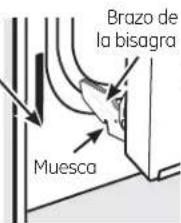
text_image
Brazo de la bisagra Muescaintroduzca la muesca del brazo de la bisagra dentro del extremo inferior de la ranura de la bisagra. La ranura del brazo de la bisagra debe estar bien
colocada en la parte inferior de la ranura.

Abra la puerta por completo. Si la puerta no se abre por completo, la muesca no está bien colocada en el extremo inferior de la ranura.

Presione las trabas de la bisagra hacia arriba contra el marco frontal de la cavidad del horno, hasta alcanzar la posición de bloqueo.
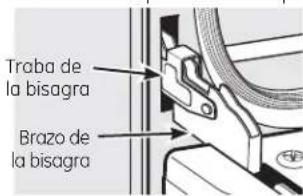
text_image
Traba de la bisagra Brazo de la bisagraPresione las trabas de la bisagra hacia arriba para bloquear.

Cierre la puerta del horno.
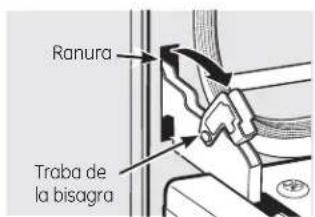
text_image
Ranura Traba de la bisagraTire las trabas de la bisagra hacia abajo para destrabar.
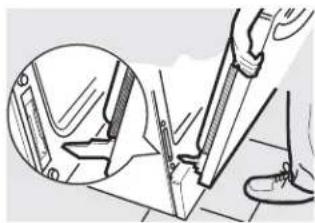
natural_image
Illustration of a hand using a tool to cut or mark a mechanical component, with an inset showing the same part (no text or symbols present)Posición de remoción
Puerta del horno superior desmontable (en algunos modelos)
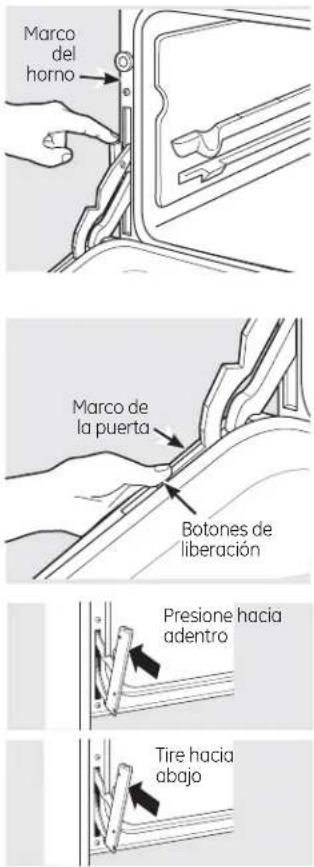
Para quitar la puerta:
1 Abra la puerta por completo.
2 Levante la trab de la bisagra hacia el marco del horno hasta que se detenga.
3 Cierre la puerta en 45 grados (se sentirá el tope de la puerta). La traba de la bisagra hará contacto con el marco del horno.
4 Sobre ambos lados de la puerta, presione hacia abajo sobre los botones de liberación de cada bisagra.
5 Levante la puerta hacia arriba hasta que se salga de la bisagra.
6 Tire de los brazos de la bisagra suavemente para liberar presión sobre las lengüetas de bloqueo.
7 Presione las trabas de la bisagra hacia abajo dentro de la bisagra.
Presione las bisagras hacia la unidad para que se cierren.
Para volver a colocar la puerta:
1 Tire de las bisagras hacia abajo en sentido contrario del marco del horno hasta alcanzar la posición abierta total.
2 Levante las trabas de la bisagra hacia el marco del horno hasta que se detengan.
3 Las bisagras se liberan en la posición de 45 grados. Las trabas de la bisagra harán contacto con el marco del horno.
4 Deslice la puerta dentro de las bisagras. Asegúrese de que los botones vuelvan a salir.
5 Abra la puerta por completo.
6 Presione las trabas de la bisagra hacia abajo dentro de la bisagra.
7 Cierre la puerta del horno.
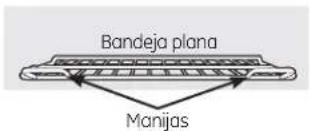
text_image
Bandeja plana ManijasUtilice la bandeja de las dos manijas frontales en el horno superior.
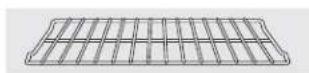
Utilice la bandeja sin las dos manijas frontales en el horno inferior.
Bandejas del horno
Todas las bandejas del horno pueden limpiarse a mano con un limpiador abrasivo o una esponjilla de acero. Después de limpiar, enjuague las bandejas con agua limpia y séquelas con un paño limpio. Las bandejas revestidas de porcelana gris pueden permanecer en el horno durante el ciclo de auto-limpieza sin sufrir daños. Las bandejas del
horno de níquel pueden permanecer en el horno durante el ciclo de auto-limpieza, pero perderán el lustre y resultará difícil deslizarlas. Será necesario engrasar todos los extremos de las bandejas con una capa de aceite vegetal suave después de limpiarlas a mano o en el horno. Esto ayudará a mantener el fácil deslizamiento de las bandejas.
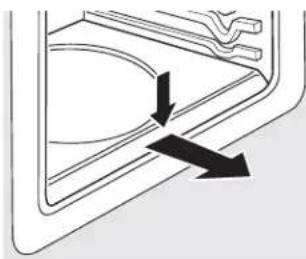
natural_image
Pure diagram of a door handle with arrows indicating direction (no text or symbols)Presione hacia abajo y quite.
Piso del horno desmontable (en algunos modelos)
Para quitar el piso del horno:
1 Quite la puerta del horno utilizando las instrucciones de la sección Puerta del horno desmontable.
2 Presione hacia abajo y quite el piso del horno desmontable.
3 Limpie el piso del horno con agua tibia jabonosa.
4 Cuando vuelva a colocar el piso del horno, asegúrese de deslizarlo bien hasta la parte trasera del horno.
IMPORTANTE: Siempre vuelva a colocar el piso desmontable antes del próximo uso.
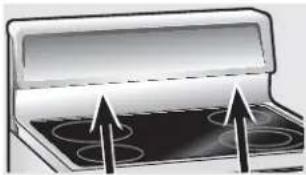
natural_image
Illustration of a microwave oven with four ovens and an open lid, showing upward arrows indicating components (no text or symbols)Ventilación del horno en estufas de vidrio radiantes
La ventilación del horno se encuentra detrás de la unidad de superficie trasera derecha. En los hornos dobles, la ventilación del horno superior se encuentra detrás de la unidad de superficie trasera izquierda.
En los hornos dobles, la ventilación del horno superior se encuentra detrás de la unidad de superficie trasera izquierda.
Esta área puede calentarse durante el uso del homo.
Es normal que salga vapor de la ventilación y puede juntarse humedad debajo de la misma cuando el horno está en uso.
La ventilación es importante para lograr una adecuada circulación de aire. Nunca bloquee esta ventilación.
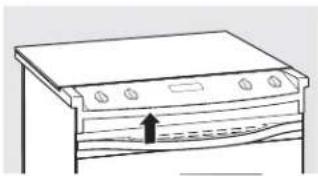
natural_image
Line drawing of a kitchen appliance with a handle and ventilation slots (no text or symbols)Ventilación del horno (en algunos modelos)
La ventilación del horno se encuentra encima del lado izquierdo de la puerta.
Esta área puede calentarse durante el uso del horno.
Resulta normal que salga vapor de la ventilación. La ventilación es importante para lograr una adecuada circulación de aire. Nunca bloquee esta ventilación.
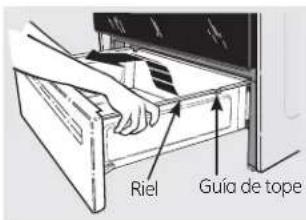
text_image
Riel Guía de topeRemoción del cajón de almacenamiento (en algunos modelos)
Para quitar el cajón:
Tire del cajón hacia fuera hasta que se detenga.
2 Levante el frente del cajón hasta que las trabas salgan de las guías.
3 Retire el cajón.
Para volver a colocar el cajón:
Coloque los rieles del cajón en las guías.
2 Empuje el cajón hasta que se detenga.
3 Levante el frente del cajón y empuje hasta que las trabas superen las guías.
4 Baje el frente del cajón y empuje hacia abajo hasta que cierre.
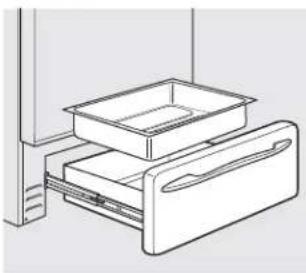
natural_image
Line drawing of a refrigerator drawer with one drawer containing an open drawer (no text or symbols)Cajón calentador desmontable/Recipiente del cajón del horno inferior (en algunos modelos)
NOTA: En los modelos con cajón calentador eléctrico o cajón de horno inferior, antes de realizar cualquier clase de ajuste, limpieza o reparación, desconecte la conexión eléctrica de la cocina desde el panel de distribución doméstico quitando el fusible o desconectando el interruptor de circuitos. Verifique que el elemento calentador del cajón esté frío.
NOTA: Deje que el cajón calentador o el cajón del horno inferior se enfríen antes de quitar el recipiente.
NOTA: Limpie los derrames rápidamente después de cada uso.
Nunca coloque, utilice o limpie mediante la característica de auto-limpieza el recipiente del cajón en el horno superior.
El cajón calentador o el cajón del horno inferior cuentan con un recipiente desmontable para una limpieza fácil. Limpie con agua jabonosa caliente y una esponja o repasador. Seque con un paño suave y limpio. Vuelva a colocar el recipiente en el cajón calentador o el cajón del horno inferior.
Cuidado y limpieza de la cocina.

ADVERTENCIA
PELIGRO DE DESCARGA ELÉCTRICA O QUEMADURAS: Antes de reemplazar la bombilla del horno, desconecte la alimentación de energía al horno desde el panel principal de fusibles o del interruptor de circuitos. No hacerlo puede provocar una descarga eléctrica o una quemadura.

PRECAUCIÓN
PELIGRO DE QUEMADURAS: La tapa de vidrio y la lámpara de luz se deberán retirar cuando estén frías. Tocar el vidrio caliente sin protección en las manos o con un trapo húmedo puede ocasionar quemaduras.
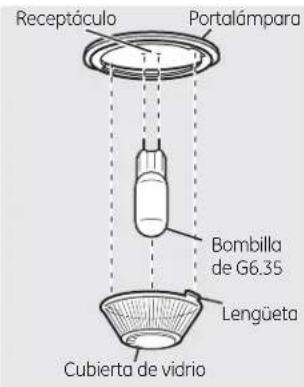
text_image
Receptáculo Portalámpara Bombilla de G6.35 Lengüeta Cubierta de vidrio(en algunas modelos)
text_image
Receptáculo Portalámpara Bombilla de G9 Lengüeta Cubierta de vidrio(en algunas modelos)
Reemplazo de la bombilla del horno (en algunos modelos)
Para retirar:
Gire la cubierta de vidrio en sentido contrario a las manecillas del reloj 1/4 de vuelta hasta que las lengüetas de la cubierta de vidrio liberen los surcos del portalámparas. Colocarse guantes de látex puede brindar un mejor agarre.
2 Utilizando guantes o un paño seco, remueva la bombilla jalándola en línea recta.
Para reemplazar:
7 Utilice una nueva bombilla halógena de 120/130 voltios, no exceda 50 vatios. Reemplace la lámpara de luz con el mismo tipo de lámpara que se retiró. En su modelo corresponderá uno de los dos tipos que figuran a la izquierda. Para determinar cuál es la lámpara correcta, controle las terminales de la lámpara. Las lámparas con 2 terminales con clavijas rectas son lámparas de G6.35. Las lámparas con 2 terminales con clavijas con curvas son lámparas de G9. (No las intercambie.) Asegúrese al reemplazar la lámpara que sea de 120 volts o 130 volts (NO de 12 volts).
2 Utilizando guantes o un paño seco, remueva la bombilla de su paquete. No toque la bombilla con los dedos desnudos. El aceite para piel dañará la lámpara y acortará su tiempo de duración.
text_image
Receptáculo Use guantes o un paño3 Empuje la bombilla en línea recta dentro del receptáculo hasta el tope.
4 Coloque las lengüetas de la cubierta de vidrio dentro de los surcos del portalámparas. Gire la cubierta de vidrio en sentido de las manecillas del reloj 1/4 de vuelta.
Para una mejor iluminación dentro del horno, limpie frecuentemente la cubierta de vidrio utilizando un paño húmedo. Esto debería hacerse cuando el horno está completamente frío.
5 Conecte nuevamente el suministro eléctrico al horno.
natural_image
Diagram of two mechanical components with arrows indicating motion or movement (no text or symbols)Soporte de la tapa de cables
Reemplazo de la bombilla del horno (en algunos modelos)
Verifique que la tapa de la lámpara y la bombilla se hayan enfriado por completo.
Para quitar la tapa:
Coloque una mano debajo de la tapa para que no se caiga cuando la liberen. Con los dedos de la misma mano, presione firmemente sobre el soporte de la tapa de los cables. Levante y quite la tapa.
No quite ningún tornillo para sacar la tapa.
2 Reemplace la bombilla con una unidad de 40 vatios.
Para volver a colocar la tapa:
Colóquela dentro de la ranura del receptáculo de la bombilla. Tire del cable hacia adelante en dirección del centro de la tapa hasta que se trabe en su lugar.
2 Conecte la energía eléctrica hacia la cocina.
ADVERTENCIA
PELIGRO DE DESCARGA ELÉCTRICA O QUEMADURAS: Antes de reemplazar la bombilla del horno, desconecte la alimentación de energía al horno desde el panel principal de fusibles o del interruptor de circuitos. No hacerlo puede provocar una descarga eléctrica o una quemadura.
natural_image
Technical line drawing of a mechanical component with a flanged top and a circular base (no text or symbols)Reemplazo de la bombilla del horno (en algunos modelos)
Verifique que la tapa de la lámpara y la bombilla se hayan enfriado por completo.
Para quitar la tapa:
7 Haga girar la lente en 1/4 de vuelta en sentido antihorario para quitarla.
No quite ningún tornillo para sacar la tapa.
2 Coloque una bombilla de 40 vatios o una bombilla halógena de dos espigas, según corresponda.
Para volver a colocar la tapa:
1 Alinee las lengüetas de la lente frente a las lengüetas de la carcasa y gire en sentido horario para trabar.

natural_image
Illustration of a hand using a tool to clean or install a rack with coiled wires (no text or symbols visible)Elementos calentadores del horno (en algunos modelos)
No limpie el elemento para hornear o el elemento para asar. Las suciedades se quemarán cuando se calienten los elementos.
Para limpiar el piso del horno, levante con cuidado el elemento para hornear. Limpie con agua tibia jabonosa.
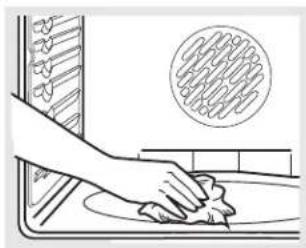
natural_image
Illustration of a hand cleaning a kitchen surface with a circular pattern on the wall (no text or symbols)Elementos calentadores del horno (en algunos modelos)
No limpie el elemento para asar. Las suciedades se quemarán cuando se caliente el elemento. Limpie el piso del horno con agua tibia jabonosa.
En algunos modelos, el elemento para hornear no se encuentra expuesto y se halla debajo del piso del horno. Si se acumulan derrames, residuos o cenizas sobre el piso del horno, limpielos antes de efectuar la auto-limpieza.
Si el elemento se encuentra sobre el piso del horno, levante con cuidado el elemento para hornear y limpie con agua tibia jabonosa.
Limpie con un paño los desechos rebeldes acumulados en el piso del horno,
Cómo limpiar la estufa de vidrio. (en algunos modelos)
text_image
CERAMA BRYTELimpie la estufa después de cada derrame. Utilice el limpiador de estufas cerámicas CERAMA BRYTE®.
Limpieza normal de uso diario
SÓLO utilice el limpiador de estufas cerámicas CERAMA BRYTE® en la estufa de vidrio. Otras cremas pueden no ser tan efectivas.
Para mantener y proteger la superficie de su estufa de vidrio, siga estos pasos:
1 Antes de usar la estufa por primera vez, limpiela con el limpiador de estufas cerámicas CERAMA BRYTE®. Esto ayuda a proteger la estufa y hace la limpieza más sencilla.
2 El uso diario del limpiador de estufas cerámicas CERAMA BRYTE® ayudará a que la estufa quede como nueva.
3 Agite bien la crema de limpieza. Aplique
unas gotas del limpiador de estufas cerámicas CERAMA BRYTE® directamente sobre la estufa.
4 Utilice una toalla de papel o un paño de limpieza CERAMA BRYTE® para estufas cerámicas para limpiar toda la superficie de la estufa.
5 Use un paño seco o una toalla de papel para quitar los restos del limpiador. No hace falta enjuagar.
NOTA: Es muy importante que NO CALIENTE la estufa hasta que la haya limpiado por completo.
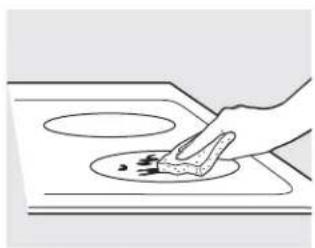
natural_image
Line drawing of a hand cleaning a circular object on a stove (no text or symbols)Utilice un paño de limpieza CERAMA BRYTE® para estufas cerámicas.
Residuos pegados
NOTA: Usted puede DA—AR la superficie de vidrio si utiliza esponjillas que no sean las recomendadas.
1 Deje enfriar la estufa.
Coloque unas gotas del limpiador de estufas cerámicas CERAMA BRYTE® sobre toda el área de residuos pegados.
3 Utilizando el paño de limpieza CERAMA BRYTE® para estufas cerámicas incluido, frote el área sucia aplicando presión según sea necesario.
4 Si quedan restos, repita los pasos
indicados con anterioridad.
5 Para protección adicional, después de haber quitado todos los restos, pula toda la superficie con limpiador de estufas cerámicas CERAMA BRYTE® y una toalla de papel.
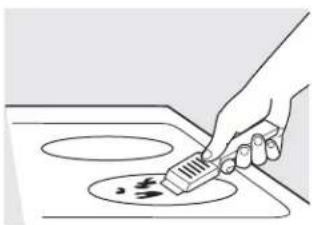
natural_image
Hand using a spatula to clean or store food on an induction cooktop (no text or symbols visible)El raspador de estufas cerámicas CERAMA BRYTE ^2 y todos los insumos recomendados se encuentran disponibles en nuestro Centro de Repuestos. Ver instrucciones bajo la sección "Para solicitar repuestos" en la página siguiente.
NOTA: No utilice hojas desafiladas o dañadas.
Residuos pegados rebeldes
1 Deje enfriar la estufa.
2 Utilice el raspador de filo único a un ángulo aproximado de 45 degrees contra la superficie del vidrio y raspe la suciedad. Puede ser necesario aplicar presión al raspador para quitar la suciedad.
3 Después de utilizar el raspador, coloque unas gotas de limpiador de estufas cerámicas CERAMA BRYTE® sobre toda el área de suciedad quemada. Utilice el paño de limpieza CERAMA BRYTE® para quitar la suciedad restante.
Para protección adicional, después de haber quitado todos los restos, pula toda la superficie con limpiador de estufas cerámicas CERAMA BRYTE® y una toalla de papel.
Marcas de metal y rayones
Tenga cuidado de no deslizar ollas y sartenes a través de su estufa. Dejará marcas de metal sobre la superficie de la estufa.
Estas marcas pueden quitarse utilizando limpiador de estufas cerámicas CERAMA BRYTE® con el paño de limpieza CERAMA BRYTE® para estufas cerámicas.
2 Si se permite que ollas con una capa fina de aluminio o cobre hiervan en seco, la capa puede dejar una decoloración negra en la estufa.
Esto debe quitarse de inmediato antes de calentar de nuevo o la decoloración puede llegar a ser permanente.
NOTA: Verifique con detenimiento que la base de las ollas no sea áspera para no rayar la estufa.
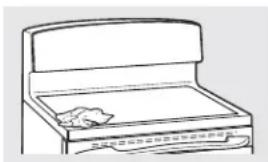
natural_image
Line drawing of a folding box with a lid and drawer (no text or symbols)Sellado de la estufa
Para limpiar el sellado de la estufa alrededor de los bordes de vidrio, coloque un paño húmedo sobre los mismos durante unos minutos y luego limpie con limpiadores no abrasivos.
Superficie de vidrio: posibilidades de daño permanente.
Los derrames azucarados (como gelatinas, dulce, caramelo, jarabes) o plásticos derretidos pueden marcar la superficie de la estufa (no cubierto por la garantía) a menos que el derrame se quite mientras está caliente. Debe tenerse mucho cuidado al remover sustancias calientes.
Asegúrese de utilizar un raspador nuevo y afilado. No utilice hojas desafiladas o dañadas.
Daños por derrames azucarados y plástico derretido
1 Apague todas las unidades de superficie. Quite las ollas calientes.
2 Utilizando un guante de cocina: a. Use un raspador de filo único (raspador para estufas cerámicas CERAMA BRYTE®) para desplazar el derrame a un área fría de la estufa.
b. Quite el derrame con toallas de papel.
3 Cualquier derrame restante debe dejarse hasta que la superficie de la estufa se haya enfriado.
4 No use las unidades de superficie de nuevo hasta que todos los restos se hayan eliminado por completo.
NOTA: Si la superficie de vidrio ya ha sufrido marcas o hendiduras, el vidrio de la estufa deberá cambiarse. En ese caso, será necesaria la atención de un técnico.
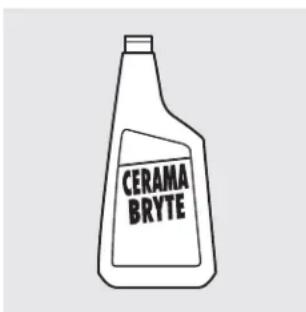
text_image
CERAMA BRYTEPara solicitar repuestos
Para solicitar el limpiador de estufas cerámicas CERAMA BRYTE® y el raspador de estufas, llame a nuestro número gratuito:
Centro nacional de piezas 800.626.2002
Limpiador de estufas cerámicas CERAMA BRYTE® ....#WX10X300
Raspador de estufas cerámicas CERAMA BRYTE® ....#WX10X0302
Kit ....#WB64X5027 (El kit incluye la crema y el raspador de estufas)
Paños de limpieza CERAMA BRYTE® para estufas cerámicas .....#WX10X350
Antes de llamar al servicio técnico...

Consejos para identificación y solución de problemas ¡Ahorre tiempo y dinero! Lea las tablas de las siguientes páginas y quizás no necesite llamar al servicio técnico.
| Problema Causas posibles Qué hacer | ||
| Las unidades de superficie no mantienen un hervor constante o la cocción es lenta (voltaje) puede ser baja. | Se están utilizando recipientes de cocción inadecuados. | • Use recipientes de base plana y que se ajusten al diámetro de la unidad de superficie elegida. |
| En algunas regiones la energía deseado. | • Cubra el recipiente con una tapa hasta obtener el calor | |
| Los elementos de superficie no funcionan bien | El fusible puede haberse quemado o el interruptor de circuitos puede haber saltado. | • Cambie el fusible o vuelva a configurar el interruptor de circuitos. |
| Los controles de la estufa están mal configurados. | • Verifique que se haya configurado el control correcto para el elemento de superficie que está utilizando. | |
| La unidad de superficie deja de resplandecer cuando se cambia a una configuración menor | Esto es normal. La unidad sigue encendida y caliente. | |
| Rayones (pueden parecer como roturas) en la superficie de vidrio de la estufa | Se están usando métodos de limpieza incorrectos. | • Los rayones no pueden removerse. Los rayones más pequeños se volverán menos visibles como resultado de la limpieza. |
| Se están usando recipientes con bases ásperas o hay partículas gruesas (sal o arena) entre el recipiente y la superficie de la estufa. | • Para evitar rayones, use los procedimientos de limpieza recomendados. Verifique que las bases de los recipientes estén limpias antes del uso, y utilice recipientes con bases lisas. | |
| Se ha deslizado un recipiente a través de la superficie de la estufa. | ||
| Áreas de decoloración en la estufa | No se limpiaron los derrames de alimentos antes del uso siguiente. | • Ver la sección Cómo limpiar la estufa de vidrio. |
| Superficie caliente en un modelo con una estufa de color claro. | • Esto es normal. La superficie puede parecer decolorada cuando está caliente. Esto es temporal y desaparecerá a medida que se enfría el vidrio. | |
| Plástico derretido sobre la superficie | La estufa caliente entró en contacto con plástico colocado sobre la misma. | • Ver la sección Superficie de vidrio: posibilidades de daño permanente en la sección Cómo limpiar la estufa de vidrio. |
| Marcas (o hendiduras) en la estufa | Se ha derramado una mezcla azucarada caliente en la estufa. | • Llame a un técnico calificado para el reemplazo. |
| Las unidades de superficie se encienden y apagan con mucha frecuencia | Se están utilizando recipientes de cocción inadecuados. | • Use sólo recipientes de base plana para minimizar el encendido y apagado. |
| La luz del horno no funciona | La bombilla de luz está floja. | • Ajuste o cambie la bombilla. |
| El horno no funciona | El enchufe de la cocina no está introducido del todo en el tomacorriente. | • Verifique que el enchufe eléctrico esté conectado a un tomacorriente con tensión y adecuada conexión a tierra. |
| El fusible puede haberse quemado o el interruptor de circuitos puede haber saltado. | • Cambie el fusible o vuelva a configurar el interruptor de circuitos. | |
| Los controles del horno están mal configurados. | • Ver la sección Cómo usar el horno. | |
| El horno está muy caliente. | • Deje que el horno se enfríe por debajo de la temperatura de bloqueo. | |
| Los alimentos no se hornean o rostizan correctamente incorrecta o no está nivelada. de cocción incorrectos o de tamaño inapropiado. | Los controles del horno están mal configurados. | Ver la sección Cómo usar el horno. |
| La posición de la bandeja es | Ver la sección Cómo usar el horno. | |
| Se están utilizando recipientes | Ver la sección Cómo usar el horno. | |
| El termostato del horno debe ajustarse. | Ver la sección Ajuste el termostato del horno usted mismo. | |
| Los alimentos no se asan de manera adecuada de bandeja inadecuada. dentro de la salida del en algunos modelos). | Los controles del horno están mal configurados. | Asegúrese de presionar el botón BROIL HI/LO (asar alta/baja). |
| Se está usando una posición | Ver la Guía de asado. | |
| Los recipientes no son adecuados para asar. | Para mejores resultados, utilice un recipiente diseñado para asado. | |
| La sonda está enchufada horno | Desenchufe y quite la sonda del horno. | |
| En algunas regiones la energía (voltaje) puede ser baja. | Precaliente el elemento para asar durante 10 minutos.Ase por el período de tiempo más prolongado que se recomiende en la Guía de asado. | |
| La temperatura del horno es muy alta o muy baja El cajón de almacenamiento está torcido | El termostato del horno debe ajustarse. | Ver la sección Ajuste el termostato del horno usted mismo. |
| El soporte de cajón trasero se encuentra sobre el riel de la guía. | Vuelva a colocar el cajón. Ver las instrucciones de Remoción del cajón de almacenamiento en la sección Cuidado y limpieza de la cocina. | |
| Verifique que el cajón esté bien colocado si se lo quita. | ||
| El cajón de almacenamiento no cierra | El cable de energía puede estar obstruyendo el cajón en la parte trasera inferior de la cocina. | Cambie la ubicación del cajón y del cable de energía. Ver las instrucciones de Remoción del cajón de almacenamiento en la sección Cuidado y limpieza de la cocina. |
| El soporte de cajón trasero se encuentra sobre el riel de la guía. | Vuelva a colocar el cajón. Ver las instrucciones de Remoción del cajón de almacenamiento en la sección Cuidado y limpieza de la cocina. | |
| La puerta del horno alineada. | La puerta no está bien | Dado que la puerta del horno es desmontable, a veces está torcida se desequilibra durante la instalación. Para enderezar la puerta, presione hacia abajo sobre la esquina superior. |
Antes de llamar al servicio técnico...

Consejos para identificación y solución de problemas
| Problema Causas posibles Qué hacer | ||
| El reloj y el temporizador no funcionanquemado o el interruptomal configurados. | El enchufe de la cocina no está introducido del todo en el tomacorriente.El fusible puede haberse de circuitos.de circuitos puede haber saltado.Los controles del horno estánLa temperatura del horno está muy elevada para configurar los controles.mal configurados.dentro de la boca de salidadel horno. (en algunos modelos) | Verifique que el enchufe eléctrico esté conectado a un tomacorriente con tensión y adecuada conexión a tierra.Cambie el fusible o vuelva a configurar el interruptorVer la sección Cómo usar el temporizador de cocina.Deje que la cocina se enfríe y vuelva a configurar los controles.Ver la sección Cómo utilizar los hornos auto-limpiantesQuite la sonda del horno.Esto es normal. |
| Los controles del horno están superior e interior.La sonda está enchufadadel horno. (en algunos modelos) | ||
| Ruido de "crujidos" o "chasquidos" durante las funciones de cocción y limpieza. | Es el sonido del metal calentándose y enfriándose | • Esto es normal. |
| Humo excesivo en el horno durante el ciclo de limpieza | Suciedad excesiva. | • Presione el botón CLEAR/OFF (borrar/apagado).Abra las ventanas para que salga el humo. Espere hasta que se apague LOCKED/DOOR . Después de que se enfríe el horno, limpie el exceso de suciedad y vuelva a configurar el ciclo de limpieza. |
| La puerta del horno no se abre después del un ciclo de limpieza | El horno está muy caliente. | • Deje que el horno se enfríe por debajo de la temperatura de bloqueo. |
| El horno no está limpio después de un ciclo de limpieza | Los controles del horno no están configurados correctamente.El horno estaba muy sucio.más prolongada. | • Ver la sección Cómo utilizar los hornos auto-limpiantes superior e inferior.Limpie los derrames más rebeldes antes de iniciar el ciclo de limpieza. Los hornos muy sucios pueden necesitar una nueva auto-limpieza o una limpieza |
| La luz de bloqueo ("LOCKED") destella en la pantalla del horno | Se ha seleccionado el ciclo de auto-limpieza pero la puerta no está cerrada. | • Cierre la puerta del horno. |
| La luz de bloqueo ("LOCKED") está encendida cuando desea cocinar debajo de la temperatura de bloqueo. | La puerta del horno está bloqueada porque la temperatura dentro del mismo no ha descendido | • Presione el botón CLEAR/OFF (borrar/apagado).Deje enfriar el horno. |
| "F—" y un número o letra destellan en la pantalla | Hay un código de error de función. | • Desenchufe el horno por lo menos 30 segundos y luego vuelva a enchufarlo. Si el código de error de función se repite, llame al servicio técnico. |
| Aparece "Range Locked"(cocina bloqueada o"LOC On" (bloqueoactivado) en la pantalladel horno o "LC" en lapantalla de superficie | Los controles se hanbloqueado. | Ver la sección Bloqueo de control para desbloquearlos. |
| El control emite unaseñal después de ingresarun tiempo de coccióno de inicio | Olvidó ingresarun temperatura de horneadoo un horario de limpieza. | Presione el botónBAKE(hornear) y la temperatura deseada o el botónSELF CLEAN(auto-limpieza)y el tiempo de limpieza deseado. |
| La pantalla quedaen blanco o el interruptorpuede haber saltado. | El fusible puede haberse quemadode circuitos | Cambie el fusible o vuelva a configurar el interruptor |
| El reloj se encuentra enel modo sin visualización. | Ver la sección de Características especiales delos controles del horno. | |
| La pantalla destella | Corte de energía. | Reconfigure el reloj. |
| La pantalla nomuestra "SF" | Los botones de control del hornono se presionaron correctamente.y sostenerse durante 3 segundos. | Los botonesBROIL HI/LO(asar alto/bajo) yBAKE(hornear) deben presionarse al mismo tiempoy |
| Aparece "Probe"(sonda) en la pantalla(algunos modelos) | Esto le recuerda de ingresaruna temperatura de sondadespués de enchufarla. | Ingrese una temperatura de sonda. |
| Corte de energía,el reloj destella | Corte de energía o subidade tensión. | Reconfigure el reloj. Si el horno estaba en uso, usteddebe reconfigurarlo presionando el botónCLEAR/OFF(borrar/apagado), configurando el reloj yreconfigurando cualquier función de cocción. |
| Emisión de vapordesde la ventilación | Cuando se utilizan los hornos,es normal ver una emisión de vaporde la ventilación del horno. A medidaque el número de bandejas ola cantidad de alimentos a cocinarse incrementa, la cantidad de vaporvisible se elevará. | Esto es normal. |
| Un olor a "quemado"o "aceitoso" salede la ventilación | Esto es normal en un hornonuevo y desaparece conel tiempo. | Para acelerar el proceso, configure un ciclo deauto-limpieza durante un mínimo de 3 horas. Verla sección Cómo utilizar los hornos auto-limpiantessuperior e inferior. |
| Olor penetrantese utiliza el horno es normalsentir un olor provenientedel aislante que recubrela parte interna del horno. | Las primeras veces queseleteras veces que | Esto es temporal. |
| Se oye un ventilador | Un ventilador de convecciónpuede encenderse y apagarseautomáticamente.El ventilador de convección funciona durante elprecalentamiento del ciclo de horneado. El ventiladorsepagará después de que el horno haya alcanzadolat temperatura configurada. Esto es normal. | Esto es normal. Para potenciar al máximo una cocciónpareja, el ventilador está diseñado para girar en ambasdirecciones, con una pausa entre ellas. |
| Un ventilador de refrigeraciónpuede encenderse y apagarseautomáticamente.apagado. | Esto es normal. Se encenderá y apagará un ventiladorde refrigeración para enfriar las piezas internas. Puedefuncionar aún después de que el horno se haya | |
Antes de llamar al servicio técnico...

Consejos para identificación y solución de problemas
| Problema Causas posibles Qué hacer | ||
| Resulta difícil deslizar las bandejas del horno un ciclo de auto-limpieza. | Las bandejas color plata brillantes se limpiaron en del horno. No rocíe con Pam | Aplique una pequeña cantidad de aceite vegetal en una toalla de papel y frote los bordes de las bandejas® u otro lubricante e |
| El cajón no se desliza bien o hay que tirar de él o la carga no está equilibrada. | El cajón no está bien alineado. | Extienda el cajón por completo y presiónelo hasta el fondo. Ver la sección Cuidado y limpieza de la cocina. |
| El cajón está muy cargado | Reduzca el peso. Redistribuya el contenido del cajón. | |
| No funcionan el cajón calentador o el cajón del horno inferior configurados. | El fusible puede haberse quemado o el interruptor de circuitos puede haber saltado. | Cambie el fusible o vuelva a configurar el interruptor de circuitos. |
| Los controles están mal | Ver la sección Cómo usar el cajón calentador. | |
| Condensación excesiva en el cajón temperatura está muy alta. | Líquido en el cajón. | Quite el líquido. |
| Alimentos sin cubrir. de aluminio. | Cubra los alimentos con una tapa o con papel | |
| La configuración de | Reduzca la configuración de la temperatura. | |
| Los alimentos se secan en el cajón calentador cerrado. | La humedad se escapa. | Cubra los alimentos con una tapa o con papel de aluminio. |
| El cajón no está totalmente enganche. | Presione el cajón hacia adentro hasta que el sujetador | |
| La plancha no está lo suficientemente caliente el funcionamiento. | La plancha está sobrecargada. La plancha se quitó de los quemadores durante | Apague la plancha. Presione + y - al mismo tiempo durante 3 segundos. Después del pitido, vuelva a encender la plancha. |
¿Desea algo más?
Usted puede encontrar estos accesorios y muchos más en GEAppliances.com, o llame al 800.626.2002 (en horario de trabajo normal). Tenga listo el número de modelo.
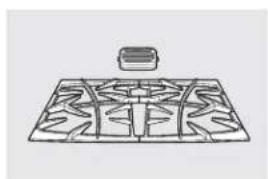
natural_image
Diagram of a grid pattern with a small rectangular object above it (no text or symbols)Rejillas
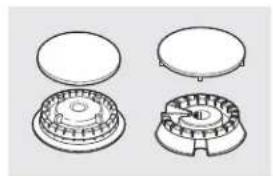
natural_image
Technical line drawing of four mechanical components with no visible text or symbolsCabezales o tapas de quemadores de superficie
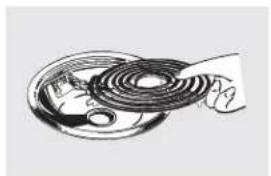
natural_image
Illustration of a hand holding a coiled cable or wire, with no visible text or symbolsElementos de superficie y bandejas colectoras
natural_image
Simple line drawing of a round, segmented object resembling a stylized fruit or seed (no text or symbols)Perillas
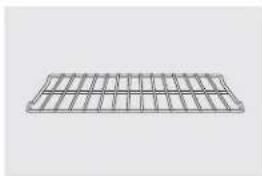
natural_image
Pure 3D wireframe grid structure without any text, numbers, or symbolsBandejas del horno
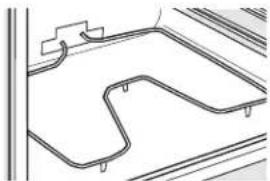
natural_image
Pure architectural line drawing of a road with a winding path and support structures (no text or symbols)Elementos del horno

natural_image
Two simple line drawings of fluorescent bulbs, one with a bulb and the other with a standard light bulb (no text or symbols)Bombillas de luz
¡Pruebe estos otros excelentes productos para que su cocina se vea estupenda!
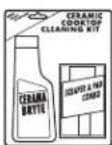
Kit de limpieza de anafes vitrocerámicos: Incluye limpiador, rasqueta y paño
WX10X117GCS
Toallitas de limpieza de anafes vitrocerámicos
WX10X305
Toallitas para pulir artefactos de acero inoxidable
WX10X10001
Limpiador de artefactos de acero inoxidable
PM10X311
¡Aproveche al máximo su bandeja para asar! (No para usar con modelos de cajón asador.)
¡Utilice su bandeja y tapa de rejilla para asar hamburguesas, frutos de mar, filetes, vegetales, panceta, costillas y mucho más! La bandeja inferior retiene el exceso de grasas y aceites.
- Pieza GE genuina
- Fácil de limpiar
- Garantía de un año
¡Oferta de tiempo limitado! ¡Envío sin cargo!
Cuando solicite la bandeja para asar dentro de los 30 días de haber adquirido su producto de cocina GE.
Pequeña Grande\* Extra grande\*\*
N° de pieza WB48X10055 WB48X10056 WB48X10057
Dimensiones 8-3/4" A x 1-1/4" A x 13-1/2" P 12-3/4" A x 1-1/4" A x 15-1/4" P 15-1/2" A x 1-1/4" A x 19" P
* La bandeja para asar grande (estándar) no entra en cocinas de 20/24 pulgadas.
** La bandeja extra grande no entra en hornos de paredes de 24 pulgadas, empotradas de 27 pulgadas o cocinas de 20/24 pulgadas.
Llame al 800.626.2002 o utilice este formulario para enviar su solicitud por correo:
GE Parts, P.O. Box 221027, Memphis, TN 38122-1027.
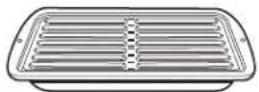

Formulario de solicitud de la bandeja para asar
Cantidad ____ Número de pieza ____
Número de modelo ____ Número de serie ____ Marca ____ Fecha de compra ____
Nombre ____ Apellido ____
Dirección
Ciudad Estado Código Postal
Teléfono ____ Correo electrónico ____
Check ____ Giro postal ____
Para consultar sobre los precios actuales llame al 800.626.2002. Todas las órdenes con tarjeta de crédito se deberán realizar en forma telefónica.
Todos los servicios técnicos de garantía son otorgados por nuestros Centros de Servicio de Fábrica, o un técnico autorizado por Customer Care®. Para programar el servicio técnico, visítenos on-line en GEAppliances.com, o llame al 800.GE.CARES (800.432.2737). Tenga el número de serie y de modelo a mano cuando llame para solicitar un servicio técnico.
Abroche su recibo aquí. Se necesita una prueba de la fecha de compra original para obtener servicio técnico cubierto por la garantía.
Por el período de:
GE otorgará:
Un año
Desde la fecha de compra original
Cualquier pieza de la cocina que falle debido a un defecto de los materiales o mano de obra.
Durante esta garantía limitada de un año, GE también ofrece, en forma gratuita, la mano y trabajos en el hogar para reemplazar la pieza defectuosa.
GE no cubrirá:
- Visitas a su hogar para enseñarle a usar el producto.
■ Instalación, entrega o mantenimiento inadecuados. - Fallas del producto debido a abuso, uso indebido, uso diferente para el que fue diseñado, o uso comercial.
Daños a la estufa de vidrio provocados por el uso de limpiadores distintos de las cremas y paños recomendados.
Daños a la estufa de vidrio provocados por derrames endurecidos de materiales azucarados o plástico derretido que no se limpiaron de acuerdo con las instrucciones del Manual del Propietario.
■ Reemplazo de fusibles domésticos o la reconfiguración de interruptores de circuito.
- Daños al producto provocados por accidentes, incendios, inundaciones o fuerza mayor.
- Daños incidentales o resultantes provocados por posibles defectos en este artefacto.
■ Daños provocados después de la entrega.
■ Un producto no accesible para prestar el servicio técnico solicitado.
EXCLUSIÓN DE GARANTÍAS IMPLÍCITAS—Su único y exclusivo recurso es la reparación del producto como se establece en la presente Garantía Limitada. Las garantías implícitas, incluyendo garantías de comerciabilidad y aptitud para un objetivo particular, se encuentran limitadas a un año o al período más corto permitido por la ley.
Esta garantía se extiende al comprador original y cualquier dueño posterior para productos adquiridos para uso doméstico dentro de los EE.UU. Si el producto se encuentra en una región donde no hay Servicio Técnico autorizado de GE, usted será responsable del costo del viaje o usted puede tener que llevar el producto a un Servicio Técnico Autorizado de GE para efectuar la reparación. En Alaska, la garantía excluye el costo de envío o visitas para efectuar arreglos en su hogar.
Algunos estados no permiten la exclusión o limitación de daños incidentales o resultantes. Esta garantía le otorga derechos legales específicos y usted puede contar con otros derechos, que pueden variar de estado a estado. Para conocer sus derechos legales, consulte a su oficina del consumidor local o estatal o al Fiscal General de su estado.
Garante: General Electric Company. Louisville, KY 40225
Apoyo al cliente.
Página Web de GE Appliances GEAppliances.com
¿Tiene alguna pregunta sobre su electrodoméstico? ¡Pruebe la página Web de GE Appliances, 24 horas al día, cualquier día del año! Para mayor conveniencia y servicio más rápido, ya puede descargar los Manuales de los Propietarios, pedir piezas o incluso hacer una cita en línea para que vengan a realizar una reparación.
Solicite una reparación GEAppliances.com
El servicio de expertos GE está a tan sólo un paso de su puerta. ¡Entre en línea y solicite su reparación cuando le venga cualquier día del año! O llame al 800.GE.CARES (800.432.2737) durante horas normales de oficina.
Real Life Design Studio (Estudio de diseño para la vida real) GEAppliances.com
GE apoya el concepto de Diseño Universal—productos, servicios y ambientes que pueden usar gente de todas las edades, tamaños y capacidades. Reconocemos la necesidad de diseñar para una gran gama de habilidades y dificultades físicas y mentales. Para más detalles cobre las aplicaciones de GE Diseño Universal, incluyendo ideas de diseño para la cocina para personas con discapacidades, mire nuestra página Web hoy mismo. Para personas con dificultades auditivas, favor de llamar al 800.TDD.GEAC (800.833.4322).
Garantías ampliadas GEAppliances.com
Compre una garantía ampliada y obtenga detalles sobre descuentos especiales disponibles mientras su garantía está aún activa. Puede comprarla en línea en cualquier momento, o llamar al 800.626.2224 durante horas normales de oficina. GE Consumer Home Services estará aún ahí cuando su garantía termine.
Piezas y accesorios GEAppliances.com
Aquellos individuos con la calificación necesaria para reparar sus propios electrodomésticos pueden pedir que se les manden las piezas o accesorios directamente a sus hogares (aceptamos las tarjetas VISA, MasterCard y Discover). Haga su pedido en línea hoy, 24 horas cada día o llamar por teléfono al 800.626.2002 durante horas normales de oficina.
Las instrucciones descritas en este manual cubren los procedimientos a seguir por cualquier usuario. Cualquier otra reparación debería, por regla general, referirse a personal calificado autorizado. Debe ejercerse precaución ya que las reparaciones incorrectas pueden causar condiciones de funcionamiento inseguras.

Póngase en contacto con nosotros GEAppliances.com
Si no está satisfecho con el servicio que recibe de GE, póngase en contacto con nosotros en nuestra página Web indicando todos los detalles así como su número de teléfono o escribanos a:
General Manager, Customer Relations
GE Appliances, Appliance Park
Louisville, KY 40225
Registre su electrodoméstico GEAppliances.com
¡Registre su nuevo electrodoméstico en línea—cuando usted prefiera! El registrar su producto a tiempo le proporcionará, si surgiera la necesidad, una mejor comunicación y un servicio más rápido bajo los términos de su garantía. También puede enviar su tarjeta de registro pre-impresa que se incluye en el material de embalaje.
Induction Self-Cleaning Convection
Ranges
Mini-Guide
PHB925
IMPORTANT SAFETY INFORMATION. READ ALL INSTRUCTIONS BEFORE USING.
⚠ WARNING!
For your safety, the information in this manual must be followed to minimize the risk of fire, explosion, electric shock, or to prevent property damage, personal injury, or loss of life.
This unit has been tested and found to comply with the limits for a class B digital device, pursuant to Part 18 of the FCC rules. These limits are designed to provide reasonable protection against harmful interference in a residential installation. This unit generates, uses and can radiate radio frequency energy and, if not installed and used in accordance with the instructions, may cause harmful interference to radio communications. However, there is no guarantee that interference will not occur in a particular installation. If this unit does cause harmful interference to radio or television reception, which can
be determined by turning the unit off and on, the user is encouraged to try to correct the interference by one or more of the following measures:
• Reorient or relocate the receiving antennae.
- Increase the distance between the unit and receiver.
- Connect the unit into an outlet or a circuit different from that to which the receiver is connected.
CAUTION!
Persons with a pacemaker or similar medical device should exercise caution when using or standing near an induction unit while it is in operation. The electromagnetic field may affect the working of the pacemaker or similar medical device. It is advisable to consult your doctor or the pacemaker manufacturer about your particular situation.
Using the cooktop.
How Induction Surface Cooking Works
Induction coils under the glass cooking surface produce a magnetic field that generates heat in ferrous metals that are in close proximity. The glass cooking surface is not heated directly since it is not a ferrous metal, but the glass may eventually become hot from the pan. Induction surface coils are more efficient and will heat much faster than conventional electric and gas cooking surface cooking products.
CAUTION:
- The induction cooking elements may appear to be cool while turned ON and after they have been turned OFF. The glass surface may be HOT from residual heat transferred from the cookware and burns may occur.
- DO NOT TOUCH HOT COOKWARE or PANS directly with hands. Always use mitts or pot holders to protect hands from burns.
- DO NOT SLIDE cookware across the cooktop surface. Doing so may permanently damage the appearance of the ceramic cooktop.
Using the cooktop. (cont.)
What Type of Pans Are Required?
You must use a ferrous pan when using the induction coils on this range. The warming zone is not an induction coil and will work with any type of cookware. You can verify your pan is ferrous if a magnet sticks to it. Quality cookware with heavy bottoms made of cast iron, magnetic stainless steel and enameled steel work best. For best results, use pans with flat bottoms. Woks that do not have flat bottoms in close contact to the glass surface will not work. Some pans are made especially for induction cooking.

natural_image
Line drawings of three kitchen utensils: a cooking pan, a square plate with filter, and a triangular bowl (no text or symbols)Use a flat-bottomed wok. Use a griddle.
Pan Size and Shape
The induction coils require a minimum pan size in order for the element to turn on. In order for the induction coil to correctly determine if the pan is large enough, it is important that the pan be centered within the circular graphics marked on the glass cooking surface. The minimum pan size that will work for each induction coil is shown on the right. Pans that are not ferrous or are too small will not allow the induction coil to turn on, and the power level display for that coil location will flash for 30 seconds and then turn off. If a pan is removed from the induction coil for more than 30 seconds, the power will be shut off. Square pans will work, although round pans that match the induction coil sizes work best. Cookware larger than the cooktop glass graphics will work. For best results, match the pan size with the nearest-size graphics on the glass cooking surface.
Boost Mode and Power Sharing
Power Sharing is activated when both elements in the same cooking zone are activated and one element is set for Boost (H). The element that is not set for Boost will change to a lower power level. This is called Power Sharing. When Boost operation is complete (10 minutes), the other element may be reset to any power level. Both elements can operate simultaneously at normal power level settings of "L" to 9.
IMPORTANT NOTE FOR RIGHT SIDE POWER SHARING
The elements on the right side share one generator. Both elements can operate at any non-Boost (level L to 9) power level at the same time. When the large 11" element is set for "H" or Boost, the smaller element is automatically shut off and cannot be activated. After 10 minutes, Boost (H) will revert to power level 9. At that time, the smaller element may be activated and set for any power level.
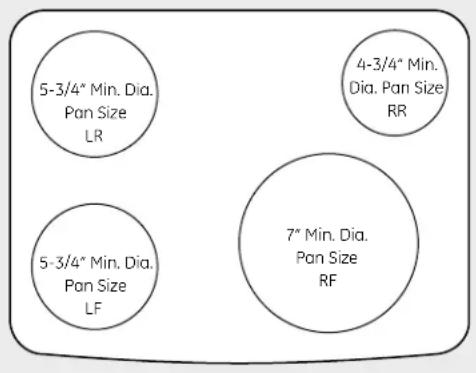
text_image
5-3/4" Min. Dia. Pan Size LR 4-3/4" Min. Dia. Pan Size RR 5-3/4" Min. Dia. Pan Size LF 7" Min. Dia. Pan Size RF4 burner cooktops with right- and left-side (2) induction generators
Use the minimum size pan shown for each cooking element.
Cookware "Noise"
A low humming noise is normal when using induction coils, especially on higher power settings. Heavy enamel cast-iron pots produce less noise than lightweight steel pans. The amount of content in the pans can also affect noise level. Pans that
completely cover the graphics on the glass will produce less noise. Water trapped under pans can boil, causing the cookware to vibrate or slide on the glass surface.
Before you call for service...
Problem Possible Causes What To Do
| Surface units do not work properly or flashing power setting shape section. and shape section. Pan not positioned correctly. | Improper cookware being used. • Wrong pan type. Use a magnet to check that cookware is induction-compatible. Use a flat induction-capable pan that meets the minimum size for the element being used. See the Pan size and | |
| Pan is too small. | • Pan size is below the minimum size for the element. See the Pan size | |
| • Center the pan in the cooking zone. | ||
| Pan detection/sizing not working properly | Pan is improperly placed. | • Make sure the pan is centered on the corresponding surface element. |
| Cooktop control improperly set. | • Check to see that the control is set properly. | |
| Surface unit setting changed or turned off unexpectedly | Power sharing. | • Check to see if power was being shared between two elements. See Boost Mode and Power Sharing section. |
| High cooktop temperature. | • Allow the internal fan to cool the cooktop. | |
Cocinas
autolimpiantes de convección e inducción
Mini guía
PHB925
INFORMACIÓN IMPORTANTE DE SEGURIDAD. LEA TODAS LAS INSTRUCCIONES ANTES DE SU USO.
¡ADVERTENCIA!
Para su seguridad, la información de este manual debe seguirse al pie de la letra a fin de minimizar el riesgo de incendio o explosión, descarga eléctrica, o para prevenir daños, lesiones personales o la muerte.
Esta unidad se ha puesto a prueba y se ha determinado que cumple con los límites de un dispositivo digital de clas B, de conformidad con la Parte 18 de las normas de la FCC. Estos límites están diseñados para brindar una protección razonable contra interferencia dañina dentro de una instalación residencial. Esta unidad genera, utiliza y puede irradiar energía de frecuencia de radio y, si no se instala y usa de acuerdo con las instrucciones, puede provocar una interferencia dañina a las comunicaciones de radio. Sin embargo, no hay garantía de que no haya interferencia en una instalación determinada. Si la unidad provoca interferencia nociva a la recepción de radio y televisión, lo que puede determinarse encendiendo y apagando la
Cómo usar la estufa.
unidad, el usuario puede corregir la interferencia a través de una o más de las siguientes medidas:
- Reoriente o cambie la posición de las antenas receptoras.
- Incremente la distancia entre la unidad y el receptor.
- Conecte la unidad a un tomacorriente o un circuito diferente del que está usando el receptor.
¡PRECAUCIÓN!
Las personas que utilicen un marcapasos o un dispositivo médico similar deben tener cuidado cuando utilicen y se encuentren cerca de una unidad por inducción. El campo electromagnético puede afectar el funcionamiento del marcapasos o del dispositivo médico similar. Es recomendable consultar a su médico o al fabricante del marcapasos sobre su situación particular.
Cómo funciona la superficie de cocción por inducción
Las bobinas de inducción ubicadas debajo de la superficie de cocción de vidrio producen un campo magnético que genera calor en metales ferrosos que se encuentran muy cerca. La superficie de cocción de vidrio no se calienta directamente ya que no es un metal ferroso, pero el vidrio puede calentarse por estar en contacto con el recipiente de cocción. Las bobinas de la superficie de inducción son más eficientes y se calientan con más rapidez que las cocinas eléctricas o a gas con superficies de cocción convencionales.
PRECAUCIÓN:
- Los elementos de cocción por inducción pueden parecer fríos cuando están encendidos (ON) y después de haber sido apagados (OFF). La superficie de vidrio puede estar CALIENTE debido a calor residual transferido del recipiente de cocción y pueden provocarse quemaduras.
- NO TOQUE RECIPIENTES DE COCCIÓN CALIENTES directamente con sus manos. Siempre use guantes de cocina o agarraderas para proteger las manos de quemaduras.
- NO DESLICE recipientes de cocción a través de la superficie de la estufa. Hacerlo puede dañar permanentemente la apariencia de la estufa de cerámica.
¿Qué clase de recipientes debe usarse?
Deben utilizarse recipientes ferrosos cuando se usen las bobinas funcionan. Algunos recipientes están fabricados especialmente de inducción de esta cocina. La zona de calentamiento no es unapara cocción por inducción.
bobina de inducción y funciona con cualquier clase de recipiente de cocción. Usted puede verificar si su recipiente es ferroso si un imán se adhiere a él. Los recipientes de cocción de calidad con bases pesadas hechas de hierro fundido, acero inoxidable magnético y acero esmaltado funcionan mejor. Para mejores resultados, utilice recipientes con bases planas. Los woks que no poseen bases planas en contacto con la superficie de vidrio no
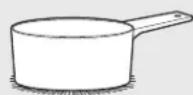
de base plana.
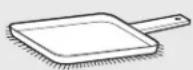
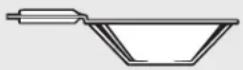
Utilice una plancha. Utilice recibiórtes un wok de base plana.
Tamaño y forma de los recipientes
Las bobinas de inducción requieren un tamaño mínimo de recipiente para que el elemento se encienda. Para que la bobina de inducción pueda determinar correctamente si el recipiente es lo suficientemente grande, resulta importante que el recipiente se centre dentro de los gráficos circulares marcados en la superficie de cocción de vidrio. El tamaño mínimo de recipiente que funcionará en cada bobina de inducción se indica a la derecha. Los recipientes no ferrosos y demasiado pequeños no permitirán el accionamiento de la bobina de inducción y la pantalla del nivel de energía de la ubicación de esa bobina destellará durante 30 segundos y luego se apagará. Si un recipiente se retira de la bobina de inducción por más de 30 segundos, la energía se desactivará. Pueden utilizarse recipientes cuadrados, aunque funcionan mejor los redondos que se ajustan a los tamaños de las bobinas de inducción. Los recipientes de cocción de mayor tamaño que los gráficos de vidrio de la estufa funcionarán. Para mejores resultados, ajuste el tamaño del recipiente con los gráficos de tamaño más cercano que se encuentran sobre la superficie de cocción de vidrio.
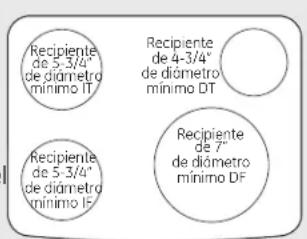
text_image
Recipiente de 5-3/4" de diamétro mínimo IT Recipiente de 4-3/4" de diamétro mínimo DT Recipiente de 5-3/4" de diamétro mínimo I Recipiente de 7" de diamétro mínimo DFEstufas de 4 quemadores con generadores de inducción de lados derecho e izquierdo (2) Utilice el recipiente de tamaño mínimo ilustrado para cada elemento de cocción.
Modo impulso (Boost) y distribución de energía
Los anafes de cinco quemadores están divididos en 3 zonas. Los lados derecho e izquierdo tienen zonas de cocción separadas y el elemento central grande es otra zona de cocción individual. La distribución de energía se activa cuando ambos elementos de la misma zona de cocción se activan y un elemento se configura para Impulso (H). El elemento que no esté configurado para Impulso cambiará a un nivel de energía más bajo. Esto se denomina distribución de energía. Cuando la operación de impulso haya finalizado (10 minutos) el otro elemento puede reconfigurarse para cualquier nivel de energía. Ambos elementos pueden funcionar de manera simultánea a niveles de energía normales de "L" a 9.
Distribucion de erergia en el lado derecho
Los anafes de cinco quemadores están divididos en 3 zonas. Los lados derecho e izquierdo tienen zonas de cocción separadas y el elemento central grande es otra zona de cocción individual. La distribución de energía se activa cuando ambos elementos de la misma zona de cocción se activan y un elemento se configura para Impulso (H). El elemento que no esté configurado para Impulso cambiará a un nivel de energía más bajo. Esto se denomina distribución de energía. Cuando la operación de impulso haya finalizado (10 minutos), el otro elemento puede reconfigurarse para cualquier nivel de energía. Ambos elementos pueden funcionar de manera simultánea a niveles de energía normales de "L" a 9.
"Ruidos" de los recipientes de cocción
Un zumbido bajo es normal cuando se utilizan bobinas de inducción, especialmente en configuraciones de energía mayores. Los recipientes pesados de hierro fundido esmaltado producen menos ruido que los recipientes de acero liviano. La cantidad de contenido dentro de los recipientes también puede modificar el nivel de ruido. Los recipientes que cubren por completo el gráfico del vidrio producen menos ruido. El agua que queda atrapada debajo de los recipientes puede hervir, lo que puede provocar que los recipientes vibren o se deslicen sobre la superficie de vidrio.
Antes de llamar al servicio técnico...
| Problema Causas posibles Qué hacer | ||
| Las unidades de superficie no funcionan bien o destella de inducción que cumpla con el tamaño mínimo para el elemento la configuración que se está usando. Ver la sección Tamaño y forma de los recipientes. | Se están utilizando recipientes de cocción inadecuados. | • Recipiente incorrecto. Use un imán para verificar que el recipiente sea compatible con la inducción. Use un recipiente plano con capacidad |
| de energía El recipiente es muy pequeño. • El tamaño del recipiente es menor al tamaño mínimo para el elemento. Ver la sección Tamaño y forma de los recipientes. | ||
| El recipiente no está bien colocado. | • Centre el recipiente en la zona de cocción. | |
| La detección/medición de recipientes no está funcionando de manera adecuada | El recipiente está mal colocado. correspondiente. | • Verifique que el recipiente esté centrado en el elemento de superficie |
| El control de la estufa está mal configurado. | • Verifique que el control esté bien configurado. | |
| La configuración de la unidad de superficie cambió o se apagó de repente | Distribución de energía. Ver la sección Modo impulso (Boost) y distribución de energía. | • Verifique si se está compartiendo la energía entre dos elementos. |
| Temperatura elevada de la estufa. | • Permita que el ventilador interno enfríe la estufa. | |