ST-ABHFM - Dockingstation Satechi - Gratis brugsanvisning og manual
Find enhedens vejledning gratis ST-ABHFM Satechi i PDF-format.


Brugerspørgsmål om ST-ABHFM Satechi
0 spørgsmål om dette apparat. Besvar dem du kender, eller stil dit eget.
Stil et nyt spørgsmål om dette apparat
Download vejledningen til din Dockingstation i PDF-format gratis! Find din vejledning ST-ABHFM - Satechi og tag din elektroniske enhed tilbage i hånden. På denne side er alle dokumenter nødvendige for brugen af din enhed offentliggjort. ST-ABHFM af mærket Satechi.
BRUGSANVISNING ST-ABHFM Satechi
INSTRUCTIONAL GUIDE
TYPE-C STAND & HUB FOR MAC MINI
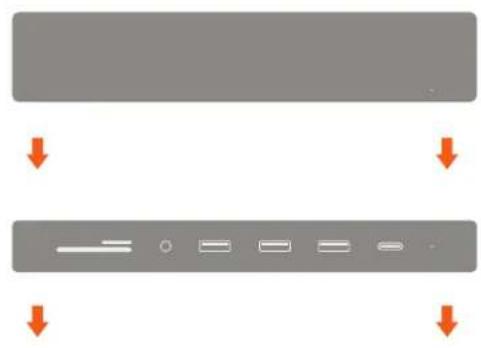
1 Place the stand on a flat surface and align the Mac Mini on top, with USB ports facing outward.
natural_image
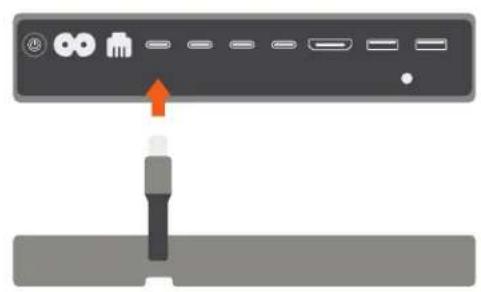
Two gray rectangular blocks with orange arrows pointing downward, no text or symbols present2 Connect the stand's built-in USB-C cable to one of the Thunderbolt 3 ports on the back of the Mac Mini. LED light should indicate a proper connection
natural_image
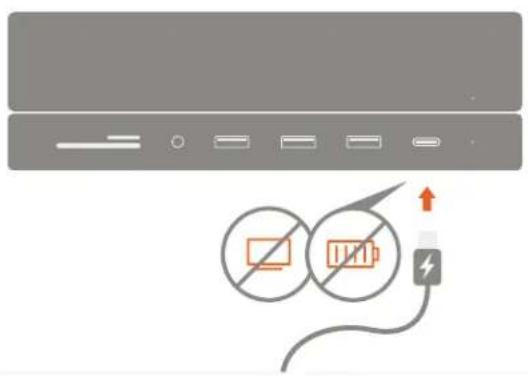
Diagram showing a device panel with ports and an orange arrow pointing to a connector (no text or symbols present)3 Use the USB-C port for data transfer – up to 5 Gbps. Does not support video/charging
text_image
Diagram showing battery connection with a lightning bolt and battery symbol, indicating no protection or disconnection.4 Use the three USB 3.0 ports for data transfer. Up to 5 Gbps
natural_image
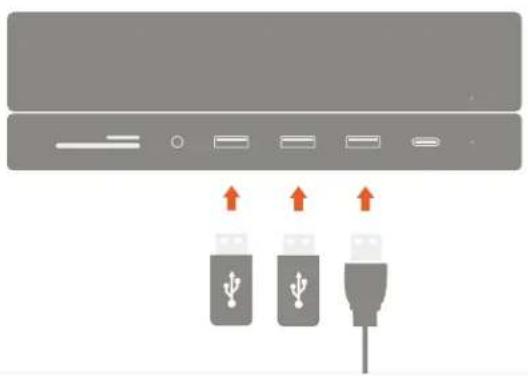
Diagram showing three USB connectors with upward arrows indicating ports (no text or symbols present)5 Insert micro/SD cards into card reader slots. Supports up to 104 MBps Can read both cards simultaneously
natural_image
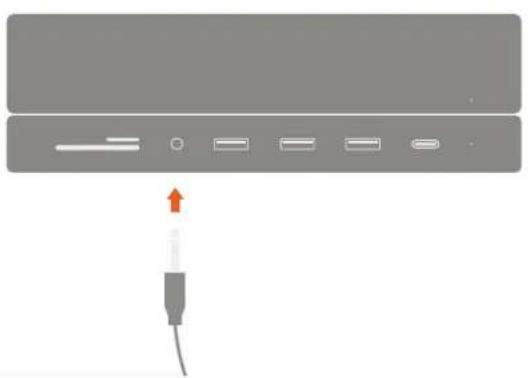
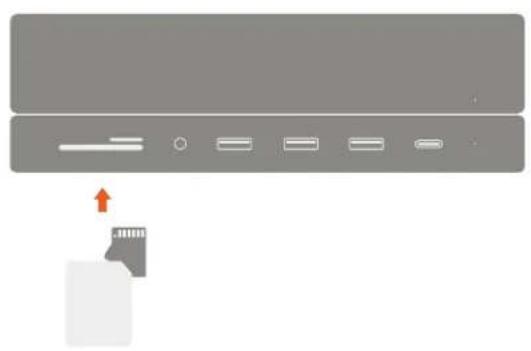
Diagram showing a device with an arrow pointing to a card slot, no text or symbols present6 Connect 3.5mm headphones or microphone to the audio jack port.