NC-181VM - Hovedtelefoner Andrea - Gratis brugsanvisning og manual
Find enhedens vejledning gratis NC-181VM Andrea i PDF-format.


Brugerspørgsmål om NC-181VM Andrea
0 spørgsmål om dette apparat. Besvar dem du kender, eller stil dit eget.
Stil et nyt spørgsmål om dette apparat
Download vejledningen til din Hovedtelefoner i PDF-format gratis! Find din vejledning NC-181VM - Andrea og tag din elektroniske enhed tilbage i hånden. På denne side er alle dokumenter nødvendige for brugen af din enhed offentliggjort. NC-181VM af mærket Andrea.
BRUGSANVISNING NC-181VM Andrea
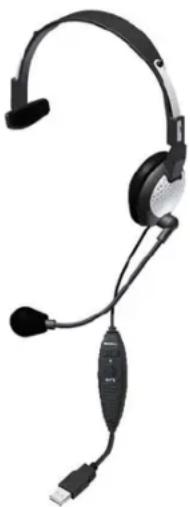
Congratulations on your purchase of the Andrea NC-181VM USB Headset!
The product features, state-of-the-art, noise canceling microphone technology that removes background noise for optimal intelligibility. Users receive:
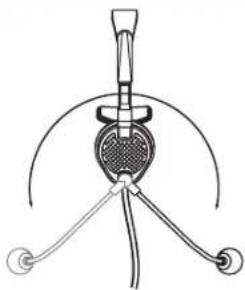
- Andrea microphone technology in a high-fidelity headset that can be easily folded flat for convenient storage.
- A quality metal flex boom which keeps the microphone accurately positioned in place
- Increased speed and accuracy of PC speech-driven applications
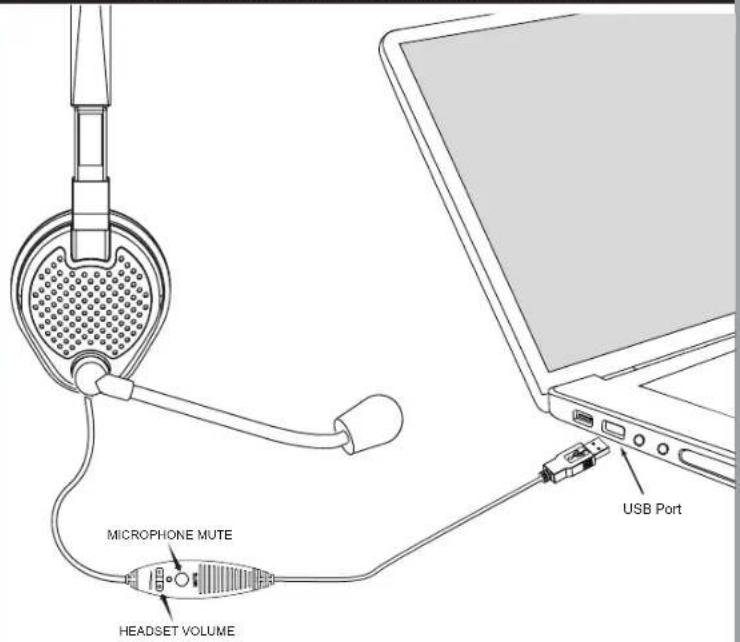
- Cable module with earphone volume control and microphone on/off mute switch.
CONNECTING THE HEADSET TO YOUR COMPUTER:
- Plug the headset USB connector into a USB slot on your computer.
- Fit the adjustable headband over your head to secure the headset with the speaker resting comfortably on your ear and the temple pad about one to two inches over the other ear. Note: The microphone boom can rotate to adapt to either the right or left side of your head.
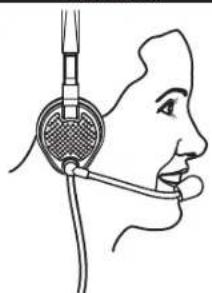
- Adjust the microphone boom so that the microphone is approximately 3/4" in front of your mouth, making sure that you are talking into the voice side of the microphone, indicated by the white dot.
C46-5432 Rev L
TROUBLESHOOTING
No sound from headset ear phone while an audio CD plays from computer.
A. Check all connections.
B. Check sound and audio device's properties that Andrea USB audio device is selected.
C. Check output volume level adjustment in software and on cable module.
Microphone does not record sound when using a voice-recording application.
A. Check all connections.
B. Check sound and audio device's properties that Andrea USB audio device is selected.
C. Bring the microphone closer to your mouth.
D. Check input control for proper level in software.
E. Check that microphone is not muted on cable module or in the PCs microphone audio panel.
TECHNICAL SERVICE
We hope that you enjoy your Andrea NC-181VM USB Headset. If you have additional questions, please visit our website at:
www.andreacommunications.com/support
or call Andrea Communications Technical Service team at 1-800-442-7787 (USA &
Canada) for assistance.
NOTES:
WARRANTY INFORMATION
Please visit our website at:
www.andreacommunications/warranty
for all warranty information.
natural_image
Black and white photo of a JDA2 headset with earbuds and connector (no text or symbols visible)NC-181VM USB
MONO HEADSET
Package includes: One (1) NC-181 VM USB
Headset and one (1) NC-181 VM USB
Headset Publication.
Retail Version also includes one (1) Carry bag.

ANDREA

ANDREA
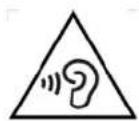
To prevent possible hearing damage, do not listen at high volume levels for long periods.
(IEC 60417-6044)
POSITION MICROPHONE 3/4" (20 MM) FROM MOUTH
natural_image
Line drawing of a human head with earphones and earplifier (no text or symbols)CONNECTION OF THE NC-181VM USB HEADSET TO YOUR COMPUTER
text_image
MICROPHONE MUTE HEADSET VOLUME USB Port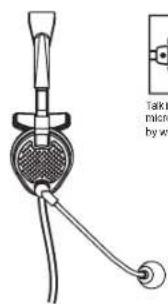
text_image
Take micro by wt
Talk into a side of microphone indicated by white dot
HEADSET ADJUSTABLE FOR USE ON RIGHT/LEFT EAR