AC-AP-2010 - Ukategoriseret Atdec - Gratis brugsanvisning og manual
Find enhedens vejledning gratis AC-AP-2010 Atdec i PDF-format.


Brugerspørgsmål om AC-AP-2010 Atdec
0 spørgsmål om dette apparat. Besvar dem du kender, eller stil dit eget.
Stil et nyt spørgsmål om dette apparat
Download vejledningen til din Ukategoriseret i PDF-format gratis! Find din vejledning AC-AP-2010 - Atdec og tag din elektroniske enhed tilbage i hånden. På denne side er alle dokumenter nødvendige for brugen af din enhed offentliggjort. AC-AP-2010 af mærket Atdec.
BRUGSANVISNING AC-AP-2010 Atdec
Installation Instructions
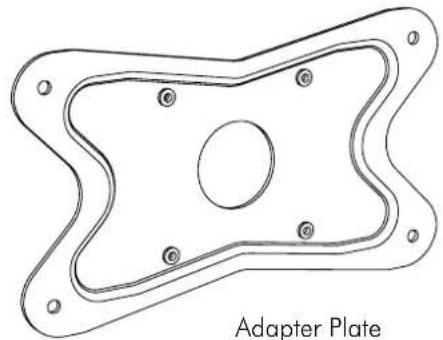
Adapter plate
200×100mm
Component Checklist
natural_image
Technical line drawing of an Adapter Plate component with mounting holes and a central circular hole (no text or symbols)Hardware

M4x6mm (x4)

M4x8mm (x4)
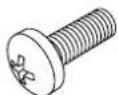
M4x10mm (x4)
TOOLS REQUIRED:
• Phillips Head Screwdriver
Installation Procedure
! IMPORTANT - Install Adapter Plate as per Installation Instructions.
! Compatible with VESA mounting head with hole configuration of 75 x 75mm (3"x3"), converting to 200 x 100mm (8"x4").
! The Manufacturer accepts no responsibility for incorrect installation.
Step. 1 Check Components
Check you have received all parts against the Component Checklist and Hardware above.
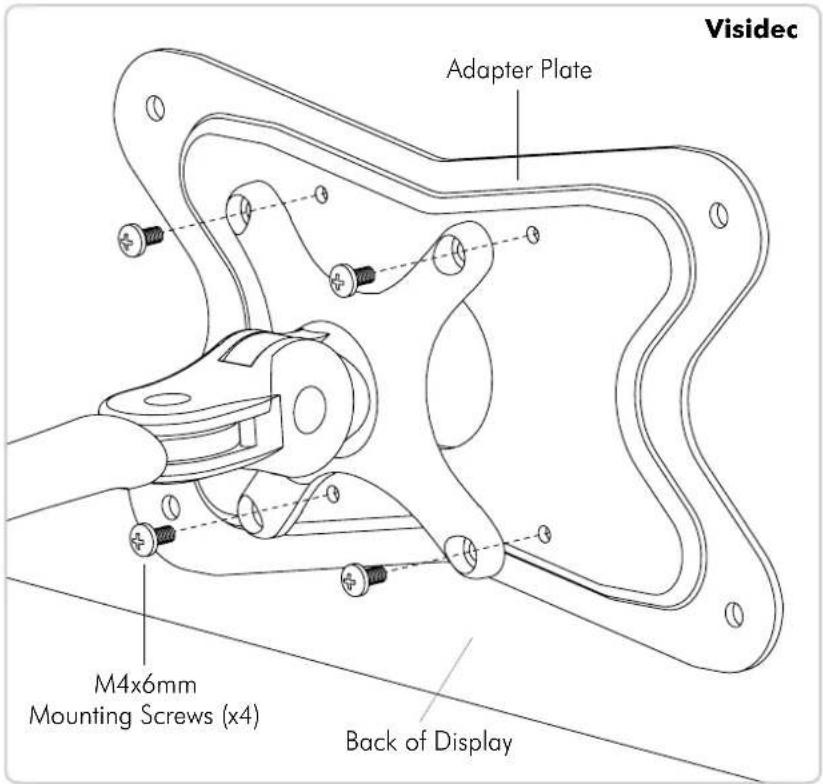
Step. 2 Attaching the Adapter Plate to your Mount Head
Use appropriate Mounting Screws (supplied) to suit your Mount Head, either Visidec, Spacedec or Telehook.
text_image
Visidec Adapter Plate M4x6mm Mounting Screws (x4) Back of Display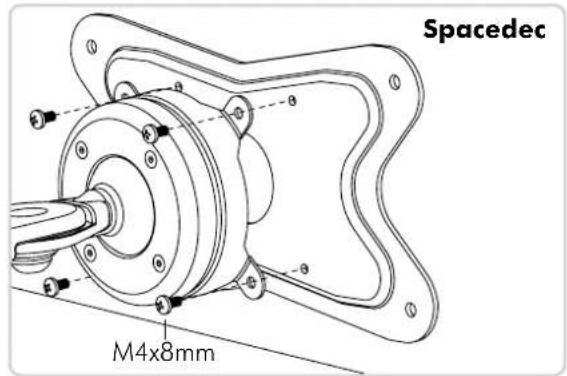
text_image
Spacedec M4x8mm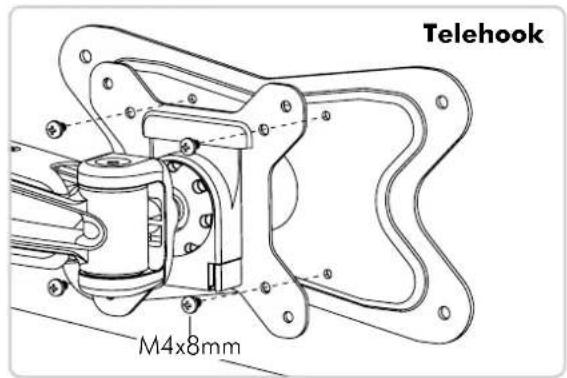
text_image
Telehook M4x8mmStep. 3 Attaching the Adapter Plate to your Display
Fix your Display to the Adapter Plate using the Mounting Screws supplied with your existing TV/monitor mount. Installation Complete.