View 340H - Projektor Mimio - Gratis brugsanvisning og manual
Find enhedens vejledning gratis View 340H Mimio i PDF-format.


Brugerspørgsmål om View 340H Mimio
0 spørgsmål om dette apparat. Besvar dem du kender, eller stil dit eget.
Stil et nyt spørgsmål om dette apparat
Download vejledningen til din Projektor i PDF-format gratis! Find din vejledning View 340H - Mimio og tag din elektroniske enhed tilbage i hånden. På denne side er alle dokumenter nødvendige for brugen af din enhed offentliggjort. View 340H af mærket Mimio.
BRUGSANVISNING View 340H Mimio
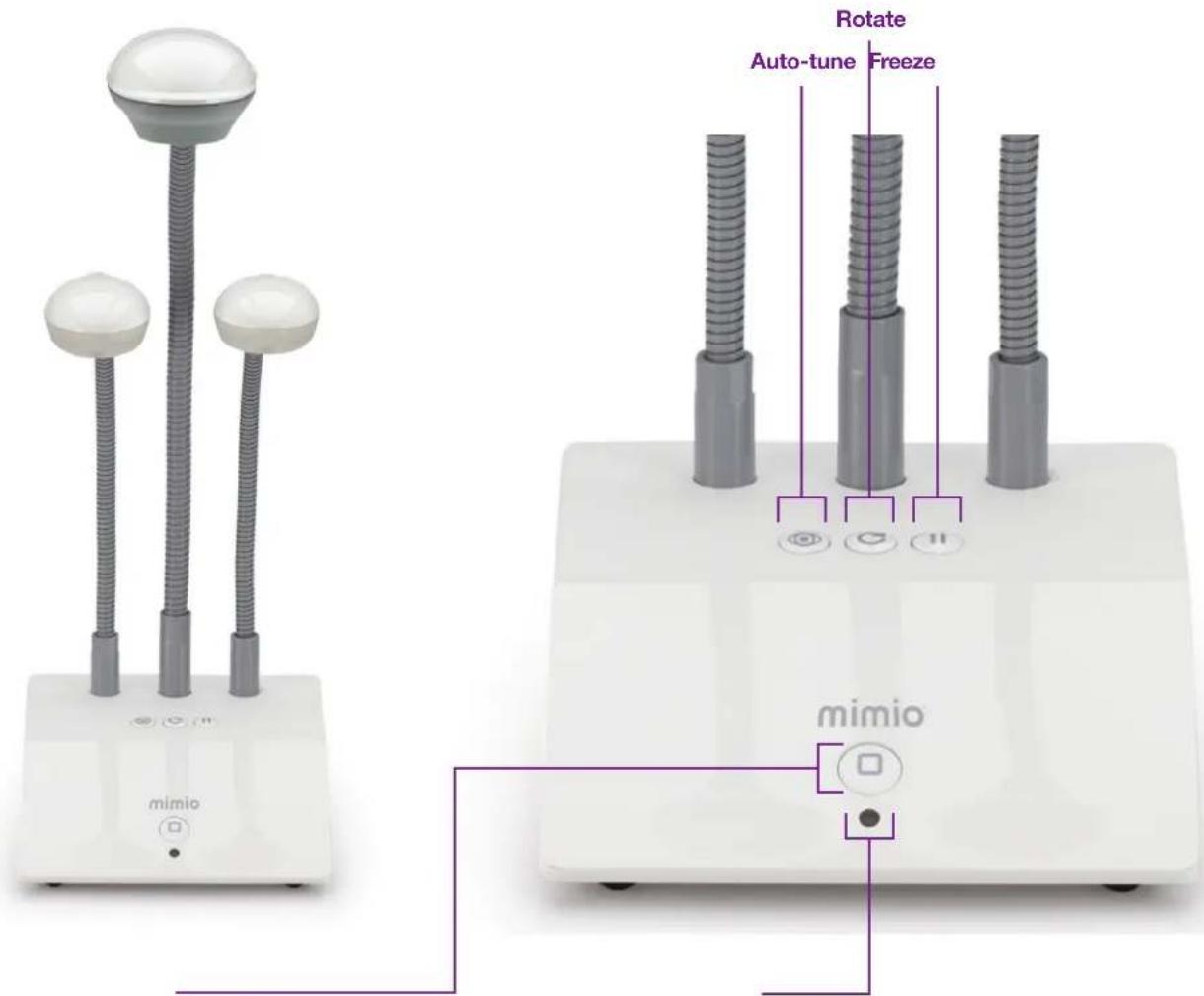
The MimioView™ document camera works seamlessly with MimioStudio™ classroom software to display documents, 3-D objects, and microscope slides for your entire class to view. You can use the MimioView camera to display still images or live video.
text_image
mimio mimio Rotate Auto-tune Freeze mimioView Button
Press to open the MimioStudio™ View window and turn the camera and lights on.
Press again to close the MimioStudio View window and turn the camera and lights off.
Status Light
Off: Not receiving power; USB cable is not connected, or computer is turned off.
Solid Green: MimioView is connected and receiving power; MimioStudio software is running.
Flashing Green: MimioView is connected and receiving power; MimioStudio software is not running.