
GM-352QC - Køleskab LG - Gratis brugsanvisning og manual
Find enhedens vejledning gratis GM-352QC LG i PDF-format.


Brugerspørgsmål om GM-352QC LG
0 spørgsmål om dette apparat. Besvar dem du kender, eller stil dit eget.
Stil et nyt spørgsmål om dette apparat
Download vejledningen til din Køleskab i PDF-format gratis! Find din vejledning GM-352QC - LG og tag din elektroniske enhed tilbage i hånden. På denne side er alle dokumenter nødvendige for brugen af din enhed offentliggjort. GM-352QC af mærket LG.
BRUGSANVISNING GM-352QC LG
natural_image
Cartoon character resembling a refrigerator with a smiling face and waving hand (no text or symbols)HOW TO
INSTALL
YOUR
REFRIGERATOR

natural_image
Abstract circular logo with white geometric lines inside a black circle (no text or symbols)LG
EASY INSTALLATION
1 Do not place the refrigerator in a place with high humidity and heat.
3 There must be suitable air circulation.
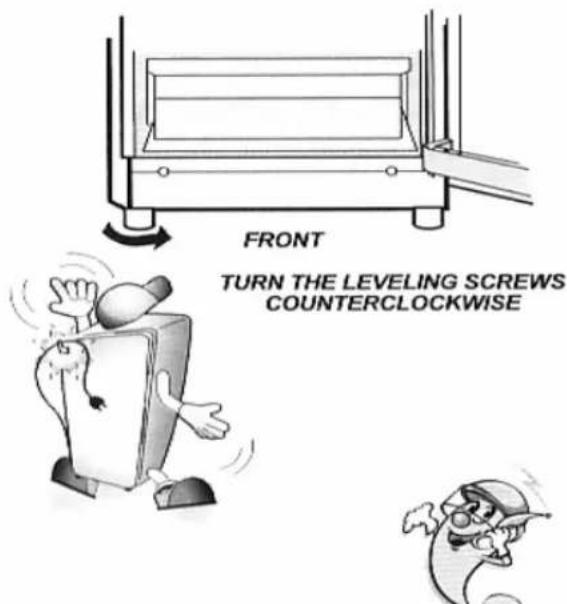
5 Refrigerator must be elevated 4.5 cm (1.8 in) on the frontal part by adjusting the leveling screws.
7 After installation, you must wait an hour before connecting the equipment.
9 Do not remove the earth terminal, it could be dangerous!!!
2 Place it on a firm and leveled floor.
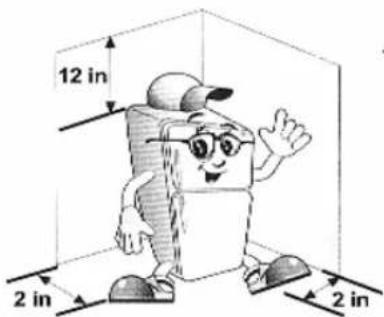
4 There must be at least 5 cm (2 in) between walls and refrigerator.
6 Clean interior and exterior using a soft, damp cloth.
8 Connect the refrigerator to an exclusive (no damaged) power supply.
10 Let the refrigerator operate during 2 or 3 hours before introducing food.
PLEASE BE SURE TO READ THIS MANUAL COMPLETELY BEFORE OPERATING THE UNIT. KEEP THIS MANUAL ON-HAND FOR FURTHER CONSULTATION.
USER'S MANUAL
natural_image
Cartoon character resembling a document or book with glasses and a cap, waving (no text or symbols present)Hi! I will guide you through this manual. I recommend you to read it completely before installing
your refrigerator.

MULTI AIR FLOW
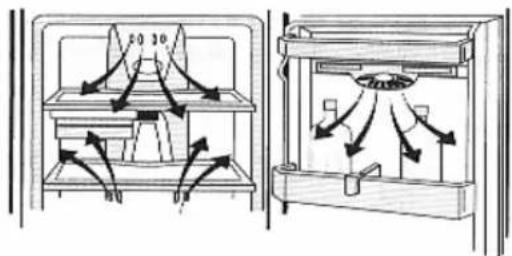
- Cooling is uniform throughout refrigerator.

ENERGY SAVING
- LG refrigerators have low-energy consumption.

DOUBLE FRESHNESS
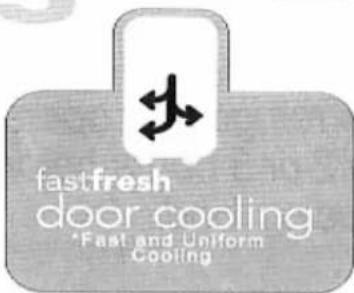
The Door Cooling System* keeps food fresh.
* NOT AVAILABLE IN ALL MODELS.

FRESHNESS FOR MORE TIME
natural_image
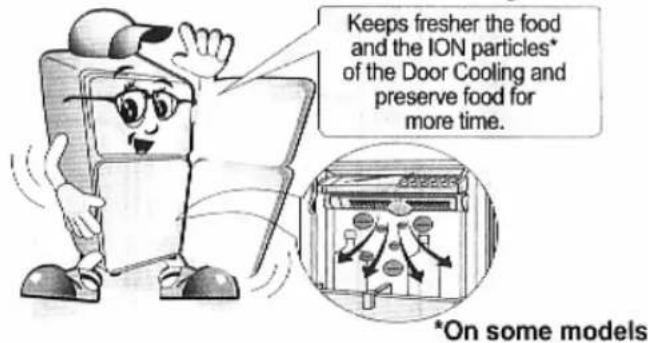
Simple illustration of a leaf with two small circles and a horizontal line, no text or symbols present.- Keeps fresher the food and the ION particles* of the Door Cooling and preserve food for more time.

ELECTRONIC CONTROL
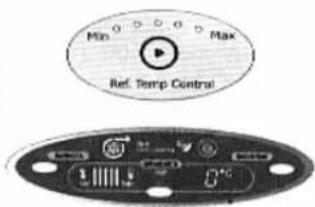
- Allows you to operate it fast and accurately.

MAGIC CRISPER
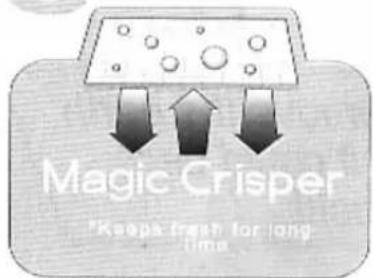
A cell-made vegetable cover* keeps vegetables and fruits fresh for long time, with an optimal level of humidity.
REFRIGERATOR'S
CHARACTERISTICS
1
1 Cooling System
2 Freshness for more Time
3 Energy Saving
4 Electronic Control
5 Double Freshness
6 Magic Crisper
INDEX
2
SAFETY PRECAUTIONS
3
WHAT YOU NEED TO KNOW
4
ABOUT YOUR REFRIGERATOR
6
INSTALLATION
7
OPERATION
1 Connecting the equipment
2 Autotest
3 Ice-Making method
4 Temperature configuration
5 Door Cooling System
6 Magic Crisper
7 Humidity controls
8 Ion Door Cooling
9 Extra functions of your temperature control
10 Meat Tray
11 Defrosting
12 Deodorizer
13 Vitabox
14 Water Dispenser
INTERIOR AND EXTERIOR CLEANING 12
natural_image
Cartoon character resembling a computer monitor with glasses and a tie, waving (no text or symbols)FOOD STORING
RECOMMENDATIONS 13
IMPORTANT WARNINGS
AND PRECAUTIONS 15
WHAT TO DO WHEN... 16
COMPONENTS DIAGRAM 17
CARD WARRANTY 20

FOR YOUR SAFETY, PLEASE FOLLOW UP THESE INDICATIONS AND KEEP THIS MANUAL FOR FURTHER CONSULTATIONS.
WARNING
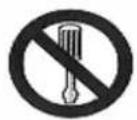
DON'T DISASSEMBLE

DON'T TOUCH
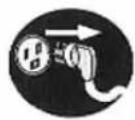
DISCONNECT

FORBIDDEN
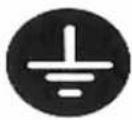
EARTH

THESE SYMBOLS WILL BE USED IN THIS MANUAL FOR THOSE ACTIONS THAT MUST NOT BE MADE.
 | DANGER: | You will be killed or seriously injured if you don't follow instructions. |
 | WARNING: | Improper use of this equipment can result on physical damage and personal injuries. |
 | ATTENTION: | Improper use and installation of this equipment can result on house damage. |
natural_image
Cartoon illustration of a smiling refrigerator character wearing glasses and a cap, waving (no text or symbols)WHAT YOU NEED TO KNOW ABOUT YOUR REFRIGERATOR

THE OPERATION PERFORMANCE OF YOUR REFRIGERATOR COULD BE AFFECTED IF:
- It's located in a warm or humid place.
• The doors are opened constantly.
• Water or strange objects are introduced on the cold air outlets.
• Cold air outlets are blocked by food.
• Hot foods are introduced.
natural_image
Cartoon character resembling a computer with glasses and a cap, holding a blank sheet (no text or symbols present)
WHEN YOU ARE ON VACATION, WE RECOMMEND YOU:
- If you take a short vacation period, some food can be stored in the freezer.
- If your vacation period is longer, please take note on the following recommendations:

natural_image
Cartoon character resembling a computer with sunglasses and a cap, waving (no text or symbols)√ Remove all the food from the refrigerator
√ Disconnect the power supply
Clean all interiors
Let the doors open to prevent odor
√ In the models with water dispenser, empty and clean the water container and don't forget to purge the system (by activating the switch)

IF YOU ARE THINKING ON MOVING OR CHANGE THE POSITION OF YOUR REFRIGERATOR:
- Hold down or remove all the interior components.
- To avoid damage on Leveling Screws, they must be tightened up to the base.
- Place the power cord on the hook located in the upper left corner.
- In the models with water dispenser, empty and clean the water container and don't forget to purge the system (by activating the switch) Now you can move your refrigerator.
WHAT YOU NEED TO KNOW ABOUT YOUR REFRIGERATOR

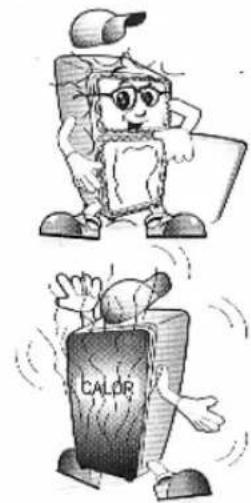
FRONT AREA IS HOT
- Sometimes, the frontal part of the refrigerator's cabinet is hot, specially after installation. This is part of the normal operation to avoid condensation or "sweat".
REAR AREA IS HOT (Some models)
- This is because the pipe system passes throughout this area, and heating is normal during operation.

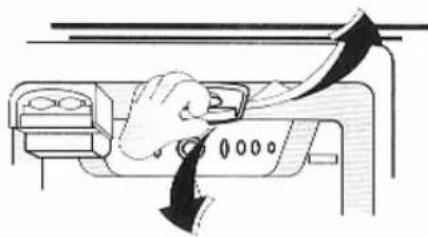
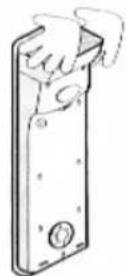
LAMP REPLACEMENT:
• FREEZER LAMP (Some models):
1- Unplug refrigerator.
2- Remove the lamp cover, by pulling it down from the rear part and then to the front.
3- Twist the lamp counterclockwise, remove it, and then replace it with a new one.
4- Reassemble the lamp cover by following the inverted order shown in step 2.
• REFRIGERATOR LAMP :
(Identify your type of lamp)
Type 1
1- Unplug refrigerator.
2- Remove all shelves and vegetable tray cover.
3- Using your hand or a screwdriver, pull out the lamp cover from the inferior part.
4- Twist the lamp counterclockwise, remove it, and then replace it with a new one.
5- Reassemble the lamp cover by following the inverted order shown in step 3.
Type 2
1- Unplug refrigerator.
2- Remove all shelves.
3- Remove the lamp cover pushing on the center of the piece and take off it with care.
4- Twist the lamp counterclockwise, remove it, and then replace it with a new one.
5- Reassemble the lamp cover by following the inverted order shown in step 2.
natural_image
Diagram of a hand pressing down on a device panel with arrows indicating motion (no text or symbols)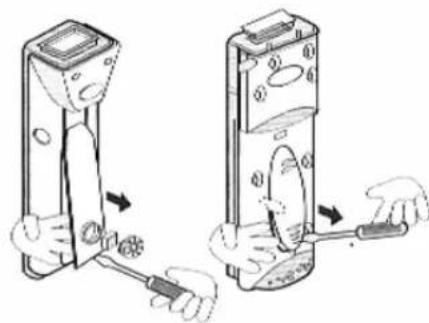

IMPORTANT: The lamp must comply with the same specifications as the original.
INSTALLATION
How to install your refrigerator How to install your refrigerator
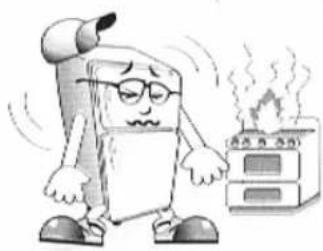
Choose a place easy to access. DO NOT install your refrigerator in a place with high humidity or close to heat sources.

natural_image
Cartoon character resembling a computer with glasses standing next to an oven, emitting steam (no text or symbols)Refrigerator must be leveled in a firm floor. This will eliminate noise and vibrations.
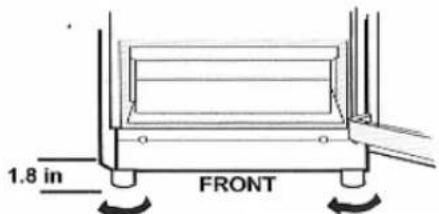
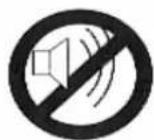
TURN THE LEVELING
SCREWS TO ADJUST
For a better operation performance, air circulation must be adequate.
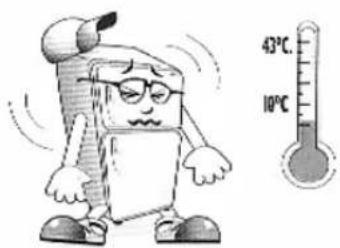
Refrigerator will operate more efficiently if room temperature is between 10°C (50°F) and 43°C (105°F).
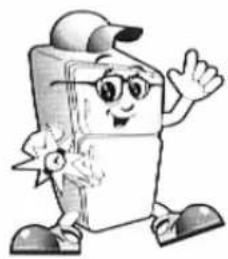
After installed, wait approximately 1 hour before connecting it to the power source.

natural_image
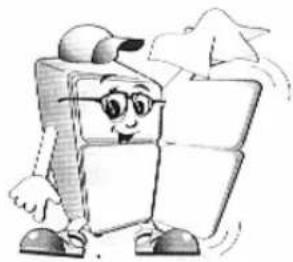
Cartoon illustration of a smiling book character wearing glasses and a cap, waving (no text or symbols present)Clean the interior and exterior using a soft, damp cloth.
natural_image
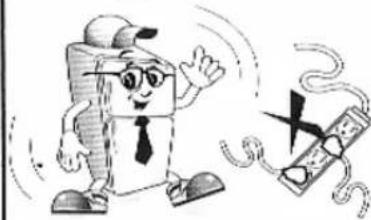
Cartoon character resembling a computer mouse with glasses, standing next to a blank grid (no text or symbols)Connect it to an EXCLUSIVE, no damaged, power source. Be sure that it is well connected to earth. If you don't have the proper installation, call to a qualified person to do it.
natural_image
Cartoon illustration of a smiling computer character waving while a broken phone with a lightning bolt (no text or symbols)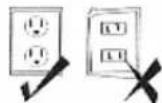
DANGER!!! Do not cut the earth terminal!!!
Let refrigerator operating for 2 or 3 hours before introducing food.
natural_image
Simple line drawing of a refrigerator with two doors, no text or symbols presentNow your refrigerator is ready to use!!!
natural_image
Cartoon character resembling a computer with glasses and a cap, waving (no text or symbols present)

GROUNDING (EARTHING)
Your refrigerator must be grounded to prevent a possible electric shock.

If power is interrupted, allow 5 minutes to pass before restarting.

SELF DIAGNOSTIC
The electronic control system includes a self-diagnostic mode. When an error is detected, it is displayed on the control box LEDs. It is not possible to adjust the controls while an error message is displayed.

IMPORTANT: When this happens, do not disconnect the power cord from the outlet and call a service center.
natural_image
Cartoon illustration of a smiling computer character with glasses and a head, connected to a plug (no text or symbols)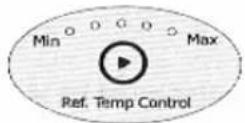

ICE MAKING
Your refrigerator has one of the next ice making systems.
ICE TRAY (NORMAL)
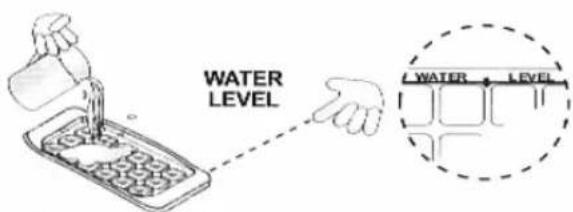
•To make ice cubes, fill the trays with water until the water level indicates, then insert them in their position.
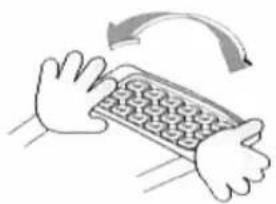
• To remove the ice cubes, hold the ice tray on the sides and twist it softly.
natural_image
Illustration of hands using a grid-based device with an arrow indicating rotation (no text or symbols)ICE TRAY "TWIST'N SERVE"
• To make ice cubes, fill the trays with water until the water level indicates, then insert them in their position.
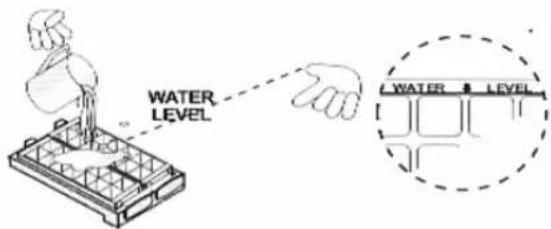
• To remove the ice cubes, twist the tray's knob and the cubes will fall into the ice bank instantly.
You can detach the "TWIST'N SERVE" to increase the freezer's storage capacity.
1- Take out the ice trays and the cube box.
2- Pull the frame to the right side.
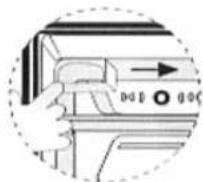

TEMPERATURE CONFIGURATION
You can configure the temperature that you wish in your refrigerator, depending on the amount of cold that you require. See next table.
Control types to adjust cooling performance
| Where are they? | What they control? | How can adjust it? | For a cooling performance... | ||
| Less Cold | Normal | Colder | |||
| Freezer | It controls the air flow from the freezer to the refrigerator | Change the control by sliding it softly. | 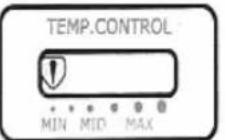 | 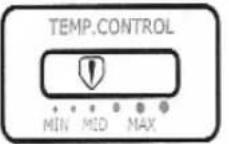 | 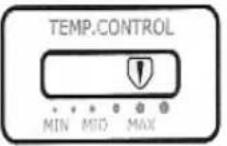 |
| In order to change the position of the control, impulse it towards the sides so that it turns. | 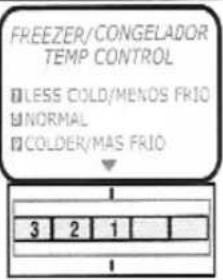 | 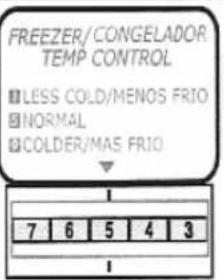 | 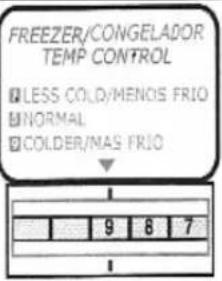 | ||
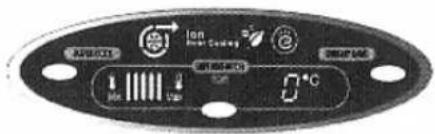
| Refrigerator | It controls freezer and refrigerator temperature | You need to push the button ⚙ every time that you wish to configure the temperature. | 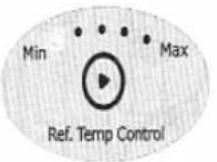 | 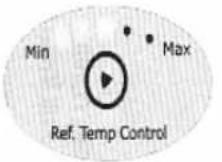 | 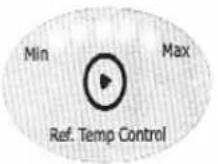 |
| In order to configure this control, you need to press “REFRIGERATOR” button, each time you press it, lines will be lighted one by one until the maximum level. | 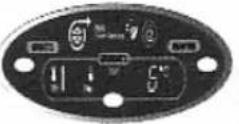 | 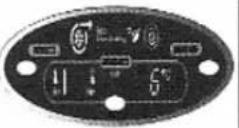 | 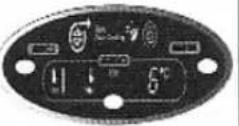 | ||

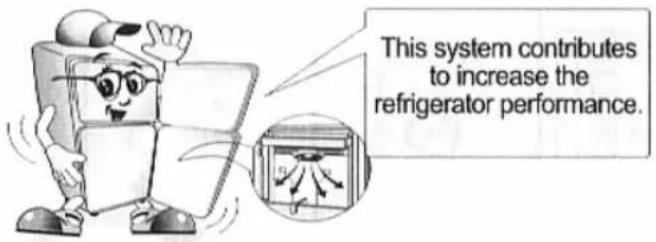
"DOOR COOLING" SYSTEM
Cold air flows throughout the doors.
* Only on some models
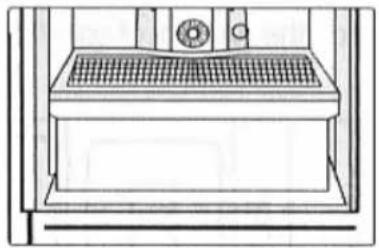
MAGIC CRISPER
natural_image
Line drawing of a vintage kitchen appliance with grilles and a circular vent (no text or symbols)Keeps your fruits and vegetables freshness for more time.
*On some models

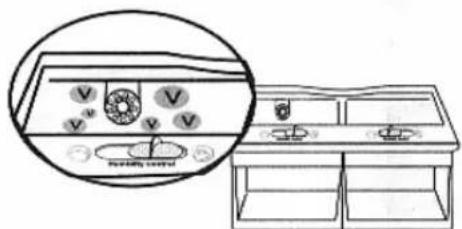
HUMIDITY CONTROLS
• If you move the humidity control toward left, it will keep fruit fresh.
- If you move the humidity control toward right, it will keep vegetables fresh.
*On some models
natural_image
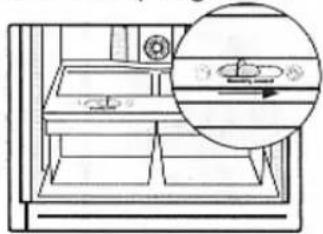
Line drawing of a refrigerator with a magnified inset showing the interior portion of the window (no text or symbols)"ION DOOR COOLING"
SYSTEM

EXTRA FUNCTIONS OF YOUR TEMPERATURE CONTROL
• SUPER COOL:
If you press this button, the refrigerator will start to cool on its maximum power, by 2 hours as a maximum time. If you press by second time this button, you will finish this function.
*On some models
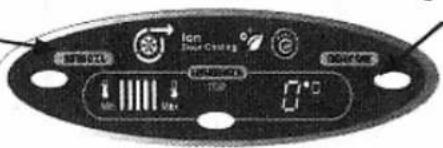
- ENERGY SAVE:
If you press this button, the refrigerator will work on its minimum power, reducing energy consumption.


MEAT TRAY
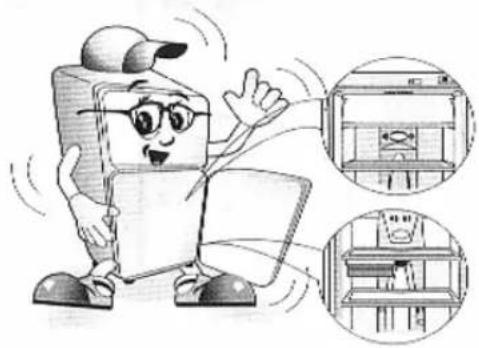
When the door is opened, the warm air does not affect the fresh meat located inside the tray. Consequently, food can be kept fresher for longer time. The fresh meat tray and shelf must be placed in the correct position. If they are moved, they won't work correctly.
NOTE: Don't leave the door open for long time.
*On some models
natural_image
Cartoon illustration of a character holding a laptop, with two inset views showing interior compartments (no text or symbols)1 1 DEFROSTING
Defrost is carried automatically. The water generated during the defrosting flows down to the drip tray located at the back part of the refrigerator and it is evaporated automatically.
natural_image
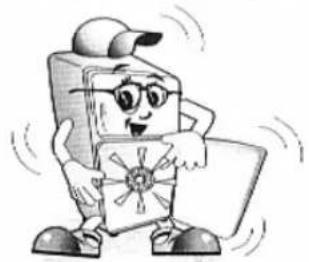
Cartoon character resembling a computer with glasses and a cap, standing beside a blank sheet (no text or symbols)12 DEODORIZER (on some models)
Unpleaseant odors of food in the fresh food compartment is deodorized with no harm to you and the food.
natural_image
Cartoon character resembling a hard drive or ship, holding a tablet (no text or symbols present)
natural_image
Cartoon character resembling a computer with a backpack and glasses, holding a blank card (no text or symbols present)
natural_image
Cartoon character resembling a document or folder, holding a tablet (no text or symbols present)
IMPORTANT:
- Do not puncture the deodorizer with a sharp tip because the catalyst may be damage.
- When storing food with a strong odor, wrap it or store it in a container with a lid because the odor may be absorbed by other foods.
- Check that the deodorizer is clean and if is necessary, expose it to the sun for a couple hours to re-charge it.
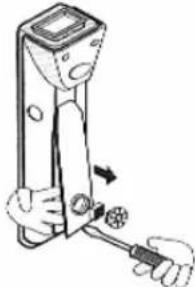
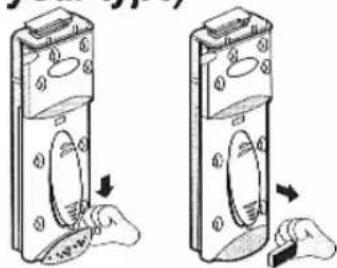
HOW TO REMOVE THE DEODORIZER (Indentify your type)
Type 1
1- Pull the lower part with your hand or a tool.
2- Take out the deodorizer cover.
3- Remove the deodorizer.
Type 3
1- Pull the deodorizer cover with a flat tool.
2- Remove the deodorizer.
natural_image
Illustration of a hand using a screwdriver to adjust a mechanical component (no text or symbols visible)Type 2
1- Push to downwards the deodorizer cover.
2- Remove the deodorizer and re-charge it.
natural_image
Two identical diagrams showing a device with internal components and cloud-like shapes, no text or symbols present.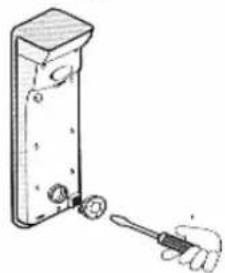
natural_image
Illustration of a hand using a tool to adjust or install a component on a vertical panel (no text or symbols visible)13 VITABOX (SOME MODELS)
Provides vitamins to fruits and vegetables, to conserve fresh for long time.
14
Your Refrigerator has a mechanism that dispatch cool water without open the door.
NOTE: For water use only (no suggar added), any other kind of liquid can cause mechanism damage.
*On some models
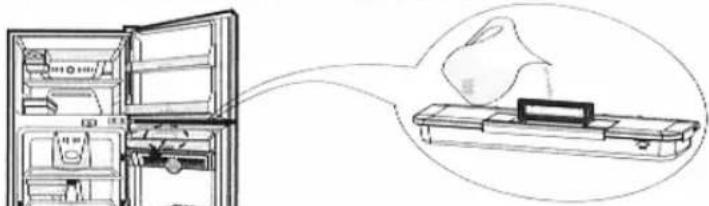
FILLING WATER CONTAINER
natural_image
Line drawing of an open refrigerator with a close-up of its internal components, no text or symbols present.To supply water, open the cover as shown in the picture.
NOTE: Capacity of the water container 2,2 liter.
If you need to empty the water container:
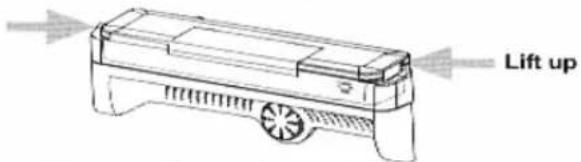
- Remove the water container.
- Remove the container cover.
Note: Its not necessary to empty the water container before remove.
WATER DISPENSER
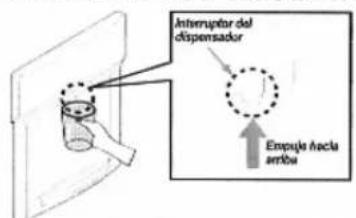
Push up the dispenser switch with a glass until you hear a "CLICK" to start water dispatch.
natural_image
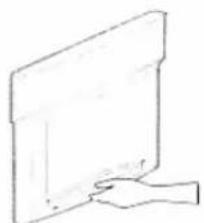
Simple line drawing of a hand pressing down on a rectangular object (no text or symbols)Remove tray: Tray can be easily removed, just pressing and slide out.
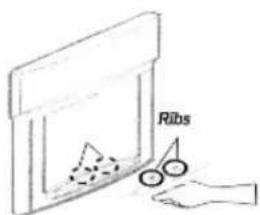
Instally tray: Lightly bow the tray to the front and insert ribs into the holes to accommodate the tray.
CLEANING THE WATER
DISPENSER
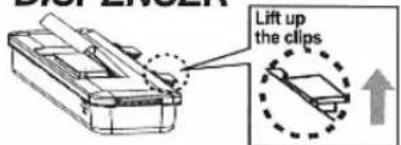
- Remove the water container (it's not necessary to empty ther water container before removing it) INSTALLING THE WATER CONTAINER
natural_image
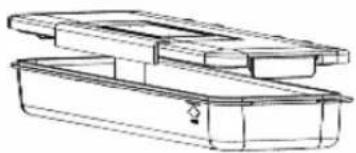
Technical line drawing of a multi-compartment container or storage unit (no text or symbols)- Remove the container cover, opening the five cover clips.
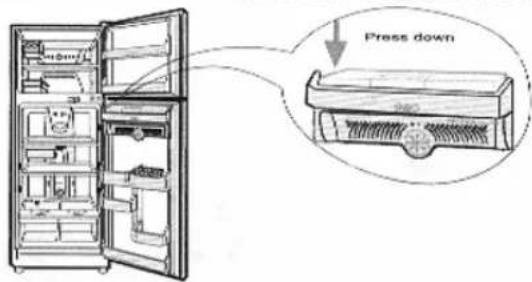
To install the water dispenser at its original position, be sure that the valve assemblies correctly in the door's hole, this can be made pressing down the container stored in the door (as shown).
Note: If the water container its not correctly installed, drainings can be present and water can't be dispatched.
IMPORTANT: Your refrigerator must be kept clean to avoid unwanted odors.
- Spilled food must be cleaned immediately because it could stain the plastic surfaces.
- Never use metal fibers, brushes, abrasive cleaners, or alkaline solutions over any surface of the refrigerator.


EXTERIOR CLEANING
Use warm water and a mild detergent solution to clean the surfaces of your refrigerator.
Clean it with a damp cloth and dry it. Be careful with the temperature control.
natural_image
Cartoon character resembling a refrigerator with a cap and glasses, waving (no text or symbols)
INTERIOR CLEANING
A regular cleaning of the interior is recommended.
Use a damp cloth in a solution of one (1) teaspoon of sodium bicarbonate (baking soda) dissolved in one (1) quart of warm water. Rinse the surfaces with a damp cloth and dry.
NOTE: It is recommended to do this regularly, including the gaskets.
NOTE: In models with water dispenser it is recommended that you wash the water container frequently.
natural_image
Cartoon character resembling a refrigerator with a smiling face and glasses, waving (no text or symbols)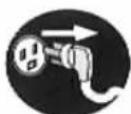
Always unplug the power cord from the power outlet before cleaning in the vicinity of electrical parts (lamps, switches, controls, etc.)

Wipe out excess moisture with a sponge or cloth to prevent water or liquids from contacting an electric part and causing a short circuit.
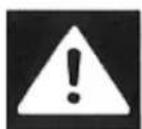
Do not use flammable or toxic liquid cleaners.
natural_image
Cartoon character resembling a document or book with glasses and a tie, waving (no text or symbols present)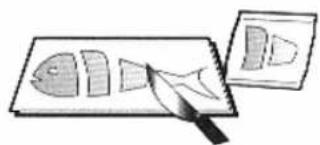
natural_image
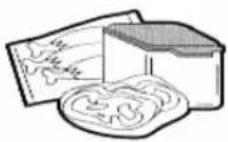
Illustration of a fish being cut with a knife, next to a separate plate (no text or symbols)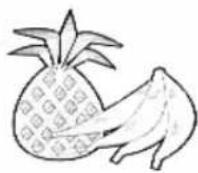
| D | L | M | M | J | V | S |
| 1 | 2 | 3 | 4 | 5 | 6 | 7 |
| 8 | 9 | 10 | 11 | 12 | 13 | 14 |
| 15 | 16 | 17 | 18 | 19 | 20 | 21 |
| 22 | 23 | 24 | 25 | 26 | 27 | 28 |
| 29 | 30 | 31 |
natural_image
Cartoon illustration of a smiling computer with glasses and a tie, waving (no text or symbols)• Store fresh food in the refrigerator compartment.
- Do not freeze food that has been already thawed. They may lose their nutritional properties.
- When frozen food, do it in small portions.
- Do not store food that can decompose under low temperatures such bananas, pineapples and melons.
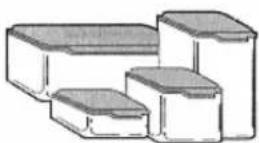
- When storing food, wrap it with vynil film or store it in closed containers. This prevents food moisture from evaporating and keeps food fresh.
- Throw out the food that is not in good condition, to avoid contaminating adjacent items.
- Store fresh meats and cheese in bags or containers with hermetic seals.
- The most time recommended to store frozen food is almost 6 weeks to prevent they loose their nutritional properties.
- In the models with water dispenser it is recommended that you change the water at least every 7 days.
- It is recommended to store the onion in plastic bags, to prevent the other food damages.
- Do not keep garlic into the refrigerator.
natural_image
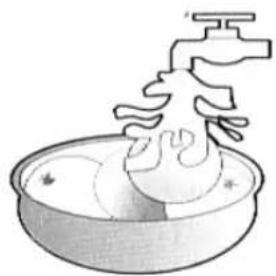
Illustration of a faucet pouring liquid into a bowl (no text or symbols)• Always clean the food before refrigerating it. Fruits and vegetables should be washed and dried.
natural_image
Cartoon character resembling a refrigerator with a flag, waving (no text or symbols present)- Store eggs in the highest shelf in the refrigerator compartment.
- When storing frozen food for a long period, such ice cream, place it on the shelves and not in the door baskets.
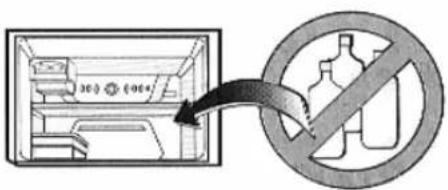
- Do not store glass bottles in the freezer because they can break when frozen.
natural_image
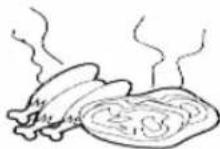
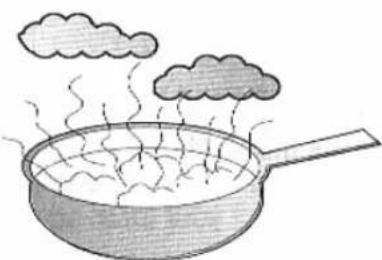
Illustration of a frying pan with steam rising, emitting smoke from above (no text or symbols)- Allow hot food to cool before storing it. Placing hot food in the refrigerator damages other food and increases energy consumption.
natural_image
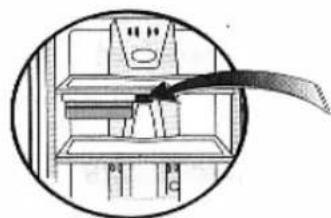
Diagram of a cabinet interior with shelves and a curved arrow pointing to a component (no text or symbols)- Do not store more than 3 kg in tray (box) of fresh meats.
IMPORTANT WARNINGS
1
DO NOT USE AN EXTENSION CORD
Do not connect any other appliance in the same plug of the refrigerator; if many appliances are connected the wires might be overloaded, increasing the risk of voltage fluctuation and improper operation.

POWER CORD REPLACEMENTS
If the power cord is damaged, it must be replaced by the manufacturer, by our service center or by qualified personal by LG Electronics, to avoid some risk.

ABOUT GROUNDING (EARTHING)
In the event of a short circuit, the ground connection reduces the risk of electric shock while providing an escape line for electric current.
The wrong use of the plug's earth terminal can result in an electric shock. Consult a qualified electrician or service person if the grounding instructions are not fully understood, or if you have any doubts about if your appliance is properly grounded.

NEVER STORE EXPLOSIVE OR CHEMICAL SUBSTANCES IN YOUR REFRIGERATOR
It's dangerous!!!

DANGER, RISK OF CHILD ENTRAPMENT
An empty refrigerator can be a very dangerous attraction for children.
Before you throw away your old refrigerator or freezer, please take off the doors and leave the shelves in place so that children may not easily climb inside.

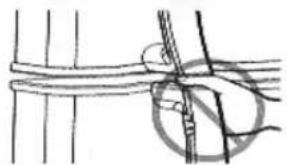
WHEN YOU CLOSE REFRIGERATOR DOOR
Don't left your thumb in the superior part of the handle, Because could be pressed against the inferior part of the freezer handle.
natural_image
Simple line drawing of a rope being twisted with a circular knot (no text or symbols)
WHAT TO DO WITH YOUR OLD REFRIGERATOR
Your refrigerator contain fluids (cooling) and it's made of parts and materials which can be recycle. This materials should be sent to a recycle collection center to be use in further recycling process. Contact your local agency in order to do this procedure.

DO NOT USE MECHANICAL DEVICES
Do not use mechanical devices or other media to faster the defrost process, only the ones recommended by the manufacturer.

DO NOT STORE ELECTRONIC EQUIPMENT
Do not use electronic equipment inside the food storage compartment, unless they are recommended by the manufacturer.
1
REFRIGERATOR IS NOT WORKING
√ Did a fuse blow or a circuit breaker trip?
√ Is the power cord lost in the connector or unplugged?
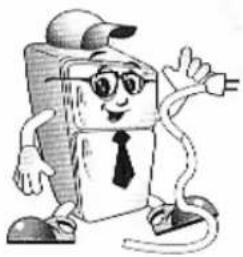
√ Check your electric plug for damaged. Connect another appliance or lamp to make sure the outlet works.
√ Make sure your circuit is not overloaded. The refrigerator should be on its own circuit. Unplug other appliances that are overloading the circuit and causing voltage drop.
natural_image
Cartoon character resembling a computer with glasses and a tie, holding an electric plug (no text or symbols)THE TEMPERATURE IN THE REFRIGERATOR OR FREEZER IS TOO HOT
1. 2017年1月1日
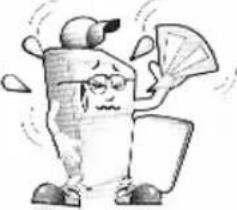
√ The temperature control is not in the right position.
√ The appliance is located near the wall or a heat source (stove, sun rays).
√ Hot weather. Frequent door openings.
√ The door is left open for long time.
√ Too much food is stored in the refrigerator.
natural_image
Cartoon character holding a fan and a book, no text or symbols presentS
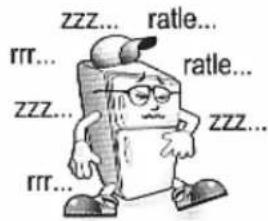
ABNORMAL SOUND (S)
√ The refrigerator is placed over an uneven or weak surface, or the leveling screws need to be adjusted.
√ Unnecessary objects are placed on the backside of the refrigerator.
√ If a voltage drop occurs, check if the bulb's light is low, if so, consult an electrician.
1. 2014年1月1日
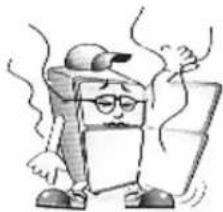
THE REFRIGERATOR KEEPS ODORS
√ Fragrant food must be stored in closed containers or wrapped.
√ The interior needs to be cleaned.
√ Check that the deodorizer is clean and if is necessary, expose it to the sun for a couple hours to re-charged it.
natural_image
Cartoon character with glasses and a cap, holding a tablet (no text or symbols)5. 本报告书的摘要、修订稿及正文
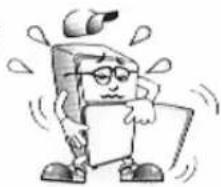
CONDENSATION FORMS ON THE CABINET SURFACE
√ It is normal when the humidity is high.
√ The door may have been left open.
natural_image
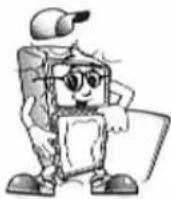
Cartoon character holding a blank sign with dynamic motion lines (no text or symbols)FRONTAL PART OF CABINET IS HOT
√ It is a normal functioning of the refrigerator, its happens in order to avoid the formation of condensation or "sweat".
√ If it happens, clean with a dry cloth.
6
COMPRESSOR OPERATES CONTINUOSLY FOR LONG TIME
√ Temperature controls are set to Maximum, please set them to Medium position.
√ Check that doors are closed properly.
√ Hot food is stored.
√ Doors are open for long periods of time.
√ The refrigerator is too close to a heat source or sun rays.
natural_image
Cartoon character with glasses and a headband, standing with arms crossed (no text or symbols)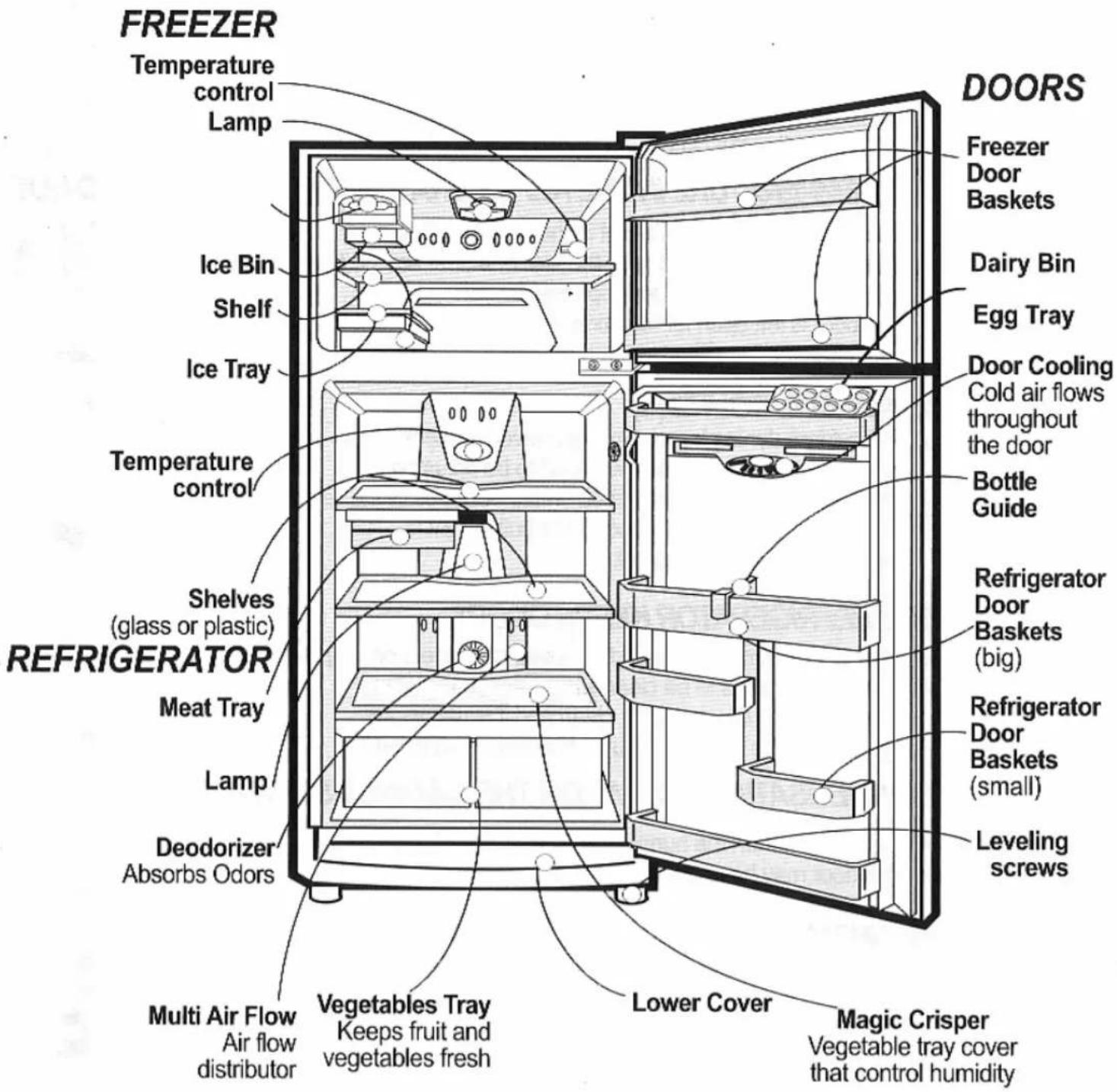
Note.- Some components shown on this diagram, could not be included on your refrigerator; because they are variable depending on the characteristics of each model.
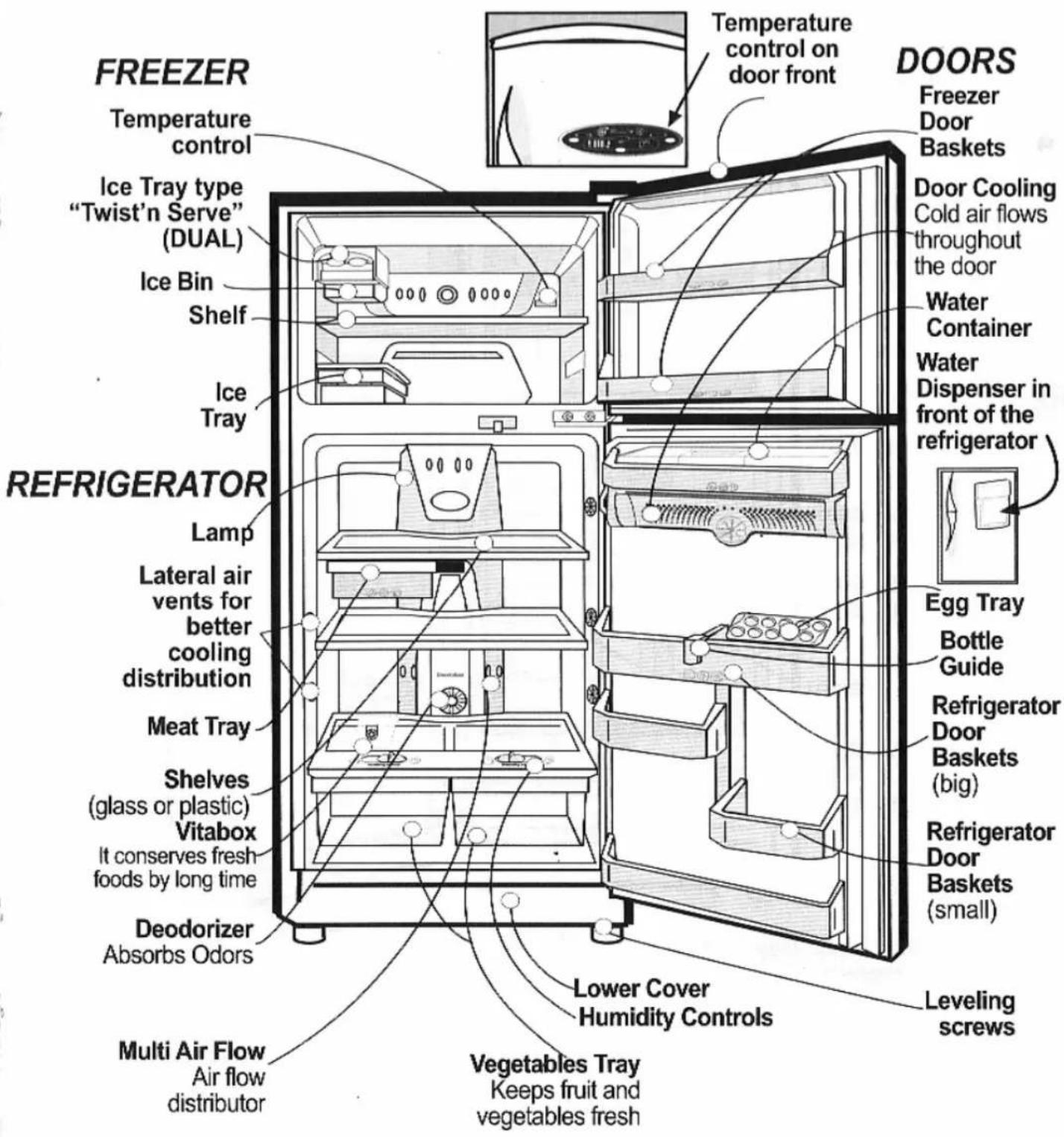
Note.- Some components shown on this diagram, could not be included on your refrigerator; because they are variable depending on the characteristics of each model.
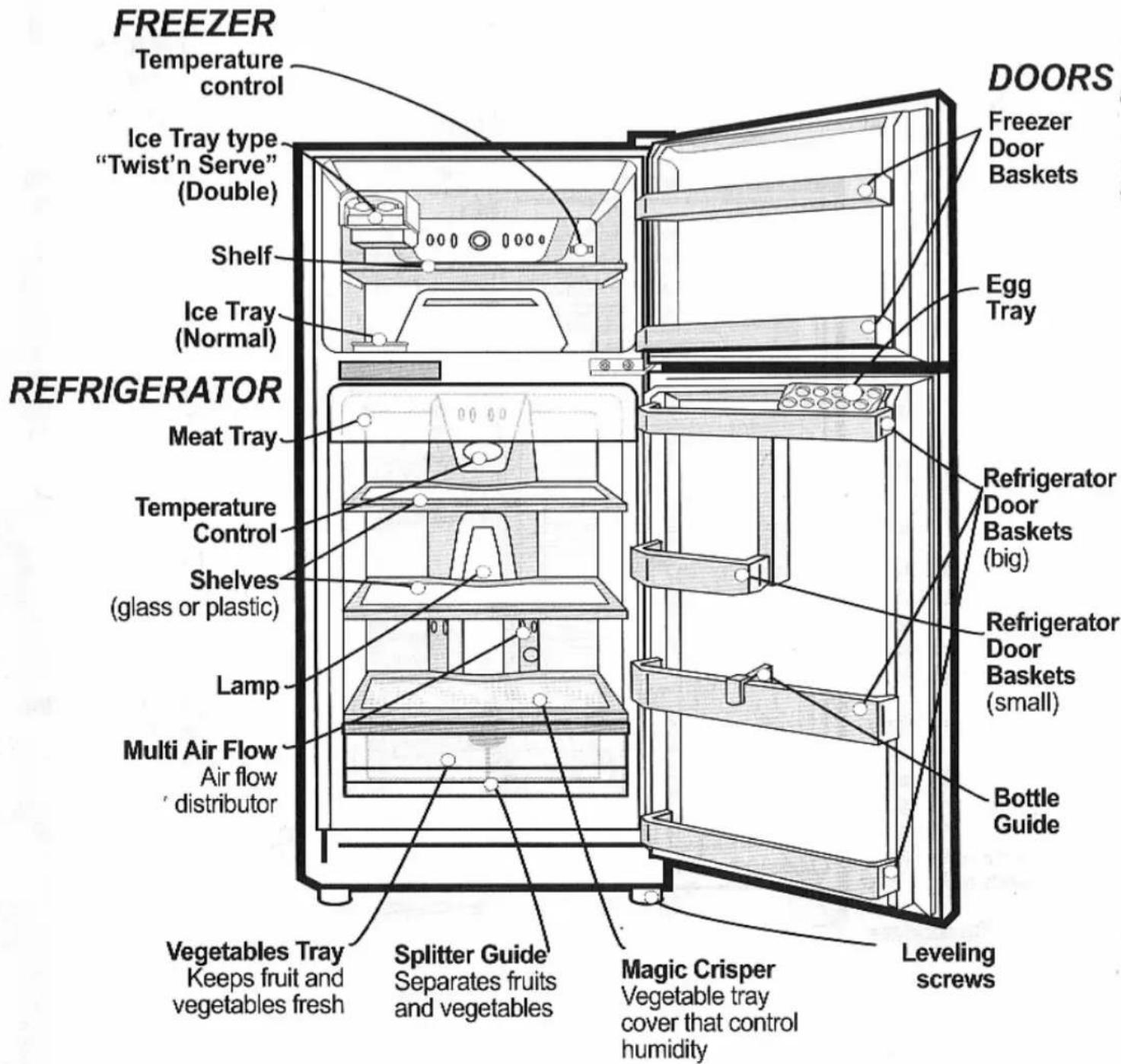
Note.- Some components shown on this diagram, could not be included on your refrigerator; because they are variable depending on the characteristics of each model.
natural_image
Abstract circular design with geometric lines and a central dot, no text or symbols present.LG
- HOW TO
- INSTALL
- YOUR
- REFRIGERATOR
- EASY INSTALLATION
- REFRIGERATOR'S
- CHARACTERISTICS
- INDEX
- SAFETY PRECAUTIONS
- WHAT YOU NEED TO KNOW
- ABOUT YOUR REFRIGERATOR
- INSTALLATION
- OPERATION
- INTERIOR AND EXTERIOR CLEANING 12
- FOOD STORING
- RECOMMENDATIONS 13
- IMPORTANT WARNINGS
- AND PRECAUTIONS 15
- WHAT TO DO WHEN... 16
- COMPONENTS DIAGRAM 17
- CARD WARRANTY 20
- WHAT YOU NEED TO KNOW ABOUT YOUR REFRIGERATOR
- THE OPERATION PERFORMANCE OF YOUR REFRIGERATOR COULD BE AFFECTED IF:
- WHEN YOU ARE ON VACATION, WE RECOMMEND YOU:
- IF YOU ARE THINKING ON MOVING OR CHANGE THE POSITION OF YOUR REFRIGERATOR:
- FRONT AREA IS HOT
- REAR AREA IS HOT (Some models)
- LAMP REPLACEMENT:
- • FREEZER LAMP (Some models):
- • REFRIGERATOR LAMP :
- Type 1
- Type 2
- How to install your refrigerator How to install your refrigerator
- GROUNDING (EARTHING)
- SELF DIAGNOSTIC
- ICE MAKING
- ICE TRAY (NORMAL)
- ICE TRAY "TWIST'N SERVE"
- TEMPERATURE CONFIGURATION
- "DOOR COOLING" SYSTEM
- HUMIDITY CONTROLS
- EXTRA FUNCTIONS OF YOUR TEMPERATURE CONTROL
- • SUPER COOL:
- - ENERGY SAVE:
- MEAT TRAY
- 1 DEFROSTING
- DEODORIZER (on some models)
- IMPORTANT:
- HOW TO REMOVE THE DEODORIZER (Indentify your type)
- Type 3
- VITABOX (SOME MODELS)
- EXTERIOR CLEANING
- INTERIOR CLEANING
- DO NOT USE AN EXTENSION CORD
- POWER CORD REPLACEMENTS
- ABOUT GROUNDING (EARTHING)
- NEVER STORE EXPLOSIVE OR CHEMICAL SUBSTANCES IN YOUR REFRIGERATOR
- DANGER, RISK OF CHILD ENTRAPMENT
- WHEN YOU CLOSE REFRIGERATOR DOOR
- WHAT TO DO WITH YOUR OLD REFRIGERATOR
- DO NOT USE MECHANICAL DEVICES
- DO NOT STORE ELECTRONIC EQUIPMENT
- 1
- REFRIGERATOR IS NOT WORKING
- THE TEMPERATURE IN THE REFRIGERATOR OR FREEZER IS TOO HOT
- 2017年1月1日
- S
- ABNORMAL SOUND (S)
- 2014年1月1日
- THE REFRIGERATOR KEEPS ODORS
- 本报告书的摘要、修订稿及正文
- CONDENSATION FORMS ON THE CABINET SURFACE
- FRONTAL PART OF CABINET IS HOT
- 6
- COMPRESSOR OPERATES CONTINUOSLY FOR LONG TIME
Mærke : LG
Model : GM-352QC
Kategori : Køleskab