Striker Plus 7cv - Sonde GARMIN - Gratis brugsanvisning og manual
Find enhedens vejledning gratis Striker Plus 7cv GARMIN i PDF-format.


Brugerspørgsmål om Striker Plus 7cv GARMIN
0 spørgsmål om dette apparat. Besvar dem du kender, eller stil dit eget.
Stil et nyt spørgsmål om dette apparat
Download vejledningen til din Sonde i PDF-format gratis! Find din vejledning Striker Plus 7cv - GARMIN og tag din elektroniske enhed tilbage i hånden. På denne side er alle dokumenter nødvendige for brugen af din enhed offentliggjort. Striker Plus 7cv af mærket GARMIN.
BRUGSANVISNING Striker Plus 7cv GARMIN
GARMIN®
Printing a Mounting Template
NOTICE
It is not recommended that you print a mounting template on your own. Use the template that came in the product box.
If you do print the template, you must follow these instructions for printing a mounting template precisely. To print large templates, you need large enough paper and printer. Failure to have the correct sized paper and printer, or a failure to follow these instructions, may result in an incorrectly sized template and therefore an incorrect cutout (too large or too small) on the mounting surface of your boat.
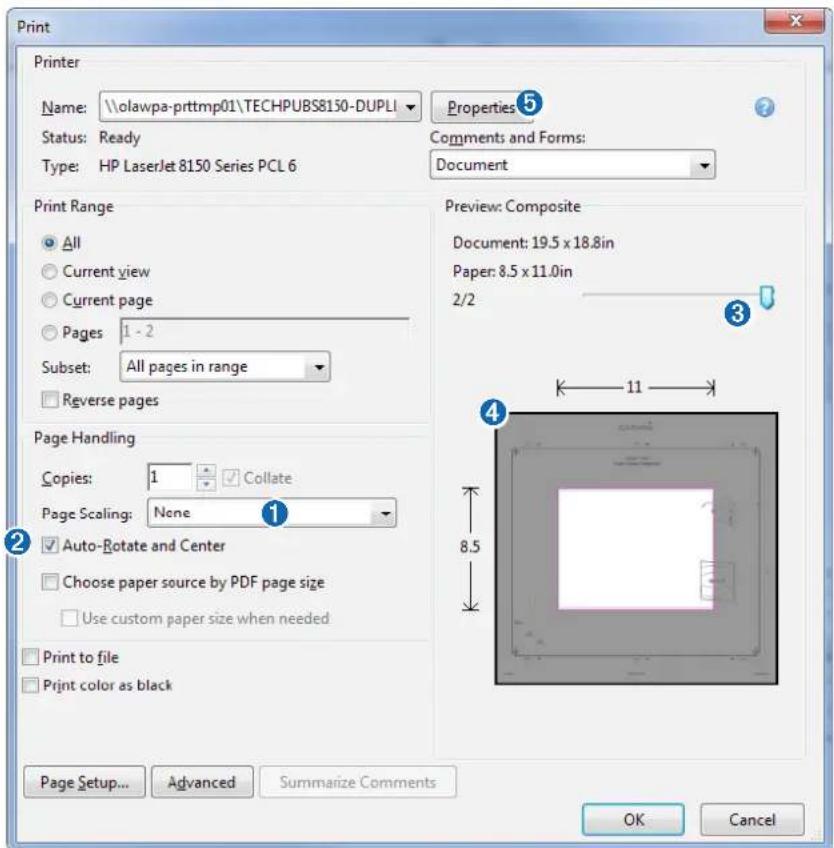
1 Select File > Print.
text_image
Print Printer Name: \olawpa-prttmp01\TECHPUBS8150-DUPLI Status: Ready Type: HP LaserJet 8150 Series PCL 6 Properties 5 Comments and Forms: Document Print Range All Current view Current page Pages 1 - 2 Subset: All pages in range Reverse pages Preview: Composite Document: 19.5 x 18.8in Paper: 8.5 x 11.0in 2/2 Page Handling Copies: 1 Collate Page Scaling: None Auto-Rotate and Center Choose paper source by PDF page size Use custom paper size when needed Print to file Print color as black 8.5 11 4 Page Setup... Advanced Summarize Comments OK Cancel2 Select None for Page Scaling ①.
3 Ensure the check mark is next to Auto-Rotate and Center ②.
4 Drag the arrow ③ to the right, to view page 2 in the window below.
4 Verify that the paper size is larger than the template ④.
In this example, the paper is not larger than the template.
5 If the paper size is not large enough, select Properties ⑤ and select a Page Size that is larger than the template.
NOTICE
Garmin is not responsible for any damages or expenses resulting from a miscut mounting surface arising from a failure to follow these instructions.
text_image
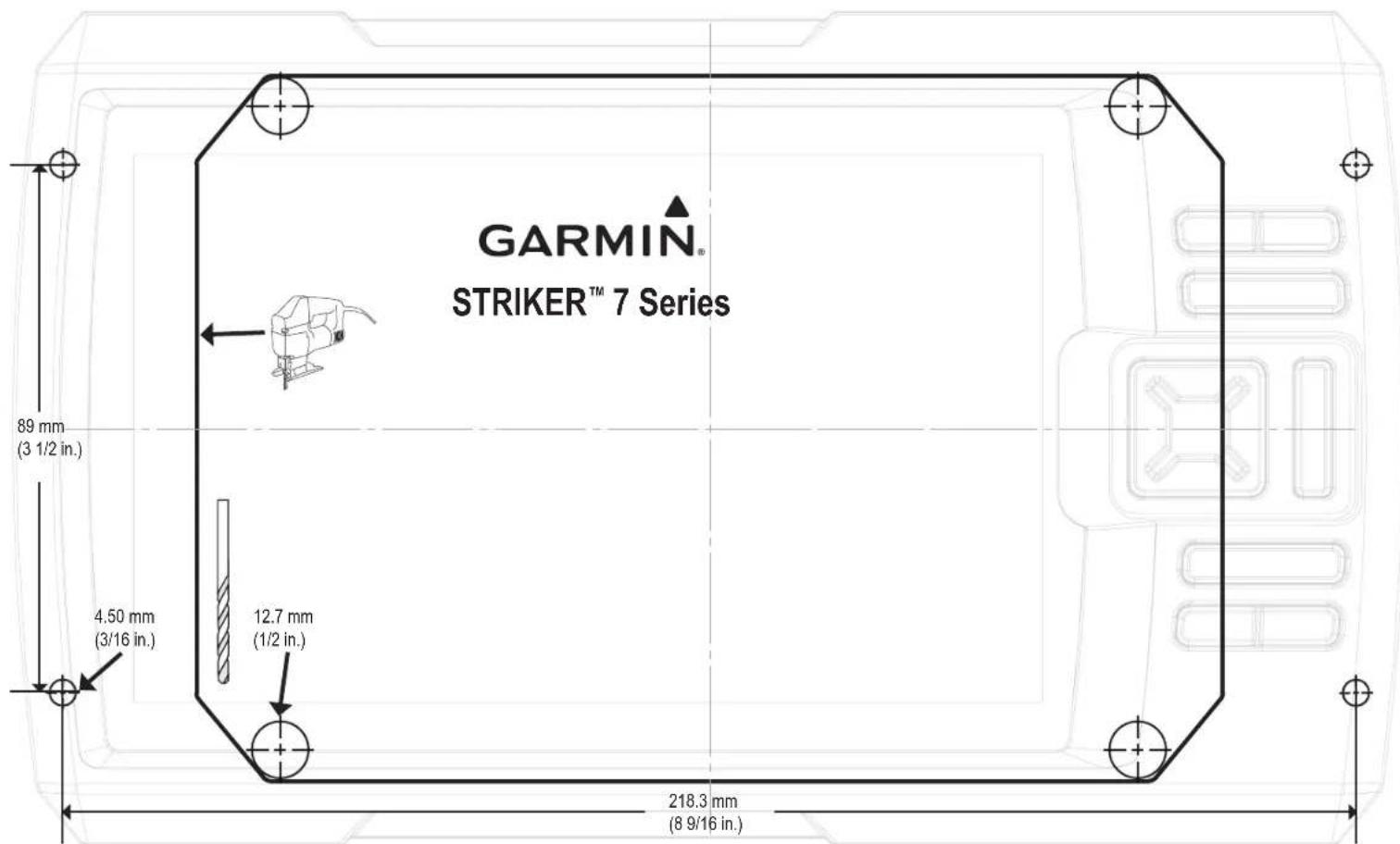
GARMIN® STRIKER™ 7 Series 89 mm (3 1/2 in.) 4.50 mm (3/16 in.) 12.7 mm (1/2 in.) 218.3 mm (8 9/16 in.)October 2020 190-01950-05_0BPrinted in Taiwan

- Compass Safe Distance •Distance de sécurité du compas •Distanza di sicurezza dalla bussola •Sicherheitsabstand zum Kompass •Consumo eléctrico máximo •Distância segura da bússola •Sikkerhedsafstand for kompas •Trygg avstand fra et kompass •Säkerhetsavständ till kompass - STRIKER 7 Series 30 cm (11.81 in.)
natural_image
Pure technical diagram of a rectangular component with internal dashed lines and mounting holes, no text or symbols present.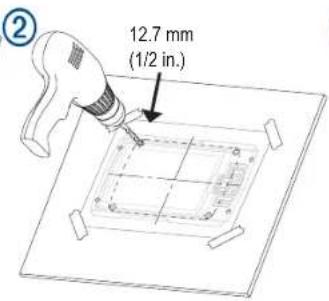
text_image
12.7 mm (1/2 in.)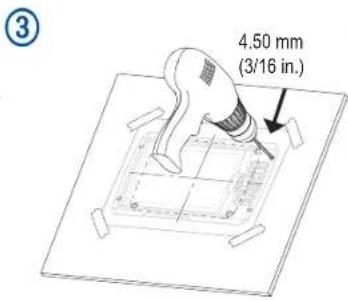
text_image
4.50 mm (3/16 in.)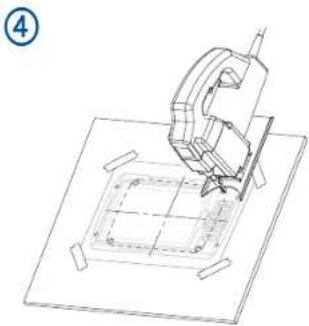
natural_image
Technical line drawing of a mechanical assembly or tool interacting with a square base (no text or symbols visible)
natural_image
Pure technical line drawing of a mechanical part with no text or symbols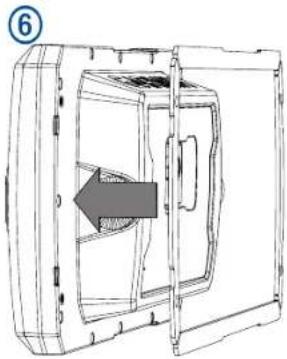
natural_image
Technical line drawing of a mechanical component with an arrow indicating direction (no text or symbols)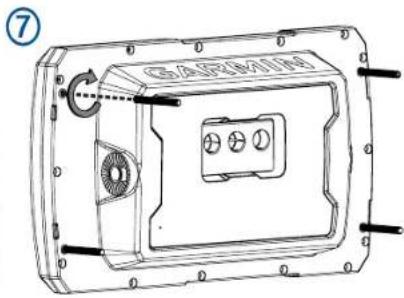
text_image
GAFMIN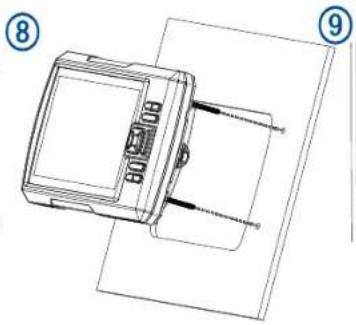
natural_image
Technical line drawing of a device with labeled components (no text or symbols present)