Angel 23751 - Ur INVICTA - Gratis brugsanvisning og manual
Find enhedens vejledning gratis Angel 23751 INVICTA i PDF-format.


Brugerspørgsmål om Angel 23751 INVICTA
0 spørgsmål om dette apparat. Besvar dem du kender, eller stil dit eget.
Stil et nyt spørgsmål om dette apparat
Download vejledningen til din Ur i PDF-format gratis! Find din vejledning Angel 23751 - INVICTA og tag din elektroniske enhed tilbage i hånden. På denne side er alle dokumenter nødvendige for brugen af din enhed offentliggjort. Angel 23751 af mærket INVICTA.
BRUGSANVISNING Angel 23751 INVICTA
PRESENTATION
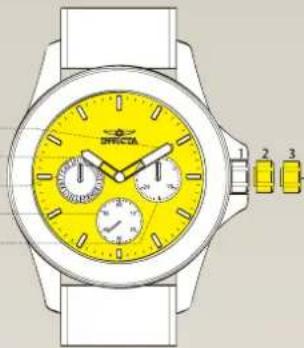
Display Elements
| Minute Hand |
| Hour Hand |
| Day |
| Small Second |
| Date |
natural_image
Illustration of a wristwatch with yellow dials and white frame, no visible text or symbolsControl Buttons
Crown Positions:
- Normal position
- Setting of hour, minute
- Setting of date & day
INSTRUCTIONS
MANUAL
VD75
SETTINGS
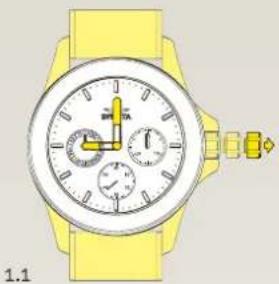
Setting the Time
1.1 Pull out the crown to position 3 when the small second hand is at the 12 o'clock position.
1.2 Advance the hour and minute hands by turning the crown.
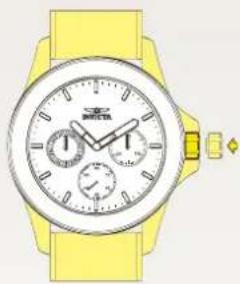
1.3 Push the crown back to position 1.
natural_image
Illustration of a yellow wristwatch with analog dials and buttons (no text or symbols)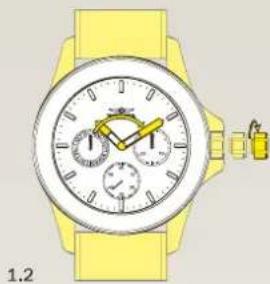
natural_image
Yellow wristwatch with dual dials and a small watch beside it (no visible text or symbols)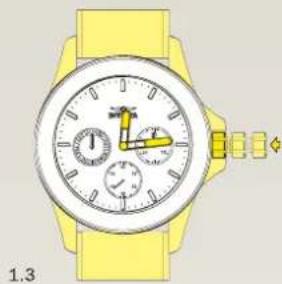
natural_image
Illustration of a yellow wristwatch with analog dials and a small watch (no text or symbols)Setting the Day
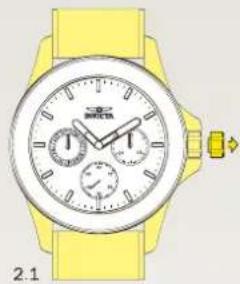
2.1 Pull out the crown to position 2.
2.2 Turn the crown clockwise to set the day.
2.3 Push the crown back to position 1.
natural_image
Yellow wristwatch with analog dials and strap, no visible text or symbols on the watch face
natural_image
Yellow wristwatch with analog dials and a yellow strap (no visible text or symbols)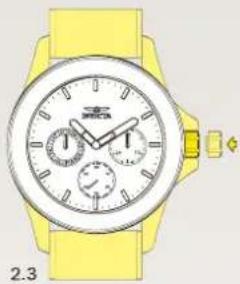
natural_image
Yellow wristwatch with analog dials and strap (no visible text or symbols)Setting the Date
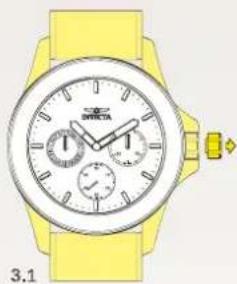
3.1 Pull out the crown to position 2.
3.2 Turn the crown counter-clockwise to set the date.
3.2 Push the crown back to position 1.
Please note:
Do not set the date between 10:00PM and 1:00AM. Otherwise, the day may not change properly. If it is necessary to set the date during theat time period, first change the time to any time outside it, set the date and then reset the correct time.
natural_image
Yellow wristwatch with analog dials and buttons, no visible text or symbols on the watch face.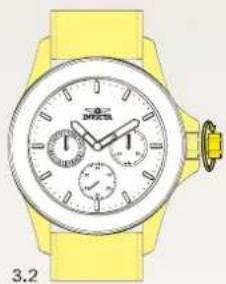
natural_image
Yellow wristwatch with analog dials and a rotary dial (no visible text or symbols)