
Slim Pod II - Fotostativ Slik - Gratis brugsanvisning og manual
Find enhedens vejledning gratis Slim Pod II Slik i PDF-format.


Brugerspørgsmål om Slim Pod II Slik
0 spørgsmål om dette apparat. Besvar dem du kender, eller stil dit eget.
Stil et nyt spørgsmål om dette apparat
Download vejledningen til din Fotostativ i PDF-format gratis! Find din vejledning Slim Pod II - Slik og tag din elektroniske enhed tilbage i hånden. På denne side er alle dokumenter nødvendige for brugen af din enhed offentliggjort. Slim Pod II af mærket Slik.
BRUGSANVISNING Slim Pod II Slik
SLIM-POD II
Operating Instructions
Thank you very much for choosing SLIK SLIM-POD II
The SLIK Corporation has designed your Monopod to be a sturdy, rugged, dependable product that will provide you with many years of satisfac-tory use.
Please take a few moments to read these operating instructions carefully before use so that you can take full advantage of your Monopod many fine features. Retain this operating instruction in case you might want to refer back to it.
Caution
This caution icon refers to information pertaining to important safety procedures in preventing injuries, or damages which may occur as a result of mishandling this product.
Prohibition
This prohibited icon refers to information pertaining to prohibited contents. Please refer to instructions closely to avoid accidents.
Specification
| Folded length | 500 mm(19 3/4") |
| Max. operating height | 1,530 mm(60 1/6") |
| Weight | 280 g(10 oz) |
L311
Components
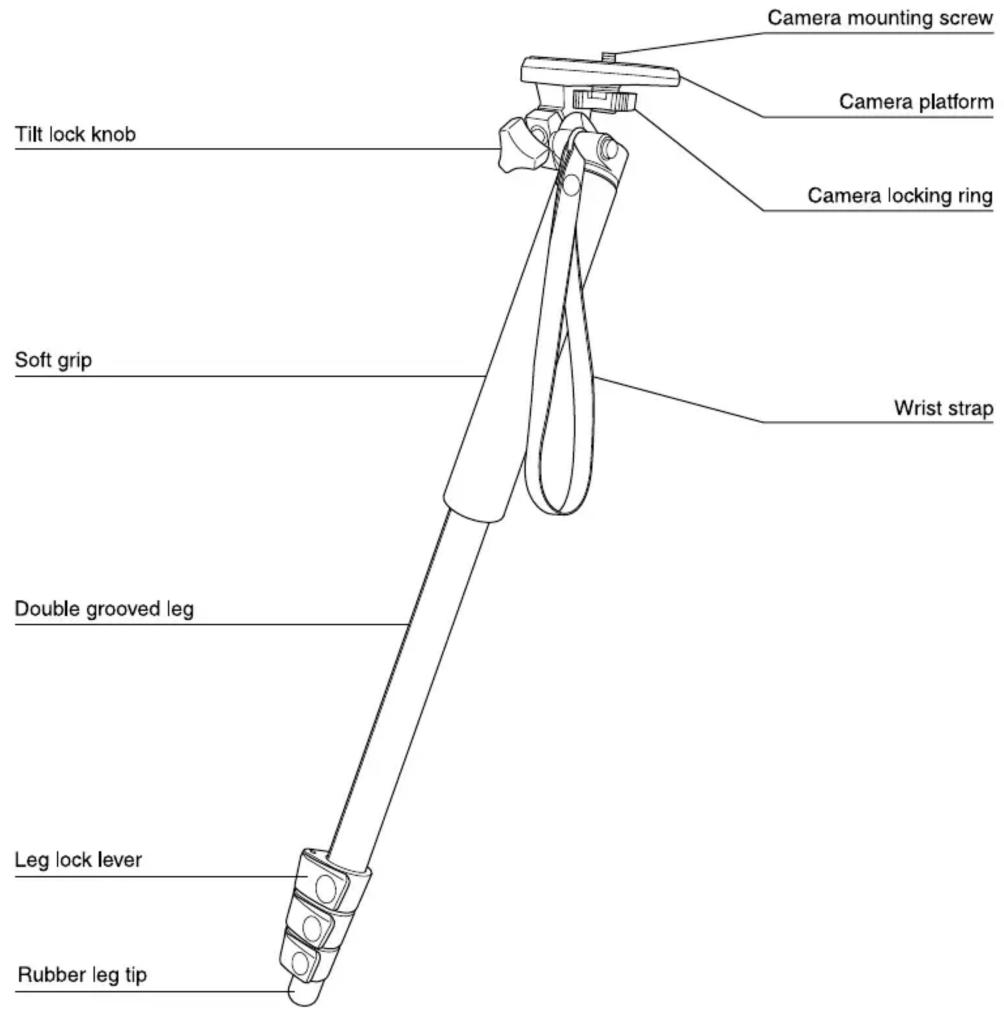
Mounting camera to camera platform
natural_image
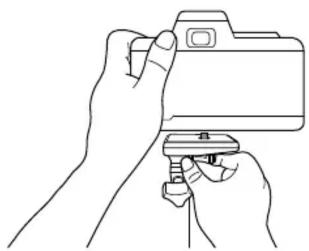
Line drawing of hands holding a camera with a clip (no text or symbols)Hold the camera firmly, and turn the camera mounting screw until the camera securely tightened.
natural_image
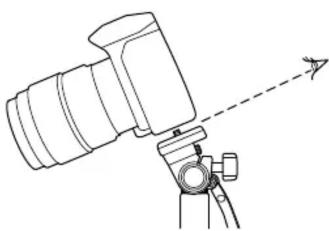
Technical line drawing of a mechanical device with a dashed arrow indicating direction (no text or symbols)Note :
When you attach the camera to the camera platform, you can mount the camera more easily by tilting the camera platform to come in sight the threads of camera mounting screw.
How to use panhead
natural_image
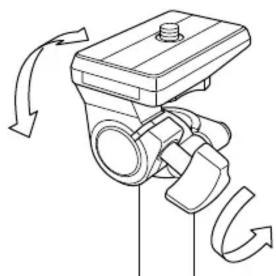
Mechanical diagram showing a valve mechanism with rotating arrows indicating motion (no text or symbols)To tilt your camera once it is attached to the Slim-Pod II, loosen the Tilt lock knob by turning it counterclockwise.
To lock it in position, tighten the Tilt lock knob by turning it clockwise (be careful not to overtighten).
Extending the leg
natural_image
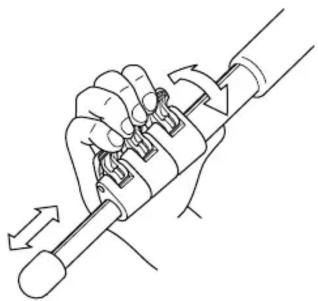
Line drawing of a hand holding a mechanical tool with directional arrows indicating movement (no text or symbols)To extend the leg sections, open the Leg lock lever and extend the Slim-Pod II to the approximate desired height.
Close the Leg lock lever by pressing them down.
natural_image
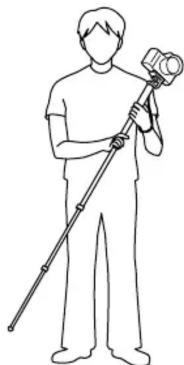
Line drawing of a person holding a camera and a long pole (no text or symbols)You'll be glad to know the round tube design of your monopod's leg are made for maximum strength.
This prevents twisting and provides excellent torsional rigidity.
To take a 90° vertical photo
natural_image
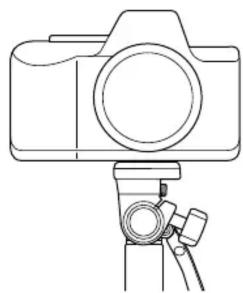
Line drawing of a camera mounted on a tripod (no text or symbols)When you wish to change camera to vertical position, mount the camera as per figure above.
natural_image
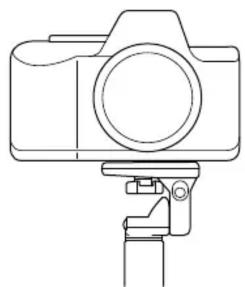
Line drawing of a camera with a mounted clamp (no text or symbols)Camera mounting configuration horizontal position.
natural_image
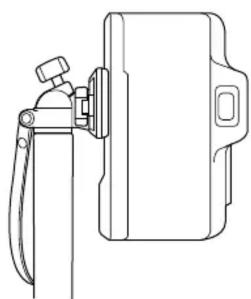
Line drawing of a mechanical device with lever and housing (no text or symbols)Then turn the Camera platform to tilt 90° from horizontal to vertical by using Tilt lock knob.
When using vertical position, ensure the camera is securely tightened to the Camera platform.
Wrist strap
Caution
natural_image
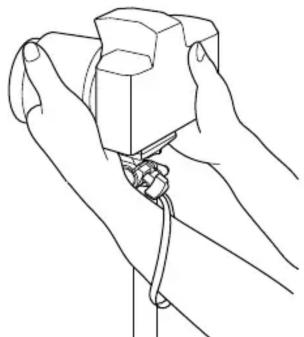
Line drawing of hands holding a small object with a string, no text or symbols presentAs a safety measure it is advisable to hold the camera through the Wrist strap.
Carrying the slim-pod II
Prohibition
natural_image
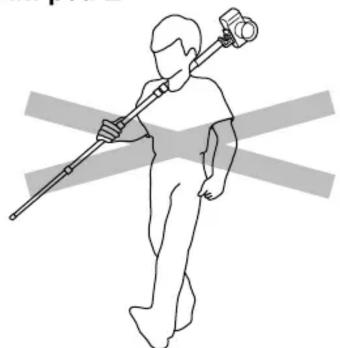
Line drawing of a person holding a long pole with a camera, crossed by two gray diagonal lines (no text or symbols)To avoid any damage of camera, it is not advisable to carry the monopod with attaching camera.
It is recommended that the camera should be removed from monopod after taking photographs.
Care of the slim-pod II
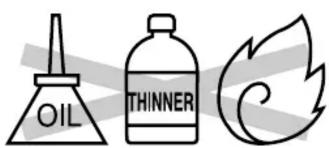
- DO NOT apply any grease or oil to this product.
- Clean with a mild detergent and a soft cloth only.
- DO NOT use close to flame. Avoid extreme heat.
Slik Corporation reserves the right to make changes in design and/or improvements on the products without any obligation and advanced notice.
Mærke : Slik
Model : Slim Pod II
Kategori : Fotostativ