SKBWLFL19 - Tastatur Sandstrøm - Gratis brugsanvisning og manual
Find enhedens vejledning gratis SKBWLFL19 Sandstrøm i PDF-format.


Brugerspørgsmål om SKBWLFL19 Sandstrøm
0 spørgsmål om dette apparat. Besvar dem du kender, eller stil dit eget.
Stil et nyt spørgsmål om dette apparat
Download vejledningen til din Tastatur i PDF-format gratis! Find din vejledning SKBWLFL19 - Sandstrøm og tag din elektroniske enhed tilbage i hånden. På denne side er alle dokumenter nødvendige for brugen af din enhed offentliggjort. SKBWLFL19 af mærket Sandstrøm.
BRUGSANVISNING SKBWLFL19 Sandstrøm
Sandstrøm
Bluetooth Foldable Keyboard
Instruction Manual
SKBWLFL19

Bluetooth®
Contents
Safety Warnings....4
Unpacking 5
Product Overview....6
Charging the Keyboard....7
Switching On/Off 7
Pairing the Keyboard 8
Selecting Different Mode....8
Function Keys....9
Hints and Tips.... 10
Specifications.... 10
Safety Warnings
- Read all the instructions carefully before using the unit and keep them for future reference.
- Retain the manual. If you pass the unit onto a third party, make sure to include this manual.
Wireless Devices:
- Before boarding any aircraft or packing a wireless device in luggage that will be checked in, remove the batteries from the wireless device.
- Wireless devices can transmit radio frequency (RF) energy, whenever batteries are installed and the wireless device is turned on (If it has an On/Off switch).
Battery-Powered Devices:
- Improper use of batteries may result in battery fluid leakage, overheating, or explosion.
- Released battery fluid is corrosive and may be toxic. It can cause skin and eye burns, and is harmful if swallowed.
- Do not disassemble the keyboard or remove any parts.
- Do not immerse the keyboard in water or any liquid.
- Do not use the keyboard close to heat sources or expose to high temperatures.
- Do not use the keyboard where strong electromagnetic waves are present. Strong electromagnetic waves will cause damage to the keyboard.
- Keep the keyboard away from direct sunlight, moisture, dirt or abrasive chemical products (cleaning products etc).
Thank you for purchasing your new product.
We recommend that you spend some time reading this instruction manual in order that you fully understand all the operational features it offers. You will also find some hints and tips to help you resolve any issues.
Read all the safety instructions carefully before use and keep this instruction manual for future reference.
Unpacking
Remove all items from the packaging. Retain the packaging. If you dispose of it please do so according to local regulations.
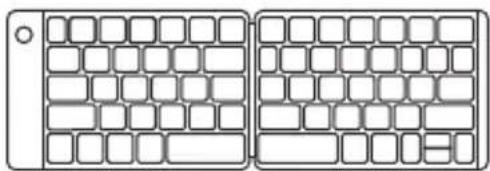
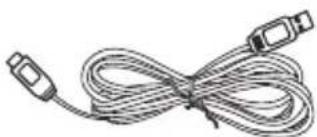
The following items are included:
natural_image
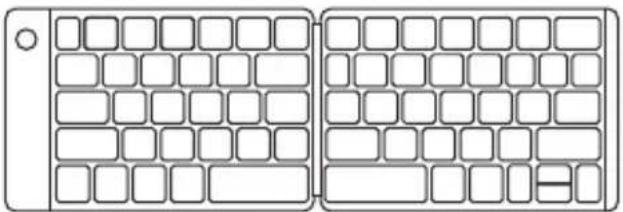
Two side-by-side diagrams showing a computer keyboard layout with no text or symbolsMain Unit
natural_image
Coiled cable with two connectors (no text or symbols visible)
USB Charging Cable Instruction Manual
Product Overview
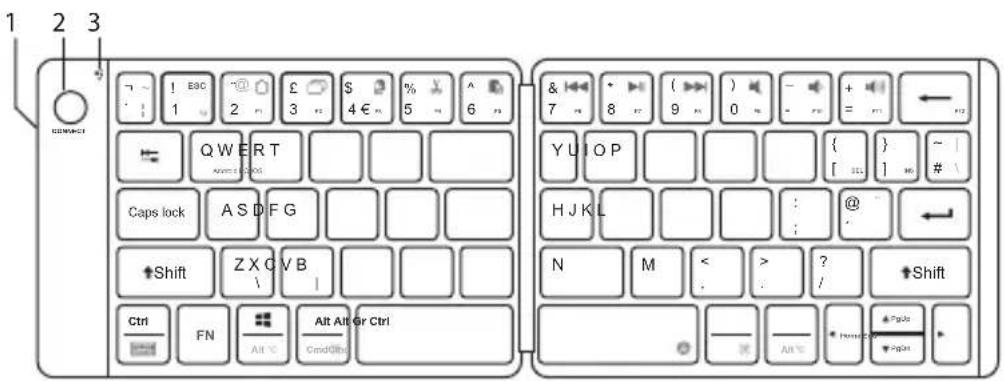
-
USB Charging Socket
-
Status Indicator
-
Connect Button
Charging the Keyboard
When using the unit for the first time, charge it fully first.
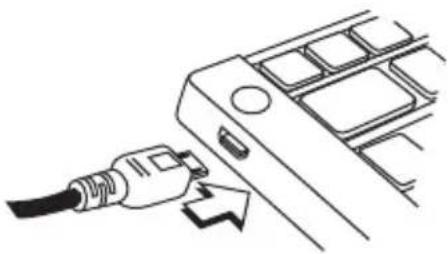
- Connect the USB charging cable to the keyboard.
- Connect the other end of the USB charging cable to a powered USB device.
natural_image
Line drawing of a plug inserted into a device panel (no text or symbols)| Status Battery Indicator | |
| Low battery The Status indicator will flash in blue. | |
| Charging The Status indicator will light up green. | |
| Fully charged The Status indicator light will extinguish. |
Switching On/Off
natural_image
Diagram of two computer keys with blank grid layouts, no text or symbols present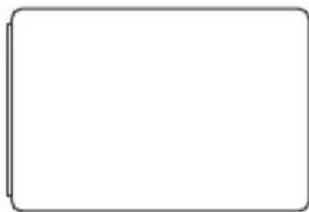
natural_image
Blank rectangular frame with rounded corners and a thin line on the left edge (no text or symbols)OFF modeON mode

- The keyboard will automatically power down when it is idled for 10 minutes. To wake it up press any key.
- If the unit does not use for a long period, switch it off to conserve energy.
Pairing the Keyboard
You must have a Bluetooth-enabled device to work with this unit.
- Switch the keyboard on.
- Press and hold the Connect button to enter the pairing mode and the Status indicator will flash in blue.
- Activate the Bluetooth feature on your Bluetooth device and start searching. Then select "SKBWLFL19".
- If necessary, enter the passcode to pair and connect the unit. Some device also ask to confirm the unit connection after paring.
- The Status indicator light will extinguish after you have successfully paired the unit.

- The unit will exit pairing mode if no Bluetooth device is paired within 5 minutes.
- If the unit are already paired with a Bluetooth device before, it will automatically connect with the last paired device when both are in pairing mode.
Selecting Different Mode
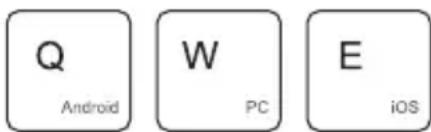
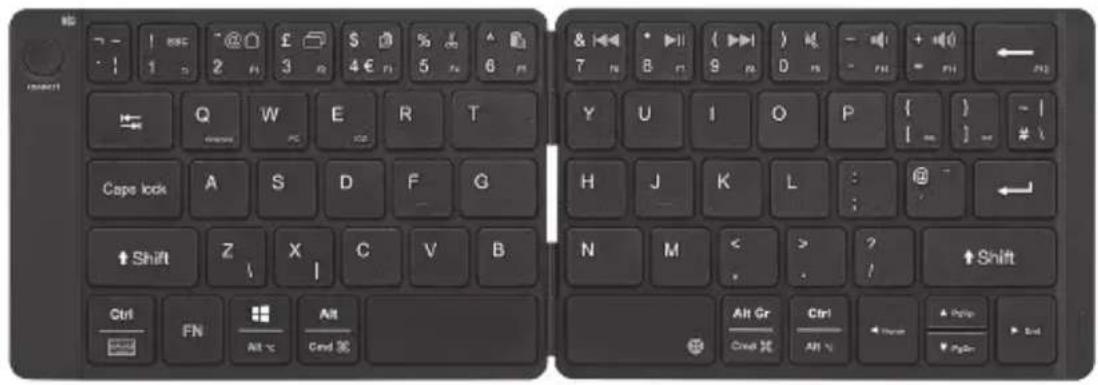
To select a suitable keyboard type for your device, press the Fn + Q / W / E buttons to select Android / PC / iOS mode respectively.
Function Keys
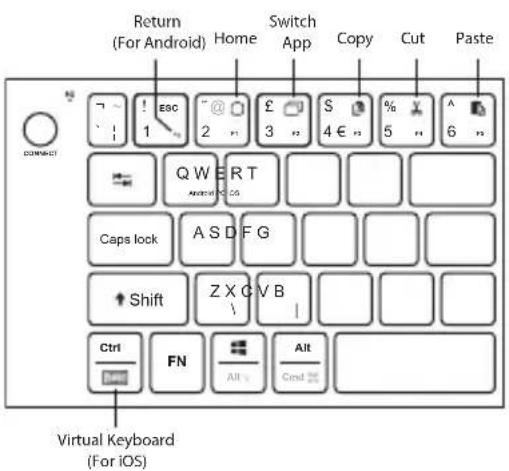
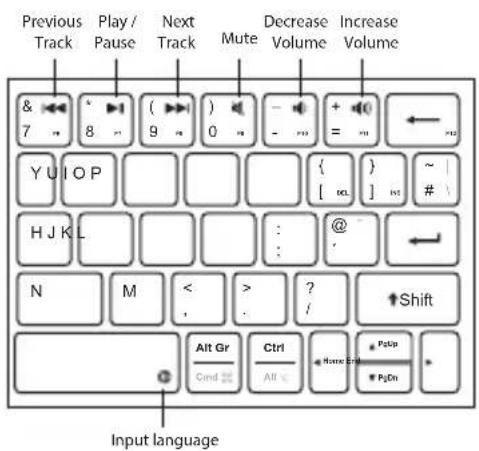
Function keys are highlight in blue, to access them by pressing FN or FN+SHIFT followed by desired key together.
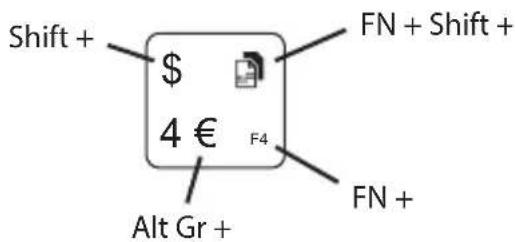
For example:
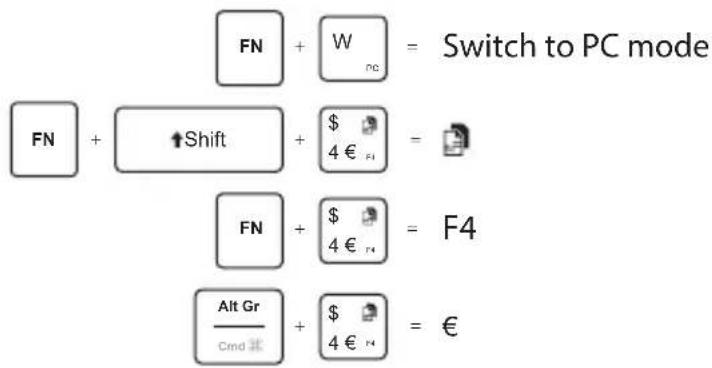

Some function keys may not be available depending on operating system.
Hints and Tips
Keyboard not working:
- Ensure your keyboard is using correct OS mode with your device.
- Recharge the battery if the keyboard no longer reacts to input.
- Ensure your Bluetooth-enabled device's wireless function is active.
- Ensure there are no other wireless devices in discovery mode.
- Move the keyboard closer to the device.
- Pair again the keyboard and the device.
Specifications
| Model SKBWLFL19 | |
| Operating System Windows 7 / 8 / 10Android and iOS | |
| Operating Distance 6m (10m in open space) | |
| Bluetooth Interface Bluetooth® 3.0 | |
| Battery Type Lithium Polymer 90mAh | |
| Battery Life Up to 30 hours of continuous usageon a single charge | |
| Frequency Band(s) 2400 – 2482 MHz | |
| Max. Radio FrequencyPower Transmitted | 1.0 dBm |
| Dimension (L x W x H) 291 x 100 x 8.5 mm (open up) | |
| Net Weight 160 g | |
Features and specifications are subject to change without prior notice.

Team Knowhow
Help with all life's kit"
For general information about this appliance and handy hints and tips, please visit:
www.TeamKnowhow.com/discover or call 0344 561 1234
Partmaster \_\_\_\_.co.uk
Visit Partmaster.co.uk today for the easiest way to buy electrical spares and accessories. With over 1 million spares and accessories available we can deliver direct to your door the very next day. Visit www.partmaster.co.uk or call 0344 800 3456 (UK customers only). Calls charged at National Rate.
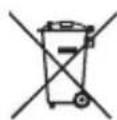
Notes for battery disposal
The batteries used with this product contain chemicals that are harmful to the environment.
To preserve our environment, dispose of used batteries according to your local laws or regulations. Do not dispose of batteries with normal household waste. For more information, please contact the local authority or your retailer where you purchased the product.
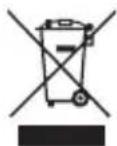
The symbol on the product or its packaging indicates that this product must not be disposed of with your other household waste. Instead, it is
your responsibility to dispose of your waste equipment by handing it over to a designated collection point for the recycling of waste electrical and electronic equipment. The separate collection and recycling of your waste equipment at the time of disposal will help conserve natural resources and ensure that it is recycled in a manner that protects human health and the environment.
For more information about where you can drop off your waste for recycling, please contact your local authority, or where you purchased your product.
The Bluetooth® word mark and logos are registered trademarks owned by the Bluetooth SIG, Inc. and any use of such marks by DSG Retail Limited is under license. Other trademarks and trade names are those of their respective owner.
All trademarks are the property of their respective owners and all rights are acknowledged.
DSG Retail Ltd. (co. no. 504877)
1 Portal Way, London, W3 6RS, UK
IB-SKBWLFL19-190307V1
- Sandstrøm
- Bluetooth Foldable Keyboard
- Contents
- Safety Warnings
- Wireless Devices:
- Battery-Powered Devices:
- Thank you for purchasing your new product.
- Unpacking
- Product Overview
- Charging the Keyboard
- Switching On/Off
- Pairing the Keyboard
- Selecting Different Mode
- Function Keys
- Hints and Tips
- Team Knowhow
- Partmaster \_\_\_\_.co.uk
- Notes for battery disposal
Mærke : Sandstrøm
Model : SKBWLFL19
Kategori : Tastatur