
DTB-134 - Digital dekoder DENVER - Gratis brugsanvisning og manual
Find enhedens vejledning gratis DTB-134 DENVER i PDF-format.


Brugerspørgsmål om DTB-134 DENVER
0 spørgsmål om dette apparat. Besvar dem du kender, eller stil dit eget.
Stil et nyt spørgsmål om dette apparat
Download vejledningen til din Digital dekoder i PDF-format gratis! Find din vejledning DTB-134 - DENVER og tag din elektroniske enhed tilbage i hånden. På denne side er alle dokumenter nødvendige for brugen af din enhed offentliggjort. DTB-134 af mærket DENVER.
BRUGSANVISNING DTB-134 DENVER
1. Control Elements
Front Panel

POWER Standby button
MENU Open and close the menu screen
OK Confirm a selection within a menu or enter channel list
Vol Volume down and up
CH Channel up and down
USB USB Port
Rear Panel

ANT IN
ANT OUT
COAXIAL
HD OUT
SCART
DC -12V for Powe Adapter
2.Remote Control
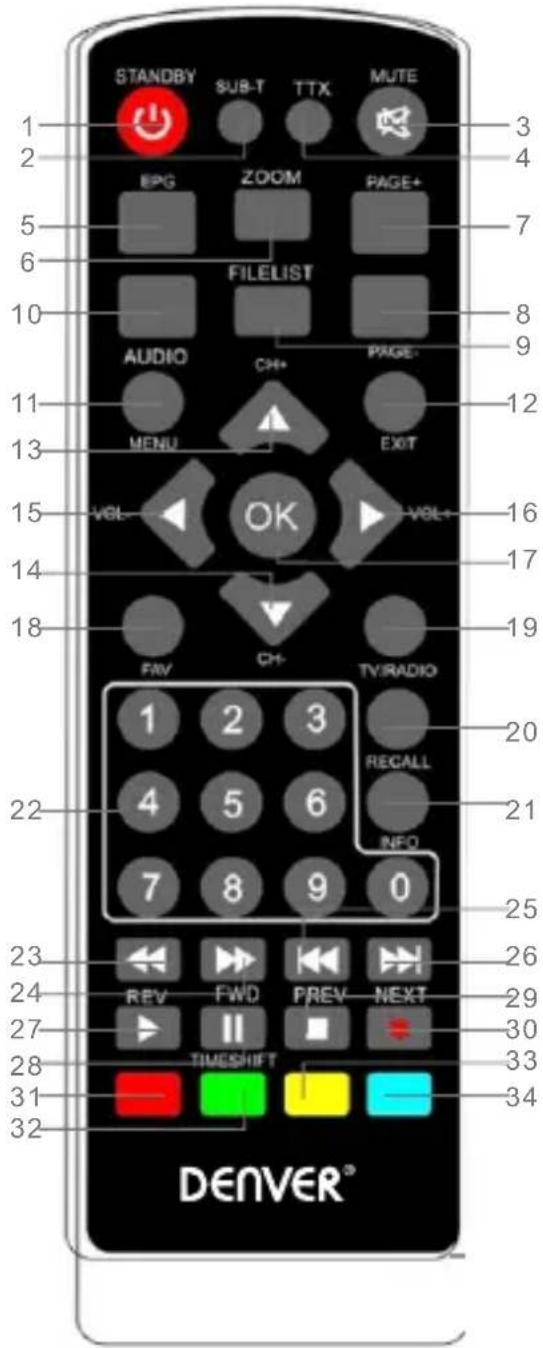
1.STANDBY: Switch The Standby Mode
2.SUBTITLE:Select Subtitle Language
3.MUTE:Mute Or Restore Audio Output
4.TTX
5.EPG:Electronic Program Guide
6.ZOOM
7.P+:Page Up
8.P-: Page Down
9.FILELIST
10.AUDIO:Choose Audio language Or Audio Mode
11.MENU:Enter The Main Menu
12.Exit:Exit The Current Menu
13.CH+:Change Channel+
14.CH-: Change Channel-
15.16..V+/-:Change Vol
17.0K
18.FAV:Enter Favorite List
19.TV/RADIO
20. RECALL: Return To Last Playing Program Or Last Operation
21.INFO:Show The Current Program Information
22.Number(0\~9):Select A Channel Or Setting
23. REV: Return
24.FWD:Forward
25.PRVE:Return To Last Page
26.Next
27.28..Play/Pause
29. Stop
30.REC: Record Program
31.32.33.34. .Multi-Function Key
3. Basic Functions
3.1 First Installation
First installation shall setup some important configures. It contains several options shown as figures below:

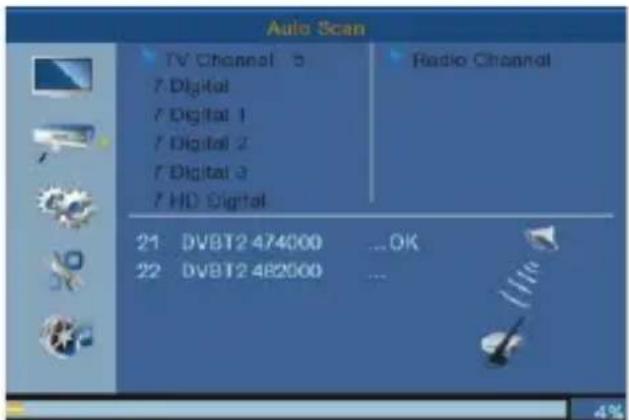
User can select Region, Language, Display Mode, Aspect Mode from this menu, when it is complete, user can use "OK" to search channels as shown in the figure below:
3.2 Display Information Of Programs
Press key "INFO" to show the information of current programs when it is in normal playing state.


4. Installation
There are two kinds of installation mode as follow:
1 DVBT channel Scan
2 DVBT Auto Scan

You can press "Right" button to enter into this menu, then press "up/down/ right/left" to choose and change below functions:
DVBT channel Scan
DVBT Auto Scan
LCN \~ to be on or off
5. Tool
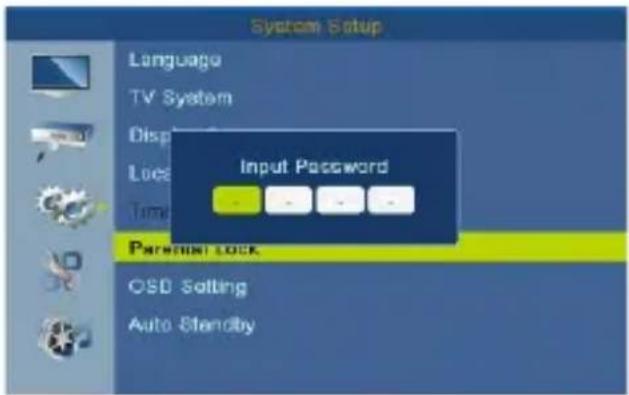
Parental Lock
- The input default password is "1234".
- If "menu lock" on, You can lock the menu of channel edit and searching.
- If parental rating choose "18 years", that can lock the adult channels.

6. System Setup
System setup menu can provide convenient system setup, as shown below:
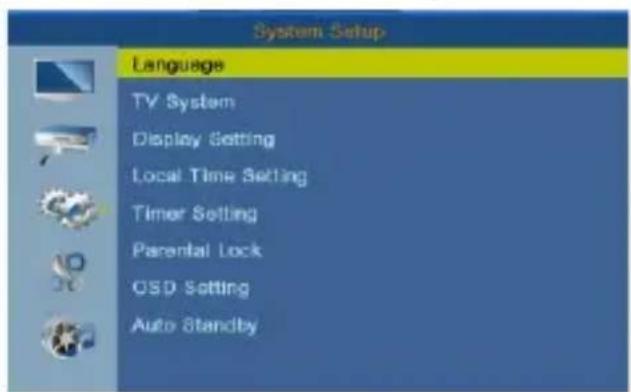
Press "Right" button to enter this menu and press up/down to choose and do the edit as you want.
Language
TV System
Display Setting
Local Time Setting
Timer Setting
Parental Lock
OSD Setting
7. Software Update
Upgrade by USB
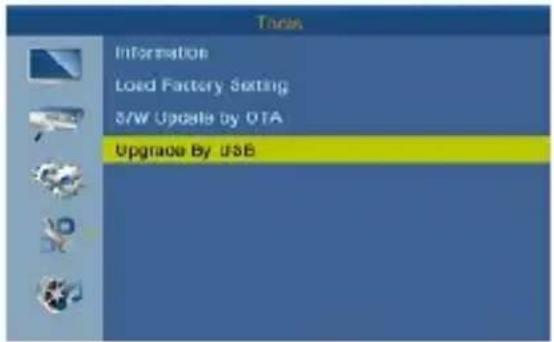
Please make sure don't shut down the power in the upgrade process; When upgrade finish, system will automatic restart with the new firmware
Please notice - All products are subject to change without any notice. We take reservations for errors and omissions in the manual.
ALL RIGHTS RESERVED, COPYRIGHT DENVER ELECTRONICS A/S
DENVER®
www.denver-electronics.com



Electric and electronic equipment and included batteries contains materials, components and substances that can be hazardous to your health and the environment, if the waste material (discarded electric and electronic equipment and batteries) is not handled correctly.
Electric and electronic equipment and batteries is marked with the crossed out trash can symbol, seen below. This symbol signifies that electric and electronic equipment and batteries should not be disposed of with other household waste, but should be disposed of separately.
As the end user it is important that you submit your used batteries to the appropriate and designated facility. In this manner you make sure that the batteries are recycled in accordance with legislature and will not harm the environment.
All cities have established collection points, where electric and electronic equipment and batteries can either be submitted free of charge at recycling stations and other collection sites, or be collected from the households. Additional information is available at the technical department of your city.
Hereby, Inter Sales A / S hereby declares that the DTB-134 radio equipment complies with Directive 2014/53 / EU. The full text of the EU Declaration of Conformity is available at the following Internet address:
Please enter "www.denver-electronics.com". Then click on the search SYMBOL in the top bar of the website and enter here the model number "dtb-134". You will now reach the product page. The Radio Equipment Directive (Directive 2014/53 / EU) can be found at "downloads / other downloads".
Operating Frequency Range:177.5\~858 MHz Max Output Power:10W
DENVER ELECTRONICS A/S Omega 5A, Soeften DK-8382 Hinnerup Denmark www.facebook.com/denverelectronics
Mærke : DENVER
Model : DTB-134
Kategori : Digital dekoder