
F18 Vigilantes - Fjernstyret legetøj FMS - Gratis brugsanvisning og manual
Find enhedens vejledning gratis F18 Vigilantes FMS i PDF-format.


Brugerspørgsmål om F18 Vigilantes FMS
0 spørgsmål om dette apparat. Besvar dem du kender, eller stil dit eget.
Stil et nyt spørgsmål om dette apparat
Download vejledningen til din Fjernstyret legetøj i PDF-format gratis! Find din vejledning F18 Vigilantes - FMS og tag din elektroniske enhed tilbage i hånden. På denne side er alle dokumenter nødvendige for brugen af din enhed offentliggjort. F18 Vigilantes af mærket FMS.
BRUGSANVISNING F18 Vigilantes FMS
Fms
F-18
OPERATING MANUAL
natural_image
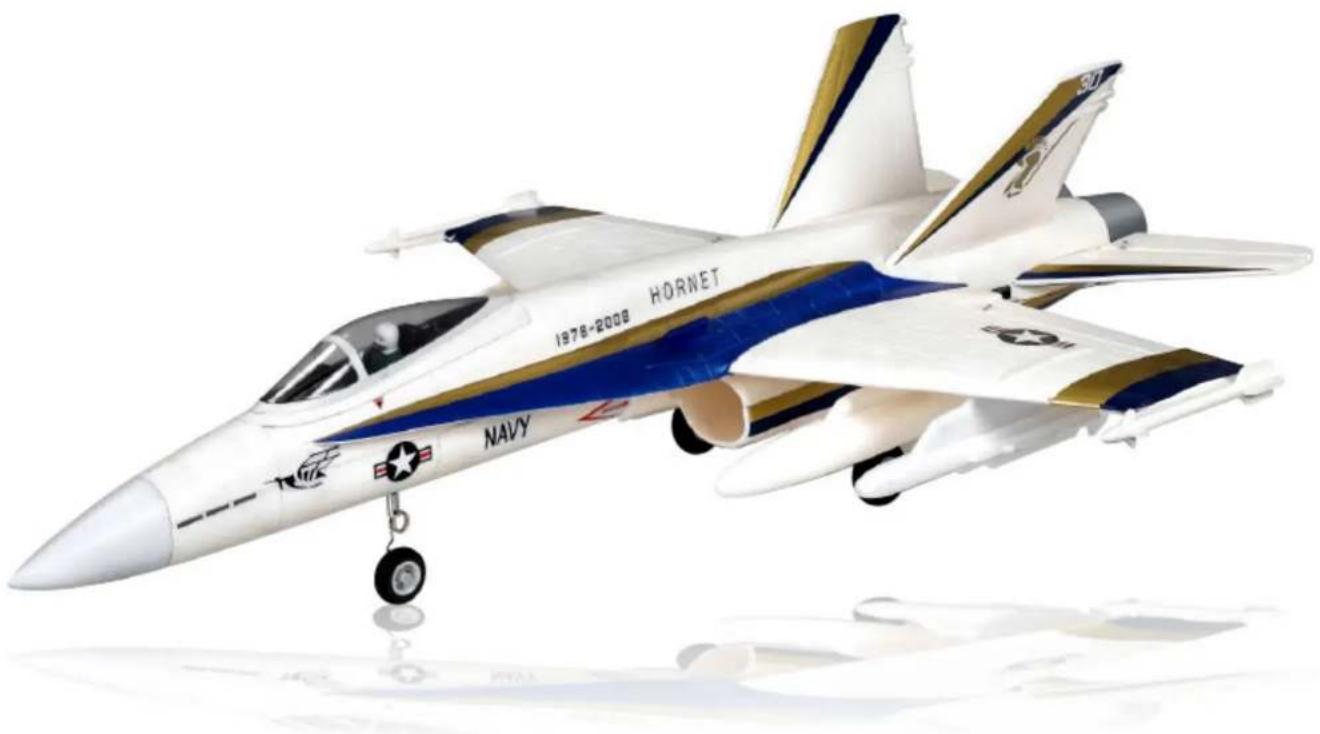
Model of a U.S. Navy Air Force fighter jet in flight, featuring blue and gold stripes and marked insignia (no text or symbols on the aircraft body)WARNING!

WARNING: Read the ENTIRE instruction manual to become familiar with the features of the product before operating. Failure to operate the product correctly can result in damage to the product, personal berty and cause serious injury.
This is a sophisticated hobby product and NOT a toy. It must be operated with caution and common sense and requires some basic mechanical ability. Failure to operate this Product in a safe and responsible manner could result in injury or damage to the product or other property. This product is not intended for use by children without direct adult supervision.
This manual contains instructions for safety, operation and maintenance. It is essential to read and follow all the instructions and warnings in this manual prior to assembly, setup, or use, in order to operate correctly and avoid damage or serious injury.
Safety Precautions and Warnings
As the user of this product, you are solely responsible for operating in a manner that does not endanger yourself and others or result in damage to the product or the property of others. This model is controlled by a radio signal subject to interference from many sources outside your control. This interference can cause momentary loss of control so it is advisable to always keep a safe distance in all directions around your model, as this margin will help avoid collisions or injury.
Age Recommendation: Not for children under 14 years. This is not a toy.
- Never operate your model with low transmitter batteries.
•Always operate your model in an open area away from cars, traffic or people. - Avoid operating your model in the street where injury or damage can occur.
- Never operate the model in the street or in populated areas for any reason.
- Carefully follow the directions and warnings for this and any optional support equipment (chargers, rechargeable battery packs, etc.) you use.
- Keep all chemicals, small parts and anything electrical out of the reach of children.
- Moisture causes damage to electronics. Avoid water exposure to all equipment not specifically designed and protected for this purpose.
- Never lick or place any portion of your model in your mouth as it could cause serious injury or even death.
FMS MODEL Friendly Reminder

Thank you for purchasing a FMS MODEL product. Our goal is to provide high quality products and offer great customer service. If you have any problems with your product or want to offer suggestions for improvements (such as plane design, packaging, building instructions, etc.) please feel free to contact us at info@fmsmodel.com
Table of contents
Kit contents 1
The spare parts list 1
Spare parts list content The illustration of the spare parts
Kit Inspection 3
Charging the Flight Battery 3
Low Voltage Cutoff 6
Assemble the plane 6
Install the landing gear Install the main wing Install the vertical fin Install the nose cone Install the linkage rods Install the battery The receiver department Check the C.G. (Center of Gravity)
Get your model ready to fly 13
Load the aircraft Important ESC information The transmitter and model setup Check the control throws Check the motor rotor direction
Before the model flying 17
Find a suitable flying site Perform the range check of your plane Monitor your flight time
Flying course....18
Take off Flying Landing Maintenance
Troubleshooting 19
AMA 20
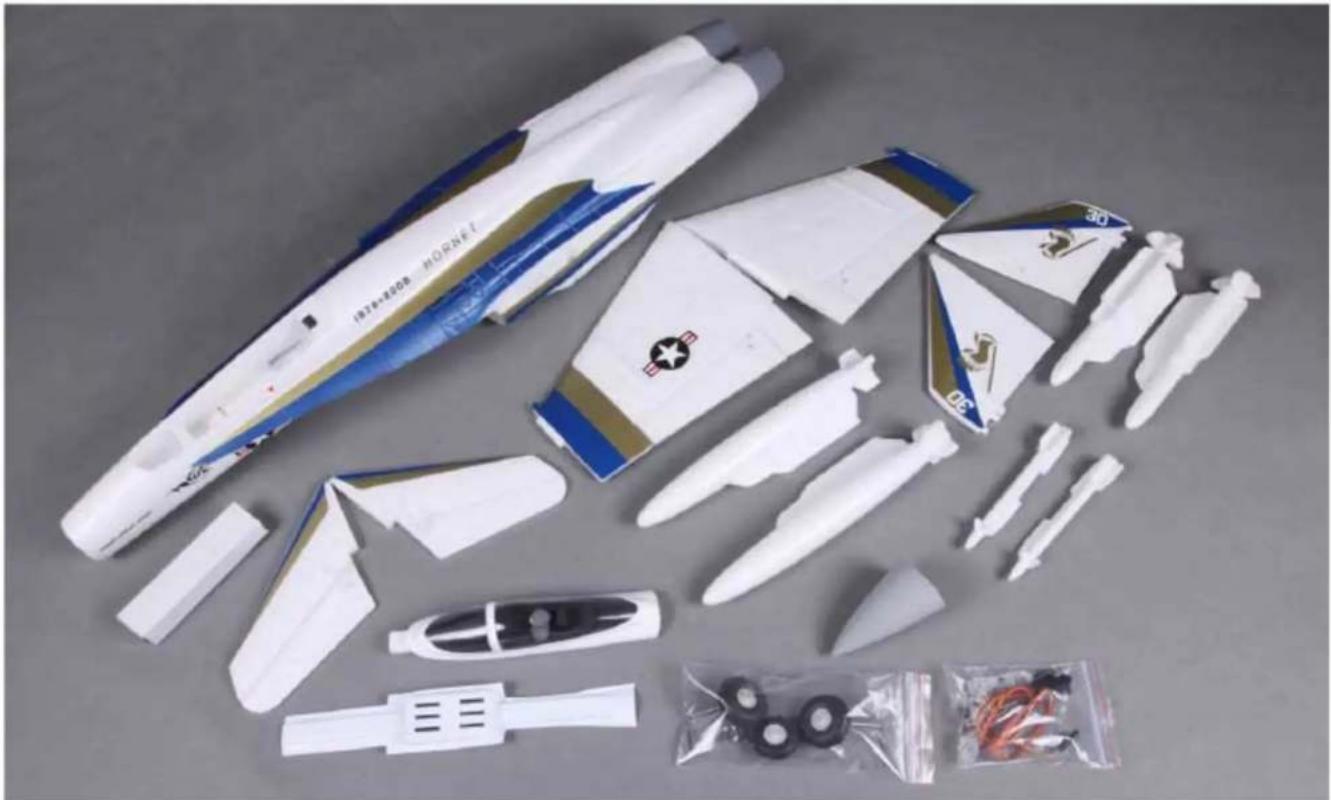
Kit contents
natural_image
Disassembled model aircraft with white plastic parts and accessories, laid out on a plain surface (no text or symbols visible)Kit contents
- The fuselage assembly (With the fin, the canopy, the electronic parts, ESC)
- Vertical stabilizer assembly
- Horizontal stabilizer with the elevator hinged
- Nose cone
- Oil tanks and the Missiles
The spare parts list
Replacement parts for the F-18 Phantom are available using the order numbers in the Spare parts list that follows. The fastest, most economical service can be provided by your hobby dealer or mail-order company.
Spare parts list content
Spare parts list content
FY001 Fuselage (the upper and lower fuselage with elevator)
FY002 Main wing set (the left main wing the right main wing)
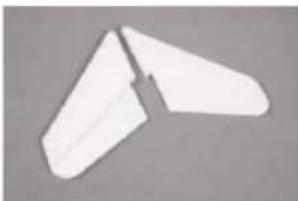
FY003 Rudder (two rudder)
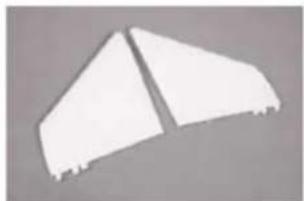
FY004 Elevator (the left elevator, the right elevator)
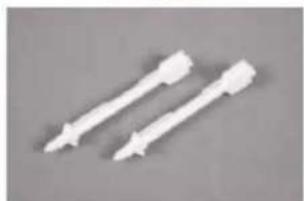
FY005 Missile-1 (two missiles)
FY006 Missile-2 (two missiles)
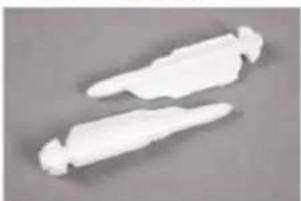
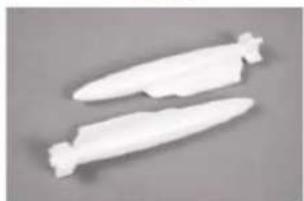
FY007 Oil Tank (two oil tanks)
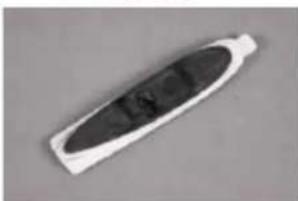
FY008 Canopy (Foam canopy)
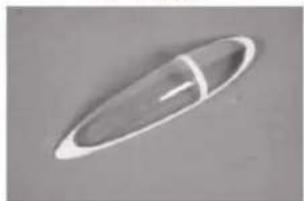
FY009 Canopy (Plastic canopy)
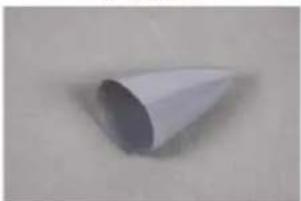
FY010 Cowl (one cowl)
64mm Ducted fan
FY012 Landing gear set (front landing gear, tail landing gear)
FY013 Linkage Rod (one cowl)
Fy013 Sticker
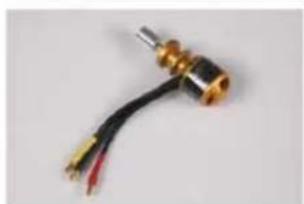
FMS-Motor-2627-KV5100
FMS-ESC-70A 5A SBEC (200mm length cable)
FMS-Servo-9g-Positive
70mm Ducted fan
The illustration of the spare parts
natural_image
Close-up of a white and blue plastic object with metallic pins, possibly a tool or device (no visible text or symbols)FY001
natural_image
Two white paper airplanes on a plain gray background (no text or symbols visible)FY002
natural_image
Abstract geometric shape with two triangular cutouts on a gray background (no text or symbols)FY003
natural_image
Two white plastic wing-shaped objects with a cutout, isolated on a plain gray background (no text or symbols)FY004
natural_image
Two white plastic tool tips arranged diagonally on a gray background (no text or symbols)FY005
natural_image
Two white plastic cylindrical objects with rounded ends, isolated on a plain gray background (no text or symbols visible)FY006
natural_image
Two white, elongated, elongated objects resembling stylized paper or flutes on a gray background (no text or symbols)FY007
natural_image
Close-up of a white oval-shaped object with a dark central section, possibly a battery or connector (no visible text or symbols)FY008
natural_image
Simple white oval-shaped object with a horizontal line inside, no text or symbols visible.FY009
natural_image
Simple 3D-rendered white cone on a plain background (no text or symbols)FY010
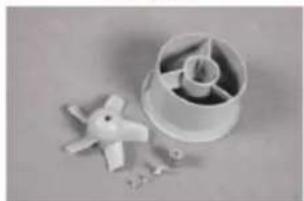
natural_image
Close-up of a plastic turbine impeller with a small mechanical component and scattered parts (no text or symbols visible)64mm Ducted fan
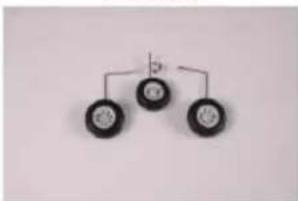
flowchart
graph TD
    A[" "] --> B[" "]
    A --> C[" "]
    B --> D[" "]
    C --> D
FY012
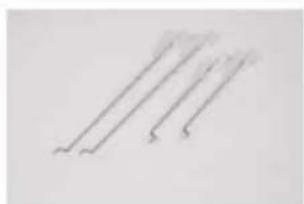
natural_image
Three parallel lines with curved ends, no text or symbols presentFY013
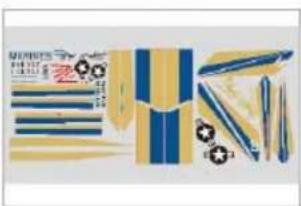
natural_image
Product packaging design featuring striped and blue tones with decorative elements (no visible text or symbols)FY014
natural_image
Close-up of a metallic cylindrical connector with two wires, no visible text or symbolsFMS-Motor-2627-Kv5100
FMS-ESC-50A(430mm length cable)
FMS-Servo-9g-Positive
Kit inspection
Before starting to build, inspect the parts to make sure they are acceptable quality. If any parts are missing or are not in good shape or acceptable quality, or if you need assistance with setup and assembly, please feel free to contact ROC TEAM. Please write down the name of the parts when you are reporting defective or missing of them.
ROC TEAM Product Support
ADDRESS: 3/F, Building B, 3rd Industry Zone, Matigang, Dalingshan Town, Dongguan City, P.R.C
Ph: 0086-769-86976655
Charging the Flight Battery
The Battery Charger included with your aircraft is designed to safely charge the Li-Po battery,
Caution: All instructions and warnings must be followed exactly. Mishandling of Li-Po batteries can result in fire, personal injury, or property damage.
Battery warning:
By handling, charging or using the included Li-Po battery you assume all risks associated with lithium batteries.
If at any time the batteries begin to swell, or balloon, discontinue use immediately! Charging or discharging a swelling or ballooning battery can result in fire.
Always store the batteries at room temperature in a dry area to extend the life of the battery. Always transport or temporarily store the battery in a temperature range of 40-120°F. Do not store battery or model in a car or in direct sunlight. If stored in a hot car, the battery can be damaged or even catch fire.
Never use a Ni-Mh charger. Failure to charge the battery with a compatible charger may cause fire resulting in personal injury and property damage.
Never discharge Li-Po cells to below 3V.
Never leave charging batteries unattended.
Never charge damaged batteries.
Charging the flight battery
RTF kits come with a DC balancing charger. You must charge the battery with a Li-Po specific charger only (such as the included BC-3S10 DC charger). When charging the battery, make certain the battery is on a heat-resistant surface, charge the battery before assembly of the airplane. Install the fully charged battery to perform control tests and binding.
BC-3S10 Balance Charger
To correctly use the charger, please read the instructions before use.
Charging the Flight Battery
Electrical Parameters
| Parameter | Min | Type | Max | Unit |
| Working Voltage | 9 | 12 | 16 | V |
| Input Power | 15 | W | ||
| Work Temperature | -20 | 45 | °C | |
| Store Temperature | -20 | 65 | °C | |
| Charging Stop Voltage | 4.19 | 4.20 | 4.21 | V |
| Charging Current | 1000 | mA | ||
| Balancing Current | 150 | 200 | mA | |
| Activate Current | 80 | 120 | mA |
Charging the Flight Battery
Using Steps:
- Connect the charger to adapter with enough voltage and wattage, then the Power LED will turn on;
- Connect 2S/3S battery pack to the corresponding balance port (Do not connect two battery packs at the same time), then the Charge LED will flicker (1Hz) and start charging.
- When the Charge LED stops flickering, charging is complete, and the batteries can be unplugged.
Charging Function Description
- If all voltage of the installed battery pack is higher than 4.18V, charging will not start and the charge LED will shine.
- If the voltage of one battery or some batteries is lower than 0.7V, charging will not start. If the voltage of the first battery of a 3S battery pack is lower than 0.7V, the charger will charge the battery pack as if it was a 2S battery pack.
- If the voltage of one battery or some batteries is lower than 2.8V, the charger will activate the battery pack with a small current. If the voltage can't be increased above 2.8V after half an hour, the charger will judge the battery pack as bad. The charge LED will then flicker rapidly (0.5Hz), and charging will stop.
Self Checking Function
- Charger will perform a self test before each charge. The charge LED will rapidly flicker (0.5Hz) if the charging function is abnormal;
- Accuracy checking Function: Connect a fully charged 3S battery pack (all voltage at least 4.2V), the charge LED will flicker twice then shine always. This means that the accuracy is normal.
Protection Function
- Reverse connection protection of input
- Reverse connection protection of output
- Short circuit protection of output
- Over voltage protection of output
Troubleshooting
- Power LED does not shine – Adapter isn't connected correctly. Please check the polarity and reconnect adapter.
- Charging abruptly stops and tries to restart constantly during charging – Output power of the adapter is not sufficient, please replace the adapter.
- Charge LED does not shine – Reconnect the battery pack; Check the voltage of batteries.
- Charge LED rapidly flickers – Battery is bad or charging function is abnormal. Replace battery or contact technical support.
Low voltage cut off (LVC)
When a Li-Po is discharged below 3V per cell, it will not hold a charge. The ESC protects the flight battery from over-discharge using Low Voltage Cutoff. Before the battery charge decreases too much, LVC removes power from motor in two ways: (1) Reduces power - ESC reduces motor power (recommended), (2) Hard cutoff - ESC instantly cuts motor power when the pre-set Low Voltage Protection Threshold value is reached. These settings can be changed using the ESC programing guide (available on-line).
Assemble the plane
Install the landing gear
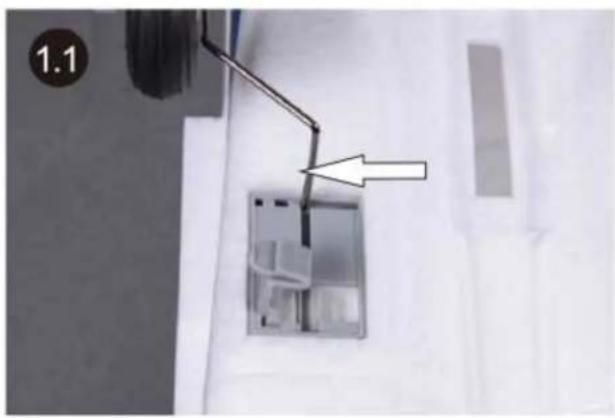
- Slide L bend end of the landing gear strut into the pre-notched slot on the gear mounting base. Each strut should installed so that the wheel faces outwards when installed.
natural_image
Close-up of a wall-mounted electrical outlet with a metal rod and an arrow pointing to a component (no text or symbols visible)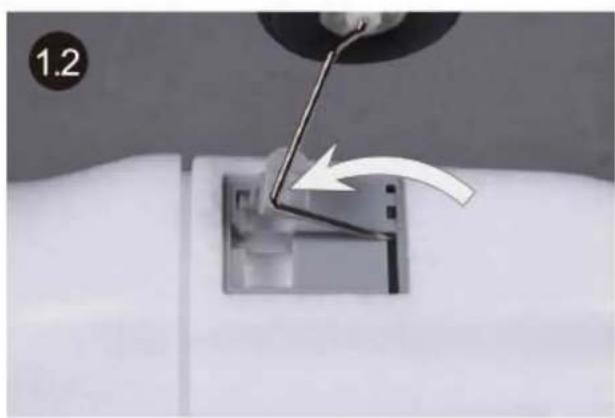
natural_image
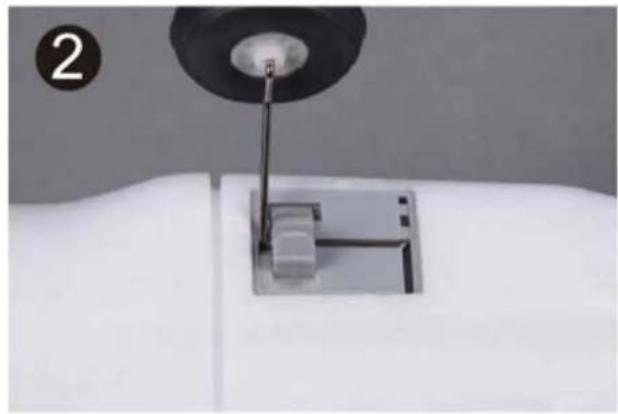
Close-up of a sewing machine needle being inserted into a square base, with a hand adjusting the needle (no text or symbols visible)- Rotate the strut as picture 1.2 shows till the strut is fully seated into the slot.
natural_image
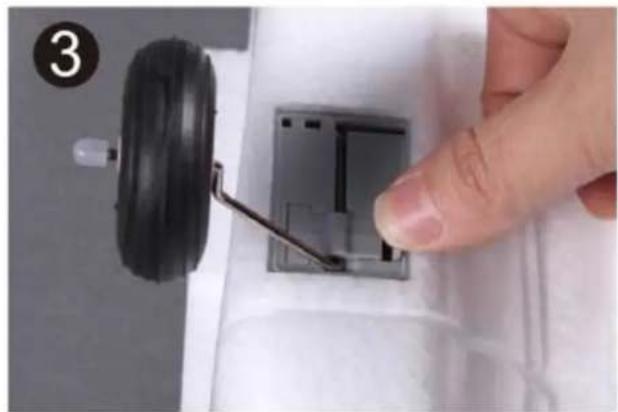
Close-up of a sewing machine needle and base mount on a white fabric surface (no text or symbols visible)- Snap the plastic latch to secure the landing gear into place.
natural_image
Close-up of a hand adjusting a small mechanical component with a black tire and metal bracket (no visible text or symbols)Assemble the plane
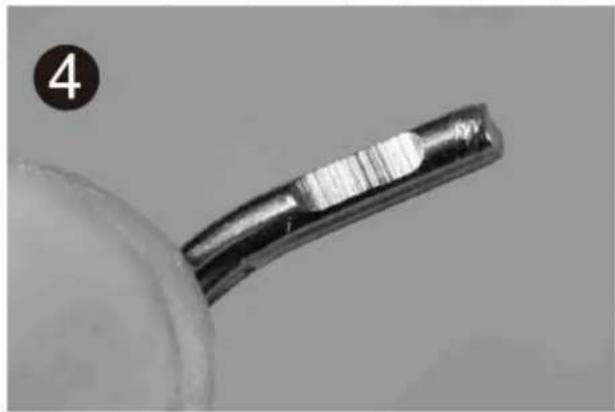
- Install the front landing gear. The flat spot of the strut will be used to hold the strut firmly into place (step 6 below).
natural_image
Close-up of a metallic tool tip with a curved handle, possibly a wire or fiber, against a plain background (no text or symbols visible)- Check the socket inside the air intake to ensure the screw side of the socket faces the nose of the plane.
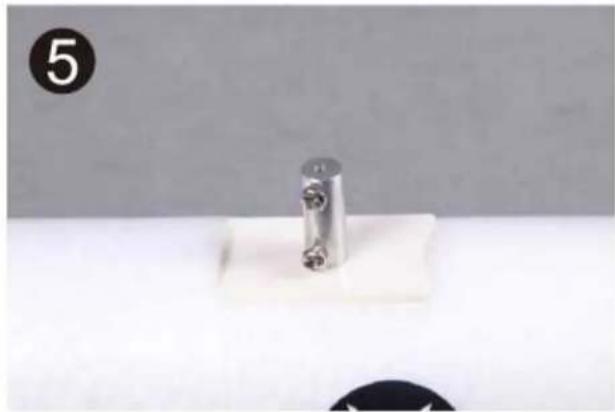
natural_image
Close-up of a metallic cylindrical component mounted on a white base, with a black circular icon labeled '5' in the corner (no text or symbols on the object itself)- Insert the front strut into the socket from the bottom of the air intake with the flat spot side toward the screws side of the socket.
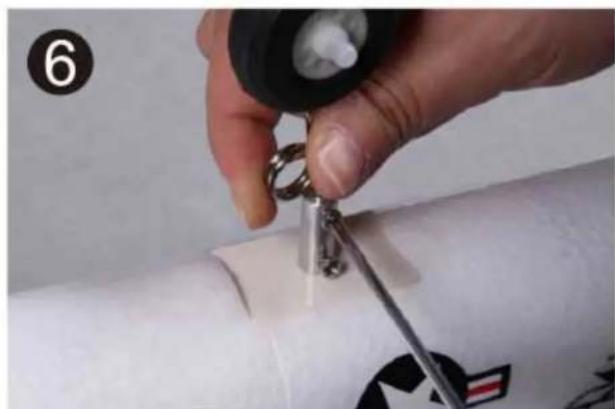
natural_image
Close-up of a hand holding a small metal tool near a white cylindrical object, with no visible text or symbols.Install the main wing
- Remove any paint (Tip - use strong adhesive tape to easily remove paint) where the main wing and the horizontal stabilizer will fit together with the fuselage.
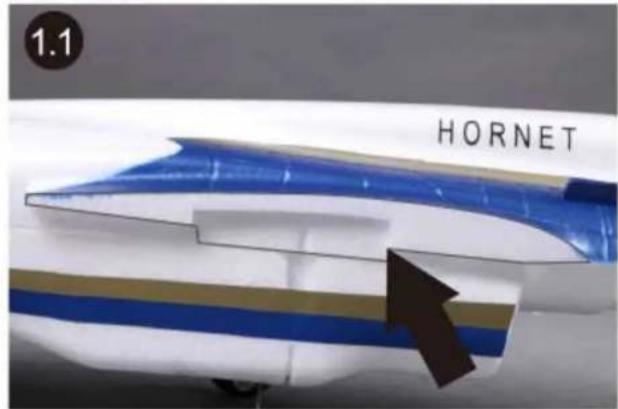
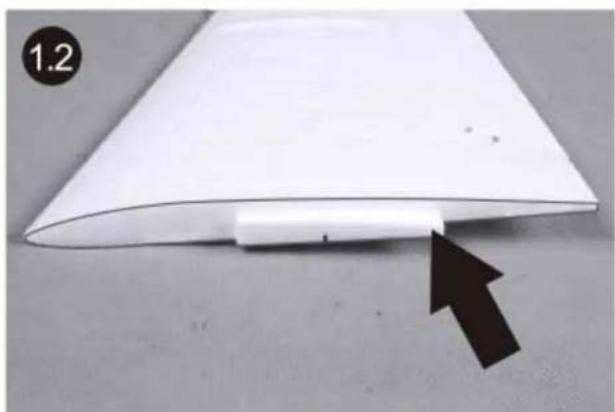
natural_image
White paper sheet with a black arrow pointing to its edge, placed on a gray surface (no text or symbols visible)- Apply equal parts of quick dry epoxy into the mixing plate and stir with a stick. Note: Epoxy will dry in approx 3 to 5 min so be sure you have adequate time to apply glue and position parts.
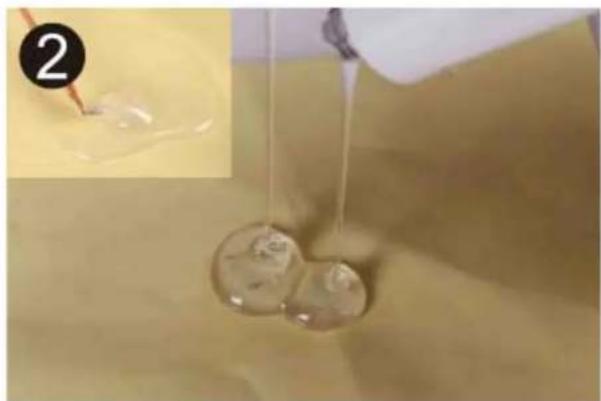
natural_image
Close-up of liquid being poured into a container with bubbles, showing a small inset image (no text or symbols)Assemble the plane
- Apply the mixed epoxy to the starboard wing and fuselage mating edge using a brush or other applicator.
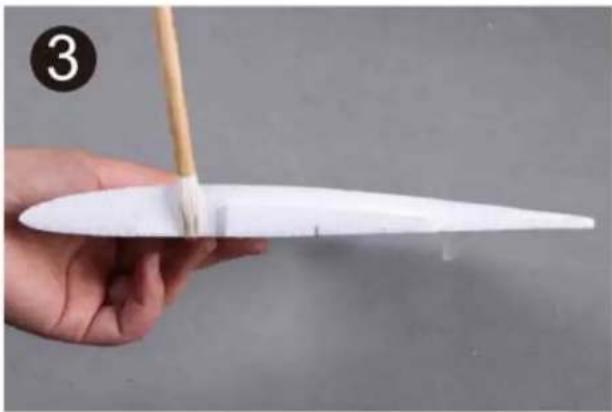
natural_image
Hand holding a white model airplane with a wooden stick, no visible text or symbols- Fit the wing into place promptly (before the epoxy begins to cure).
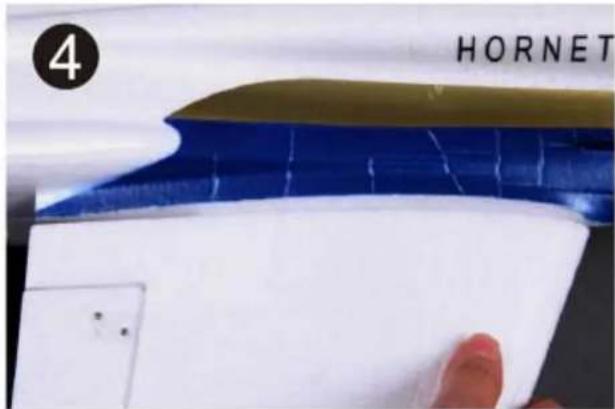
- Make sure the top surface of the main wing is level with the fuselage body. Install the port side main wing following the same method as steps 3 through 5.
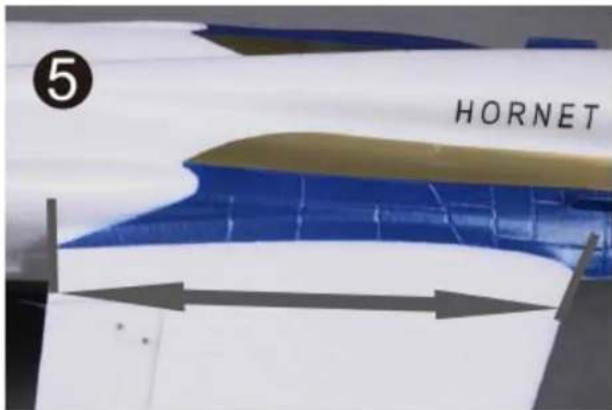
Assemble the plane
Install the horizontal stabilizer
- Install the control horns on the bottom side of the stabilizer as shown.
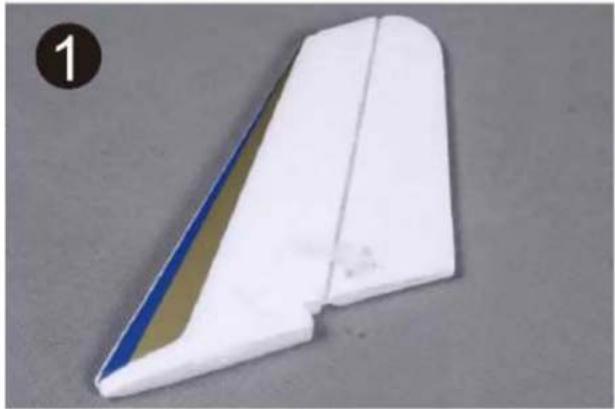
natural_image
White and blue striped aircraft wing component on a gray surface (no text or symbols visible)- Glue the port side horizontal stabilizer into place.
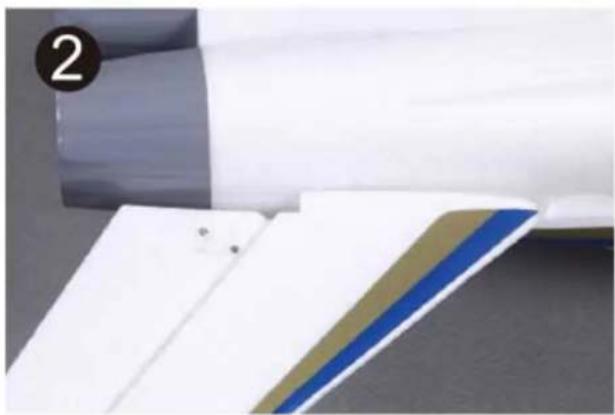
natural_image
Close-up of a white plastic sheet with blue and brown stripes, partially visible against a dark surface (no text or symbols)- Fully seat the stabilizer into place, make sure there is no gap left between the stabilizer and the fuselage.
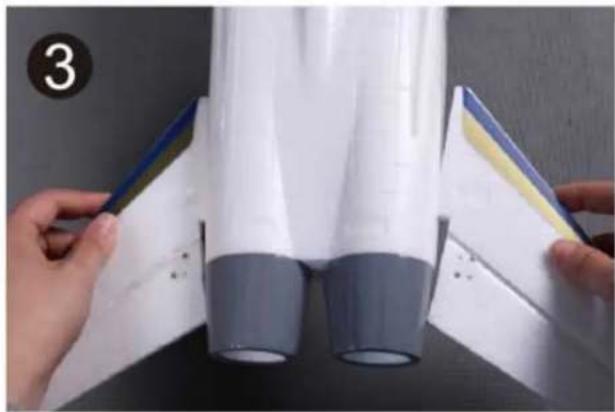
natural_image
Close-up of hands holding a white and gray plastic object with blue and yellow markings, no visible text or symbols- Make sure the stabilizer horizontal axis is parallel to the wing as shown. Adjust any misalignment before the glue dries throughly.
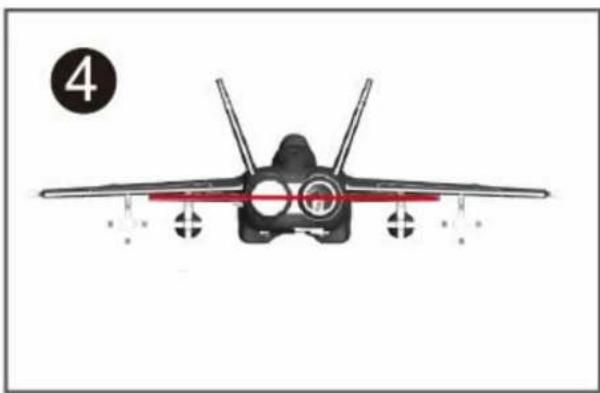
natural_image
Front view of a fighter jet with visible cockpit and tail, marked with number 4 (no text or symbols on the aircraft body)Assemble the plane
Install the vertical fin
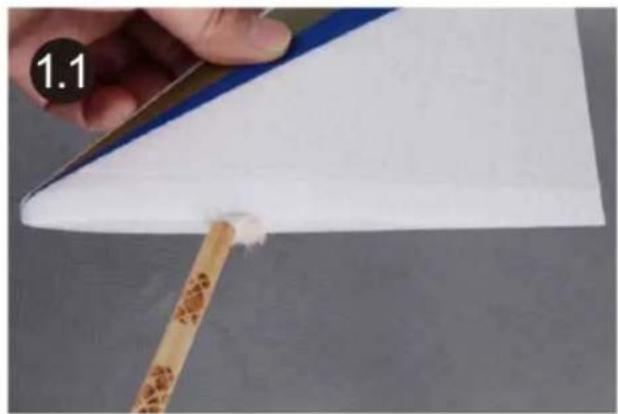
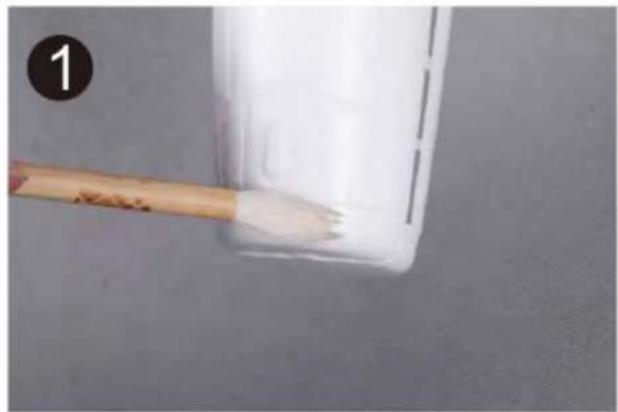
- Glue the vertical stabilizer into place.
natural_image
Close-up of a hand holding a wooden stick applying white paint to a white sheet on a flat surface (no text or symbols visible)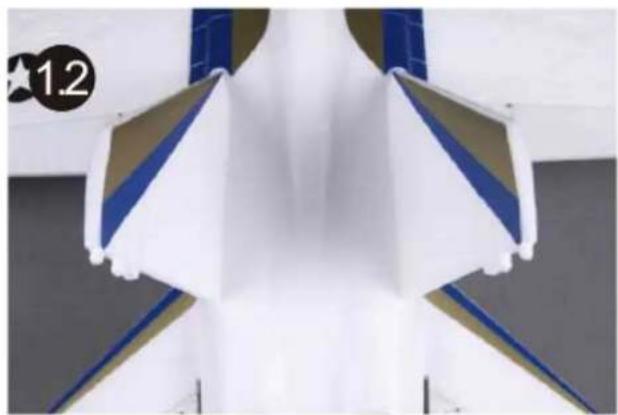
natural_image
Close-up of a white aircraft fuselage with blue and gold stripes, no visible text or symbolsInstall the nose cone
- Glue the fuselage into place.
natural_image
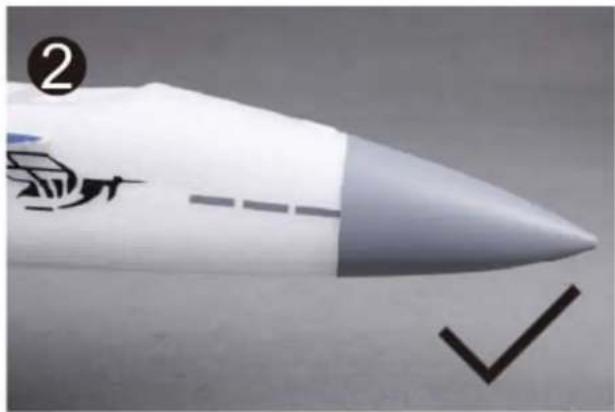
Close-up of a brush applying white powder into a transparent container (no text or symbols visible)- The nose cone is attached to the fuselage using two pieces of magnets. Figure 3 shows the right way to attach the nose.
natural_image
Close-up of a white rocket-like object with a pointed nose and a checkmark (no text or symbols visible)- The wrong way to mount the nose cone.
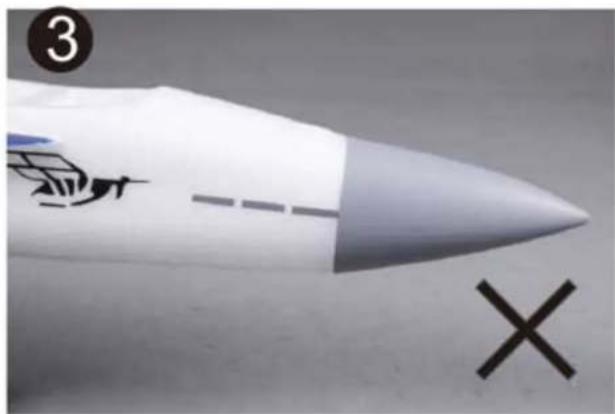
natural_image
Close-up of a white rocket-like object with a tail and a cross mark, no visible text or symbolsAssemble the plane
Install the linkage rod
- Put the Z-bend end of the linkage into the desired servo control horn hole. It is a tight fit and should allow the linkage to move just slightly within the hole to avoid binding up.
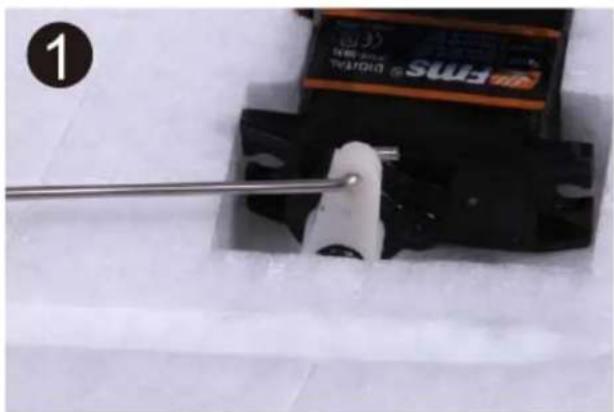
natural_image
Close-up of a mechanical component being adjusted with a metal rod, no visible text or symbols- Snap the clevis into the surface control horn.
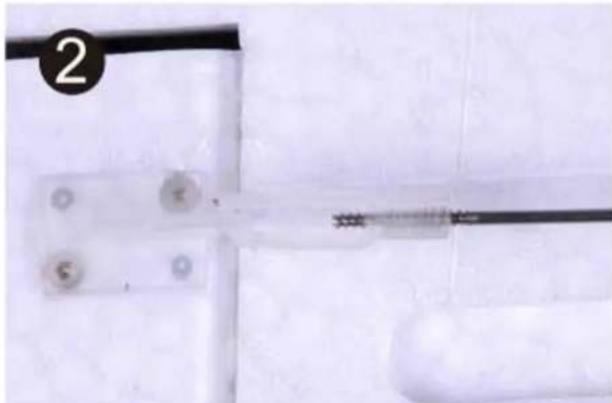
natural_image
Close-up of a medical or laboratory procedure showing a wire inserted into a plastic tube with circular components (no visible text or symbols)- The provided piece of fuel tubing keeps the clevis closed during flight. Repeat steps 1&2 for the remaining linkage rods. Note: Do not over slide the securing tube or it will impede the movement of the surface control horn.
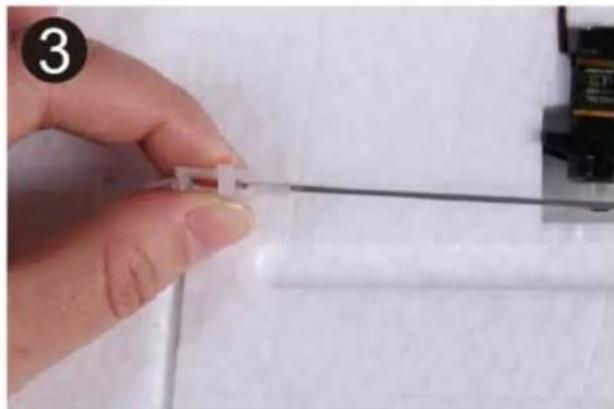
natural_image
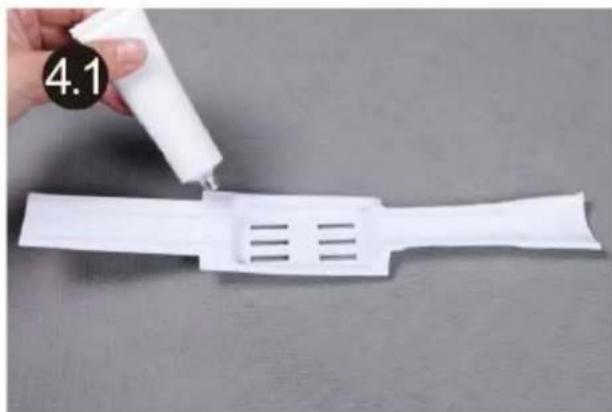
Close-up of a hand holding a thin wire with a small transparent object, against a plain background (no text or symbols visible)- Apply glue to the edge part of cover board, insert the cover board into the tank.
natural_image
Hand pouring liquid into a white plastic bag with three slots, placed on a gray surface (no text or symbols visible)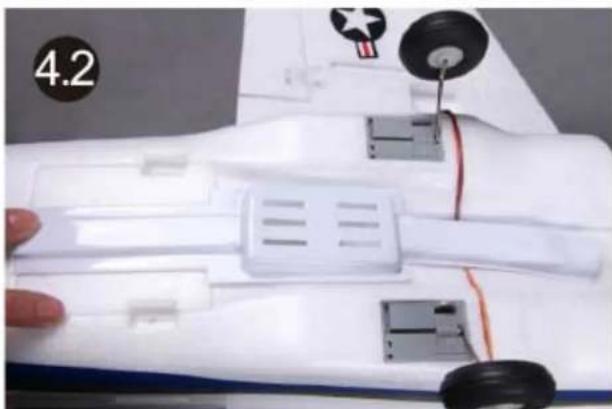
natural_image
Close-up of a white toy car body with visible wheels and components, no text or symbols presentAssemble the plane
Installing the receiver
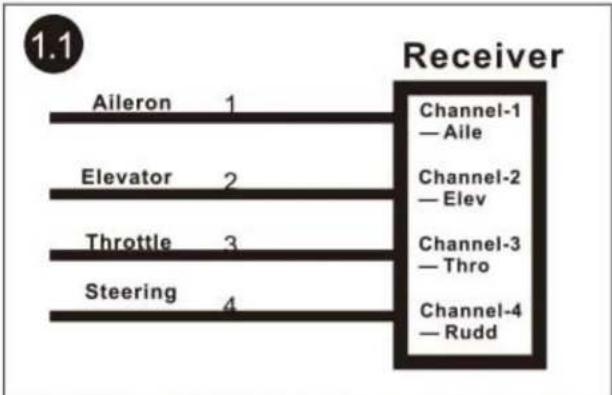
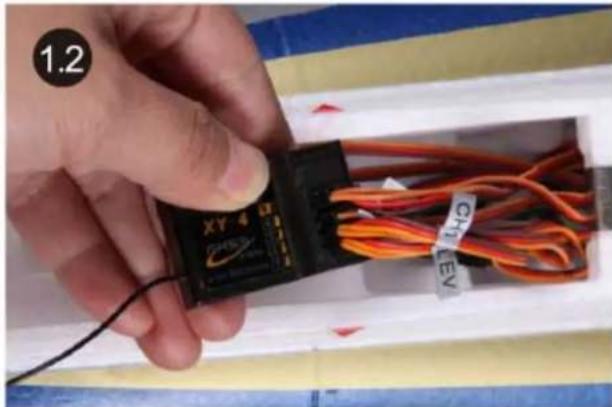
- Attach aileron servo to the Aileron channel of your receiver. Elevator harness goes to elevator channel of your receiver. Steering servo goes to the Rudder channel. Attach the ESC connector to the throttle channel of the receiver.
flowchart
graph LR
    A["Aileron"] -->|1| B["Receiver"]
    C["Elevator"] -->|2| B
    D["Throttle"] -->|3| B
    E["Steering"] -->|4| B
    B --> F["Channel-1 — Aile"]
    B --> G["Channel-2 — Elev"]
    B --> H["Channel-3 — Thro"]
    B --> I["Channel-4 — Rudd"]
natural_image
Hand holding a black USB device labeled 'XY 4' with orange cables and a tag reading 'CHL EY', placed inside a white rack (no readable text beyond labels)- Tuck the wire leads into the recessed cavity at the rear end of the canopy hatch.
Note: Keep wires clear from notched area at the rear of the hatch (highlighted) to ensure canopy stays secure in flight.
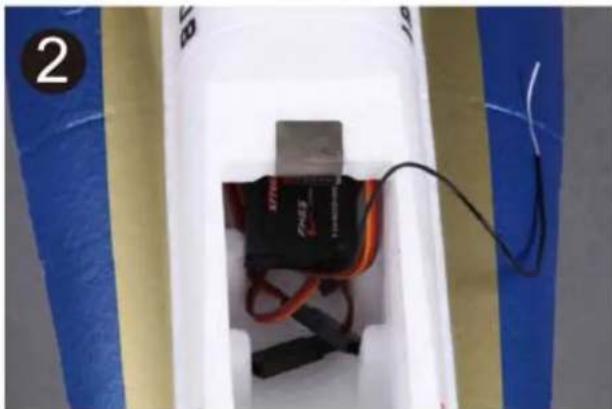
natural_image
Interior view of a white cylindrical device with black and red cables, placed on blue and yellow striped background (no visible text or symbols)- Mount the receiver into place and make sure it will not impede the canopy mounting.
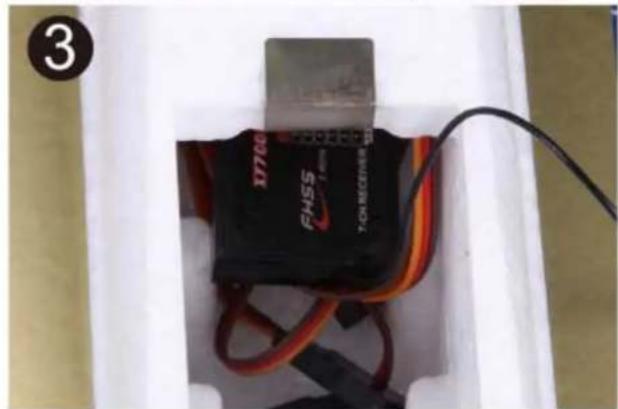
natural_image
Close-up of a black electronic device labeled 'FNSS' with red wires, placed inside a white container (no visible text or symbols on the device itself)Install the battery
- Slide the battery into the battery hatch with the power supply cable toward the rear end of the plane. Secure the battery using the hook and loop strip. Note: You may need to relocate the battery position to achieve the correct CG for your F-4 model.
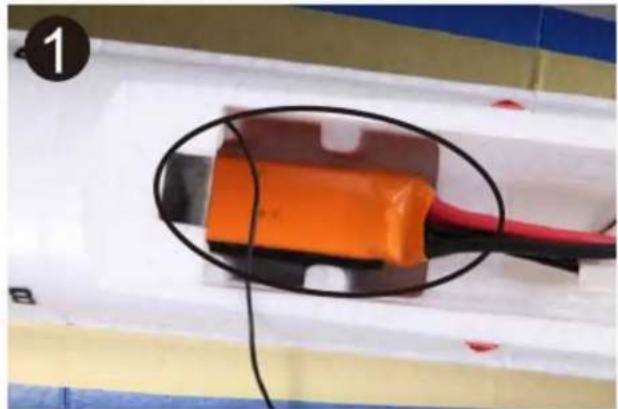
natural_image
Close-up of an orange and black electronic component with wires, placed on a white surface (no visible text or symbols)Assemble the plane
Check the C.G. (Center of Gravity)
Center of Gravity
When balancing your model, adjust the motor battery as necessary so the model is level or slightly nose down. This the correct balance point for your model. After the first flights, the CG position can be adjusted for your personal preference.
-
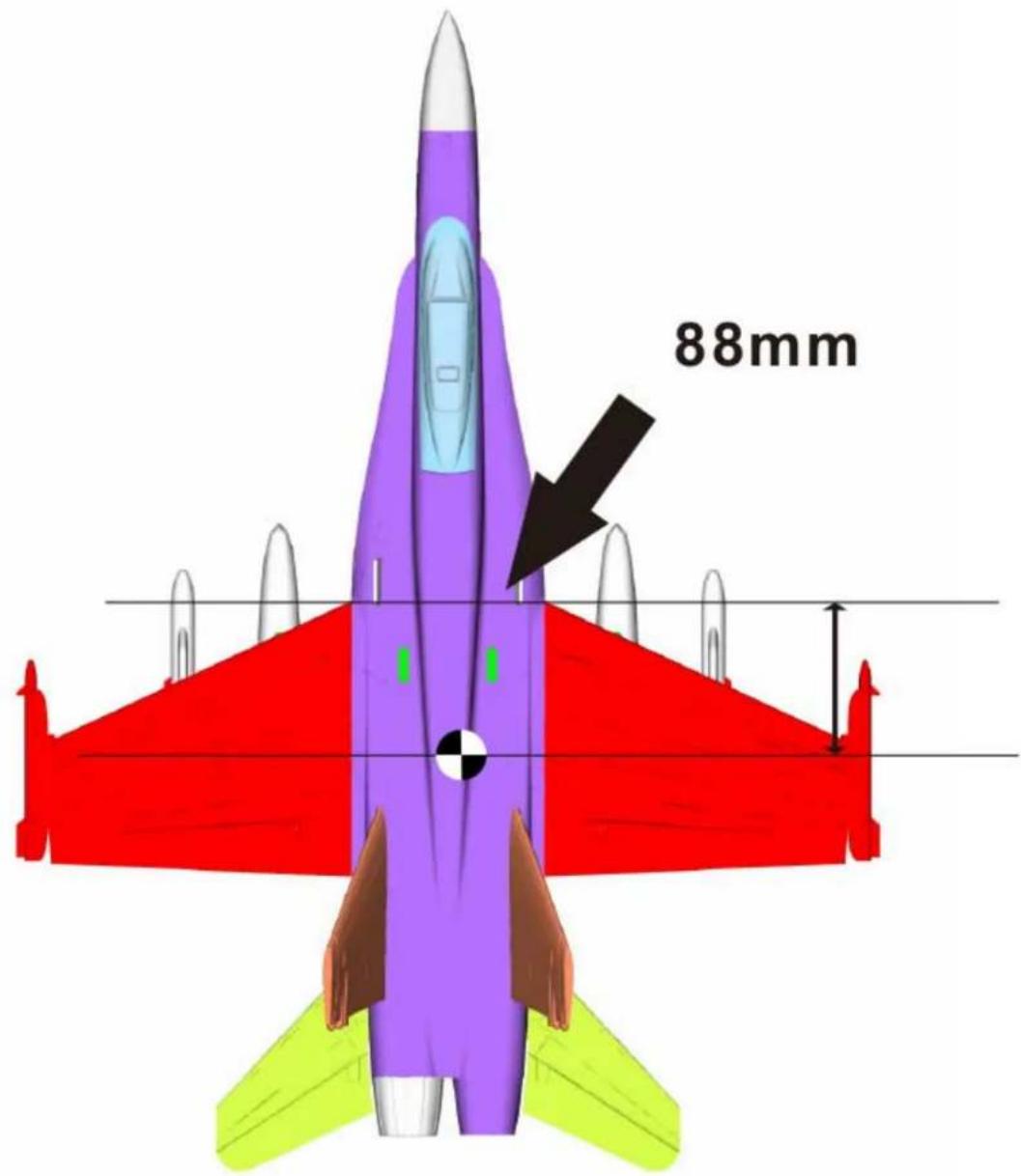
The recommended Center of Gravity (CG) location for your model is (88mm) forward from the trailing edge of the main wing (as shown) with the battery pack installed. Mark the location of the CG on top of the wing.
-
When balancing your model, support the plane inverted at the marks made on the top of the main wing with your fingers or a commercially available balancing stand. This is the correct balance point for your model. Make sure the model is assembled and ready for flight before balancing.
Get your model ready to fly
Important ESC information
- The ESC included with the F-18 has a safe start. If the motor battery is connected to the ESC and the throttle stick is not in the low throttle or off position, the motor will not start until the throttle stick is moved to the low throttle or off position. Once the throttle stick is moved to the low throttle or off position, the motor will emit a series of beeps. Several beeps with the same tune means the ESC has detect the cells of the battery. The count of the beeps equal the cells of the battery. The motor is now armed and will start when the throttle is moved.
- The motor and ESC come pre-connected and the motor rotation should be correct. If for any reason the motor is rotating in the wrong direction, simply reverse two of the three motor wires to change the direction of rotation.
- The motor has an optional brake setting. The ESC comes with the brake switched off and we recommended that the F-18 be flown with the brake off. However, the brake could be accidentally switched on if the motor battery is connected to the ESC while the throttle stick is set at full throttle. To switch the brake off, move the throttle stick to full throttle and plug in the motor battery. The motor will beep one time. Move the throttle stick to low throttle or the off position. The motor is ready to run and the brake will be switched off.
- Battery Selection and Installation. We recommend the 11.1V 1800mAh 25C Li-Po battery. If using another battery, the battery must be at least a 11.1V 1800mAh 25C battery. Your battery should be approximately the same capacity ,dimension and weight as the 11.1V 1800mAh 25C Li-Po battery to fit in the fuselage without changing the center of gravity significantly.
Get your model ready to fly
The transmitter and model setup
Before getting started, bind your receiver with your transmitter. Please refer to your Transmitter Manual for proper operation.
CAUTION: To prevent personal injury, DO NOT install the propeller assembly onto the motor shaft while testing the control surfaces. DO NOT arm the ESC and do not turn on the transmitter until the Transmitter Manual instructs you to do so.
Tips: Make sure all control sticks on your radio are in the neutral position (rudder, elevator, ailerons) and the throttle in the OFF position. Make sure both ailerons move up and down (travel) the same amount. This model tracks well when the left and right ailerons travel the same amount in response to the control stick.
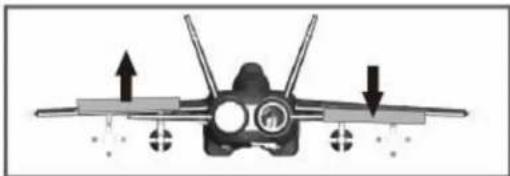
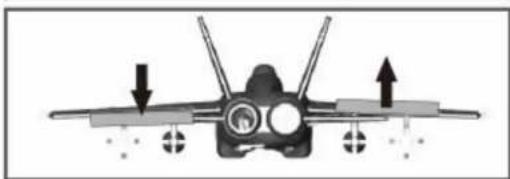
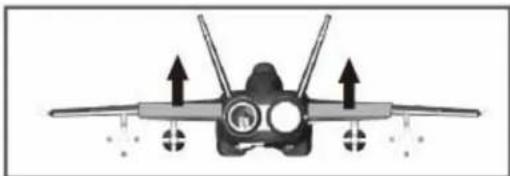
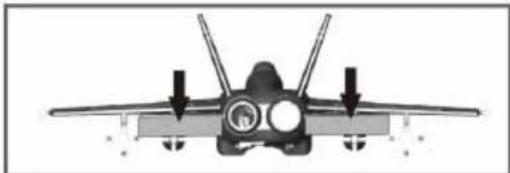
- Move the controls on the transmitter to make sure aircraft control surface move correctly. See diagrams below.
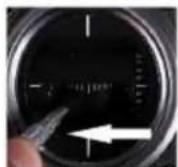
Bank Left
natural_image
Front view of a fighter jet with visible cockpit, wings, and nose cone (no text or symbols)Aileron
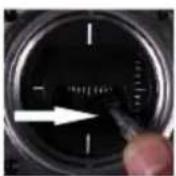
Bank Right
natural_image
Front view of a fighter jet with visible cockpit, wings, and propellers (no text or symbols)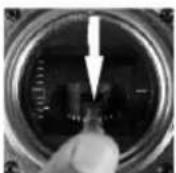
Climb
natural_image
Front view of a fighter jet with four wings and two overhead arrows indicating flight direction (no text or symbols)Elevator
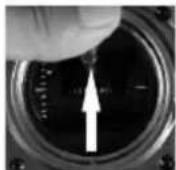
Descend
natural_image
Front view of a fighter jet with visible cockpit and side stripes (no text or symbols)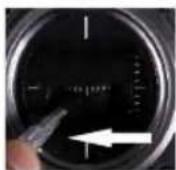
Steer Left
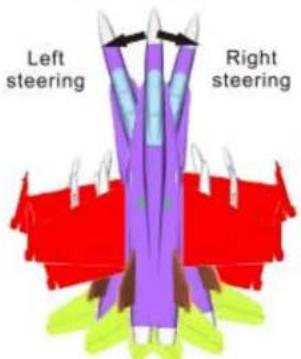
Steering
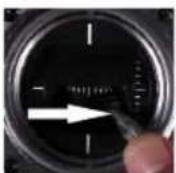
Steer Right
Get your model ready to fly
- Make sure all servo arms are fully vertical. If not, adjust the servo arm by using the trim function on your radio. Note: For computerized transmitters, use the servo/channel sub-trim feature to make each servo arm fully vertical.
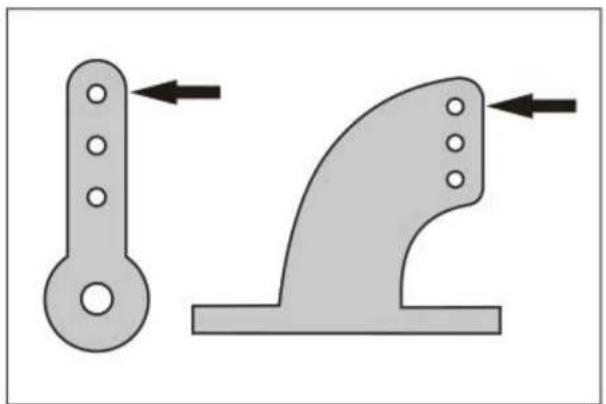
- The standard hole settings for linkage connections are shown by the black arrows in the diagram below. You can move the linkage to different hole positions to increase control surface travel and increase the aerobatics of the airplane.
natural_image
Two mechanical components with arrows indicating movement or force direction (no text or symbols)- Align the control surface with the wing root by turning the clevis clockwise and counterclockwise on the linkage, carefully open the clevis fork and put the clevis pin in the desired hole of the control horn.
Note: Please secure the clevis with provided piece of tube after the alignment of the surface is completed.
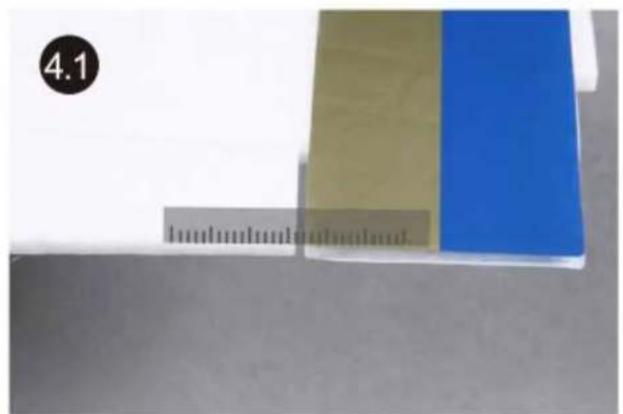
natural_image
Two colored rectangular blocks (beige and blue) placed next to a ruler, with a black circle labeled '4.1' in the top-left corner (no other text or symbols)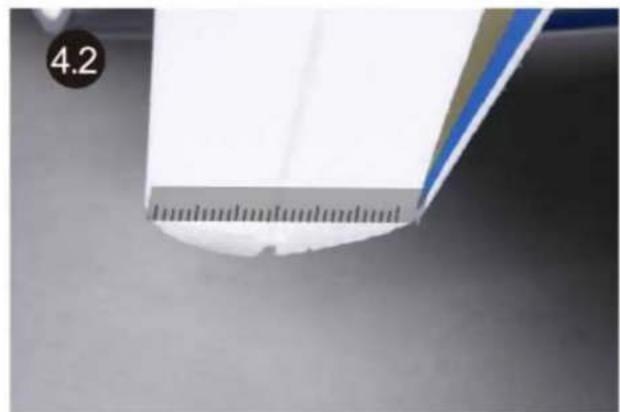
natural_image
Close-up of a white surface with a ruler and a blue tool, no visible text or symbolsCheck the control throws
The suggested control throw settings for ROC HOBBY are as follows (Dual rate setting):
High Rate
Low Rate
Elevator
15mm up/down
10mm up/down
Aileron
17mm up/down
11mm up/down
Front landing gear steering: left/right 30 degree
Tips: At first flight, fly the model in low rate. The first time you use high rates, be sure to fly at low to medium speeds. High rates, as listed, are only for EXTREME maneuvering.
Get your model ready to fly
Check the motor rotating direction
- Caution: Never visually test the rotating direction of the rotor due to it's vectored thrust. Before testing the rotor, hold the model firmly on the ground as the picture shows, and ensure the air inlet and outlet are clear of small object or scrap (this will prevent damage to the rotor). Slowly power up the throttle; the fan(s) should push the plane forward.
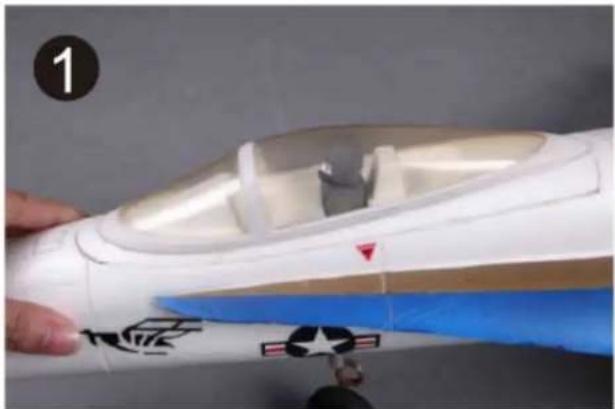
natural_image
Close-up of a white and blue model airplane fuselage with a blue wing, being cut by a hand (no text or symbols visible)Load the aircraft
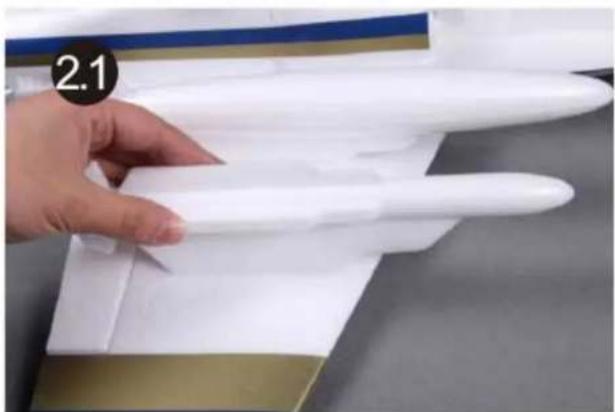
- Correctly mount the wing tip missiles. The missiles are correctly mounted when the top of the missiles are level with the surface of the main wing.
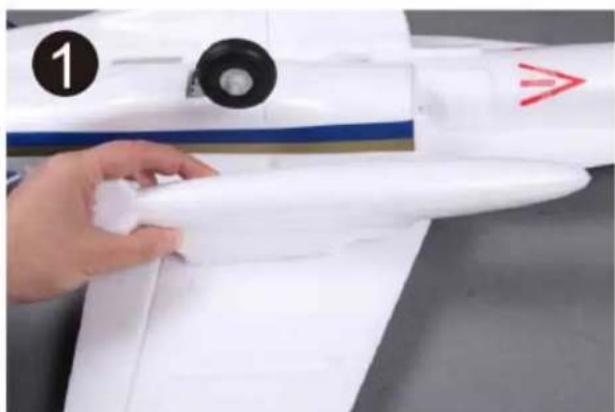
natural_image
Close-up of a hand holding a white propeller airplane model, with no visible text or symbols on the model itself.- Glue the missiles and the fuel tanks to the main wing as shown in the picture.
natural_image
Close-up of a hand holding a white plastic model with a curved handle, placed on a wooden surface (no text or symbols visible)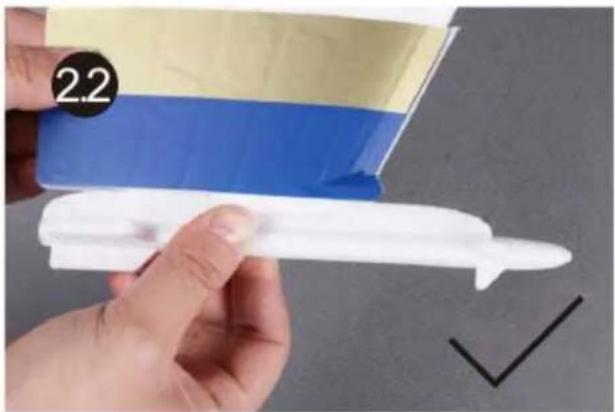
natural_image
Close-up of a hand holding a white plastic object with blue and beige bands, no visible text or symbols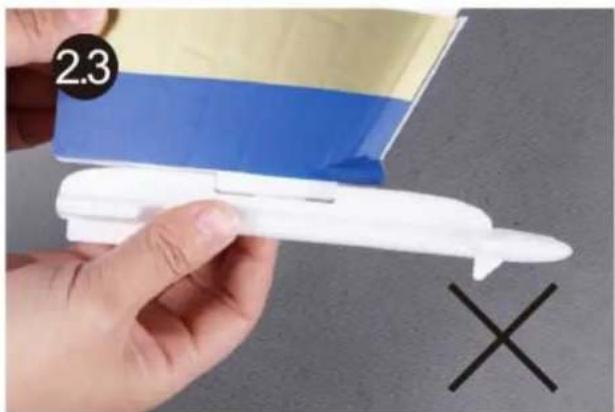
natural_image
Hand holding a small white plastic model with a blue and beige flag, next to a black X symbol (no text or symbols on the model itself)Before the model flying
Find a suitable flying site
Find a flying site clear of buildings, trees, power lines and other obstructions. Until you know how much area will be required and have mastered flying your plane in confined spaces, choose a site which is at least the size of two to three football fields – a flying field specifically for R/C planes is best. Never fly near people—especially children who can wander unpredictably.
Perform the range check of your plane
As a precaution, an operational ground range test should be performed before the first flight each time you go out. Performing a range test is a good way to detect problems that could cause loss of control such as low batteries, defective or damaged radio components, or radio interference. This usually requires an assistant and should be done at the actual flying site you will be using.
First turn on the transmitter, then install a fully-charged battery into the fuselage. Connect the battery and install the hatch.
Remember, use care not to bump the throttle stick, otherwise, the propeller / fan will turn and possibly cause damage or injury.
Note: Please refer to your Transmitter Manual that came with your radio control system to perform a ground range check. If the controls are not working correctly or if anything seems wrong, do not fly the model until you correct the problem. Make certain all the servo wires are securely connected to the receiver and the transmitter batteries have a good connection.
Monitor your flight time
Monitor and limit your flight time using a timer (such as one on a wrist watch or in your transmitter if available). When the batteries are getting low you will usually notice a performance drop before the ESC cuts off motor power, so when the plane starts flying slower you should land. Often (but not always) power can be briefly restored after the motor cuts off by holding the throttle stick all the way down for a few seconds.
To avoid an unexpected dead-stick landing on your first flight, set your timer to a conservative 4 minutes. When your alarm sounds you should land right away.
Flying course
Take off
While applying power slowly steer to keep the model straight, the F-16 should accelerate quickly. As the model gains flight speed, you will want to climb at a steady and even rate. The F-4 will climb out at a nice angle of attack (AOA).
Flying
Always choose a wide-open space for flying your plane. It is ideal for you to fly at a sanctioned flying field. If you are not flying at an approved site, always avoid flying near houses, trees, wires and buildings. You should also be careful to avoid flying in areas where there are many people, such as busy parks, schoolyards, or soccer fields. Consult laws and ordinances before choosing a location to fly your aircraft. After takeoff, gain some altitude. Climb to a safe altitude and begin to trim the model till it's tracks well through all aspects of flight, including high speed passes, inverted flight, loops, and point rolls.
Landing
Land the model when you hear the motor pulsing (LVC) or if you notice a reduction in power. If using a transmitter with a timer, set the timer so you have enough flight time to make several landing approaches.
Recharge the battery and repair the model as needed. The model's three point landing gear allows the model to land on hard surfaces. Align model directly into the wind and fly down to the ground. Fly the airplane down to the ground using 1/4-1/3 throttle to keep enough energy for proper flare. Before the model touches down, always fully decrease the throttle to avoid damaging the rotor or other components. The key to a great landing is to manage the power and elevator all the way to the ground and set down lightly on the main landing gear. After a few flights you will find the F-16 can be set down lightly on the mains and you can hold the nose wheel off balancing the model on the mains till it slows and gently settles the nose.
Maintenance
Repairs to the foam should be made with foam safe adhesives such as hot glue, foam safe CA, and 5 min epoxy. When parts are not repairable, see the Spare Parts List for ordering by item number.
Always check to make sure all screws on the aircraft are tightened. Pay special attention to make sure the bullet of the rotor adaptor is firmly in place before every flight.
Troubleshooting
| Problem | Possible Cause | Solution |
| Aircraft will not respond to the throttle but responds to other controls. | - ESC is not armed.- Throttle channel is reversed. | - Lower throttle stick and throttle trim to lowest settings.- Reverse throttle channel on transmitter. |
| Extra propeller noise or extra Vibration. | - Damaged spinner, propeller, motor, or motor mount.- Loose propeller and spinner parts.- Propellor installed backwards. | - Replace damaged parts.- Tighten parts for propeller adapter, propeller and spinner. |
| Reduced flight time or aircraft underpowered. | - Flight battery charge is low.- Propeller installed backward.- Flight battery damaged. | - Remove and install propeller correctly.- Completely recharge flight battery.- Replace flight battery and obey flight battery instructions. |
| Control surface does not move, or is slow to respond to control inputs. | - Control surface, control horn, linkage or servo damage.- Wire damaged or connections loose. | - Replace or repair damaged parts and adjust controls.- Do a check of connections for loose wiring. |
| Controls reversed. | Channels are reversed in the transmitter. | Do the Control Direction Test and adjust controls for aircraft and transmitter. |
| - Motor loses power.- Motor power pulses then motor loses power. | - Damage to motor, or battery.- Loss of power to aircraft.- ESC uses default soft Low Voltage Cutoff(LVC). | - Do a check of batteries, transmitter, receiver, ESC, motor and wiring for damage (replace as needed).- Land aircraft immediately and Recharge flight battery. |
| LED on receiver flashes slowly. | Power loss to receiver. | - Check connection from ESC to receiver.- Check servos for damage.- Check linkages for binding. |
AMA
If you are not already a member of the AMA, please join, The AMA is the governing body of model aviation and membership provided liability insurance coverage, protects modelers' rights and interests and is required to fly at most R/C sites.
Academy of Model Aeronautics
5151 East Memorial Drive
Muncie, IN 47302-9252
Ph.(800)435-9262
Fax(765)741-0057
Or via the Internet at: http://www.modelaircraft.org

Academy of Model Aeronautics National Model Aircraft Safety Code
Effective January 1, 2011
A. GENERAL: A model aircraft is a non-human-carrying aircraft capable of sustained flight in the atmosphere. It may not exceed limitations of this code and is intended exclusively for sport, recreation and/or competition.
All model flights must be conducted in accordance with this safety code and any additional rules specific to the flying site.
- Model aircraft will not be flown:
(a) In a careless or reckless manner.
(b) At a location where model aircraft activities are prohibited.
- Model aircraft pilots will:
(a) Yield the right of way to all man carrying aircraft.
(b) See and avoid all aircraft and a spotter must be used when appropriate. (AMA Document #540-D-See and Avoid Guidance.)
(c) Not fly higher than approximately 400 feet above ground level within three (3) miles of an airport, without notifying the airport operator.
(d) Not interfere with operations and traffic patterns at any airport, heliport or seaplane base except where there is a mixed use agreement.
(e) Ensure the aircraft is identified with the name and address or AMA number of the owner on the inside or affixed to the outside of the model aircraft. (This does not apply to model aircraft flown indoors).
(f) Not operate aircraft with metal-blade propellers or with gaseous boosts except for helicopters operated under the provisions of AMA Document #555.
(g) Not operate model aircraft while under the influence of alcohol or while using any drug which could adversely affect the pilot's ability to safely control the model.
(h) Not operate model aircraft carrying pyrotechnic devices which explode or burn, or any device which propels a projectile or drops any object that creates a hazard to persons or property.
AMA
Exceptions:
◆ Free Flight fuses or devices that burn producing smoke and are securely attached to the model aircraft during flight.
◆ Officially designated AMA Air Show Teams (AST) are authorized to use devices and practices as defined within the Team AMA Program Document (AMA Document #718).
- Model aircraft will not be flown in AMA sanctioned events, air shows or model demonstrations unless:
(a) The aircraft, control system and pilot skills have successfully demonstrated all maneuvers intended or anticipated prior to the specific event.
(b) An inexperienced pilot is assisted by an experienced pilot.
- When and where required by rule, helmets must be properly worn and fastened. They must be OSHA, DOT, ANSI, SNELL or NOCSAE approved or comply with comparable standards.
B. RADIO CONTROL (RC)
- All pilots shall avoid flying directly over unprotected people, vessels, vehicles or structures and shall avoid endangerment of life and property of others.
- A successful radio equipment ground-range check in accordance with manufacturer's recommendations will be completed before the first flight of a new or repaired model aircraft.
- RC model aircraft must use the radio-control frequencies currently allowed by the Federal Communications Commission (FCC). Only individuals properly licensed by the FCC are authorized to operate equipment on Amateur Band frequencies.
- RC model aircraft will not operate within three (3) miles of any pre-existing flying site without a frequency-management agreement (AMA Documents #922-Testing for RF Interference; #923-Frequency Management Agreement)
- With the exception of events flown under official AMA Competition Regulations, excluding takeoff and landing, no powered model may be flown outdoors closer than 25 feet to any individual, except for the pilot and the pilot's helper(s) located at the flight line.
- Under no circumstances may a pilot or other person touch a model aircraft in flight while it is still under power, except to divert it from striking an individual. This does not apply to model aircraft flown indoors.
- RC night flying requires a lighting system providing the pilot with a clear view of the model's attitude and orientation at all times.
- The pilot of a RC model aircraft shall:
(a) Maintain control during the entire flight, maintaining visual contact without enhancement other than by corrective lenses prescribed for the pilot.
(b) Fly using the assistance of a camera or First-Person View (FPV) only in accordance with the procedures outlined in AMA Document #550.
C. FREE FLIGHT
- Must be at least 100 feet downwind of spectators and automobile parking when the model aircraft is launched.
- Launch area must be clear of all individuals except mechanics, officials, and other fliers.
- An effective device will be used to extinguish any fuse on the model aircraft after the fuse has completed its function.
Fms
Email:info@fmsmodel.com
Http://www.fmsmodel.com
- Fms
- F-18
- OPERATING MANUAL
- WARNING!
- Safety Precautions and Warnings
- FMS MODEL Friendly Reminder
- Table of contents
- Kit contents 1
- The spare parts list 1
- Kit Inspection 3
- Charging the Flight Battery 3
- Low Voltage Cutoff 6
- Assemble the plane 6
- Get your model ready to fly 13
- Before the model flying 17
- Flying course....18
- Troubleshooting 19
- AMA 20
- Kit contents
- The spare parts list
- Spare parts list content
- The illustration of the spare parts
- Kit inspection
- Charging the Flight Battery
- Battery warning:
- BC-3S10 Balance Charger
- Using Steps:
- Charging Function Description
- Self Checking Function
- Protection Function
- Troubleshooting
- Low voltage cut off (LVC)
- Assemble the plane
- Install the landing gear
- Install the main wing
- Install the horizontal stabilizer
- Install the vertical fin
- Install the nose cone
- Install the linkage rod
- Installing the receiver
- Install the battery
- Check the C.G. (Center of Gravity)
- Center of Gravity
- Get your model ready to fly
- Important ESC information
- The transmitter and model setup
- Check the control throws
- High Rate
- Low Rate
- Check the motor rotating direction
- Load the aircraft
- Before the model flying
- Find a suitable flying site
- Perform the range check of your plane
- Monitor your flight time
- Flying course
- Take off
- Flying
- Landing
- Maintenance
- AMA
- Academy of Model Aeronautics
- Academy of Model Aeronautics National Model Aircraft Safety Code
- Exceptions:
- RADIO CONTROL (RC)
- FREE FLIGHT
Mærke : FMS
Model : F18 Vigilantes
Kategori : Fjernstyret legetøj