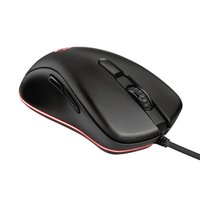
TRUST 18187 4.0 - Netværkskort/Adapter

18187 4.0 - Netværkskort/Adapter TRUST - Gratis brugsanvisning og manual

Find enhedens vejledning gratis 18187 4.0 TRUST i PDF-format.

📄 2 sider Dansk DA Download 💬 AI-spørgsmål
Notice TRUST 18187 4.0 - page 1
Pick your language and provide your email: we'll send you a specifically translated version.

Brugerspørgsmål om 18187 4.0 TRUST

0 spørgsmål om dette apparat. Besvar dem du kender, eller stil dit eget.

Stil et nyt spørgsmål om dette apparat

E-mailen forbliver privat: den bruges kun til at underrette dig, hvis nogen svarer på dit spørgsmål.

Ingen spørgsmål endnu. Vær den første til at stille et.

Download vejledningen til din Netværkskort/Adapter i PDF-format gratis! Find din vejledning 18187 4.0 - TRUST og tag din elektroniske enhed tilbage i hånden. På denne side er alle dokumenter nødvendige for brugen af din enhed offentliggjort. 18187 4.0 af mærket TRUST.

BRUGSANVISNING 18187 4.0 TRUST

7
Bluetooth Setup Welcome to the Bluetooth Setup Wizard This Wizard will help you set up your Bluetooth environment. Remote devices must be in Discoverable mode for this computer to find them. For assistance in making a remote device discoverable, refer to the user guide that came with the device. < Usage Volunteer > Annulaten

9
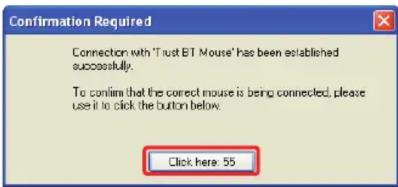
Confirmation Required Connection with 'Trust BT Mouse' has been established successfully. To confirm that the correct mouse is being connected, please use it to click the button below. Click here: 55

Trust

TRUST 18187 4.0 - 3

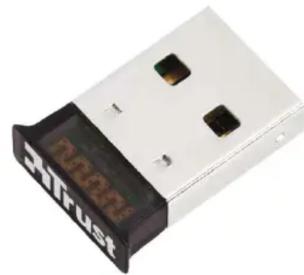
natural_image Close-up of a white USB flash drive with black leads and 'MUSH' branding (no readable text beyond branding)

8
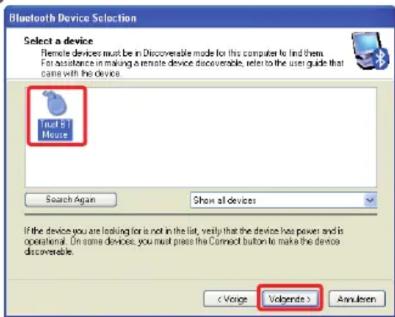
Bluetooth Device Selection Select a device Remote devices must be in Discoverable mode for this computer to find them. For assistance in making a remote device discoverable, refer to the user guide that came with the device. Just 5 Mouse Search Again Show all devices If the device you are looking for a not in the list, verify that the device has power and is operational. On some devices, you must press the Connect button to make the device discoverable. Annulien

Frequently asked questions

www.trust.com/18187/faq

© 2011-11-04 Trust International B.V. All rights reserved.

Quick Installation Guide

Notebook speaker
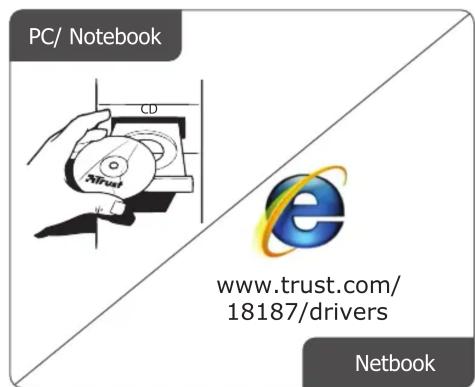
PC/ Notebook www.trust.com/ 18187/drivers Netbook

Add a Device Allow a Device to Connect Show Bluetooth Devices Join a Personal Area Network Open Settings Turn Adapter Off Remove Icon Customize... 12:09 26-4-2010 A B C

5 Add a device This device has been successfully added to this computer Windows is now checking for drivers and will install them if necessary. You may need to wait for this to finish before your device is ready to use. To verify if this device finished installing properly, look for it in Device and Printers. Bluetooth Mouse Close

24 Activity DVD RW Drive (DC) Disc Storage de la for software and games Get out to access your device to the website. General systems User filter to select Web Use online network Show click Active Service Control Panel Trust Installer (a/b) Install Driver Online Support www.trust.com USB Your device is ready to use Device driver software installed successfully. Links 10 11:58 AM 5/13/2009

Add a device Select a device to add to this computer Windows will continue to look for new devices and display them here. Bluetooth Mouse Bluetooth Mouse What if Windows doesn't find my device? Next Cancel

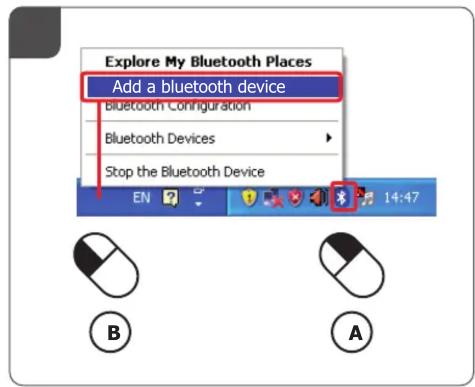
Explore My Bluetooth Places Add a bluetooth device Bluetooth Configuration Bluetooth Devices Stop the Bluetooth Device EN 14:47 B A

Vejledningsassistent
Drevet af Anthropic
Venter på din besked
Produktinformation

Mærke : TRUST

Model : 18187 4.0

Kategori : Netværkskort/Adapter