
V-5330110 - Telefon Valcom - Gratis brugsanvisning og manual
Find enhedens vejledning gratis V-5330110 Valcom i PDF-format.


Brugerspørgsmål om V-5330110 Valcom
0 spørgsmål om dette apparat. Besvar dem du kender, eller stil dit eget.
Stil et nyt spørgsmål om dette apparat
Download vejledningen til din Telefon i PDF-format gratis! Find din vejledning V-5330110 - Valcom og tag din elektroniske enhed tilbage i hånden. På denne side er alle dokumenter nødvendige for brugen af din enhed offentliggjort. V-5330110 af mærket Valcom.
BRUGSANVISNING V-5330110 Valcom
VOICE COIL DESKTOP SPEAKER V-5330110
INTRODUCTION
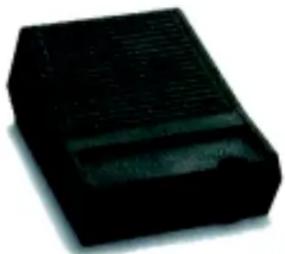
The Desktop Speaker is a completely assembled speaker unit for use with Voice Coil paging systems. Each speaker is equipped with 6-foot speaker wire.
SPECIFICATIONS
FEATURES
- Volume Control
- Talkback
Dimensions/Weight
- 4.75"W x 1.75"H x 6.88"D
(12.07cm X 4.5cm X 17.48cm)
• 3.0 lbs (1.4 kg)
OPERATION
The Desktop Speaker is recommended for use with all PagePac® Voice Coil paging systems (or equivalent systems) in which talkback is provided (talkback is two-way communication between the paging telephone and the paging loudspeaker). However, the Desktop Speaker may be used without talkback.
It is recommended that each Desktop Speaker, when used with talkback, be a separate paging zone. If this is not feasible, the total number of Desktop Speakers in any one zone should be limited to two or less.
When installing PagePac Voice Coil Desktop Speaker, be sure to use "B" or any similar crimping type connectors only. This will ensure a solid connection that will not pull free or become intermittent (see Figure 1).
VOLUME CONTROL
The “VOL” control adjusts the speaker volume in both the page and music modes (see Figure 1). It does not affect the talkback level.
INSTALLATION
Place the Desktop Speaker in the desired location.
Connect the speaker cord to the speaker cable run. The speaker run to which the Desktop Speaker is connected must be connected to the Voice Coil output of the PagePac 6 and PagePac 6 Plus.
TESTING
Access the Desktop Speaker and ensure that paging occurs. While a page is in progress, adjust the speaker volume with the VOL control.
Note: Generally, music volume should be adjusted at the music source or on the PagePac 6 and PagePac 6 Plus MUSIC VOLUME control.
TECHNICAL ASSISTANCE
When calling, have a VOM and a telephone test set available and call from the job site. Call (540) 563-2000 and ask for PagePac Technical Support, or visit our websites at http://www.pagepac.com and www.valcom.com.
Should repairs be necessary, attach a tag to the unit clearly stating company name, address, phone number, contact person, and the nature of the problem. Send the unit to:
Valcom, Inc.
PagePac ® Repair Dept.
5614 Hollins Road
Roanoke, VA 24019-5056

Figure 1


Mærke : Valcom
Model : V-5330110
Kategori : Telefon