
ST 28F Apple - Fjernsyn HANNSPREE - Gratis brugsanvisning og manual
Find enhedens vejledning gratis ST 28F Apple HANNSPREE i PDF-format.


Brugerspørgsmål om ST 28F Apple HANNSPREE
0 spørgsmål om dette apparat. Besvar dem du kender, eller stil dit eget.
Stil et nyt spørgsmål om dette apparat
Download vejledningen til din Fjernsyn i PDF-format gratis! Find din vejledning ST 28F Apple - HANNSPREE og tag din elektroniske enhed tilbage i hånden. På denne side er alle dokumenter nødvendige for brugen af din enhed offentliggjort. ST 28F Apple af mærket HANNSPREE.
BRUGSANVISNING ST 28F Apple HANNSPREE
This guide is designed as a reference to help you start using your LCD TV quickly. Please refer to the User's Manual for more detailed installation and safety instructions.
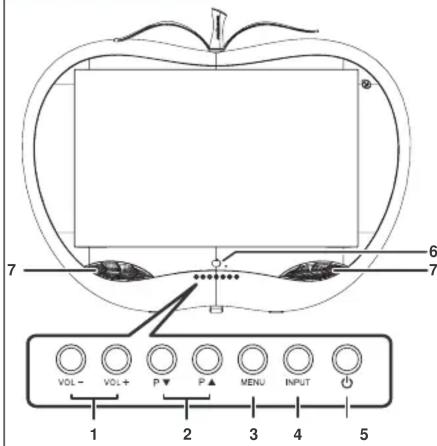
Front View
text_image
VOL- VOL+ P▼ P▲ MENU INPUT 1 2 3 4 5 6 71 Volume Adjust
2 Channel Select
3 Menu
4 Input Select
5 Power
6 Remote IR Sensor/Power Indicator
7 Speaker
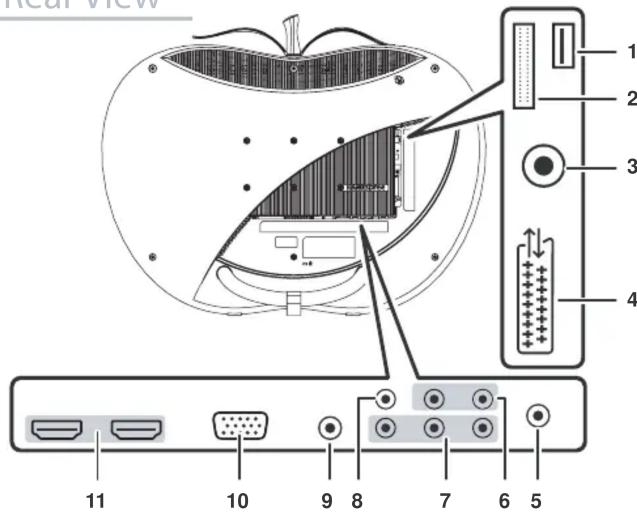
Rear View
text_image
near view 1 2 3 4 11 10 9 8 7 6 51 SERVICE
(For service only)
2 Cl
3 TV/DTV Input
4 SCART IN/OUT
5 Earphone line out
6 Component/Composite/Audio Input
7 Component Video Input (HDTV)
8 AV Input
9 PC Audio Input
10 VGA Input (PC)
11 HDMI Input
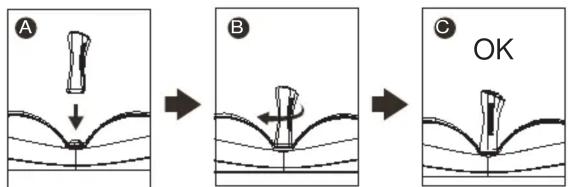
Assembling the stem & stand base
- Insert the stem into slot then turn 45 degrees clockwise to complete installation.
text_image
A B C OKNote: the sleeves are for design only and the TV cannot be carried by it.
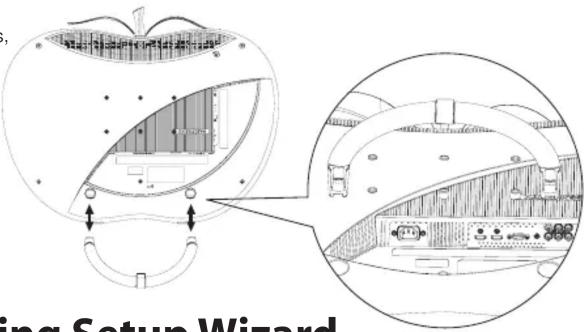
- Carefully place the TV face down on a soft and flat surface (blanket, foam, cloth, etc) to prevent and damage to the TV.
- Press the stand lock on both sides, insert the stand into the holes.
- If want to dissembling the stand, press the stand lock on both sides, remove the stand from back cover of TV.
text_image
ing Setup WizardMaking Connections
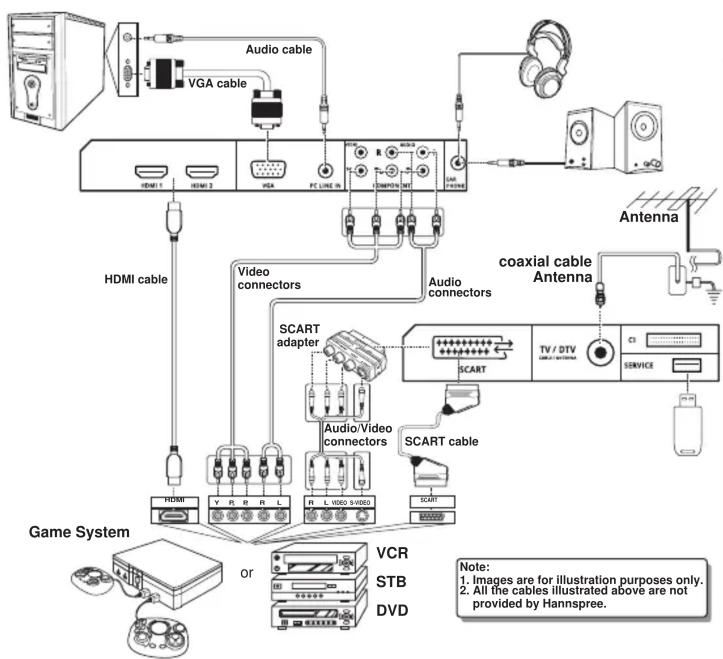
flowchart
graph TD
    A["Game System"] --> B["OR"]
    B --> C["Video connectors"]
    C --> D["SCART adapter"]
    D --> E["Audio/Video connectors"]
    E --> F["SCART cable"]
    F --> G["TV / DTV SERVICE"]
    G --> H["Antenna"]
    H --> I["Antenna"]
    I --> J["Audio connectors"]
    J --> K["SCART"]
    K --> L["Video"]
    L --> M["SCART cable"]
    M --> N["SCART"]
    N --> O["SCART"]
    O --> P["SCART"]
    P --> Q["SCART"]
    Q --> R["SCART"]
    R --> S["SCART"]
    S --> T["SCART"]
    T --> U["SCART"]
    U --> V["SCART"]
    V --> W["SCART"]
    W --> X["SCART"]
    X --> Y["SCART"]
    Y --> Z["SCART"]
    Z --> AA["SCART"]
    AA --> AB["SCART"]
    AB --> AC["SCART"]
    AC --> AD["SCART"]
    AD --> AE["SCART"]
    AE --> AF["SCART"]
    AF --> AG["SCART"]
    AG --> AH["SCART"]
    AH --> AI["SCART"]
    AI --> AJ["SCART"]
    AJ --> AK["SCART"]
    AK --> AL["SCART"]
    AL --> AM["SCART"]
    AM --> AN["SCART"]
    AN --> AO["SCART"]
    AO --> AP["SCART"]
    AP --> AQ["SCART"]
    AQ --> AR["SCART"]
    AR --> AS["SCART"]
    AS --> AT["SCART"]
    AT --> AU["SCART"]
    AU --> AV["SCART"]
    AV --> AW["SCART"]
    AW --> AX["SCART"]
    AX --> AY["SCART"]
    AY --> AZ["SCART"]
    AZ --> BA["SCART"]
    BA --> BB["SCART"]
    BB --> BC["SCART"]
    BC --> BD["SCART"]
    BD --> BE["SCART"]
    BE --> BF["SCART"]
    BF --> BG["SCART"]
    BG --> BH["SCART"]
    BH --> BI["SCART"]
    BI --> BJ["SCART"]
    BJ --> BK["SCART"]
    BK --> BL["SCART"]
    BL --> BM["SCART"]
    BM --> BN["SCART"]
    BN --> BO["SCART"]
    BO --> BP["SCART"]
    BP --> BQ["SCART"]
    BQ --> BR["SCART"]
    BR --> BS["SCART"]
    BS --> BT["SCART"]
    BT --> BU["SCART"]
    BU --> BV["SCART"]
Connecting the Power Cord
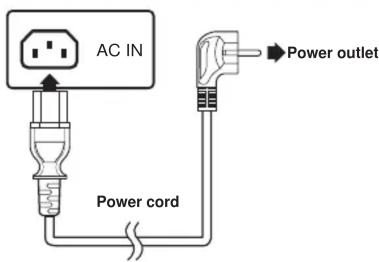
text_image
AC IN Power cord Power outlet- Plug the power connector into the AC IN input jack on the rear of the TV.
- Insert the AC power plug at the other end of the power cord into a power outlet.
- Press the Power button on the control panel or the remote control to turn the TV on.
Note: Images are for illustration only and may vary according to the model and region.
Running Setup Wizard
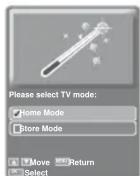
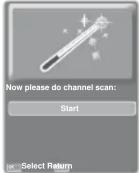
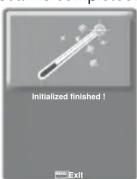
The Setup Wizard is displayed on the screen when you turn on your LCD TV for the first time. Note: Use the , to move through the menu. Press OK to select.
- Select the Language for the on-screen display (OSD).
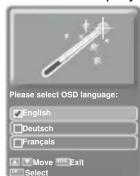
- Select the Country.
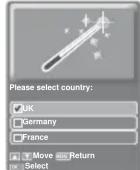
- The channel scan may take a while to complete.
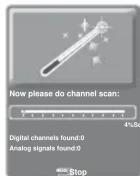
- Select the TV mode.
- Press OK for channel scan.
- Press Menu when channel scan is completed.
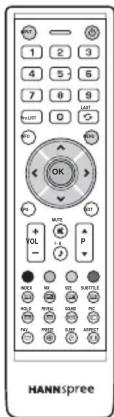
text_image
HANNSpreeWatching Your TV
Selecting Your Content Source
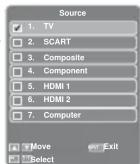
You can watch cable or broadcast TV, play DVD or connect to your PC. To display the Input Source menu, press the INPUT button
on the remote control or the INPUT button on the LCD TV To select the source signal:
■Press the numeric buttons on the remote control; Or
■ Press the ^, √ buttons to move, then press OK to select.
Selecting Channels
■ Press the P▲ or P▼ button on the remote control or the LCD TV to increase / decrease the program number; Or
■Press the numeric buttons on the remote control.