CK20-003-01 - Smartwatch Cookoo Watches - Gratis brugsanvisning og manual
Find enhedens vejledning gratis CK20-003-01 Cookoo Watches i PDF-format.


Brugerspørgsmål om CK20-003-01 Cookoo Watches
0 spørgsmål om dette apparat. Besvar dem du kender, eller stil dit eget.
Stil et nyt spørgsmål om dette apparat
Download vejledningen til din Smartwatch i PDF-format gratis! Find din vejledning CK20-003-01 - Cookoo Watches og tag din elektroniske enhed tilbage i hånden. På denne side er alle dokumenter nødvendige for brugen af din enhed offentliggjort. CK20-003-01 af mærket Cookoo Watches.
BRUGSANVISNING CK20-003-01 Cookoo Watches
cookoo™
the connected watch

Available on the
App Store
GET IT ON
Google play
Quick Start Guide
EN
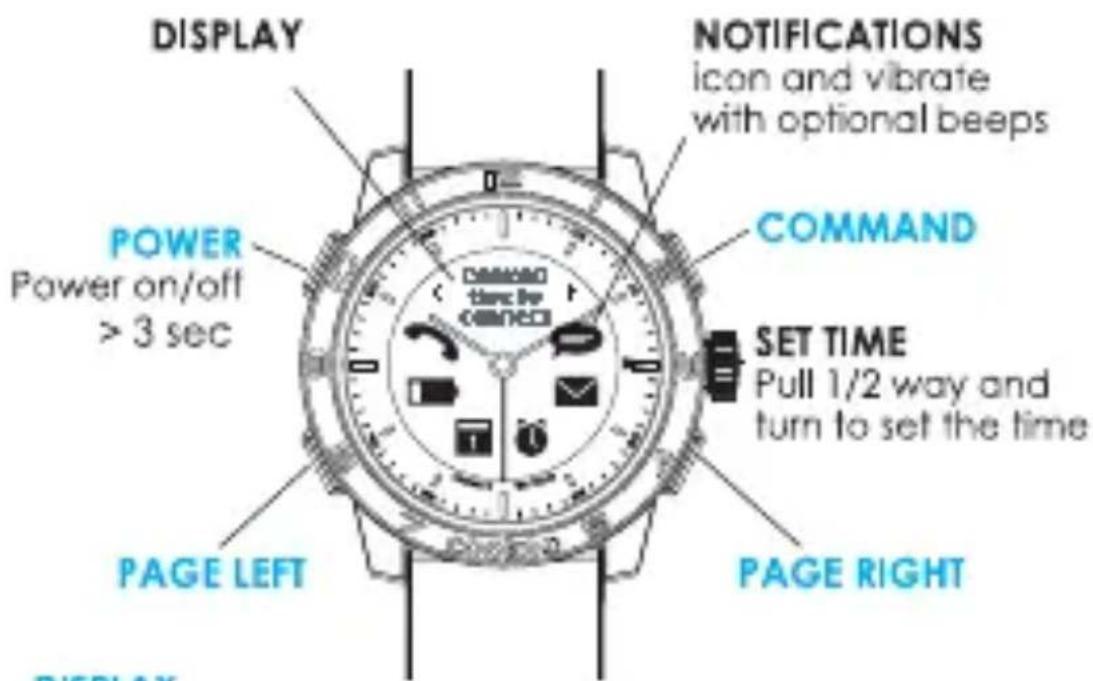
DISPLAY
Tap PAGE LEFT or PAGE RIGHT to view additional information from display. Tap PAGE LEFT and PAGE RIGHT together to see the time. Display supports Latin characters only.
LIGHT
Tap upper left (POWER) button once.
PAIRING
When the watch is OFF, press POWER & COMMAND buttons until 1st beep (approx. 3 sec) and all icons will blink every 2 sec.
SOFT RESET
Press the 4 buttons together for 3 sec until you see all ALERT icons blinking and the watch turns off.
EN
NOTIFICATIONS
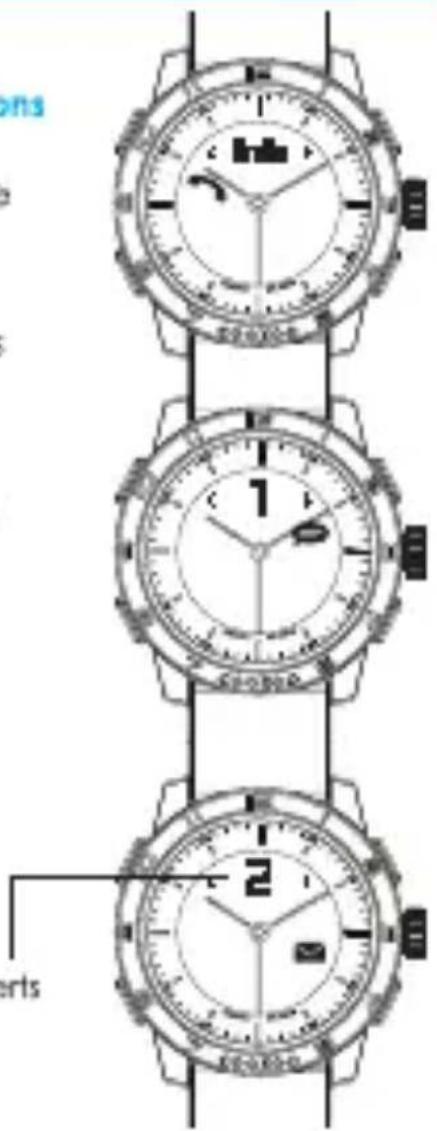
Incoming Call, Missed Call notifications
Coler ID will be displayed during incoming calls. Phone numbers will be displayed if it has not been stored as contact in your phone book.

Caler ID supports Latin characters
TEXT and social media app alerts
Supports SMS, MMS and social media posts on Facebook and message notification from Skype, Line, WhatsApp, WeChat, Instagram and more...
Incoming email alerts
number of alerts
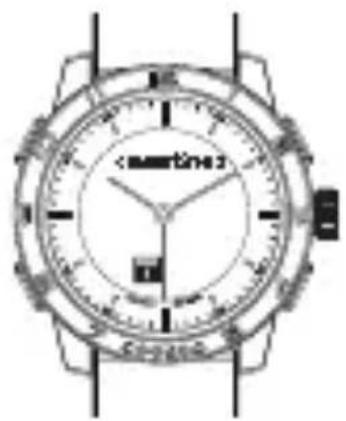
Calendar and Reminder alerts
Alerts you when there are upcoming events or reminders.
natural_image
Top-down view of a wristwatch with dual dials and buttons (no readable text or symbols)EN
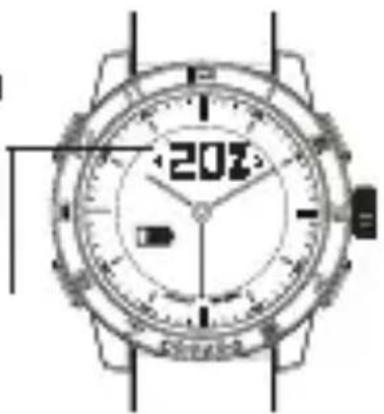
Low or Critical battery alerts
The display shows the battery percentage and the Low or Critical battery icons.
actual percentage of phone battery
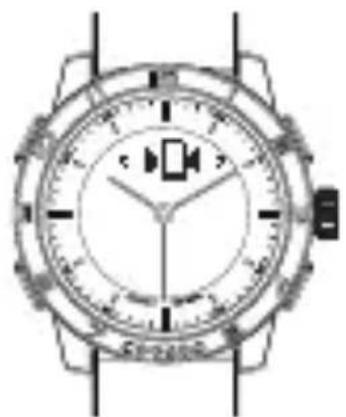
To find the watch
The watch beeps and blinks when tapping the ●() "find my watch" icon in the Connected Watch App.
natural_image
Top-down view of a wristwatch with analog dial and buttons (no visible text or symbols)To find your phone
Press COMMAND and PAGE LEFT buttons together and your device beeps.
FN
To activate out of range notification
After tapping the out of range icon ☐, the watch beeps and blinks when your phone and watch are apart from each other. Range for the Bluetooth is about 10-20 meter, distance are varies based on the devices and environment.
Step 1: Download the Connected Watch App
For iOS users:
Search for the "Connected Watch" App in the App Store.
Compatible with iOS 7 devices that support Bluetooth® Smart technology such as the iPhone 5s, iPhone 5c, iPhone 5, iPhone 4s, iPad mini, iPad (3rd and 4th generation), and iPod touch (5th generation).
For Android users:
Download the "Connected Watch" App from Google Play.
The app is available for selected Android 4.3 and Android 4.4 devices that support Bluetooth® Smart technology. Currently compatible with Samsung Galaxy S3, S4, S4 Mini, S4 Active, Note 2, Note 3, HTC One and Nexus 5, etc.
Visit www.cookoowatch.com for the latest compatibility list. Contact support@cookoowatch.com if Google Play is not supported in your country.
EN
Step 2: Pair and connect the COOKOO watch with your mobile phone or tablet
- Set the watch into PAIRING mode by pressing together the POWER & COMMAND buttons until 1st beep (approx. 3 sec) and all icons will blink every 2 sec.
2. For iOS7 users:
Open your device Bluetooth settings and select "COOKOO" in the device list. Press "PAIR" when prompted.
For Android users:
Open the Connected Watch App and tap the Device List icon at the bottom left. The app will search for your watch accordingly. Select "COOKOO" in the device list and connect.
Step 3: Customize your notifications settings.
Tap the Notifications Settings icon at the top right of the Connected Watch App (iOS7 and Android) and select which notifications you wish to receive on your COOKOO watch.
To acknowledge a notification:
Press the COMMAND button or check the notification on your mobile phone or tablet.
EN
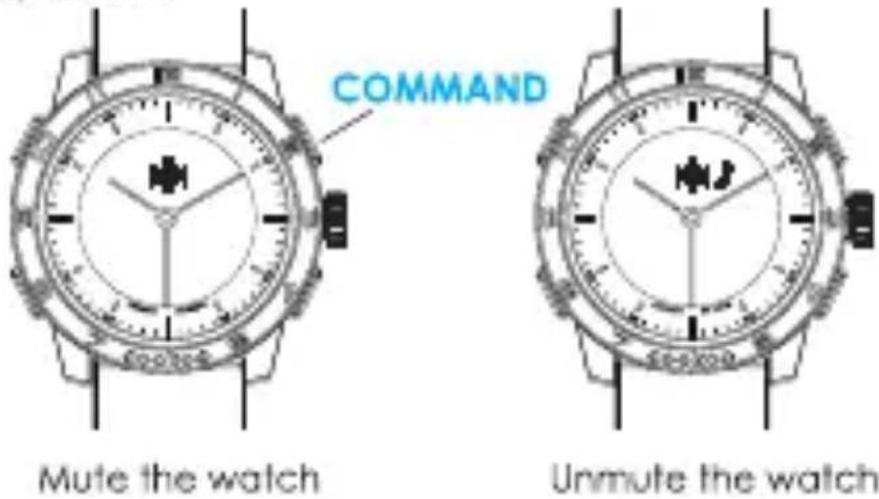
To mute/unmute your watch:
Press the COMMAND button for 5 sec to mute the watch. Press another 5 sec to unmute the watch and you will hear a beep sound.
To take photos using your watch:
Tap the Camera icon 🔒 in the Connected Watch App, this will trigger the camera interface of the app. Press the COMMAND button to take photos remotely.
Enable the email notifications on your iOS notification center
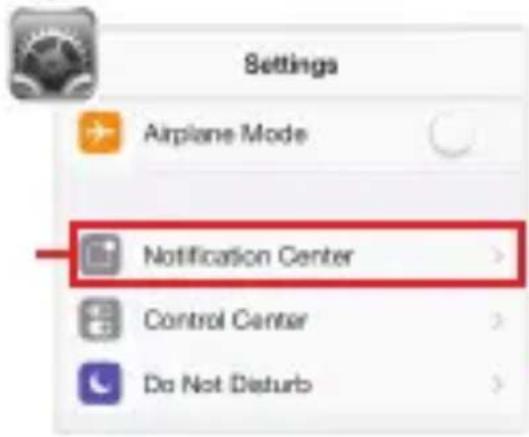
For iOS device user: If you want to receive email notifications
Step 1: Go to iOS "Settings", and tap "Notification Center"
Step 2: Tap "Mail" to configure the settings.
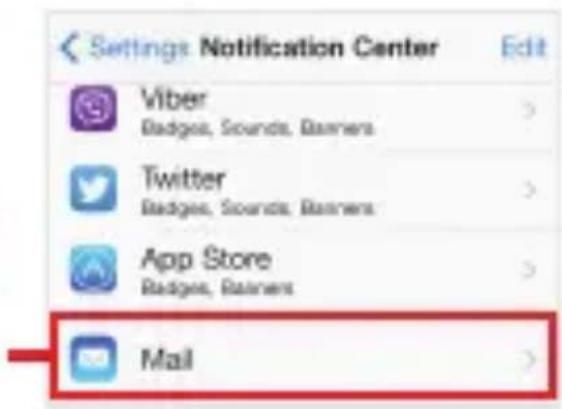
Step 3: Select the alert style, sound etc. Then, enable "Show in Notification Center" to allow your device to communicate with your watch.
Show in Notification Center
*Now you are ready to enjoy the connected experience with the Connected Watch App. If you are having trouble with other app notification, please check the iOS notification center by following this 3 steps.
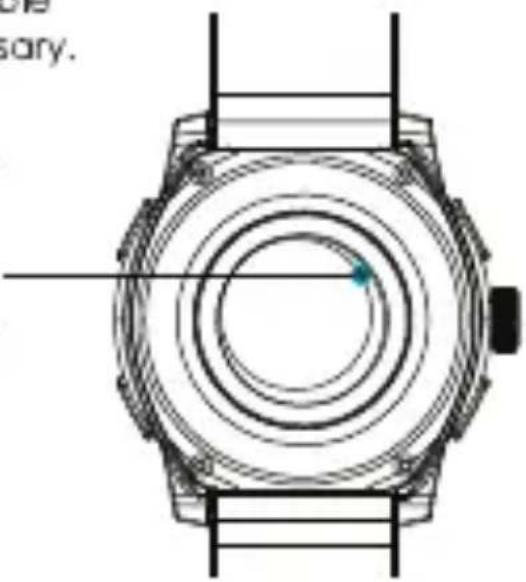
Replacing the connected system battery:
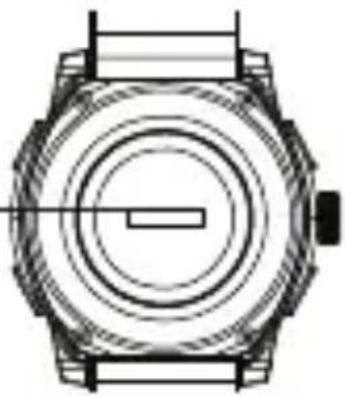
Battery cover [Open to insert / — replace the battery]
natural_image
Technical line drawing of a mechanical watch with concentric rings and a central rectangular component (no text or symbols)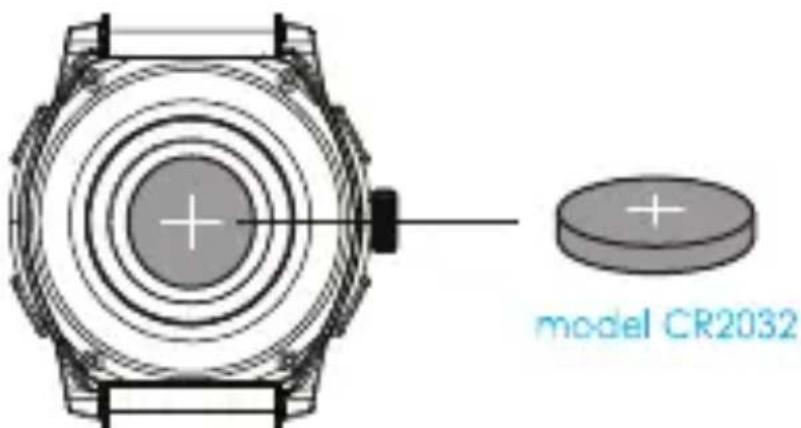
- Open the back case of the watch to remove the old battery.
- Replace with a new battery.
- Carefully replace the back case of the watch, ensuring that the o-ring is correctly seated (for a water light seal).
Replacing the watch movement battery:
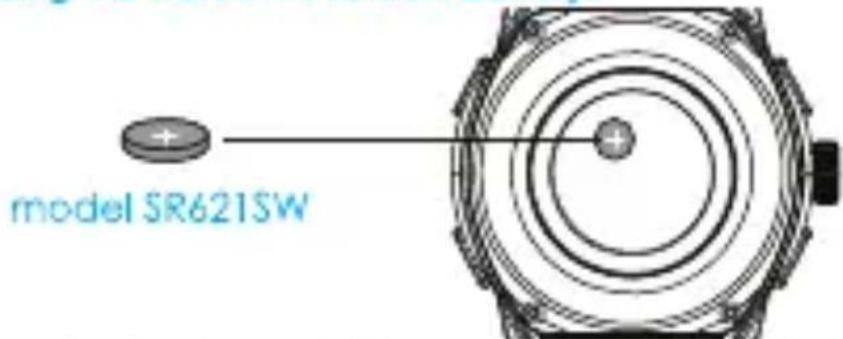
- Open the back case of the watch and remove the CR2032 cell button battery.
- Remove the protective sticker and carefully set it aside.
-
Remove analog system battery located beneath the protected sticker. (model SR621SW, battery life up to 3 years**)
-
Carefully put back the protective sticker.
-
Insert the CR2032 battery and carefully replace the back case of the watch ensuring that the o-ring is correctly seated (for a water fight seal).
** Battery life may vary depending on the volume of notification, brand and condition of the battery.
Caution advised by certification: Danger of explosion if the battery is incorrectly replaced. Replace only with the same or equivalent type.
Hard reset
If your watch gets into unrecoverable state, a hard reset might be necessary.
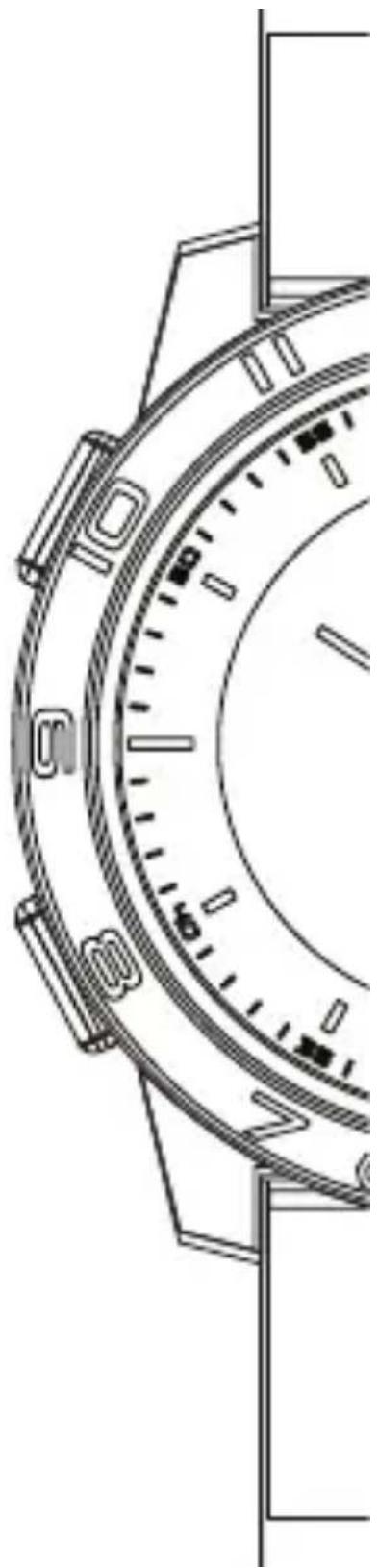
- Open the back case of the watch and remove the battery.
- Replace the battery.
- Apply a hard reset by touching the metal parts for a second.
- Carefully replace the backcase of the watch, ensuring that the o-ring is correctly seated (for a water fight seal).
natural_image
Technical line drawing of a mechanical watch with concentric rings and a pointer (no text or symbols)One year limited warranty
Register your product by setting-up a CONNECTEDEVICE account in the Connected Watch App. Keep your original receipt as proof of purchase.
EN
To keep your watch in good condition and to avoid voiding the warranty:
- Do not expose the watch to excessive pressure, impact, dust, open flames or extreme temperatures.
• Operating temperature: -20 to +55C. (-4 to +131F)
• Always ensure the back case and o-ring is correctly in place and the watch is tightly sealed before exposing the watch to any moisture or liquid. - Do not attempt to repair or modify the watch yourself. Service and maintenance should be performed by authorized technicians.
- 10 ATM/100 M of water resistance means that your watch can be worn for most indoor or outdoor activities, including most water sports. Suitable for recreational surfing, swimming, snorkeling, sailing and water sports. NOT suitable for diving.
- Avoid submerging the watch for an extended period of time.
• To maintain water resistance, do not press any buttons or pull out the crown while under water. - Keep the front glass away from sharp or hard objects to prevent scratches.
- Exposure to high or low temperatures or frequent successive alerts may shorten battery life.
- Keep the watch, accessories and any small parts out of the reach of children.
EN
For support, please email us at support@cookoowatch.com
cookoo™
the connected watch
For more information about the watch and Connected Watch App, visit cookowatch.com Thank you for supporting COOKOO™
cookoowatch.com
support@cookoowatch.com
natural_image
Technical line drawing of a mechanical component with no visible text or symbols702-00244-01