
Multi-Sync - Tastatur Kanex - Gratis brugsanvisning og manual
Find enhedens vejledning gratis Multi-Sync Kanex i PDF-format.


Brugerspørgsmål om Multi-Sync Kanex
0 spørgsmål om dette apparat. Besvar dem du kender, eller stil dit eget.
Stil et nyt spørgsmål om dette apparat
Download vejledningen til din Tastatur i PDF-format gratis! Find din vejledning Multi-Sync - Kanex og tag din elektroniske enhed tilbage i hånden. På denne side er alle dokumenter nødvendige for brugen af din enhed offentliggjort. Multi-Sync af mærket Kanex.
BRUGSANVISNING Multi-Sync Kanex
Multi-Sync Keyboard

kanex


Setup Instructions
SKU: BTKEY
- Connect up to four devices with Bluetooth 3.0 Technology and micro USB cable
- Battery operated or USB Bus-powered
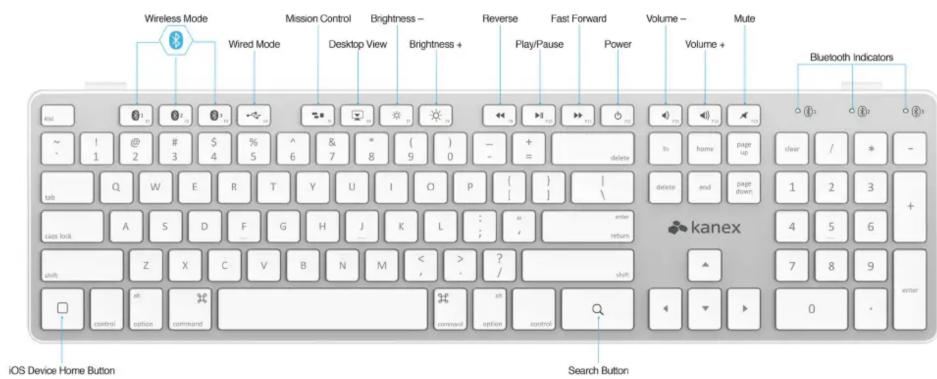
• Built-in shortcut keys for Mac/iPhone/iPad
IN THE BOX
- Kanex Multi-Sync Bluetooth Keyboard
• Kanex iPhone/iPad Stand
• Micro USB to USB Cable
• 2 AAA Batteries - User Manual

WHAT YOU NEED
- Bluetooth Enabled Computer
- Smartphone / Tablet
INSTRUCTIONS
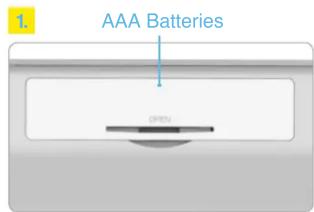
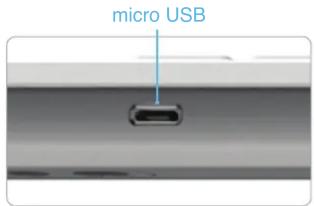
- Power the keyboard by either installing the two included AAA batteries or connecting the computer with the micro USB cable provided.
- Pair your devices to the keyboard by assigning each device to a Bluetooth button.
- Click the Bluetooth key anytime you want to switch between devices.
OR


For detailed instructions, please refer to enclosed user manual; or visit kanexlive.com/keyboard
Mærke : Kanex
Model : Multi-Sync
Kategori : Tastatur