NoTouch Basix NT3500 - Ekstern harddisk Universal-Tech - Gratis brugsanvisning og manual
Find enhedens vejledning gratis NoTouch Basix NT3500 Universal-Tech i PDF-format.


Brugerspørgsmål om NoTouch Basix NT3500 Universal-Tech
0 spørgsmål om dette apparat. Besvar dem du kender, eller stil dit eget.
Stil et nyt spørgsmål om dette apparat
Download vejledningen til din Ekstern harddisk i PDF-format gratis! Find din vejledning NoTouch Basix NT3500 - Universal-Tech og tag din elektroniske enhed tilbage i hånden. På denne side er alle dokumenter nødvendige for brugen af din enhed offentliggjort. NoTouch Basix NT3500 af mærket Universal-Tech.
BRUGSANVISNING NoTouch Basix NT3500 Universal-Tech
QUICK INSTALLATION GUIDE
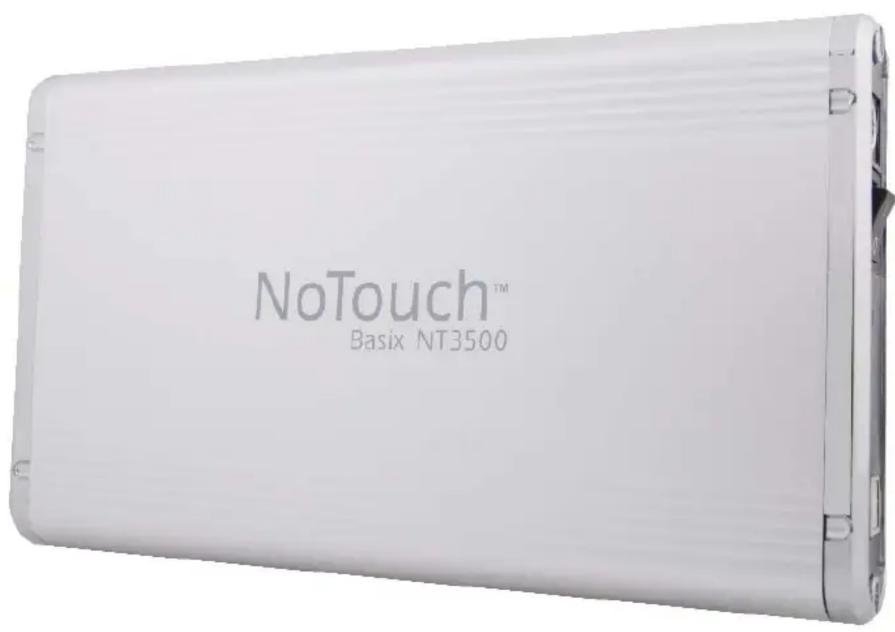
NOTOUCH™ BASIX NT3500
EXTERNAL HARD DRIVE
UNIVERSAL TECH PTE. LTD.
www.universal-tech.biz
INTRODUCTION
Thank you for selecting the NoTouch ^™ Basix NT3500. This is a simple and reliable storage device with large capacity, to store your important files and favourite media collection.
The NoTouch ^™ Basix connects easily to the USB 2.0 port of a PC or notebook. This high capacity storage drive comes in durable metallic enclosure with sandblast finish. It can be placed vertically or horizontally with the stand provided.
FEATURES HIGHLIGHT
| Plug-n-Play | Connects easily to the USB 2.0 port of your PC and Notebook Installation is simple because there is no software to install. Just plug it in and the drive is ready to use |
| Extensive Storage | Available in a wide range of capacities up to 1 TB, to meet your specific storage needs |
| High performance | The NoTouchTM Basix is designed to deliver high performance with the SATA hard-drive. |
| Durable Enclosure | The NoTouchTM Basix is housed in a durable metallic enclosure with sandblast finish. |
SYSTEM REQUIREMENTS
PC Users
Windows ^® 2000/XP/Vista ^TM
■ Available USB 2.0 or 1.1 port
BOX CONTENTS
■ NoTouch ^TM drive with FAT32 pre-formatted 3.5" hard disk
USB 2.0 cable
■ Quick Installation Guide
Power Adapter
Product Stand
SAFE HANDLING INFORMATION
- NoTouch ^TM External Hard Drive is designed to operate normally in the temperature range of 5°C to 40°C, and relative humidity of 20%-80%.
■ Do not block the airflow around the drive when the drive is turned on
■ Do not place the product in direct sunlight - Incorrect handling such as dropping the drive can cause data loss and invalidates the warranty.
- Do not move or disconnect the drive while it is operating to avoid hardware damage and potential data loss.
■ Do not stack anything on top of the drive; this can overheat and damage your drive.
■ Do not place the product near any liquid. Liquids can damage the internal electronics.
- Do not attempt to open the drive’s enclosure. This action voids the warranty.
CONNECTING THE EXTERNAL DRIVE
Use the USB 2.0 cable to connect the NoTouch ^™ drive to any free USB port of your PC or notebook.
■ Plug the AC adapter to an electrical outlet
- Connect the other end of the AC adapter into the DC power supply socket of the NoTouch ^™ drive.
- Press the power switch of the NoTouch ^™ drive to turn the device on.
DISCONNECTING THE EXTERNAL DRIVE
The NoTouch™ external hard drive is warm-swappable. It can be disconnected without turning off your PC. To disconnect your drive safely, perform the following steps:
WINDOWS USERS
■ Double-click the Safely Remove Hardware icon in the system tray at the bottom of the desktop. For some PCs this is called the Unplug Hardware or Eject Hardware icon.
■ Double-click USB Mass Storage Device. Select the NoTouch drive.
A Safe To Remove Hardware message appears letting you know that the device is safe to disconnect.
- Click Stop to make sure that the NoTouch™ drive is not active, and click Close.
■ Disconnect the drive from the PC.
SPECIFICATIONS
| Supported operating systems | Windows® 2000/XP/VistaTM |
| Interface | SATA to USB 2.0 |
| Capacity | Depends on model |
| Hard disk type | SATA 5400 / 7200 RPM |
| Physical Dimensions (mm) | 204 x 120 x 31 |
| Operating Environment Limit | Temperature: 5°C~40°CRelative Humidity: 20%~80% |
| Non-Operating Environment Limit | Temperature: -10°C~70°CRelative Humidity: From 0%~80% |
| Power Adapter | 12V – 2.0A / 5V-2.0A |
| LED Indicator | Blue LED (System Power) |
NOTOUCH™ BASIX NT3500 EXTERNAL HARD DRIVE
WARRANTY DURATION FOR HARDWARE: 1 YEAR LIMITED WARRANTY
Hardware Limited Warranty. Universal Tech warrants that the product that you have purchased from Universal Tech is free from defects in materials or workmanship under normal use during the Limited Warranty Period. The Limited Warranty Period starts on the date of purchase. Your dated sales or delivery receipt showing the date of purchase is your proof of purchase date.
Exclusions. Universal Tech does not warrant that the operation of the product will be uninterrupted or error-free.
Universal Tech is not responsible for damage that occurs as a result of your failure to follow the instructions intended for the product. This Limited Warranty does not apply to product under the following circumstances:
■ serial number has been removed
■ product enclosure has been opened
■ product has been damaged or defective due to a) transportation, b) accident, misuse, abuse, water, fire, lightning or other acts of nature, c) improper or inadequate site maintenance, d) normal wear and tear, (e) software not supplied by Universal Tech.
ENSURE THAT YOUR DATA IS BACKED UP PERIODICALLY. UNIVERSAL TECH IS NOT RESPONSIBLE FOR DAMAGE OR LOSS OF DATA, AND IS NOT RESPONSIBLE FOR RECOVERY OF PROGRAMS OR DATA OTHER THAN THE SOFTWARE SUPPLIED BY UNIVERSAL TECH WHEN THE PRODUCT IS MANUFACTURED.
FOR MORE INFORMATION, VISIT HTTP://WWW.UNIVERSAL-TECH.BIZ