
DVU-7782 - Dvd-afspiller DENVER - Gratis brugsanvisning og manual
Find enhedens vejledning gratis DVU-7782 DENVER i PDF-format.


Brugerspørgsmål om DVU-7782 DENVER
0 spørgsmål om dette apparat. Besvar dem du kender, eller stil dit eget.
Stil et nyt spørgsmål om dette apparat
Download vejledningen til din Dvd-afspiller i PDF-format gratis! Find din vejledning DVU-7782 - DENVER og tag din elektroniske enhed tilbage i hånden. På denne side er alle dokumenter nødvendige for brugen af din enhed offentliggjort. DVU-7782 af mærket DENVER.
BRUGSANVISNING DVU-7782 DENVER
DENVER®
DVD
INSTRUCTION MANUAL
DVU-7782
IMPORTANT SAFEGUARDS
For your protection, please read these safety instructions completely before operating the appliance, and keep this manual for future reference.
Carefully observe all warnings, precautions and instructions on the appliance and in the operating instructions, and adhere to them.
INSTALLATION
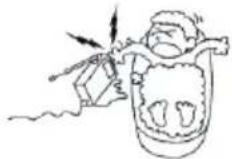
Water and Moisture - Do not use powerling operated appliances near water - for example, near a bathtub, washbowl, kitchen sink, or laundry tub, in a wet basement, or near a swimming pool, etc.
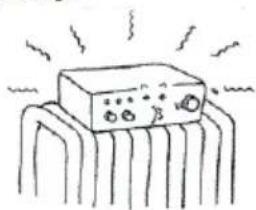
Heat - Do not place the appliance near or over a radiator or heat register, or where it is exposed to direct sunlight.
natural_image
Simple line drawing of a device with no text or symbols, featuring a rectangular block and radiating lines (no readable text or symbols)Ventilation - The slots and openings in the cabinet are provided for necessary ventilation. To ensure reliable operation of the appliance, and to protect it from overheating, these slots and openings must never be blocked or covered. - Never cover the slots and openings with a cloth or other materials.
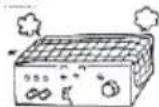
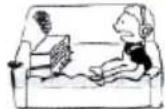
- Never block the slots and openings by placing the appliance on a bed, sofa, rug or other similar surface.
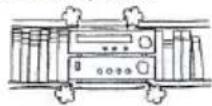
- Never place the appliance in a confined space, such as a bookcase, or built-in cabinet, unless proper ventilation is provided.
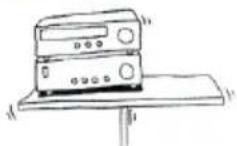
Accessories - Do not place the appliance on an unstable cart, stand, tripod, bracket, or table. The appliance may fall, causing serious injury to a child or an adult, and serious damage to the appliance. Use only a cart, stand, tripod, bracket, or table recommended.
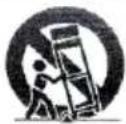
- An appliance and cart combination should be moved with care. Quick stops, excessive force, and uneven surfaces may cause the appliance and cart combination to overturn.
WALL or Ceiling Mounting - If your appliance can be mounted to a wall or ceiling, mount it only as recommended.
USE
Power Source - This appliance should be operated only from the type of power source indicated on the marking label. If you are not sure of the type of electrical power supplied to your home, consult your dealer or local power company. For those appliances designed to operate from battery power, or other sources, refer to the operating instructions.
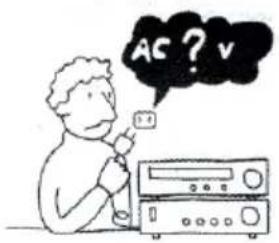
Grounding or Polarization - This appliance is equipped with a polarized AC power cord. Plug(a plug having one blade wider than the other), or with two-wire grounding type plug) Plug having a second pin for grounding). A follow the instructions below:
- For the appliance with a polarized AC power Cord plug:
This plug will fit into the power outlet only one way. This is a safety feature. If you are unable to insert the plug fully into the outlet, try reversing. The plug. If the plug should still fail to fit, contact your electrician to have a suitable outlet installed. Do not defeat the safety purpose of the Polarized plug by forcing it in.
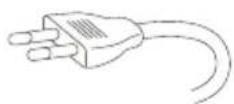
Overloading - Do not overload wall outlets, extension cords or convenience receptacles beyond their capacity, since this can result in fire or electric shock.
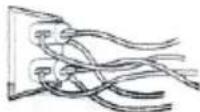
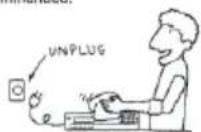
When not in use - Unplug the power cord of the appliance from the outlet when left unused for a long period of time. To disconnect the cord, pull it out by grasping the plug. Never pull the plug out by the cord.
natural_image
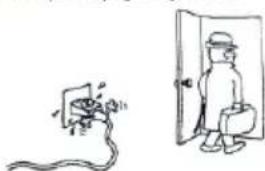
Simple line drawing of a person standing next to an electrical plug and a door (no text or symbols)Power-Cord Protection - Route the power cord so that it is not likely to be walked on or pinched by items placed upon or against them, paying particular attention to the plugs, receptacles, and the point where the cord exits from the appliance.
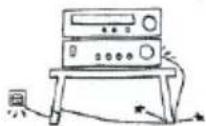
Lightning - For added protection for this appliance during a lightning storm, or when it is left unattended and unused for long periods of time, unplug it from the wall outlet and disconnect the antenna or cable system. This will prevent damage to the appliance due to lightning and powerline surges.
Cleaning - Unplug the appliance from the wall outlet before cleaning or polishing it. Do not use liquid cleaners or aerosol cleaners. Use a cloth lightly dampened with water for cleaning the exterior of the appliance. Clean the appliance only as recommended.
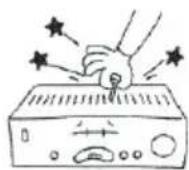
Object and Liquid Entry - Never push objects of any kind into the appliance through openings as they may touch dangerous voltage points or short out parts that could result in a fire or electric shock. Never spill liquid of any kind on the appliance.
ANTENNAS
Outdoor Antenna Grounding - if an outdoor antenna or cable system is installed, follow the precautions below.
An outdoor antenna system should not be located in the vicinity of overhead power lines or other electric light or power circuits, or where it can come in contact with such power lines or circuits. WHEN INSTALLING AN OUTDOOR ANTENNA SYSTEM, EXTREME CARE SHOULD BE TAKEN TO KEEP FROM CONTACTING SUCH POWER LINES OR CIRCUITS AS CONTACT WITH THEM IS ALMOST INVARIABLY FATAL.
Be sure the antenna system is grounded so as to provide some protection against voltage surges and built-up static charges. Section 810 of the National Electrical Code provides information with respect to proper grounding of the mast and supporting structure, Grounding of the lead-in wire to an antenna discharge unit, size of grounding conductors, location of antenna-discharge unit, connection to grounding electrodes, and requirements for the grounding electrode.
Antenna Grounding According to the National Electrical code
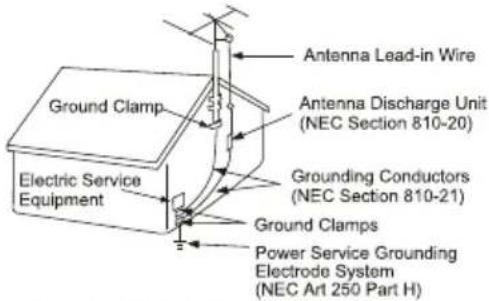
NEC-NATIONAL ELECTRICAL CODE
SERVICE
Damage Requiring Service- Unplug the appliance from the wall outlet and refer servicing to qualified service personnel under the following conditions:
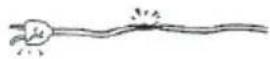
- When the power cord or plug is damaged or frayed.
- If liquid has been spilled or objects have fallen into the appliance.
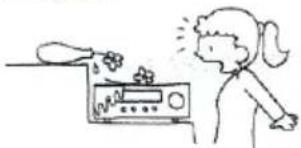
natural_image
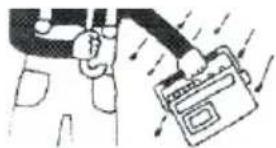
Simple line drawing of a person reacting to a food item on a kitchen (no text or symbols)- If the appliance has been exposed to rain or water.
natural_image
Illustration of a hand holding a device with arrows indicating motion (no text or symbols)- The appliance does not appear to operate normally or exhibits a marked change in performance. - This indicates a need for service.
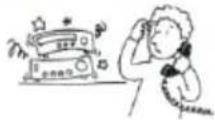
- If the appliance does not operate normally when following the operating instructions, adjust only those controls that are specified in the operating instructions. Improper adjustment of other controls may result in damage and will often require extensive work by a qualified technician to restore the appliance to normal operation.
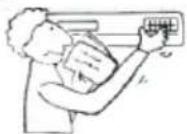
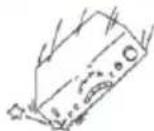
- If the appliance has been subject to excessive shock by being dropped, or the cabinet has been damaged.
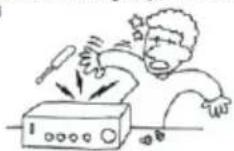
Servicing - Do not attempt to service the appliance yourself as opening or removing covers may expose you to dangerous voltage or other hazards. Refer all servicing to qualified service personnel
Replacement parts- When replacement parts are required, be sure the service technician has used replacement parts specified that have the same characteristics as the original parts. Unauthorized substitutions may result in fire, electric shock, or other hazards.
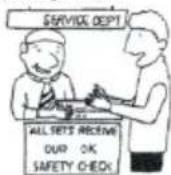
Safety Check - Upon completion of any service or repairs to the appliance, ask the service technician to perform routine safety checks) as specified ) to determine that the appliance si in safe operating condition.
- Do not install this equipment in a confined or building-in space such as a book case or similar unit, and remain a well ventilation conditions. The ventilation should not be impeded by covering the ventilation openings with items such as newspaper, table-cloths, curtains etc. Minimum 10 cm distance around the apparatus for sufficient ventilation.
- WARNING : To reduce the risk of fire or electric shock, do not expose this apparatus to rain or moisture. The apparatus shall not be exposed to dripping or splashing and that objects filled with liquids, such as vases, shall not be placed on apparatus.
- WARNING: The batteries shall not be exposed to excessive heat such as sunshine, fire or the like.
- WARNING: The mains plug is used as disconnect device, the disconnect device shall remain readily operable.
- Invisible laser radiation when open and interlocks defeated. Avoid exposure to beam of laser.
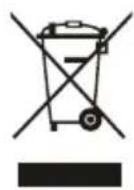
- Correct Disposal of this product. This marking indicates that this product should not be disposed with other household wastes throughout the EU. To prevent possible harm to the environment or human health from uncontrolled waste disposal, recycle it responsibly to promote the sustainable reuse of material resources. To return your used device, please use the return and collection systems or contact the retailer where the product was purchased. They can take this product for environmental safe recycling.
CLASS 1 LASER PRODUCT
ATTENTION: t his symbol indicates that this appliance is ac lass 1 I aser product.
- do not try to open the cover or look at the laser beam.
- Never touch the laser lens inside the compartment.
- d o not try to open the cover or look at the laser beam. - Never touch the laser lens inside the compartment.
FRONT PANEL AND REAR PANEL ILLUSTRATION
FRONT PANEL
The front of the DVD player
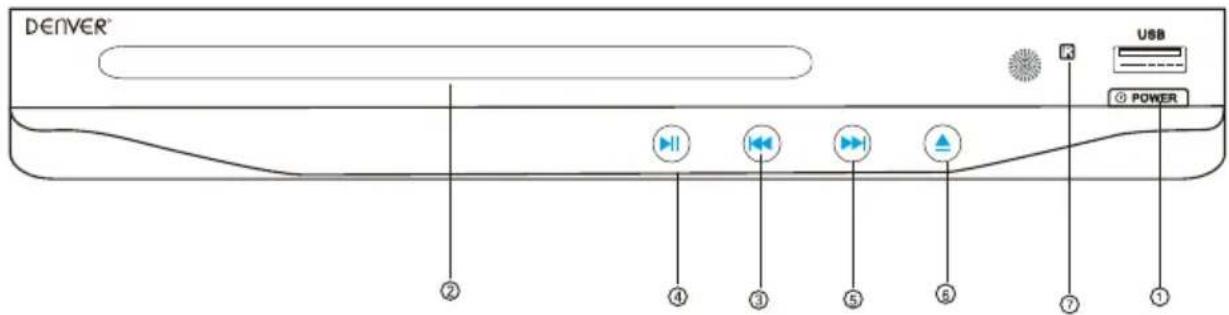
① POWER
③ PREV
⑤ NEXT
⑦ REMOTE SENSOR
② CD DOOR
④ PLAY/PAUSE
⑥ OPEN/CLOSE
The back of the DVD player
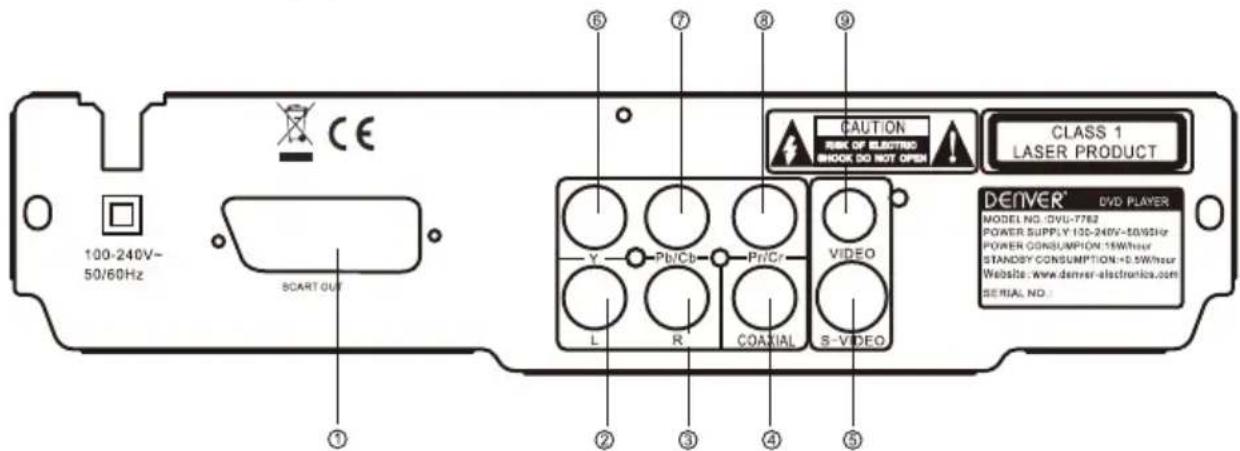
① Scart output jack
④ Digital signal COAXIAL output jack
⑦ Pb/Cb output jack
② LEFT output jack
⑤ S-Video output jack
⑧ Pr/Cr output jack
③ RIGHT output jack
⑥ Y output jack
⑨ VIDEO output jack
REMOTE CONTROL
- When use, direct the remote control to the infra-red sensor (within 45 degrees)
- Do not put remote control near to the place with high temperature or moisture
- Do not put water or any other object on remote control
- Do not use new and old batteries or different type batteries together
- Please replace batteries when find remote control is out of work or weak sensitivity.
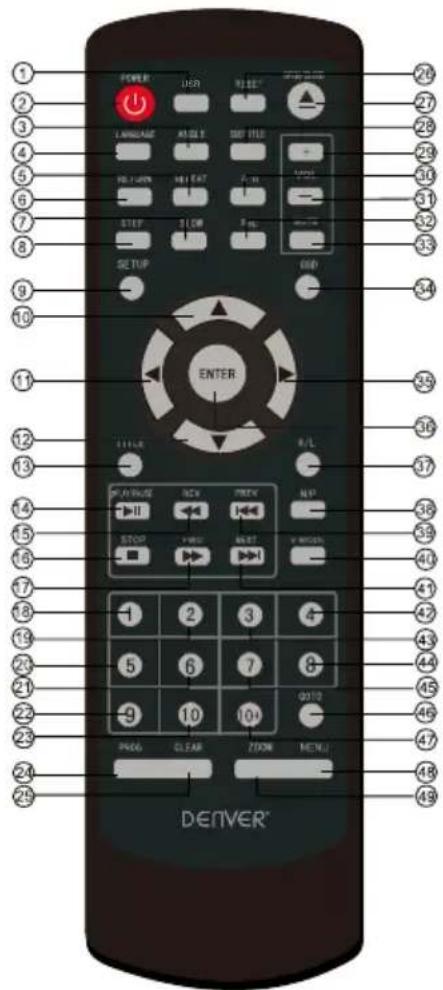
| 1 USB | 21 6 | 41 NEXT |
| 2 POWER | 22 9 | 42 4 |
| 3 ANGLE | 23 10 | 43 3 |
| 4 LANGUAGE | 24 PROG | 44 8 |
| 5 REPEAT | 25 CLEAR | 45 7 |
| 6 RETURN | 26 RESET | 46 GO TO |
| 7 SLOW | 27 OPEN/CLOSE | 47 10+ |
| 8 STEP | 28 SUBTITLE | 48 MENU |
| 9 SETUP | 29 VOL + | 49 ZOOM |
| 10 UP | 30 A-B | |
| 11 LEFT | 31 VOL - | |
| 12 DOWN | 32 PBC | |
| 13 TITLE | 33 MUTE | |
| 14 PLAY/PAUSE | 34 OSD | |
| 15 REV | 35 RIGHT | |
| 16 STOP | 36 ENTER | |
| 17 FWD | 37 R/L | |
| 18 1 | 38 N/P | |
| 19 2 | 39 PREV | |
| 20 5 | 40 V-MODE |
REMOTE CONTROL OPERATION
POWER

OPEN/CLOSE

TITLE

MENU

V-MODE

OSD

- Press POWER to be in Standby mode. Press once more to resume playing from the beginning.
- To open the disc tray, press OPEN/CLOSE To close the disc tray, press OPEN/CLOSE again.
During DVD playback, press TITLE to display the DVD title menu or play the first title. Note: this function is subject to the disc.
- During DVD playback, press MENU to display the disc menu of the current title. Note: This function is subject to the disc
• Under the stop mode, Press this button to switch the video of ① RGB
During VCD/DVD playback, press OSD to display the current time counter position as follows.
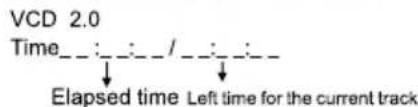
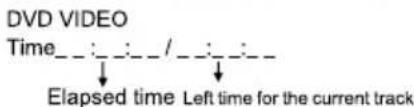

- During VCD/SVCD playback, Press PBC to select the mode of PBC On or PBC Off PBC is: playback control used to navigate VCD/SVCD
0-10 Keys

These keys are used to input the time, as well as title, chapter and track numbers
- When a CD,DVD or VCD is playing (with PBC off), press the 0-10 keys to select a track Directly.
- When a numeric item is displayed on the screen, press the 0-10 keys to select the desired entry,
During AVI, DVD, VCD or SVCD playback, press SLOW for slow motion playback.
Once you press SLOW, the disc will play at 1/2, 1/4, 1/6 and 1/8 normal speed.
• Press PLAY to resume normal playback.
During AVI, DVD, CD or VCD playback, press PREV to play the previous chapter, title or track.
During AVI, DVD, CD or VCD playback, press NEXT to play the next chapter, title or track.
REPEAT

• Each press of the REPEAT button will change the repeat mode.
During VCD, CD , AVI playback, there are three modes: repeat Single, repeat All and Off. During AVI/DVD, playback, there are three modes: repeat character, repeat title and Off. Note: During VCD playback, the PCB mode must be set to Off
A-B

• During playback, press A-B to select point A
- Press it again to select point B. The player will repeat the section from A to B automatically.
- Press A-B a third time to cancel A-B repeat and clear points A and B. Note: During AVI/CD/VCD/SVCD playback, points A and B must be within the same track. During AVI/DVD playback, points A and B can be selected from different chapters.
REV

- During AVI/DVD, CD or VCD playback, press REV To in reverse. the disc at 2, 4, 8 and 16 times speed
• Press PLAY to resume normal playback.
- During AVI/DVD, CD or VCD playback, press FWD to forward. The disc at 2, 4, 8 and 16 times speed.
- Press PLAY to resume normal playback.
FWD

- Press N/P when in STOP mode to select the mode from PAL / AUTO /NTSC .
N/P

Importer:
DENVER ELECTRONICS A/S
Stavneagervej 22
DK-8250 EGAA
DENMARK
ALL RIGHTS RESERVED
DENVER ELECTRONICS A/S
www.denver-electronics.com
CE
Instructions on environment protection
Electric and electronic equipment and included batteries contains materials, components and substances that can be hazardous to your health and the environment, if the waste material (discarded electric and electronic equipment and batteries) is not handled correctly.
Electric and electronic equipment and batteries is marked with the crossed out trash can symbol, seen below. This symbol signifies that electric and electronic equipment and batteries should not be disposed of with other household waste, but should be disposed of separately.
As the end user it is important that you submit your used batteries to the appropriate and designated facility. In this manner you make sure that the batteries are recycled in accordance with legislature and will not harm the environment.
All cities have established collection points, where electric and electronic equipment and batteries can either be submitted free of charge at recycling stations and other collection sites, or be collected from the households. Additional information is available at the technical department of your city.


Mærke : DENVER
Model : DVU-7782
Kategori : Dvd-afspiller