
MM-CH26US - Medieafspiller Fantec - Gratis brugsanvisning og manual
Find enhedens vejledning gratis MM-CH26US Fantec i PDF-format.


Brugerspørgsmål om MM-CH26US Fantec
0 spørgsmål om dette apparat. Besvar dem du kender, eller stil dit eget.
Stil et nyt spørgsmål om dette apparat
Download vejledningen til din Medieafspiller i PDF-format gratis! Find din vejledning MM-CH26US - Fantec og tag din elektroniske enhed tilbage i hånden. På denne side er alle dokumenter nødvendige for brugen af din enhed offentliggjort. MM-CH26US af mærket Fantec.
BRUGSANVISNING MM-CH26US Fantec
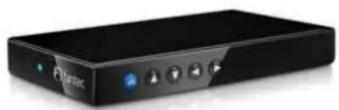
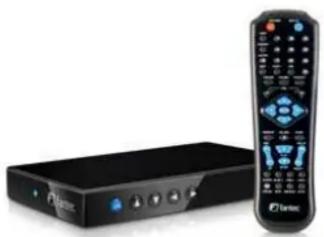
natural_image
Black rectangular device with a remote control unit beside it, no visible text or symbols on the device itself.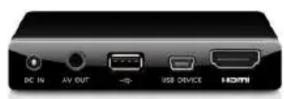


Product details
item no.: 1428
model no.: FANTEC MM-CH26US
specification: 6,35cm (2.5") SATA HDMI Media Player USE-Host
connectors: Internal: SATA
External: 1x USB 2.0 connector
1x USB host connector
HDMI connector (Audio / Video)
AV out (Audio / Video)
operating system: Windows 2000/XP/VISTA/7, Linux, MAC OS
chipset: USB2.0 max. 480Mbits/s
supported formats: File system: FAT32 / NTFS
Supported media files:
-
Audio: MP3, WMA, WAV
-
Video: MPEG1/2, MPEG4, XVID1.0, DIVX3/4/5, VCD, DVD
(*.mpg; *.mpeg; *.dat; *.avi; *.vob; *.ifo)
- Photo: JPEG, JPG
resolution: TV: PAL / NTSC
Video: 720 x 576 Pixel
HDMI: 576p / 720p / 1080i
JPEG: 5120 x 3840 Pixel
Audio: 320 kbp/s
material / color: Plastic in piano finish / black
features: USB host
control buttons at front
accessories including: remote control / battery
AV cable
USB 2.0 cable
external power supply
manual
screws
country of origin: China
dimensions (w x d x h): 84 x 134 x 21 mm
Power Supply: input: 100-240V 50/60Hz, 0.45A
output: +5.2V 2.0A, 10.4 Watt
certifications: CE, FCC, RoHs
weight / piece (kg): 0,8
package (piece / carton): 20
EAN code: 4250273414288
description: For use with 6,35cm (2.5") SATA hard disk (max. height 9,5mm). HDD size unlimited.
Mobile hard disk multimedia player for playback of music, video and photo. addition, suitable as an external hard disk. Very quick and simple startup. T wiring with a TV is really uncomplicated. It's just a single cable needed. The button "DATA" at the onscreen menu is arranged clearly in order to navigate through the content and folders. All supported files will be displayed. For quick-start of multimedia content select the buttons "PHOTO", "MUSIC" and "VIDEO".
An additional highlight is the direct playback from USB storage devices. It's possible to copy, move, delete and view the files directly from USB storage without a PC connection.
Technical details are subject to changes.
Mærke : Fantec
Model : MM-CH26US
Kategori : Medieafspiller