
20.1 - Skærmbeskytter TARGUS - Gratis brugsanvisning og manual
Find enhedens vejledning gratis 20.1 TARGUS i PDF-format.


Brugerspørgsmål om 20.1 TARGUS
0 spørgsmål om dette apparat. Besvar dem du kender, eller stil dit eget.
Stil et nyt spørgsmål om dette apparat
Download vejledningen til din Skærmbeskytter i PDF-format gratis! Find din vejledning 20.1 - TARGUS og tag din elektroniske enhed tilbage i hånden. På denne side er alle dokumenter nødvendige for brugen af din enhed offentliggjort. 20.1 af mærket TARGUS.
BRUGSANVISNING 20.1 TARGUS
ANTI-GLARE
privacy screen
for LCDs & notebooks

7Targus®
Introduction
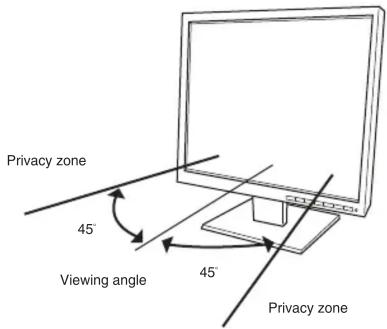
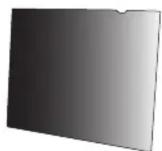
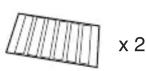
Congratulations on your purchase of a Targus Privacy Screen. The patented Microlouver technology keeps your on-screen information secure by preventing viewing from an angle greater than 45°. You can attach the screen permanently using the adhesive strips, or use the tabs provided if you want to be able to remove the screen as needed.
Features
- Privacy protection against viewing from an angle
- Easily attachable and removable via the included tabs and adhesive tapes
• Available in many sizes for the ideal fit to your notebook screen or LCD monitor

NOTE
- The Targus Privacy screen is only intended for use on notebook or LCD monitor screens

CAUTION
- Do not exert excessive force or use an abrasive cloth when cleaning the surface of the privacy screen - Do not bend the privacy screen

√
[NO TEXT]
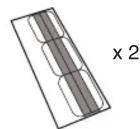
[NO TEXT]

2

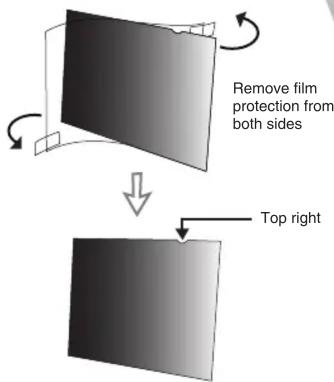
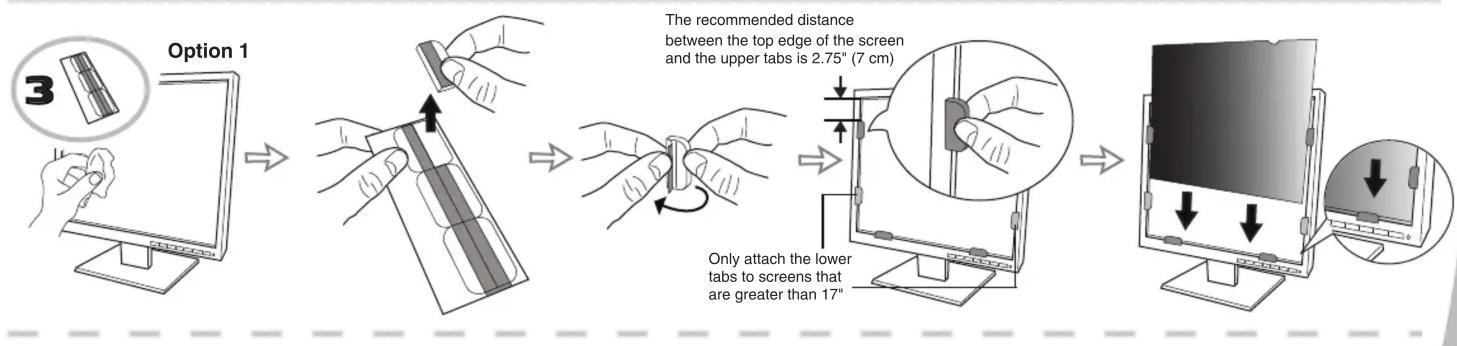
Option 2
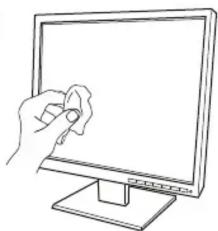
natural_image
Line drawing of a hand holding a small object on a computer monitor (no text or symbols)→
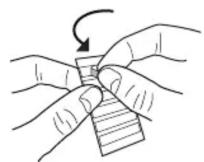
→
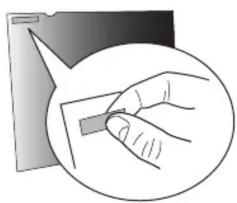
natural_image
Illustration of a hand holding a clip, enclosed in a circle (no text or symbols)→
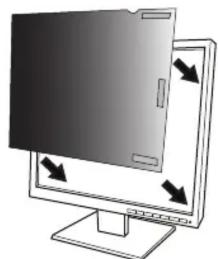
natural_image
Illustration of a computer monitor with a folder and directional arrows indicating orientation (no text or symbols)Technical Support
For technical questions, please visit:
US Internet: www.targus.com/support.asp
Australia Internet: www.targus.com/au | Email: infoaust@targus.com | Telephone:1800-641-645
New Zealand Telephone: 0800-633-222
Product Registration
Targus recommends that you register your Targus accessory shortly after purchasing it. To register your Targus accessory, go to: http://www.targus.com/registration.asp You will need to provide your full name, email address, country of residence and product information.
Warranty
Targus warrants this product to be free from defects in materials and workmanship for one year. If your Targus accessory is found to be defective within that time, we will promptly repair or replace it. This warranty does not cover accidental damage, wear and tear, or consequential or incidental loss. Under no conditions is Targus liable for loss of, or damage to, a computer or other device(s); nor loss of, or damage to, programs, records, or data; nor any consequential or incidental damages, even if Targus has been informed of their possibility. This warranty does not affect your statutory rights.
Quick StartQ

Mærke : TARGUS
Model : 20.1
Kategori : Skærmbeskytter