
Hermes E1B - Tastatur Gamdias - Gratis brugsanvisning og manual
Find enhedens vejledning gratis Hermes E1B Gamdias i PDF-format.


Brugerspørgsmål om Hermes E1B Gamdias
0 spørgsmål om dette apparat. Besvar dem du kender, eller stil dit eget.
Stil et nyt spørgsmål om dette apparat
Download vejledningen til din Tastatur i PDF-format gratis! Find din vejledning Hermes E1B - Gamdias og tag din elektroniske enhed tilbage i hånden. På denne side er alle dokumenter nødvendige for brugen af din enhed offentliggjort. Hermes E1B af mærket Gamdias.
BRUGSANVISNING Hermes E1B Gamdias
HERMESIE 1 B
4-IN-1 GAMING COMBO
![ESC F1 F2 F3 F4 F5 F6 F7 F8 F9 F10 F11 F12 PWTSC SRLX PAUSE ~ 1! 2@ 3# 4S 5% G^ 7& 8* 9( 0) -- =+ ← INS HOME PdUP TAB Q W E R T Y U I O P [ ( ] ) \ I DEL END PdON CAPSLK A S D F G H J K L ; : " ← SHIFT Z X C V B N M ;< .> / ? SHIFT ↑ CTRL ALT CTRL + ↓ GAMDIA5](/content/2026/05/1013679/images/28cebe8a6f4748379702581cc4bb453e5600c4005fab9a4f2365c685d25ce7dd.jpg)
《English》
Thank you for purchasing the GAMDIAS™ HERMES E1B mechanical keyboard. The HERMES E1B focuses on the basic features users demand and applies this to the distinct design elements of the HERMES series. This small, lightweight and easy-to-use keyboard allows for extended use and flexibility.
System Requirements
- Windows ^ XP/ Vista / 7 / 8 / 10
- PC with USB ports
Introduction to HERMES E1B Keyboard Configuration
A. Seven multimedia shortcut keys: Previous track, play/pause, next track, stop, mute, decrease volume, increase volume

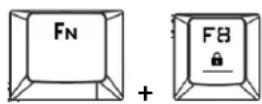
B. Game mode: Press [Fn + F8] once to lock the Windows key so there will be no response when they are pressed. Press again to unlock the keys
C. Keyboard backlight brightness level adjustment: Under the constant light mode, use [Fn + F10] increases brightness, [Fn + F9] decreases brightness. There are 4 phases for brightness level adjustment; OFF / 50% / 70% / 100%

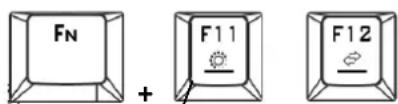
D. Lighting mode: There are two lighting modes, Press [Fn + F11] to switch to 7-color breathing modes, Press [Fn + F12] to switch to 7-color constant light modes.
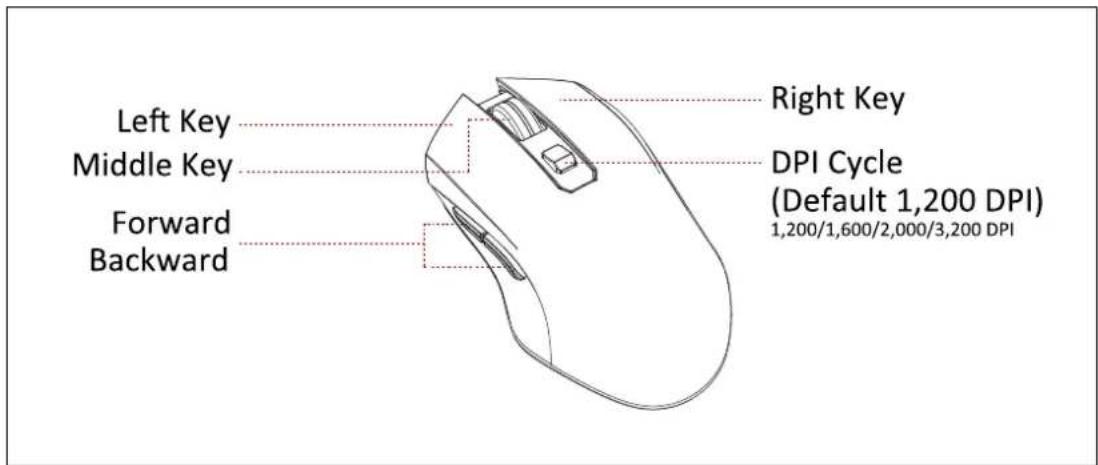
Mouse Default Settings
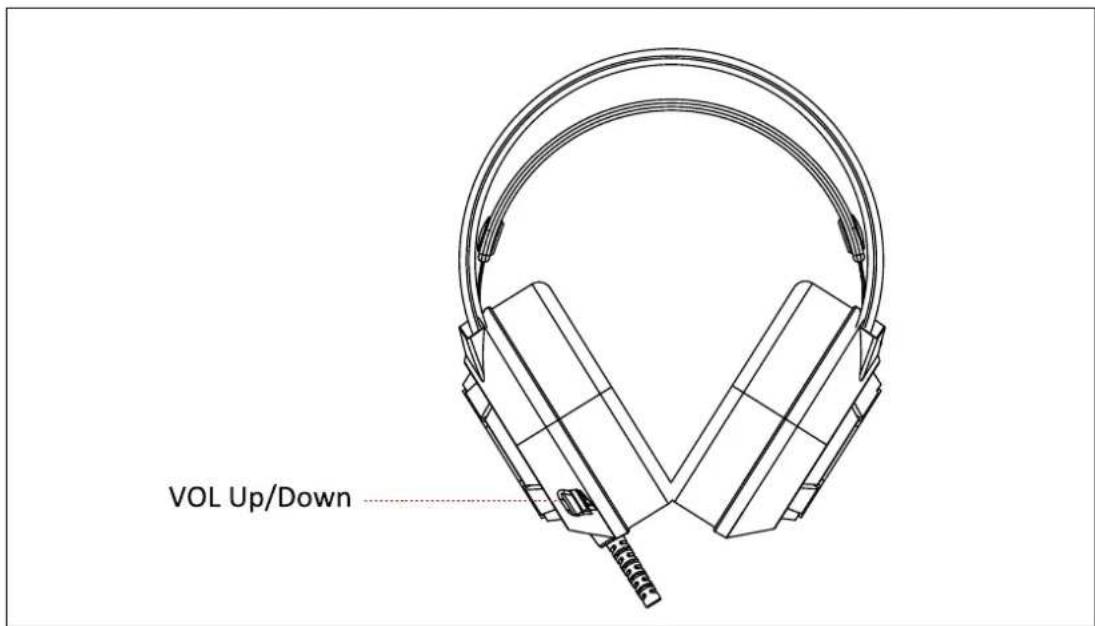
Headset Default Settings
Register your GAMDIAS™ HERMES E1B 4-in-1 Gaming Combo
Please visit www.GAMDIAS.com for online product registration

natural_image
Golden geometric logo with interlocking triangular shapes (no text or symbols)GAMDIAS
GAMING ART IN MOTION
Mærke : Gamdias
Model : Hermes E1B
Kategori : Tastatur